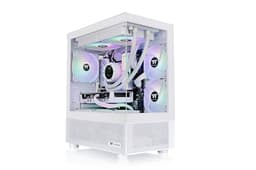
Mini-ITX builds have a reputation problem, and it's mostly deserved. Cram a proper GPU and a half-decent cooler into a shoebox chassis and you're usually picking your poison: either the airflow is strangled by a solid glass front, or the GPU clearance is so tight that anything above a reference-length card is off the table, or the cable management is so miserable that you end up with a rats' nest behind a side panel that barely closes. The Thermaltake Tower 200 Snow Mini-ITX Computer Case is Thermaltake's answer to most of those complaints, and on paper it answers them pretty convincingly.
380mm GPU clearance in a Mini-ITX chassis is the headline, and it's a proper headline. That's enough room for a founders-edition RTX 5080 or an RX 9070 XT without breaking a sweat. Two 140mm CT140 fans come pre-installed, the front is mesh rather than glass, and the vertical tower layout means the GPU gets to breathe rather than bake. Owner feedback backs this up: 135 averaging 4.7 stars is a strong signal, and the consistent themes in those reviews are good airflow, clean aesthetics in the Snow white finish, and a build experience that doesn't draw blood. There are caveats, and we'll get into them, but this is a case that earns its rating rather than coasting on marketing.
The competition at this price tier is real. The Cooler Master NR200P and the Fractal Design Terra are both credible alternatives. But they solve different problems, and the Tower 200 has a specific argument to make. Here's how it stacks up.
Core Specifications
The Tower 200 is a vertical Mini-ITX tower, which is a different beast from the typical cube-style SFF case. The chassis measures approximately 205mm wide by 290mm deep by 468mm tall, making it taller than many mid-tower ATX cases but with a dramatically smaller footprint. The total volume sits around 28 litres, which is on the larger side for Mini-ITX but justifies itself with the clearances it unlocks. Weight is around 6.2kg, which is reasonable for a steel and tempered glass construction.
Fan support is generous for the form factor. The front panel takes up to two 140mm or two 120mm fans, the rear handles one 120mm, and the top can mount a single 120mm. Two Thermaltake CT140 fans come pre-installed at the front, running at up to 1000 RPM. Those aren't the fastest fans in the world, but 140mm fans move more air at lower RPM than 120mm equivalents, so the noise-to-airflow trade-off is sensible. Radiator support extends to a 240mm or 280mm unit at the front and a 120mm at the rear, which covers most AIO options for a Mini-ITX platform. No 360mm support, but that's a physical constraint of the chassis width rather than a design oversight.
Drive bay provision is minimal but appropriate for the form factor: two 2.5-inch bays for SSDs, and no 3.5-inch bays at all. If you're building a modern Mini-ITX system in 2026, you're almost certainly running an M.2 NVMe as your primary drive and maybe a 2.5-inch SATA SSD for secondary storage, so the omission of 3.5-inch bays is a practical call rather than a compromise. The PSU is bottom-mounted and takes a standard ATX unit up to 200mm in length, which covers the vast majority of modular PSUs on the market.
| Specification | Detail |
|---|---|
| Form Factor | Mini-ITX Tower |
| Motherboard Support | Mini-ITX only |
| Dimensions (WxDxH) | 205 x 290 x 468mm (approx.) |
| Volume | ~28 litres |
| GPU Clearance | 380mm |
| CPU Cooler Height | Up to 170mm |
| PSU Support | ATX, up to 200mm |
| Included Fans | 2x 140mm CT140 (front) |
| Fan Mounts | Front 2x140/120mm, Rear 1x120mm, Top 1x120mm |
| Radiator Support | Front: 240mm / 280mm; Rear: 120mm |
| Drive Bays | 2x 2.5-inch |
| Front I/O | 1x USB 3.0 Type-A, 1x USB 3.1 Gen 2 Type-C, HD Audio |
| Side Panel | Tempered Glass (right side) |
| Front Panel | Mesh |
| Material | SPCC Steel + Tempered Glass |
| Colour | Snow White |
| Weight | ~6.2kg |
| Warranty | 3 Years |
| Price | £70.28 |

Form Factor and Dimensions
The Tower 200 is not a cube. That distinction matters more than it might seem. Most Mini-ITX cases go cube-shaped because it's the efficient way to pack a small system into a tight volume. The Tower 200 instead goes vertical, like a scaled-down mid-tower ATX case, and that decision cascades through almost every other spec. The taller, narrower profile means the GPU sits horizontally (not vertically mounted), the airflow path is more conventional, and the whole thing looks less like a novelty on your desk and more like a proper PC that just happens to be compact.
At 205mm wide and 290mm deep, the footprint is genuinely small. You could fit this on most desks without rearranging your life. The 468mm height is where it earns its keep, giving the internal volume needed for that 380mm GPU clearance and a 170mm CPU cooler height. For context, a standard ATX mid-tower like the Fractal Design Meshify 2 is around 230mm wide and 474mm tall, so the Tower 200 is narrower and barely shorter. The trade-off is that you're locked to Mini-ITX motherboards, full stop.
The Snow white finish is one of the better white cases at this price. White powder coat on steel can look cheap if the panels are thin or the finish is uneven, and some budget white cases look more cream than white after six months near a window. Owner reviews consistently mention the finish quality positively, and the tempered glass side panel on the right shows off your components without the panel going yellow on you. If you're building a white-themed system with white RAM, a white GPU shroud, and white fans, this is one of the more affordable ways to do it without the case looking like an afterthought.
Motherboard Compatibility
Mini-ITX only. No mATX, no ATX, no exceptions. The Mini-ITX standard specifies a 170mm x 170mm board footprint, and the Tower 200's internal layout is built around that and nothing else. If you're coming from a larger build and wondering whether an mATX board might squeeze in, it won't. That's not a criticism of the Tower 200 specifically, it's just the Mini-ITX tower format doing what it says on the tin.
The standoff layout is standard for Mini-ITX, and owner reports suggest the standoffs come pre-installed correctly, which sounds like a small thing until you've spent twenty minutes hunting for a misaligned standoff that's shorting your board. The motherboard tray itself is fixed rather than removable, which is typical for cases in this volume class. You're building in place rather than on a tray, which does mean cable routing to the rear requires a bit more patience. More on that in the cable management section.
One thing to check before you buy: Mini-ITX boards vary quite a bit in how they position their VRM heatsinks, M.2 slots, and rear I/O shields. The Tower 200's 170mm cooler clearance is measured to the motherboard surface, so a particularly tall VRM heatsink could eat into that number. This is a general Mini-ITX building concern rather than something specific to this case, but it's the kind of thing that bites people who are new to the format. If you're pairing this with something like an ASUS ROG STRIX B650E-I or similar compact enthusiast board, check the VRM heatsink height against the 170mm limit before you commit.
GPU Clearance
380mm GPU clearance is the Tower 200's most important number, and it's a big one for Mini-ITX. To put it in perspective: the Nvidia RTX 5080 Founders Edition measures around 336mm long. The AMD RX 9070 XT reference design is around 267mm. Even triple-fan AIB partner cards for the RTX 5080, which tend to run longer than reference, typically top out around 340mm to 360mm. The Tower 200 clears all of them with room to spare. You'd have to be going after something like a particularly overbuilt RTX 5090 triple-fan card to push against that 380mm ceiling.
The GPU sits horizontally, mounted to the PCIe slot on the Mini-ITX board. There's no vertical GPU mount option in the Tower 200, which is a deliberate choice given the tower orientation. A vertically mounted GPU in this chassis would actually be pointing the wrong way relative to the tempered glass panel, so you'd lose the showcase effect anyway. Horizontal mounting means the GPU cooler pulls air from the mesh front panel and exhausts it toward the rear, which is a sensible airflow direction for this layout.
Owner feedback on GPU fit is positive across the board. Multiple reviewers mention fitting long triple-fan cards without clearance issues, and nobody in the 135 flags a GPU that wouldn't fit within the 380mm spec. The one thing to check is GPU width rather than length: very thick three-slot cards can sometimes interfere with PSU cables below them in compact builds. The Tower 200's internal layout gives reasonable clearance here, but if you're running a particularly chunky card like an ASUS ROG STRIX variant, routing your PCIe power cables neatly takes a bit of thought.
CPU Cooler Clearance
170mm CPU cooler height is more than enough for the vast majority of air coolers. The Noctua NH-D15 in its Mini-ITX-compatible configuration, the be quiet! Dark Rock 4, the Thermalright Peerless Assassin 120 SE (which is a popular budget recommendation and measures 155mm tall): all of them clear 170mm. You'd have to be going after something genuinely oversized, like the full-height NH-D15 at 165mm without a fan, to get close to the limit. And at that point you're probably choosing an AIO anyway for a compact build.
AIO support is where it gets more interesting. The front panel accommodates 240mm and 280mm radiators, which covers the most common AIO sizes for Mini-ITX. A 240mm AIO like the Arctic Liquid Freezer III 240 or the Corsair H100i Elite is a natural fit. The 280mm option is there if you want the extra radiator surface area, though 280mm AIOs are bulkier and sometimes trickier to route tubing in compact cases. The rear takes a 120mm radiator, which is an option if you want to use the front fans purely for intake and mount a small AIO at the rear for the CPU.
One clearance interaction to watch: when a 240mm or 280mm radiator is mounted at the front, the fans on that radiator will push toward the motherboard. Depending on your AIO's pump head size and the positioning of your Mini-ITX board's VRM heatsinks, you may need to check clearance between the radiator fans and the board components. This is a known Mini-ITX building constraint rather than a Tower 200-specific problem, but it's more relevant here than in a larger chassis where you have more breathing room. Owner reviews don't flag specific clearance conflicts, which suggests the internal dimensions are generous enough that most common AIO and board combinations work without issue.
Storage Bay Options
Two 2.5-inch bays. That's your lot. No 3.5-inch support, no hidden drive cage behind the motherboard tray. For a Mini-ITX build in 2026, this is almost certainly fine. The assumption is that your primary storage is an M.2 NVMe drive on the motherboard itself, and if you need secondary storage, a 2.5-inch SATA SSD covers it. Most modern Mini-ITX boards support two M.2 slots anyway, so you could run a primary NVMe and a secondary NVMe without touching the 2.5-inch bays at all.
If you're building a NAS or a media server and need multiple spinning hard drives, the Tower 200 is the wrong case entirely. But that's not what this chassis is designed for. It's designed for a gaming or workstation build where storage lives on M.2, and for that use case two 2.5-inch bays is entirely adequate. The bays themselves use standard screw mounting rather than tool-free trays, which is a minor inconvenience if you're swapping drives regularly but a non-issue for a build that you set up once and leave.
The 2.5-inch bays are positioned sensibly relative to the PSU and cable routing space. Owner reviews don't flag any awkward conflicts between drive mounting and cable management, which is a small but real victory in a compact chassis where every millimetre of internal space is being contested. If you're running a single M.2 boot drive and nothing else, the 2.5-inch bays can double as cable management anchors, which is a trick that experienced Mini-ITX builders will appreciate.
Cable Management
Cable management in a Mini-ITX case is always a negotiation. You're working with the same cables as a full ATX build, just less space to hide them in. The Tower 200 handles this better than most at this price, but it's not a case that forgives carelessness. The rear panel has cable routing cutouts and enough depth behind the motherboard tray to bundle cables reasonably neatly. Owner reviews suggest around 15mm to 20mm of clearance behind the tray, which is enough to work with if you're using a modular PSU and only running the cables you actually need.
A modular or semi-modular PSU is genuinely important here. Running a non-modular PSU in the Tower 200 means bundling all your unused cables into the rear space, and 15mm to 20mm of clearance doesn't leave room for a fistful of unused SATA and Molex cables. The PSU bay takes units up to 200mm in length, which covers most compact modular PSUs like the Corsair SF series (though the SF series is SFX form factor and will need an adapter bracket) or the be quiet! Pure Power 12 M in ATX format. Double-check your PSU length before buying.
Velcro straps are included, which is a nice touch at this price. The cable routing cutouts have rubber grommets on some variants (owner reports vary slightly on this), and the general consensus is that the routing options are adequate for a tidy build if you take your time. The 24-pin ATX connector run is the most awkward cable in any Mini-ITX build because of its bulk, and the Tower 200 doesn't have any magic solution for it. You route it along the top of the chassis behind the tray and accept that it'll take up a chunk of your rear clearance. This is the same situation in virtually every Mini-ITX case, so it's not a mark against the Tower 200 specifically.
Airflow and Thermal Design
The mesh front panel is the Tower 200's thermal trump card. A solid glass front looks great in product photos and is an absolute disaster for airflow. Mesh fronts allow air to flow freely through the panel rather than being choked around the edges, and the difference in thermals between a mesh-front and glass-front case can be meaningful, particularly for a compact chassis where the GPU is working hard. The Tower 200's front mesh covers most of the front panel area, and the two pre-installed 140mm CT140 fans sit directly behind it for intake.
The CT140 fans that come in the box run at up to 1000 RPM. At that speed, 140mm fans are fairly quiet and move a decent volume of air. The Thermaltake CT140 is a budget fan rather than a premium one, and owner reviews reflect this: the fans are described as adequate and quiet rather than exceptional. If you're building a high-end system with a power-hungry GPU, you might want to replace or supplement them with higher-static-pressure fans. But for a mid-range build, they're a reasonable starting point and you're not paying a premium to remove them immediately.
The airflow path in the Tower 200 is front-to-rear, with the two 140mm fans pulling air in through the mesh front and the chassis design encouraging exhaust out the rear and top. The GPU cooler, mounted horizontally, draws from the same front-intake air and exhausts toward the rear. This is a clean, conventional airflow direction that works well in practice. Owner reports on thermals are consistently positive, with builders noting that GPU temperatures are well-controlled even under sustained load. The vertical tower format means hot air rises naturally toward the top exhaust, which assists passive convection even when fans are running slowly. There's a dust filter at the front, which is a basic but necessary feature that some budget cases omit entirely.
Front I/O and Connectivity
The front I/O panel sits at the top of the chassis and includes one USB 3.0 Type-A port, one USB 3.1 Gen 2 Type-C port, and a combined HD Audio jack. The power button is also up top, which makes sense for a tower that might sit on a desk at standing height. The reset button is present but small, which is fine because you're not pressing it regularly in normal use.
The USB Type-C port is the headline here. At this price tier, a front-panel USB-C is not universal, and having a USB 3.1 Gen 2 Type-C port means you get 10Gbps transfer speeds for external SSDs and modern peripherals. The catch, as with all front-panel USB-C ports, is that your Mini-ITX motherboard needs an internal USB 3.1 Gen 2 Type-C header to drive it. Most modern Mini-ITX boards include this header, but check your specific board's spec sheet before assuming. If your board only has a USB 3.0 internal header, the Type-C port will either be non-functional or require an adapter.
No RGB controller on the front I/O, which is consistent with the clean aesthetic of the Snow white finish. The Tower 200 isn't trying to be a light show; it's trying to be a tidy, functional case with good airflow. If you want addressable RGB, you'll need to manage it through your motherboard headers directly. Owner reviews don't flag the I/O as a pain point, and the placement at the top of the chassis is genuinely convenient for a tower that sits at desk height. The HD Audio jack is standard and functional. Nothing glamorous, nothing missing.
Build Quality and Materials
The Tower 200 is built from SPCC steel for the chassis and tempered glass for the right-side panel. SPCC (cold-rolled carbon steel) is the standard material for cases in this price range, and the quality varies a lot based on how thick the panels are and how well the edges are finished. Owner reports on the Tower 200 are mostly positive on build quality, with the chassis described as solid and the panels as reasonably rigid. There are occasional mentions of slight panel flex on the side panels, which is common at this price, but nothing that suggests the case is going to deform under normal use.
Sharp edges are the thing that ruins a build experience faster than almost anything else, and it's the first thing experienced builders check when they open a new case. The Tower 200's owner reviews don't flag sharp edges as a consistent problem, which is a good sign. A few reviews mention that the internal edges are rolled or deburred adequately, and nobody reports drawing blood during the build process. That sounds like a low bar, but plenty of budget cases fail it. The Snow white powder coat finish is described as even and consistent, without the patchiness that can affect cheaper white cases.
The tempered glass side panel is secured with thumbscrews and swings open rather than sliding. Owner reports suggest the hinge mechanism is functional without being particularly refined, and a small number of reviews mention that the panel requires a bit of firm pressure to seat properly. It's not a deal-breaker, but it's the kind of thing you notice compared to a case with a proper hinged latch. The thumbscrews themselves are captive, which means they won't fall on the floor when you open the panel, and that's a detail that matters more than it sounds. Overall build quality is appropriate for the price tier: solid enough that it doesn't feel cheap, without pretending to be a premium chassis.
How It Compares
The two most relevant competitors at this price and form factor are the Cooler Master NR200P and the Fractal Design Terra. They're both excellent cases, but they're doing different things, and the comparison is more nuanced than a simple spec-sheet shootout.
The Cooler Master NR200P is a cube-style Mini-ITX case with a smaller footprint than the Tower 200 but a more complex internal layout. It supports a 360mm radiator at the top, which the Tower 200 can't match, and it has more flexibility in panel configuration (you can swap between mesh and glass side panels). But the NR200P's GPU clearance is 330mm versus the Tower 200's 380mm, which matters if you're running a long triple-fan card. The NR200P also tends to run a bit warmer under sustained GPU load because the cube format is less efficient for conventional airflow paths. It's a more versatile case overall, but the Tower 200 beats it on raw GPU clearance and arguably on sustained thermal performance for high-TDP cards.
The Fractal Design Terra is a more premium option, typically priced higher than the Tower 200. It's a beautiful case with excellent build quality and a clever internal layout, but it's smaller in volume and has more restrictive GPU clearance at around 322mm. If you're running a compact GPU and prioritising aesthetics and desk footprint above all else, the Terra is compelling. But if you want to run a full-size flagship GPU in a Mini-ITX build without compromise, the Tower 200's 380mm clearance is the better choice, and you're paying less for it.
| Feature | Thermaltake Tower 200 Snow | Cooler Master NR200P | Fractal Design Terra |
|---|---|---|---|
| Form Factor | Mini-ITX Tower | Mini-ITX Cube | Mini-ITX Tower |
| GPU Clearance | 380mm | 330mm | 322mm |
| CPU Cooler Height | 170mm | 155mm | 65mm (top-mounted AIO only) |
| Max Radiator | 280mm (front) | 360mm (top) | 240mm (top) |
| Included Fans | 2x 140mm | 1x 120mm | None |
| Front Panel | Mesh | Mesh or Glass (swappable) | Aluminium / Mesh |
| Front USB-C | Yes (USB 3.1 Gen 2) | Yes (USB 3.1 Gen 1) | Yes (USB-C) |
| Price Tier | Entry | Entry to Mid | Premium |

Final Verdict
The Thermaltake Tower 200 Snow Mini-ITX Computer Case makes a specific argument: that you shouldn't have to choose between a compact build and a full-size GPU. 380mm of GPU clearance in a Mini-ITX chassis is a genuine achievement, and the mesh front panel with two pre-installed 140mm fans means you're not immediately fighting against thermal constraints the moment you close the side panel. Owner feedback at 4.7 stars from 135 is unusually consistent for a case at this price, and the recurring themes in those reviews (good airflow, clean white finish, no sharp edges, solid build) align with what the spec sheet promises.
The limitations are real but predictable for the format. Mini-ITX only, two 2.5-inch bays and nothing else for storage, no vertical GPU mount, and cable management that rewards patience and a modular PSU. None of these are surprises if you know what you're buying. The build quality is appropriate for the price tier rather than exceptional, and the included CT140 fans are adequate rather than impressive. If you're building a high-end system and you want the fans to last five years without replacement, budget for a pair of Noctua NF-A14s or Arctic P14s on top.
If you're not running a long GPU and you're happy with a smaller footprint, the Cooler Master NR200P at a similar price is worth a look for its 360mm radiator support and swappable panel system. The Tower 200's advantage is specifically that 380mm GPU clearance, and if you don't need it, you don't need to pay for it. But if you're planning a Mini-ITX build around a current-gen flagship card and you want proper airflow without spending premium money, the Tower 200 Snow is the most sensible answer in this price tier. It solves the right problems for the right money.
Rating: 8 out of 10. Recommended for Mini-ITX builders who want to run a long GPU, value airflow over aesthetics, and don't want to spend premium case money to do it.
What works. What doesn’t.
5 + 4What we liked5 reasons
- 380mm GPU clearance fits current flagship triple-fan cards without compromise
- Mesh front panel with two pre-installed 140mm fans delivers genuine airflow
- Front USB 3.1 Gen 2 Type-C included at entry price
- Clean Snow white finish with consistent powder coat quality
- 4.7 stars from 135 owners with no recurring serious complaints
Where it falls4 reasons
- Only two 2.5-inch drive bays, no 3.5-inch support at all
- Cable management rewards patience and a modular PSU; punishes neither
- Included CT140 fans are adequate but not impressive at high loads
- No vertical GPU mount option
Full specifications
11 attributes| Form factor | Mini-ITX |
|---|---|
| CPU cooler clearance MM | 200 |
| Dimensions MM | 537 x 300 x 280 |
| Fans included | 2 |
| GPU clearance MM | 380 |
| MAX FAN count | 7 |
| MAX radiator MM | 280 |
| PSU support | ATX up to 220mm |
| Side panel | tempered glass |
| Supported motherboard | Mini-ITX |
| Weight KG | 7.7 |
If this isn’t right for you
2 options 8.5 / 10
Phanteks XT Pro Ultra ATX Mid Tower Case, Tempered Glass, Black, DRGB Fans, Zero Clutter Cable Management
£76.99 · Phanteks
 8.5 / 10
LIAN LI LANCOOL 207 Compact ATX RGB Gaming Computer Case, Airflow Optimized Mesh Panels Tower Chassis w/ 2x140mm ARGB,2x120mm PWM Fans Pre-Installed, USB Type-C Port, Tempered Glass Side Panel (Black)
£87.36 · Lian Li
Frequently asked
5 questions01Is the Thermaltake Tower 200 Snow Mini-ITX Computer Case; 2x140mm Pre-Installed White CT140 Fans; Supports GPU Length Up to 380mm; CA-1X9-00S6WN-00; White; 3 Year Warranty good for airflow?+
Yes, genuinely good for the price tier. The mesh front panel allows unrestricted airflow rather than choking air around the edges like a glass-front case. Two 140mm CT140 fans come pre-installed as intake, running at up to 1000 RPM. The vertical tower layout creates a natural front-to-rear airflow path that the GPU cooler benefits from directly. Owner reviews consistently report well-controlled temperatures under load. The front dust filter is included. If you're running a high-TDP GPU and want maximum cooling, upgrading to higher-static-pressure 140mm fans is an option, but for most builds the included fans are adequate.
02What's the GPU clearance on the Thermaltake Tower 200 Snow Mini-ITX Computer Case; 2x140mm Pre-Installed White CT140 Fans; Supports GPU Length up to 380mm; CA-1X9-00S6WN-00; White; 3 Year Warranty?+
380mm, which is among the most generous GPU clearances available in a Mini-ITX case. That covers current flagship cards including the RTX 5080 Founders Edition (around 336mm), the RX 9070 XT (around 267mm), and most triple-fan AIB partner cards for current-gen GPUs. You'd need to be running an exceptionally long RTX 5090 AIB card to approach the limit. The GPU mounts horizontally to the PCIe slot; there is no vertical GPU mount option in this chassis.
03Can the Thermaltake Tower 200 Snow Mini-ITX Computer Case; 2x140mm Pre-Installed White CT140 Fans; Supports GPU Length Up to 380mm; CA-1X9-00S6WN-00; White; 3 Year Warranty fit a 360mm AIO?+
No. The front panel supports up to a 280mm radiator, and the rear supports a 120mm radiator. A 360mm AIO will not fit. If 360mm AIO support is a priority, the Cooler Master NR200P supports a 360mm radiator at the top panel and is a direct alternative to consider. For most Mini-ITX builds, a 240mm or 280mm AIO is the practical choice and fits the Tower 200 without issue.
04Is the Thermaltake Tower 200 Snow Mini-ITX Computer Case; 2x140mm Pre-Installed White CT140 Fans; Supports GPU Length Up to 380mm; CA-1X9-00S6WN-00; White; 3 Year Warranty easy to build in?+
Reasonably so, with the caveat that Mini-ITX building is always tighter than ATX. Owner reviews describe the build experience positively, with no consistent reports of sharp edges or awkward clearance conflicts. Cable management is manageable with a modular PSU; around 15mm to 20mm of clearance behind the motherboard tray gives enough room to bundle cables neatly. Velcro straps are included. A non-modular PSU will make the rear space very tight. The motherboard tray is fixed rather than removable, so you're building in place, which requires a bit more patience for routing cables to the rear.
05What warranty and returns apply to the Thermaltake Tower 200 Snow Mini-ITX Computer Case; 2x140mm Pre-Installed White CT140 Fans; Supports GPU Length Up to 380mm; CA-1X9-00S6WN-00; White; 3 Year Warranty?+
Thermaltake provides a 3-year warranty on this case, as stated in the product listing. When purchased through Amazon UK, you also benefit from Amazon's standard 30-day returns policy and the A-to-Z Guarantee, which covers you if the item arrives damaged or not as described. For warranty claims after the Amazon returns window, contact Thermaltake support directly.