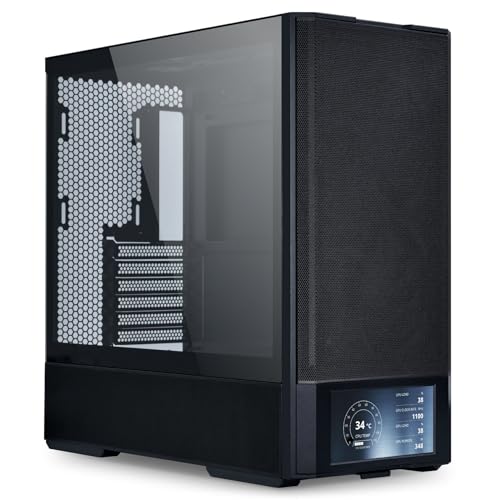
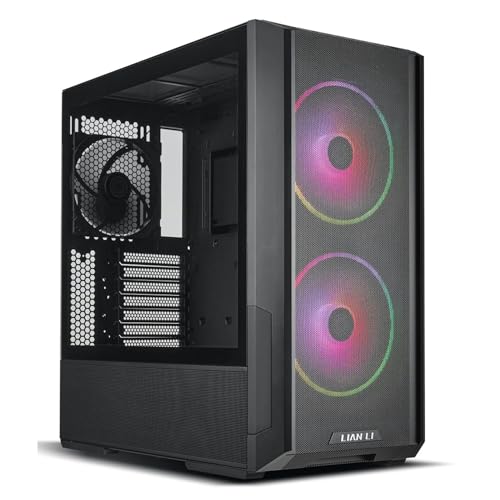
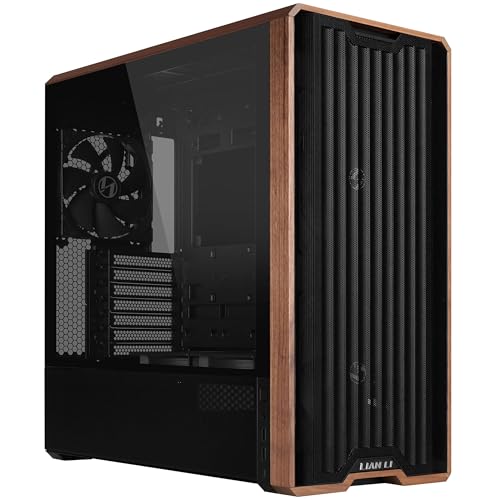
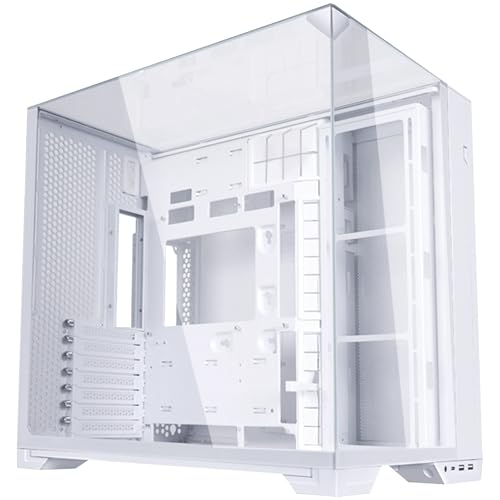
Think about the last time a case genuinely annoyed you mid-build. Maybe the cable routing holes were in completely the wrong place, or the front panel felt like it was held on by hope and a single screw. Your case is something you interact with every single day, and if it's a pain to build in, that frustration doesn't disappear once the side panel goes on. So when Lian Li drops a compact ATX case at mid-range money, with mesh panels and four fans already included, that's worth paying attention to. This is the Lian Li Lancool 207 compact ATX case, and the question is whether it's as sorted as it looks on paper.
The short answer? Yes, mostly. The hundreds of owner reviews holding a positive overall rating don't lie, and the spec sheet backs them up. This is a genuinely well-thought-out mid-tower that nails the basics: proper mesh airflow, generous clearances, and a build experience that doesn't make you want to throw a screwdriver across the room. There are a couple of things to flag, and we'll get into those, but if you're building a mid-range gaming rig and want something that looks good, breathes well, and doesn't fight you during the process, the Lancool 207 belongs on your shortlist. Our full Lian Li Lancool 207 compact ATX case review UK breakdown is below.
Core Specifications
The Lancool 207 is built around a steel chassis with a tempered glass side panel and mesh front and top panels. Lian Li have gone full mesh here, which is the right call for anyone who actually cares about temperatures rather than just aesthetics. The case ships with four fans pre-installed: two 140mm ARGB fans up front for intake and two 120mm PWM fans at the rear for exhaust. That's a proper starter configuration, not the token single fan you get with some budget offerings.
Clearances are where the Lancool 207 earns its compact-but-capable reputation. GPU length support goes up to 400mm, CPU cooler height limit sits at 176mm, and there's radiator support at the front (up to 360mm), top (up to 280mm), and rear (120mm). PSU clearance is listed at up to 220mm, which covers virtually every modern unit. The case supports ATX, Micro-ATX, and Mini-ITX motherboards. Weight comes in at around 7.8kg without components, which feels solid without being a back problem waiting to happen.
The front I/O includes USB 3.0 Type-A, USB 3.1 Type-C, and a combined audio/mic jack. No dedicated reset button on the front, which some people find annoying, but it's a fairly common omission at this price point. The ARGB and PWM fans are compatible with standard motherboard headers, and the case includes a PWM fan hub to manage them without needing a separate controller. Build material is 0.8mm SPCC steel throughout, which is standard for this tier.
| Specification | Detail |
|---|---|
| Form Factor | Mid-Tower |
| Motherboard Support | ATX, Micro-ATX, Mini-ITX |
| GPU Clearance | Up to 400mm |
| CPU Cooler Height | Up to 176mm |
| PSU Clearance | Up to 220mm |
| Front Radiator Support | Up to 360mm (120/240/360mm) |
| Top Radiator Support | Up to 280mm (120/140/240/280mm) |
| Rear Radiator Support | 120mm |
| Included Fans | 2x 140mm ARGB (front), 2x 120mm PWM (rear) |
| Drive Bays (3.5") | 2x |
| Drive Bays (2.5") | 4x (including 2x tray-mounted) |
| Front I/O | USB 3.0 Type-A, USB 3.1 Gen 2 Type-C, Audio/Mic combo |
| Panel Material | Tempered Glass (side), Mesh (front, top) |
| Steel Thickness | 0.8mm SPCC |
| Dimensions (LxWxH) | Approx. 450 x 215 x 480mm |
| Weight | Approx. 7.8kg |
| Current Price | £87.36 · Details |
| Owner Rating | ★★★★½ (4.7) (357 reviews) |

Form Factor and Dimensions
The Lancool 207 is a mid-tower, but Lian Li are pitching it as a compact one, and that's not just marketing. At roughly 450mm deep, 215mm wide, and 480mm tall, it's noticeably slimmer than something like a Fractal Meshify 2 or even Lian Li's own PC-O11 Dynamic. If your desk isn't huge, or you're working with a tighter under-desk setup, that 215mm width makes a real difference. You're not going to be shuffling your monitor sideways to accommodate this thing.
That compactness does come with a trade-off, and it's worth being upfront about it. The reduced width means cable routing in the rear chamber is tighter than on wider cases, and a handful of owner reviews flag that getting everything tidy back there takes a bit of patience. It's not a dealbreaker, but if you're used to building in something like a Fractal Define 7 with its palatial rear compartment, expect to adjust your approach. The footprint is otherwise sensible for a standard desk, and the tempered glass side panel hinges rather than sliding, which owners consistently praise as a quality-of-life improvement over the fiddly panels you get on cheaper cases.
Aesthetically, the black version looks clean and understated. The mesh front is a large single panel rather than a series of small vents, and it gives the case a modern, purposeful look without going overboard on gamer styling. If you want something that doesn't scream "RGB gaming rig" from across the room, the Lancool 207 manages that balance reasonably well, especially once the ARGB fans are set to a subtle colour or switched off entirely. The overall proportions are good. It sits well on a desk without looking either too chunky or too flimsy.
Motherboard Compatibility
The Lancool 207 supports ATX, Micro-ATX, and Mini-ITX motherboards, which covers the vast majority of builds people are actually putting together. The standoff layout follows the standard ATX specification, so you're not going to have any surprises there. Lian Li have pre-installed the ATX standoffs, which is a small but appreciated detail that saves you rooting around in the accessory bag before you've even started.
For a compact mid-tower, the motherboard tray has a decent cutout behind the CPU socket area, which matters if you're installing a CPU cooler that requires backplate access after the board is already mounted. Not all cases bother with a properly sized cutout, and it's the sort of thing you only curse when it's missing. The cutout here is reported by owners as large enough to accommodate most mainstream cooler backplates without needing to pull the board back out. That alone saves you twenty minutes of frustration on build day.
The case won't take E-ATX boards, which is expected at this size and price point. If you're running a high-end workstation board or something like an ASUS WS board, this isn't your case. But for the overwhelming majority of gaming builds running a standard ATX board from the likes of ASUS, MSI, or Gigabyte, you'll have no compatibility issues whatsoever. The mounting holes are clean and the standoffs thread in without cross-threading, which sounds basic but is genuinely something cheaper cases mess up.
GPU Clearance
Four hundred millimetres of GPU clearance is the headline number here, and it's a good one. To put that in context, an RTX 4090 Founders Edition is 336mm long, and most triple-fan aftermarket RTX 4080 Super and RX 7900 XTX cards land somewhere between 320mm and 370mm. So you're covered for pretty much everything on the current GPU market, including the chunky three-slot monsters that have become standard at the high end. The Lancool 207 won't break a sweat fitting a modern flagship card.
Where it gets slightly more complicated is if you're also running a 360mm front radiator. Fitting a full-length AIO up front does eat into some of that GPU clearance, and the effective clearance with a 360mm rad installed drops. Lian Li's own guidance and owner reports suggest you'll want to keep GPU length to around 320mm or under if you're going with a 360mm front rad, which still covers most cards but rules out some of the longer triple-fan options. your specific GPU dimensions before committing to that configuration.
There's no vertical GPU mount option out of the box, which is a mild disappointment if you're the sort of person who likes showing off a card's cooler through the side panel. Vertical mount brackets are available as an aftermarket addition, but you'll need to source a PCIe riser cable separately and check compatibility. For most builders this won't matter at all. The standard horizontal mount is solid, the PCIe slot covers are easy to remove, and there's no flex or rattle in the GPU mounting area according to owner reports.
CPU Cooler Clearance
The 176mm CPU cooler height limit is generous for a case marketed as compact. That's enough headroom for virtually every popular tower cooler on the market. The Noctua NH-D15, widely considered the benchmark for high-end air cooling, comes in at 165mm tall. The be quiet! Dark Rock Pro 4 is 162.8mm. Even the chunkier Thermalright Peerless Assassin 120 SE at 155mm fits with room to spare. So you're not being forced into a low-profile cooler or an AIO just because the case is on the smaller side.
For AIO liquid cooling, the front panel is your best option and it's a good one. The front supports 120mm, 240mm, and 360mm radiators, which means you can run a proper 360mm AIO if that's your preference. The top panel supports up to 280mm, so a 240mm or 280mm rad works up there if you'd rather keep the front clear for intake fans. The rear takes a single 120mm rad if you want to run a compact AIO on the exhaust, though most people won't bother given the front options available.
One thing owners flag fairly consistently is that fitting a 360mm front radiator alongside tall RAM can get tight depending on your specific board layout. If you're running high-profile DDR5 with a large heatspreader, it's worth double-checking clearance between the rad and the top of your RAM sticks. This is a fairly common constraint on cases of this width rather than anything specific to the Lancool 207, but it's the kind of thing that's annoying to discover halfway through a build. Standard-height RAM is absolutely fine.
Storage Bay Options
Storage is one area where the Lancool 207 is clearly designed for modern builds rather than legacy setups. You get two 3.5-inch drive bays and four 2.5-inch mounting positions, which is a reasonable complement for a compact mid-tower. Two of those 2.5-inch spots are on dedicated trays mounted behind the motherboard tray, which keeps things tidy and out of sight. The other positions are more accessible if you need to swap drives without a full teardown.
The 3.5-inch bays use a tool-free mounting system with rubber grommets to dampen vibration from spinning hard drives. Owner feedback on this is mostly positive, with people noting the drives click in securely without any wobble. If you're running a pure SSD build, which is increasingly common, the 3.5-inch bays can also accommodate 2.5-inch drives with the appropriate adapter, giving you a bit more flexibility. The bays are tucked behind a PSU shroud, which keeps them hidden and contributes to the clean look through the side panel.
There's no optical drive bay, which will matter to approximately nobody building a gaming rig in 2026. The M.2 situation is handled by your motherboard rather than the case itself, so the number of M.2 slots you get depends entirely on your board choice. If you're planning a storage-heavy build with multiple large HDDs, two 3.5-inch bays might feel limiting, but for the target audience of this case, two HDDs and a couple of SSDs is more than enough. Most people running a Lancool 207 are probably on an NVMe primary drive with one or two SSDs for storage, and this case handles that configuration without any fuss.
Cable Management
Cable management in a compact mid-tower is always a balancing act. You want enough rear chamber depth to actually route cables cleanly, but you can't make the case wider without defeating the point of calling it compact. Lian Li have gone with around 20mm to 25mm of rear cable routing space, which is workable but not luxurious. There are Velcro straps included and multiple cable routing holes with rubber grommets, which is the right approach. The grommets are proper rubber ones rather than the cheap plastic cut-outs you see on budget cases.
The PSU shroud is full-length and does a good job of hiding the bottom of the build from view through the side panel. Cable routing holes are positioned thoughtfully, with the main 24-pin ATX cable hole sitting in a sensible location relative to where most ATX boards put the connector. The CPU EPS cable routing is a bit of a stretch on some board layouts, particularly if your PSU cable is on the shorter side, but owners haven't flagged this as a serious problem, more of a mild inconvenience on certain configurations.
Where the compact width does bite you is if you're running a particularly thick cable bundle or a modular PSU with chunky braided cables. Getting the rear panel back on with a full complement of cables routed can require a bit of persuasion. A handful of owner reviews mention this specifically, and it's consistent with what you'd expect from a case of this width. The solution is either to use a modular PSU and only connect what you need (which you should be doing anyway) or to use flat ribbon-style cables if you're doing a really clean build. It's not a flaw exactly, just a consequence of the compact dimensions.
Airflow and Thermal Design
This is where the Lancool 207 genuinely earns its money. The mesh front panel is the real deal, not a panel with a few token slots cut into it. It's a large open-mesh design that lets air flow freely into the case, and combined with two 140mm fans pushing air in from the front, you've got a proper positive pressure setup right out of the box. Lian Li are one of the brands that actually understands airflow rather than just slapping a mesh sticker on a solid panel and calling it a day.
The top panel is also mesh, which means hot air can escape upward as well as through the rear exhaust fans. This dual-exit approach is genuinely effective at keeping temperatures in check, and it's why the Lancool 207 competes with cases that cost significantly more when it comes to thermal performance. The included 140mm front fans are ARGB, which means they're not just decorative. They're properly sized for high airflow at lower RPMs, and the 120mm rear fans handle exhaust. The fan hub included in the case means you can control all four fans from a single motherboard header, which simplifies the build considerably.
Dust filtration is present on the bottom (for the PSU intake) and the front, which is the minimum you'd expect. The top mesh doesn't have a filter, which is a choice Lian Li have made in favour of airflow over dust management. In practice this means you'll need to clean the top of the case a bit more regularly than you might with a filtered top panel, but the thermal benefits of keeping it open are real. Owner reviews don't flag dust accumulation as a major issue, suggesting the positive pressure from the front fans (pushing more air in than the rear pulls out) helps keep dust from settling inside. That's the right approach, and it works.
Front I/O and Connectivity
The front I/O sits on the top of the case, which is the most convenient placement for most desk setups. You get a USB 3.0 Type-A port, a USB 3.1 Gen 2 Type-C port, a combined headphone and microphone jack, and the power button. The Type-C port is a proper USB 3.1 Gen 2 implementation rather than a USB 2.0 port wearing a Type-C connector, which matters if you're plugging in fast external drives or modern peripherals. Your motherboard will need a front-panel USB-C header to use it, which is standard on most mid-range and high-end ATX boards now.
There's no dedicated reset button on the front panel, which is a minor gripe. Some people never use a reset button and won't care. Others use it regularly for debugging and will find its absence mildly annoying. The reset function is still accessible via the motherboard header pins if you need it, but you'd need to short them manually, which isn't exactly convenient. It's a cost and space-saving decision that's become fairly common at this price point, but it's still.
The power button itself has a clean, positive click to it according to owner reports, with no mushiness or wobble. The audio jack works without issues, which sounds like a low bar but budget cases sometimes have interference or poor shielding on their audio connectors. The cable lengths for the front I/O headers are sensible, reaching the relevant motherboard headers without needing to be stretched awkwardly across the board. Overall the I/O setup is solid for the price, and the Type-C inclusion is the right call for a case launching in 2026.
Build Quality and Materials
Lian Li have a reputation for building cases that feel more expensive than they are, and the Lancool 207 largely upholds that. The 0.8mm SPCC steel is standard for the mid-range tier, but the execution matters more than the spec, and the panels here are straight, the edges are rolled (so no blood-drawing sharp bits), and the overall rigidity is good. Picking the case up by the top panel doesn't produce any flexing or creaking, which is a basic test that some cases at this price fail.
The tempered glass side panel is the hinged variety rather than the slide-and-click type, and this is one of the details owners mention most positively. A hinged panel swings open cleanly, doesn't require you to lift the case or tilt it to remove the panel, and goes back on without the fiddling that slide-on panels often require. It's a small thing but it genuinely improves the build experience, especially if you're the sort of person who opens the case regularly to add storage or swap components. The glass itself is thick enough to feel solid and doesn't wobble in its frame.
The included fans deserve a specific mention for quality. A lot of cases at this price include fans that you'd want to replace immediately, either because they're loud, slow, or both. The Lancool 207's included fans are actually decent. The 140mm ARGB units at the front move a good amount of air at reasonable noise levels, and the 120mm rear fans are quiet under normal load. Owner reviews consistently note that the included fans are usable without replacement, which saves you the cost of buying four new fans on top of the case price. That's a genuine value add that not every competitor can match.
How It Compares
The obvious competition at this price point is the Corsair 4000D Airflow and the Fractal Design Pop Air. Both are solid cases, both have mesh fronts, and both sit in the same general price bracket. The 4000D Airflow is a proven performer with excellent cable management space thanks to its wider rear chamber, but it only ships with two fans compared to the Lancool 207's four, and it's often priced a bit higher. If cable management is your absolute priority and you don't mind buying extra fans, the 4000D is a strong alternative. But for most people, starting with four decent fans already installed is a meaningful advantage.
The Fractal Pop Air is another solid option, with a slightly more traditional aesthetic and Fractal's characteristically good build quality. It supports similar clearances and has a proper mesh front, but again ships with fewer fans and doesn't include a Type-C front panel port on all variants. The Lancool 207 edges it on included fans and I/O for the money. The NZXT H5 Flow is also worth a look if you prefer a cleaner, more minimal aesthetic, though NZXT's cases tend to command a small premium for the brand cachet.
Where the Lancool 207 sits is in a genuinely competitive spot. It's not the cheapest mesh ATX case you can buy, but the combination of four included fans, a hinged tempered glass panel, USB 3.1 Gen 2 Type-C, and Lian Li's generally reliable build quality makes it hard to argue with the value proposition. You'd spend more getting to this spec level with most of its direct competitors once you factor in buying additional fans.
| Feature | Lian Li Lancool 207 | Corsair 4000D Airflow | Fractal Pop Air |
|---|---|---|---|
| Form Factor | Compact Mid-Tower | Mid-Tower | Mid-Tower |
| Included Fans | 4 (2x 140mm ARGB + 2x 120mm PWM) | 2 (120mm) | 2 (140mm) |
| GPU Clearance | 400mm | 360mm | 467mm |
| CPU Cooler Height | 176mm | 170mm | 185mm |
| Front Radiator | Up to 360mm | Up to 360mm | Up to 360mm |
| USB Type-C Front | Yes (USB 3.1 Gen 2) | Yes (USB 3.1 Gen 1) | Yes (USB 3.1 Gen 2, select variants) |
| Side Panel | Hinged Tempered Glass | Tempered Glass | Tempered Glass |
| Mesh Front | Yes | Yes | Yes |
| Price Tier | Mid-Range | Mid-Range | Mid-Range |

Final Verdict
The Lian Li Lancool 207 compact ATX case is one of the better-value mid-range cases available right now, and the positive overall rating from hundreds of owners isn't just a fluke. It does the important things well: the mesh front and top genuinely move air, the four included fans are actually worth keeping, the hinged glass panel is a daily-use quality improvement over slide-on alternatives, and the clearances are generous enough to fit serious hardware without compromise. Building in it is a largely pleasant experience, with sensible cable routing holes, proper rubber grommets, and a motherboard tray cutout that saves you from having to pull the board to fit a cooler backplate.
The compact width does mean the rear cable routing chamber is tighter than in wider cases, and if you're running thick modular PSU cables or a particularly beefy cable bundle, getting the rear panel back on cleanly takes some patience. The lack of a front reset button is a minor annoyance for some. And if you're planning a 360mm front radiator alongside a very long GPU, check your specific dimensions carefully before ordering. These are real limitations, not invented ones, but none of them are case-breakers for the target audience.
Who should buy this? Anyone building a mid-range gaming PC on a standard ATX board who wants good thermals, four decent fans included, and a case that looks clean without demanding a premium price. It's particularly good value if you were planning to buy additional fans anyway, since you probably won't need to. If you're on a tighter budget and don't need the ARGB fans or the Type-C port, something like the older Lancool 205 Mesh can be found for less and is still a solid case. But for most people building a proper gaming rig in 2026, the Lancool 207 hits the sweet spot. Lian Li's official product page has the full spec breakdown if you want to cross-reference your specific components before buying.
Our rating: 8.5 out of 10. Recommended without hesitation for compact ATX builds where airflow and value matter.
What works. What doesn’t.
5 + 4What we liked5 reasons
- Four decent fans included out of the box, no immediate replacements needed
- Genuine mesh front and top for proper airflow, not a token vent
- Hinged tempered glass side panel is a real quality-of-life improvement
- 400mm GPU clearance fits virtually every current card
- USB 3.1 Gen 2 Type-C on the front panel
Where it falls4 reasons
- Rear cable routing chamber is tight at around 20 to 25mm, compact width bites here
- No vertical GPU mount option included
- No front reset button
- 360mm front rad plus long GPU requires careful dimension checking
Full specifications
11 attributes| Form factor | Mid-Tower |
|---|---|
| CPU cooler clearance MM | 180 |
| Dimensions MM | 455.6 x 219 x 456 |
| Fans included | 4 |
| GPU clearance MM | 375 |
| MAX FAN count | 8 |
| MAX radiator MM | 360 |
| PSU support | ATX up to 160mm |
| Side panel | tempered glass |
| Supported motherboard | ATX, Micro-ATX, Mini-ITX |
| Weight KG | 9.25 |
If this isn’t right for you
2 options 8.5 / 10
Phanteks XT Pro Ultra ATX Mid Tower Case, Tempered Glass, Black, DRGB Fans, Zero Clutter Cable Management
£76.99 · Phanteks · Details

Got a motherboard yet?
4 reviewsThe maker lists ATX, Micro-ATX and Mini-ITX boards for this case. These ATX boards fit it.
Frequently asked
5 questions01Is the LIAN LI LANCOOL 207 Compact ATX RGB Gaming Computer Case, Airflow Optimized Mesh Panels Tower Chassis w/ 2x140mm ARGB,2x120mm PWM Fans Pre-Installed, USB Type-C Port, Tempered Glass Side Panel (Black) good for airflow?+
Yes, genuinely. The Lancool 207 has a full open-mesh front panel and a mesh top panel, both of which allow air to move freely rather than being restricted by a solid or lightly-vented front. It ships with two 140mm ARGB fans at the front for intake and two 120mm PWM fans at the rear for exhaust, giving you a proper positive-pressure airflow setup straight away. The included fans are reported by owners as usable without replacement, which is not always the case at this price point. There is no dust filter on the top mesh, which slightly increases dust accumulation there but keeps airflow unrestricted. A bottom dust filter is included for the PSU intake. Overall thermal performance is competitive with cases at a higher price point.
02What's the GPU clearance on the LIAN LI LANCOOL 207 Compact ATX RGB Gaming Computer Case, Airflow Optimized Mesh Panels Tower Chassis w/ 2x140mm ARGB,2x120mm PWM Fans Pre-Installed, USB Type-C Port, Tempered Glass Side Panel (Black)?+
The Lancool 207 supports GPUs up to 400mm in length, which comfortably fits every current flagship graphics card including triple-fan RTX 4080 Super and RX 7900 XTX models. If you are also installing a 360mm front radiator, the effective GPU clearance is reduced and Lian Li recommend keeping GPU length to around 320mm in that configuration. There is no vertical GPU mount option included in the box, though aftermarket brackets can be fitted with a separate PCIe riser cable.
03Can the LIAN LI LANCOOL 207 Compact ATX RGB Gaming Computer Case, Airflow Optimized Mesh Panels Tower Chassis w/ 2x140mm ARGB,2x120mm PWM Fans Pre-Installed, USB Type-C Port, Tempered Glass Side Panel (Black) fit a 360mm AIO?+
Yes. The front panel supports 120mm, 240mm, and 360mm radiators, making it the primary location for a large AIO cooler. The top panel supports up to 280mm radiators if you prefer to mount a 240mm or 280mm unit there instead. The rear supports a single 120mm radiator. If you are running a 360mm front radiator alongside high-profile DDR5 RAM with tall heatspreaders, it is clearance between the radiator and the top of your RAM sticks before building, as this can be tight depending on your specific board layout. Standard-height RAM presents no issues.
04Is the LIAN LI LANCOOL 207 Compact ATX RGB Gaming Computer Case, Airflow Optimized Mesh Panels Tower Chassis w/ 2x140mm ARGB,2x120mm PWM Fans Pre-Installed, USB Type-C Port, Tempered Glass Side Panel (Black) easy to build in?+
Largely yes. The hinged tempered glass side panel is one of the most praised features in owner reviews, making access easy without lifting or tilting the case. The motherboard tray has a proper CPU backplate cutout, cable routing holes have rubber grommets, and Velcro straps are included. The rear cable management chamber is around 20 to 25mm deep, which is workable but tighter than wider cases. Owners with thick modular PSU cables note that getting the rear panel back on cleanly requires some patience. Using a modular PSU and only connecting the cables you need helps considerably. There are no reported sharp edges and the overall build experience is rated positively by the overwhelming majority of the hundreds of owners who have reviewed it.
05What warranty and returns apply to the LIAN LI LANCOOL 207 Compact ATX RGB Gaming Computer Case, Airflow Optimized Mesh Panels Tower Chassis w/ 2x140mm ARGB,2x120mm PWM Fans Pre-Installed, USB Type-C Port, Tempered Glass Side Panel (Black)?+
Specific warranty terms for this product are not detailed in the available product listing data. For purchases made through Amazon UK, the standard Amazon 30-day returns policy applies, and purchases are covered by Amazon's A-to-Z Guarantee. For warranty queries beyond the standard returns window, it is best to contact Lian Li directly or check the documentation included with the case. Lian Li as a brand has a generally positive reputation for customer support within the PC case community.