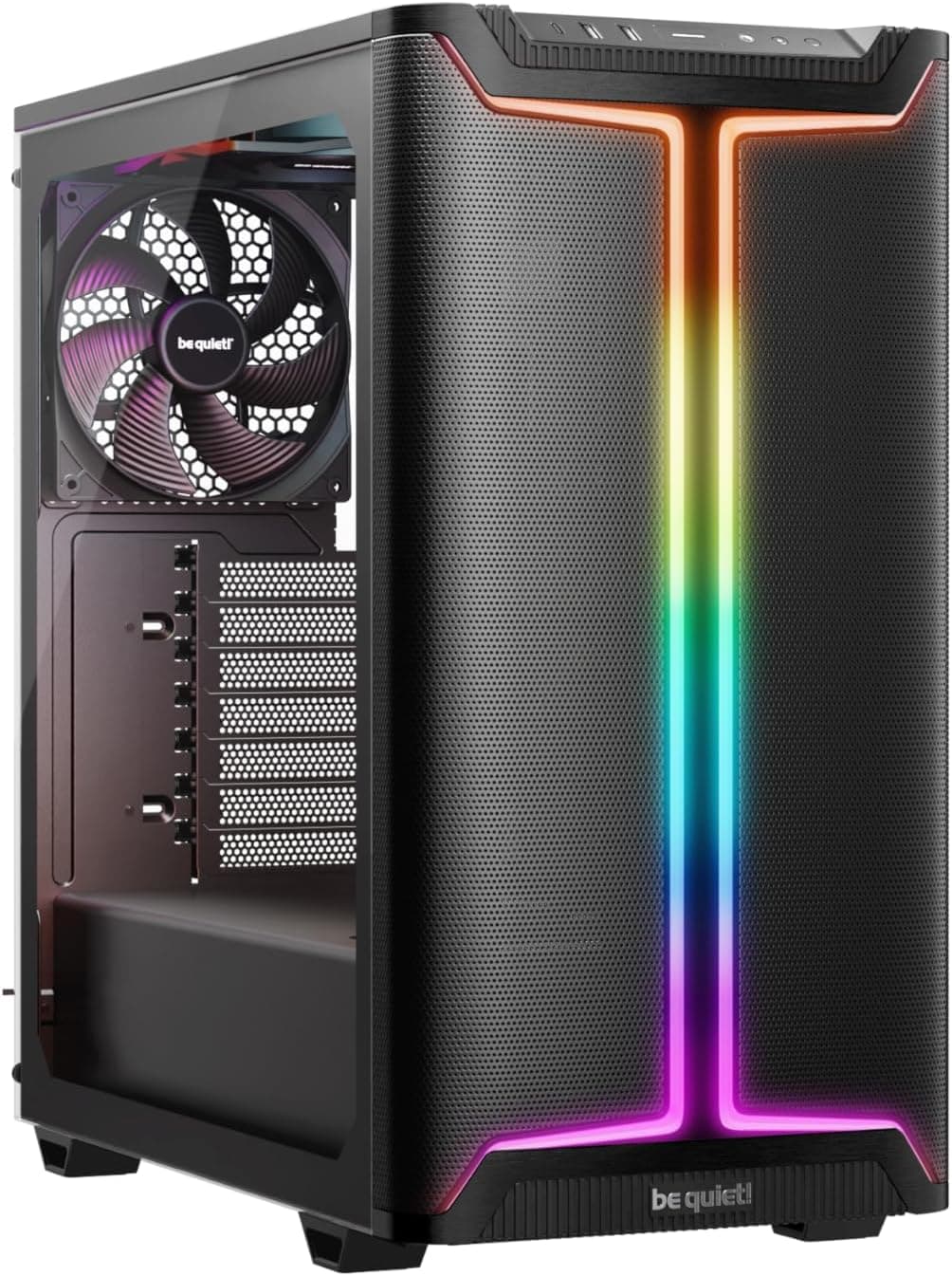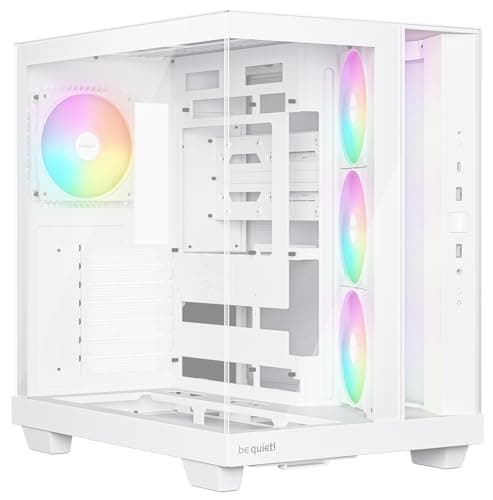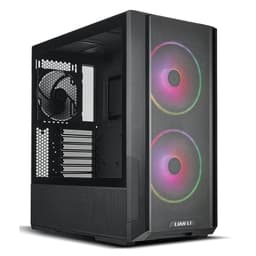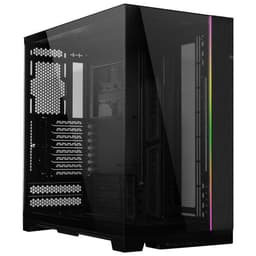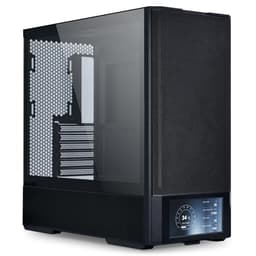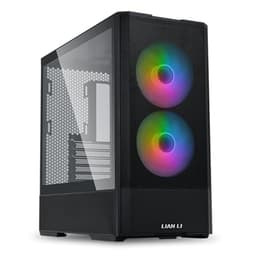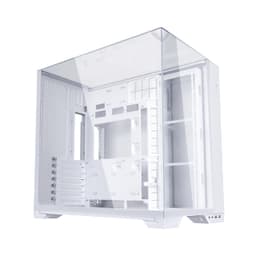
Case listings are full of moody renders and RGB glow shots that tell you nothing about whether you'll want to throw the thing across the room halfway through a build. The Lian Li Lancool 217 is different enough to deserve a proper look, not just at the birch wood accent that'll either delight you or make you question your life choices, but at the 25mm cable routing channels, the five included fans, and whether back-connect motherboard support actually works in practice. This is a Lian Li Lancool 217 review that goes where the glamour shots don't.
The short answer: this is one of the most thoughtfully specced mid-range cases of 2026, and 212 owners averaging ★★★★½ (4.7) stars aren't wrong. The mesh front, the back-connect compatibility, and the sheer fan count out of the box put it ahead of most rivals at this price. But it's not perfect, and if the birch accent isn't your thing or you need maximum radiator flexibility, there are alternatives to consider.
Lian Li has form here. The Lancool line has been the go-to recommendation for builders who want proper airflow without paying through the nose for a full aluminium chassis. The 217 pushes that further with back-connect support baked in from the factory, which is a genuine differentiator at this price tier. Stack that against the Corsair 4000D Airflow and the be quiet! Pure Base 500DX and you've got a proper fight on your hands.
Core Specifications
The Lancool 217 is an ATX mid-tower built around a steel and tempered glass construction with those now-famous birch wood accent strips on the front panel. The chassis supports ATX, Micro-ATX, and Mini-ITX motherboards, and Lian Li has engineered it specifically to accommodate back-connect motherboard designs, which is a relatively niche but growing segment. Five fans come included in the box, which is generous at this price and saves you an immediate post-purchase trip to Amazon for extra airflow.
GPU clearance sits at 400mm, which handles everything from an RTX 5090 to a Radeon RX 9070 XT with room to spare. CPU cooler height clearance is 176mm, so big tower coolers like the Noctua NH-D15 (at 165mm) fit without drama. The case takes up to a 360mm radiator at the front and a 240mm or 280mm at the top, which covers most AIO builds. PSU clearance is standard ATX, and the rear supports a 120mm exhaust fan, one of which comes pre-installed.
Weight comes in at around 8kg without hardware, which is on the heavier end for a steel mid-tower but not unusual for a case with this many included fans and tempered glass. Dimensions are roughly 480mm tall, 230mm wide, and 470mm deep, putting it on the larger side of mid-tower but not so big it'll dominate a normal desk. The white version covered here has a clean finish that owners consistently describe as well-executed, with no obvious yellowing or cheap-looking plastic panels.
| Specification | Detail |
|---|---|
| Form Factor | ATX Mid-Tower |
| Motherboard Support | ATX, Micro-ATX, Mini-ITX (Back-Connect Compatible) |
| Included Fans | 5 x 120mm (3 front intake, 1 top exhaust, 1 rear exhaust) |
| Max GPU Length | 400mm |
| Max CPU Cooler Height | 176mm |
| Front Radiator Support | Up to 360mm |
| Top Radiator Support | Up to 280mm |
| Rear Fan Mount | 1 x 120mm (pre-installed) |
| Drive Bays (3.5") | 2 |
| Drive Bays (2.5") | 4 |
| Front I/O | 2x USB-A 3.0, 1x USB-C, HD Audio |
| Panel Material | Tempered Glass (side), Steel (top, front frame, rear) |
| Front Panel | Mesh with birch wood accent strips |
| PSU Shroud | Yes, full-length |
| Back-Connect Compatible | Yes |
| Approximate Weight | ~8kg |
| Approximate Dimensions (H x W x D) | 480 x 230 x 470mm |
| Current Price | £106.99 |

Form Factor and Dimensions
Mid-tower is the right call for most builds, and the Lancool 217 sits comfortably in that category without being one of those mid-towers that's secretly full-tower sized. At 230mm wide it'll fit on most desks without overhanging the edge, and the 480mm height means it clears standard desk shelves with a bit of breathing room. It's not a small case, but it doesn't feel bloated either. If you're building in a tight space, measure first, but for a typical setup it's fine.
The footprint is similar to the Corsair 4000D Airflow, which measures 453 x 230 x 466mm. The Lancool 217 is marginally taller and deeper, which makes sense given it's designed to accommodate more fan mounting positions and back-connect motherboard layouts that need extra clearance behind the tray. That extra depth isn't wasted space; it's where the cable routing and PSU shroud do their work.
Owners in the review pool mention the case feeling solid on the desk, no wobble, no flex when you press the side panel. The rubber feet are described as grippy and sensibly sized. One thing that comes up occasionally is that the case is heavier than expected when moving it around during a build, which is a mild annoyance but not a design flaw. The white finish holds up well in photos and in owner descriptions, no reports of panels looking mismatched or off-colour out of the box.
Motherboard Compatibility
Standard ATX, Micro-ATX, and Mini-ITX are all supported, with the standoff layout pre-installed for ATX. That's normal for a mid-tower, and Lian Li has done nothing unusual here. What is unusual, and genuinely interesting, is the back-connect motherboard support. Boards like the ASUS BTF series and MSI's Project Zero hide their power and data connectors on the rear of the PCB, leaving the front of the board completely clean. The Lancool 217 has a cutout pattern and routing channels specifically designed for these boards, which means you get that cable-free front-of-board look without fighting the case.
For conventional builds, none of this matters and you just treat it like any other ATX case. The standoffs are in the right places, the I/O cutout is a decent size, and there's no fiddly tray alignment that owners complain about. A few reviewers mention that the ATX motherboard tray feels rigid and properly aligned, which sounds like a low bar but you'd be surprised how many cases in this price range have trays that are slightly off, making standoff alignment a minor headache.
E-ATX is not supported, which is standard for this class of case. If you're running an E-ATX workstation board you're in the wrong product category entirely. For the vast majority of gaming and enthusiast builds using standard ATX boards from AMD's AM5 platform or Intel's LGA1851 socket, the Lancool 217 is a straightforward fit. The back-connect compatibility is the headline feature here and it's executed properly, not bolted on as an afterthought.
GPU Clearance
Four hundred millimetres of GPU clearance is serious. To put that in context, an RTX 5090 Founders Edition sits at around 336mm, the RX 9070 XT reference design comes in under 300mm, and even the chunkiest triple-fan AIB cards from ASUS ROG and MSI Gaming X Trio rarely exceed 380mm. The Lancool 217 handles all of them without a problem. You'd have to be running something genuinely unusual to hit that ceiling.
The GPU sits on the PCIe slots in the standard horizontal orientation. There's no vertical GPU mount option mentioned in the spec sheet, which is a minor omission for builders who want to show off their card through the tempered glass side panel. Vertical mounting typically requires a riser cable and a case designed for it, so this isn't a surprise at this price, but it's something to know if that's on your wishlist. The Corsair 4000D Airflow also lacks vertical GPU support out of the box, for what it's worth.
With the PSU shroud in place, the GPU sits above it cleanly and the clearance between the card and the front intake fans is sufficient to avoid any airflow restriction. Owner reports don't flag any GPU seating issues, and the PCIe slot covers are described as the standard thumbscrew type, nothing fancy but functional. If you're installing a 400mm card, just double-check your front radiator plans first, because a 360mm radiator at the front will eat into that clearance depending on fan and radiator thickness.
CPU Cooler Clearance
At 176mm of CPU cooler clearance, the Lancool 217 fits virtually every tower cooler on the market. The Noctua NH-D15 is 165mm tall and fits with 11mm to spare. The be quiet! Dark Rock Pro 5 is 163mm. The Thermalright Peerless Assassin 120 SE, which is one of the most popular budget air coolers right now, is 155mm. All of these fit without touching the side panel. If you're running a particularly tall cooler or something with a top-mounted fan that adds height, check the specific measurement, but in practice 176mm is enough for almost everything.
AIO support is where it gets more interesting. The front of the case takes up to a 360mm radiator, which is the standard choice for high-end AIO builds using something like the Arctic Liquid Freezer III 360 or the Corsair iCUE H150i. The top takes up to 280mm, which is a slightly unusual size but covers the popular 240mm and 280mm options. Rear AIO support is 120mm only, which is fine for a single-fan radiator but most people running an AIO will use the front or top.
One thing to check if you're planning a front 360mm radiator alongside a big air cooler (unlikely but possible in a dual-cooling setup): the fan-to-socket clearance. With a 360mm radiator and thick fans at the front, tall RAM with heat spreaders can sometimes foul the bottom fan on top-mounted radiators. The Lancool 217's internal layout gives enough room that this isn't a commonly reported problem, but if you're running DDR5 with tall spreaders and a top-mounted 280mm AIO, double-check the RAM clearance against your specific kit's height.
Storage Bay Options
Two 3.5-inch bays and four 2.5-inch bays is a reasonable allocation for a modern build. Most people running NVMe SSDs as their primary and secondary storage won't touch the 3.5-inch bays at all, but having two there for mass storage HDDs is genuinely useful if you're doing any kind of media work or game hoarding. The 2.5-inch bays cover your SATA SSDs if you've got older drives to carry over from a previous build.
The drive mounting setup uses the standard tray-and-screw approach for 3.5-inch drives, which isn't tool-free but is perfectly fine. Owners don't flag this as a frustration, which suggests the trays are straightforward to use. The 2.5-inch mounts are behind the motherboard tray in most positions, which keeps them out of sight and helps with cable routing. This is standard practice for cleaner builds and the Lancool 217 executes it without any reported drama.
NVMe storage lives on the motherboard itself, obviously, and with modern ATX boards offering three or four M.2 slots, most builders won't need to think about 2.5-inch SATA drives at all. The Lancool 217's storage provision is solid for a mid-tower, not exceptional, but appropriate. If you're building a NAS-adjacent machine with six or more drives, this isn't the case for you. For a gaming rig or a content creation workstation, it's more than enough.
Cable Management
This is where the Lancool 217 earns some real praise. The cable routing channels behind the motherboard tray measure 25mm in depth, which is on the generous side for a mid-tower. Most cases in this price range offer 20mm to 22mm, and the extra few millimetres make a genuine difference when you're stuffing a 24-pin ATX cable, a bunch of SATA power leads, and a CPU EPS cable all through the same general area. The full-length PSU shroud hides the bottom of the build completely, which means even a slightly messy cable run behind the shroud is invisible through the glass panel.
Velcro straps come pre-installed at multiple points behind the tray, which is exactly what you want. Zip ties are fine but Velcro means you can re-route without cutting and replacing. The back-connect compatibility adds another dimension here: if you're using a board like the ASUS BTF or MSI Project Zero, the front of the board is completely clear of cables, and all the connectors route directly through the tray cutouts to the rear. Owners using back-connect boards describe the finished build as genuinely stunning through the glass, which is the whole point.
For conventional builds, the cable management is still above average. The cutouts are rubber-grommeted, the routing is logical, and the PSU shroud has a pass-through for GPU power cables that keeps them from running across the floor of the case. A few owners mention that the 24-pin cable run is tight if you're using a modular PSU with a particularly stiff cable, but this is a common complaint across almost every mid-tower and not specific to the Lancool 217. Pre-sleeved or flat cables solve it immediately.
Airflow and Thermal Design
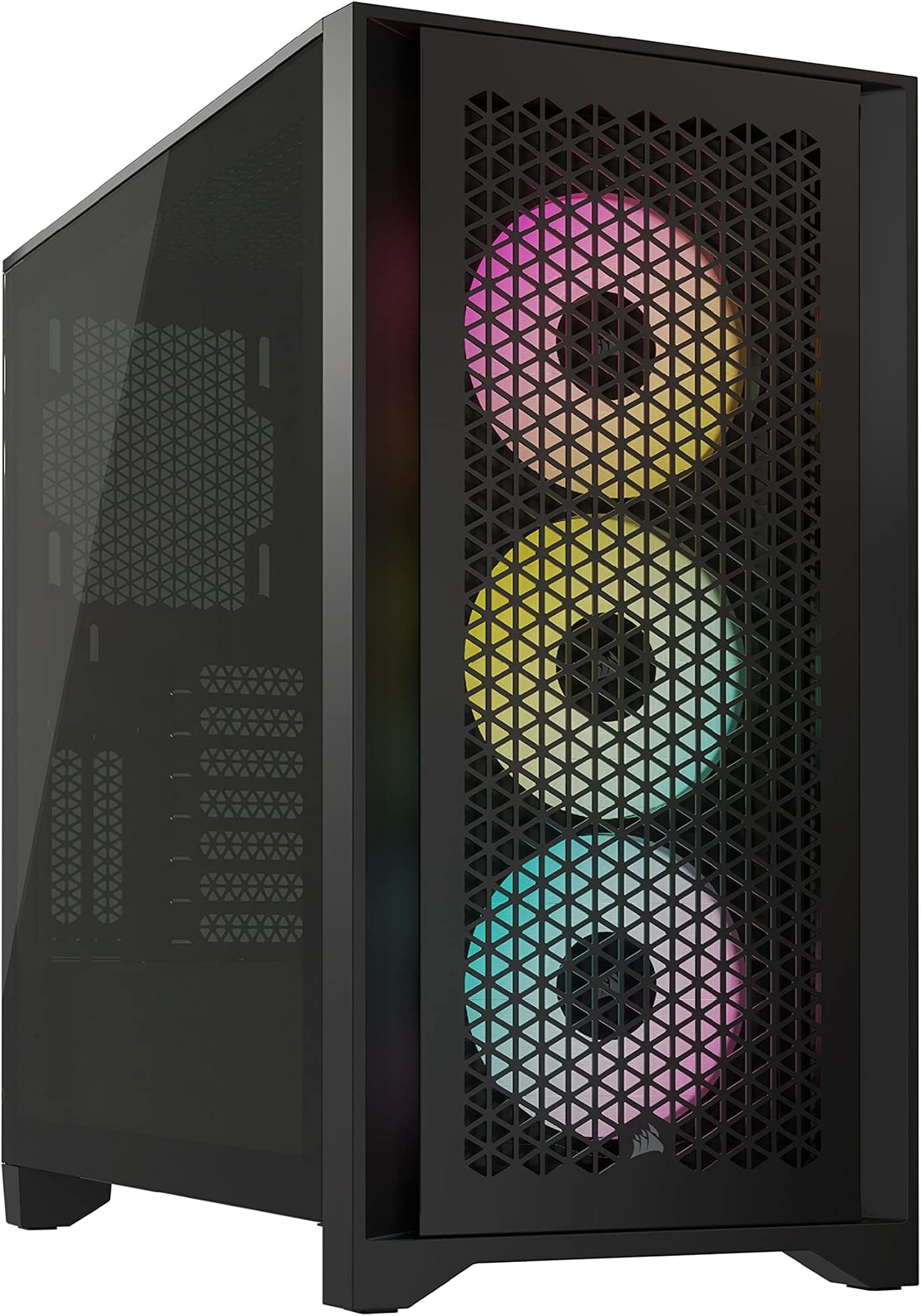
The mesh front panel is the right choice and Lian Li hasn't compromised it with a decorative solid layer underneath. The birch wood accent strips are mounted at the edges of the front panel and don't obstruct the mesh surface area in any meaningful way, which is the kind of design decision that separates a case built by people who understand airflow from one designed by a marketing team. Three 120mm fans sit behind that mesh as front intakes, one 120mm fan is at the rear as exhaust, and one more 120mm fan is at the top as exhaust. That's a 3-in, 2-out configuration straight out of the box, which creates positive pressure and keeps dust from being pulled in through unfiltered gaps.
Dust filtration is present at the front and bottom, which covers the two main intake points. The filters are magnetic or slide-out on Lian Li's recent cases, and owner reports suggest they're easy to remove and clean, which matters because a dust filter you never clean is worse than no dust filter. The top panel has ventilation for the exhaust fan, and the rear has the standard 120mm exhaust cutout. There's no solid top panel option if you want to sacrifice exhaust for a cleaner look, but honestly, why would you?
The five included fans are described by owners as quiet at low speeds and acceptably audible at higher speeds. They're not PWM fans with individually addressable RGB, but they're functional and the included fan hub means you're not hunting for headers on your motherboard. Thermal performance based on owner reports is good, with multiple builders noting that CPU and GPU temperatures are lower than in their previous cases, which tracks with the mesh front and high fan count. If you want to push further, the front takes up to a 360mm radiator and you can swap the included fans for higher-performance units without any case modification.
Front I/O and Connectivity
The front I/O panel gives you two USB-A 3.0 ports, one USB-C port, and a combined HD Audio jack for headphones and microphone. The USB-C is a proper USB 3.2 Gen 2 connection, not the slower Gen 1 that some cases still ship with in 2026. That matters if you're plugging in fast external SSDs or a USB-C headset. The power button is a clean circle, no reset button visible in the main listing description, which is increasingly common as builders rarely use reset buttons and their absence keeps the front panel tidy.
The placement of the I/O panel is at the top of the case, which is the sensible location for a tower that sits on a desk. Reaching down to the front of a case that's on the floor to plug in a USB drive is annoying, and Lian Li has avoided that. The ports are spaced well enough that you can have two chunky USB-A plugs in simultaneously without them fighting each other, which sounds obvious but is not universal.
There's no built-in fan controller with a physical dial or display, which is fine because most modern builds use motherboard software for fan control anyway. The fan hub in the case connects to a single motherboard header and distributes control to all five included fans, which keeps the header count manageable. If you want per-fan control or RGB lighting effects on the fans, you'd need to swap the included fans for addressable RGB units and add a controller, but that's an upgrade path rather than a missing feature at this price.
Build Quality and Materials
The steel panels are described by owners as solid, with no flex when pressing on the side or top. The tempered glass side panel is the standard 4mm thickness you'd expect at this price, hinged rather than sliding, and the hinge mechanism gets a mention in several owner reviews as smooth and well-aligned. A few owners note that the glass panel is heavy, which is a function of its size rather than a quality complaint. The latch mechanism is described as secure without being fiddly to open.
The birch wood accent is either the thing that sold you on this case or the thing you're quietly hoping nobody notices. Either way, it's real wood veneer rather than a plastic imitation, and owners consistently describe it as a quality finish that photographs well and feels premium in person. It's a distinctive choice in a market full of identical black rectangles, and Lian Li has executed it properly rather than tacking on a bit of MDF and calling it a day. Whether it ages well over years of UV exposure is an open question, but in the short term it's a genuine differentiator.
Panel alignment is good across the board, based on owner reports. No gaps between the front mesh and the frame, no rattling glass panel, no misaligned top panel. A small number of owners mention minor cosmetic imperfections on the white paint finish, which is a known risk with white cases and something to inspect carefully on arrival. The screw quality is standard for this category, nothing special but nothing that strips on first use either. Overall, the build quality sits comfortably above what you'd expect from a budget case and is competitive with the Corsair 4000D Airflow and the be quiet! Pure Base 500DX.
How It Compares
The Lancool 217's main competition in the mid-range is the Corsair 4000D Airflow and the be quiet! Pure Base 500DX. The 4000D Airflow is a proven case with a massive install base, excellent airflow, and a clean interior layout. It does not come with five fans included, it has no back-connect support, and its cable management space is slightly tighter than the Lancool 217's 25mm rear clearance. It's also been around long enough that its design is starting to feel a bit dated compared to a case launched in 2026.
The be quiet! Pure Base 500DX is a different proposition: it prioritises noise dampening over raw airflow, with a solid front panel option and sound-absorbing material on the panels. It's quieter at idle but runs warmer under load, and it also doesn't have back-connect support. If you're building a silent PC for a bedroom or office, the 500DX is a serious option. If you're building a gaming rig where thermal headroom matters more than acoustic perfection, the Lancool 217's mesh front and five included fans give it a clear edge.
The Fractal Design North is worth a mention too, since it's another case that uses natural materials (wood) as a design accent and targets a similar aesthetic-conscious buyer. The North is a slightly more premium product with a higher price, aluminium accents, and a more refined interior. It's a better-looking case, arguably, but the Lancool 217 matches it on airflow, beats it on included fan count, and adds back-connect support that the North doesn't have. For pure build performance per pound, the Lancool 217 is the stronger argument.
| Feature | Lian Li Lancool 217 | Corsair 4000D Airflow | be quiet! Pure Base 500DX |
|---|---|---|---|
| Form Factor | ATX Mid-Tower | ATX Mid-Tower | ATX Mid-Tower |
| Front Panel | Mesh + birch wood accent | Mesh | Solid or mesh (two versions) |
| Included Fans | 5 x 120mm | 2 x 120mm | 3 x 140mm |
| Max GPU Length | 400mm | 360mm | 369mm |
| Max CPU Cooler Height | 176mm | 170mm | 190mm |
| Front Radiator Support | 360mm | 360mm | 360mm |
| Back-Connect Support | Yes | No | No |
| Cable Routing Depth | ~25mm | ~20mm | ~22mm |
| USB-C Front I/O | Yes (USB 3.2 Gen 2) | Yes | Yes |
| Noise Focus | Airflow priority | Airflow priority | Noise dampening |
| Price Tier | Mid-range | Mid-range | Mid-range |

Final Verdict: Lian Li Lancool 217 Review
The Lancool 217 is a genuinely good mid-range case that earns its 4.7-star average. Five fans included, a proper mesh front, 25mm cable routing channels, back-connect motherboard support, and a distinctive birch wood aesthetic that actually looks good rather than gimmicky. Lian Li has taken the Lancool formula that made the 216 and 205 so popular and pushed it forward with a design that's relevant to where PC building is heading in 2026, specifically the move toward back-connect boards and cleaner interior aesthetics.
The competition is real. The Corsair 4000D Airflow is cheaper, simpler, and has a massive community of builders behind it with endless build guides and compatibility reports. If you don't need back-connect support and you want the safest possible choice, the 4000D Airflow is still a strong recommendation. The be quiet! Pure Base 500DX is the one to pick if noise is your absolute priority over thermals. But if you want the best all-round package at this price, with the most fans, the best cable management space, and the most forward-looking feature set, the Lancool 217 is the one.
A few things to know going in: no vertical GPU mount, no E-ATX support, and the white finish requires a bit more care to keep clean over time. The birch wood accent is not for everyone, and if you'd rather have a plain black case you'll want to look at the Lian Li Lancool 216 or the LANCOOL III instead. The 216 in particular is available at a lower price point and gives up very little in terms of airflow and build quality. If back-connect support isn't something you need and the wood accent doesn't appeal, the 216 is the smarter buy.
For everyone else: builders going for a clean aesthetic build with a back-connect board, people who want five fans without a separate Amazon order, and anyone who wants a mid-tower that stands out without looking like a RGB explosion, the Lancool 217 is the right answer. It's priced competitively for what it delivers, and the owner satisfaction rate of 4.7 from 197 is one of the strongest signals in this category. Rated 8.5 out of 10.
What works. What doesn’t.
5 + 4What we liked5 reasons
- Five 120mm fans included out of the box, no immediate extras needed
- 25mm rear cable routing channels, one of the most generous in this price tier
- Back-connect motherboard support built in from the factory
- Proper mesh front panel with no solid layer blocking airflow
- 400mm GPU clearance handles every current flagship card
Where it falls4 reasons
- No vertical GPU mount option
- White finish requires more maintenance to keep clean
- Birch wood accent is a polarising design choice
- No E-ATX support
Full specifications
11 attributes| Form factor | ATX Mid Tower |
|---|---|
| Airflow type | mesh |
| MAX GPU length | 410 |
| MAX cooler height | 176 |
| Radiator support | 360mm top, 360mm front |
| Dimensions | 482mm x 238mm x 503mm |
| Drive bays | 2 x 3.5" or 8 x 2.5" |
| FAN support | Front: 2x170mm, 3x140mm, 3x120mm; Rear: 1x140mm; Top: 3x120mm, 2x140mm, 1x280mm, 1x360mm; Bottom: 2x120mm; PSU Shroud: 3x120mm |
| Fans included | 5 |
| GPU clearance | 380mm |
| PSU support | ATX (Standard: <220mm, Rotated: <180mm) |
Frequently asked
5 questions01Is the Lian Li Lancool 217 PC Case White good for airflow?+
Yes, it's one of the stronger airflow cases at this price. The front panel is a proper mesh design with no solid layer behind it blocking intake, and five 120mm fans come included: three at the front as intakes, one at the rear as exhaust, and one at the top as exhaust. That 3-in, 2-out configuration creates positive pressure, which reduces dust ingestion through unfiltered gaps. Dust filters are present at the front and bottom intake points. Owner reports consistently describe lower CPU and GPU temperatures compared to previous cases, which aligns with what the mesh front and fan count would suggest.
02What is the GPU clearance on the Lian Li Lancool 217?+
The Lancool 217 supports GPUs up to 400mm in length. That covers every current flagship card including the RTX 5090 Founders Edition (around 336mm) and the largest triple-fan AIB designs from ASUS ROG and MSI, which rarely exceed 380mm. If you're installing a front 360mm radiator alongside a long GPU, check the combined clearance with your specific radiator and fan thickness, as a thick radiator sandwich can reduce effective GPU clearance. For standard GPU-only builds, 400mm is more than sufficient.
03Can the Lian Li Lancool 217 fit a 360mm AIO?+
Yes. The front panel supports radiators up to 360mm, which is the standard mounting location for a 360mm AIO. The top panel supports up to 280mm, covering 240mm and 280mm AIOs. The rear supports a single 120mm fan or radiator. For a 360mm AIO at the front, check your RAM height if you're also mounting a 280mm at the top, as tall DDR5 heat spreaders can occasionally foul the bottom fan on a top-mounted radiator. Front 360mm mounting is straightforward and is the configuration most owners use.
04Is the Lian Li Lancool 217 easy to build in?+
Based on owner reports, yes. The 25mm cable routing channels behind the motherboard tray are among the most generous in this price tier, pre-installed Velcro straps make cable management straightforward, and the full-length PSU shroud hides the bottom of the build cleanly. The back-connect motherboard support adds a genuinely clean build option for compatible boards. Panel access is described as easy, with a smooth hinged tempered glass side panel. A small number of owners note that stiff modular PSU cables can make the 24-pin run slightly tight, but this is common across most mid-towers and flat cables resolve it.
05What warranty and returns apply to the Lian Li Lancool 217?+
No specific warranty duration is listed in the verified product data for this listing. Lian Li cases purchased through Amazon UK are covered by Amazon's standard 30-day return window and the Amazon A-to-Z Guarantee. For manufacturer warranty queries, contact Lian Li directly through their official support channels. Always inspect the case on arrival and report any damage through Amazon's returns process promptly.