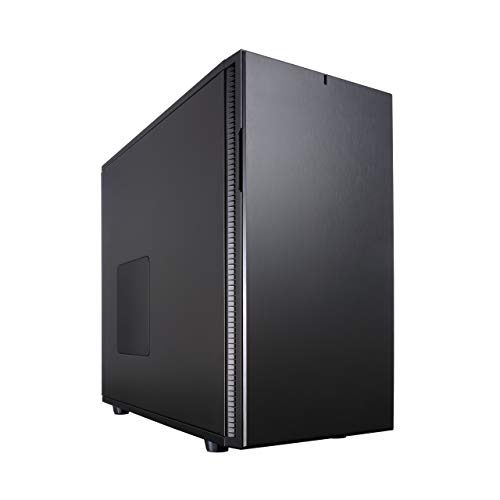
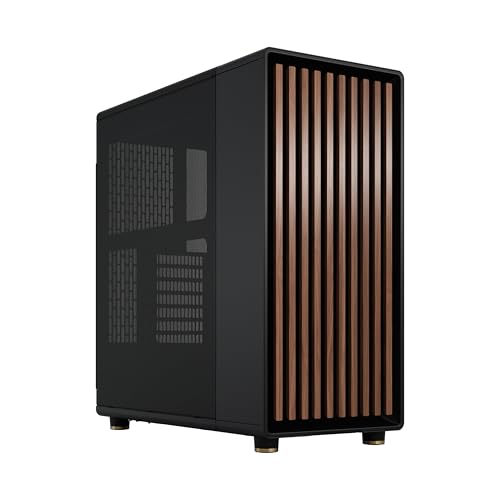
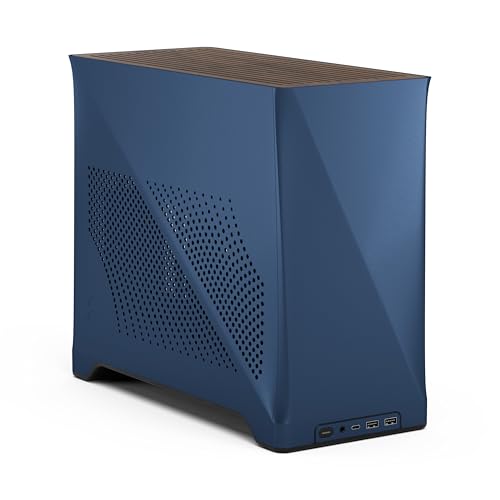
Budget PC cases have a habit of looking fine in photos and then making you regret every decision once you're elbow-deep in cable routing at midnight. You know the type: panels that flex when you look at them wrong, no room to tuck a 24-pin anywhere sensible, and fan headers positioned as if the designer had never actually built a PC. The Fractal Design Node 304 is not that case. It's a compact Mini-ITX cube that, based on the specs and what hundreds of owners have said about it, genuinely solves most of the frustrations that plague small form factor builds at this price tier.
This is our Fractal Design Node 304 review, and the short version is: if you want a small, tidy, well-ventilated Mini-ITX build without spending silly money, this is one of the smartest options in the entry price bracket. It's not perfect. The front I/O is dated by modern standards, and the interior does ask a bit of patience from first-time SFF builders. But the bones are excellent, the airflow story is genuinely good for the size, and the modular interior means you're not locked into one storage layout. At a price that sits comfortably in the entry tier, it punches well above what you'd expect.
Core Specifications
The Node 304 is a Fractal Design Mini-ITX cube case, and the spec sheet is worth going through properly because it tells you a lot about what kind of build this supports. The external dimensions come in at 250mm wide, 210mm tall, and 374mm deep. That's genuinely compact. It weighs around 4.5kg before you put anything in it, which gives you a sense of the steel construction underneath. This isn't a flimsy shell.
Fan support is one of the Node 304's stronger suits. You get three 120mm fan mounts at the front, two 120mm mounts on the top, and one 120mm exhaust at the rear. Fractal includes three of their Silent R2 120mm fans in the box, which is a decent starting point. The GPU clearance sits at 310mm, which we'll cover in detail later, and the CPU cooler height limit is 160mm. PSU support is for standard ATX units up to 160mm in length. Storage is handled via two 3.5-inch drive bays and two 2.5-inch bays, with the option to remove the 3.5-inch cages for more GPU clearance if needed.
The modular interior is one of the headline features here, and it's not just marketing language. The drive cages are actually removable, which changes how you use the space depending on whether you're prioritising storage or airflow. The case also ships with dust filters on the front and top intakes, which is something you genuinely appreciate when cleaning time comes around. Below is the full spec breakdown.
| Specification | Detail |
|---|---|
| Form Factor | Mini-ITX (mITX) |
| Dimensions (W x H x D) | 250 x 210 x 374mm |
| Weight | ~4.5kg |
| Motherboard Support | Mini-ITX only |
| GPU Clearance | Up to 310mm (with drive cage removed) |
| CPU Cooler Height | Up to 160mm |
| PSU Support | ATX, up to 160mm length |
| Drive Bays | 2x 3.5-inch, 2x 2.5-inch |
| Included Fans | 3x Fractal Design Silent R2 120mm |
| Fan Mounts | 3x 120mm front, 2x 120mm top, 1x 120mm rear |
| Radiator Support | 240mm front (with drive cage removed) |
| Front I/O | 2x USB 3.0, HD Audio (headphone + mic) |
| Dust Filters | Front and top intakes |
| Material | Steel chassis, steel side panels |
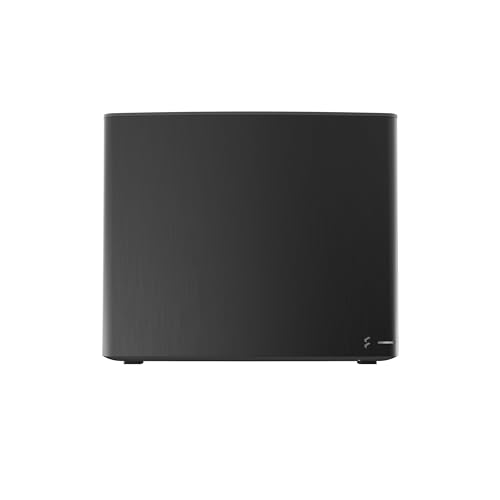
Form Factor and Dimensions
The Node 304 is a cube-style SFF case, and the dimensions tell you exactly what you're getting into. At 250 x 210 x 374mm, it's small enough to sit on a desk without dominating it, and compact enough to slide under a monitor stand if that's your setup. The footprint is noticeably smaller than a typical mATX mini-tower, which is the whole point. If you're building a living room PC, a home server that needs to look presentable, or just want to reclaim some desk real estate, the Node 304 makes a strong case for itself on size alone.
The cube format does mean the case is a bit taller and deeper than it looks in flat product photos. It's not going to fit in a tight media cabinet slot without measuring first. But on a standard desk, it sits neatly and the horizontal or vertical orientation options give you some flexibility. Some owners have noted they run it horizontally on a shelf, and the feet and panel design accommodate that without looking awkward. That's a small thing, but it matters if you're particular about how your setup looks.
What's interesting about the Node 304's dimensions is how Fractal has used the depth. Rather than making a tiny, cramped box that's impossible to build in, the 374mm depth gives the interior enough room to separate the PSU and GPU zones sensibly. This is one of the reasons the build experience gets consistently positive feedback in owner reviews. The case doesn't feel like you're assembling a ship in a bottle, which is genuinely not something you can say about every SFF case at this price.
Motherboard Compatibility
The Node 304 supports Mini-ITX motherboards only. Full stop. That's the trade-off you make for the compact cube format, and it's worth being clear about upfront because if you've got your heart set on a Micro-ATX board with extra PCIe slots or more RAM capacity, this case isn't for you. Mini-ITX boards top out at two RAM slots and one PCIe x16 slot in virtually every implementation, so your expansion options are limited by the platform, not just the case.
That said, the Mini-ITX ecosystem has grown enormously. Boards from ASUS, MSI, Gigabyte, and ASRock cover everything from budget Intel and AMD platforms up to proper enthusiast-tier chipsets. The Node 304's standoff layout is standard, so fitting any compliant mITX board is straightforward. Owners consistently report no alignment issues with the I/O shield or standoffs, which sounds basic but is genuinely something that trips up cheaper cases from less careful manufacturers.
One thing: because the PSU sits in its own dedicated zone and the layout is horizontal, the 24-pin ATX connector routing matters quite a bit depending on where your board puts it. Most modern Mini-ITX boards have the 24-pin on the right edge, which works fine here. But it's your specific board's connector layout before you commit, because cable routing in a cube case is less forgiving than a standard tower. Owner reviews mention this occasionally, particularly with boards that have non-standard connector placement. It's not a dealbreaker, just something to plan for.
GPU Clearance
This is where the Node 304's modular interior becomes genuinely useful rather than just a bullet point on the box. With the drive cages in their default position, GPU clearance sits at around 210mm, which is fine for shorter cards but rules out most modern mid-range and high-end GPUs. Remove one or both of the 3.5-inch drive cages, though, and you open that up to a maximum of 310mm. That's enough for a significant chunk of current cards, including most dual-fan variants of the RTX 4060, RX 7600, and similar mid-range options.
Where it gets trickier is with the triple-fan flagships. An RTX 4080 or RX 7900 XTX in triple-fan configuration typically runs 300mm to 340mm long, and some push past 310mm. So the very top end of the GPU market is largely off the table here, which is probably fine given this is a compact budget-tier case. You wouldn't be pairing a flagship GPU with a Mini-ITX build in a case at this price point anyway, or at least you probably shouldn't be. The sweet spot is a solid mid-range card in a dual-fan configuration, and the 310mm clearance handles that well.
There's no vertical GPU mount option, which is expected at this price and form factor. The card sits horizontally, secured to the PCIe slot on the motherboard in the standard way. Owner reports don't flag any issues with GPU sag, which makes sense given the relatively contained space. One thing to watch: if you're running a 240mm AIO in the front, that eats into the available GPU length. The front radiator mount and the GPU zone overlap, so you're choosing one or the other if you're at the limits of either clearance. Plan that combination carefully.
CPU Cooler Clearance
The 160mm CPU cooler height limit is actually quite generous for a cube this size. To put that in context, the Noctua NH-D15, which is one of the tallest air coolers on the market, comes in at 165mm. So you're just barely ruled out from the absolute tallest tower coolers, but you've got a lot of room below that. The popular Noctua NH-U12S sits at 158mm and fits fine. The be quiet! Pure Rock 2 is 155mm. The Scythe Fuma 3 is 154mm. Basically, any sensible single-tower or smaller dual-tower cooler is going to work here.
AIO support is where things get more interesting. The Node 304 can accommodate a 240mm radiator at the front, but only if you remove the drive cages. That's the same trade-off as with GPU clearance. You can run a 120mm AIO at the rear exhaust position without any conflicts, which is a decent option if you want liquid cooling but also need your drive bays. Owner reviews suggest the 120mm rear AIO setup is a popular choice for keeping thermals in check without sacrificing storage flexibility.
It's also that the 160mm clearance is measured from the motherboard surface, so your specific clearance depends slightly on how your board's CPU socket is positioned relative to the panel. In practice, owners haven't reported any widespread clearance surprises, but if you're running an unusually tall RAM kit alongside a large air cooler, double-check the combination. Some Mini-ITX boards have the RAM slots close enough to the CPU socket that tall cooler fans can clip the RAM. That's a motherboard-and-cooler compatibility issue rather than a case issue, but it's about in the SFF context.
Storage Bay Options
The Node 304 ships with two 3.5-inch drive bays and two 2.5-inch bays, which is a decent allocation for a case this size. For a home server or NAS-adjacent build, the two 3.5-inch bays let you run a couple of spinning hard drives alongside your SSD boot drive, which is genuinely useful. The 2.5-inch mounts handle SSDs neatly, and the positioning keeps them out of the main airflow path.
The modular cage system is the real story here. Both 3.5-inch cages are removable, and that's not just a theoretical option. Owners regularly remove one or both cages to open up GPU clearance or improve airflow through the front fans. If your build is SSD-only (and increasingly, that's most people), you can pull the 3.5-inch cages out entirely and use the freed space for better cable management or longer graphics cards. The case accommodates M.2 SSDs via your motherboard's onboard slots, so you don't strictly need the 2.5-inch bays either if your board has enough M.2 slots for your needs.
Mounting is tool-based rather than tool-free for the 3.5-inch drives, which is a minor inconvenience. The drive sleds use standard screws, and the process is straightforward enough, but it's not the snap-in convenience you get on some pricier cases. The 2.5-inch bays are simpler to work with. Owner reviews don't flag the drive mounting as a particular pain point, so it's more of an observation than a complaint. If you're building a static machine that you won't be swapping drives in regularly, it barely matters.

Cable Management
Cable management in a cube SFF case is always going to be a more involved conversation than in a full tower, and the Node 304 is no exception. The layout puts the PSU at the bottom front and the motherboard and GPU sharing the main chamber, which means your cables are all competing for the same relatively compact space. There's no PSU shroud to hide the mess, and the side panels are solid steel rather than tempered glass, so the tidiness of your build is more about your own satisfaction than anyone else seeing it.
That said, Fractal has included cable routing channels and tie-down points that make a reasonable job of keeping things organised. The rear panel has enough clearance for bundled cables, and experienced SFF builders report that a bit of planning upfront makes a big difference. The key is routing the 24-pin and CPU power cables before you seat the GPU, because access gets tight once the card is in. Owner reviews consistently mention that the build experience rewards patience and planning rather than punishing you with genuinely poor design.
The included PSU support is for ATX units up to 160mm in length, which covers most standard ATX PSUs but rules out some longer models. If you're buying a PSU specifically for this build, check the length before you order. Modular PSUs are strongly recommended here because the cable management situation is noticeably better when you're only running the cables you actually need. A non-modular PSU in a cube case this size means you're stuffing a lot of unused cables somewhere, and there isn't a lot of somewhere available. Semi-modular is fine. Full modular is ideal.
Airflow and Thermal Design
The airflow design on the Node 304 is one of its strongest selling points, and it's a genuinely thoughtful setup for the size. The front panel is not a solid door or a mesh-behind-glass arrangement. It's a proper vented front with a dust filter, feeding directly into the three 120mm fan mounts. That front intake configuration is the main reason this case can keep temperatures reasonable in a compact form factor. Three fans pulling air in from the front, exhausting through the rear and optionally the top, gives you a positive pressure setup that keeps dust out and heat moving.
The three included Fractal Design Silent R2 120mm fans are configured as front intakes from the factory. They're not the highest-performing fans on the market, but they're quiet and move a decent amount of air for their speed. Owner reviews generally describe the thermal performance as good for the size, with a few noting that upgrading the fans to something like Noctua NF-A12x25 units makes a meaningful difference if you're pushing the system hard. But for a standard mid-range build, the included fans are perfectly adequate out of the box.
The top panel has two additional 120mm fan mounts, and the rear has one. This gives you a total of six 120mm fan positions, which is impressive for a case this compact. In practice, most owners run the three front intakes and the rear exhaust, which is a sensible and effective configuration. The top mounts are useful if you want to add exhaust capacity, particularly if you're running a warmer CPU or GPU. Dust filters on the front and top intakes are a proper feature at this price, not an afterthought. They're removable for cleaning, which matters because you will need to clean them if you're running positive pressure with three front fans.
Front I/O and Connectivity
This is the area where the Node 304 shows its age most clearly. The front I/O gives you two USB 3.0 Type-A ports and HD Audio with separate headphone and microphone jacks. That's it. No USB Type-C. No USB 3.2 Gen 2. Just two USB-A ports and audio. For a case that's still being sold and bought in 2026, that's a noticeable omission. Most people building a PC today have at least one USB-C device they'd like to plug in directly, whether that's a phone, a DAC, or a peripheral.
To be fair, the Node 304 is a design that dates back to 2012, and Fractal has kept it in production because it's genuinely good at what it does. The USB 3.0 ports are still useful, and the audio jacks work fine. But if front-panel USB-C is a must-have for you, this case won't deliver it. You'd need to look at more recent SFF designs like the Fractal Design Era or the NZXT H1 v2 for that. The Node 304 is honest about what it is: a well-designed older case that hasn't had a connectivity refresh.
The power button placement is on the top panel, which works well in a cube format. It's easy to reach whether the case is on a desk or on a shelf. The reset button is there too, smaller and recessed enough that you won't hit it by accident. Owner reviews don't flag any issues with button feel or reliability, which is reassuring given the case's age. The front panel header cable is a standard internal connector, so compatibility with any Mini-ITX board is a given.
Build Quality and Materials
The Node 304 is built from steel throughout, and the quality of that steel is noticeably better than what you'd find in a generic budget case. The panels have a solid feel to them. They don't flex dramatically when you press on them, and the finish is consistent. The black version has a matte powder coat that holds up well and doesn't show fingerprints as badly as a gloss finish would. For an entry-tier case, the material quality is genuinely good.
Owner reviews across hundreds of ratings with a positive overall rating paint a clear picture: people are happy with how the case is made. Sharp edges get mentioned occasionally, particularly around the drive cage area and some internal brackets, but this is a steel case at an entry price point and that's not unusual. The more common feedback is positive, noting that panels align properly, screws thread cleanly, and nothing feels cheap or flimsy. For a case that's been in production for over a decade, the consistent quality is a testament to the original design being done right rather than cut down to a price.
The side panels attach with thumbscrews and slide off cleanly. Access to both sides of the case is straightforward, which matters when you're routing cables or adjusting components. The panel rigidity is good enough that you won't get the hollow resonance you sometimes hear from thinner steel cases under load. Some owners have noted that the case is quiet in operation, partly because of the solid steel panels damping vibration and partly because the Silent R2 fans live up to their name at moderate speeds. It's not a purpose-built silent case, but it's not loud either.
How It Compares
The two most natural comparisons for the Node 304 are the Cooler Master Elite 130 and the NZXT H210. The Elite 130 is a similar cube-format Mini-ITX case that tends to come in slightly cheaper, while the H210 is a more modern Mini-ITX case with a tempered glass side panel and USB-C front I/O. Each of these represents a different trade-off, and understanding where the Node 304 sits between them is useful.
Against the Cooler Master Elite 130, the Node 304 wins on fan inclusion (three Silent R2 fans versus none), storage flexibility (removable drive cages), and overall build quality. The Elite 130 is a fine budget option, but the interior is more cramped and the airflow design less considered. If you're choosing purely on price, the Elite 130 might edge ahead, but the Node 304 gives you more for your money in terms of included components and build experience.
The NZXT H210 is the more interesting comparison. It's a more recent design, it has a tempered glass panel, and it has USB-C on the front. If those things matter to you, the H210 makes a strong case for itself. But it's typically priced higher, the airflow is more restricted by the glass panel, and the interior layout is less modular. The Node 304 trades aesthetics for practicality, and for a lot of builders, particularly those prioritising thermals and storage flexibility over looks, that's the right trade.
| Feature | Fractal Design Node 304 | Cooler Master Elite 130 | NZXT H210 |
|---|---|---|---|
| Form Factor | Mini-ITX Cube | Mini-ITX Cube | Mini-ITX Mini Tower |
| GPU Clearance | 310mm (cages removed) | ~330mm | 325mm |
| CPU Cooler Height | 160mm | 155mm | 165mm |
| Included Fans | 3x 120mm Silent R2 | None | 1x 120mm rear |
| Drive Bays | 2x 3.5-inch, 2x 2.5-inch | 2x 3.5-inch, 1x 2.5-inch | 2x 3.5-inch, 2x 2.5-inch |
| Front USB-C | No | No | Yes (USB 3.1 Gen 1) |
| Radiator Support | 240mm front (cages removed) | 120mm rear only | 240mm front or top |
| Side Panel | Solid steel | Solid steel | Tempered glass |
| Price Tier | Entry | Entry (lower) | Mid-range |

Final Verdict
The Fractal Design Node 304 is a genuinely well-thought-out Mini-ITX cube case that's been popular for good reason. The airflow design is better than most cases at this price, the modular drive cages give you real flexibility, and the build quality is solid enough that you won't be cursing the manufacturer halfway through your build. For anyone wanting a compact PC that doesn't compromise on thermals or storage options, this is one of the best options in the entry price bracket.
Who should buy it? Someone building a compact home or office PC, a living room gaming rig around a mid-range GPU, or a small home server where storage flexibility matters. The 160mm CPU cooler clearance and 310mm GPU clearance (with cages removed) cover the vast majority of sensible component choices for a build at this scale. The included fans mean you're not immediately spending more money just to get basic airflow sorted, which is a real advantage over similarly priced cases that ship empty.
Who should skip it? If you need USB-C on the front panel, this isn't going to give you that. If you're planning a triple-fan flagship GPU, the clearance won't stretch far enough. And if you want a windowed side panel to show off your build, the solid steel sides mean there's nothing to see. For those buyers, the NZXT H210 is worth the extra spend, or if you're on a tighter budget and can live without the included fans, the Cooler Master Elite 130 is a cheaper entry point that covers the basics.
Honestly though, for most people asking whether the Node 304 is a good Mini-ITX case in 2026, the answer is yes. It's a case that was designed properly the first time and has aged well because the fundamentals are right. The positive overall rating across hundreds of owner reviews isn't a fluke. People build in this thing and come away happy, which is exactly what you want from a case. If you don't need the front USB-C and you're not squeezing in a massive GPU, this is a smart, no-nonsense choice.
Our editorial rating: 8 out of 10. Excellent airflow design, good build quality, and genuine storage flexibility for the price. Held back only by the dated front I/O and the clearance ceiling for longer GPUs.
What works. What doesn’t.
5 + 4What we liked5 reasons
- Three Silent R2 120mm fans included from the factory
- Modular drive cages allow genuine GPU clearance flexibility
- Solid steel construction with good panel alignment
- Six total 120mm fan positions for a cube this compact
- Dust filters on front and top intakes as standard
Where it falls4 reasons
- No USB Type-C on the front panel
- 310mm GPU clearance rules out triple-fan flagship cards
- No windowed side panel option
- Cable management requires planning, no PSU shroud
Full specifications
11 attributes| Form factor | Mini-ITX |
|---|---|
| CPU cooler clearance MM | 165 |
| Dimensions MM | 250 x 210 x 374 |
| Fans included | 3 |
| GPU clearance MM | 310 |
| MAX FAN count | 3 |
| MAX radiator MM | 140 |
| PSU support | ATX up to 160mm |
| Side panel | steel |
| Supported motherboard | Mini-ITX, Mini DTX |
| Weight KG | 4.9 |
Got a motherboard yet?
4 reviewsThe maker lists Mini-ITX boards for this case. These Mini-ITX boards fit it.
Frequently asked
5 questions01Is the Fractal Design Node 304 - Black - Mini Cube Compact Computer Case - Small form factor - Mini ITX, mITX - High Airflow - Modular interior - 3x Fractal Design Silent R2 120mm Fans Included - USB 3.0 good for airflow?+
Yes, the Node 304 has one of the better airflow setups in its price bracket. The vented front panel feeds directly into three 120mm fan mounts, and Fractal includes three Silent R2 120mm fans configured as front intakes. There are two additional 120mm mounts on the top and one at the rear, giving you six fan positions total. Dust filters cover the front and top intakes. Owner reviews consistently describe thermal performance as good for the compact size, and the positive pressure setup from the three front fans helps keep dust out of the system.
02What's the GPU clearance on the Fractal Design Node 304 - Black - Mini Cube Compact Computer Case - Small form factor - Mini ITX, mITX - High Airflow - Modular interior - 3x Fractal Design Silent R2 120mm Fans Included - USB 3.0?+
With the 3.5-inch drive cages in place, GPU clearance is approximately 210mm, which limits you to shorter cards. Remove one or both drive cages and that opens up to a maximum of 310mm, which is enough for most dual-fan mid-range GPUs including cards like the RTX 4060 and RX 7600 in standard configurations. Triple-fan flagship cards that exceed 310mm won't fit. If you're also running a 240mm front radiator, that will reduce the available GPU length, so plan that combination carefully before buying.
03Can the Fractal Design Node 304 - Black - Mini Cube Compact Computer Case - Small form factor - Mini ITX, mITX - High Airflow - Modular interior - 3x Fractal Design Silent R2 120mm Fans Included - USB 3.0 fit a 360mm AIO?+
No, the Node 304 does not support a 360mm radiator. The maximum radiator size is 240mm, and that's only possible at the front intake position with both 3.5-inch drive cages removed. A 120mm AIO can be mounted at the rear exhaust position without any conflicts, which is a popular choice for builders who want liquid cooling but also need to keep their drive bays. If a 360mm AIO is a requirement, you'll need a larger or different SFF case.
04Is the Fractal Design Node 304 - Black - Mini Cube Compact Computer Case - Small form factor - Mini ITX, mITX - High Airflow - Modular interior - 3x Fractal Design Silent R2 120mm Fans Included - USB 3.0 easy to build in?+
It's manageable rather than effortless. The cube format means cable management requires some planning, particularly routing the 24-pin and CPU power cables before seating the GPU. There's no PSU shroud to hide cables, and the space is compact. That said, owner reviews are broadly positive about the build experience, noting that the modular drive cages help and the panel access is straightforward. Using a modular PSU is strongly recommended to reduce cable clutter. Some owners mention minor sharp edges around internal brackets, so take care when reaching inside. First-time SFF builders should allow extra time.
05What warranty and returns apply to the Fractal Design Node 304 - Black - Mini Cube Compact Computer Case - Small form factor - Mini ITX, mITX - High Airflow - Modular interior - 3x Fractal Design Silent R2 120mm Fans Included - USB 3.0?+
Fractal Design's warranty terms are not confirmed in the product listing data we have available. When purchasing through Amazon UK, you're covered by Amazon's standard 30-day return policy and the A-to-Z Guarantee, which protects your purchase if the item arrives damaged or not as described. For specific manufacturer warranty information, check the Fractal Design website directly or contact their support team.