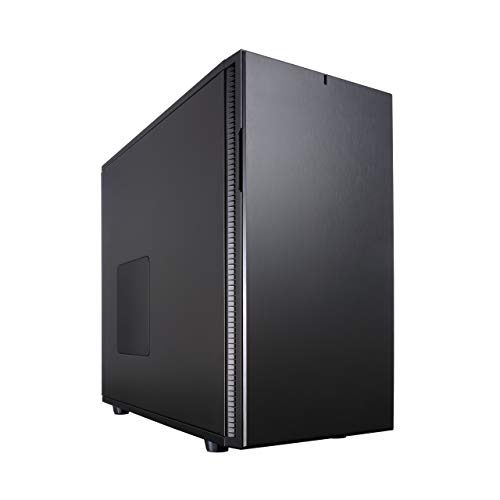
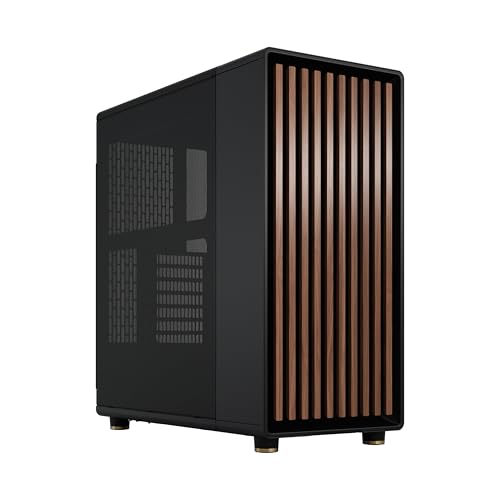
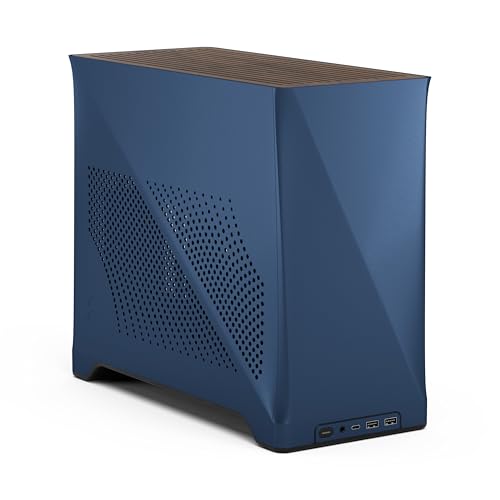
The Define 7 is one of the best mid-tower cases money can buy right now. That's the verdict, and the rest of this piece is just the evidence. With hundreds of owner reviews averaging ★★★★½ (4.7), the numbers back it up, but the specs tell the more interesting story: a case that genuinely thinks about the builder, not just the marketing shot on the box. This Fractal Design Define 7 review will go through everything that matters, clearance by clearance, panel by panel.
Think about what you actually interact with during a build. Panel access. Cable routing gaps. Whether the radiator mount lines up with your AIO tubes or fights them. These are the things that make a build afternoon pleasant or genuinely miserable. The Define 7 gets most of them right, and where it doesn't, it's upfront. So here's the full breakdown, grounded in the spec sheet and what real owners report.
One caveat before we get into it: this is the silent-focused variant, not the Define 7 Compact or the Define 7 XL. It's also not the Define 7 with the tempered glass side panel. This is the solid-panel, noise-dampened version, which tells you something about who Fractal designed it for. If you want maximum airflow and RGB visibility, this isn't your case. If you want a quiet, well-organised build with serious expansion headroom, read on.
Core Specifications
The Define 7 is built around a steel and brushed aluminium chassis. The front panel is aluminium, which is part of why it looks and feels more expensive than most cases at this price tier. The body is steel throughout, and Fractal's own product page lists the overall dimensions at 543mm tall, 234mm wide, and 475mm deep. That's a proper mid-tower footprint, not one of those cases that claims to be mid-tower but is practically full-tower once you measure it. It weighs in at 14.9kg empty, which tells you the steel isn't thin.
Fan support is generous. You get three 140mm mounts at the front, three 140mm or 120mm mounts at the top, one 140mm or 120mm at the rear, and two 120mm mounts at the bottom. Fractal includes three 140mm Dynamic X2 GP-14 fans in the box, two at the front and one at the rear, which is a better starting point than most competitors in this price range who give you one or two mediocre 120mm fans and call it done. The included fans are genuinely decent, not the throwaway units you often find bundled in.
Drive support is where the Define 7 really shows its age in a good way. It can hold up to 18 drives depending on configuration, with the modular drive cage system letting you swap between HDD and SSD setups depending on what you actually need. The PSU shroud is full-length, which keeps the bottom of the case tidy regardless of how you configure storage. For a full spec rundown:
| Specification | Detail |
|---|---|
| Form Factor | Mid Tower |
| Motherboard Support | E-ATX (up to 285mm wide), ATX, mATX, Mini-ITX |
| Dimensions (H x W x D) | 543 x 234 x 475mm |
| Weight | 14.9kg |
| Front Fans | 3 x 140mm (or 120mm) |
| Top Fans | 3 x 140mm or 120mm |
| Rear Fan | 1 x 140mm or 120mm |
| Bottom Fans | 2 x 120mm |
| Included Fans | 3 x 140mm Dynamic X2 GP-14 |
| Max GPU Length | 491mm (with HDD cage removed) |
| Max CPU Cooler Height | 185mm |
| Max PSU Length | 300mm (with bottom cage removed) |
| Front Radiator Support | Up to 420mm (3 x 140mm) |
| Top Radiator Support | Up to 420mm (3 x 140mm) |
| Rear Radiator Support | Up to 140mm |
| Drive Bays (3.5") | Up to 4 (modular) |
| Drive Bays (2.5") | Up to 14 (modular) |
| PCIe Slots | 7 horizontal + 2 vertical |
| Material | Steel chassis, brushed aluminium front |
| Noise Dampening | Yes, all panels |
| USB Front I/O | 2 x USB 3.0 Type-A, 1 x USB-C |
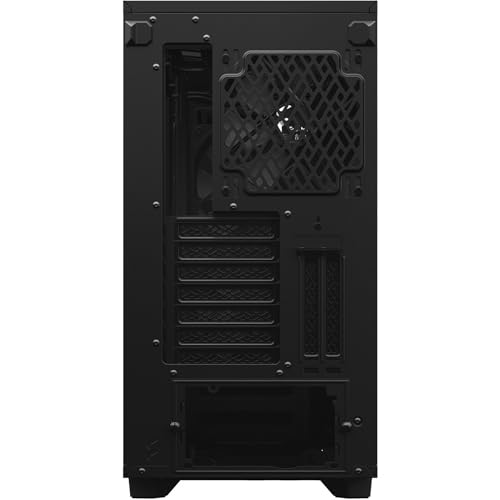
Form Factor and Dimensions
At 543mm tall and 475mm deep, the Define 7 is a proper mid-tower. Not a compact. Not an XL. It will sit comfortably on most standard desks without dominating them, though at 234mm wide it's not exactly slim. If you're working with a desk that has a specific case slot or shelf, measure before you buy. That 475mm depth in particular catches people out who assume mid-towers are shallower than they used to be.
The footprint is justified by what's inside, though. This isn't a case that's big for the sake of it. The extra depth is there to accommodate front radiators up to 420mm, which means three 140mm fans in a push-pull configuration if you want to go that far. The width accommodates E-ATX boards up to 285mm, which is wider than many cases in this class will take. So you're not paying for wasted space, you're paying for headroom.
On a desk, the brushed aluminium front panel looks genuinely premium. It's not trying to be flashy. There are no RGB strips on the exterior, no aggressive angles, nothing that dates itself in two years. The aesthetic is clean and quiet, which matches the engineering intent. A lot of owners specifically mention this in their reviews: they bought it partly because it doesn't look like a gaming case from 2017. Whether that matters to you depends on where your PC lives, but it's a real differentiator at this price point.
Motherboard Compatibility
The Define 7 supports Mini-ITX, Micro-ATX, ATX, and E-ATX up to 285mm wide. That E-ATX support is worth dwelling on because not every mid-tower that claims E-ATX compatibility actually handles the wider boards comfortably. The 285mm limit covers most consumer E-ATX boards, including the sort of HEDT and high-end platform boards you'd pair with a Threadripper or Core X chip, though if you have a particularly wide server-grade board you'll want to double-check your specific dimensions against Fractal's spec sheet.
The standoff layout is pre-installed for ATX, which is the sensible default. For other form factors you'll need to move standoffs, which is standard practice. Owners report the standoff thread quality is good and nothing strips easily, which matters more than it sounds when you're torquing down standoffs with a screwdriver at an awkward angle inside a case. The motherboard tray itself has a large CPU cutout, which Fractal lists as 170mm x 140mm, giving you access to most backplate cooler mounts without removing the board.
For most builders, the ATX and mATX support is what they'll use, and for those form factors the Define 7 is essentially unconstrained. There's nothing fighting you for space around the board. The cable routing holes are positioned sensibly relative to common ATX motherboard connector locations, which sounds basic but plenty of cases get this wrong and leave you routing the 24-pin cable across the board in an ugly arc. Here it drops straight down and routes behind the tray cleanly.
GPU Clearance
Maximum GPU length is 315mm with the HDD cage installed, and 491mm with it removed. That 491mm number is genuinely enormous. For reference, an RTX 4090 Founders Edition is 336mm long, and even the longest triple-fan aftermarket cards from ASUS or MSI rarely exceed 360mm. So in practice, the Define 7 will fit any current consumer GPU without you needing to remove anything. The 315mm limit with the cage in place is tighter, but still covers most cards. Only the very longest triple-fan variants would cause a problem, and you'd know if yours was one of them.
There are also two vertical PCIe slots, which means you can mount a GPU vertically for display purposes. Fractal sells a separate riser cable for this (it's not included), and you'd need a low-profile PCIe riser to clear the side panel properly. It's a nice option to have, but it's upfront that vertical mounting in this case isn't free. Owners who've done it say it works well once you have the right riser, though the PCIe riser cable quality matters for signal integrity, so don't cheap out on it.
The GPU is supported by the PSU shroud below, which means sag is less of an issue than in cases with an open floor. That said, with a very heavy card, a support bracket is still sensible. Owners with high-end three-slot cards haven't flagged sag as a major issue in the reviews, but it's something to keep in mind if you're running something particularly heavy. The overall GPU installation experience is described consistently as straightforward: the side panels come off cleanly, the space is generous, and there's nothing awkward to navigate around.
CPU Cooler Clearance
The Define 7 gives you 185mm of CPU cooler height clearance. That's enough for virtually every tower air cooler on the market. The Noctua NH-D15, which is one of the tallest and most popular high-end air coolers, stands 165mm tall. The be quiet! Dark Rock Pro 4 is 162.8mm. Even the Thermalright Peerless Assassin 120 SE, which is a chunky unit, is 155mm. You'd have to be going out of your way to find an air cooler that doesn't fit here.
AIO radiator support is where the Define 7 really earns its keep. The front supports up to 420mm, meaning a 360mm or 420mm radiator fits without modification. The top supports up to 420mm as well. The rear supports a single 140mm fan or radiator. So if you're running a 360mm AIO, you can mount it front or top, whichever suits your airflow preference or tube routing. Owners running 360mm AIOs in the front report clean tube routing to the CPU block with minimal kinking, which is a function of the case depth giving you enough room to work with.
One thing to watch with top-mounted radiators: the clearance between the radiator and the motherboard's VRM area. Fractal doesn't specify this number explicitly, but owners with tall VRM heatsinks on high-end ATX boards have noted. If your board has particularly tall VRM heatsinks (some ASUS ROG and Gigabyte Aorus boards do), measure before committing to a top-mount 360mm radiator. Front mounting tends to avoid this issue entirely. For most standard ATX boards, the top mount is fine.
Storage Bay Options
The modular drive cage system is one of the Define 7's standout features. In the default configuration you get two 3.5-inch drive bays in the main cage, plus mounting points for 2.5-inch SSDs on the back of the motherboard tray and on the PSU shroud. Remove the HDD cage entirely and you open up the GPU clearance and airflow at the same time. Add more cages and you can get to four 3.5-inch bays and up to fourteen 2.5-inch bays. It's a genuinely flexible system.
The drive trays themselves are tool-free for 3.5-inch drives, using rubber-dampened mounting points that reduce vibration noise from spinning hard drives. This matters if you're running HDDs for storage alongside an SSD for your OS. The dampened mounting is a detail that's easy to overlook in a spec sheet but makes a real difference to long-term noise levels. SSDs on the tray mounts do require screws, which is standard and not a problem.
For a modern build that's SSD-only, the Define 7 gives you plenty of 2.5-inch mounting options without needing any cages at all, which keeps the interior clean and maximises airflow. Owners who've gone this route consistently describe the interior as looking properly tidy once built, with the PSU shroud hiding the bottom half and the drive mounts tucked away behind the tray. If you're still running multiple HDDs for a NAS-style setup or media storage, the cage system accommodates that too, which is rarer in mid-towers than it used to be.

Cable Management
The rear cable management channel is where a lot of mid-tower cases let themselves down. The Define 7 doesn't. Fractal gives you a rear channel that's approximately 20 to 25mm deep, which is enough to bundle cables without forcing the side panel closed against a lump of cables. There are Velcro straps included, pre-positioned at sensible intervals along the cable routing path, which is the kind of detail that separates a case designed by people who actually build PCs from one designed by a marketing team.
Cable routing holes are covered with rubber grommets throughout, which keeps the front of the motherboard tray looking clean and stops cables from rattling against steel edges. The PSU shroud has a cutout at the rear for the 24-pin cable, and the position lines up well with standard ATX motherboard layouts. The EPS 12V cable routing hole is positioned high on the motherboard tray, near the top-left, which is where you need it for most boards. Owners specifically call out the cable management as one of the best they've used at this price, and that's consistent across multiple reviews.
The PSU shroud itself is full-length and covers the bottom of the case completely. This means the PSU, any bottom-mounted fans, and the lower portion of the drive cages are all hidden from view when you look through the side panel. For a case without a tempered glass panel, this matters less aesthetically, but it still contributes to the overall sense of organisation. The shroud has a small vent at the front to allow airflow to bottom-mounted fans if you've installed them, which is thoughtful. Nothing here feels like an afterthought.
Airflow and Thermal Design
Here's the honest bit. The Define 7 in this configuration, with its solid front panel and noise-dampening material on every surface, is not an airflow case. It never claimed to be. The solid aluminium front restricts intake airflow compared to a mesh-front case like the Fractal Meshify 2 or the Lian Li Lancool 216. If you're building a high-end gaming rig with a power-hungry GPU and you want the best possible thermals, the Define 7 is not the right tool. The Meshify 2 from Fractal's own lineup will run cooler.
What the Define 7 does instead is manage airflow carefully within a quieter envelope. The three included 140mm Dynamic X2 GP-14 fans run at low RPM and move a decent volume of air quietly. The noise dampening on the side panels, top panel, and front door absorbs sound rather than letting it radiate out. Owners consistently report that the Define 7 is noticeably quieter than their previous cases under load, even with the same components. The trade-off is a few degrees Celsius on GPU and CPU temperatures compared to an equivalent mesh-front build.
How much warmer? Based on published comparisons between the Define 7 and mesh-front alternatives, you're typically looking at somewhere between 3 and 8 degrees Celsius higher on GPU temperatures under sustained load. For most gaming workloads that's not meaningful. For sustained productivity workloads on a high-TDP CPU and GPU combination. The Define 7 includes a front door with a magnetic latch that can be opened to improve airflow when you need it, which is a practical compromise. Dust filters are present on the front, top, and bottom, which is the full set. All are removable without tools.
Front I/O and Connectivity
The front I/O sits on the top of the case, angled slightly forward for easy access. You get two USB 3.0 Type-A ports, one USB 3.1 Gen 2 Type-C port, a combined headphone and microphone jack, and the power button. The reset button is there too, though it's smaller and recessed, which is the right call as accidentally hitting reset mid-game is not a fun experience.
The USB-C port is genuinely useful here. A lot of cases in this price range still ship with USB 3.0 Type-A only, and having USB-C on the front panel saves you routing cables around the back of your machine constantly. The internal header for this is a USB 3.1 Gen 2 Type-C header, which means your motherboard needs to have one. Most modern mid-range and high-end ATX boards do, but if you're using an older board. The USB-C port supports data transfer at Gen 2 speeds (10Gbps), though it doesn't carry DisplayPort or Thunderbolt signals, which is standard for front-panel USB-C.
The power button has a subtle LED ring that glows white when the system is on. It's understated and fits the aesthetic. There's no RGB anywhere on this case by default, no addressable LED strips, nothing that needs a software hub to manage. For builders who want a clean, professional-looking system this is a feature, not a limitation. Owners who've switched from RGB-heavy cases to the Define 7 frequently mention the relief of not having to manage lighting software. The I/O placement on top rather than the front face also means it's accessible whether the case is on a desk or on the floor.
Build Quality and Materials
The steel chassis is solid. Not flimsy, not thin. You can tell from the 14.9kg empty weight that Fractal hasn't skimped on material thickness. The side panels have a satisfying amount of rigidity: no flexing, no resonance when you tap them. The brushed aluminium front panel feels genuinely premium and doesn't attract fingerprints the way a glossy finish would. This is the kind of build quality you'd expect to find on a case costing considerably more.
Panel access is good. The side panels are tool-free, using a thumbscrew at the rear and a hinge-style release. Owners do note that the panels can be a little stiff initially, particularly the right-side panel over the cable management area. This loosens with use, and a few owners mention that the stiffness is actually reassuring once you understand it's the noise-dampening foam creating a seal rather than a poorly aligned panel. The top panel is also removable to access the top fan and radiator mounts, and it comes off without too much effort.
The front door is hinged and opens fully to the left. The magnetic latch holds it closed securely without rattling. Owners who've had the case for a year or more don't report the hinge or magnet degrading, which is good to know for a component you'll open and close regularly. Screw quality throughout is fine: no stripped heads reported in the reviews, threads are clean. The included screws are sorted into labelled bags, which sounds minor but saves genuine time during a build. Overall, the Define 7 feels like a case built to last a decade, not one that'll need replacing in three years because the panels start warping.
How It Compares
The two obvious competitors at this price tier are the be quiet! Dark Base 700 and the Corsair 5000D. They're all targeting the same builder: someone who wants a premium mid-tower with good expansion, decent acoustics, and quality materials. But they go about it differently.
The be quiet! Dark Base 700 is a direct rival in the silent-focused category. It's similarly priced, similarly heavy, and similarly focused on noise reduction. Where it differs is in its modular layout options, including the ability to flip the motherboard tray for an inverted build, which is a genuinely unique feature. The Dark Base 700 also includes more fans out of the box. However, the Define 7 has better storage expansion options and a cleaner cable management system according to most owner comparisons. The Dark Base 700 is a strong alternative if the inverted layout appeals to you.
The Corsair 5000D is a different proposition. It's a mesh-front case, which means it runs cooler but louder. It's aimed at performance-first builders who want airflow and don't mind a bit of fan noise. The 5000D has excellent build quality and a well-designed interior, but it lacks the acoustic treatment of the Define 7 and won't be as quiet under load. If thermals are your primary concern, the 5000D or its Airflow variant is the better pick. If quiet operation matters more, the Define 7 wins that comparison clearly.
| Feature | Fractal Define 7 | be quiet! Dark Base 700 | Corsair 5000D |
|---|---|---|---|
| Form Factor | Mid Tower | Mid Tower | Mid Tower |
| Motherboard Support | E-ATX (285mm), ATX, mATX, ITX | E-ATX, ATX, mATX, ITX | ATX, mATX, ITX |
| Max GPU Length | 491mm | 430mm | 420mm |
| CPU Cooler Height | 185mm | 185mm | 170mm |
| Front Panel | Solid aluminium (quiet) | Solid (quiet) | Mesh (airflow) |
| Included Fans | 3 x 140mm | 3 x 140mm | 1 x 120mm |
| Noise Dampening | Yes, all panels | Yes, all panels | No |
| Front Radiator | 420mm | 360mm | 360mm |
| USB-C Front I/O | Yes (Gen 2) | Yes | Yes |
| Drive Bays | Up to 18 (modular) | Up to 9 | Up to 6 |
| Noise Focus | Primary | Primary | Secondary |
| Thermals vs Mesh | 3 to 8C warmer | Similar to Define 7 | Best of three |

Final Verdict
The Fractal Design Define 7 is the case for builders who've decided they want a quiet PC and aren't willing to compromise on build quality or expansion to get it. The specs are generous across the board: 185mm CPU cooler clearance, 491mm GPU length, front radiator support up to 420mm, E-ATX compatibility, and a modular storage system that can hold more drives than most people will ever need. The three included 140mm fans are a proper starting point rather than a token gesture. And the build experience, based on what hundreds of owners consistently report, is one of the better ones at this price.
The honest trade-off is thermal performance versus quiet operation. The solid front panel and noise-dampening material do their job, and they do it well, but they cost you a few degrees compared to a mesh-front case. If you're running a high-end GPU at sustained load for hours at a time and you want the absolute lowest temperatures possible, the Define 7 is not that case. The Fractal Meshify 2 from the same brand would serve you better and costs less. It's the honest recommendation for performance-first builders: the Meshify 2 gives you the same Fractal build quality and cable management in a mesh-front design that runs noticeably cooler.
But for the builder who wants a system that sits on a desk and doesn't announce itself constantly, who values a clean, professional look over RGB panels and aggressive styling, and who wants a case that accommodates serious hardware without fighting them at every step, the Define 7 is about as good as mid-towers get. The positive overall rating from hundreds of owners isn't a fluke. It reflects a case that does what it says, built to a standard that justifies its price. This is the kind of purchase you make once and don't revisit for a very long time.
Rating: 9 out of 10. A near-perfect silent mid-tower with one genuine caveat: if thermals are your top priority, look at mesh-front alternatives first. For everyone else, this is a proper case.
What works. What doesn’t.
7 + 5What we liked7 reasons
- Three quality 140mm fans included out of the box, a genuinely useful starting point rather than a token bundle
- Exceptional storage flexibility with up to 18 drives via the modular cage system, rare in a mid-tower
- 185mm CPU cooler clearance and 491mm GPU length accommodate virtually any current consumer hardware
- Noise dampening on all panels delivers noticeably quieter operation under load compared to standard mid-towers
- Cable management channel depth and included Velcro straps make for a genuinely tidy build experience
- Brushed aluminium front panel gives a clean, professional aesthetic that does not date itself quickly
- Front USB-C at Gen 2 speeds is a practical addition that many rivals in this price bracket still omit
Where it falls5 reasons
- Solid aluminium front panel restricts intake airflow, resulting in GPU temperatures 3 to 8 degrees Celsius higher than equivalent mesh-front cases under sustained load
- At 14.9kg empty the case is heavy, which can be inconvenient when moving or repositioning
- Vertical GPU mounting requires a separately purchased riser cable that is not included
- Right-side panel can feel stiff initially due to the noise-dampening foam seal, which may concern first-time builders
- No tempered glass option in this solid-panel variant, so internal aesthetics and RGB builds are better served by other configurations
Full specifications
10 attributes| Form factor | Mid-Tower |
|---|---|
| CPU cooler clearance MM | 185 |
| Dimensions MM | 547 x 240 x 475 |
| Fans included | 3 |
| GPU clearance MM | 491 |
| MAX FAN count | 9 |
| MAX radiator MM | 420 |
| Side panel | solid |
| Supported motherboard | E-ATX, ATX, Micro-ATX, Mini-ITX |
| Weight KG | 13.45 |
Got a motherboard yet?
4 reviewsThe maker lists ATX, Micro-ATX and Mini-ITX boards for this case. These ATX boards fit it.
Frequently asked
7 questions01Does the Fractal Design Define 7 support E-ATX motherboards?+
Yes. The Define 7 supports E-ATX boards up to 285mm wide, which covers the majority of consumer E-ATX platforms including HEDT boards. If your board is wider than 285mm, check Fractal's spec sheet against your board's exact dimensions before purchasing.
02How many fans does the Define 7 come with, and are they any good?+
The Define 7 includes three 140mm Dynamic X2 GP-14 fans: two at the front and one at the rear. They are a genuine quality starting point rather than throwaway bundled units, running quietly at low RPM while still moving a useful volume of air. Most builders will not need to replace them immediately.
03Is the Define 7 suitable for a 360mm AIO liquid cooler?+
Yes. The front panel supports radiators up to 420mm, accommodating a 360mm radiator with room to spare. The top panel also supports up to 420mm. Front mounting is generally preferred for AIO builds in this case as it avoids potential clearance issues with tall VRM heatsinks on the motherboard.
04How does the Define 7 compare to a mesh-front case for temperatures?+
Published comparisons indicate the Define 7 runs approximately 3 to 8 degrees Celsius warmer on GPU temperatures under sustained load compared to equivalent mesh-front cases. For typical gaming workloads this difference is not meaningful. For sustained productivity or rendering workloads on high-TDP hardware, a mesh-front case such as the Fractal Meshify 2 would be a more appropriate choice.
05Can I mount a GPU vertically in the Define 7?+
Yes, the Define 7 has two vertical PCIe slots that allow vertical GPU mounting. However, the riser cable required for vertical mounting is not included and must be purchased separately. Owners who have done this report it works well, but the quality of the riser cable matters for signal integrity, so a reputable unit is recommended.
06Does the front USB-C port support video output or Thunderbolt?+
No. The front USB-C port operates at USB 3.1 Gen 2 speeds (10Gbps) for data transfer only. It does not carry DisplayPort, HDMI, or Thunderbolt signals. Your motherboard will also need a USB 3.1 Gen 2 Type-C internal header to use this port, which most modern mid-range and high-end ATX boards include.
07How difficult is the Define 7 to build in?+
Owners consistently rate the building experience as straightforward and well-considered. The large CPU cutout on the motherboard tray, sensibly positioned cable routing holes with rubber grommets, included Velcro cable ties, and generous internal clearances all contribute to a build process that experienced builders describe as genuinely pleasant. The side panels are tool-free and the panel rigidity, though initially firm on the cable-side panel, is a result of the noise-dampening seal rather than poor alignment.