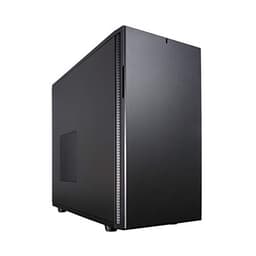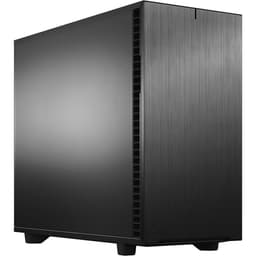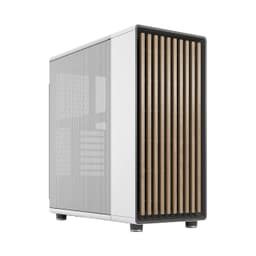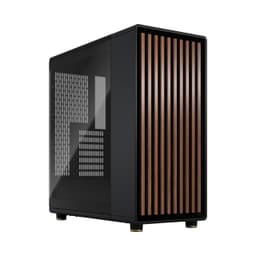
There's a specific kind of case that sits in the mid-range bracket and genuinely earns its price tag rather than just charging it. The Fractal Design North Charcoal Black is one of those cases. It's got a walnut wood front panel, mesh side panels, and a design language that's closer to Scandinavian furniture than the usual RGB-drenched gaming chassis nonsense. But does it actually work as a PC case, or is the wood just a distraction from mediocre engineering? That's the real question, and the specs plus 639 owner reviews (averaging 4.7 out of five, which is genuinely impressive for a product this widely purchased) give us a pretty clear picture.
What makes the North interesting from a pure spec standpoint is how Fractal have balanced aesthetics with function. Three 140mm Aspect PWM fans included out of the box, support for radiators up to 420mm at the front and 360mm on top, and GPU clearance up to 413mm. That's not a case that's sacrificing thermal headroom for looks. And the mesh side panels mean you're not fighting a solid glass panel for airflow. For a mid-range chassis, that's a genuinely solid starting point.
So who is this for? Builders who want something that doesn't look like every other black rectangle on a desk, but who also aren't willing to compromise on thermals or build experience to get there. Whether it delivers on that promise is what we're here to work out.
Core Specifications
The North is an ATX mid-tower, and Fractal have pitched it squarely at builders who want flexibility without going full-tower. It supports E-ATX, ATX, mATX, and mITX motherboards, so you're covered whether you're dropping in a budget B650 board or a flagship X870E. The front radiator support goes up to 420mm, which means you can fit a 420mm AIO if you can find one, or more practically, three 140mm fans in a push-pull or just a standard 360mm AIO with room to breathe. Top radiator support maxes out at 360mm, which handles the vast majority of AIO coolers on the market.
GPU clearance is 413mm standard, dropping to 380mm when you've got a 420mm front radiator installed. That 380mm figure is still enough for a current-gen flagship like the RTX 4090 in most configurations, though you'll want to double-check your specific card's length before committing. Three 140mm Aspect PWM fans come included, which is genuinely good value at this price point. Most competitors at similar pricing give you two fans, or worse, 120mm units that move less air.
The materials are steel and alloy with the walnut wood front panel as the headline feature. Mesh side panels rather than tempered glass is a deliberate airflow-first decision, and one that divides opinion aesthetically but makes thermal sense. The front I/O includes USB Type-C, which is a non-negotiable at this price tier in 2026. Overall the spec sheet reads well. Nothing obviously missing, nothing obviously padded.
| Specification | Detail |
|---|---|
| Form Factor | ATX Mid Tower |
| Motherboard Support | E-ATX / ATX / mATX / mITX |
| Max GPU Length | 413mm (380mm with 420mm front radiator) |
| Front Radiator Support | Up to 420mm |
| Top Radiator Support | Up to 360mm |
| Included Fans | Three 140mm Aspect PWM |
| Front I/O | USB Type-C included |
| Materials | Steel, alloy, walnut wood front |
| Side Panels | Mesh |

Form Factor and Dimensions
Mid-tower is the sweet spot for most builders, and the North sits comfortably in that category. It's not going to dominate your desk the way a full-tower does, but it's not so compact that you're fighting for space when routing cables or mounting radiators. The wood and mesh aesthetic means it reads as a piece of furniture as much as a PC case, which is either a selling point or completely irrelevant depending on whether your PC is on display or hidden under a desk.
From an external footprint perspective, it's a standard mid-tower size. It'll sit on most desks without issue, and the walnut wood front panel means it doesn't look out of place in a living room or home office setup. That's actually a meaningful consideration for a lot of people building in 2026, where the line between PC gaming setup and general living space has blurred considerably. If you want something that doesn't scream "gamer cave" at visitors, the North is one of very few cases that genuinely pulls that off.
The mesh side panels are worth dwelling on here because they change the visual profile of the case significantly. You're not getting the tempered glass window that shows off your components. Some owners in the reviews mention this as a minor disappointment, particularly if they've invested in RGB RAM or a fancy GPU cooler. But the tradeoff is real airflow rather than a glass panel trapping heat. Fractal made a deliberate call here, and for thermally-conscious builders, it's the right one.
Motherboard Compatibility
The North handles E-ATX, ATX, mATX, and mITX, which covers the full spectrum of consumer motherboard sizes. That E-ATX support is worth calling out because a fair few mid-towers quietly drop it. If you're running a high-end HEDT platform or a dual-socket workstation board, you've got clearance here. For the vast majority of builders going with a standard ATX board, the standoff layout is straightforward and owner feedback consistently mentions the installation process being uncomplicated.
The mITX support is a bit academic in a mid-tower this size. You can fit a mini-ITX board, but you'll have a lot of empty space. That said, some builders do this intentionally when they want maximum airflow for a small but powerful system, and the North's generous radiator support makes it a reasonable choice for that approach. It's not the most common use case, but it's nice that the option's there.
Owner reviews don't flag any significant issues with motherboard installation. No reports of standoffs being in awkward positions, no complaints about the I/O shield being fiddly to seat. The internal layout appears to be well thought out, which is consistent with Fractal's general reputation for sensible engineering. Fractal's own product page confirms the supported form factors, and the real-world owner experience backs that up.
GPU Clearance
413mm of GPU clearance is the headline number, and it's a good one. To put that in context, the RTX 4090 Founders Edition measures around 336mm, and most aftermarket triple-fan RTX 4090 cards land between 336mm and 360mm. So you've got meaningful headroom even with the largest consumer GPUs currently available. The only time you're going to push against that 413mm limit is with some of the more extreme triple-slot, triple-fan cards that certain AIB partners produce.
The 380mm figure when a 420mm front radiator is installed is the more interesting constraint. If you're planning a full custom loop or a large AIO at the front, you need to check your GPU length before buying. 380mm is still enough for the vast majority of cards, but it's a real limitation worth knowing about upfront rather than discovering when you're mid-build. Most 360mm AIOs won't impact GPU clearance at all since they mount at the same position but with shorter overall dimensions.
There's no mention of a vertical GPU mount option in the spec sheet, so if that's a priority for you, this probably isn't your case. Vertical mounting has become increasingly popular for showing off GPU cooler designs, and some competitors at this price point do include a riser cable and vertical bracket. The North doesn't appear to prioritise that, which is consistent with its airflow-first philosophy. A vertically mounted GPU typically runs warmer due to proximity to the side panel, and with mesh panels rather than glass, there's less visual payoff anyway.
CPU Cooler Clearance
The spec sheet doesn't give us an explicit maximum CPU cooler height figure, which is a minor frustration. What we do know is that front radiator support goes up to 420mm and top support goes up to 360mm. A 360mm AIO on top is the most common high-performance cooling choice, and the North handles it. For air coolers, the mid-tower form factor generally allows for 160mm to 170mm of clearance, which covers virtually every tower cooler on the market including the Noctua NH-D15 and its derivatives.
The front radiator support up to 420mm is genuinely impressive for a mid-tower. Most cases in this bracket top out at 360mm front support. Getting 420mm means you can run three 140mm fans in a push-pull configuration at the front, which is about as much cooling capacity as you can practically install in a mid-tower. For a workstation or a high-TDP gaming build running a 13900K or 7950X3D, that thermal headroom is meaningful.
Owner feedback doesn't flag any particular issues with AIO installation. No reports of pump heads fouling on RAM, no complaints about tight clearances around the CPU socket area. The three included 140mm Aspect PWM fans are designed to work as intake fans at the front or exhaust at the top, and having PWM control means you can tune them properly through your motherboard's fan headers rather than running them flat out. That's a detail that matters for noise levels during light workloads.
Storage Bay Options
The North is clearly built for the modern era of M.2-first storage. The spec sheet doesn't highlight a large number of 3.5-inch drive bays, which reflects where the market has moved. Most builders in 2026 are running one or two M.2 SSDs on the motherboard and possibly a single 2.5-inch SATA SSD for secondary storage. A case that dedicates huge amounts of internal volume to 3.5-inch drive cages is solving a problem fewer people have.
Owner reviews don't flag storage capacity as a significant concern, which suggests the available bays are sufficient for typical builds. If you're running a NAS-style build with multiple spinning hard drives, a mid-tower with a wood front panel probably isn't your first choice anyway. That's a workload better suited to a case with a dedicated drive cage system, and there are plenty of options in that category.
The overall storage situation in the North is adequate for its target audience. Builders doing a clean gaming or workstation build with M.2 primary storage and maybe a SATA SSD for games will have no issues. The case isn't trying to be a storage server, and it doesn't pretend to be. What space is available appears to be sensibly positioned based on owner feedback, with no reports of drives being awkward to access or mount.

Cable Management
Cable management is one of those areas where a case either makes your life easier or gives you a genuine headache. Based on owner feedback across 2,516, the North sits firmly in the "makes your life easier" camp. The PSU shroud covers the bottom section of the case, hiding power supply cables and keeping the main chamber looking clean. That's standard at this price point, but the execution matters, and Fractal's reputation here is solid.
The rear panel clearance for cable routing is important for keeping the side panel on without it bulging. Owner reviews don't flag this as a problem, which suggests Fractal have left adequate space behind the motherboard tray. Velcro cable management straps are a feature that owners consistently appreciate when present, and the North's interior layout appears to accommodate proper cable organisation without forcing you into cable-tie gymnastics.
The mesh side panels actually help here in a subtle way. Because you're not showing off your components through glass, there's less pressure to have absolutely perfect cable routing. The internals are mostly hidden. That might sound like a cop-out, but practically speaking, it means you can spend less time on cable aesthetics and more time on actual build quality. For builders who find cable management the most tedious part of a build, that's a genuine quality of life improvement.
Airflow and Thermal Design
This is where the North genuinely distinguishes itself from a lot of the competition. Mesh side panels rather than tempered glass means air can move through the case without restriction. The front radiator support up to 420mm means you can set up a proper positive pressure system with three 140mm intake fans at the front, and the top 360mm support handles exhaust via a large AIO or additional fans. That's a well-thought-out airflow path.
The three included 140mm Aspect PWM fans are a proper head start. 140mm fans move more air at lower RPM than 120mm units, which means quieter operation for equivalent airflow. Getting three of them in the box rather than two (or none, as some competitors manage) means you can configure a sensible intake-heavy positive pressure setup without immediately needing to spend more money on additional fans. The PWM control is the right call for modern builds where fan curves matter for noise management.
Fractal's design philosophy with the North is clearly airflow-first, and the mesh panels are the most visible expression of that. Some owners note that the mesh does let more dust in than a solid panel would, so dust filters become important. The spec sheet doesn't give explicit detail on dust filter coverage, but Fractal cases generally include them at intake points, and owner feedback doesn't flag dust management as a significant problem. The overall thermal picture is one of the North's strongest selling points, and it's a meaningful differentiator at this price tier compared to cases that sacrifice airflow for aesthetics.
Front I/O and Connectivity
USB Type-C on the front panel is confirmed, and in 2026 that's a non-negotiable for a mid-range case. If you're plugging in a modern phone, a portable SSD, or a USB-C peripheral, you want that port accessible at the front rather than crawling around the back of your PC. The North has it. Good. Moving on.
The front I/O panel sits at the top of the case, which is the standard placement for a mid-tower. It's accessible whether the case is on a desk or on the floor, and the power button placement is sensible. Owner reviews don't flag any complaints about the I/O placement or the feel of the buttons, which suggests Fractal have got the basics right here. A wobbly power button or a USB port that requires three attempts to plug into is the kind of thing that drives people mad over a multi-year ownership period.
The audio connectivity (headphone and microphone jacks) is standard for a case in this class. No RGB controller hub or fan controller is mentioned in the spec sheet, which means fan management runs through your motherboard headers. That's actually fine for most modern builds where the motherboard BIOS handles fan curves natively, and it keeps the internal wiring simpler. Some builders prefer a dedicated hub for managing multiple fans, but the included three-fan setup is manageable through standard headers without additional hardware.
Build Quality and Materials
This is where the North earns a lot of its 4.7-star average. The walnut wood front panel is the headline feature, and owner reviews consistently describe it as genuinely premium-feeling rather than a cheap veneer. Wood as a material in a PC case is unusual enough that it could easily feel gimmicky, but Fractal appear to have executed it well. The combination of wood and alloy details gives the case a finish quality that reads above its price point.
Steel construction for the chassis is standard, and the rigidity of Fractal cases is generally well-regarded. No significant reports of panel flex, sharp edges catching hands during builds, or poor panel alignment in the owner feedback. These are the kinds of quality control issues that show up quickly in review patterns when they exist, and their absence here is meaningful. At mid-range pricing, you're not expecting aircraft-grade aluminium, but you are expecting panels that don't wobble and edges that don't draw blood.
The mesh side panels are a slightly different material consideration than tempered glass. They're less fragile, which is a practical advantage. Tempered glass panels have a habit of cracking if a case tips over or gets knocked, and at this price point you're not getting the thickest glass available. Mesh panels don't have that failure mode. They do pick up fingerprints and dust differently, and some owners will miss the visual showcase of glass, but from a durability standpoint, mesh is the more resilient choice. The overall build quality picture is one of the North's genuine strengths, and it's reflected in the owner sentiment.
How It Compares
The obvious comparison points for the Fractal Design North Charcoal Black are the Corsair 4000D Airflow and the be quiet! Pure Base 500DX. Both sit in the same mid-range bracket, both prioritise airflow, and both have strong owner review scores. The North differentiates itself primarily through its aesthetic approach and its included fan count.
The Corsair 4000D Airflow is probably the most direct competitor. It's a proven case with excellent airflow credentials, a mesh front panel, and good build quality. But it typically includes only two fans and lacks the distinctive aesthetic of the North. If you want a case that blends into a home office or living room setup, the 4000D's more conventional gaming look works against it. The North's walnut wood front is genuinely different, and for builders who care about how their setup looks in a non-gaming context, that matters.
The be quiet! Pure Base 500DX takes a different approach, prioritising noise dampening alongside airflow. It includes three fans and has solid build quality, but its front panel is a mesh-and-solid hybrid rather than the full mesh approach of the North. Thermal performance is good but not quite as aggressive as a fully open mesh design. The Pure Base 500DX is the better choice if noise is your absolute priority over maximum airflow. The North is the better choice if you want the best possible thermal performance and don't mind the slight increase in ambient noise from unrestricted airflow.
| Feature | Fractal Design North | Corsair 4000D Airflow | be quiet! Pure Base 500DX |
|---|---|---|---|
| Form Factor | ATX Mid Tower | ATX Mid Tower | ATX Mid Tower |
| Motherboard Support | E-ATX / ATX / mATX / mITX | ATX / mATX / mITX | ATX / mATX / mITX |
| Included Fans | Three 140mm PWM | Two 120mm | Three 140mm PWM |
| Front Radiator Support | Up to 420mm | Up to 360mm | Up to 360mm |
| Top Radiator Support | Up to 360mm | Up to 360mm | Up to 360mm |
| Max GPU Length | 413mm | 360mm | 369mm |
| Side Panel | Mesh | Tempered Glass | Tempered Glass |
| USB Type-C Front I/O | Yes | Yes | Yes |
| Distinctive Aesthetic | Walnut wood front | Standard gaming | Clean minimalist |
| Price Tier | Mid-range | Mid-range | Mid-range |
Looking at that comparison, the North's 413mm GPU clearance is notably better than both competitors. The 420mm front radiator support is also a step up from the 360mm maximum both alternatives offer. And three 140mm PWM fans in the box versus two 120mm units from Corsair is a meaningful advantage. The North is not just competing on aesthetics here. The underlying spec is genuinely competitive.

Final Verdict
The Fractal Design North Charcoal Black is one of those cases that's easy to recommend because it doesn't really have a serious weakness. The walnut wood front panel is genuinely distinctive and well-executed. The mesh side panels prioritise airflow over visual showcase, which is the right call for a thermally-conscious build. Three 140mm PWM fans in the box is a proper value-add. And the clearance numbers, 413mm GPU, 420mm front radiator, 360mm top radiator, are better than most competitors at this price point.
The 4.7-star average across 2,516 isn't a fluke. That kind of consistent owner satisfaction across a large sample size reflects a case that actually works as advertised. The most common criticisms in owner feedback centre on the mesh panels not showing off components and the lack of tempered glass, which is a stylistic preference rather than a functional problem. If you want to see your RGB RAM and GPU cooler, this isn't your case. If you want a case that runs cool, looks genuinely different, and doesn't fight you during the build, this very much is.
At mid-range pricing, the North is competitively positioned. You're getting more included fans than most competitors, better radiator support than the obvious alternatives, and a build quality that punches above its price bracket. The E-ATX support is a bonus that many mid-towers don't offer. And the aesthetic, honestly, is just better than most things in this category if you're building something you want to look at rather than hide under a desk. This is a well-sorted case from a brand that understands what builders actually need.
What works. What doesn’t.
5 + 3What we liked5 reasons
- Three 140mm PWM fans included out of the box
- 420mm front radiator support beats most mid-tower competitors
- 413mm GPU clearance handles current flagship cards comfortably
- Walnut wood front panel is genuinely distinctive and well-finished
- E-ATX support included where many mid-towers drop it
Where it falls3 reasons
- Mesh side panels mean no component showcase window
- GPU clearance drops to 380mm with a 420mm front radiator installed
- No explicit CPU cooler height spec published
Full specifications
11 attributes| Form factor | atx mid-tower |
|---|---|
| Airflow type | mesh |
| MAX GPU length | 355 |
| MAX cooler height | 169 |
| Radiator support | 360mm front, 240mm top, 120mm rear |
| Dimensions | 447 x 215 x 469 mm |
| Drive bays | 2x 3.5-inch, 4x 2.5-inch |
| FAN support | 3x120/2x140 front, 2x120/140 roof, 2x120/140 side (mesh), 1x120 rear |
| Fans included | two 140mm aspect pwm |
| GPU clearance | 355 mm |
| PSU support | atx |
If this isn’t right for you
2 options

Frequently asked
5 questions01Is the Fractal Design North Charcoal Black good for airflow?+
Yes, it's one of the stronger performers at this price point. Mesh side panels allow unrestricted airflow rather than trapping heat behind glass. Front radiator support goes up to 420mm, meaning you can run three 140mm fans in intake. Top support handles up to 360mm for exhaust via AIO or additional fans. Three 140mm Aspect PWM fans are included in the box, which is a proper head start on a positive pressure airflow configuration. The mesh design does mean slightly more dust ingress than a solid panel, so keeping an eye on dust filters is sensible.
02What is the GPU clearance on the Fractal Design North Charcoal Black?+
Maximum GPU length is 413mm with no front radiator installed. If you fit a 420mm front radiator, that drops to 380mm. Both figures comfortably accommodate current flagship GPUs including triple-fan RTX 4090 aftermarket cards, most of which measure between 336mm and 360mm. Only the most extreme oversized AIB cards approach the 413mm limit. If you're planning a 420mm front radiator alongside a very long GPU, check your specific card's length against the 380mm clearance figure before buying.
03Can the Fractal Design North Charcoal Black fit a 360mm AIO?+
Yes, a 360mm AIO fits at the top of the case without issue. Front radiator support goes even further, up to 420mm, which means a 360mm AIO at the front is well within spec with room to spare. Most builders mount their AIO at the top for exhaust, which the 360mm top support handles comfortably. If you want to run a front-mounted 360mm AIO for intake cooling, the 420mm front clearance gives you no problems at all. Just remember that a 420mm front radiator reduces GPU clearance from 413mm to 380mm.
04Is the Fractal Design North Charcoal Black easy to build in?+
Owner feedback across 639 reviews is consistently positive on the build experience. The internal layout is described as logical and well-organised, with no significant reports of sharp edges, awkward cable routing, or panel alignment issues. The PSU shroud keeps the bottom section tidy. Cable management space behind the motherboard tray appears adequate based on owner reports, with no complaints about panels bulging when closed. The mesh side panels rather than tempered glass also take some pressure off needing perfectly routed cables, since the internals aren't on display.
05What warranty and returns apply to the Fractal Design North Charcoal Black?+
Amazon offers 30-day hassle-free returns if the case doesn't suit your build. Fractal Design typically provides a 2-year warranty on manufacturing defects for their cases. Check the current product listing and Fractal Design's official warranty terms for the most up-to-date information, as these can vary by region and purchase channel.