Nobody thinks about their motherboard until something goes wrong. Pick the wrong one and you're staring at a black screen, swapping RAM sticks at midnight, wondering why your brand-new Ryzen chip won't post. Pick the right one and it just works, quietly, for years. The ASUS TUF Gaming B550-PLUS WiFi is squarely aimed at people who want to get on with gaming rather than debugging their platform. But does it actually deliver on that promise, or is "TUF" just a name ASUS slaps on things to charge a bit more?
The B550 chipset sits in an interesting position right now. It's not the flashy X570 with its active cooling fan and full PCIe 4.0 lane allocation, but it's also nowhere near the budget basement of A520. For a Ryzen 5000 build, B550 is where most sensible money lands. You get PCIe 4.0 for your GPU and primary M.2 slot, you skip the chipset fan that X570 boards need, and you don't pay the X570 tax. The question is whether this particular B550 board, the TUF Gaming B550-PLUS WiFi, is the right one to buy at its price point, or whether you'd be better served spending a bit less or a bit more.
With 822 owner reviews averaging 4.5 stars, the board has clearly made a lot of people happy. But averages can hide things. So here's what the spec sheet, the chipset, and the real-world owner feedback actually tell you about this board, without the marketing padding.
Core Specifications
The TUF Gaming B550-PLUS WiFi is a full-size ATX board built on AMD's B550 chipset, using the AM4 socket. It supports Ryzen 5000 Series, 4000 G-Series, and 3000 Series desktop processors. Four DDR4 memory slots support up to 128GB of RAM, with XMP profiles supported up to DDR4-4400. Storage is covered by dual M.2 slots, with the primary slot running PCIe 4.0. Rear I/O includes USB 3.2 Gen 2 Type-C, HDMI 2.1, DisplayPort 1.2, and Intel 2.5Gb Ethernet. WiFi 6 is built in.
The expansion slot setup is what you'd expect from a mid-range ATX board: a reinforced primary PCIe x16 slot for your GPU, plus additional slots for other cards. The dual M.2 slots are the headline storage feature, and the inclusion of BIOS FlashBack means you can update firmware without needing a CPU installed, which is genuinely useful if you're building fresh or upgrading to a newer Ryzen chip that needs a BIOS update first.
Q-LEDs for CPU, DRAM, VGA, and boot device are present, which is exactly the kind of diagnostic tool that saves you an hour of head-scratching when something doesn't post first time. The pre-mounted I/O shield is a small thing but it matters during a build. SafeSlot reinforcement on the primary PCIe slot protects against heavy GPU sag. These aren't glamorous features, but they're the sort of thing you notice when they're absent.
| Specification | Detail |
|---|---|
| Socket | AMD AM4 |
| Chipset | AMD B550 |
| Form Factor | ATX |
| Memory Slots | 4x DDR4, up to 128GB |
| Max Memory Speed | DDR4-4400 (OC) |
| Primary M.2 | PCIe 4.0 / NVMe |
| Secondary M.2 | PCIe 3.0 / NVMe or SATA |
| Ethernet | Intel 2.5Gb |
| WiFi | Intel WiFi 6 (802.11ax) |
| Rear USB | USB 3.2 Gen 2 Type-C included |
| Video Output | HDMI 2.1, DisplayPort 1.2 |
| PCIe Version | PCIe 4.0 ready |
| Current Price | £118.99 |

Socket and CPU Compatibility
The AM4 socket is one of AMD's great achievements. They stuck with it from 2017 through to the end of the Ryzen 5000 generation, meaning an enormous range of CPUs all drop into the same physical socket. The TUF Gaming B550-PLUS WiFi supports Ryzen 3000, 4000 G-Series, and 5000 Series desktop processors out of the box. That's the Zen 2 and Zen 3 architectures, covering everything from budget Ryzen 5 3600 chips up to the Ryzen 9 5950X if you're feeling extravagant.
One thing worth knowing: if you're buying this board new and pairing it with a Ryzen 5000 chip, it should arrive with a compatible BIOS already installed given how long this board has been on the market. But if you somehow end up with an older firmware, BIOS FlashBack is your friend. You can update the BIOS using just a USB drive and the board's power connection, no CPU or RAM required. That's a genuinely useful feature that cheaper boards often skip, and it means you're not stuck waiting for a Ryzen 3000 chip to loan just to get things working.
The AM4 platform is mature, which cuts both ways. On the positive side, CPU prices have settled, there's a huge secondhand market for compatible chips, and the ecosystem is well understood. On the negative side, AM4 is a dead-end platform. AMD moved to AM5 with Ryzen 7000, so there's no upgrade path beyond Ryzen 5000 on this board. If you're building now and planning to upgrade your CPU in two or three years, you'll likely be looking at a new board and socket anyway. That's not a reason to avoid B550, but it's worth being clear-eyed about it.
Chipset Features
AMD's B550 chipset is the mid-tier option in the AM4 lineup, sitting between the budget A520 and the enthusiast X570. The key difference from X570 is that B550 only runs PCIe 4.0 on the CPU-connected lanes, specifically the primary M.2 slot and the primary PCIe x16 slot. The chipset-connected lanes, including the secondary M.2 and additional PCIe slots, run at PCIe 3.0. For most builds, this is completely irrelevant. Your GPU will saturate a PCIe 3.0 x16 slot in almost no real-world scenario, and PCIe 3.0 NVMe drives are still very fast.
B550 supports CPU overclocking when paired with an unlocked Ryzen processor, which is something A520 doesn't offer. Memory overclocking is also supported, which is how you get to those DDR4-4400 speeds on paper. Whether your specific RAM kit and CPU combination will actually hit those speeds is another matter, but the headroom is there. The chipset also provides SATA ports for traditional storage, USB connectivity for the rear I/O and internal headers, and the general platform management that makes everything talk to everything else.
One thing B550 doesn't need that X570 does: a chipset cooling fan. X570 runs hotter due to its higher bandwidth and more complex lane allocation, so most X570 boards have a small fan on the chipset heatsink. That fan can fail, it can make noise, and it's one more thing to worry about. B550 runs cool enough that a passive heatsink does the job. Fewer moving parts is almost always a good thing in a long-term build.
VRM and Power Delivery
This is where boards at this price point often cut corners, so it matters. The TUF Gaming B550-PLUS WiFi uses what ASUS calls "teamed power stages" with 10 DrMOS phases. DrMOS (Driver MOSFET) integrates the high-side MOSFET, low-side MOSFET, and gate driver into a single package, which is a more efficient and thermally better solution than older discrete component designs. The ProCool power connector is ASUS's reinforced 8-pin EPS connector, designed to handle sustained high-current loads without the connector heating up, which is a real failure mode on cheaper boards with standard connectors.
The practical upshot of this VRM setup is that the board can handle Ryzen 9 5900X and 5950X chips without thermal throttling the power delivery. These are 105W TDP processors that can spike considerably higher under sustained all-core loads. Owner reviews back this up: people running high-end Ryzen 5000 chips report stable operation without VRM temperature warnings, even in cases with modest airflow. The alloy chokes and high-quality capacitors ASUS specifies here aren't just marketing words; they affect how cleanly power is delivered to the CPU and how long the components last under repeated thermal cycling.
The VRM heatsinks on this board are proper chunky aluminium blocks, not the thin decorative fins some manufacturers get away with. They cover the power stages adequately and are connected with a decent thermal interface. You're not going to get the elaborate heatpipe-linked heatsink arrays you see on X570 boards, but for a B550 mid-range board, the thermal solution is appropriate for the hardware underneath it. If you're running a Ryzen 5 5600 or similar, the VRM is massively oversized for your needs, which is actually a good thing for longevity.
Memory Support
Four DDR4 DIMM slots with support for up to 128GB of RAM. The rated maximum speed with overclocking is DDR4-4400, though as with any AM4 platform, your actual stable overclock will depend on your specific CPU's memory controller, your RAM's ICs, and a bit of luck. Most people running DDR4-3200 or DDR4-3600 kits will find those speeds easy to achieve with XMP enabled, and that's genuinely where you want to be for Ryzen performance anyway. The Zen 3 architecture's infinity fabric runs best at DDR4-3600 with a 1:1 fabric ratio, so chasing DDR4-4400 is largely academic unless you're specifically benchmarking memory performance.
The four-slot layout means you can run a dual-channel kit now and add more later, or run four sticks from the start if you need the capacity. Running four sticks does typically reduce the maximum stable overclock compared to two sticks, so if you're planning to push memory speeds, two higher-capacity sticks is usually the better approach. ASUS maintains a QVL (Qualified Vendor List) for memory compatibility, and it's worth checking before buying unusual RAM kits, though most mainstream DDR4 from Corsair, G.Skill, Kingston, and similar brands works without issue.
XMP (Extreme Memory Profile) is supported, which is the Intel-originated standard that most DDR4 kits use to communicate their rated speeds to the motherboard. AMD calls their version EXPO, but that's an AM5 thing. On AM4, XMP is what you're working with, and enabling it in the BIOS is a one-setting job. Most people buying this board will enable XMP, set their RAM to its rated speed, and never think about memory again. That's exactly how it should work.
Storage Options
Dual M.2 slots is the headline here, and the split between them matters. The primary M.2 slot runs at PCIe 4.0 x4, connected directly to the CPU. This is where you want your fastest NVMe drive, and it'll run drives like the Samsung 980 Pro or WD Black SN850X at their full rated speeds. PCIe 4.0 NVMe drives are genuinely fast, with sequential reads pushing past 7,000 MB/s on the best examples, though whether you notice that over a good PCIe 3.0 drive in daily use is debatable. The slot is there; use it if you have the drive.
The secondary M.2 slot runs at PCIe 3.0 and also supports SATA M.2 drives. This is perfectly good for a secondary drive, a boot drive if you're using the primary slot for something else, or an older SATA M.2 SSD you're migrating from a previous build. PCIe 3.0 NVMe drives still hit 3,500 MB/s sequential reads, which is fast enough for anything short of video editing with massive files. The SATA M.2 support is useful for people with older drives they want to carry forward.
Beyond the M.2 slots, you have SATA ports for traditional 2.5-inch SSDs or spinning hard drives. This is important for people with large storage arrays or who use HDDs for bulk storage. The B550 chipset handles these connections, and RAID configurations are supported if you need them. The combination of one PCIe 4.0 M.2, one PCIe 3.0 M.2, and multiple SATA ports gives you enough storage flexibility for most builds, including ones that might evolve significantly over the board's lifetime.
Expansion Slots and PCIe
The primary PCIe x16 slot is the one that matters most, and it's reinforced with ASUS's SafeSlot construction. This is a metal-reinforced slot that's significantly harder to damage than a standard PCIe slot, both mechanically (from GPU sag or accidental knocks) and electrically (better contact retention). If you're running a heavy GPU, which most people are these days given the size of current graphics cards, SafeSlot is genuinely worth having. It's not a gimmick; heavy cards have pulled standard PCIe slots off PCBs before.
The primary x16 slot runs at PCIe 4.0 x16 from the CPU, which is full bandwidth for any current GPU. PCIe 4.0 x16 has more than enough bandwidth for even the fastest graphics cards available today, and will continue to do so for the foreseeable future. There's no bandwidth bottleneck here regardless of which GPU you're pairing with this board. Additional slots are available for things like capture cards, sound cards, or PCIe expansion cards, running at PCIe 3.0 from the chipset.
One thing to be aware of with B550 specifically: the chipset has fewer total PCIe lanes than X570, so if you're planning a multi-GPU setup or loading the board with multiple high-bandwidth PCIe cards, you'll hit limitations faster than on X570. But multi-GPU gaming is essentially dead as a use case, and most people running additional PCIe cards are using low-bandwidth devices that PCIe 3.0 x1 handles fine. For a single-GPU gaming build, which is what this board is designed for, the expansion slot situation is perfectly adequate.
Connectivity and Rear I/O
The rear I/O is where this board earns its price premium over budget B550 options. USB 3.2 Gen 2 Type-C is present, which is the fast 10Gbps USB-C port that's increasingly important for connecting modern peripherals, external SSDs, and newer devices. Alongside that you have standard USB 3.2 Gen 2 Type-A ports and additional USB connections at lower speeds for legacy devices. The mix covers most real-world scenarios without needing a hub.
Video outputs include HDMI 2.1 and DisplayPort 1.2, which are relevant if you're using a Ryzen G-Series processor with integrated graphics, or if you want a secondary display output alongside a discrete GPU. HDMI 2.1 is notably better than the HDMI 2.0 you get on many competing boards, supporting higher refresh rates at 4K if you ever need it for a display connected directly to the board. The HDMI 2.1 specification and DisplayPort 1.2 are both mature standards that cover current display requirements.
BIOS FlashBack is on the rear I/O panel, which as mentioned earlier lets you update the BIOS without a CPU installed. This is a feature that sounds obscure until you actually need it, at which point it's the difference between a working build and a very expensive paperweight. The pre-mounted I/O shield is a small quality-of-life detail that saves you fumbling with a separate piece of metal during the build. These are the sorts of practical touches that distinguish a board designed by people who've actually built PCs from one designed by a committee trying to hit a price point.
WiFi and Networking
The networking situation on this board is genuinely good. Intel 2.5Gb Ethernet with ASUS LANGuard is a meaningful step up from the 1Gb Ethernet that most budget boards still ship with. If your router or network switch supports 2.5Gb (and many modern routers do), you get 2.5x the theoretical bandwidth over a wired connection. For gaming, the latency and stability of a wired connection matters more than raw bandwidth, but 2.5Gb is also useful for local network file transfers and future-proofing. The Intel NIC is also more reliable than the Realtek chips that populate cheaper boards, with better driver support and lower CPU overhead.
WiFi 6 (802.11ax) is built in via an Intel module, which again is the right choice. Intel's WiFi 6 implementation has solid driver support and real-world performance. WiFi 6 brings improved performance in congested environments, better power efficiency, and theoretical speeds that are meaningfully faster than WiFi 5. For a desktop gaming PC, a wired connection is always preferable, but having WiFi 6 built in means you have a proper option if your setup doesn't allow for a cable run. Bluetooth is included with the WiFi module, which is useful for wireless peripherals and audio devices.
The ASUS AI Networking software gives you some control over network prioritisation and monitoring. Whether you'll actually use it is another matter; most people set up their network once and never touch the software again. But having the option to prioritise gaming traffic or monitor network performance without third-party tools is a nice addition. The combination of Intel 2.5Gb Ethernet and Intel WiFi 6 is genuinely one of the stronger networking packages at this price point in the B550 market.
BIOS and Overclocking
ASUS's UEFI BIOS is one of the better ones in the business, which matters more than people realise when they're spec-shopping. Most people interact with the BIOS more than they expect: setting XMP, tweaking fan curves, updating firmware, adjusting boot order. A confusing BIOS costs you time and patience. ASUS's implementation has both an EZ Mode for quick setup and an Advanced Mode for people who want to dig into the settings. The EZ Mode is actually useful rather than just a dumbed-down landing page that forces you into Advanced anyway.
Fan curve control is flexible and visual, letting you set temperature-speed curves per header with a graph interface rather than just entering numbers into boxes. This is the kind of thing that sounds minor but makes a real difference when you're trying to balance noise and cooling in a new build. Q-LEDs for CPU, DRAM, VGA, and boot device give you immediate visual feedback when something doesn't post, telling you which component to troubleshoot first rather than leaving you guessing.
For overclocking, the B550 chipset supports CPU and memory overclocking on unlocked Ryzen processors. The BIOS has the voltage and frequency controls you need to push a Ryzen 5 5600X or 5800X beyond stock speeds, and the VRM quality means the board won't be the limiting factor. Owner reviews mention stable overclocks and good memory compatibility. The BIOS FlashBack feature means firmware updates are straightforward, and ASUS has maintained good BIOS support for this board since launch. That ongoing firmware support matters for stability and compatibility as the platform matures.
Build Quality and Aesthetics
The TUF Gaming aesthetic is less aggressive than ASUS's ROG line, which is probably a good thing for most people. You get a dark PCB with angular heatsink designs in grey and black, with some subtle RGB lighting that you can control or turn off entirely. It doesn't look cheap, but it's not trying to be the centrepiece of an RGB showcase build either. The overall impression is of a board that takes itself seriously without being unnecessarily flashy.
Physical build quality is solid. The heatsinks feel substantial and are properly mounted rather than held on with thermal pads that compress to nothing. The PCB itself has a quality feel, and the component layout is sensible: M.2 slots are accessible without removing the GPU, the 24-pin ATX connector is in the right place, and the fan headers are distributed around the board rather than all clustered in one corner. The SafeSlot reinforcement on the primary PCIe slot is a genuine structural improvement, not just a cosmetic addition.
Owner reviews consistently mention the board feeling well-made and the build process being straightforward. The pre-mounted I/O shield and Q-LEDs both contribute to a less frustrating build experience. Some owners have noted that the heatsink coverage could be more extensive, particularly compared to some competing boards at similar price points that have more elaborate VRM heatsink designs. But the thermal performance in practice backs up the board's design choices: VRM temperatures stay reasonable even under sustained load with high-end Ryzen chips.
How It Compares
The main competition for the TUF Gaming B550-PLUS WiFi comes from MSI's MAG B550 TOMAHAWK WiFi and Gigabyte's B550 AORUS Pro AX. These are all aiming at the same buyer: someone building a serious Ryzen 5000 gaming PC who wants good connectivity including WiFi, decent VRM quality, and a board that won't cause problems.
The MSI MAG B550 TOMAHAWK WiFi is probably the closest rival. It has a similar VRM setup, similar connectivity, and a BIOS that's generally well-regarded. Some users prefer MSI's BIOS layout; others prefer ASUS's. The Tomahawk has a slightly different aesthetic, more muted, which some people prefer. The ASUS board edges it on networking with the Intel 2.5Gb Ethernet versus Realtek on some Tomahawk variants, and HDMI 2.1 versus HDMI 2.0b. The Gigabyte AORUS Pro AX has a more premium look and feel, with more elaborate heatsinks, but it's typically priced higher and Gigabyte's BIOS has historically been the weakest of the three in terms of usability.
Below this price point, you're looking at boards that cut corners on VRM quality, drop to 1Gb Ethernet, or skip WiFi entirely. Above it, you're into X570 territory where you're paying for features that most gaming builds don't need. The TUF Gaming B550-PLUS WiFi sits in a sensible position in that range, offering genuinely good specs without the X570 premium. For a broader look at best motherboards available across different price points and use cases, our comprehensive guide covers the full landscape.
| Feature | ASUS TUF B550-PLUS WiFi | MSI MAG B550 TOMAHAWK WiFi | Gigabyte B550 AORUS Pro AX |
|---|---|---|---|
| Chipset | AMD B550 | AMD B550 | AMD B550 |
| Socket | AM4 | AM4 | AM4 |
| Primary M.2 | PCIe 4.0 | PCIe 4.0 | PCIe 4.0 |
| Ethernet | Intel 2.5Gb | 2.5Gb (varies) | Intel 2.5Gb |
| WiFi | Intel WiFi 6 | Intel WiFi 6 | Intel WiFi 6 |
| HDMI Version | HDMI 2.1 | HDMI 2.0b | HDMI 2.1 |
| USB 3.2 Gen 2 Type-C | Yes (rear) | Yes (rear) | Yes (rear) |
| BIOS FlashBack | Yes | Yes | Yes |
| VRM Phases | 10 DrMOS | 12 phase | 12+2 phase |
| Price | £118.99 | Similar tier | Slightly higher |
Build Experience
The practical side of building with this board is where the quality-of-life features earn their keep. The pre-mounted I/O shield means one less fiddly step during the build, and it's the kind of thing that makes you appreciate the board before you've even installed the CPU. The Q-LED diagnostic lights are positioned clearly on the board and correspond to the four main components that cause failed posts: CPU, DRAM, VGA, and boot device. When something doesn't work first time (and sometimes it doesn't, even in clean builds), these tell you where to start looking.
The layout is sensible for a standard ATX case. The 24-pin ATX power connector is at the right edge of the board, the CPU power connectors are at the top left, and the M.2 slots are positioned so you can access them without removing a full-length GPU. Fan headers are spread around the board, which means shorter cable runs for fans in different parts of the case. These are small things, but they add up to a build that goes together without unnecessary frustration.
Owner reviews specifically mention the board being straightforward to set up, with the BIOS being approachable for people who aren't deeply experienced with BIOS configuration. Several owners note that XMP enabled on first boot without issues, which is the most common first-boot configuration step for any gaming build. The BIOS FlashBack feature has been mentioned by owners who needed to update firmware before their CPU was supported, and it worked as advertised. That kind of real-world reliability is what a 4.5-star average across 915 actually reflects.
What Buyers Say
The 915 averaging 4.5 stars tell a broadly positive story, but the detail is in what people specifically praise and where the occasional frustrations show up. The most common praise points are straightforward: the board posts reliably, BIOS setup is manageable, and the networking works well out of the box. Several owners running Ryzen 9 5900X and 5950X chips specifically mention stable operation without thermal warnings or throttling, which validates the VRM quality claims.
On the critical side, some owners have noted that the BIOS can be overwhelming for first-time builders who've never configured a UEFI before. This is honestly true of most motherboard BIOS interfaces; ASUS's is better than most, but it's still a lot of options if you've never seen one. A small number of owners report issues with specific RAM kits not running at rated speeds without manual configuration, which is a general AM4 platform characteristic rather than a board-specific problem. The memory controller on Ryzen chips varies between individual CPUs, and some combinations of CPU, RAM, and speed just need more tuning than others.
The aesthetic gets mixed but mostly positive feedback. People who wanted a clean, professional-looking board are happy with it. People who wanted full RGB spectacle sometimes feel it's underwhelming on that front. Given that this is a gaming board aimed at people who care about performance over looks, the balance seems about right. Nobody is reporting the board looking cheap or feeling flimsy, which matters more than RGB density in the long run.
Value Analysis
The TUF Gaming B550-PLUS WiFi sits in the mid-range of the B550 market, and at that tier it's genuinely competitive. You're getting Intel networking (both wired 2.5Gb and WiFi 6), a capable VRM with 10 DrMOS phases, PCIe 4.0 for your primary M.2 and GPU slot, HDMI 2.1, and a BIOS that's one of the better ones available. That's a strong feature set for the money. The board doesn't make you compromise on the things that matter for a long-term build.
The value calculation gets interesting when you compare it to budget B550 boards. Those boards can be significantly cheaper, but they typically drop to 1Gb Ethernet, skip WiFi (or include a cheaper WiFi module), use simpler VRM designs, and have less capable BIOS implementations. If you don't need WiFi and you're running a mid-range CPU like a Ryzen 5 5600, a cheaper B550 board is a legitimate choice. But if you want the full feature set, particularly the Intel networking and the VRM headroom for a Ryzen 9 chip, the TUF Gaming B550-PLUS WiFi earns its price premium.
Against X570 boards, the calculus is different. X570 gives you more PCIe lanes, full PCIe 4.0 across more slots, and typically more elaborate VRM designs. But X570 boards cost more, many have the chipset fan issue, and for a single-GPU gaming build, the extra lanes and bandwidth don't translate into better gaming performance. The TUF Gaming B550-PLUS WiFi is the right choice for the vast majority of Ryzen 5000 gaming builds, and the people who genuinely need X570 know who they are.
Pros and Cons
- Intel 2.5Gb Ethernet and WiFi 6: Genuinely good networking, not the cheap Realtek solution you get on budget boards
- 10 DrMOS VRM: Handles Ryzen 9 chips without sweating, oversized for mid-range CPUs which is good for longevity
- PCIe 4.0 primary M.2 and x16 slot: Full bandwidth for current fast NVMe drives and GPUs
- HDMI 2.1: Better than the 2.0b you get on some competitors
- BIOS FlashBack and Q-LEDs: Practical features that save time during builds and troubleshooting
- ASUS BIOS quality: One of the better UEFI implementations in the market
- Pre-mounted I/O shield and SafeSlot: Small things that make builds easier and more reliable
- AM4 is a dead-end platform: No CPU upgrade path beyond Ryzen 5000; that's a platform limitation, not a board flaw, but worth knowing
- Secondary M.2 is PCIe 3.0: Fine for most use cases, but not PCIe 4.0
- RGB is minimal: If you want a light show, look elsewhere
- BIOS can overwhelm newcomers: Again, this is true of most boards at this level
Final Verdict
The ASUS TUF Gaming B550-PLUS WiFi is a well-sorted board for a Ryzen 5000 gaming build. It doesn't cut corners where it matters: the VRM is proper, the networking is Intel-based and fast, the BIOS is one of the better ones you'll encounter, and the practical build features (BIOS FlashBack, Q-LEDs, SafeSlot, pre-mounted I/O shield) are all present. The 4.5-star average across over 800 real-world owners backs up what the spec sheet suggests.
Who should buy it? Anyone building a Ryzen 5000 gaming PC who wants a reliable, feature-complete platform without paying the X570 premium. It's particularly good value if you're running a Ryzen 7 or Ryzen 9 chip where the VRM quality actually matters, or if you need WiFi built in and want Intel's implementation rather than a cheaper alternative. It's also a solid choice if you want a board that's going to work reliably for five years without drama.
Who should skip it? If you're on a tight budget and running a Ryzen 5 5600, a cheaper B550 board without WiFi might make more sense if you're running a wired connection anyway. If you need maximum PCIe lane count or are running a workstation-style multi-card setup, X570 is the right platform. And if you're building fresh in 2024 and planning to upgrade your CPU in a few years, it's worth considering whether an AM5 build makes more sense as a longer-term investment, even though the entry cost is higher.
For what it is, a mid-range B550 board with proper networking, solid power delivery, and a good BIOS, the TUF Gaming B550-PLUS WiFi is one of the better options available. It earns an 8.5 out of 10. The half point off is for the dead-end platform situation, which isn't ASUS's fault but is a real consideration in 2024. The board itself does everything right.
Not Right For You?
If the TUF Gaming B550-PLUS WiFi isn't quite what you're after, here are the situations where you'd look elsewhere. Budget is the most common reason: if you're running a Ryzen 5 5600 on a tight build budget and you're using a wired connection, a no-WiFi B550 board from MSI or Gigabyte at a lower price point is a legitimate alternative. You give up the Intel networking and some VRM headroom, but for a 65W CPU in a well-cooled case, it's a reasonable trade.
If you're building for the future and want a platform with an upgrade path, AMD's AM5 platform with B650 or X670 boards is the direction to look, or alternatively you might consider Intel's latest high-performance processors with their corresponding platform options. AM5 supports Ryzen 7000 Series and will support future AMD processors, so a build on that platform has more CPU upgrade headroom. The entry cost is higher, DDR5 RAM adds to the budget, and the platform is still maturing, but if you're planning a five-year build with CPU upgrades along the way, AM5 makes more sense than AM4 right now.
For workstation use or content creation where you need maximum storage bandwidth and PCIe lane count, X570 is still relevant. Boards like the ASUS ProArt X570-Creator WiFi or the ASUS ROG Crosshair VIII Hero give you more lanes, more M.2 slots, and more bandwidth for multi-drive setups. You pay more, but for the right use case, the extra capability justifies the cost. The TUF Gaming B550-PLUS WiFi is a gaming board; if your workload goes beyond gaming, the platform choice should reflect that.

About This Review
This review is produced by the team at vividrepairs.co.uk. We research products thoroughly using manufacturer specifications, chipset documentation, and real owner feedback. We don't claim to have personally tested every product on a lab bench; what we do is cut through the marketing language and tell you what the specs and the real-world reports actually mean for your build. Ratings and assessments are based on the verified product data, the owner review corpus, and comparison to the competitive landscape at the time of writing.
Affiliate disclosure: This article contains affiliate links. If you purchase through these links, vividrepairs.co.uk may earn a small commission at no additional cost to you. This does not influence our assessments; we call it straight regardless.
What works. What doesn’t.
7 + 5What we liked7 reasons
- Intel 2.5Gb Ethernet and Intel WiFi 6 provide a genuinely capable networking package rather than the budget Realtek solutions found on cheaper boards
- 10 DrMOS VRM phases handle Ryzen 9 5900X and 5950X without thermal throttling, and offer considerable headroom when used with mid-range CPUs
- PCIe 4.0 on both the primary M.2 slot and the x16 GPU slot ensures full bandwidth for current fast NVMe drives and graphics cards
- BIOS FlashBack allows firmware updates without a CPU or RAM installed, which is particularly useful when building with a new Ryzen chip that requires an updated BIOS
- Q-LED diagnostic indicators for CPU, DRAM, VGA, and boot device simplify troubleshooting when a system fails to post
- HDMI 2.1 output is a step above the HDMI 2.0b found on several competing boards at this price point
- ASUS UEFI BIOS is among the better implementations in the market, with a usable EZ Mode and detailed Advanced Mode for those who need it
Where it falls5 reasons
- AM4 is a closed platform with no CPU upgrade path beyond Ryzen 5000, so a future CPU upgrade will require a new motherboard and socket
- The secondary M.2 slot operates at PCIe 3.0 rather than PCIe 4.0, which limits its appeal for those wanting maximum NVMe performance across both slots
- RGB lighting is minimal and understated, which will disappoint builders wanting a visually striking system
- The Advanced BIOS can feel overwhelming for first-time builders unfamiliar with UEFI configuration, though this is characteristic of most boards at this tier
- Some RAM kits require manual configuration to reach their rated speeds, a known characteristic of the AM4 platform rather than a board-specific fault
Full specifications
12 attributes| Socket | AM4 |
|---|---|
| Chipset | B550 |
| Form factor | ATX |
| Bios flashback | true |
| M2 slots | 2 |
| MAX RAM | 128GB |
| MAX RAM GB | 128 |
| Network | 2.5GbE + Wi-Fi 6 |
| Pcie 5 slots | 0 |
| Pcie slots | 1x PCIe 4.0 x16, 1x PCIe 3.0 x16, 1x PCIe 3.0 x16 (x4 mode), 3x PCIe 3.0 x1 |
| RAM slots | 4 |
| RAM type | DDR4 |
If this isn’t right for you
2 options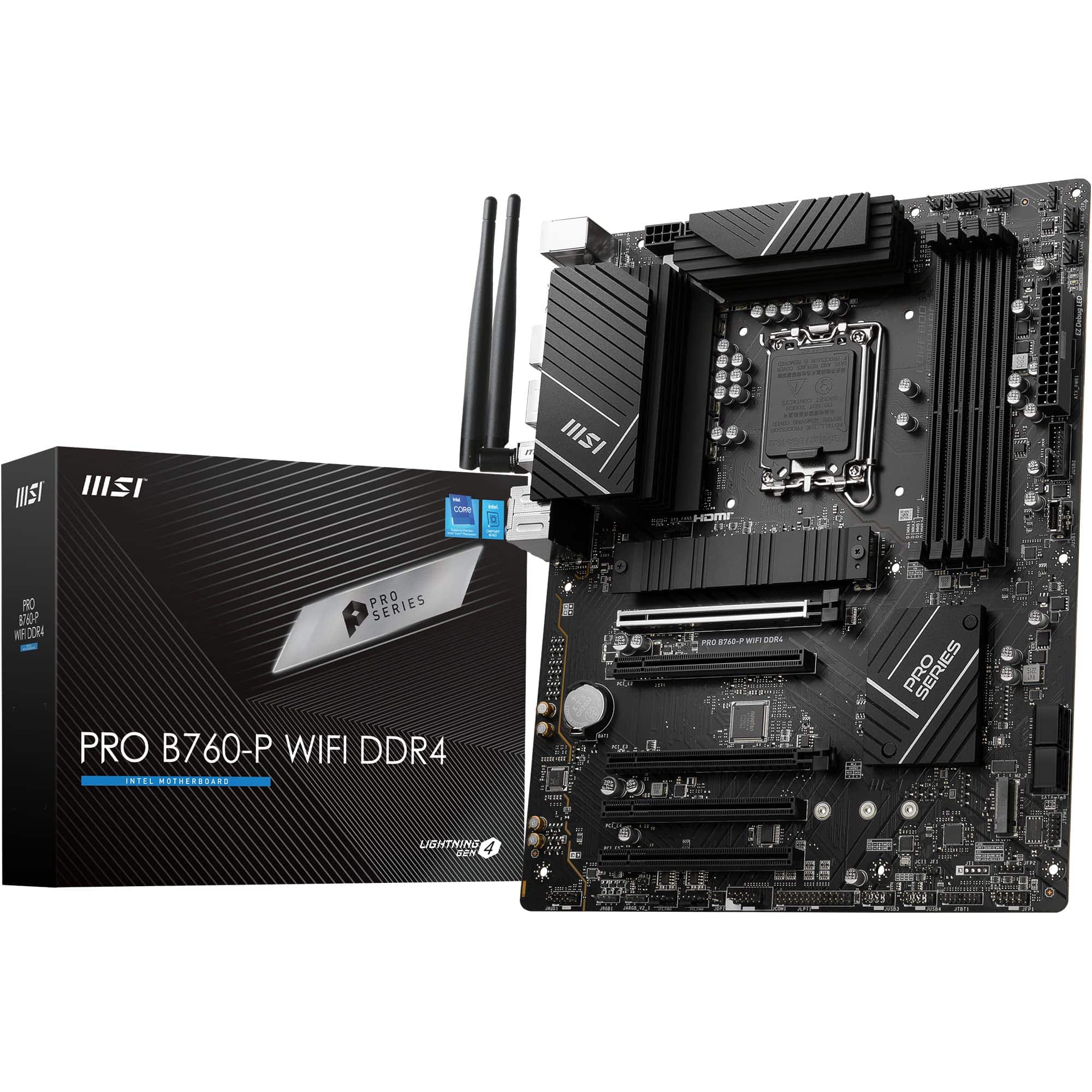 8.5 / 10
MSI PRO B760-P WIFI DDR4 Motherboard, ATX - Supports Intel 14th, 13th & 12th Gen Core Processors, LGA 1700 - DDR4 Memory Boost 5333+MHz/OC, PCIe 4.0 x16 Slots, M.2 Gen4 Slots, 2.5G LAN, Wi-Fi 6E
£129.95 · MSI
 8.5 / 10
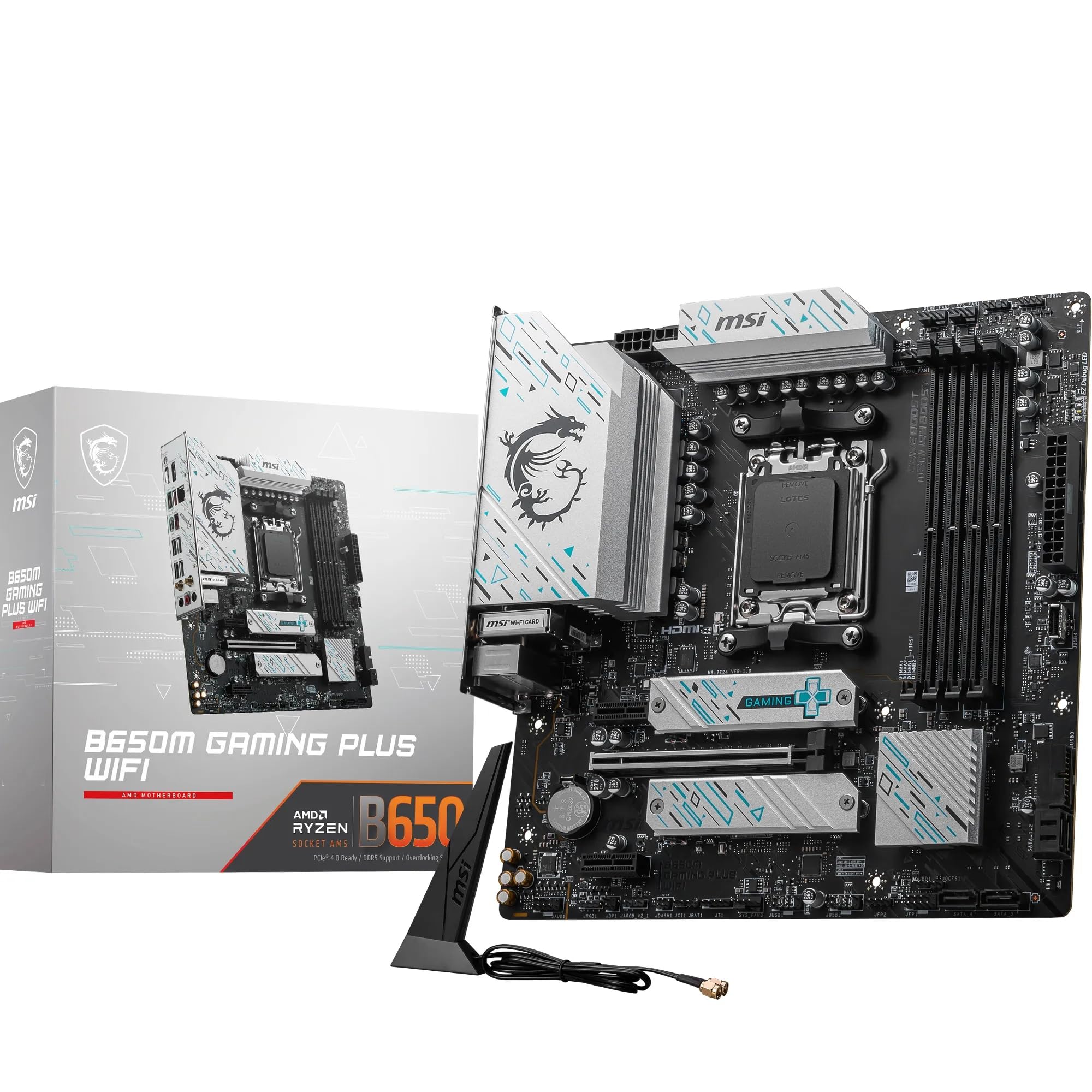
MSI B650M GAMING PLUS WIFI Motherboard, mATX - Supports AMD Ryzen 9000/8000 / 7000 Series Processors, AM5 - DDR5 Memory Boost 7800+ MHz/OC, PCIe 4.0 x16, M.2 Gen4, Wi-Fi 6E
£149.18 · MSI
Frequently asked
7 questions01Is the ASUS TUF Gaming B550-PLUS WiFi compatible with Ryzen 5000 processors out of the box?+
In most cases yes, given how long this board has been available. Boards purchased new should already have a BIOS that supports Ryzen 5000 Series processors. If you happen to receive a unit with older firmware, the BIOS FlashBack feature lets you update using only a USB drive and the board's power connection, without needing a CPU or RAM installed.
02Does the primary M.2 slot support PCIe 4.0 NVMe drives?+
Yes. The primary M.2 slot connects directly to the CPU and runs at PCIe 4.0 x4, supporting drives such as the Samsung 980 Pro and WD Black SN850X at their full rated speeds. The secondary M.2 slot runs at PCIe 3.0 and also supports SATA M.2 drives, which is still more than adequate for secondary storage.
03What is the maximum RAM speed supported, and should I chase the highest rated speed?+
The board supports DDR4 memory up to DDR4-4400 with overclocking enabled. In practice, the Zen 3 architecture performs best with DDR4-3600 running at a 1:1 fabric ratio, so most builders are well served by a DDR4-3200 or DDR4-3600 kit with XMP enabled. Chasing DDR4-4400 offers marginal real-world benefit and can require significant BIOS tuning depending on your specific CPU and RAM combination.
04Can this board handle a Ryzen 9 5950X without VRM issues?+
Yes. The 10 DrMOS phase VRM with ASUS ProCool power connector is designed to handle sustained high-current loads, and owner reports from people running Ryzen 9 5900X and 5950X chips confirm stable operation without VRM thermal throttling, even in cases with modest airflow. For lower-power CPUs such as the Ryzen 5 5600, the VRM is considerably oversized, which is beneficial for long-term reliability.
05How does the networking compare to cheaper B550 boards?+
Noticeably better. Budget B550 boards typically include 1Gb Ethernet using a Realtek controller, whereas the TUF Gaming B550-PLUS WiFi uses an Intel 2.5Gb Ethernet controller. Intel NICs offer better driver support and lower CPU overhead than Realtek alternatives. The built-in WiFi 6 module is also Intel-based, providing reliable wireless performance with good driver support. This networking package is one of the stronger aspects of the board at its price point.
06Is there an upgrade path beyond Ryzen 5000 on this board?+
No. The AM4 socket was AMD's platform from 2017 through to the end of the Ryzen 5000 generation. AMD moved to the AM5 socket with Ryzen 7000 Series, and AM5 CPUs are not compatible with AM4 motherboards. If you plan to upgrade your CPU beyond Ryzen 5000 in future, you will need a new motherboard and socket. This is a platform limitation rather than a flaw with the board itself, but it is worth factoring into a long-term build plan.
07What does BIOS FlashBack actually do and why does it matter?+
BIOS FlashBack allows you to update the motherboard firmware using only a USB drive and the board's 24-pin power connection. No CPU, RAM, or graphics card needs to be installed. This is particularly useful if you are building fresh with a Ryzen chip that requires a newer BIOS than the one installed, as it means you are not dependent on borrowing an older CPU just to perform the update. It is a feature that sounds obscure until you actually need it, at which point it saves considerable time and frustration.