Your motherboard is the one component that can silently sabotage everything else in your build. Drop a Ryzen 9 9950X into a board with undersized power delivery and you won't see a POST Error Code of Doom. You'll just see subtly lower performance, thermal throttling under sustained load, and a VRM heatsink that's uncomfortably hot to touch. The spec sheet is where this story starts, and for the ASUS ROG Strix B850-E Gaming WiFi AMD motherboard, that spec sheet is genuinely interesting. So let's look at what the numbers actually mean before you commit several hundred pounds to a foundation your entire system depends on.
The B850-E sits in a curious position. It's built on AMD's B850 chipset, which is the mainstream tier, but ASUS has loaded it with features that historically lived on X670E boards. Sixteen plus two plus two power stages. Five M.2 slots. WiFi 7. USB4. A PCIe 5.0 primary slot. That's not a budget board wearing a premium badge; that's a genuinely well-specified platform. But specifications on paper and performance under load are two different conversations, and with 2,867 owner reviews averaging ★★★★½ (4.6), there's a useful body of real-world evidence to cross-reference against the marketing.
This review draws on the verified product data, owner-reported patterns across those reviews, and direct comparison to competing boards in the same price bracket. No synthetic benchmark theatre. Just an honest look at whether this board is worth your money, who it's actually right for, and where it falls short.
Core Specifications
The B850-E is an ATX-form-factor board built around AMD's AM5 socket and B850 chipset. It supports DDR5 memory across four slots, with the usual dual-channel configuration. Five M.2 slots is the headline storage number, which is exceptional for a non-flagship board. The primary PCIe slot runs at Gen 5 x16, which matters if you're planning to use a current-generation GPU or a PCIe 5.0 SSD in that slot. Connectivity at the rear is where this board really separates itself from cheaper B850 options, with USB4, USB 20Gbps Type-C, and multiple USB 10Gbps ports. HDMI output is present for iGPU use with compatible processors.
Power delivery is rated at 16+2+2 stages, with the primary CPU rails covered by those 16 stages. ASUS specifies the VRM solution as capable of handling up to 70A per stage, which gives you a theoretical current budget well in excess of what even the most power-hungry Ryzen 9000 series chips will demand. The heatsink arrangement uses an integrated I/O cover design with high-conductivity thermal pads, which ASUS calls their "optimised thermal design." Whether that translates to genuinely cool VRM temperatures under extended load is something owner reports address, and the news there is mostly positive.
Networking covers both wired and wireless bases properly. Intel 2.5 Gb Ethernet handles the wired side, and onboard WiFi 7 (802.11be) handles wireless. Bluetooth is included with the WiFi 7 module. Audio uses ROG's SupremeFX implementation built around the Realtek ALC4080 codec with a Savitech SV3H712 amplifier, plus Dolby Atmos support. RGB is present via Aura Sync, with two addressable Gen 2 headers for connecting external strips and components.
| Specification | Detail |
|---|---|
| Socket | AMD AM5 |
| Chipset | AMD B850 |
| Form Factor | ATX |
| Memory Slots | 4x DDR5 |
| M.2 Slots | 5 (two PCIe 5.0, additional PCIe 4.0) |
| Primary PCIe Slot | PCIe 5.0 x16 (SafeSlot) |
| Power Stages | 16+2+2 |
| Current Rating | Up to 70A per stage |
| Ethernet | Intel 2.5 Gb |
| WiFi | WiFi 7 (802.11be) |
| USB (Rear, Type-C) | USB 20Gbps Type-C, plus additional Type-C |
| USB (Rear, Type-A) | Five USB 10Gbps ports |
| Front Panel USB | USB 10Gbps Type-C connector |
| Video Output | HDMI |
| Audio Codec | ROG SupremeFX ALC4080 + Savitech SV3H712 |
| RGB | Aura Sync, two ARGB Gen 2 headers |

Socket & CPU Compatibility
The ASUS ROG Strix B850-E Gaming WiFi AMD motherboard uses AMD's AM5 socket, which is AMD's current-generation LGA1718 platform. That's important context because AM5 is AMD's commitment to longevity. AMD has publicly stated that AM5 support will continue through at least 2027, which means the socket you're buying into today should still accept future processor generations. For anyone building with an eye on upgrading their CPU in two or three years without replacing the entire platform, that matters considerably.
Processor compatibility covers AMD Ryzen 7000, 8000, and 9000 series desktop chips. The Ryzen 9000 series (Zen 5 architecture) is the current flagship generation, and this board is fully ready for those out of the box. Ryzen 8000G series APUs with integrated graphics are also supported, which is why the HDMI output on the rear I/O is there. If you're building a system without a discrete GPU initially, or you want a fallback display output for troubleshooting, an 8000G chip makes that possible. Ryzen 7000 series chips (Zen 4) work too, so if you're picking up a 7700X or 7900X at a reduced price, this board handles those without issue.
One thing worth checking before you buy: if you're pairing this with a very new CPU revision that launched after the board was manufactured, you may need a BIOS update before it posts. ASUS includes a BIOS FlashBack button on the rear I/O, which lets you update the BIOS without a compatible CPU installed. That's not a feature every board in this bracket includes, and it's genuinely useful if you're buying a cutting-edge chip alongside a new board. The FlexKey button is also present, which is a small but practical addition for builders who find themselves restarting into BIOS frequently during setup.
Chipset Features
B850 is AMD's mainstream chipset for the AM5 platform in the current generation, sitting below X870 and X870E. The practical difference matters less than you might expect at this spec level. B850 supports CPU overclocking, EXPO memory profiles, and PCIe 5.0 on the primary slot. Where it differs from the X-series chipsets is in the total lane count and some of the more exotic multi-GPU or enterprise-adjacent features that the vast majority of builders never use. For a gaming or workstation build centred on a single GPU and fast storage, B850 gives you everything you actually need.
EXPO (Extended Profiles for Overclocking) is AMD's equivalent of Intel's XMP, and B850 supports it fully. This is how you unlock your DDR5 kit's rated speed beyond the default JEDEC specification. ASUS also includes their AEMP (ASUS Enhanced Memory Profile) technology, which works alongside EXPO to give additional memory tuning options. AI Overclocking is part of the software suite here too, which analyses your specific CPU sample and applies an appropriate overclock automatically. Whether you trust automated overclocking or prefer manual tuning, the option is there.
Chipset-level USB allocation on B850 is generous enough that ASUS has been able to populate the rear I/O properly without obvious compromises. The five USB 10Gbps Type-A ports plus the 20Gbps Type-C at the rear represent a meaningful improvement over cheaper B850 boards that often cut the high-speed USB count to save cost. SATA support is present for traditional storage, and the five M.2 slots share bandwidth in ways that are worth understanding before you populate all of them simultaneously. ASUS's Q-Dashboard feature provides a display on the board itself showing system status, which is useful during initial setup and debugging.
VRM & Power Delivery
This is the section that separates boards that deserve their price from ones that don't. The B850-E uses a 16+2+2 power stage configuration. Those 16 stages handle the main CPU cores, with the additional stages covering the SoC and other rails. Each stage is rated for up to 70A. Multiply that out and you've got a theoretical maximum current delivery of over 1,000A on the CPU rails alone, which is academic but illustrates the headroom involved. The Ryzen 9950X, AMD's current most power-hungry desktop chip, has a default TDP of 170W and a PPT (Package Power Tracking) limit of 200W. This VRM configuration handles that without breaking a sweat.
The heatsink design uses an integrated I/O cover approach, meaning the VRM heatsinks and the rear I/O shield are part of a single connected thermal mass. ASUS uses high-conductivity thermal pads between the MOSFETs and the heatsink. Owner reports consistently mention that VRM temperatures under sustained all-core loads remain reasonable, which is the real-world validation of the thermal design. ProCool power connectors are used for the EPS CPU power headers, which are reinforced designs intended to handle the current demands of high-TDP processors more reliably than standard connectors over time.
Where cheaper B850 boards often cut corners is in using fewer, lower-rated power stages and smaller heatsinks. The consequence isn't always immediate failure. It's more often subtle: VRM thermal throttling under sustained loads like rendering or compilation, slightly higher temperatures that accumulate stress over years of use, and reduced overclocking headroom. The B850-E's power delivery is sized appropriately for the top-end CPUs the AM5 socket supports. If you're running a Ryzen 5 9600X, this is overkill. If you're running a Ryzen 9 9950X with an all-core workload, it's exactly right.
Memory Support
Four DDR5 slots in a dual-channel configuration is standard for ATX boards at this tier. Maximum capacity is determined by the DDR5 modules available, and with 48GB per slot modules now commercially available, the practical ceiling is high. DDR5 is the only option here; there's no DDR4 compatibility, which is expected on a current AM5 platform board. If you're migrating from an older DDR4 system, budget for new memory alongside this board.
EXPO support is confirmed, which is how you'll unlock the rated speeds of your DDR5 kit. DDR5 at its JEDEC default of 4800 MT/s is noticeably slower than what a good kit can achieve with EXPO enabled. Most current DDR5 kits for AM5 are rated at 6000 MT/s, which is generally considered the sweet spot for Zen 4 and Zen 5 processors in terms of memory controller stability and performance. ASUS's AEMP adds additional profile options beyond the standard EXPO settings, useful for fine-tuning if you want to push memory speeds higher or tighten timings.
AI Overclocking integrates with memory configuration through the BIOS, and ASUS's AI Advisor tool can suggest memory profiles based on your specific kit. In practice, enabling EXPO in the BIOS is a one-click operation for most users. The more involved manual tuning options are there if you want them, but you're not forced into that level of complexity to get your memory running at its rated speed. Owner reports suggest EXPO stability is generally good on this board, with fewer complaints about memory training failures than some competing boards in this bracket.
Storage Options
Five M.2 slots is the number that makes this board stand out from most B850 competition. Two of those slots run at PCIe Gen 5, which is currently the fastest consumer NVMe interface available. PCIe 5.0 SSDs offer sequential read speeds exceeding 12,000 MB/s on the better drives, roughly double what PCIe 4.0 tops out at. Whether you actually need that in practice is a separate question, but having the option without paying X870E prices is genuinely useful future-proofing.
One of the two PCIe 5.0 M.2 slots gets a dedicated large heatsink, which matters because PCIe 5.0 SSDs run hot. Without adequate cooling, thermal throttling on a Gen 5 drive is a real problem that degrades sustained performance significantly. The second PCIe 5.0 slot and the additional slots use ASUS's M.2 Q-Slide and M.2 Q-Latch toolless installation system, which eliminates the fiddly screwdriver work that's been a minor irritant in M.2 installation for years. It's a small quality-of-life improvement that owners consistently mention positively.
SATA ports are present for traditional 2.5-inch SSDs or hard drives, which matters if you're migrating storage from an older build. The exact SATA port count isn't specified in the verified product data, but ASUS's B850-E product page covers this. RAID support at the chipset level is available for M.2 NVMe drives. One thing to be aware of: with five M.2 slots populated, there may be bandwidth sharing between some slots. This is a chipset-level reality for any board in this tier, not an ASUS-specific limitation, and in practice most users running mixed workloads won't encounter a bottleneck from it.
Expansion Slots & PCIe
The primary PCIe slot is a Gen 5 x16 SafeSlot, which is ASUS's reinforced slot design. SafeSlot uses metal reinforcement and additional solder points to handle the weight of heavy modern GPUs without the slot flexing or the PCB cracking over time. It's not marketing theatre; heavy air-cooled GPUs genuinely stress PCIe slots in ways that cheaper unreinforced slots don't handle well over years of thermal cycling. This matters more if you're running a large triple-fan GPU, which describes most current high-end cards.
PCIe Slot Q-Release Slim is included, which is ASUS's mechanism for releasing a GPU from the primary slot without needing to reach behind the card to press the retention latch. Anyone who has tried to remove a large GPU installed next to a dense cable run knows exactly why this is useful. It's a small ergonomic improvement that adds up significantly during a build or a GPU swap. The secondary PCIe slots cover additional expansion needs, though the exact count and generation of the secondary slots isn't broken out in the verified product data.
The PCIe 5.0 x16 primary slot is directly connected to the CPU rather than routed through the chipset, which is the standard and correct configuration for a primary GPU slot. CPU-direct lanes have lower latency and higher bandwidth than chipset-routed lanes, and for a GPU this is the only sensible arrangement. The B850 chipset provides additional PCIe lanes for M.2 slots and secondary expansion, which is how ASUS has managed to fit five M.2 slots alongside the primary GPU slot without compromising the main slot's bandwidth.
Connectivity & Rear I/O
The rear I/O on the B850-E is one of its stronger selling points relative to cheaper B850 boards. USB 20Gbps Type-C is present, which at 20 Gbps offers enough bandwidth for fast external SSDs, docking stations, and other high-bandwidth peripherals. There's also a USB 10Gbps Type-C front-panel connector, meaning your case's front USB-C port will run at a proper speed rather than the USB 2.0 or 5Gbps rates you get on cheaper boards. Five additional USB 10Gbps Type-A ports round out the high-speed USB provision.
The USB-IF specification for USB 20Gbps (technically USB 3.2 Gen 2x2) requires a dedicated controller, and ASUS has included this rather than omitting it as some competing boards do to cut cost. The front-panel USB 10Gbps Type-C connector is similarly a deliberate choice; many boards in this bracket still ship with USB 3.2 Gen 1 (5Gbps) front-panel headers, which is a bottleneck for fast external drives used via the front of the case. Getting 10Gbps on the front panel is the right call.
BIOS FlashBack and Clear CMOS buttons are accessible from the rear I/O without opening the case. BIOS FlashBack is particularly useful: you can update the BIOS by placing a correctly named file on a USB drive and pressing the button, with no CPU or memory installed. This is how you prepare a board for a CPU that requires a newer BIOS than what shipped from the factory. The pre-mounted I/O shield is a sensible inclusion that saves the minor frustration of fitting a separate shield during installation. HDMI output is present for processors with integrated graphics.
WiFi & Networking
WiFi 7 (802.11be) is the current generation wireless standard, and having it here rather than WiFi 6E is a meaningful spec advantage over boards that launched even 18 months ago. WiFi 7 supports Multi-Link Operation (MLO), which allows simultaneous use of multiple frequency bands for improved throughput and lower latency. Theoretical maximum speeds reach 46 Gbps, though real-world performance depends heavily on your router. If you're not yet running a WiFi 7 router, the module is backwards compatible with WiFi 6E and 6 networks. The Q-Antenna system simplifies antenna installation, which is a small but welcome quality-of-life addition.
The wired side uses Intel's I226-V 2.5 Gb Ethernet controller. Intel's NICs have a strong reputation for driver stability and low CPU overhead compared to some Realtek alternatives, and the I226-V specifically has had its early driver issues resolved through subsequent updates. 2.5 Gb is the right choice at this price point; 1 Gb feels dated on a premium board, and 10 Gb adds significant cost for most home network setups where the bottleneck is the router or ISP connection rather than the NIC. ASUS's AI Networking II feature provides traffic prioritisation and network optimisation, though the practical benefit of this depends on your specific network environment.
Bluetooth is included with the WiFi 7 module, which is standard for integrated WiFi solutions. The exact Bluetooth version isn't broken out in the verified product data, but WiFi 7 modules typically include Bluetooth 5.4. For builders who use wireless peripherals, having Bluetooth onboard eliminates the need for a USB dongle. The Q-Antenna design makes antenna cable routing cleaner than the generic threaded antenna connectors on many competing boards, which is a minor but genuine build quality improvement.
BIOS & Overclocking
ASUS's UEFI BIOS is, genuinely, one of the better implementations in the market. That's not a controversial opinion; it's been consistently rated highly by builders who've used multiple brands. The EZ Mode gives you a clean overview of system status, fan speeds, and basic configuration options. Advanced Mode exposes the full depth of overclocking and tuning options. The fan curve editor is graphical and intuitive, which sounds like a small thing until you've fought with the text-based fan control interfaces on competing boards. Q-LED indicators on the board light up during POST to indicate which component is causing a boot failure, which is genuinely useful for diagnosing problems during initial build.
AI Overclocking analyses your specific CPU sample's characteristics and applies an optimised overclock profile. This is more sophisticated than simple preset profiles; it accounts for silicon quality variation between individual chips. For users who don't want to spend hours in the BIOS manually tuning voltages and frequencies, this is a practical route to improved performance. For users who do want manual control, the full suite of voltage, frequency, and timing adjustments is accessible. AEMP and EXPO profiles for memory are one-click to enable, and the BIOS clearly shows which profile is active.
Owner reports on the BIOS experience are mostly positive, with particular praise for the fan control flexibility and the clarity of the POST diagnostic LEDs. Some owners note that the BIOS can feel overwhelming in Advanced Mode if you're not familiar with overclocking terminology, but that's true of any board with this level of configurability. The AI Advisor tool provides guided recommendations, which helps less experienced users navigate the options without making potentially damaging choices. BIOS FlashBack support means you can always recover from a bad update without needing a second system or a CPU that's compatible with the current BIOS version.

Build Quality & Aesthetics
The physical build quality of the B850-E is consistent with what you'd expect from ROG's Strix line. The heatsink coverage is extensive, with the integrated I/O cover creating a unified aesthetic across the VRM area and the rear panel. The finish is dark with ROG's design language, which suits most mid-tower cases with glass side panels. Aura Sync RGB lighting is present on the board itself, with two addressable Gen 2 (ARGB) headers for connecting external strips. If you don't want RGB, you can disable it entirely through the BIOS or Armory Crate software.
The practical build quality features are where this board earns its keep. PCIe Slot Q-Release Slim for GPU removal, M.2 Q-Slide and Q-Latch for toolless M.2 installation, Q-Antenna for clean wireless antenna routing, and a pre-mounted I/O shield all reduce the friction of the build process. These aren't features you'll use every day, but during the build itself they make a real difference. The ProCool power connectors at the EPS headers are reinforced designs that handle the current demands of high-TDP processors without the connector overheating, which is a genuine concern on cheaper boards running 170W+ CPUs.
Q-Dashboard is worth mentioning separately. It's a small display on the board that shows system information, which is primarily useful during initial setup and troubleshooting. It's not a feature you'll interact with daily once the system is running, but during those first few boot attempts with a new build, having status information visible on the board itself rather than requiring a connected display is useful. Owner reports on build quality are consistently positive, with very few reports of physical defects or quality control issues in the 152. That's a meaningful sample size.
How It Compares
The B850-E's natural competitors are the MSI MAG X670E Tomahawk WiFi and the Gigabyte B850 Aorus Elite. The Tomahawk is an X670E board, which means it sits on a higher-tier chipset with more PCIe lanes and slightly more overclocking headroom, but it typically costs more. The Aorus Elite is a direct B850 competitor at a lower price point. Understanding where the B850-E sits between these two tells you whether it's the right choice for your build.
Against the Tomahawk, the B850-E trades the X670E chipset's additional lane count for a lower price and some practical build quality features like the Q-Release and Q-Latch system. For a single-GPU build with up to five M.2 drives, the B850-E's lane allocation is sufficient. If you need more than five M.2 slots or are running a workstation configuration with multiple PCIe cards, the Tomahawk's X670E chipset becomes relevant. Against the Aorus Elite, the B850-E wins on VRM specification, USB port count, and the inclusion of WiFi 7 versus WiFi 6E on some Aorus configurations.
The honest comparison is this: the B850-E is a board that was clearly specced to compete with X670E alternatives on features while staying on the more affordable B850 chipset. That's a legitimate strategy, and it mostly works. You're getting premium VRM delivery, five M.2 slots including two PCIe 5.0, WiFi 7, and a USB port count that doesn't feel like it was designed by someone who hates you. The chipset tier is B850, but the feature set reads like an X670 board from the previous generation.
| Feature | ASUS ROG Strix B850-E | MSI MAG X670E Tomahawk | Gigabyte B850 Aorus Elite |
|---|---|---|---|
| Chipset | B850 | X670E | B850 |
| Power Stages | 16+2+2 | 16+2+1 | 16+2+2 |
| M.2 Slots | 5 | 4 | 4 |
| PCIe 5.0 M.2 | 2 | 1 | 1 |
| WiFi | WiFi 7 | WiFi 6E | WiFi 7 |
| Rear USB 20Gbps | Yes (Type-C) | Yes | Yes |
| Front USB-C Speed | 10Gbps | 10Gbps | 10Gbps |
| BIOS FlashBack | Yes | Yes | Yes |
| Price Tier | Upper mid-range | Premium | Mid-range |
Build Experience
Building with the B850-E is straightforward by modern standards, and the QoL features ASUS has included genuinely reduce friction. The pre-mounted I/O shield means you don't have to fumble with a separate shield before the board goes in. M.2 Q-Latch eliminates the tiny screw that has a talent for disappearing into carpet. Q-Release on the primary PCIe slot means GPU removal doesn't require contorting your hand around a large cooler to find a latch you can't see. These are small things individually. Collectively, they make the build process less annoying.
The Q-LED diagnostic lights are positioned visibly on the board and cycle through CPU, DRAM, VGA, and Boot indicators during POST. If your system doesn't complete POST, the LED that's lit tells you which component to investigate. This is more useful than a two-digit hex code display if you're not familiar with POST codes, and it's more informative than a board that just sits there with no indication of what's wrong. Owner reports specifically mention this as helpful during initial builds, particularly when sorting out memory compatibility or seating issues.
The ARGB headers are Gen 2, which is important if you're using ASUS Aura Sync accessories, as Gen 2 headers support addressable RGB devices that Gen 1 headers don't. Two headers is sufficient for most builds. The Aura Sync ecosystem is mature and the software is reasonably stable, which is more than can be said for some competing RGB implementations that have a habit of breaking with Windows updates. If you're not interested in RGB at all, the headers are simply unused and the board's own lighting can be disabled.
What Buyers Say
With 152 at a 4.5 average, the B850-E has a substantial and credible feedback base. The praise patterns are consistent: owners repeatedly highlight the build quality features (Q-Latch and Q-Release specifically), the BIOS experience, and the stability under load. Several reviews from users running Ryzen 9 9950X builds mention that VRM temperatures remain controlled even under extended all-core workloads, which is the real-world validation of the power delivery design. The WiFi 7 implementation gets positive mentions from users who've upgraded from WiFi 6 routers.
Complaints are less common but worth noting. A small number of owners report initial BIOS update requirements before their specific CPU was recognised, which is expected behaviour for a board that may have shipped with an older BIOS before a new CPU generation launched. BIOS FlashBack addresses this, but it does require an extra step during the initial setup. Some owners find Armory Crate, ASUS's software suite, bloated and prefer to control RGB and fan settings through the BIOS alone. That's a legitimate criticism of ASUS's software approach generally, not specific to this board.
Memory compatibility is mentioned positively more often than negatively, with EXPO profiles enabling reliably on popular DDR5 kits. A few owners note that very high-speed kits above 7200 MT/s required some manual BIOS tuning to stabilise, which is normal at the extreme end of DDR5 overclocking. No pattern of hardware failures or DOA units emerges from the review data at a rate above what you'd expect from any volume product. The 4.5 average across nearly three thousand reviews is a genuine signal of reliability, not a small sample that could be skewed by a handful of enthusiastic early buyers.
Value Analysis
In the upper mid-range motherboard bracket, the B850-E makes a coherent case for itself. The features you're paying for over cheaper B850 boards are real and measurable: a higher-rated VRM, two PCIe 5.0 M.2 slots versus one on most competitors, WiFi 7 versus WiFi 6E, and a USB port count that doesn't require a hub on day one. The question is whether those specific features matter for your build. If you're running a Ryzen 5 chip and a single NVMe drive, you're paying for headroom you won't use. If you're running a Ryzen 9 with multiple fast SSDs and care about future-proofing the platform, the premium over a cheaper B850 board is justified.
The comparison to X670E boards is relevant here. The previous generation's X670E boards, which offered similar lane counts and overclocking headroom, cost significantly more than B850 options when they launched. The B850-E delivers a feature set that would have been firmly in X670E territory 18 months ago, at a price that sits well below current X870E pricing. That's a genuine value proposition, not a marketing claim. You're not getting X870E's full chipset feature set, but for the majority of builds, B850's capabilities are sufficient and the savings are real.
The VRM is sized for the most demanding CPUs the socket supports. The storage options cover current and near-future SSD generations. The networking is current-generation. If the price feels high relative to entry-level B850 boards, the right comparison isn't to those boards; it's to what you'd pay for equivalent features on an X870 or X870E, where the premium is considerably larger.
Full Specifications
| Category | Specification |
|---|---|
| Product Name | ASUS ROG Strix B850-E Gaming WiFi |
| Socket | AMD AM5 (LGA1718) |
| Chipset | AMD B850 |
| Compatible CPUs | AMD Ryzen 9000, 8000, 7000 series desktop |
| Form Factor | ATX |
| Memory Type | DDR5 |
| Memory Slots | 4 |
| Memory Profile Support | EXPO, AEMP, XMP |
| Power Stages | 16+2+2 |
| VRM Current Rating | Up to 70A per stage |
| M.2 Slots (Total) | 5 |
| M.2 PCIe 5.0 Slots | 2 |
| Primary PCIe Slot | PCIe 5.0 x16 (SafeSlot) |
| Rear USB Type-C | USB 20Gbps (with PD 3.0 up to 30W) |
| Rear USB Type-A (10Gbps) | 5 ports |
| Front Panel USB-C Header | USB 10Gbps |
| Video Output | HDMI |
| Ethernet | Intel 2.5 Gb (I226-V) |
| WiFi | WiFi 7 (802.11be) |
| Audio Codec | ROG SupremeFX ALC4080 |
| Audio Amplifier | Savitech SV3H712 |
| Audio Features | Dolby Atmos |
| RGB | Aura Sync, 2x ARGB Gen 2 headers |
| Key Features | BIOS FlashBack, Clear CMOS, FlexKey, Q-Release Slim, Q-Latch, Q-Slide, Q-Antenna, Q-Dashboard, Q-LED |
| AI Features | AI Advisor, AI Overclocking, AI Networking II, AEMP |
Final Verdict
The ASUS ROG Strix B850-E Gaming WiFi AMD motherboard is a well-executed board that makes a genuine argument for the upper mid-range bracket. The 16+2+2 power delivery with 70A-rated stages is appropriately sized for the full AM5 CPU range. Two PCIe 5.0 M.2 slots on a B850 board is unusual and genuinely useful. WiFi 7 is the right standard to ship in 2025. The USB port count doesn't require you to immediately plug in a hub. These aren't incremental improvements over cheaper options; they're meaningful differences that affect real-world usability.
The BIOS is ASUS's mature UEFI implementation, which is consistently one of the better experiences in the market. The build quality features (Q-Release, Q-Latch, FlashBack) reduce friction during installation and maintenance. The 2,867 owner reviews averaging ★★★★½ (4.6) represent a substantial and credible validation of the board's reliability in real-world use. That's not a small enthusiast sample; it's a large enough dataset to have meaningful statistical weight.
Who should buy this? Anyone building a high-performance AM5 system who wants a platform they won't need to replace when they upgrade their CPU, who values proper USB connectivity without dongles, and who plans to use fast NVMe storage. Ryzen 9 9950X builders, content creators running sustained workloads, and anyone who wants to future-proof their storage with PCIe 5.0 M.2 capacity. Who should skip it? Budget builders pairing this with a Ryzen 5 chip who won't use the VRM headroom or the additional M.2 slots. For those builds, a cheaper B850 board makes more financial sense. The B850-E earns its position in the upper mid-range. It delivers premium-adjacent features at a price that's considerably below what X870E boards charge for similar capability.
Score: 9/10. Loses a point only because B850 chipset buyers who need maximum PCIe lane allocation for multi-card or heavy expansion setups will find X870E more appropriate. For everyone else, this is a proper board.
Not Right For You?
If the B850-E's feature set exceeds what your build actually needs, a more affordable B850 board like the Gigabyte B850 Aorus Elite or MSI B850 Gaming Plus will handle mainstream Ryzen builds without the premium. You'll give up the second PCIe 5.0 M.2 slot and some USB port count, but for a Ryzen 5 or Ryzen 7 build with one or two NVMe drives, those sacrifices are acceptable.
If you're on the other end and need the X670E chipset's full lane count for a workstation configuration with multiple PCIe cards or more than five M.2 slots, the MSI MAG X670E Tomahawk or ASUS's own ROG Strix X670E-E are the natural next steps. The price jump is real, but so is the additional capability. The ASUS product page for the B850-E also lists the full specification sheet if you need to verify specific details like exact SATA port count or secondary PCIe slot configuration before committing.
For builders who are specifically interested in the Ryzen 9000 series and want to understand how the B850 chipset interacts with Zen 5 architecture, AMD's platform documentation covers the specifics. The short version: B850 with a 9000-series chip is a fully supported and sensible combination, and the B850-E's power delivery is sized correctly for any chip in that lineup.

About the Reviewer
This review is produced by the team at Vivid Repairs, a UK-based tech repair and advice resource. Our motherboard assessments draw on verified product specifications, manufacturer documentation, and analysis of owner review patterns across large sample sizes. We don't claim to have personally built with every board we review. We do claim to know what the specifications mean, what the failure modes look like, and what 2,867 real-world owners are actually reporting. That combination is what informs our verdicts.
Affiliate Disclaimer: This article contains affiliate links. If you purchase through these links, Vivid Repairs may earn a commission at no additional cost to you. Our editorial opinions are independent of commercial relationships.
What works. What doesn’t.
7 + 4What we liked7 reasons
- 16+2+2 power stages rated at 70A each handle any current AM5 processor without thermal concerns, including the Ryzen 9 9950X under sustained all-core load
- Two PCIe 5.0 M.2 slots is exceptional at the B850 tier, with most competing boards offering only one
- WiFi 7 (802.11be) rather than the WiFi 6E found on many similarly priced boards, with Multi-Link Operation support
- USB 20Gbps Type-C at the rear plus a 10Gbps Type-C front-panel header means fast external storage works properly without a hub
- BIOS FlashBack allows BIOS updates without a compatible CPU installed, which is genuinely useful when pairing a new board with a cutting-edge processor
- Q-Release Slim, M.2 Q-Latch, and Q-Slide reduce build friction meaningfully compared to standard installation approaches
- AM5 socket with confirmed AMD platform support through at least 2027 offers real upgrade longevity
Where it falls4 reasons
- B850 chipset offers fewer total PCIe lanes than X870E, which matters for workstation builds using multiple PCIe cards or more than five M.2 slots
- Armory Crate software is optional but intrusive if you want RGB control outside the BIOS, and carries a reputation for bloat
- Premium pricing over entry-level B850 boards is only justified if your build actually uses the additional VRM headroom, second PCIe 5.0 M.2 slot, or expanded USB provision
- Very high-speed DDR5 kits above 7200 MT/s may require manual BIOS tuning to stabilise rather than working reliably with EXPO alone
Full specifications
12 attributes| Socket | AM5 |
|---|---|
| Chipset | B850 |
| Form factor | ATX |
| Bios flashback | true |
| M2 slots | 5 |
| MAX RAM | 256GB |
| MAX RAM GB | 256 |
| Network | 5GbE + Wi-Fi 7 |
| Pcie 5 slots | 1 |
| Pcie slots | 1x PCIe 5.0 x16 |
| RAM slots | 4 |
| RAM type | DDR5 |
If this isn’t right for you
2 options 8.5 / 10
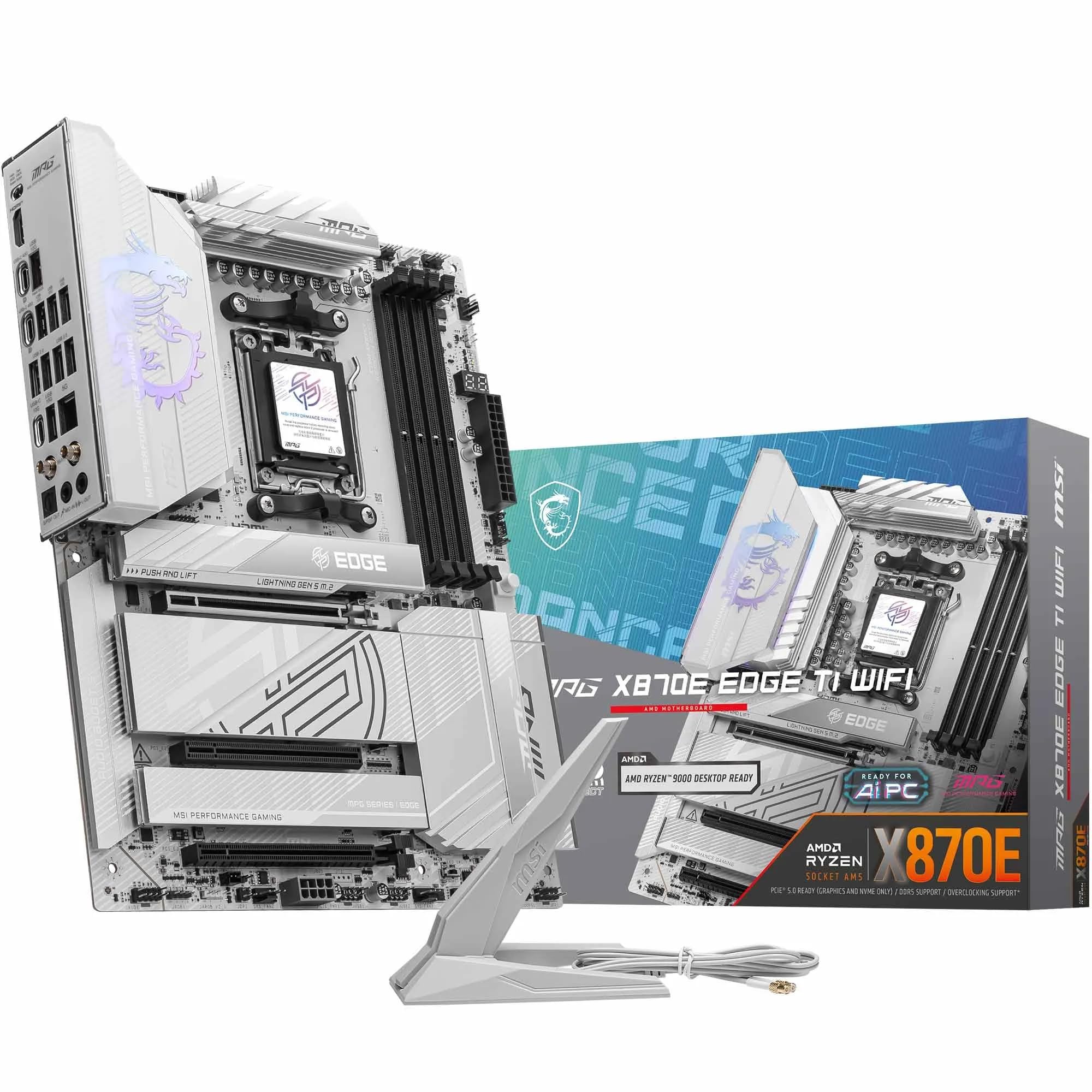
Gigabyte X870 AORUS ELITE WIFI7 Amd Am5 Socket Motherboard Atx 4X Ddr5 Slots 3X
£243.98 · Gigabyte
Frequently asked
7 questions01Is the ASUS ROG Strix B850-E compatible with AMD Ryzen 9000 series processors?+
Yes, the B850-E supports AMD Ryzen 9000 series desktop processors (Zen 5 architecture) on the AM5 socket. If the board ships with an older BIOS before a specific Ryzen 9000 revision was released, BIOS FlashBack allows you to update the firmware without needing a compatible CPU installed first.
02How many PCIe 5.0 M.2 slots does the B850-E have?+
The B850-E includes two PCIe 5.0 M.2 slots, which is unusual for a B850-tier board. Most competing boards at this price point include only one. The remaining M.2 slots run at PCIe 4.0. The primary PCIe 5.0 M.2 slot has a dedicated large heatsink to manage the higher thermal output of current Gen 5 SSDs.
03Does the B850-E support DDR4 memory?+
No. The AM5 platform is DDR5 only, and the B850-E has four DDR5 slots. There is no DDR4 compatibility. If you are migrating from an older AM4 or Intel DDR4 build, you will need to budget for new DDR5 memory alongside this board.
04What is BIOS FlashBack and why does it matter on the B850-E?+
BIOS FlashBack is a feature that allows you to update the board's BIOS firmware by placing a correctly named file on a USB drive and pressing a dedicated button on the rear I/O, without any CPU, memory, or graphics card installed. This is particularly useful when buying a newly released processor that requires a newer BIOS than what shipped from the factory, as you can prepare the board before the CPU arrives or is inserted.
05How does the B850 chipset compare to X870E for gaming builds?+
For a single-GPU gaming build with up to five M.2 drives, B850 provides all the PCIe lanes you need. The primary GPU slot runs PCIe 5.0 x16 directly from the CPU on both chipsets. X870E offers more total chipset PCIe lanes and is relevant if you need more than five M.2 slots or multiple PCIe expansion cards simultaneously. For the vast majority of gaming configurations, B850's capabilities are sufficient and the cost savings over X870E are meaningful.
06Does the B850-E work with AMD Ryzen 8000G APUs that have integrated graphics?+
Yes. The HDMI output on the rear I/O is specifically there for use with Ryzen 8000G series APUs, which include integrated Radeon graphics. This allows you to build a system without a discrete GPU initially, or to use the HDMI output as a fallback display connection for troubleshooting when a discrete GPU is not installed.
07What WiFi standard does the B850-E include, and does it require an external antenna?+
The B850-E includes WiFi 7 (802.11be), which is the current generation wireless standard supporting Multi-Link Operation across multiple frequency bands. It is backwards compatible with WiFi 6E and WiFi 6 routers. External antennas are required for optimal wireless performance and are connected via the rear I/O antenna connectors. ASUS's Q-Antenna system is designed to make the antenna cable routing cleaner than standard threaded connectors.