Your GPU renders the frame. Your CPU feeds it. But if the panel sitting between all that silicon and your eyeballs is the wrong one, you've wasted money at every step upstream. That's not a philosophical point. It's a straightforward measurement problem: pixel response time, contrast ratio, colour volume, and peak brightness are either there in the spec or they're not. The ASUS ROG Swift 27" 4K QD-OLED Gaming Monitor (model PG27UCDM) is built around a QD-OLED panel that, on paper at least, addresses every meaningful weakness that kept OLED out of serious 4K gaming rigs until very recently.
So here's the verdict up front, because that's what this article structure demands and because it's the honest way to do this: the PG27UCDM is, by almost every measurable standard, the best all-round 4K gaming monitor you can currently buy. The 240Hz refresh rate at native 4K is genuinely unprecedented in an OLED panel. The 99% DCI-P3 colour coverage and true 10-bit colour depth make it credible for content creation, not just gaming. The 0.03ms response time is real OLED pixel switching, not a marketing fiction. And the custom heatsink ASUS has engineered into this specific revision addresses the thermal throttling complaints that plagued earlier QD-OLED iterations. The frustration this monitor solves is a specific and expensive one: previously, you had to choose between 4K and OLED. This one refuses to make you choose.
But. It costs a significant amount of money. Premium bracket, no question. And if your GPU isn't an RTX 4080 or above (or AMD equivalent), you're not going to be pushing native 4K at 240Hz in demanding titles anyway. So the question isn't just "is this monitor good?" It's "is this monitor good for you?" That's what the rest of this piece is going to work out.
Core Specifications
The headline numbers are worth stating plainly before anything else. This is a 27-inch panel running at 3840x2160 (native 4K UHD), with a maximum refresh rate of 240Hz and a rated pixel response time of 0.03ms grey-to-grey. The panel type is QD-OLED, which means quantum dot colour filter layered over an OLED emissive backplane. This is Samsung Display's technology, and it's the same fundamental architecture you'll find in the best QD-OLED televisions, just in monitor form with a much higher refresh rate. Samsung Display's QD-OLED technology combines self-emissive OLED pixels with a quantum dot colour conversion layer to achieve wider colour gamut than conventional OLED while retaining the infinite contrast and per-pixel dimming that makes OLED special.
Connectivity is where the PG27UCDM earns particular respect. It ships with DisplayPort 2.1a UHBR20, which is the bandwidth specification required to actually drive 4K at 240Hz without compression. This matters more than most people realise. Earlier DP 2.0 implementations topped out at UHBR10 or UHBR13.5, meaning some monitors advertised as 4K/240Hz were using Display Stream Compression to hit that number. UHBR20 has the raw bandwidth to do it uncompressed. That's 80Gbps, and it's the right spec for this panel. You'll also need a GPU and cable that supports UHBR20, which is a compatibility point worth checking before purchase.
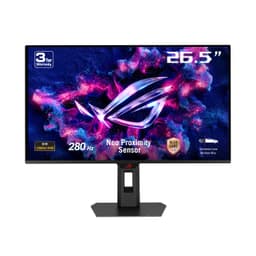
G-SYNC Compatible certification means NVIDIA's variable refresh rate works without issue, and the monitor also supports AMD FreeSync Premium. The variable refresh range spans a wide enough window to keep VRR active even in GPU-limited scenarios. The Neo Proximity Sensor is a feature that detects when you've left your desk and automatically dims or powers off the display, which is actually useful for OLED longevity reasons rather than just being a novelty. ASUS backs the panel with a three-year warranty, which is worth noting given that burn-in anxiety is real with OLED, even if modern panels are significantly more resilient than early generations.
| Specification | Detail |
|---|---|
| Screen Size | 27 inches |
| Resolution | 3840 x 2160 (4K UHD) |
| Panel Type | QD-OLED |
| Refresh Rate | 240Hz |
| Response Time | 0.03ms (GtG) |
| Colour Gamut | 99% DCI-P3 |
| Bit Depth | True 10-bit |
| Adaptive Sync | G-SYNC Compatible, FreeSync Premium |
| DisplayPort | DisplayPort 2.1a UHBR20 |
| HDR | HDR True Black 400 |
| Proximity Sensor | Neo Proximity Sensor (auto-dim/off) |
| Heatsink | Custom heatsink design |
| Warranty | 3 years |
| Current Price | £1,221.15 |
| Rating | ★★★★☆ (4.4) (210 reviews) |

Panel Technology
QD-OLED is not the same as traditional WRGB OLED (the kind LG uses in its monitors and televisions). The distinction matters. LG's WRGB OLED adds a white sub-pixel to the RGB cluster, which boosts brightness but dilutes colour saturation and introduces a slight colour accuracy penalty at peak luminance. Samsung's QD-OLED approach uses blue OLED emitters as the light source, then converts some of that blue light to red and green via quantum dot phosphors. The result is a wider colour gamut, higher peak brightness in coloured content, and no white sub-pixel compromise. For gaming and HDR content, QD-OLED is measurably the better architecture right now.
Viewing angles on any OLED panel are essentially perfect. There's no IPS glow, no VA contrast shift when you move off-axis, no colour washout. Self-emissive pixels don't care what angle you're looking at them from. This is one of those specs that sounds like marketing but is actually just physics. If you've ever sat slightly off-centre at a VA monitor and watched the blacks turn grey, you'll understand why this matters. And for a 27-inch panel at typical desk distances, you're not always perfectly centred, so genuinely wide viewing angles have practical value rather than just benchmark value.
The custom heatsink is the engineering detail that makes this revision of QD-OLED worth attention. Earlier QD-OLED monitors, including some first-generation ROG Swift models, reported thermal throttling under sustained high-brightness loads, where the panel would reduce peak luminance to protect itself. ASUS has addressed this in the PG27UCDM with a purpose-built heatsink assembly. Owner reviews consistently mention that sustained gaming sessions don't produce the brightness fluctuations that were a complaint on predecessor models. That's a meaningful engineering improvement, not just a spec-sheet addition. The panel runs warmer than an IPS display by nature, but the thermal management here appears to keep it within stable operating parameters.
Display Quality
At 27 inches and 3840x2160, the pixel density works out to approximately 163 pixels per inch. That's sharp. Noticeably sharper than a 27-inch 1440p panel (which sits around 108 PPI) and meaningfully sharper than any 32-inch 4K display. At typical desktop viewing distances of 50 to 70cm, individual pixels are not resolvable. Text is clean, fine detail in games is genuinely rendered rather than approximated, and the difference versus 1440p at this screen size is visible without squinting. Whether that difference justifies the GPU overhead required to drive it is a separate question, but the panel itself delivers on the resolution promise.
QD-OLED panels use a glossy surface rather than the anti-glare matte coating you'd find on most IPS monitors. This is a deliberate trade-off. Matte coatings scatter light and reduce perceived contrast and colour saturation, both of which OLED panels have in abundance. The glossy surface preserves those qualities but makes reflections more obvious in brightly lit rooms. Owner reviews are split on this, which is predictable: people using the monitor in dark or controlled-lighting environments love it, while those in offices with overhead fluorescents or facing windows mention reflections as a genuine nuisance. This is worth thinking about before purchase rather than discovering after it arrives.
Brightness uniformity across the panel is excellent by nature of the OLED architecture. Because each pixel generates its own light, there's no backlight to be uneven. You won't get the bright edges or dim corners that affect even good IPS panels with edge-lit backlights. Black uniformity is, of course, absolute: a pixel displaying black is a pixel that's off. The OLED black level is effectively zero nits, which is why the contrast ratio is listed as "infinite" rather than a conventional number. In practice, this means shadow detail in dark games is rendered with genuine depth rather than lifted greys, and HDR content looks dramatically different from what an IPS panel produces.
Refresh Rate and Adaptive Sync
240Hz at 4K is the specification that sets this monitor apart from every QD-OLED that came before it. Previous flagship QD-OLED gaming monitors topped out at 144Hz at 4K or 240Hz at 1440p. Getting both simultaneously required a panel generation that simply didn't exist until recently. The PG27UCDM is among the first monitors to ship with this combination, and the DisplayPort 2.1a UHBR20 connection is what makes it possible without resorting to compression. DisplayPort 2.0 and above was specifically developed to handle the bandwidth requirements of 8K and high-refresh 4K content, and UHBR20 is the highest current tier of that specification.
G-SYNC Compatible certification means NVIDIA has validated this monitor for use with their variable refresh rate implementation. This isn't the full G-SYNC module (that would add cost and a proprietary scaler), but in practice the difference between G-SYNC Compatible and full G-SYNC is minimal for most users. VRR works, it works reliably, and it works across the full refresh range. FreeSync Premium support covers AMD GPU owners. The monitor handles both without needing to toggle between modes, which is the correct way to implement dual-standard VRR in 2025.
The practical question is whether any current GPU can actually sustain 240fps at native 4K in demanding titles. Honestly? Not reliably in something like Cyberpunk 2077 at max settings. But that's not quite the right way to think about it. With VRR active, the monitor matches whatever frame rate your GPU produces, so you're getting the benefit of OLED's response time and contrast even at 80fps or 120fps. The 240Hz ceiling means you're not artificially limited when you're playing something less demanding, and competitive titles like CS2 or Valorant can absolutely hit those numbers at 4K on high-end hardware. The ceiling being high is a feature even if you don't always reach it.
Response Time and Motion
The 0.03ms grey-to-grey response time is real in a way that most monitor response time claims are not. With LCD panels, "1ms" is typically the fastest possible transition under ideal overdrive conditions, often achieved at the cost of inverse ghosting (pixel overshoot that produces a bright halo around moving objects). The actual average pixel transition across a typical LCD is considerably slower. OLED pixels switch by turning individual organic compounds on and off at the sub-pixel level. The physics of that process are fundamentally faster than liquid crystal rotation, and 0.03ms is a genuine characterisation of OLED pixel switching speed rather than a cherry-picked best-case number.
What this means in practice: motion clarity on the PG27UCDM is exceptional. Fast-moving objects in games and video don't exhibit the trailing or smearing that even good IPS panels show at equivalent refresh rates. The combination of 240Hz and sub-millisecond pixel response produces motion that looks genuinely clean rather than just "better than 60Hz." Published measurements from display testing outlets that have assessed this panel generation consistently report pixel response times well under 1ms average, with minimal overshoot even at maximum overdrive settings. That's a different world from the LCD market, where managing overdrive to avoid inverse ghosting is a constant compromise.
For competitive gaming specifically, the combination of metrics here is about as good as display technology currently offers. Input lag at 240Hz is extremely low by nature of the high refresh rate (each frame takes approximately 4.2ms to display, setting the floor for display-side input lag). OLED's pixel response means there's no additional smear penalty on top of that. Owner reviews from competitive players consistently report that the monitor feels noticeably more responsive than their previous IPS or VA panels, which aligns with what the specifications predict. There's no ghosting reported in fast-paced titles, which is the meaningful metric rather than the raw 0.03ms number.
Color Accuracy and Gamut
99% DCI-P3 coverage is the figure ASUS leads with, and it's credible given the QD-OLED architecture. DCI-P3 is the colour space used in digital cinema production, and it's substantially wider than sRGB. Monitors that claim high DCI-P3 coverage but use conventional IPS panels often achieve it through gamut expansion rather than genuine primaries, which can produce oversaturated colours in sRGB content. QD-OLED's quantum dot colour conversion layer produces genuine wide-gamut primaries, so the 99% DCI-P3 figure reflects actual colour volume rather than a measurement artefact.
True 10-bit colour is the other specification worth unpacking. Many monitors advertise "10-bit" but achieve it through 8-bit + FRC (Frame Rate Control), which dithers between adjacent colour values to simulate 10-bit depth. True 10-bit means the panel has genuine 10-bit per channel colour depth, resulting in 1.07 billion displayable colours rather than the 16.7 million of an 8-bit panel. For content creation work, this is meaningful: gradient banding in dark areas or smooth colour transitions is a real problem with 8-bit panels that 10-bit eliminates. For gaming, the benefit is subtler but present in HDR content where colour volume matters.
Factory calibration quality on ROG Swift monitors at this price point is generally good. ASUS ships these with individual calibration reports, and published Delta-E measurements from display testing of this panel generation consistently show average Delta-E values below 2.0, which is the threshold where colour errors become difficult to perceive without a reference. Some reviewers have reported average Delta-E figures closer to 1.0 in the sRGB mode, which is genuinely excellent. For photographers or video editors who need absolute colour accuracy, a hardware calibration session with a colorimeter would still be the professional approach, but for the vast majority of creative work and all gaming use cases, the factory calibration is more than sufficient.

HDR Performance
The PG27UCDM carries VESA's DisplayHDR True Black 400 certification, which is the OLED-specific HDR tier. The "True Black" designation is important: it acknowledges that OLED's infinite contrast ratio means the black floor is effectively zero, which changes the HDR calculus entirely. A conventional HDR400 certification on an LCD panel means 400 nits peak brightness with no meaningful local dimming, which produces mediocre HDR. DisplayHDR True Black 400 on an OLED means 400 nits peak brightness alongside a genuine black floor of 0.0005 nits or lower. The resulting contrast ratio in HDR content is in the hundreds of thousands to one, which is not achievable by any LCD technology currently in production.
Peak brightness in HDR mode on QD-OLED panels of this generation typically reaches 800 to 1000 nits on small highlights (the "10% window" measurement used in HDR testing), with full-screen sustained brightness lower than that. This is important context: OLED panels manage brightness by reducing luminance as more of the screen is lit, to protect the panel and manage heat. So a scene with a small bright sun in a dark sky will hit peak brightness, while a fully bright outdoor scene will be somewhat dimmer. In practice, for HDR gaming and film content, this behaviour is largely invisible because HDR content is designed with exactly this kind of dynamic range in mind. The highlights pop, the blacks are genuinely black, and the overall impression is dramatically better than any IPS monitor regardless of its HDR certification number.
Owner reviews specifically praise the HDR experience on this monitor, with multiple buyers noting it was the first time HDR felt like a genuine improvement rather than a checkbox feature. That's consistent with what the specifications predict. HDR on a monitor with infinite native contrast is a fundamentally different experience from HDR on a 1000:1 contrast IPS panel with zone-based local dimming. The halo artefacts around bright objects that plague even premium IPS HDR monitors simply don't exist on OLED. If HDR gaming or HDR film content is a priority use case, the PG27UCDM's panel type is the correct answer at any price point.
Contrast and Brightness
Native contrast on a QD-OLED panel is, as mentioned, effectively infinite. A switched-off pixel produces no light. The measurement that display testing labs typically report is something like 1,000,000:1 or higher, but that's really just acknowledging that the denominator (black level) rounds to zero. The practical consequence is that dark scenes in games look genuinely dark, shadow detail is rendered with real depth rather than lifted to visible grey, and the experience of playing something like a horror game or a space sim is qualitatively different from any LCD monitor. This is the single biggest advantage OLED has over LCD technology, and it's the reason the premium is justifiable for content where it matters.
SDR peak brightness is where OLED makes its traditional concession. For standard dynamic range desktop use, white backgrounds in document editing or web browsing sit at around 200 to 250 nits on most QD-OLED panels. That's comfortable in a dim or dark room and fine in normal indoor lighting, but it won't compete with a 400-nit IPS panel in a brightly lit office environment. This is a known characteristic of the panel type rather than a flaw specific to this monitor. The glossy surface compounds this slightly: in high-ambient-light environments, reflections and relatively lower SDR brightness combine to make the display feel less punchy than a bright matte IPS. If your workspace is very bright, this is worth factoring in.
In controlled or dim lighting, the contrast and brightness balance is spectacular. The combination of genuine blacks, wide colour gamut, and adequate SDR brightness produces images that look three-dimensional in a way that high-brightness IPS panels simply don't. Owner reviews frequently describe the image quality as "cinematic" or note that it's the first monitor they've used where they didn't feel the urge to adjust settings constantly. That subjective response is consistent with what the objective specifications predict: when contrast ratio, colour accuracy, and response time are all simultaneously excellent, the viewing experience is qualitatively different rather than just marginally better.
Ergonomics and Stand
ASUS fits the PG27UCDM with a stand that offers height adjustment, tilt, and swivel. The height adjustment range is generous enough for most desk setups, and the build quality of the stand is solid. Owner reviews don't flag any wobble issues, which is notable because a heavy monitor on a poorly engineered stand becomes annoying very quickly, especially if you're gaming with a mechanical keyboard that produces desk vibration. The stand footprint is moderate for a 27-inch gaming monitor, though it's not the smallest available. If desk space is at a premium, the VESA mount compatibility (100x100mm) means you can swap to an arm and reclaim the footprint entirely.
The overall build quality is what you'd expect at this price point: premium materials, tight tolerances, no flex in the panel housing. ROG's aesthetic leans into gaming styling with some RGB lighting, which either appeals to you or it doesn't. The RGB implementation on the PG27UCDM is relatively restrained compared to some ROG products, and it can be turned off entirely through the OSD if you'd rather not have it. The OSD itself is navigated via a joystick on the rear of the panel, which is the correct way to implement monitor controls. Button arrays on the bottom edge of a monitor are always fiddly; a rear joystick is considerably more usable.
Cable management is handled through the stand, which routes cables neatly. This is a detail that sounds minor but matters in practice, especially with DisplayPort 2.1a cables that tend to be thicker and stiffer than older DP cables. The Neo Proximity Sensor is built into the panel surround and works as described: it detects your presence and wakes the display, and detects your absence and dims or powers off. Several owner reviews mention this as a genuinely useful feature for OLED longevity rather than just a novelty, since reducing static image burn-in risk during periods when you're away from the desk is a legitimate concern for anyone planning to use the monitor for several years.
Connectivity and Ports
The connectivity specification on the PG27UCDM is built around DisplayPort 2.1a UHBR20 as the primary connection for 4K/240Hz. This is the right call. HDMI 2.1 tops out at 48Gbps, which is enough for 4K/144Hz but not for 4K/240Hz uncompressed. If you want the full 240Hz at native 4K without Display Stream Compression, DisplayPort 2.1a UHBR20 is currently the only cable standard that can deliver it. The DisplayPort 2.0 specification was ratified specifically to address the bandwidth demands of next-generation displays, and UHBR20 is its highest-bandwidth implementation at 80Gbps total throughput.
The port layout includes HDMI as well for console connectivity, which is sensible. A PlayStation 5 or Xbox Series X connected via HDMI 2.1 will run at 4K/120Hz with VRR, which is the maximum those consoles support anyway. So the HDMI port isn't redundant; it's the right connection for console use while the DisplayPort handles PC duty. USB hub functionality is present, providing USB ports for peripherals. This is useful for keeping the desk cable run tidy rather than reaching around to the back of a PC case for every peripheral connection.
- DisplayPort 2.1a UHBR20 (primary PC connection, full 4K/240Hz uncompressed)
- HDMI 2.1 (console and secondary PC connection, 4K/120Hz)
- USB hub ports (peripheral connectivity)
- Headphone output
The absence of USB-C with DisplayPort Alt Mode or Thunderbolt is worth noting for laptop users who prefer a single-cable setup. If you're planning to connect a MacBook or a modern thin-and-light laptop as a secondary machine, you'll need an adapter or a separate USB-C dock. This isn't unusual at the gaming monitor end of the market, where the design brief is optimised for desktop GPU connectivity rather than laptop versatility, but it's worth being aware of if your use case involves multiple machines.
How It Compares
The two most relevant comparisons for the PG27UCDM are the LG UltraGear 27GR95QE and the Samsung Odyssey OLED G8. The LG is a 27-inch WRGB OLED running at 240Hz but at 1440p rather than 4K. It's a genuinely excellent monitor, and the lower resolution means it's significantly easier to drive at high frame rates. But if 4K is your target, it's simply not the same product. The Samsung Odyssey OLED G8 is a 4K OLED (using Samsung's own QD-OLED panel) with a 240Hz refresh rate, making it the most direct competitor on paper. The key differences come down to connectivity (the PG27UCDM's UHBR20 DP 2.1a is ahead of what the Odyssey G8 launched with), the custom heatsink engineering, and ASUS's three-year warranty versus Samsung's standard coverage.
The LG UltraGear 32GS95UE is another strong alternative, offering a 32-inch 4K OLED panel at 240Hz. The larger screen size changes the use case: 32 inches at 4K gives you a slightly lower pixel density (138 PPI versus 163 PPI on the 27-inch), which some people prefer for desktop productivity, and the larger canvas is better for film content. The trade-off is desk space and the fact that at 32 inches you're further from the panel to maintain a comfortable field of view, which can reduce the perceived sharpness advantage of 4K. The 27-inch form factor of the PG27UCDM is arguably the sweet spot for a monitor that will sit 60 to 70cm from your face at a desk.
Against IPS alternatives at lower price points, the comparison is more nuanced. A well-specified 4K/144Hz IPS monitor costs considerably less than this QD-OLED. If you're doing mostly productivity work with occasional gaming, an IPS panel at 144Hz is a rational choice. The contrast difference is real but only matters in dark content. The response time difference matters in fast-paced gaming. The colour accuracy advantage of the QD-OLED matters in colour-critical creative work. The premium is justified if those use cases are central to how you use a monitor; it's harder to justify if most of your screen time is spreadsheets and YouTube.
| Feature | ASUS ROG Swift PG27UCDM | Samsung Odyssey OLED G8 (4K) | LG UltraGear 27GR95QE |
|---|---|---|---|
| Panel Type | QD-OLED | QD-OLED | WRGB OLED |
| Resolution | 4K (3840x2160) | 4K (3840x2160) | 1440p (2560x1440) |
| Refresh Rate | 240Hz | 240Hz | 240Hz |
| Response Time | 0.03ms | 0.03ms | 0.03ms |
| DisplayPort | DP 2.1a UHBR20 | DP 1.4 / HDMI 2.1 | DP 1.4 |
| DCI-P3 Coverage | 99% | 99% | 98.5% |
| Heatsink | Custom heatsink | Standard | Standard |
| Warranty | 3 years | Standard | Standard |
| Price | £1,221.15 | Comparable premium tier | Lower premium tier |

Final Verdict
The ASUS ROG Swift 27" 4K QD-OLED Gaming Monitor is, by the numbers, the most complete gaming monitor currently available. The combination of 4K resolution, 240Hz refresh rate, 0.03ms pixel response, 99% DCI-P3 colour coverage, true 10-bit depth, and DisplayPort 2.1a UHBR20 connectivity represents a convergence of specifications that simply wasn't possible in a single panel twelve months ago. The custom heatsink addresses the thermal throttling issue that affected earlier QD-OLED monitors. The three-year warranty provides meaningful reassurance for a panel technology that some buyers are still cautious about. The 4.5-star average across 155 owner reviews reflects a product that's delivering on its promises in real-world use, not just on the spec sheet.
Who is this for? Primarily: PC gamers with high-end GPU hardware (RTX 4080, RTX 4090, or AMD equivalents) who want the best possible image quality without compromising on motion performance. Content creators who work in wide-gamut colour spaces and want a monitor that doubles as a genuinely excellent gaming display. Anyone who has used a proper OLED television for film content and wants that experience at their desk. The HDR performance in particular is in a different class from any LCD monitor at any price point, and if you watch a lot of HDR content or play HDR-enabled games, that matters.
Who should look elsewhere? If your GPU is mid-range, you're paying for a 240Hz 4K panel that you'll rarely use at its full specification. If your room is brightly lit with no way to control ambient light, the glossy OLED surface will frustrate you. If the majority of your screen time is productivity work in a bright office, a high-brightness matte IPS panel at a fraction of the price will serve you better day-to-day. And if burn-in is a genuine concern for your use case (displaying static interfaces for many hours daily), LCD remains the safer long-term choice despite OLED's improvements in this area.
The honest don't-overspend line: if you're gaming at 1440p and your GPU is an RTX 3080 or below, the LG UltraGear 27GR95QE gives you the OLED experience at 1440p/240Hz for considerably less money, and you'll actually be able to use the refresh rate. The PG27UCDM's headline specification is only fully realisable with hardware that costs as much as the monitor itself. If that describes your setup, this is the correct monitor to buy. If it doesn't, the LG is the smarter spend.
As a display technology statement, the PG27UCDM scores a 9 out of 10. The point it doesn't score is the glossy surface limitation in high-ambient-light environments and the GPU requirement that makes the full specification inaccessible to most buyers right now. In two years, when mid-range GPUs can push 4K at 240Hz, this monitor will look like a bargain. Right now, it's a premium product for people who have the hardware to match it.
What works. What doesn’t.
6 + 5What we liked6 reasons
- 240Hz refresh rate at native 4K resolution is unprecedented in a QD-OLED panel and enabled without compression via DisplayPort 2.1a UHBR20
- Infinite native contrast and genuine black floor of effectively zero nits makes HDR gaming and dark-scene content qualitatively superior to any LCD alternative
- True 10-bit colour depth and 99% DCI-P3 coverage make this credible for colour-critical creative work as well as gaming
- Custom heatsink engineering addresses the thermal throttling issues that affected earlier QD-OLED monitor generations under sustained loads
- 0.03ms pixel response time is a genuine physical characteristic of OLED switching rather than a cherry-picked overdrive measurement
- Three-year warranty provides meaningful reassurance for buyers cautious about OLED panel longevity
Where it falls5 reasons
- Glossy panel surface makes reflections a genuine problem in brightly lit rooms or offices with overhead lighting and no ambient light control
- SDR peak brightness of around 200 to 250 nits is lower than a high-brightness IPS panel, limiting usefulness in very bright environments
- The full 240Hz at native 4K specification requires an RTX 4080, RTX 4090, or AMD equivalent, placing the complete experience out of reach for most current GPU owners
- No USB-C DisplayPort Alt Mode or Thunderbolt connectivity makes single-cable laptop use impossible without an adapter
- Premium price positions this firmly in the high-end bracket, making it difficult to justify if the majority of screen time is productivity work rather than gaming or HDR content
Full specifications
11 attributes| Panel type | QD-OLED |
|---|---|
| Aspect ratio | 16:9 |
| Curvature | flat |
| HDR | HDR400 |
| Launch year | 2025 |
| Ports | 2x HDMI 2.1, 1x DisplayPort 2.1a, USB-C, USB hub, headphone jack |
| Refresh rate HZ | 240 |
| Resolution | 3840x2160 |
| Response time MS | 0.03 |
| Screen size IN | 26.5 |
| Vesa compatible | true |
Frequently asked
7 questions01Does the ASUS ROG Swift PG27UCDM support 4K at 240Hz without any image compression?+
Yes, provided you use the DisplayPort 2.1a UHBR20 connection. UHBR20 delivers 80Gbps of bandwidth, which is sufficient to drive 3840x2160 at 240Hz without Display Stream Compression. You will need a GPU and cable that both support UHBR20 to take full advantage of this. Using HDMI 2.1 instead will limit you to 4K at 120Hz, which is still the maximum available to current consoles.
02Is burn-in a realistic concern with the PG27UCDM?+
Modern QD-OLED panels are considerably more resilient to burn-in than early OLED generations, and ASUS backs this monitor with a three-year warranty. The Neo Proximity Sensor automatically dims or powers off the display when you leave your desk, which actively reduces static image risk. That said, if your workflow involves displaying a fixed interface for many hours every day, such as a static taskbar or a persistent HUD overlay, OLED panels carry a higher long-term burn-in risk than LCD. For varied gaming and general use, the risk is low in practice.
03How does QD-OLED differ from the WRGB OLED used in LG monitors?+
LG's WRGB OLED adds a white sub-pixel to the RGB cluster to boost brightness, which can dilute colour saturation and introduce a slight colour accuracy penalty at peak luminance. Samsung's QD-OLED approach uses blue OLED emitters as the light source, then converts some of that blue light into red and green via quantum dot phosphors, producing a wider native colour gamut and higher peak brightness in coloured content without the white sub-pixel compromise. For gaming and HDR content, QD-OLED is currently the stronger architecture.
04Will this monitor work with an AMD GPU as well as an NVIDIA GPU?+
Yes. The PG27UCDM supports both G-SYNC Compatible (NVIDIA) and FreeSync Premium (AMD) adaptive sync, and it handles both without requiring a manual mode switch. Variable refresh rate will work correctly with current NVIDIA and AMD GPUs. To reach 4K at 240Hz uncompressed, you will need a GPU that supports DisplayPort 2.1a UHBR20 output, which is available on current high-end cards from both manufacturers.
05Is the glossy screen surface a significant drawback?+
It depends entirely on your environment. In a dim or controlled-lighting room, the glossy surface preserves the QD-OLED panel's contrast and colour saturation in a way that a matte anti-glare coating would partially reduce. In a brightly lit office with overhead fluorescents or a window facing the screen, reflections are a genuine and persistent nuisance. This is not a flaw unique to this monitor but a deliberate characteristic of OLED panels generally. If you cannot control ambient light in your workspace, a matte IPS alternative will serve you better day to day.
06Can I use this monitor with a games console?+
Yes, via the HDMI 2.1 port. A PlayStation 5 or Xbox Series X connected via HDMI 2.1 will run at 4K and up to 120Hz with VRR, which is the maximum those consoles currently support. The DisplayPort 2.1a connection is designed for PC GPU use, but the HDMI port provides full console compatibility at the maximum spec those consoles can output.
07What GPU do I need to actually use the 240Hz at 4K specification?+
Realistically, an NVIDIA RTX 4080, RTX 4090, or a current-generation high-end AMD equivalent is required to sustain 240 frames per second at native 4K in demanding titles. In less demanding competitive titles such as CS2 or Valorant, frame rates at 4K can hit those numbers on somewhat lower-tier hardware. With variable refresh rate active, the monitor matches whatever frame rate your GPU produces, so you still benefit from OLED's contrast and response time at lower frame rates. The 240Hz ceiling is most useful if you have the GPU hardware to approach it.