
Picking the best motherboards for Intel Core i9 14900 desktop processor 24 cores isn't as straightforward as it sounds. You've got a proper powerhouse of a CPU here, with 8 P-cores, 16 E-cores and boost clocks nudging 5.8 GHz, so the board underneath it genuinely matters. Get the pairing wrong and you'll throttle performance, limit your upgrade path, or just waste money on features you'll never use. This guide cuts through the noise and covers eight verified-compatible LGA1700 boards across every budget, from compact Mini-ITX options to flagship Z790 monsters. For a broader overview of best motherboards available in the UK market, our complete buyer's guide covers additional options and categories.
Key Takeaways
- All eight boards use the LGA1700 socket and are confirmed compatible with the Intel Core i9-14900
- Z790 chipset boards unlock full DDR5 memory overclocking and PCIe 5.0 storage, while B760 boards save money with only minor real-world performance trade-offs for most users
- VRM quality is critical for sustained all-core loads on the i9-14900, so don't cheap out on the power delivery stage
- The GIGABYTE Z790 AORUS Elite AX is the top overall pick, offering Z790 features at a genuinely competitive price
- Budget builders can get excellent results from the MSI B760 GAMING PLUS WIFI without sacrificing the essentials, and there are other best MSI motherboards under £100 worth exploring
| Product | Chipset | Form Factor | Price | Rating |
|---|---|---|---|---|
| GIGABYTE Z790 AORUS Elite AX | Z790 | ATX / DDR5 | £170.06 · Details | ★★★★☆ (4.4) |
| GIGABYTE B760I AORUS PRO | B760 | Mini-ITX / DDR5 | £208.00 · Details | ★★★★☆ (4.2) |
| ASUS ROG Maximus Z790 Hero | Z790 | ATX / DDR5 | Check price | ★★★★☆ (4.3) |
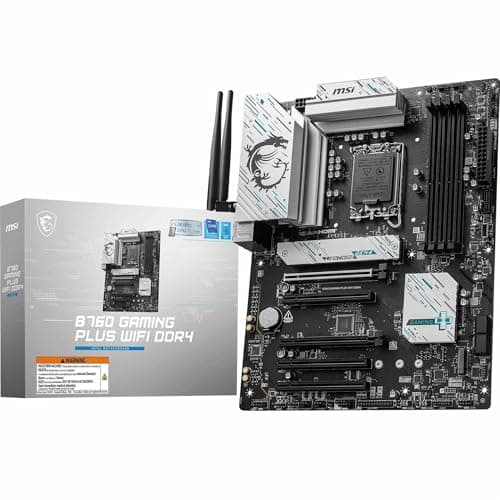
| MSI B760 GAMING PLUS WIFI | B760 | ATX / DDR5 | Check price | ★★★★½ (4.6) |
| MSI B760 GAMING PLUS WIFI DDR4 | B760 | ATX / DDR4 | £134.99 · Details | ★★★★½ (4.5) |
| MSI MAG B760 TOMAHAWK WIFI | B760 | ATX / DDR5 | Check price | ★★★★½ (4.6) |
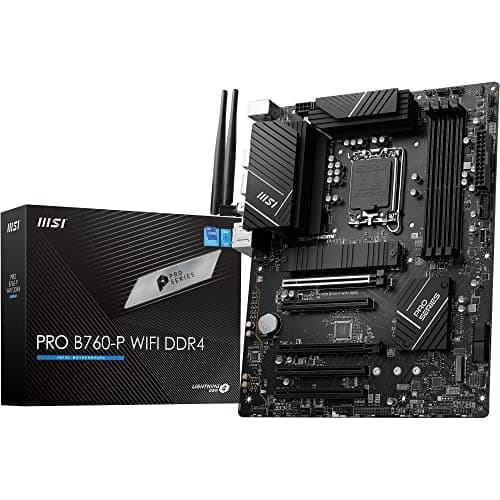
| MSI PRO B760-P WIFI DDR4 | B760 | ATX / DDR4 | £134.99 · Details | ★★★★½ (4.5) |
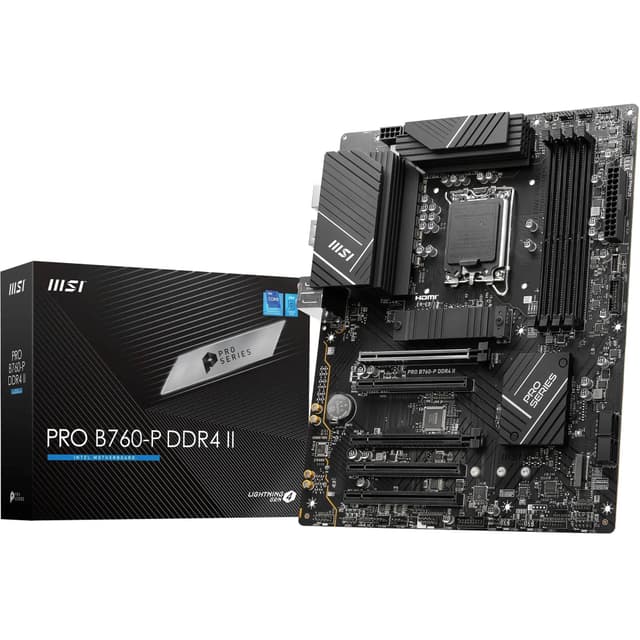
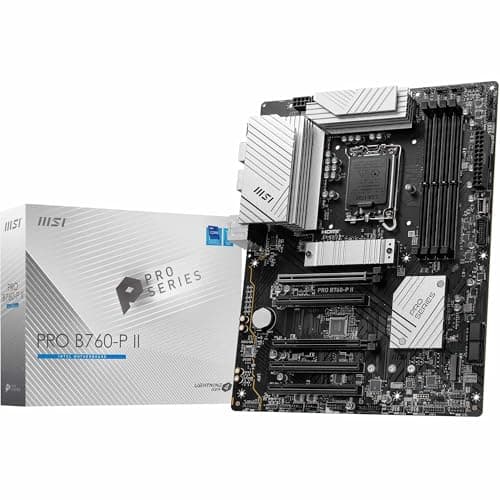
| MSI PRO B760-P II | B760 | ATX / DDR5 | £101.63 · Details | ★★★★½ (4.5) |
Check Today's Prices
Amazon UK prices update frequently. Click below to see live prices for our recommended products.
Check GIGABYTE Z790 AORUS Elite AX Price Check GIGABYTE B760I AORUS PRO PriceCompatibility Guide: Best Motherboards for Intel Core I9 14900 Desktop Processor 24 Cores
Before anything else, let's get the basics sorted. The Intel Core i9-14900 uses the LGA1700 socket, which is the same socket Intel used for 12th and 13th Gen processors. That means you've got a wide range of compatible boards to choose from, including Z790, B760, H770, and even older Z690 and B660 boards (with a BIOS update).
For a 24-core chip like the i9-14900, chipset choice really does matter. Here's a quick breakdown:
| Chipset | CPU Overclocking | PCIe 5.0 M.2 | Max DDR5 Speed (XMP) | USB 3.2 Gen 2x2 |
|---|---|---|---|---|
| Z790 | Yes (BCLK + multiplier) | Yes | 6400+ MHz | Yes |
| B760 | No (XMP/EXPO only) | Some boards | 6800+ MHz (XMP) | Some boards |
| H770 | No | No | Limited | Some boards |
Now, here's the thing: the i9-14900 isn't a K-suffix chip, so it doesn't support full multiplier overclocking anyway. That means B760 boards aren't giving up much compared to Z790 for this specific CPU. What Z790 does offer is more PCIe lanes, more M.2 slots, better VRM designs as a general rule, and more USB connectivity. If you're building a proper workstation or want maximum storage and expansion options, Z790 is worth the extra spend.
VRM quality is the other big factor. The i9-14900 has a 125W base TDP, but under all-core sustained workloads it can pull considerably more. A board with a weak, under-specced VRM will throttle the CPU, costing you the performance you paid for. Look for boards with at least 12 DrMOS phases and proper heatsinks over the VRM area. The boards in this guide all handle the i9-14900 without issue, but there's a clear gap between the budget options and the premium picks in terms of sustained headroom.
Memory compatibility is worth checking too. DDR5 boards running XMP profiles at 6000 MHz or above give the i9-14900 the bandwidth it needs for heavy multitasking and creative workloads. DDR4 boards are cheaper to kit out but cap out at lower bandwidth ceilings. Both work. DDR5 is the better long-term choice.
Who Should Buy What
For Gamers
Priority: High FPS, low latency, PCIe 5.0 GPU support
Recommended: GIGABYTE Z790 AORUS Elite AX
For Creators
Priority: Multitasking, Thunderbolt 4, maximum connectivity
Recommended: ASUS ROG Maximus Z790 Hero
Budget Builders
Priority: Value, essentials only, solid daily performance
Recommended: MSI B760 GAMING PLUS WIFI
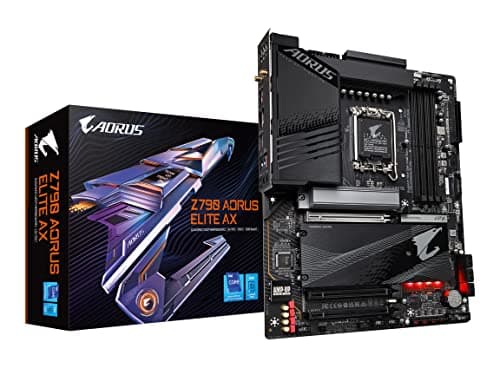
GIGABYTE Z790 AORUS Elite AX (LGA 1700/ Intel Z790/ ATX/ DDR5/ Quad M.2/ PCIe 5.0/ USB 3.2 Gen2X2 Type-C/Intel WiFi 6E/ 2.5GbE LAN/Q-Flash Plus/PCIe EZ-Latch/Gaming Motherboard) - Best Overall
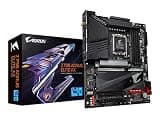
The GIGABYTE Z790 AORUS Elite AX is, frankly, the sweet spot for anyone pairing a board with the i9-14900. You get the full Z790 chipset feature set, including PCIe 5.0 support, quad M.2 slots, and Intel WiFi 6E, at a price that doesn't make your eyes water. The DDR5 support with XMP profiles up to high frequencies gives the i9-14900's 24 cores the memory bandwidth they need. Build quality is solid, the BIOS is well-organised, and Q-Flash Plus makes BIOS updates dead simple without needing a CPU installed first. A genuinely excellent all-rounder.
Pros
- Full Z790 chipset with PCIe 5.0 x16 and PCIe 5.0 M.2 support
- Quad M.2 slots give plenty of fast storage options
- Intel WiFi 6E and 2.5GbE LAN included as standard
Cons
- ATX only, so not suitable for compact builds
- VRM is good but not as beefy as premium Z790 options at higher price points
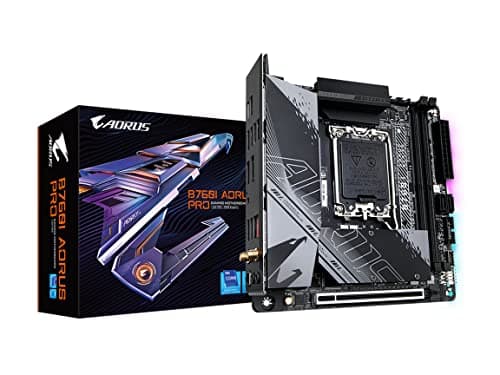
GIGABYTE B760I AORUS PRO (LGA 1700/ Intel/ B760/ Mini-ITX/ DDR5/ Dual M.2/ PCIe 4.0/ USB 3.2 Gen2X2 Type-C/WiFi 6E/ Intel 2.5GbE LAN/Q-Flash Plus/Motherboard) - Runner Up
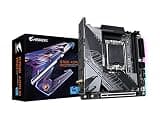
Mini-ITX builds with a 24-core i9-14900? Absolutely possible, and the GIGABYTE B760I AORUS PRO makes it work. This compact board packs DDR5 support, dual M.2 slots, WiFi 6E, and a USB 3.2 Gen 2x2 Type-C port into a tiny footprint. The B760 chipset means no CPU overclocking, but the i9-14900 isn't an unlocked chip anyway so that's no real loss. Thermal management in a small case will need attention, but the board itself handles the CPU's power demands respectably. If a small form factor build is the goal, this is the one to pick.
Pros
- Mini-ITX form factor opens up a wide range of compact cases
- DDR5 support with WiFi 6E and 2.5GbE LAN despite small size
- USB 3.2 Gen 2x2 Type-C is a welcome addition at this size
Cons
- Only dual M.2 slots compared to quad on the Z790 AORUS Elite AX
- Thermal headroom in small cases can be tricky with a 24-core CPU
ASUS ROG Maximus Z790 Hero (WiFi 6E) LGA 1700(Intel®13th&12th Gen) ATX Gaming Motherboard(PCIe 5.0,DDR5,20+1power Stages,2.5Gb LAN, Bluetooth V5.2,2X Thunderbolt 4 Ports,5xM.2, Thunderbolt™ 4/USB4) - Premium Pick

If money is no object, the ASUS ROG Maximus Z790 Hero is the board to get. A 20+1 power stage VRM means the i9-14900 gets rock-solid, clean power under even the most brutal sustained workloads. Five M.2 slots, dual Thunderbolt 4 ports, USB4, PCIe 5.0, and WiFi 6E make this a connectivity powerhouse. It's built for professionals who need absolute stability and maximum expansion. The price is steep, no question about it. But for video editors, 3D artists, and anyone running the i9-14900 at its limits all day, this board earns every penny.
Pros
- 20+1 power stages deliver exceptional VRM performance for sustained loads
- Dual Thunderbolt 4 ports and USB4 for professional peripherals and fast storage
- Five M.2 slots offer outstanding storage expansion
Cons
- Very high price makes it hard to justify unless you genuinely need every feature
- Overkill for gaming-only builds where simpler boards perform identically in-game
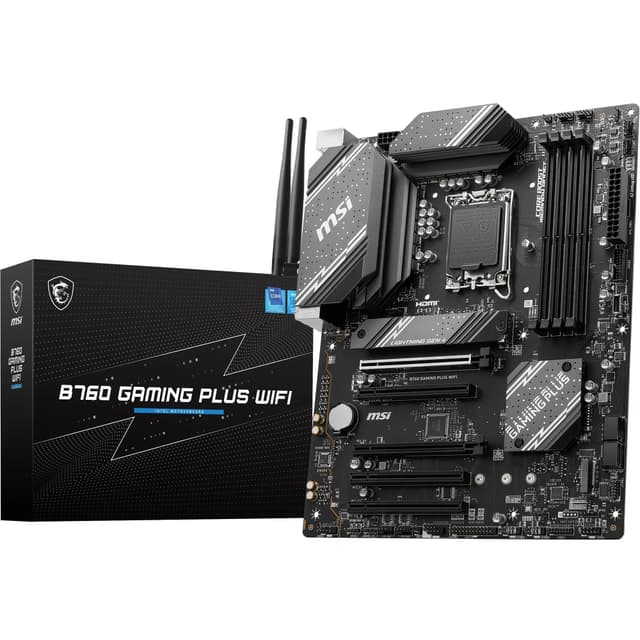
MSI B760 GAMING PLUS WIFI Motherboard, ATX - Supports Intel 14th, 13th & 12th Gen Core Processors, LGA 1700 - DDR5 Memory Boost 6800+MHz/OC, 2 x PCIe 4.0 x16, 2 x M.2 Gen4, 2.5G LAN, Wi-Fi 6E - Best Value

The MSI B760 GAMING PLUS WIFI DDR5 is a proper decent budget option for the i9-14900. DDR5 memory support with XMP boosts up to 6800 MHz means you're not compromising on memory performance, and the inclusion of WiFi 6E and 2.5G LAN is genuinely impressive at this price. You get two M.2 Gen4 slots and two PCIe 4.0 x16 slots, which covers most build scenarios without issue. MSI's BIOS is well-regarded and easy to navigate. A sensible, no-fuss choice for builders who want solid fundamentals without the premium price tag.
Pros
- DDR5 with 6800+ MHz XMP support at a very competitive price
- WiFi 6E and 2.5G LAN included as standard
- Reliable MSI BIOS with good 14th Gen support
Cons
- Only two M.2 slots may feel limiting in storage-heavy builds
- B760 chipset means no CPU multiplier overclocking
MSI B760 GAMING PLUS WIFI DDR4 Motherboard, ATX - Supports Intel 14th, 13th & 12th Gen Core Processors, LGA 1700 - DDR4 Memory Boost 5333+MHz/OC, 1x PCIe 4.0 x16, 2 x M.2 Gen4, 2.5G LAN, Wi-Fi 6E - Best Budget

Already sitting on a pile of DDR4 RAM? The MSI B760 GAMING PLUS WIFI DDR4 lets you pair the i9-14900 with existing DDR4 kits and still get WiFi 6E, 2.5G LAN, and dual M.2 Gen4 slots. Memory speeds up to 5333 MHz via XMP keep things competitive. It's not the most exciting board on this list, but it does exactly what it says on the tin. For builders upgrading from an older platform who want to reuse their RAM, this is the most cost-effective route into an i9-14900 build without buying new memory.
Pros
- DDR4 compatibility lets you reuse existing memory kits
- WiFi 6E and 2.5G LAN at a budget-friendly price
- Dual M.2 Gen4 slots for fast NVMe storage
Cons
- DDR4 limits peak memory bandwidth compared to DDR5 alternatives
- Only one PCIe 4.0 x16 slot at full bandwidth
MSI MAG B760 TOMAHAWK WIFI Motherboard, ATX - Supports Intel 14th, 13th & 12th Gen Core Processors, LGA 1700-75A DrMOS VRM, DDR5 Memory Boost 7000+MHz/OC, PCIe 5.0 x16, M.2 Gen4, Wi-Fi 6E

The MAG B760 TOMAHAWK WIFI is a mid-range B760 board that punches a bit above its weight. The 75A DrMOS VRM is notably better than what you'd find on cheaper B760 options, making it a more comfortable pairing with the i9-14900 under sustained workloads. DDR5 memory support reaches 7000+ MHz via XMP, and the PCIe 5.0 x16 slot keeps you ready for next-generation graphics cards. WiFi 6E is on board too. It's a sensible step up from the entry-level B760 options if you want better power delivery without jumping all the way to Z790 pricing.
Pros
- 75A DrMOS VRM provides better sustained power delivery than budget B760 boards
- PCIe 5.0 x16 slot for future GPU compatibility
- DDR5 support up to 7000+ MHz via XMP
Cons
- Fewer M.2 slots than Z790 alternatives at a similar price
- No Thunderbolt or USB4 connectivity
MSI PRO B760-P WIFI DDR4 Motherboard, ATX - Supports Intel 14th, 13th & 12th Gen Core Processors, LGA 1700 - DDR4 Memory Boost 5333+MHz/OC, PCIe 4.0 x16 Slots, M.2 Gen4 Slots, 2.5G LAN, Wi-Fi 6E

The MSI PRO B760-P WIFI DDR4 is aimed squarely at the professional and office segment, with a clean aesthetic and a no-frills feature set. DDR4 support, WiFi 6E, 2.5G LAN, and M.2 Gen4 slots cover the basics well. It's not a gaming board and it doesn't pretend to be. But for a workstation build where you want reliability and a tidy look without RGB distractions, it does the job. The i9-14900 will run fine here for everyday workloads, though heavy sustained all-core tasks will push the more modest VRM harder than on premium alternatives.
Pros
- Clean professional aesthetic suits office and workstation builds
- WiFi 6E and 2.5G LAN at a competitive price point
- Good MSI BIOS support for 14th Gen Intel processors
Cons
- DDR4 platform limits future memory upgrade potential
- VRM less suited to heavy all-core sustained workloads
MSI PRO B760-P II Motherboard, ATX - Supports Intel Core 14th, 13th and 12th Gen Processors, LGA 1700 - DDR5 Memory Boost 7000+MHz/OC, PCIe 4.0 x16 Slots, M.2 Gen4 Slots, 2.5G LAN

The MSI PRO B760-P II is the DDR5 successor to the PRO B760-P WIFI DDR4, and it's a meaningful upgrade in terms of memory platform. DDR5 support up to 7000+ MHz via XMP gives the i9-14900 noticeably better memory bandwidth than its DDR4 sibling. The board keeps the same clean professional look, with 2.5G LAN and M.2 Gen4 slots. Note that this model drops WiFi compared to the DDR4 version, which is a bit annoying if wireless connectivity matters to you. But for a wired workstation build on a tight budget, it's a perfectly adequate DDR5 entry point.
Pros
- DDR5 platform with 7000+ MHz XMP support for improved memory bandwidth
- Clean professional design with 2.5G LAN
- M.2 Gen4 slots for fast NVMe storage
Cons
- No WiFi included, unlike some competing boards at this price
- Fewer reviews than other MSI boards, so long-term reliability data is still building
Understanding VRM Quality and Why It Matters for the i9-14900
VRM stands for Voltage Regulator Module. It's the circuit on your motherboard responsible for converting the power from your PSU into the clean, stable voltage your CPU actually needs. And for a 24-core chip like the i9-14900, this matters a lot.
Here's the thing: the i9-14900 has a 125W base TDP, but Intel's power management allows it to draw considerably more during boost states. Under a sustained all-core workload, like video encoding or 3D rendering, the CPU can pull well over 200W if the board lets it. A VRM with too few phases, or low-quality MOSFETs, will heat up under that load and start throttling the CPU to protect itself. That throttling directly costs you performance.
Phase count is one part of the story. More phases spread the load across more components, reducing heat per phase. But quality matters just as much. DrMOS MOSFETs, which integrate the high-side FET, low-side FET, and driver into a single package, are far more efficient than older discrete designs. The current rating per phase (measured in amps) tells you how much headroom each phase has.
For the i9-14900 specifically, a 12-phase or higher DrMOS VRM is the sensible minimum for sustained workloads. The ASUS ROG Maximus Z790 Hero's 20+1 stage design is overkill for most users but genuinely useful for all-day professional rendering. The MSI MAG B760 TOMAHAWK WIFI's 75A DrMOS VRM hits a good middle ground. Budget B760 boards will handle the i9-14900 fine for gaming and mixed workloads, but push them with prolonged all-core encoding and you may see some thermal throttling.
For a deeper technical breakdown of LGA1700 platform VRM design, Tom's Hardware publishes detailed motherboard reviews with full VRM analysis. And for official chipset specifications, the Intel product page for the i9-14900 lists full TDP and power delivery specs.
Common Mistakes to Avoid
- Buying a Z790 board purely for overclocking: The i9-14900 is not a K-suffix CPU and doesn't support multiplier overclocking. Z790 is still worth it for features and VRM quality, but don't buy it expecting to push clock speeds beyond Intel's boost limits.
Instead: Choose Z790 for PCIe lanes, M.2 slots, and connectivity features rather than overclocking headroom. - Ignoring VRM specs on budget boards: Some very cheap B760 boards have weak VRMs that will throttle the i9-14900 under sustained all-core loads, costing you the performance you paid for.
Instead: Check for DrMOS phase count and amperage ratings before buying. The MSI MAG B760 TOMAHAWK WIFI is a good example of a budget-adjacent board with a properly specced VRM. - Mixing up DDR4 and DDR5 boards: DDR4 and DDR5 RAM are physically incompatible. Buying a DDR5 board with DDR4 sticks (or vice versa) means nothing works.
Instead: Confirm your RAM type before buying the motherboard. If you're buying new RAM anyway, DDR5 is the better long-term investment. - Skipping the BIOS update check: Some older board revisions may need a BIOS update before they recognise 14th Gen CPUs. Without a BIOS update, the system simply won't post.
Instead: Check the manufacturer's CPU support list for your specific board revision. Features like Q-Flash Plus (Gigabyte) let you update BIOS without a working CPU installed.
Final Verdict: Best Motherboards for Intel Core I9 14900 Desktop Processor 24 Cores
After comparing all eight options, the GIGABYTE Z790 AORUS Elite AX stands out as the best overall pick for the i9-14900. It delivers full Z790 features, quad M.2 slots, PCIe 5.0, WiFi 6E, and solid DDR5 support at a price that makes real sense. For Mini-ITX builds, the GIGABYTE B760I AORUS PRO is the one to get. Professionals who need Thunderbolt 4 and maximum stability should look at the ASUS ROG Maximus Z790 Hero. And if budget is tight, the MSI B760 GAMING PLUS WIFI gives you the essentials without the premium price. Whatever your build, finding the best motherboards for Intel Core i9 14900 desktop processor 24 cores comes down to matching your specific needs to the right chipset and feature set.
Our #1 Pick: GIGABYTE Z790 AORUS Elite AX (LGA 1700/ Intel Z790/ ATX/ DDR5/ Quad M.2/ PCIe 5.0/ USB 3.2 Gen2X2 Type-C/Intel WiFi 6E/ 2.5GbE LAN/Q-Flash Plus/PCIe EZ-Latch/Gaming Motherboard)
- Top Rated: Best-reviewed pairing in this guide
- Amazon 30-Day Returns: Not happy? Return it hassle-free
- Prime Delivery: Get it delivered fast
Affiliate Disclosure: Vivid Repairs participates in the Amazon Associates Programme. We earn from qualifying purchases at no extra cost to you. This doesn't influence our recommendations.






