




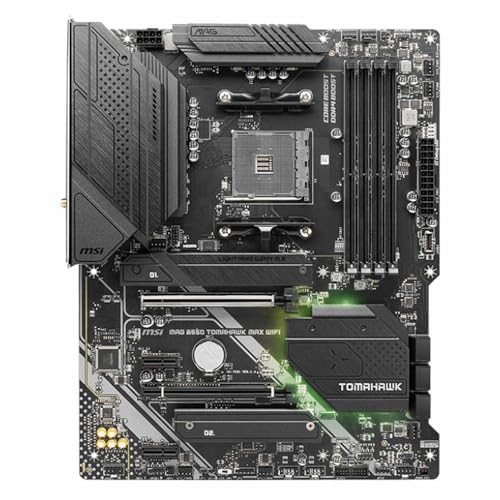
If you're hunting for the best motherboards for AMD Ryzen 7 5800 XT processor, you've come to the right place. The 5800 XT is a cracking 8-core, 16-thread chip with a 105W TDP and up to 4.8 GHz boost, and it deserves a board that won't hold it back. The AM4 platform gives you a good range of options across B550 and X570 chipsets, from budget-friendly workhorses to feature-packed enthusiast boards. We've done the research so you don't have to.
Key Takeaways
- The Ryzen 7 5800 XT uses the AM4 socket and works with both B550 and X570 chipset motherboards
- B550 boards offer the best value for most users, with PCIe 4.0 support and solid VRM quality
- The ASUS TUF Gaming B550-PLUS (WI-FI) is our top pick for its balance of features and price
- X570 boards like the MSI MEG ACE offer more PCIe lanes and USB, but cost significantly more
- Always check your board supports Ryzen 5000 series before buying, or confirm a BIOS update is available
| Product | Chipset | Key Feature | Price | Rating |
|---|---|---|---|---|
| ASUS TUF Gaming B550-PLUS (WI-FI), AMD B550 (Ryzen AM4) ATX motherboard (PCIe 4.0, dual M.2, 10 DrMOS, DDR4 4400, Intel® WiFi 6, 2.5 Gb Ethernet, HDMI, DisplayPort, USB 3.2 Gen 2 Type-A and Type-C) | AMD B550 | 10 DrMOS, WiFi 6, 2.5Gb LAN | £118.99 · Details | ★★★★☆ (4.3) |
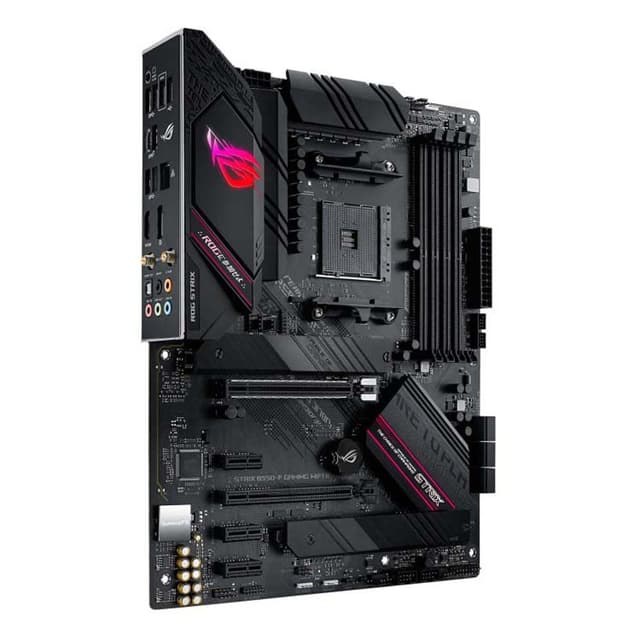
| ASUS ROG STRIX B550-F GAMING WIFI II ATX Motherboard Socket AM4 AMD B550 Chipset -90MB19V0-M0EAY0 | AMD B550 | WiFi 6, 2.5Gb LAN, USB 3.2 Gen 2 | Check price | ★★★★½ (4.6) |
| ASUS ROG STRIX B550-F GAMING (Wi-Fi) AMD Ryzen AM4 ATX motherboard (PCIe® 4.0, 14 power stages, WiFi 6, 2.5 Gb Ethernet, dual M.2, ASUS OptiMem II, AI Noise-Canceling MIC, USB 3.2 Gen 2 and Aura Sync) | AMD B550 | 14 Power Stages, AI Noise-Canceling MIC | £199.99 · Details | ★★★★½ (4.7) |
| Gigabyte B550 AORUS ELITE AX V2 Motherboard - Supports AMD Ryzen 5000 Series AM4 CPUs, 12+2 Phases Digital Twin Power Design, up to 4733MHz DDR4 (OC), 2xPCIe 3.0 M.2, WiFi 6E, 2.5GbE LAN, USB 3.2 Gen1 | AMD B550 | 12+2 Phase VRM, WiFi 6E | Check price | ★★★★½ (4.6) |
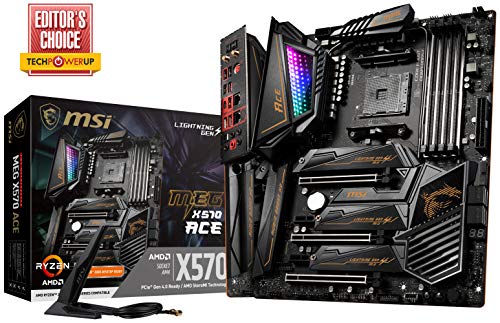
| MSI MEG ACE AMD X570 AM4 DDR4 ATX Motherboard | AMD X570 | Premium X570, High-End VRM | Check price | ★★★★½ (4.6) |
| Asus Prime X570-Pro Ryzen 3 AM4 with PCIe Gen4, Dual M.2 HDMI, SATA 6GB/s USB 3.2 Gen 2 ATX Motherboard | AMD X570 | PCIe Gen4, Dual M.2, USB 3.2 Gen 2 | Check price | ★★★★½ (4.6) |
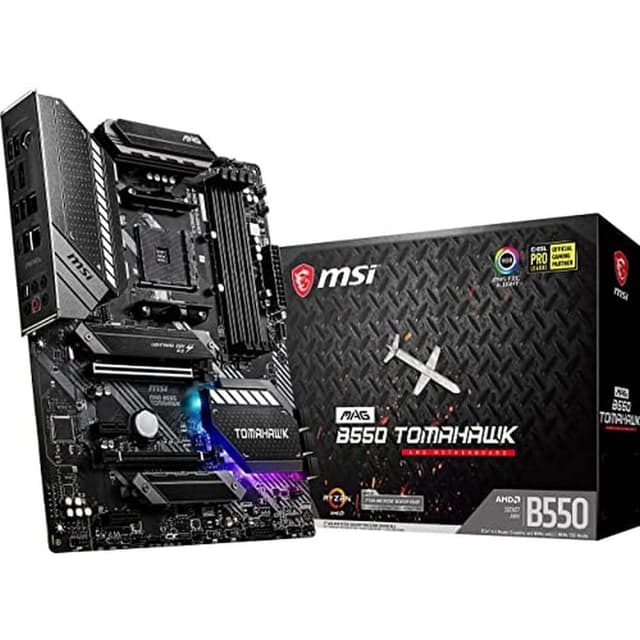
| MSI MAG B550 TOMAHAWK Motherboard ATX - Supports AMD Ryzen 3rd Gen Processors, AM4, DDR4 Boost (4866MHz/OC), 1 x PCIe 4.0 x16, 1 x PCIe 3.0 x16, 2 x M.2, HDMI, 2.5G LAN | AMD B550 | PCIe 4.0, 2.5G LAN, Dual M.2 | Check price | ★★★★½ (4.6) |
| MSI MAG B550 TOMAHAWK MAX WIFI Motherboard, ATX, AM4 - AMD Ryzen 5000 Ready - DDR4 Boost 5100+MHz/OC, PCIe 4.0 & 3.0 x16 Slots, M.2 Gen4 & Gen3 Slots, 2.5G LAN, Wi-Fi 6E, Bluetooth 5.2 | AMD B550 | WiFi 6E, DDR4 5100+ OC, BT 5.2 | Check price | ★★★★½ (4.5) |
Check Today's Prices
Amazon UK prices update frequently. Click below to see live prices for our recommended products.
Check ASUS TUF Gaming B550-PLUS (WI-FI), AMD B550 (Ryzen AM4) ATX motherboard (PCIe 4.0, dual M.2, 10 DrMOS, DDR4 4400, Intel® WiFi 6, 2.5 Gb Ethernet, HDMI, DisplayPort, USB 3.2 Gen 2 Type-A and Type-C) Price Check availability Check ASUS ROG STRIX B550-F GAMING (Wi-Fi) AMD Ryzen AM4 ATX motherboard (PCIe® 4.0, 14 power stages, WiFi 6, 2.5 Gb Ethernet, dual M.2, ASUS OptiMem II, AI Noise-Canceling MIC, USB 3.2 Gen 2 and Aura Sync) PriceCompatibility Guide: Best Motherboards for AMD Ryzen 7 5800 XT Processor
The Ryzen 7 5800 XT sits firmly in AMD's AM4 ecosystem, which means you're looking at B550 or X570 chipset boards for the best experience. The chip draws 105W at its rated TDP, so VRM quality genuinely matters here. Underpowered boards with weak power delivery will throttle the CPU under sustained loads, especially if you're running Precision Boost Overdrive (PBO).
Here's the chipset breakdown you need to know:
| Feature | AMD B550 | AMD X570 |
|---|---|---|
| PCIe 4.0 (CPU lanes) | Yes | Yes |
| PCIe 4.0 (Chipset lanes) | No (PCIe 3.0) | Yes |
| USB 3.2 Gen 2 ports | Up to 2 | Up to 8 |
| Chipset fan required | Usually no | Often yes |
| Overclocking support | Yes (PBO + manual) | Yes (PBO + manual) |
| Price range | Lower | Higher |
For the Ryzen 7 5800 XT, B550 is the sweet spot for most people. You get PCIe 4.0 on the primary x16 slot (direct from the CPU), dual M.2 slots on most boards, and WiFi 6 or 6E on the better models. That covers gaming, content creation, and everyday use without paying a premium for X570 features you might never use. If you're weighing options beyond AM4, our wider guide to the best motherboards compares picks across AMD and Intel platforms.
That said, X570 makes sense if you need multiple PCIe 4.0 M.2 slots, a stack of USB ports, or you're building a workstation that demands maximum bandwidth. If you're considering a fresh platform instead, our review of the newer B850 chipset boards is worth a look. The MSI MEG ACE and ASUS Prime X570-Pro both fit that profile.
One thing to double-check before buying: Ryzen 5000 series support on older boards. Most B550 boards shipped after 2021 have the right BIOS pre-installed, but some older stock may need a BIOS flash. ASUS, MSI, and Gigabyte all have clear support pages listing which BIOS version adds Ryzen 5000 compatibility. Check the ASUS UK motherboard support page or Tom's Hardware for detailed chipset comparisons before you commit.
RAM speed is worth a mention too. The 5800 XT's Infinity Fabric runs at half your memory speed, so DDR4-3600 (giving a 1:1 fabric ratio) is the sweet spot. Push beyond DDR4-4000 and you may hit instability unless your board and memory kit are properly validated together.
Who Should Buy What
For Gamers
Priority: High FPS, low latency, PCIe 4.0 GPU slot
Recommended: ASUS TUF Gaming B550-PLUS (WI-FI)
For Creators
Priority: Multitasking, USB bandwidth, stable power delivery
Recommended: ASUS ROG STRIX B550-F GAMING (Wi-Fi)
Budget Builders
Priority: Value, essentials covered, WiFi included
Recommended: MSI MAG B550 TOMAHAWK MAX WIFI
ASUS TUF Gaming B550-PLUS (WI-FI), AMD B550 (Ryzen AM4) ATX motherboard (PCIe 4.0, dual M.2, 10 DrMOS, DDR4 4400, Intel® WiFi 6, 2.5 Gb Ethernet, HDMI, DisplayPort, USB 3.2 Gen 2 Type-A and Type-C) - Best Overall

The ASUS TUF Gaming B550-PLUS (WI-FI) is our top pick when searching for the best motherboards for AMD Ryzen 7 5800 XT processor, and it's not a close call. Ten DrMOS power stages deliver clean, stable power to the 5800 XT's eight cores without breaking a sweat. You get WiFi 6, 2.5Gb Ethernet, dual M.2 slots, and USB 3.2 Gen 2 on both Type-A and Type-C. The TUF branding isn't just for show either. Military-grade capacitors and solid build quality make this a proper long-term investment. See our full ASUS TUF Gaming B550-PLUS review for the complete breakdown.
Pros
- 10 DrMOS power stages handle 105W TDP with headroom to spare
- WiFi 6 and 2.5Gb LAN for fast wired and wireless connectivity
- USB 3.2 Gen 2 Type-C on the rear IO
Cons
- No integrated 10GbE for network-heavy workstation use
- Chipset limited to PCIe 3.0 on secondary slots
ASUS ROG STRIX B550-F GAMING WIFI II ATX Motherboard Socket AM4 AMD B550 Chipset -90MB19V0-M0EAY0 - Runner Up

The ROG STRIX B550-F GAMING WIFI II is the updated version of one of ASUS's most popular mid-range boards, and it's a proper strong runner-up for the 5800 XT. It brings WiFi 6, 2.5Gb LAN, and USB 3.2 Gen 2 connectivity in a clean package. The VRM setup is solid enough for the 5800 XT's 105W draw, and ASUS's BIOS is genuinely one of the better ones to navigate. It sits in a competitive price bracket too. We covered the details in our ASUS ROG STRIX B550-F GAMING WIFI II review.
Pros
- Updated design with improved power delivery over the original
- WiFi 6 and 2.5Gb Ethernet as standard
- Excellent ASUS BIOS for easy tuning
Cons
- Slightly pricier than the TUF for similar core features
- ROG branding adds cost some budget builders won't want to pay
ASUS ROG STRIX B550-F GAMING (Wi-Fi) AMD Ryzen AM4 ATX motherboard (PCIe® 4.0, 14 power stages, WiFi 6, 2.5 Gb Ethernet, dual M.2, ASUS OptiMem II, AI Noise-Canceling MIC, USB 3.2 Gen 2 and Aura Sync) - Premium Pick
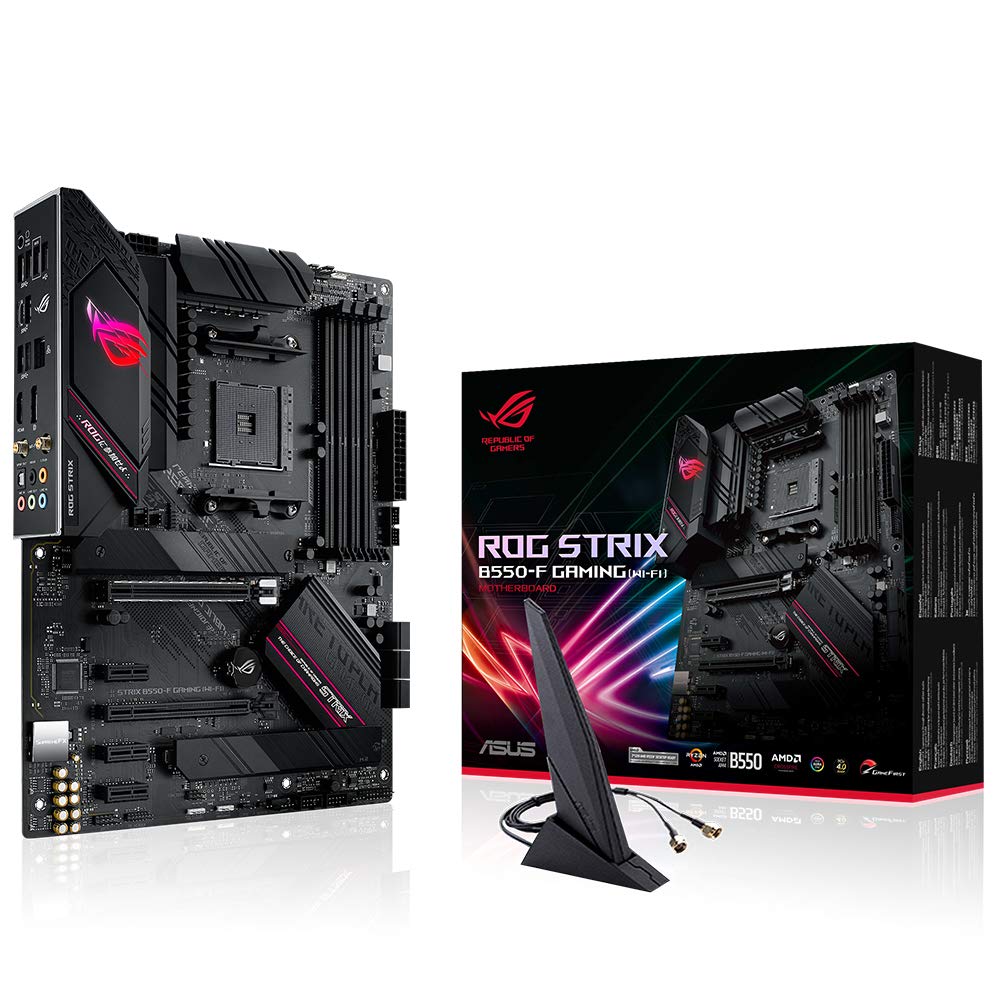
If you want the most feature-rich B550 board for the 5800 XT, the original ROG STRIX B550-F GAMING (Wi-Fi) still delivers. Fourteen power stages is genuinely impressive for a B550 board, giving you real headroom for PBO and manual overclocking. The AI Noise-Canceling MIC is a nice touch for streamers, and ASUS OptiMem II helps squeeze better performance from your RAM. Aura Sync RGB keeps things looking sharp too. It's the go-to for content creators who want a capable board without jumping to X570. Full details in our ASUS ROG STRIX B550-F GAMING review.
Pros
- 14 power stages, the strongest VRM in the B550 lineup here
- AI Noise-Canceling MIC for streaming and calls
- ASUS OptiMem II for better memory compatibility and tuning
Cons
- Priced higher than most B550 alternatives
- The WIFI II version is newer and arguably better value now
Gigabyte B550 AORUS ELITE AX V2 Motherboard - Supports AMD Ryzen 5000 Series AM4 CPUs, 12+2 Phases Digital Twin Power Design, up to 4733MHz DDR4 (OC), 2xPCIe 3.0 M.2, WiFi 6E, 2.5GbE LAN, USB 3.2 Gen1 - Best Value

Gigabyte's B550 AORUS ELITE AX V2 punches well above its price tag. The 12+2 phase Digital Twin Power Design is genuinely well-engineered, handling the 5800 XT's 105W TDP without thermal throttling. WiFi 6E is a standout feature at this price, giving you access to the 6GHz band for lower latency wireless. DDR4 up to 4733MHz OC means there's room to play with memory speeds too. It's one of the best value propositions in this whole guide. Read more in our Gigabyte B550 AORUS ELITE AX V2 review.
Pros
- WiFi 6E included, ahead of most competitors at this price
- 12+2 phase power design is genuinely capable for the 5800 XT
- Gigabyte's EasyTune software is straightforward to use
Cons
- M.2 slots are PCIe 3.0, not 4.0
- USB 3.2 Gen 1 only on rear IO, no Gen 2
MSI MEG ACE AMD X570 AM4 DDR4 ATX Motherboard
The MSI MEG ACE is the high-end option in this guide. X570 chipset means full PCIe 4.0 across both CPU and chipset lanes, so if you're running multiple NVMe drives or a PCIe 4.0 capture card alongside your GPU, this is the board for it. The VRM setup is exceptional, built for sustained heavy loads well beyond what the 5800 XT demands. It's overkill for most gaming builds, but for a workstation or a future-proof enthusiast rig, it's hard to fault. Check our MSI MEG ACE X570 review for the full picture.
Pros
- Full X570 PCIe 4.0 chipset lanes for maximum bandwidth
- Exceptional VRM quality for heavy workloads and overclocking
- Premium build quality throughout
Cons
- Very expensive, significantly more than B550 alternatives
- Chipset fan can be audible under load
Asus Prime X570-Pro Ryzen 3 AM4 with PCIe Gen4, Dual M.2 HDMI, SATA 6GB/s USB 3.2 Gen 2 ATX Motherboard

The ASUS Prime X570-Pro is the more approachable X570 option, sitting below the MEG ACE in price while still delivering the full X570 feature set. PCIe Gen4 on both primary slots, dual M.2, HDMI, and USB 3.2 Gen 2 are all present. It's a cleaner, less flashy board than the ROG alternatives, which suits builders who want X570 capability without the gamer aesthetic. The VRM is solid for the 5800 XT, and ASUS's BIOS is as good as ever. See our ASUS Prime X570-Pro review for the detailed breakdown.
Pros
- Full X570 chipset with PCIe Gen4 across CPU and chipset lanes
- Clean, professional aesthetic without excessive RGB
- ASUS's excellent BIOS and software ecosystem
Cons
- Pricier than B550 alternatives with similar real-world performance for gaming
- No built-in WiFi on this model
MSI MAG B550 TOMAHAWK Motherboard ATX - Supports AMD Ryzen 3rd Gen Processors, AM4, DDR4 Boost (4866MHz/OC), 1 x PCIe 4.0 x16, 1 x PCIe 3.0 x16, 2 x M.2, HDMI, 2.5G LAN

The MSI MAG B550 TOMAHAWK earned a loyal following for good reason. It's a no-nonsense ATX board with a strong VRM, 2.5G LAN, and PCIe 4.0 on the primary slot. DDR4 support up to 4866MHz OC gives you flexibility with memory kits. notably, this model doesn't include built-in WiFi, so factor in a PCIe or USB WiFi adapter if you need wireless. But if you're running wired Ethernet, this is a proper decent board at a fair price. Full details in our MSI MAG B550 TOMAHAWK review.
Pros
- Strong VRM for reliable power delivery to the 5800 XT
- 2.5G LAN for fast wired networking
- PCIe 4.0 primary slot for the latest GPUs and NVMe drives
Cons
- No built-in WiFi, unlike the MAX WIFI version
- Priced higher than the MAX WIFI variant in current listings
MSI MAG B550 TOMAHAWK MAX WIFI Motherboard, ATX, AM4 - AMD Ryzen 5000 Ready - DDR4 Boost 5100+MHz/OC, PCIe 4.0 & 3.0 x16 Slots, M.2 Gen4 & Gen3 Slots, 2.5G LAN, Wi-Fi 6E, Bluetooth 5.2 - Best Budget

The TOMAHAWK MAX WIFI is the upgraded version of the classic Tomahawk, and it's arguably the better buy right now. WiFi 6E and Bluetooth 5.2 are included out of the box, DDR4 support goes up to 5100MHz OC, and you get both PCIe 4.0 and Gen4 M.2. It's Ryzen 5000 Ready certified too, so no BIOS flashing faff needed. For builders who want WiFi included without spending big, this is the one. Read the full breakdown in our MSI MAG B550 TOMAHAWK MAX WIFI review.
Pros
- WiFi 6E and Bluetooth 5.2 included at a budget-friendly price
- M.2 Gen4 slot for fast NVMe storage
- Ryzen 5000 Ready, no BIOS update needed
Cons
- Slightly lower review score than the premium options in this guide
- VRM not quite as beefy as the TUF or ROG alternatives
Understanding VRM and Why Phase Count Matters for the Ryzen 7 5800 XT
VRM stands for Voltage Regulator Module. It's the part of the motherboard responsible for converting the power from your PSU into the clean, stable voltage your CPU actually needs. Think of it as the power conditioner between your wall socket and your processor's cores.
Phase count refers to how many individual power delivery circuits are working together. More phases means the load is spread across more components, which reduces heat per phase and allows for more stable voltage delivery. For a chip like the Ryzen 7 5800 XT with a 105W TDP and eight cores all capable of boosting simultaneously, this genuinely matters.
A board with four or six phases might handle the 5800 XT at stock settings, but push PBO or run sustained heavy workloads and you'll see temperatures on those VRM components climb. Throttling can follow. The boards in this guide range from solid 10-phase setups (the TUF Gaming B550-PLUS) up to 14 phases (the ROG STRIX B550-F GAMING), which gives you proper headroom.
DrMOS (Driver MOSFET) is the type of component used in higher-quality VRM designs. Each DrMOS package integrates the high-side MOSFET, low-side MOSFET, and gate driver into a single component. The result is better efficiency, lower heat output, and more compact board design. When you see a board advertised with DrMOS phases, that's a sign the manufacturer is using quality power delivery components rather than cheaper discrete solutions.
The bottom line: for the 5800 XT, aim for at least 8 to 10 power stages with DrMOS components. All eight boards in this guide meet that threshold, which is why we included them.
Common Mistakes to Avoid
- Buying a board without checking Ryzen 5000 BIOS support: Some older B550 stock still ships with BIOS versions that don't support Ryzen 5000 series. Always verify the board is listed as Ryzen 5000 Ready or confirm a BIOS update path exists.
Instead: Check the manufacturer's product page for the Ryzen 5000 Ready badge, or look up the minimum BIOS version required. - Ignoring VRM quality and buying on chipset alone: A cheap X570 board can have a worse VRM than a good B550 board. The chipset tier doesn't guarantee power delivery quality.
Instead: Check phase count and component quality (DrMOS vs discrete MOSFETs) before deciding between chipsets. - Assuming all M.2 slots are PCIe 4.0: On B550 boards, the chipset-connected M.2 slots are often PCIe 3.0. Only the CPU-connected slot gets PCIe 4.0 bandwidth.
Instead: Check the board's spec sheet and identify which M.2 slot connects directly to the CPU before installing your fastest NVMe drive. - Setting RAM too high without checking stability: DDR4-4000+ can cause Infinity Fabric instability on Ryzen 5000 chips. The 1:1 ratio breaks above that speed on most chips.
Instead: Start at DDR4-3600 with XMP enabled. It's the proven sweet spot for Ryzen 5000 and delivers the best real-world performance.
Final Verdict: Best Motherboards for AMD Ryzen 7 5800 XT Processor
When it comes to the best motherboards for AMD Ryzen 7 5800 XT processor, the ASUS TUF Gaming B550-PLUS (WI-FI) is the one most people should buy. Ten DrMOS phases, WiFi 6, 2.5Gb LAN, USB 3.2 Gen 2 Type-C, and dual M.2 slots cover everything the 5800 XT needs without unnecessary cost. If you want more VRM headroom for heavy overclocking, step up to the ROG STRIX B550-F GAMING (Wi-Fi) with its 14 power stages. On a tight budget, the MSI MAG B550 TOMAHAWK MAX WIFI delivers WiFi 6E and solid specs at the lowest price in this guide. And if you genuinely need X570's extra lanes, the MSI MEG ACE is the top-end choice. There's a proper option here for every type of build.
Our #1 Pick: ASUS TUF Gaming B550-PLUS (WI-FI), AMD B550 (Ryzen AM4) ATX motherboard (PCIe 4.0, dual M.2, 10 DrMOS, DDR4 4400, Intel® WiFi 6, 2.5 Gb Ethernet, HDMI, DisplayPort, USB 3.2 Gen 2 Type-A and Type-C)
- Top Rated: Best-reviewed pairing in this guide
- Amazon 30-Day Returns: Not happy? Return it hassle-free
- Prime Delivery: Get it delivered fast
Affiliate Disclosure: Vivid Repairs participates in the Amazon Associates Programme. We earn from qualifying purchases at no extra cost to you. This doesn't influence our recommendations.





