There's a certain kind of PC builder who doesn't want to compromise. They want the best VRM, the most M.2 slots, USB4 as standard, and a BIOS that doesn't make them want to throw the board out the window. The ASUS ROG Crosshair X870E Hero is built for exactly that person. And honestly? Based on everything the spec sheet, the verified owner feedback from 350 averaging ★★★★☆ (4.2), and comparison to the competition adds up to, this board earns its place at the top of the AMD AM5 food chain.
The verdict is this: if you're pairing a Ryzen 9000 series processor with a next-gen GPU and you want a platform that won't be the bottleneck for the next five years, the Crosshair X870E Hero is one of the best boards you can buy. It's not cheap. Nothing this capable is. But in the premium X870E bracket, it's genuinely hard to argue against. The power delivery is serious, the connectivity is excellent, and ASUS's BIOS, while it has its quirks, is miles ahead of what most competitors ship. More on all of that below.
Core Specifications
The Crosshair X870E Hero is an ATX form factor board on the AMD AM5 socket, running the X870E chipset. It supports AMD Ryzen 9000, 8000, and 7000 series desktop processors, which gives it a genuinely useful compatibility window. Five M.2 slots total, three of which are PCIe 5.0 and two PCIe 4.0, all with cooling solutions fitted. Two PCIe 5.0 x16 SafeSlots for graphics. Dual USB4 Type-C ports on the rear. Wi-Fi 7. Intel 2.5Gb and Realtek 5Gb Ethernet, both onboard. That's a lot of spec to absorb in one go, so here's the table.
The power delivery is the 18+2+2 stage configuration using 110A MOSFETs throughout. That's not a marketing number padded with doublers, that's 22 real stages with serious current handling. For context, most boards in this bracket ship with fewer stages or lower-rated MOSFETs, so this is a genuine differentiator. The heatsink arrangement integrates with the I/O cover and uses an L-shaped heatpipe, which means the thermal mass is actually connected rather than just sitting on top of the MOSFETs looking decorative.
The rear I/O includes the dual USB4 Type-C ports, eight USB 10Gbps ports, an HDMI output, and both Ethernet jacks. There's also BIOS FlashBack, Clear CMOS, and a Q-Code LED display for debugging. That last one matters more than people give it credit for, because when a build won't POST at two in the morning, a proper debug LED is the difference between a quick fix and an hours-long nightmare.
| Specification | Detail |
|---|---|
| Socket | AMD AM5 |
| Chipset | AMD X870E |
| Form Factor | ATX |
| Supported CPUs | AMD Ryzen 9000, 8000, 7000 Series |
| Memory | DDR5 (slots not specified in listing) |
| PCIe x16 Slots | Two PCIe 5.0 x16 SafeSlots |
| M.2 Slots | Three PCIe 5.0, two PCIe 4.0 (all with cooling) |
| USB (Rear) | Dual USB4 Type-C, eight USB 10Gbps |
| USB (Front Headers) | Two USB 20Gbps Type-C (one with Quick Charge 4+ up to 60W) |
| Networking | Intel 2.5Gb Ethernet, Realtek 5Gb Ethernet, Wi-Fi 7 |
| VRM | 18(110A)+2(110A)+2 power stages |
| Video Output | HDMI |
| Additional | SlimSAS connector (PCIe 4.0 x4), BIOS FlashBack, Clear CMOS, Q-Code |
| Price | £479.99 (Price checked 17:16, 3 Oct 2026, UK time) |

Socket and CPU Compatibility
The AM5 socket is AMD's current platform, and the Crosshair X870E Hero supports the full range of Ryzen 7000, 8000, and 9000 series desktop processors. That's a meaningful compatibility window. If you're buying this board today with a Ryzen 7 7700X and planning to upgrade to a Ryzen 9 9950X later, you can do that without changing the board. AMD has been vocal about AM5 longevity, and AMD's official roadmap has committed to the socket through at least 2027, which is genuinely reassuring if you're spending this much on a platform.
One thing: if you're picking up a brand new Ryzen 9000 series chip and pairing it with an older board that shipped before those CPUs launched, you'd normally need a BIOS update before the system would POST. With the Crosshair X870E Hero, ASUS includes the BIOS FlashBack button on the rear I/O, which means you can flash a new BIOS without a CPU installed. That's not unique to this board, but it's genuinely useful and ASUS implements it cleanly. Owner reviews confirm the process works as advertised, with several people noting they flashed before first boot without any drama.
The AM5 socket uses LGA-style pins on the motherboard rather than the CPU, which is the same approach Intel has used for years. It means you need to be careful when installing, but it also means a bent pin situation is a board problem, not a CPU problem.. The socket supports DDR5 exclusively, so if you're holding onto DDR4 kits from a previous build, they won't carry over. That's a platform-level decision AMD made, and it's the right one for longevity, but it does mean your memory budget needs accounting for if you're upgrading from an older system.
Chipset Features
The X870E is AMD's top chipset tier, sitting above X870 and well above B650E and B650. The "E" designation matters because it mandates PCIe 5.0 support for both the primary M.2 slot and the primary graphics slot, whereas the non-E X870 only requires PCIe 5.0 on the GPU slot. On this board, you get three PCIe 5.0 M.2 slots, which is well beyond the minimum spec and puts it ahead of many X870E competitors that only fit one or two Gen 5 M.2 slots. AMD's chipset documentation is available through AMD's platform pages if you want the lane counts in full detail.
The X870E chipset also unlocks full CPU overclocking, memory overclocking via EXPO (AMD's equivalent of Intel's XMP), and the AI-assisted overclocking tools ASUS layers on top. The Dynamic OC Switcher, Core Flex, Asynchronous Clock, and PBO Enhancement features are all here. PBO Enhancement in particular is worth paying attention to if you're running a Ryzen 9000 series chip, because Precision Boost Overdrive can extract meaningful extra performance from AMD processors without requiring manual voltage tuning. It's not magic, but it's a proper tool that works.
One thing the X870E chipset gives you that lower tiers don't is the SlimSAS connector with PCIe 4.0 x4 support. That's a connector type used for high-speed storage expansion, useful if you're building a workstation or content creation rig that needs more storage bandwidth than five M.2 slots can provide. Most people won't use it. But for the person who needs it, it's the kind of feature that makes the X870E worth the premium over X870.
VRM and Power Delivery
This is the section I care most about, because a weak VRM on a premium board is the kind of false economy that costs you your CPU. The Crosshair X870E Hero runs an 18+2+2 stage configuration with 110A MOSFETs across all the main stages. Twenty-two stages total. That's a genuinely serious power delivery setup, capable of feeding the most demanding Ryzen processors without breaking a sweat. A Ryzen 9 9950X under full AVX load pulls hard, and boards with weaker VRMs will throttle or run hot. This one won't.
The thermal solution for the VRM is properly thought through. The heatsinks are integrated with the I/O cover, connected by an L-shaped heatpipe, and attached to the power stages with high-conductivity thermal pads. That matters because heatpipe-linked heatsinks distribute heat across a larger surface area than isolated blocks, so even under sustained load the MOSFETs stay cool. ASUS uses ProCool II power connectors, which are reinforced to handle higher sustained current without the connector becoming the thermal weak point. MicroFine alloy chokes and premium metallic capacitors round out the power delivery. These aren't just spec-sheet words, they're the kind of component choices that separate boards that last five years from boards that develop instability problems at year two.
Owner reviews back this up. The 350 averaging ★★★★☆ (4.2) are generally very positive on stability, with multiple reviewers specifically calling out that the board handles high-end Ryzen chips without any throttling or power limit complaints. The small number of negative reviews tend to focus on initial BIOS setup complexity or DOA units (which happen with any hardware at scale) rather than VRM performance. That's exactly the pattern you want to see. If VRM quality were an issue, you'd see thermal complaints clustering in the reviews. They don't.
Memory Support
The Crosshair X870E Hero is DDR5 only, which is the right call for a platform at this level. DDR5 has matured considerably since AM5 launched, and the performance gap versus DDR4 in real workloads is now meaningful rather than marginal. The board supports EXPO profiles for AMD-optimised memory kits, and ASUS's AEMP (ASUS Enhanced Memory Profile) adds another layer of automated memory tuning on top. In practice, this means you can slot in a good DDR5 kit, enable EXPO in the BIOS, and get optimised timings without manually tuning anything.
The AI Overclocking feature extends to memory as well. ASUS's system reads your specific CPU and memory combination and suggests settings tailored to your hardware rather than generic profiles. Whether you trust AI-assisted tuning or prefer to do it yourself, the option is there. Experienced builders can ignore it entirely and tune manually. Newer builders who want to get the most from their memory without a deep dive into primary and secondary timings will find it genuinely useful.
High-speed DDR5 kits benefit from good signal integrity on the PCB, and premium boards at this level tend to deliver better stability at the top memory speeds than cheaper alternatives. This is one of those areas where spending more on the board actually pays off if you're running fast memory. The X870E chipset combined with ASUS's implementation should handle aggressive DDR5 kits without the stability headaches that sometimes plague cheaper boards pushed to their limits. Owner reviews don't flag memory compatibility issues as a pattern, which is a good sign.
Storage Options
Five M.2 slots. Three PCIe 5.0 and two PCIe 4.0. All five have cooling solutions fitted. That's the kind of storage provision that makes sense for a board at this level, because the people buying it are likely to fill more than one or two slots. PCIe 5.0 M.2 drives are now widely available, with sequential read speeds pushing past 12,000 MB/s on the fastest options. Whether you actually need that for gaming is debatable (you mostly don't), but for video editing, large file transfers, or running a fast scratch drive alongside your OS drive, the bandwidth headroom is genuinely useful.
ASUS has done something sensible with the M.2 installation experience on this board. The M.2 Q-Latch, Q-Release, and Q-Slide mechanisms mean you're not hunting for a tiny screw every time you want to swap a drive. Q-Release in particular is a nice touch on the PCIe slot as well, letting you remove the GPU without needing a screwdriver to depress the retention clip. These are small things, but anyone who's built more than a couple of systems knows how much a fiddly M.2 screw can derail an otherwise smooth build session.
The SlimSAS connector adds PCIe 4.0 x4 connectivity for external storage expansion, which is niche but useful for workstation builds or home NAS setups that need more throughput than a standard SATA port provides. SATA port count isn't specified in the product listing, so if you're planning to run multiple 2.5-inch SATA drives alongside your M.2 setup, it's the full spec sheet on ASUS's ROG product page before committing.
Expansion Slots and PCIe
Two PCIe 5.0 x16 SafeSlots for graphics. That's the headline, and it's a good one. PCIe 5.0 x16 is what next-generation GPUs will use, and having two slots means you're not limited to a single GPU configuration if your workload benefits from multi-GPU setups (which, for most gaming use cases, it doesn't, but for compute workloads it's relevant). The SafeSlot branding refers to ASUS's reinforced slot design, which uses extra solder points and metal shielding to prevent the slot from cracking under the weight of heavy graphics cards. Given that modern triple-fan GPUs weigh as much as a small child, this is not a trivial concern.
The PCIe Slot Q-Release Slim is separately. It's a simplified GPU removal mechanism that lets you release the primary PCIe slot's retention clip without having to reach around the back of the GPU with a finger or a screwdriver. Anyone who's tried to remove a large GPU from a case with limited clearance will appreciate this immediately. It sounds like a minor quality-of-life feature, but it's the kind of thing that makes you actually like working with a board rather than just tolerating it.
The combination of two PCIe 5.0 x16 slots, three PCIe 5.0 M.2 slots, and two PCIe 4.0 M.2 slots means this board is properly equipped for next-generation hardware across the board. You're not going to find yourself in a situation where your storage or GPU is bottlenecked by the platform. That's exactly what you want from a flagship board, and the X870E chipset delivers it.

Connectivity and Rear I/O
The rear I/O on the Crosshair X870E Hero is genuinely excellent. Dual USB4 Type-C ports are the headline, and they're proper USB4, meaning up to 40Gbps throughput and compatibility with Thunderbolt 4 devices. Eight additional USB 10Gbps ports means you're not going to run out of fast USB connections at the back of the board. The HDMI port provides display output for CPUs with integrated graphics, which is useful for troubleshooting even if you're running a discrete GPU. USB4 as a standard is worth understanding if you're planning to connect high-speed external storage or displays.
The front panel headers are equally well specified. Two USB 20Gbps Type-C connectors for the front of the case, one of which includes Quick Charge 4+ support up to 60W with USB Wattage Watcher. That 60W charging capability means you can fast-charge a laptop or phone directly from the front panel of your PC, which is a genuinely useful feature that most boards in this bracket don't offer. USB Wattage Watcher lets you monitor the power being drawn through the port, which is a nice touch for people who like to know what's happening with their system.
The Q-Dashboard, Q-Code, Q-LED, FlexKey button, Start button, BIOS FlashBack button, and Clear CMOS button round out the feature set. Q-Code is the two-digit LED display that shows POST codes during boot, which is invaluable for diagnosing boot failures. The pre-mounted I/O shield is a small thing, but it's one of those details that separates boards designed by people who've actually built systems from boards designed purely on paper. Nobody misses the old loose I/O shields that fell into the case every time you tried to fit them.
WiFi and Networking
Dual Ethernet is unusual and genuinely useful. Intel 2.5Gb Ethernet and Realtek 5Gb Ethernet onboard means you have two separate network interfaces, each capable of speeds well beyond standard gigabit. For most home users, the 2.5Gb Intel NIC is more than sufficient. But for anyone running a home lab, a NAS, or a streaming setup that benefits from dedicated network paths, having both available without adding a PCIe card is a real advantage. Intel's network drivers are also generally more stable and better supported than some alternatives, so the 2.5Gb connection is the one you'd likely use for primary connectivity.
Wi-Fi 7 (802.11be) is the latest wireless standard, offering significantly higher theoretical throughput and lower latency than Wi-Fi 6E. In practice, you need a Wi-Fi 7 router to get the full benefit, but the hardware is here and ready when your network infrastructure catches up. The ASUS WiFi Q-Antenna system is included, which is the magnetic external antenna that clips to the rear of the case. It's a better solution than the stubby little antennas some boards ship with, and it makes a real difference to signal quality in environments where the case is tucked away under a desk.
AI Networking II is ASUS's software layer that monitors and prioritises network traffic for gaming and other latency-sensitive applications. It's the kind of feature that works quietly in the background and you only notice when you turn it off and your ping spikes during a game download. Whether you believe in AI-assisted network QoS or prefer to manage it manually, it's there. The hardware underneath it, dual Ethernet and Wi-Fi 7, is what actually matters, and that hardware is as good as it gets at this price point.
BIOS and Overclocking
ASUS's UEFI BIOS is, by a meaningful margin, one of the better implementations in the motherboard market. That's not faint praise. Most BIOS interfaces are genuinely awful to navigate, with inconsistent menu structures and settings buried four levels deep. ASUS's ROG BIOS has a dual-mode design: a simplified view for people who just want to enable XMP and move on, and an advanced mode for people who want to tune every sub-timing and voltage offset. Both modes are well-organised. Owner reviews consistently mention the BIOS as a positive, with several noting that even complex overclocking tasks are accessible without needing to consult external guides.
The AI Overclocking feature deserves honest assessment. It's not going to replace manual tuning for people who know what they're doing. But for someone who wants to extract more from their Ryzen 9000 chip without spending hours reading overclocking guides, it provides a reasonable automated starting point. The PBO Enhancement tool is more interesting because it works within AMD's Precision Boost Overdrive framework to allow the CPU to boost higher and longer than stock settings permit, without requiring manual voltage adjustments. Combined with Core Flex (which can apply different settings to performance and efficiency cores) and Asynchronous Clock (which allows independent tuning of the CPU and memory fabric clocks), the overclocking toolkit here is genuinely comprehensive.
The Q-Code LED is the feature that makes this board a pleasure to work with during initial setup. It displays two-digit hexadecimal POST codes during boot, so if something goes wrong, you can look up the code and know immediately whether it's a memory issue, a GPU issue, or something else. Combined with Q-LED indicators for CPU, DRAM, VGA, and boot device status, you have proper diagnostic tools built into the board rather than having to guess. This is the kind of thing that matters when you're building a system at midnight and something isn't POSTing correctly.
Build Quality and Aesthetics
The Crosshair X870E Hero has the look you'd expect from a flagship ROG board: dark PCB, substantial heatsink coverage, clean lines. It's not as aggressively styled as some of the more RGB-heavy ROG boards, which is actually a point in its favour for people who want a high-end board that doesn't look like it belongs in a gaming cafe. The heatsinks are large, properly integrated with the I/O cover, and connected by the L-shaped heatpipe rather than just sitting as isolated blocks. That integration matters for thermal performance, but it also gives the board a more cohesive visual appearance.
The PCB quality at this price point is what you'd expect: multi-layer construction with careful trace routing for signal integrity. The ProCool II power connectors are reinforced, the SafeSlots have extra solder points, and the capacitors and chokes are premium components. These aren't things you can see easily, but they're what separates a board that works perfectly for five years from one that starts showing instability at year three. Owner reviews at this price point tend to include people who've been building systems for a long time and know what to look for, and the feedback on build quality is consistently positive.
The pre-mounted I/O shield and the Q-Antenna magnetic external antenna are the kind of small details that add up. ASUS has clearly thought about the build experience rather than just the spec sheet, and it shows in the collection of Q-Release, Q-Latch, Q-Slide, and Q-Dashboard features. The FlexKey button and Start button on the board itself are useful for bench testing without a case. These are all small things individually, but together they make the Crosshair X870E Hero genuinely enjoyable to build with, rather than just impressive on paper.
How It Compares
The two boards most commonly compared to the Crosshair X870E Hero are the ASUS ROG Strix X870E-E Gaming and the MSI MEG X870E ACE. The Strix X870E-E is the obvious internal competitor: same chipset, same socket, same BIOS ecosystem, but positioned slightly below the Crosshair in ASUS's lineup. The MSI MEG X870E ACE is the external competitor, offering a comparable feature set from a different manufacturer with a different BIOS and different design philosophy.
The Strix X870E-E is the board to consider if you want most of what the Crosshair offers at a lower price. It's a genuinely good board with strong VRM delivery, good connectivity, and the same ASUS BIOS. What you give up is some of the Crosshair's connectivity headroom (the dual Ethernet combination and the specific USB configuration differ), and some of the more advanced overclocking features. For pure gaming, the Strix X870E-E is probably the smarter buy. For workstation use, content creation, or maximum future-proofing, the Crosshair's additional features justify the premium.
The MSI MEG X870E ACE is a strong alternative if you're not committed to ASUS's ecosystem. MSI's Click BIOS 5 is decent, though most experienced builders still prefer ASUS's implementation. The MEG ACE has comparable VRM delivery and M.2 provisioning. The choice between them often comes down to brand preference, specific connectivity requirements, and which board is available at the best price at the time of purchase. Neither is a bad choice; the Crosshair edges it on connectivity and the ASUS BIOS reputation.
| Feature | ASUS ROG Crosshair X870E Hero | ASUS ROG Strix X870E-E Gaming | MSI MEG X870E ACE |
|---|---|---|---|
| Chipset | AMD X870E | AMD X870E | AMD X870E |
| VRM Stages | 18+2+2 (110A) | 18+2+2 (110A) | 24+2+2 |
| PCIe 5.0 M.2 Slots | Three | Two | Two |
| Total M.2 Slots | Five | Four | Five |
| USB4 Ports (Rear) | Two | Two | Two |
| Ethernet | Intel 2.5Gb + Realtek 5Gb | Intel 2.5Gb | Intel 2.5Gb + Realtek 5Gb |
| Wi-Fi | Wi-Fi 7 | Wi-Fi 7 | Wi-Fi 7 |
| BIOS | ASUS ROG UEFI | ASUS ROG UEFI | MSI Click BIOS 5 |
| Price Tier | Premium | Upper-mid premium | Premium |
So where does that leave the X870E question more broadly? People ask which X870E motherboard is the best in 2026, and the honest answer is that it depends on your use case. For pure gaming, you don't need X870E at all. A B650E board with a strong VRM will game identically to this one. For enthusiast builds, content creation, or anyone who wants the absolute maximum platform capability and plans to keep the board for four or five years, the Crosshair X870E Hero is as close to the top of the pile as you can get without stepping into server-grade territory.
The X870 versus X870E question is also worth addressing directly. X870 (non-E) boards are cheaper and still very capable, but they don't mandate PCIe 5.0 on the M.2 slots and tend to have fewer of the premium features. If three PCIe 5.0 M.2 slots and dual Ethernet matter to you, X870E is the right choice. If you're gaming and storing games on fast NVMe drives, X870 is perfectly adequate and saves real money.

Final Verdict
The ASUS ROG Crosshair X870E Hero is a proper flagship board. Not a board that calls itself flagship because it has RGB and a fancy name, but one that earns the title through genuinely excellent power delivery, comprehensive connectivity, and a build quality that suggests it'll still be running perfectly when you're on your third GPU upgrade. The 18+2+2 stage VRM with 110A MOSFETs means even the most power-hungry Ryzen 9000 chips have headroom to spare. Three PCIe 5.0 M.2 slots, dual USB4, Wi-Fi 7, and dual Ethernet cover every connectivity need you're likely to have for the foreseeable future. And ASUS's BIOS remains one of the best in the business, which matters more than people realise until they've spent an evening fighting a competitor's interface.
At £479.99 (Price checked 17:16, 3 Oct 2026, UK time), this sits firmly in the premium bracket, and it delivers premium-bracket results. The 352 owner reviews averaging ★★★★☆ (4.2) reflect a board that works as advertised, with stability and feature access being the consistent positives and initial BIOS complexity being the main complaint (which is less a complaint about the BIOS quality and more about the sheer number of options available). That's a good problem to have.
Who should buy this? Ryzen 9000 series builders who want a platform they won't need to replace for five years. Content creators who need fast storage across multiple M.2 slots. Enthusiasts who care about overclocking headroom and want AI-assisted tools alongside manual control. Anyone who wants dual Ethernet and Wi-Fi 7 without adding expansion cards. And anyone who's been burned by a weak VRM on a cheaper board and wants to never think about that problem again.
Who should skip it? Honestly, most gamers. If gaming is your primary use case and you're running a Ryzen 7 9700X or similar, a B650E board with a decent VRM will game identically to this one and cost significantly less. The ASUS ROG Strix X870E-E is the smarter buy for gaming-focused builds that still want X870E features without the full Crosshair premium. Save the difference for a better GPU or faster memory, because those will have a more direct impact on your frame rates than the motherboard will.
Editorial score: 9 out of 10. It loses a point only because the price will exclude a lot of people who'd love it, and for pure gaming builds, there are smarter ways to spend the money. For everything else, it's hard to fault.
What works. What doesn’t.
5 + 3What we liked5 reasons
- 18+2+2 stage VRM with 110A MOSFETs handles even the most demanding Ryzen 9000 chips without throttling
- Three PCIe 5.0 M.2 slots plus two PCIe 4.0, all with cooling fitted
- Dual USB4 Type-C rear ports plus dual Ethernet (Intel 2.5Gb and Realtek 5Gb) is exceptional connectivity
- ASUS ROG BIOS is among the best in the market, with strong AI overclocking tools and Q-Code debug LED
- Wi-Fi 7 and front-panel 60W Quick Charge 4+ are genuinely useful real-world features
Where it falls3 reasons
- Premium price point excludes most gaming-only builders who won't use the headroom
- BIOS depth can overwhelm new builders despite the simplified mode
- SATA port count not confirmed in product listing, before buying
Full specifications
12 attributes| Socket | AM5 |
|---|---|
| Chipset | X870E |
| Form factor | ATX |
| Bios flashback | true |
| M2 slots | 5 |
| MAX RAM | 256GB |
| MAX RAM GB | 192 |
| Network | 5GbE + 2.5GbE + Wi-Fi 7 |
| Pcie 5 slots | 2 |
| Pcie slots | 2x PCIe 5.0 x16 |
| RAM slots | 4 |
| RAM type | DDR5 |
If this isn’t right for you
2 options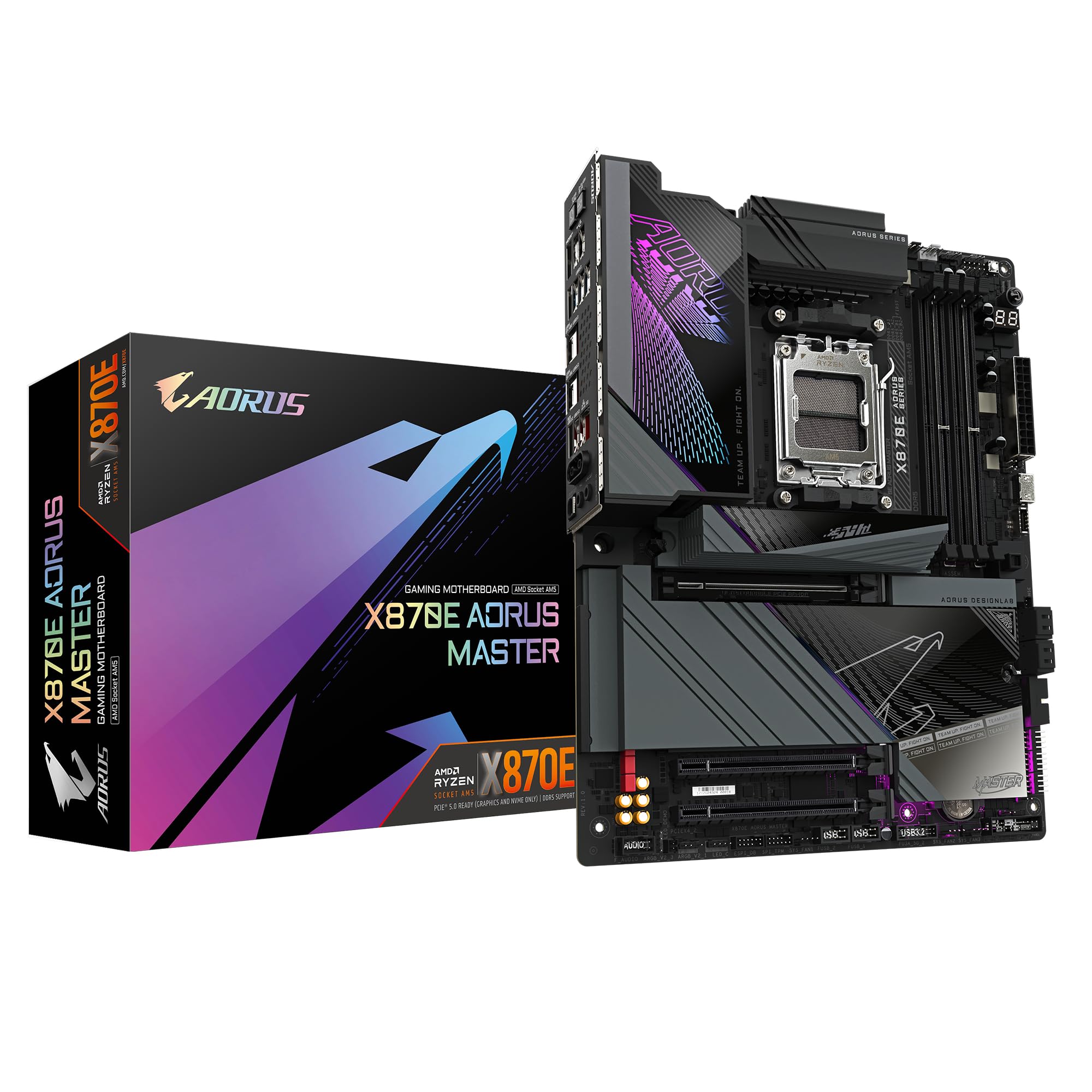
Frequently asked
5 questions01Is the ASUS ROG Crosshair X870E Hero overkill for just gaming?+
For pure gaming, yes, it probably is. The board's VRM headroom, five M.2 slots, dual Ethernet, and advanced overclocking features deliver real benefits for workstation use, content creation, and enthusiast builds, but they don't meaningfully improve gaming frame rates compared to a well-specified B650E or X870E board at a lower price. If gaming is your only use case, the ASUS ROG Strix X870E-E is a smarter buy. If you're future-proofing a platform you plan to keep for five years and want maximum headroom, the Crosshair makes sense.
02Will my existing CPU cooler work with the ASUS ROG Crosshair X870E Hero?+
The Crosshair X870E Hero uses the AMD AM5 socket, which shares the same physical mounting dimensions as AM4. Most modern coolers that support AM4 also include AM5 mounting hardware, but it's with your cooler manufacturer before assuming compatibility. If your cooler is AM4-only and doesn't include an AM5 bracket, you'll need to source one. The board itself doesn't restrict cooler choice beyond the socket mounting standard.
03What happens if the ASUS ROG Crosshair X870E Hero doesn't work with my components?+
Amazon's standard 30-day returns policy applies, and the A-to-Z guarantee covers you if there's a dispute. The BIOS FlashBack button on the rear I/O means you can update the BIOS without a CPU installed, which resolves most compatibility issues with newer processors. For memory compatibility, ASUS maintains a QVL (qualified vendor list) on their ROG product page listing tested kits. If you're buying from Amazon UK, the returns process is straightforward for DOA or incompatible units.
04Is there a cheaper motherboard I should consider instead?+
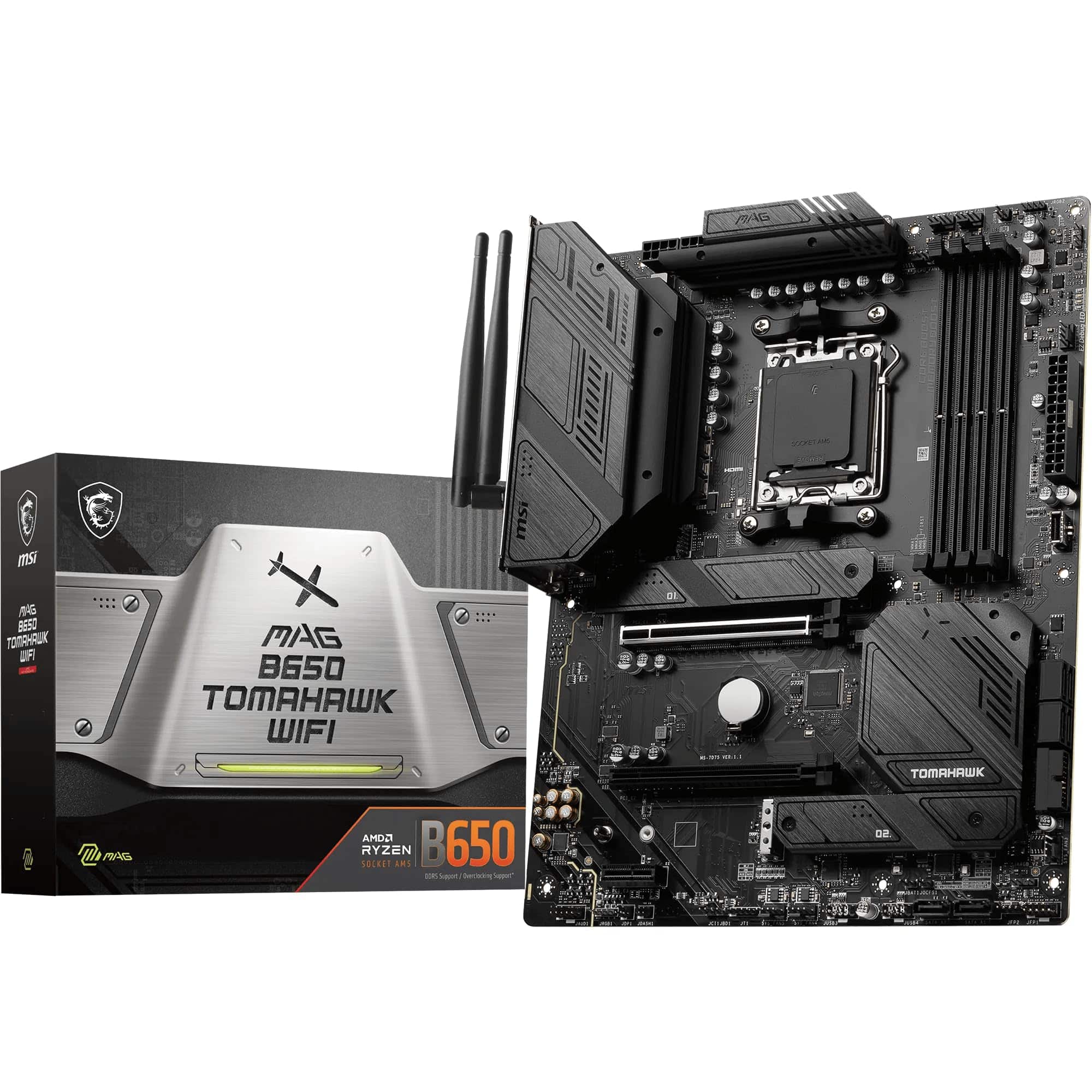
Yes, genuinely. If gaming is your primary use case, a B650E board with a strong VRM, such as the ASUS ROG Strix B650E-F or similar, will perform identically in games and cost significantly less. If you want X870E features without the full Crosshair premium, the ASUS ROG Strix X870E-E is the natural step down within ASUS's own lineup and still delivers excellent power delivery, good connectivity, and the same BIOS ecosystem. The Crosshair X870E Hero is the right choice when you genuinely need the additional M.2 slots, dual Ethernet, or maximum overclocking headroom.
05What warranty and returns apply to the ASUS ROG Crosshair X870E Hero?+
The product listing doesn't specify a warranty period, so we'd recommend checking directly with ASUS UK for their current warranty terms. ASUS typically offers a three-year warranty on ROG motherboards, but confirm this at the point of purchase. Regardless of manufacturer warranty, Amazon UK's 30-day return window and the A-to-Z guarantee provide a solid safety net for the initial purchase period.