Best Overall Value
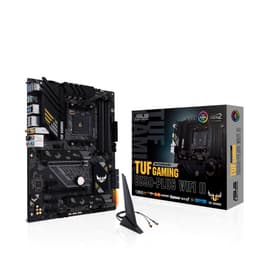
The reason this board tops the list is the VRM. 14+2+1 80A DrMOS power stages on an 8-layer PCB means it feeds a Ryzen 9 9000-series chip without the power delivery becoming the thing that limits your build. Our review notes that this VRM handles even Ryzen 9 chips without throttling, which is the sort of headroom you normally pay X870 money for. Owners rate it 4.5 stars across 409 ratings, a large and settled sample for a board this recent.
Connectivity is where it earns its keep against the cheaper PRIME B850-PLUS below it. You get Wi-Fi 7, a rear USB 20Gbps Type-C plus a front 10Gbps Type-C header, and Realtek 2.5Gb Ethernet. Three M.2 slots, one PCIe 5.0 and two PCIe 4.0, all ship with heatsinks pre-fitted, so you're not buying aftermarket cooling for your fast NVMe drive. The AM5 socket takes Ryzen 7000, 8000 and 9000 chips, so the platform outlives two or three CPU generations.
ASUS threw in the DIY touches that make a first build less painful: PCIe Slot Q-Release for pulling a heavy GPU without fighting the latch, an M.2 Q-Latch instead of a fiddly screw, a pre-mounted I/O shield and BIOS FlashBack for updating firmware without a CPU installed. That last one matters if you buy an older board with a brand-new Ryzen chip.
Where it loses points: three M.2 slots, not four, and our review flags that some rivals at similar money offer a fourth. Thunderbolt/USB4 is a header only, not a rear port, so if you want plug-and-go USB4 you're looking at the X870-PLUS at rank 10 instead. And if you're pairing this with a budget Ryzen 5, our review is blunt that the power delivery is overkill. For a mid-to-high AM5 build though, this is the board that stops making excuses. See our full TUF GAMING B850-PLUS WIFI review for the full breakdown.
Pros
- 14+2+1 80A DrMOS VRM rated for Ryzen 9 workloads
- Wi-Fi 7 and 2.5GbE covers wireless and wired properly
- All three M.2 slots ship with heatsinks fitted
- Q-Release GPU latch and BIOS FlashBack ease building
Cons
- Three M.2 slots where some rivals give four
- USB4 is header-only, no rear USB4 port
- More VRM than a budget Ryzen 5 build will ever use
Buy on Amazon£189.00Read full review
Best AM4 All-Rounder
If you're building a final Ryzen 5000 machine rather than committing to DDR5, this is the AM4 board to beat. It carries a 12+2 Dr. MOS VRM that our review lists as handling the Ryzen 9 5900X without thermal stress, plus Intel Wi-Fi 6 and 2.5G LAN at a price where rivals often drop to Realtek. The 4.7-star average across 2,270 ratings tells you how long and how widely this one has sold.
Against the newer TUF B850-PLUS at rank 1, the trade is stark and simple: you save on DDR4 memory and lose the AM5 upgrade path. Our review is direct that AM4 ends at Ryzen 5000, so there's no dropping in a future Ryzen chip later. Both the primary GPU slot and the top M.2 run PCIe 4.0, so fast NVMe and current graphics cards get full bandwidth. The rear I/O includes USB 3.2 Gen 2 Type-C, which is generous for the segment.
Two things to plan around. There's no Clear CMOS button on the rear I/O, so a bad overclock means finding the jumper. And populating the second M.2 slot disables SATA ports 5 and 6, so a heavy all-NVMe-plus-SATA storage setup needs mapping out first. For a stable, wireless Ryzen 5000 build that you won't upgrade, it's excellent. We covered this in our ROG STRIX B550-F GAMING review.
Pros
- 4.7 stars from 2,270 owners
- Intel Wi-Fi 6 and 2.5G LAN rather than budget Realtek
- PCIe 4.0 on both GPU slot and top M.2
- Rear USB 3.2 Gen 2 Type-C included
Cons
- No Clear CMOS button on the rear I/O
- Second M.2 disables two SATA ports
- AM4 platform ends at Ryzen 5000, no upgrade path
Buy on Amazon£181.30Read full review
Best B850 on a Budget
This is the leaner sibling of the rank-1 TUF, and the decision between them is genuinely close. Same 14+2+1 VRM class that our review lists as confidently handling Ryzen 9 chips, same B850 chipset, same PCIe Gen 5 support on both the GPU slot and the primary M.2. What you give up: a 6-layer PCB rather than 8-layer, and the TUF's fuller port and heatsink loadout. What you save is real money at the till.
The networking still punches above its bracket. Wi-Fi 6E and 2.5Gb Ethernet as standard beat most competing boards at this price, and full heatsink coverage across VRM, M.2 and PCH plus a hybrid fan cover keeps thermals in check under sustained load. Three M.2 slots match the TUF. The BIOS with Xpert 2+ fan control gives you proper per-header temperature curves, which is a nice touch on a budget board.
The honest caveats: our review notes B850 lacks the full manual overclocking toolkit reserved for X870, so serious tuners should look at rank 10. Owner data is thin, 4.2 stars from 44 ratings, so long-term reliability numbers are still building. And if you have no use for PCIe Gen 5, a discounted B650 like rank 12 may give better immediate value. For a Ryzen 9 build where you want Gen 5 storage without the TUF premium, this is the pick. Full detail in our PRIME B850-PLUS WIFI review.
Pros
- Wi-Fi 6E and 2.5GbE standard at a budget price
- PCIe Gen 5 on GPU slot and primary M.2
- 6-layer PCB, better than the 4-layer of cheaper boards
- Xpert 2+ per-header fan curve control
Cons
- Small review pool: 4.2 stars from 44 ratings
- No full manual overclocking toolkit
- Discounted B650 boards may beat it on value
Buy on Amazon£124.99Read full review
Best Budget
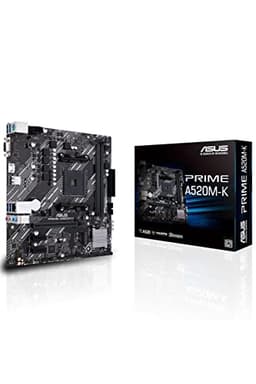
Who shouldn't buy this: anyone planning CPU overclocking or a high-TDP chip. The single 4-pin CPU power connector and lighter A520 VRM make our review recommend it for Ryzen 3 and 5 builds at 65 to 95W, and it's stable there over extended use. Push past that and you've bought the wrong board.
What you get for the money is a genuinely usable budget base. The ASUS UEFI BIOS keeps its proper graphical fan curves even down here, there's a SafeSlot-reinforced PCIe x16 slot, and four SATA III ports give more storage flexibility than most A520 rivals. Owners rate it 4.5 stars across 712 ratings.
The compromises are the price of entry: only two RAM slots limit future upgrades, there's no USB-C anywhere, and no PCIe 4.0, so Gen 4 NVMe drops to Gen 3 speeds. Against the B550M-A WiFi II at rank 9, you save cash but lose Wi-Fi, two RAM slots and PCIe 4.0. For a cheap, reliable office or light-gaming Ryzen box, it does the job. See our PRIME A520M-K review.
Pros
- Four SATA III ports, generous for A520
- Full graphical fan control in the BIOS
- SafeSlot-reinforced x16 slot
- 4.5 stars from 712 owners
Cons
- Only two RAM slots
- No USB-C anywhere on the board
- No PCIe 4.0, so Gen 4 SSDs run at Gen 3
Buy on Amazon£56.99Read full review
Best Compact AM4
For a small Ryzen 5000 build, this micro-ATX board packs in features the A520M-K above simply doesn't have. A 10+2 phase VRM with DrMOS stages and a substantial heatsink handles the Ryzen 7 and 5900X at stock, per our review, and both Wi-Fi 6 and 2.5Gb Realtek ethernet come included. It's rated 4.6 stars across 500 owners.
The primary M.2 runs PCIe 4.0 x4 direct from the CPU, both M.2 slots have heatsinks, and there's rear plus front USB 3.2 Gen 2 Type-C. Our review also singles out the Realtek ALC S1200A audio codec as cleaner than the ALC887 on cheaper boards, which matters if you use the onboard audio.
Micro-ATX limits expansion, and a big triple-fan GPU can physically block the lower x1 slots. Heavy overclocking of a 5950X is a stretch here. Against the full-ATX TUF B550-PLUS at rank 8, you're trading two expansion slots and some VRM headroom for a smaller footprint. There's also no onboard RGB, which suits some and disappoints others. Details in our TUF GAMING B550M-PLUS WIFI II review.
Pros
- Wi-Fi 6 and 2.5GbE at micro-ATX pricing
- Both M.2 slots heatsinked, primary at Gen 4
- Cleaner ALC S1200A audio codec
- Front and rear USB 3.2 Gen 2 Type-C
Cons
- VRM ceiling on sustained 5950X overclocking
- No onboard RGB lighting
- Older stock may need a BIOS update for Ryzen 5000
Buy on Amazon£126.95Read full review
Best Micro-ATX AM5
This is the AM5 answer to the B550M-PLUS above: same compact micro-ATX footprint, but DDR5, a Ryzen 7000/8000/9000 upgrade path, and 14 power stages that our review lists as handling any mainstream Ryzen 7000 chip with headroom for moderate overclocking. It carries a PCIe 5.0 primary M.2 slot, unusual on a B650 board, and three M.2 slots for a clean all-NVMe setup. Owners rate it 4.6 stars across 332 ratings.
2.5Gb Ethernet is standard. The catch, and it's an important one, is Wi-Fi: the core spec doesn't confirm built-in wireless and it varies by SKU, so check the exact listing before you buy if you need it. The rear USB 3.2 Gen 1 Type-C tops out at 5Gbps, which limits fast external SSD enclosures.
Against the B650M-PLUS's nearest DDR5 rival here, the full-ATX PRIME B650-PLUS at rank 12, you swap two expansion slots and guaranteed Wi-Fi 6E for a smaller board with a Gen 5 M.2 slot and three M.2 total. For a compact DDR5 gaming build where you'll add a Wi-Fi card or run wired, it's a strong micro-ATX pick. See our TUF GAMING B650M-PLUS review.
Pros
- PCIe 5.0 primary M.2 on a B650 board
- Three M.2 slots for all-NVMe storage
- 14 power stages with moderate OC headroom
- 4.6 stars from 332 owners
Cons
- Wi-Fi not confirmed in core spec, varies by SKU
- Rear USB-C limited to 5Gbps
- Micro-ATX limits expansion versus ATX rivals
Buy on Amazon£150.52Read full review
Best Build Quality
The ProCool connector and alloy chokes on this board show genuine build-quality investment, and it's the reason to pick it over cheaper B550 options if you value the hardware fundamentals. It runs Intel 2.5Gb Ethernet, which our review rates above the Realtek alternatives at this price, plus a rear USB 3.2 Gen 2 Type-C that's rare in the budget bracket. Owners rate it 4.6 stars across a large 2,379 ratings.
Dual M.2 with PCIe 4.0 on the primary slot covers fast storage, and the ASUS BIOS is among the most usable going. The single big compromise: no Wi-Fi on this variant. You'll need an add-in card for wireless, which is why the near-identical-price ROG STRIX B550-F at rank 2 wins for anyone who wants wireless out of the box.
The Armoury Crate software is bloated, as usual, and the price sits at the top of the budget bracket, close to mid-range boards with more features. For a wired Ryzen 5000 build where you want a well-made ATX board and don't care about Wi-Fi, it's a fine choice. More in our ROG STRIX B550-A GAMING review.
Pros
- Intel 2.5GbE beats Realtek at this price
- Rear USB 3.2 Gen 2 Type-C, rare in budget ATX
- ProCool connector and alloy chokes
- 4.6 stars from 2,379 owners
Cons
- No Wi-Fi: needs an add-in card
- Armoury Crate software is bloated
- Priced near feature-richer mid-range boards
Buy on Amazon£119.99Read full review
Best Full-ATX AM4
Where the B550-A above skips Wi-Fi, this TUF board includes Intel Wi-Fi 6 alongside Intel 2.5Gb Ethernet, giving you the full networking package on a full-ATX B550. Our review lists the 10 DrMOS VRM as handling the Ryzen 9 5900X and 5950X without thermal throttling, with headroom to spare on mid-range chips. It's rated 4.4 stars across 917 owners.
Both the primary M.2 and the x16 GPU slot run PCIe 4.0, and there's HDMI 2.1 output, a step above the HDMI 2.0b on several rivals. BIOS FlashBack lets you update firmware without a CPU installed, and Q-LED diagnostics help when a system won't post. The secondary M.2 drops to PCIe 3.0, so plan your fast drive for the top slot.
It's still AM4, so no upgrade beyond Ryzen 5000, and RGB is minimal. Against the ROG STRIX B550-F at rank 2, this is the plainer, often cheaper option with a slightly lighter VRM and fewer expansion niceties, but the same Intel networking. A sensible full-ATX Ryzen 5000 board. See our TUF Gaming B550-PLUS review.
Pros
- Intel Wi-Fi 6 and Intel 2.5GbE together
- HDMI 2.1 output, above 2.0b rivals
- BIOS FlashBack and Q-LED diagnostics
- 10 DrMOS VRM handles 5900X/5950X
Cons
- Secondary M.2 runs at PCIe 3.0 only
- Minimal RGB lighting
- AM4 platform ends at Ryzen 5000
Buy on Amazon£105.00Read full review
Best for Beginners
For a first micro-ATX Ryzen 5000 build, this hits a low price without dropping the essentials. Wi-Fi 6 and a PCIe 4.0 primary M.2 come included, plus six SATA ports, which is generous for a micro-ATX board. The ASUS UEFI BIOS is one of the friendlier ones in this bracket for a newcomer. Owners rate it 4.4 stars across 687 ratings.
The wired LAN is gigabit rather than 2.5Gb, so against the pricier B550M-PLUS WIFI II at rank 5 you lose 2.5GbE and some VRM muscle but save money and keep Wi-Fi 6. Only two PCIe slots total, the usual micro-ATX compromise, and the second M.2 shares bandwidth with some SATA ports.
M.2 heatsinks and a VRM heatsink come as standard. For a straightforward budget Ryzen 5000 build with wireless, it's a competent starting point. Full notes in our Prime B550M-A WiFi II review.
Pros
- Wi-Fi 6 at budget micro-ATX pricing
- Six SATA ports, generous for the form factor
- M.2 and VRM heatsinks included
Cons
- Gigabit wired LAN, not 2.5GbE
- Only two PCIe slots total
- Second M.2 shares bandwidth with SATA ports
Buy on Amazon£87.99Read full review
Best Enthusiast
The board for a top Ryzen 9 build. 16+2+1 80A power stages give serious VRM headroom, and dual USB4 40Gbps rear ports are unusual at this price. Four M.2 slots, two of them PCIe 5.0, fix the one gripe about the rank-1 TUF. Wi-Fi 7 and BIOS FlashBack come as standard. Owners rate it 4.4 stars across 212 ratings. It's overkill for a Ryzen 5 build, where the B850-PLUS saves real money, and the AI branding oversells good hardware doing its job.
Pros
- 16+2+1 80A VRM for top Ryzen 9 chips
- Dual USB4 40Gbps rear ports
- Four M.2 slots, two at PCIe 5.0
Cons
- Overkill for budget Ryzen 5 builds
- Minor BIOS friction with very fast DDR5 kits
Buy on Amazon£209.99Read full review
Premium Micro-ATX
Owners rate it 4.8 stars, though from a small pool of 30 ratings. It's a premium micro-ATX B850 pick for Ryzen 9000 builders, with Wi-Fi 7 on a B-series board, Intel 2.5G Ethernet, four M.2 slots and a PCIe Gen 5 primary M.2. Large VRM heatsinks handle sustained load. Skip it if you need extreme overclocking (that's X870 territory) or if the upper-mid price stings against cheaper B850 boards like the PRIME at rank 3. Armoury Crate remains bloated.
Pros
- Wi-Fi 7 on a micro-ATX B850 board
- Four M.2 slots with Gen 5 primary
- 4.8 stars from owners, a small sample
Cons
- Small review pool of 30 ratings
- Upper-mid price versus cheaper B850 boards
Buy on Amazon£205.99Read full review
Best AM5 Entry Point
The cheapest sensible way onto full-ATX AM5. Wi-Fi 6E, 2.5Gb Ethernet, a rear USB 10Gbps Type-C and a PCIe Gen 5 M.2 slot give premium connectivity for the bracket, plus a Thunderbolt 4 header. All three heatsinks are included. The catch: the VRM phase count isn't publicly disclosed, so it's not the board for a sustained 170W Ryzen 9 9950X, and it has only two M.2 slots versus the three on the rank-6 B650M-PLUS. Rated 4.1 stars across 64 owners. For a mainstream DDR5 build, a solid start.
Pros
- Wi-Fi 6E, 2.5GbE and rear USB-C 10Gbps
- PCIe Gen 5 M.2 and Thunderbolt 4 header
- Full VRM, M.2 and PCH heatsinks
Cons
- VRM ratings undisclosed, not for 170W chips
- Only two M.2 slots
Buy on Amazon£116.99Read full review