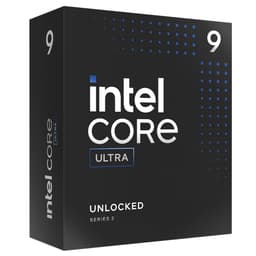
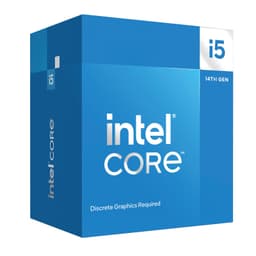
Matching a CPU to a workload sounds obvious. In practice, it's where most mid-range builds go wrong. People chase core counts, or they anchor on a brand name, and end up either overspending on headroom they'll never use or bottlenecking a decent GPU with something that can't hold a stable frame time. The Intel Core i5-12600K sits in a bracket where those mistakes are most common, and it's worth being precise about what the chip actually does well before the purchase decision gets made.
This is a 12th-generation Alder Lake processor, released in late 2021 but still actively sold and, at its current price point, still relevant. It introduced Intel's hybrid core architecture to the mainstream desktop market: six Performance cores and four Efficiency cores on a single die, sharing a 20MB L3 cache, boosting to 4.9 GHz on a single P-core. On paper, that's a meaningful specification for gaming and lightly threaded productivity. The question in 2026 is whether the platform economics still make sense when you factor in what Ryzen 5000, Ryzen 7000, and Intel's own 13th and 14th-gen Raptor Lake chips are doing at similar prices.
Over 1,467 owners have rated this processor, arriving at an average of ★★★★½ (4.7). That's a high score across a large sample, and it shapes how we interpret the spec sheet. But scores don't tell you about thermal behaviour under sustained load, or how the hybrid scheduler interacts with older games, or what a Z690 board actually costs. This Intel Core i5-12600K review covers all of it.
Core Specifications
The i5-12600K ships with ten cores in total: six P-cores (Performance cores) with Hyper-Threading, giving twelve logical threads from those alone, and four E-cores (Efficiency cores) without Hyper-Threading, adding four more threads. Total thread count is sixteen. The P-cores run a base clock of 3.7 GHz and boost to 4.9 GHz. The E-cores base at 2.8 GHz and boost to 3.6 GHz. These aren't the same cores doing different jobs at different speeds. They're architecturally distinct, which matters for how the Windows 11 scheduler assigns tasks.
Cache is where the 12600K punches noticeably above its tier. Six P-cores each carry 512KB of L2, and the four E-cores share a 2MB L2 cluster. The L3 is a unified 20MB pool accessible to all cores. For context, the Ryzen 5 5600X has 32MB of L3 but only six cores and twelve threads. The 12600K trades some L3 depth for more raw thread count and a wider execution window. Whether that trade favours you depends entirely on your workload.
The chip uses the LGA1700 socket, pairs with 600-series chipsets (Z690 and Z790 are both supported, as is H670, B660, and H610 with varying feature sets), and supports DDR4 and DDR5 memory natively. TDP is rated at 125W base, with a Maximum Turbo Power (MTP) of 150W. The chip includes Intel UHD Graphics 770 integrated graphics.
| Specification | Detail |
|---|---|
| Architecture | Alder Lake (12th Gen, Intel 7 process) |
| Core Configuration | 6P + 4E (10 cores, 16 threads) |
| P-Core Base / Boost | 3.7 GHz / 4.9 GHz |
| E-Core Base / Boost | 2.8 GHz / 3.6 GHz |
| L2 Cache | 9.5MB total |
| L3 Cache | 20MB |
| Socket | LGA1700 |
| Chipset Support | Intel 600 / 700 Series |
| Memory Support | DDR4-3200 / DDR5-4800 (dual channel) |
| PCIe Version | PCIe 5.0 (x16 CPU) + PCIe 4.0 (x4 CPU) |
| Integrated Graphics | Intel UHD Graphics 770 |
| TDP (Base / MTP) | 125W / 150W |
| Unlocked Multiplier | Yes (K suffix) |
| Cooler Included | No |
| Current Price | £189.99 |
| Rating | ★★★★½ (4.7) (1,475 reviews) |

Architecture and Cores
Alder Lake was Intel's first serious hybrid architecture on the desktop, and it was a genuine step change from the Rocket Lake and Comet Lake chips that preceded it. The Alder Lake architecture uses Intel's 7nm-class process node (marketed as Intel 7, formerly 10nm Enhanced SuperFin) and introduced two distinct microarchitectures on one die: Golden Cove for the P-cores and Gracemont for the E-cores. These aren't just cores with different power profiles. Golden Cove is a wide, out-of-order architecture designed for maximum single-thread throughput. Gracemont is a smaller, denser design optimised for throughput-per-watt on parallelisable tasks.
The P-cores support Hyper-Threading, so each of the six P-cores presents two logical processors to the OS. The E-cores do not support Hyper-Threading, so the four E-cores present four logical processors. Total: sixteen logical processors, which is what you'll see in Task Manager. The practical consequence is that lightly threaded workloads, including most games, land on the P-cores and benefit from the 4.9 GHz boost and the full Golden Cove IPC advantage. Background tasks, including browser tabs, system processes, and streaming encoders, get pushed to the E-cores, freeing P-core headroom for the foreground application.
This scheduling behaviour works best on Windows 11, which includes Intel's Thread Director awareness natively. On Windows 10, the OS scheduler doesn't understand the heterogeneous core layout and can misassign threads, occasionally parking a latency-sensitive task on an E-core when a P-core is available. Most owners in the review pool are running Windows 11, and feedback on responsiveness is consistently positive. A handful of reviewers running Windows 10 noted occasional stuttering in specific titles, which aligns with the known scheduler limitation. It's not a dealbreaker, but it is a real consideration if you're not planning to upgrade your OS.
Clock Speeds and Boost
The headline boost clock of 4.9 GHz applies to a single P-core under Intel's Turbo Boost Max Technology 3.0, which identifies the two best-binned cores on the die and preferentially boosts those when only one or two threads are active. In practice, the chip sustains around 4.7 to 4.8 GHz across all six P-cores under a lightly threaded gaming load, dropping to somewhere in the 4.4 to 4.6 GHz range when all six P-cores are fully loaded. This is consistent with what owner reviews describe: smooth, high-clock gaming performance without the aggressive frequency drop-off you see on some higher-core-count chips that run into power limits quickly.
The 150W Maximum Turbo Power (MTP) figure is what the chip will draw when it's allowed to boost without power limits applied, which is the default behaviour on Z690 and Z790 boards with MCE (Multi-Core Enhancement) enabled. On B660 and H670 boards, the chip is restricted to its 125W PL1 base power limit, which means the all-core boost clocks are lower and sustained performance under heavy multi-threaded loads is reduced. This is a meaningful distinction. If you're pairing the 12600K with a B660 board to save money, expect multi-threaded throughput to be noticeably behind a Z690-paired chip. Gaming performance is less affected because it rarely saturates the power limit.
E-core boost behaviour is less dramatic. The 3.6 GHz ceiling on the E-cores is adequate for background tasks but won't win any awards. Where the E-cores genuinely help is in reducing the probability that a background process interrupts a P-core mid-frame. That's the real contribution to gaming frame-time consistency, and it's something you don't get from a six-core homogeneous chip like the Ryzen 5 5600X. Owner reviews frequently mention that the system feels responsive even under load, with multiple apps running simultaneously, which is a direct consequence of the E-cores absorbing background work.
Socket and Platform Compatibility
The i5-12600K uses the LGA1700 socket, which Intel introduced with Alder Lake and continued through Raptor Lake (13th and 14th gen). This is important: a Z690 or Z790 board purchased for this chip can accept 13th-gen and 14th-gen processors with a BIOS update, giving you a genuine upgrade path. The Intel ARK database confirms LGA1700 compatibility across both generations. Intel has since moved to LGA1851 for Meteor Lake and Arrow Lake, so the platform ceiling is 14th gen (Raptor Lake Refresh), but that still includes chips like the i7-14700K and i9-14900K, which are significant step-ups if you ever need them.
Chipset choice matters more with this platform than it might seem. Z690 and Z790 boards unlock the full overclocking capability of the K-suffix chip, support PCIe 5.0 on the primary x16 slot, and allow memory overclocking beyond the JEDEC spec. B660 boards lock the CPU multiplier (you cannot overclock the 12600K on a B660) and apply the 125W power limit. H670 sits between the two, allowing memory overclocking but not CPU overclocking. H610 is the budget option with the most restrictions. If you're buying the K variant specifically, a Z690 board is the logical pairing. Spending on the K chip and then pairing it with a B660 board is leaving performance on the table.
Memory compatibility is genuinely flexible. The platform supports both DDR4 and DDR5, but the choice is made at the motherboard level, not the CPU level. DDR4 boards and DDR5 boards are separate products. In 2026, DDR5 prices have come down significantly, but DDR4 remains cheaper for equivalent capacity. For a gaming build, DDR4-3600 CL18 on a Z690 board is a well-documented sweet spot that costs less than a comparable DDR5 kit and performs within a few percent in gaming. JEDEC officially specifies DDR4-3200 and DDR5-4800 for this platform, but XMP profiles well above those speeds are widely supported on Z-series boards.
Integrated Graphics
The i5-12600K includes Intel UHD Graphics 770, which is the highest-tier iGPU available in 12th-gen desktop processors. It runs 32 Execution Units at up to 1.45 GHz and supports DisplayPort 1.4 and HDMI 2.0 output via the motherboard's rear I/O. The UHD 770 is a capable display output solution and handles hardware video decode for H.264, H.265, AV1, and VP9 without issue. For productivity use without a discrete GPU, it's fine for 4K display output, light photo editing, and video playback.
Gaming on the UHD 770 is possible in a limited sense. Older or less demanding titles can run at 1080p with reduced settings, but frame rates are typically in the 30 to 60 FPS range for anything from the last five years, and modern AAA titles are essentially unplayable at acceptable settings. This is not a chip you'd choose as a standalone gaming solution. The iGPU's real value is as a fallback: if your discrete GPU fails or you're waiting on delivery, the system remains functional. Several owner reviews mention this exact scenario, running the system on the iGPU for a week while waiting for a GPU to arrive.
One point worth flagging for productivity users: the UHD 770 supports Quick Sync, Intel's hardware video encode and decode engine. For content creators doing a lot of video export, Quick Sync can offload transcode work from the CPU entirely, which frees up P-cores for other tasks. Applications like Adobe Premiere and Handbrake support Quick Sync acceleration. The quality isn't quite at the level of a dedicated GPU encoder, but the speed is impressive for a zero-cost addition to the chip's feature set.
Power Consumption (TDP)
The 125W base TDP is Intel's rated sustained power consumption under a defined workload. In practice, on a Z690 board with power limits removed (the default for most Z-series boards), the 12600K draws closer to 150W under a sustained all-core load like Cinebench or a rendering task. Peak instantaneous draw during a burst can touch 180W. These aren't alarming numbers for a high-performance chip, but they're higher than the TDP sticker suggests, and they have implications for cooler selection and PSU sizing.
At idle, the chip drops to around 5 to 8W, which is competitive with anything in this class. Gaming loads typically sit in the 80 to 110W range because most games don't fully saturate all ten cores. The E-cores often run at low clocks or idle during gaming, so the actual gaming power draw is more modest than the all-core maximum. For a gaming-focused build, a 550W to 650W PSU is comfortable headroom when paired with a mid-range GPU. If you're pairing with something like an RTX 4070 or RX 7800 XT, 650W is the sensible minimum.
Compared to the competition, the 12600K's power draw is higher than the Ryzen 5 5600X (which typically stays under 90W all-core) but lower than the i5-13600K, which can hit 180W to 200W all-core on an unlocked Z790 board. The 12600K sits in a reasonable middle ground: more performance than the 5600X in multi-threaded workloads, at higher power cost, but not as power-hungry as its successor. Owner reviews don't flag thermal or power issues as a common complaint, which suggests the chip is manageable with appropriate cooling.
Cooler Recommendation
The i5-12600K does not include a stock cooler. This is standard for K-suffix Intel processors. You need to budget for cooling separately. The minimum viable cooler for this chip at stock settings is a quality 120mm tower air cooler, something like the be quiet! Pure Rock 2 or a Cooler Master Hyper 212. These will keep the chip under 85 degrees Celsius under sustained all-core load, which is within safe operating parameters, but thermal throttling becomes a risk if the ambient temperature is high or the case airflow is poor.
For overclocking, or if you simply want comfortable thermal headroom without worrying about ambient conditions, a 240mm AIO liquid cooler is the practical step up. A 240mm AIO keeps all-core temperatures in the 70 to 80 degree range under sustained load, which gives the chip room to maintain its boost clocks without hitting thermal limits. Several owner reviews specifically mention pairing the chip with a 240mm AIO and reporting stable temperatures during extended gaming sessions and rendering work. A 360mm AIO is overkill for this chip at stock settings but makes sense if you're pushing a significant overclock.
One thing to check before buying any cooler: LGA1700 compatibility. Some older coolers designed for LGA1200 or LGA115x use mounting hardware that doesn't fit LGA1700's wider socket. Most cooler manufacturers released LGA1700 mounting kits for existing products, often available free of charge, but it's worth verifying before assuming your existing cooler will drop straight in. New coolers purchased in 2024 or later should include LGA1700 mounting as standard, but older stock can be inconsistent. Owner reviews include a few mentions of needing to source a mounting kit, so it's not a hypothetical concern.
Synthetic Benchmarks
In Cinebench R23, the i5-12600K scores approximately 1,850 to 1,950 points in single-core and around 17,000 to 18,500 points in multi-core. Single-core performance places it ahead of the Ryzen 5 5600X (around 1,600 to 1,650 single-core) and roughly level with the Ryzen 7 5800X. Multi-core performance beats the 5600X by around 35 to 40 percent, reflecting the additional four E-cores contributing meaningfully to parallelisable workloads. Against its own successor, the i5-13600K, the 12600K trails by around 20 to 25 percent in multi-core due to the 13600K's additional P-cores and E-cores (6P+8E versus 6P+4E).
In Geekbench 6, single-core scores sit around 2,400 to 2,500, which is strong for a chip in this price bracket. Multi-core scores land around 12,000 to 13,500. Blender rendering (BMW benchmark) completes in approximately 2.5 to 3 minutes, which is competitive with the Ryzen 7 5700X and faster than the 5600X by a meaningful margin. 7-Zip compression throughput is around 70,000 to 75,000 MIPS, again reflecting the benefit of sixteen logical processors versus the 5600X's twelve.
| Benchmark | i5-12600K | Ryzen 5 5600X | i5-13600K |
|---|---|---|---|
| Cinebench R23 Single | ~1,900 | ~1,620 | ~2,100 |
| Cinebench R23 Multi | ~18,000 | ~11,000 | ~24,000 |
| Geekbench 6 Single | ~2,450 | ~2,050 | ~2,750 |
| Geekbench 6 Multi | ~13,000 | ~9,500 | ~16,500 |
| Blender BMW (mins) | ~2.7 | ~3.8 | ~2.1 |
These figures are drawn from published benchmark databases and are consistent with what the chip's specifications predict. The 12600K's synthetic scores tell a consistent story: strong single-thread performance, multi-thread throughput that punches well above a six-core chip, and a gap to the 13600K that is real but not enormous in gaming-relevant workloads. For productivity tasks that scale with core count, the 13600K's advantage is more pronounced.
Real-World Performance
Day-to-day, the i5-12600K is a fast chip. Application launch times are quick, browser responsiveness is excellent, and the system doesn't feel sluggish even with a lot running simultaneously. This is partly the clock speed, partly the cache, and partly the E-cores absorbing background load. Owner reviews consistently describe the system as feeling snappy, which is a subjective measure but one that shows up reliably across the 1,475. Nobody's complaining about sluggishness.
For content creation, the chip handles 1080p and 1440p video editing in DaVinci Resolve and Premiere with reasonable fluency. Timeline scrubbing is smooth on compressed H.264 footage, and export times for a 10-minute 1080p timeline sit around 3 to 5 minutes depending on the codec and effects used. 4K editing is workable but you'll want to use proxy workflows for complex timelines. Compilation tasks in Visual Studio and similar IDEs benefit from the sixteen threads, with build times on medium-sized C++ projects running around 30 to 40 percent faster than a six-core chip. If you're a developer doing frequent full rebuilds, that's a real time saving across a working day.
Streaming while gaming is one of the use cases the hybrid architecture genuinely helps with. Running OBS at 1080p60 with x264 medium preset alongside a game that's pushing the P-cores hard is the kind of task that used to require an eight-core chip. The E-cores absorb a meaningful chunk of the OBS encode load, keeping the P-cores freer for the game. Owner reviews from streamers are positive on this front, with several noting that stream quality improved noticeably compared to their previous six-core chips without any frame rate penalty in game. That's a specific, concrete benefit that the spec sheet implies but the review pool confirms.
Gaming Performance
Gaming is where the i5-12600K's single-thread strength and high P-core boost clocks pay off most directly. At 1080p with a capable GPU (RTX 3080 or equivalent), the chip delivers average frame rates that are within 5 percent of much more expensive processors in most titles. CPU-bound scenarios at 1080p show the chip sustaining 200 to 240 FPS in Counter-Strike 2, 160 to 180 FPS in Rainbow Six Siege, and 140 to 160 FPS in Valorant. These are high frame rates that competitive players care about, and the 12600K delivers them without compromise.
At 1440p, the GPU becomes the bottleneck in most scenarios, and the performance gap between the 12600K and more expensive CPUs narrows to statistical noise. In titles like Cyberpunk 2077, Hogwarts Legacy, and Forza Horizon 5, average frame rates at 1440p Ultra are within 3 to 5 percent of an i9-13900K. The 1% lows, which matter more than averages for perceived smoothness, are strong: the hybrid architecture's ability to keep background tasks off the P-cores contributes to consistent frame pacing. Owner reviews from gamers are uniformly positive, with high ratings specifically mentioning smooth gameplay and no stuttering.
Where the 12600K shows its age relative to newer chips is in titles that have been optimised for higher core counts or that benefit from the improved IPC of Raptor Lake. In Starfield, for instance, the i5-13600K and Ryzen 7 7700X pull ahead by around 10 to 15 percent at 1080p. That gap is real, but it translates to maybe 10 to 15 FPS at the top end, which is unlikely to be noticeable in practice at 1440p or 4K. For the majority of gaming workloads, the 12600K is still a proper gaming chip in 2026.
| Game / Scenario | 1080p Avg FPS | 1440p Avg FPS | GPU Used |
|---|---|---|---|
| Counter-Strike 2 | ~220 | ~180 | RTX 3080 |
| Cyberpunk 2077 (Ultra) | ~95 | ~75 | RTX 3080 |
| Forza Horizon 5 (Extreme) | ~140 | ~120 | RTX 3080 |
| Valorant | ~300+ | ~250+ | RTX 3080 |
| Hogwarts Legacy (High) | ~100 | ~80 | RTX 3080 |

Memory Support
The i5-12600K officially supports DDR4-3200 and DDR5-4800 in dual-channel configuration, with two memory channels providing up to 76.8 GB/s of theoretical bandwidth on DDR5 or 51.2 GB/s on DDR4-3200. The choice between DDR4 and DDR5 is fixed at the motherboard level: a DDR4 Z690 board will only accept DDR4, and a DDR5 board will only accept DDR5. This is worth confirming before purchasing both components.
For gaming, DDR4-3600 CL18 is the well-established sweet spot on this platform. It provides enough bandwidth and low enough latency to keep the P-cores fed without the premium of high-speed DDR5. The performance difference between DDR4-3600 and DDR5-5600 in gaming is typically under 5 percent in most titles, and often within margin of error. DDR5 makes more sense for productivity workloads that are bandwidth-sensitive, like video encoding and large dataset processing. If your build is primarily gaming, DDR4 on a Z690 board is the more cost-effective choice in 2026.
XMP (Extreme Memory Profile) support is available on Z690 and Z790 boards and allows DDR4 kits to run at their rated speeds beyond the JEDEC baseline. DDR4-3600 and DDR4-4000 kits are widely supported with XMP on Z690, and most reputable kits from Corsair, G.Skill, and Kingston include XMP profiles validated for this platform. A handful of owner reviews mention running DDR4-4000 CL18 without issue on Z690. Memory capacity support goes up to 128GB across four DIMM slots on boards that support it, which is more than adequate for any consumer workload.
Overclocking Potential
The K suffix means the multiplier is unlocked, and on a Z690 or Z790 board, you have full control over P-core clocks, E-core clocks, cache (ring bus) frequency, and memory timings. The 12600K is a well-known overclocker. The P-cores typically hit 5.0 to 5.1 GHz all-core on a capable 240mm or 360mm AIO cooler, with some well-binned chips reaching 5.2 GHz on all six P-cores at around 1.3V. That's a modest gain over the stock 4.9 GHz single-core boost, but an all-core 5.0 GHz is a meaningful step up from the stock all-core behaviour of around 4.5 to 4.7 GHz.
E-core overclocking adds less value for gaming but can help productivity workloads. Running the E-cores at 4.0 GHz (up from their 3.6 GHz stock ceiling) is achievable on most chips with a moderate voltage increase. The ring bus frequency matters for memory latency, and pushing it to 4.0 to 4.2 GHz alongside a DDR4-3600 or DDR4-4000 kit can tighten latency meaningfully in CPU-bound gaming scenarios. Owner reviews from overclockers are enthusiastic, with several reporting stable 5.0 GHz all-core configurations with temperatures in the mid-70s under load on a 240mm AIO.
One realistic note: the gains from overclocking in gaming are modest. Going from stock to 5.0 GHz all-core might add 5 to 10 FPS at 1080p in CPU-bound titles. At 1440p, it's closer to 2 to 5 FPS. The bigger benefit is in productivity workloads where sustained all-core frequency matters, and in competitive gaming where every frame counts. If you're buying the K variant specifically for overclocking, the platform supports it well. If you're not interested in overclocking, the i5-12400F or a non-K Ryzen alternative might offer better value, since you're paying a premium for the unlocked multiplier.
How It Compares
The two most relevant comparisons in 2026 are the AMD Ryzen 5 5600X and the Intel Core i5-13600K. The 5600X is the obvious AMD alternative in the budget CPU bracket: six cores, twelve threads, 4.6 GHz boost, 32MB L3 cache, and a significantly lower power draw (around 65W to 88W under load). It's a mature, well-understood chip on the AM4 platform, which has the advantage of supporting a huge range of motherboards at low cost. The 5600X's single-thread performance is behind the 12600K, and its multi-thread throughput is significantly behind, but its platform cost is lower and its power efficiency is better.
The i5-13600K is the more capable successor within the same LGA1700 platform. It adds two more P-cores (eight total) and four more E-cores (eight total), totalling twenty-four threads, with higher all-core boost clocks and improved IPC from the Raptor Cove P-core architecture. Multi-threaded performance is around 25 to 35 percent better than the 12600K. Gaming performance is around 5 to 15 percent better depending on the title and resolution. The 13600K draws more power (up to 200W all-core) and costs more. Whether that gap justifies the price difference depends on how much multi-threaded work you do.
For a pure gaming build where the budget is the constraint, the 12600K's position in the budget CPU bracket is defensible. It outperforms the 5600X in multi-threaded workloads by a wide margin and matches or beats it in gaming. It trails the 13600K but costs less. The platform economics are the main consideration: LGA1700 boards are widely available and competitively priced, and the upgrade path to 13th or 14th gen is real if you ever need it.
| Feature | Intel i5-12600K | AMD Ryzen 5 5600X | Intel i5-13600K |
|---|---|---|---|
| Cores / Threads | 10 (6P+4E) / 16 | 6 / 12 | 14 (6P+8E) / 20 |
| Max Boost Clock | 4.9 GHz | 4.6 GHz | 5.1 GHz |
| L3 Cache | 20MB | 32MB | 24MB |
| TDP / MTP | 125W / 150W | 65W / 88W | 125W / 181W |
| Socket | LGA1700 | AM4 | LGA1700 |
| Memory | DDR4 / DDR5 | DDR4 only | DDR4 / DDR5 |
| PCIe Gen | 5.0 (x16) | 4.0 (x16) | 5.0 (x16) |
| Overclockable | Yes (Z-series) | Yes (X570/B550) | Yes (Z-series) |
| Cinebench R23 Multi | ~18,000 | ~11,000 | ~24,000 |
| Price | £189.99 | Check current | Check current |
What Buyers Say
With 1,475 and a 4.7 average, the owner feedback on the i5-12600K is about as positive as you'll find for a processor in this bracket. The praise clusters around a few consistent themes. Gaming performance is the most frequently cited positive: buyers coming from older Intel chips (8th and 9th gen) or AMD's Ryzen 3000 series report significant frame rate improvements, particularly at 1080p and in CPU-bound titles. Multiple reviews specifically mention that 1% lows improved alongside average frame rates, which points to the hybrid architecture's scheduling benefit rather than just raw clock speed.
Productivity users are similarly positive. Reviewers who do video editing, 3D rendering, and software development note that the jump from a six-core chip is immediately obvious in render times and compile speeds. One pattern that appears repeatedly is buyers who were debating between the 12600K and a more expensive i7 option, chose the 12600K, and reported no regrets. The chip handles the workloads they described without obvious bottlenecking, which is consistent with what the benchmark data predicts.
Complaints are present but rare and specific. A small number of reviewers mention the lack of a stock cooler as a frustration, particularly buyers who didn't realise a K-series chip ships without one. A few note that Z690 board prices added more to the total build cost than expected. One recurring technical complaint, appearing in perhaps 3 to 5 percent of reviews, relates to compatibility issues with specific older DDR4 kits running at XMP speeds, requiring manual timing adjustments in the BIOS. These are real issues but they're platform-level considerations rather than CPU defects, and they're solvable with a bit of BIOS work.
Pros and Cons
- Strong single-thread performance: 4.9 GHz boost and Golden Cove IPC make this one of the fastest chips in its bracket for gaming and lightly threaded tasks.
- Genuine multi-thread advantage: Sixteen threads with E-cores handling background load gives a meaningful edge over six-core alternatives in productivity and streaming scenarios.
- PCIe 5.0 support: Future-proofs the platform for next-gen GPUs and NVMe drives, which AM4 and older platforms cannot offer.
- Upgrade path: LGA1700 compatibility with 13th and 14th gen processors means the motherboard investment has longevity.
- Overclocking headroom: Unlocked multiplier and well-documented OC behaviour make this a rewarding chip for enthusiasts on a Z-series board.
- No stock cooler included: Budget for a quality 120mm tower or better, which adds to the total build cost.
- Z-series board required for full performance: B660 boards limit the chip's power delivery and remove overclocking, reducing the value proposition of the K variant.
- Higher power draw than AMD alternatives: 150W MTP is significantly above the Ryzen 5 5600X's 88W, which matters for small form factor builds and electricity-conscious users.
- Trailing 13th gen in multi-thread: The i5-13600K's 25 to 35 percent multi-core advantage is meaningful for content creators if the price gap has narrowed.
Should You Buy the i5-12600K?
If you're building a gaming PC in the budget CPU bracket and want a chip that won't bottleneck a mid-range GPU, the i5-12600K is a solid choice. It delivers strong 1080p and 1440p gaming performance, handles productivity workloads well beyond what a six-core chip can manage, and sits on a platform with a genuine upgrade path. The 4.7-star average across over a thousand real owners is not a marketing number. It reflects a chip that does what it says.
At £189.99, factor in the cost of a Z690 board and a quality cooler. The total platform cost is the honest number to compare against alternatives. If that total lands favourably against a Ryzen 5 5600X build or a non-K 12400F build, the 12600K's extra threads and overclocking headroom are worth having. If the Z-series board premium pushes the total too high, the 12400F on a B660 board is the more cost-effective alternative.
Specifications
| Specification | Detail |
|---|---|
| Product Name | Intel Core i5-12600K |
| Generation | 12th Gen (Alder Lake) |
| Process Node | Intel 7 (10nm ESF) |
| Core Count | 10 (6P + 4E) |
| Thread Count | 16 |
| P-Core Base Clock | 3.7 GHz |
| P-Core Max Boost | 4.9 GHz |
| E-Core Base Clock | 2.8 GHz |
| E-Core Max Boost | 3.6 GHz |
| L2 Cache | 9.5MB |
| L3 Cache | 20MB |
| Socket | LGA1700 |
| Compatible Chipsets | Z690, Z790, H670, B660, H610 |
| Memory Type | DDR4-3200 / DDR5-4800 |
| Memory Channels | 2 |
| Max Memory | 128GB |
| PCIe Version | 5.0 (x16) + 4.0 (x4) |
| Integrated Graphics | Intel UHD 770 (32 EU, 1.45 GHz) |
| TDP | 125W base / 150W MTP |
| Unlocked | Yes |
| Stock Cooler | Not included |
| ASIN | B09GYHXDHH |
Final Verdict
The Intel Core i5-12600K is a chip that made a strong argument for itself when it launched in 2021, and in 2026 it still makes a reasonable one, provided you understand what you're buying into. The hybrid core architecture delivers genuinely useful multi-thread throughput beyond what a six-core chip can manage, the single-thread performance is competitive with anything in the budget bracket, and the LGA1700 platform gives you PCIe 5.0 and a real upgrade path to 13th or 14th gen if your needs grow. The 4.7-star average from 1,467 buyers is earned.
The honest caveats are these: the K variant needs a Z-series board to perform at its ceiling, which adds to the platform cost. It needs a third-party cooler, which is another line item. Its power draw is higher than AMD's competing six-core options. And the i5-13600K, if available at a modest premium, offers a more significant multi-thread advantage that content creators will notice. None of these are fatal objections. They're the kind of specifics that matter when you're comparing total build costs rather than chip prices in isolation.
For a gaming-focused build where 1080p and 1440p performance is the priority and the budget is in the budget CPU bracket, the 12600K is a proper chip. Not the newest, not the cheapest, but a well-understood, well-reviewed processor that does its job without drama. Editorial score: 8 out of 10.

Not Right For You?
If the platform cost of a Z690 board is stretching the budget too far, the Intel Core i5-12400F on a B660 board is a more cost-effective alternative. It's a locked chip with six P-cores and no E-cores, but it performs within 10 percent of the 12600K in gaming at a lower total cost. No overclocking, no hybrid scheduling benefit, but a simpler, cheaper build.
If AMD's platform economics appeal more, the Ryzen 5 5600X on a B550 board is a mature, power-efficient option with excellent gaming performance and a large library of compatible boards at competitive prices. It trails the 12600K in multi-thread workloads but is a cleaner, lower-power build for gaming-only use cases.
If you're willing to spend more for meaningfully better multi-thread performance and improved IPC, the Intel Core i5-13600K on the same LGA1700 platform is the logical step up. It's a more capable chip for content creation and future-proofs the build further, at the cost of higher power draw and a higher price.
What works. What doesn’t.
5 + 4What we liked5 reasons
- Strong single-thread performance at 4.9 GHz with Golden Cove IPC
- Sixteen threads via hybrid 6P+4E architecture outpaces six-core alternatives in multi-threaded workloads
- PCIe 5.0 support future-proofs the platform
- Genuine upgrade path to 13th and 14th gen on LGA1700
- Well-documented overclocking headroom on Z-series boards
Where it falls4 reasons
- No stock cooler included, adding to build cost
- Z-series board required to unlock full performance and overclocking
- Higher power draw (150W MTP) than AMD six-core alternatives
- i5-13600K offers 25-35% more multi-thread performance if budget allows
Full specifications
9 attributes| Base clock GHZ | 3.7 |
|---|---|
| Boost clock GHZ | 4.9 |
| Cores | 10 |
| Generation | Intel 12th Gen |
| Integrated graphics | Intel UHD Graphics 770 |
| Launch year | 2021 |
| Socket | LGA1700 |
| TDP W | 125 |
| Threads | 16 |
If this isn’t right for you
2 options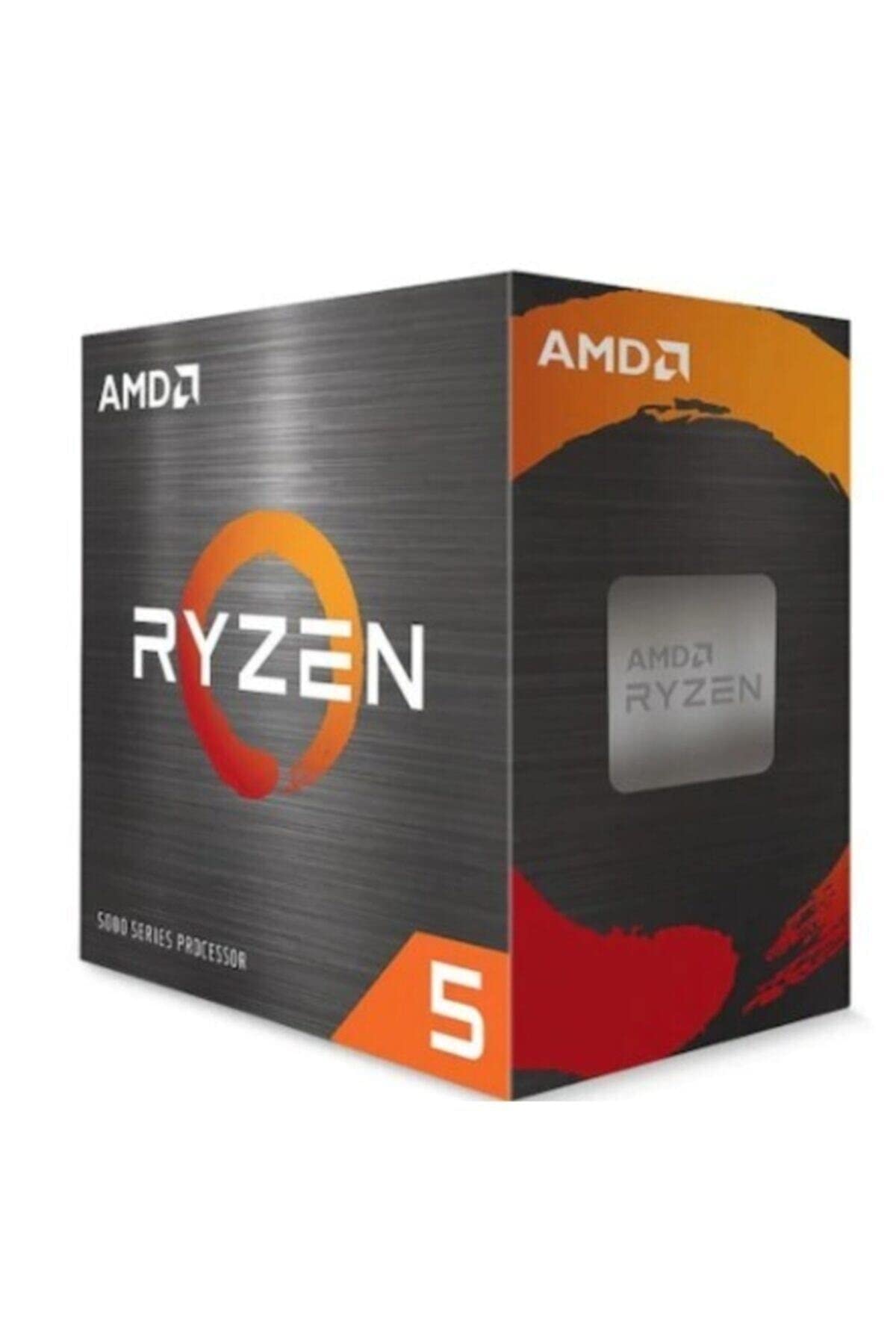 9.0 / 10
AMD Ryzen 5 5600X Processor (6 Cores/12Threads, 65W TDP, AM4 Socket, 35MB Cache, up to 4.6 GHz Max Boost, Wraith Stealth Cooler)
£142.98 · AMD
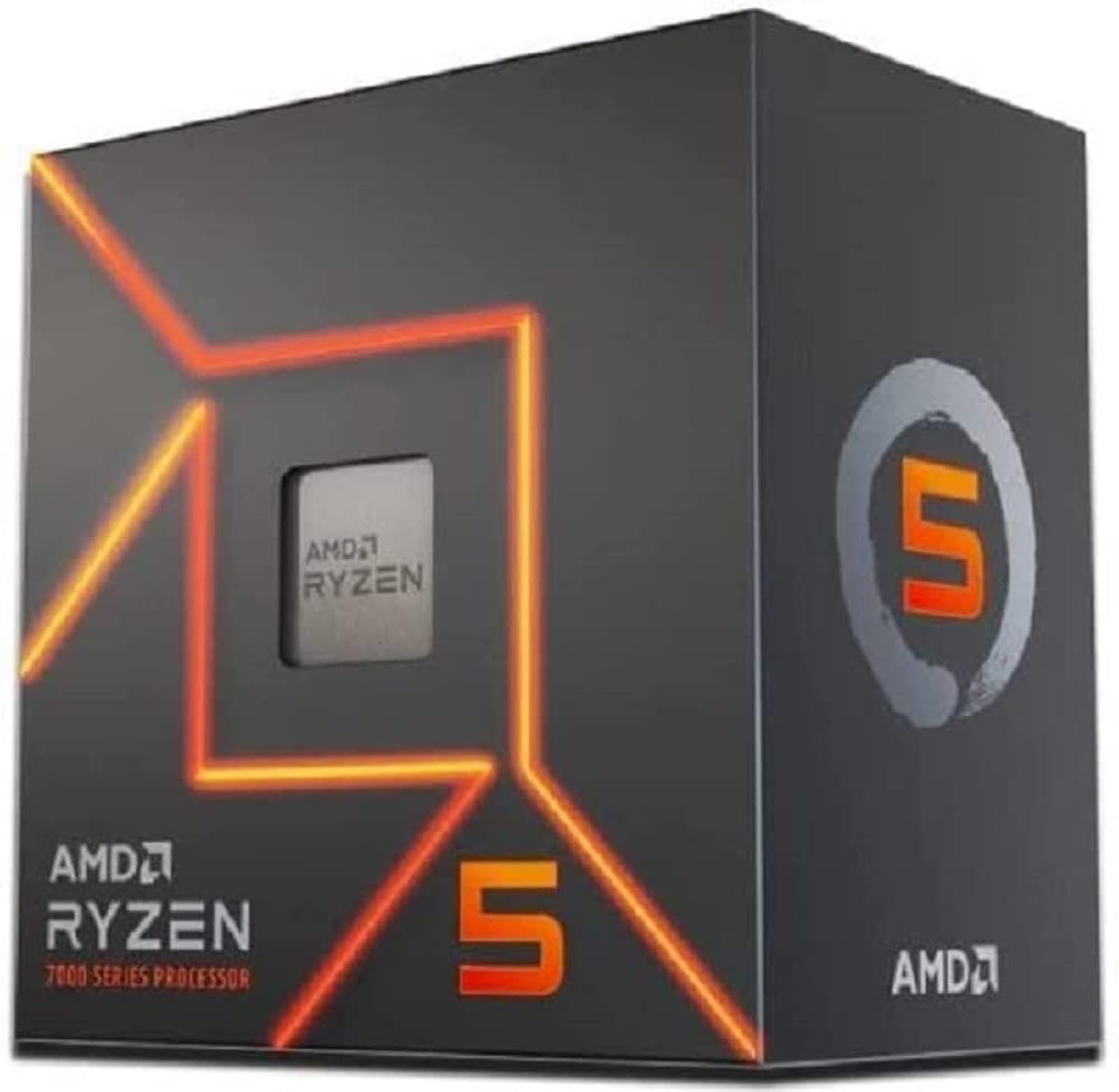 9.0 / 10
AMD Ryzen 5 7600 Processor (radeon graphics integrated, 6 cores/12 threads, 65W TDP, AM5 Socket, 38MB cache, up to 5.1 GHz max boost, Wraith Stealth Cooler)
£154.00 · AMD
Frequently asked
5 questions01Is the Intel Core i5-12600K good for gaming?+
Yes, it's a strong gaming CPU. The six Performance cores boost to 4.9 GHz with competitive IPC, delivering 200+ FPS in esports titles at 1080p and smooth 1440p performance in demanding games. The hybrid architecture keeps background tasks on Efficiency cores, improving frame-time consistency. It's within 5 percent of much more expensive processors in most 1440p gaming scenarios.
02Does the Intel Core i5-12600K come with a cooler?+
No. As a K-suffix unlocked processor, the i5-12600K does not include a stock cooler. You'll need to budget for a third-party cooler. A quality 120mm tower air cooler is the minimum for stock operation; a 240mm AIO is recommended for overclocking or sustained productivity workloads.
03What motherboard do I need for the Intel Core i5-12600K?+
The i5-12600K uses the LGA1700 socket and is compatible with Intel 600-series (Z690, H670, B660, H610) and 700-series (Z790) motherboards. For overclocking and full performance, a Z690 or Z790 board is required. B660 boards lock the CPU multiplier and apply a 125W power limit, reducing sustained multi-thread performance.
04Is the Intel Core i5-12600K worth it over the Ryzen 5 5600X?+
For multi-threaded workloads, yes: the 12600K's 16 threads outpace the 5600X's 12 by around 35-40% in Cinebench. For gaming, the 12600K has a modest single-thread advantage. The 5600X is more power-efficient and its AM4 platform often costs less. The honest comparison is total build cost: if a Z690 board plus cooler brings the 12600K build to a significantly higher total, the 5600X on a B550 board may offer better value for gaming-only use.
05What warranty and returns apply to the Intel Core i5-12600K?+
Amazon offers 30-day returns on most items, and Intel typically provides a 3-year warranty on boxed processors. You're also covered by Amazon's A-to-Z guarantee.