Raw core counts have become the marketing battleground of the CPU industry, but the relationship between thread counts and actual performance is far more nuanced than box art suggests. The question that actually matters is whether those cores are doing useful work at the clock speeds your workloads demand. A CPU with six fast, high-IPC cores can demolish a twelve-core chip in gaming. A ten-core hybrid design can trade blows with a sixteen-core monolithic design in lightly-threaded productivity tasks. Understanding where the Intel Core i5-14400F sits in that landscape is what this review is about.
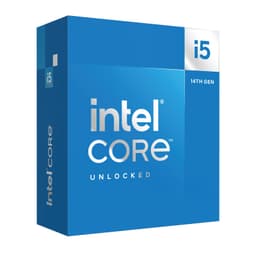
The i5-14400F occupies a genuinely interesting position in the current desktop CPU market. It's a 14th-generation Intel processor built on the Raptor Lake Refresh architecture, pairing six Performance cores with four Efficiency cores for a ten-core, sixteen-thread configuration. The 'F' suffix means no integrated graphics, which keeps the price competitive but requires a discrete GPU. At the budget end of the CPU market, that trade-off is almost always worth making, because anyone buying in this bracket is pairing it with a dedicated graphics card anyway.
With 546 owner reviews averaging ★★★★½ (4.7), this is one of the most consistently well-regarded processors in its price bracket. That kind of social proof from a large sample of real builders carries genuine weight. But high ratings don't tell you whether it's the right chip for your specific build. That's what the rest of this review covers.
Core Specifications
The i5-14400F ships with ten cores split across two types: six P-cores (Performance cores) running on the Golden Cove-derived Raptor Cove microarchitecture, and four E-cores (Efficiency cores) based on the Gracemont architecture. Total thread count is sixteen, thanks to Hyper-Threading on the P-cores only. The E-cores don't support Hyper-Threading, which is standard for Intel's hybrid designs. Base clock for the P-cores sits at 2.5 GHz, with a maximum boost of 4.7 GHz on a single P-core. The E-cores base at 1.8 GHz.
Cache allocation is solid for this tier. You get 9.5 MB of L2 cache and 20 MB of Intel Smart Cache (L3), giving a total of 29.5 MB across both levels. That's a meaningful amount of cache for an i5-class chip and contributes to the snappy single-threaded responsiveness that owners consistently praise. The processor base power is rated at 65W, which is one of the more attractive aspects of this chip for small form factor builders and anyone running modest cooling.
The 'F' designation is the only real asterisk on the specification sheet. No processor graphics means you cannot run this chip without a discrete GPU installed. That's a non-issue for gaming builds, but it's worth flagging for anyone who might want a fallback display output during troubleshooting or a GPU-free secondary machine. For the target audience, though, this is a non-problem. The chip ships with the Intel Laminar RM1 cooler in the box, which is a step up from the older boxed coolers and adequate for stock operation within the 65W TDP envelope.
| Specification | Detail |
|---|---|
| Generation | 14th Gen Intel Core (Raptor Lake Refresh) |
| Cores / Threads | 10 (6 P-cores + 4 E-cores) / 16 |
| P-core Base / Boost | 2.5 GHz / 4.7 GHz |
| E-core Base | 1.8 GHz |
| L2 Cache | 9.5 MB |
| L3 Cache (Intel Smart Cache) | 20 MB |
| Total Cache | 29.5 MB |
| Processor Base Power (TDP) | 65W |
| Integrated Graphics | None (F-series) |
| Socket | LGA1700 |
| Memory Support | DDR5 and DDR4 |
| PCIe Support | PCIe 5.0 and PCIe 4.0 |
| Compatible Chipsets | Intel 700 Series and Intel 600 Series |
| Included Cooler | Intel Laminar RM1 |
| Current Price | £147.97 |

Architecture and Cores
The i5-14400F is built on Intel's Raptor Lake Refresh platform, which is essentially a refined and slightly clock-bumped version of the original Raptor Lake architecture from 12th and 13th generation. The manufacturing process is Intel 7, which is Intel's marketing name for their enhanced 10nm SuperFin node. It's not a clean-sheet redesign. Intel carried the same hybrid core topology forward from Alder Lake through Raptor Lake and into this Refresh generation, so if you're expecting a dramatic IPC leap over a 12th-gen i5, you won't find one. What you do get is a mature, stable, well-understood architecture with good software and operating system scheduling support.
The hybrid design, pairing Raptor Cove P-cores with Gracemont E-cores, is managed by Intel's Thread Director technology. This hardware-level scheduler communicates with Windows 10 and Windows 11 to route workloads to the appropriate core type. Latency-sensitive, single-threaded tasks go to the P-cores. Background processes, lightly-threaded workloads, and tasks that benefit from parallelism without needing maximum single-thread performance get routed to the E-cores. In practice, this works well on Windows 11, which has more mature Thread Director integration. Windows 10 users see slightly less optimal scheduling, though the difference in real-world performance is small for most workloads.
The six P-cores each support Hyper-Threading, delivering twelve threads from those cores alone. The four E-cores add four more threads without Hyper-Threading support, bringing the total to sixteen threads. This matters because it means the P-core threads are generally higher quality for demanding workloads. Rendering engines, video encoders, and compilers that can saturate all available threads will see the E-cores contributing meaningfully. But in scenarios where thread quality matters more than thread count, the six P-cores carry the bulk of the performance load. For gaming, this architecture is well-suited: the P-cores handle the main game thread and physics calculations, while the E-cores absorb background OS tasks that would otherwise steal cycles from the P-cores.
Clock Speeds and Boost
The headline boost clock of 4.7 GHz applies to a single P-core under Intel's Turbo Boost 2.0 algorithm. That's a competitive single-core peak for a budget-tier processor and contributes directly to the strong gaming performance this chip is known for. The base clock of 2.5 GHz looks low on paper, but it's largely irrelevant in practice. Modern CPUs spend very little time at base clocks under normal workloads. The more meaningful figure is the all-core boost, which for the i5-14400F lands around 4.3 to 4.4 GHz across the P-cores under sustained load.
Sustained boost behaviour is where the 65W TDP becomes relevant. Intel specifies a Processor Base Power of 65W, which is the power level the chip is designed to run at indefinitely. Unlike the i5-14600K and higher-tier Intel chips, which can spike to 150W or more under Maximum Turbo Power before thermally throttling back, the 14400F is a more disciplined chip. It maintains its boost clocks without requiring a motherboard to ignore power limits or a beefy VRM to sustain it. This makes the chip predictable and easier to cool, and it means the performance you see in a mid-range B660 build is essentially the same as what you'd see in a premium Z790 build. The platform doesn't gate the performance here.
One thing worth understanding is that the 14400F does not support overclocking. The multiplier is locked. So the 4.7 GHz single-core boost is the ceiling, full stop. Intel's Turbo Boost handles frequency management automatically, and the chip will boost as high as thermals and power delivery allow within its specified envelope. For most builders in this price bracket, that's fine. The performance is already strong for the money, and chasing extra clock speed would require an unlocked chip and a Z-series motherboard, which pushes the total platform cost into a different tier entirely.
Socket and Platform Compatibility
The i5-14400F uses the LGA1700 socket, which Intel introduced with 12th-generation Alder Lake and has carried through 13th-gen Raptor Lake and into 14th-gen Raptor Lake Refresh. This is important context for platform longevity. LGA1700 is confirmed to be the final generation for this socket. Intel's Arrow Lake (15th gen) moved to LGA1851, so there's no upgrade path within LGA1700 beyond 14th-gen chips. That's a genuine limitation compared to AMD's AM5 platform, which AMD has committed to supporting through at least 2027.
Chipset compatibility covers both Intel 700 Series (Z790, B760, H770, H710) and Intel 600 Series (Z690, B660, H670, H610) motherboards. That's a wide range of options at various price points. For most builders pairing this with a mid-range GPU, a B760 board is the sensible choice. It supports DDR5 or DDR4 (depending on the board variant), has adequate VRM for the 65W TDP, and costs considerably less than a Z790 board. Z790 boards offer more PCIe lanes, better VRM, and overclocking support, but since the i5-14400F is a locked multiplier chip, the overclocking capability of Z790 is wasted here.
PCIe support is a genuine strength of this platform. The i5-14400F supports both PCIe 5.0 and PCIe 4.0, which means a PCIe 5.0 x16 slot for a current-generation GPU and PCIe 4.0 lanes for storage and other peripherals. PCIe 5.0 NVMe drives are now commercially available, and while they're expensive and the real-world benefit over PCIe 4.0 is minimal for most users, having the option is useful for future-proofing. The memory controller supports both DDR5 and DDR4, which is a significant advantage over AMD's AM5 platform. AM5 is DDR5-only. If you're building on a budget and already own DDR4 memory, an LGA1700 board lets you reuse it, saving meaningful money.
Integrated Graphics
The 'F' in i5-14400F means there is no integrated graphics unit. The die is the same as the standard i5-14400, but the GPU portion is disabled (or absent, depending on the specific silicon). This is a deliberate product segmentation decision by Intel that allows them to offer the chip at a lower price point. For the target buyer of this processor, that's a reasonable trade. Anyone building a gaming PC or a productivity workstation in this price bracket is installing a discrete GPU, and the iGPU would sit idle anyway.
The practical consequence is straightforward: you cannot boot to a display without a discrete graphics card installed. There's no fallback. If your GPU fails or you're troubleshooting a build without a GPU, you won't get a picture. For most builders this is a non-issue, but it's worth mentioning for anyone who occasionally swaps GPUs or runs a headless server configuration. In those scenarios, the standard i5-14400 (without the F suffix) would be worth the small price premium for the iGPU capability.
It's also worth noting that the absence of an iGPU has no impact on gaming or productivity performance. The iGPU on Intel's non-F chips shares system memory bandwidth and adds a small amount of power draw, but neither of those effects is significant enough to matter in practice. The i5-14400F and i5-14400 perform identically in CPU-bound workloads. The F variant is simply the better value choice when a discrete GPU is already in the build.
Power Consumption and TDP
The 65W Processor Base Power is one of the most attractive numbers on the i5-14400F's specification sheet. In an era where high-end desktop CPUs routinely consume 125W to 253W under load, a chip that delivers competitive performance within a 65W envelope is genuinely useful. It means smaller PSUs, less heat to manage, quieter systems, and lower electricity bills over the life of the build. For small form factor cases and compact ITX builds, the 65W ceiling opens up options that simply aren't available with higher-TDP processors.
Real-world power draw under sustained multi-threaded load typically lands in the 65W to 80W range, depending on the workload and the motherboard's power limit configuration. Some B760 motherboards apply their own power limit settings, but the i5-14400F doesn't have the same tendency to spike aggressively beyond its rated TDP that the K-series chips exhibit. Under gaming loads, which are predominantly single to quad-threaded, power draw is lower still, often sitting in the 40W to 55W range at the CPU level. That's efficient by any modern standard.
For PSU recommendations, the i5-14400F is undemanding. A 550W unit is more than sufficient for a build pairing this CPU with a mid-range GPU like an RTX 4060 or RX 7600. Even with a higher-end GPU like an RTX 4070, a 650W PSU provides comfortable headroom. The low CPU power draw is a genuine system-level benefit, particularly for builders who want to keep the total build cost down by not over-specifying the power supply.
Cooler Recommendation
The Intel Laminar RM1 cooler included in the box is a meaningful upgrade over the older Intel boxed coolers. It's a push-pin mounted heatsink with a 92mm fan, designed for CPUs up to 65W TDP. At stock settings with the i5-14400F running within its rated power envelope, the Laminar RM1 is adequate. Temperatures under sustained multi-threaded load will typically land in the 70 to 80 degrees Celsius range, which is within Intel's specified operating limits. Under gaming loads, which are less thermally demanding, temperatures will be lower.
That said, the Laminar RM1 is a baseline solution. It's not quiet under load, and it doesn't provide meaningful thermal headroom above the stock configuration. If you're building in a case with good airflow and you're primarily gaming rather than running sustained rendering workloads, it'll get the job done. But for anyone who values quiet operation, or who plans to run heavy multi-threaded workloads for extended periods, a budget tower cooler is a worthwhile upgrade. Something in the class of a Cooler Master Hyper 212, a be quiet! Pure Rock 2, or a Thermalright Assassin X 120 R SE will drop temperatures noticeably and run significantly quieter.
An AIO liquid cooler is not necessary for this chip at stock settings. The 65W TDP is well within the capability of a decent 120mm tower cooler. If you're building in a case that restricts airflow or you want the lowest possible noise floor, a 240mm AIO is a fine choice, but it's overkill from a thermal management perspective. The money is better spent elsewhere in the build. The chip is not overclockable anyway, so there's no thermal headroom to chase through premium cooling.
Synthetic Benchmarks
Synthetic benchmarks give a useful baseline for comparing CPU performance across generations and architectures, though they should always be read alongside real-world workload data. In Cinebench R23The i5-14400F typically scores around 1,850 to 1,900 points in single-core benchmarks and approximately 16,000 to 17,000 points in multi-core. Those numbers place it ahead of the Ryzen 5 5600X in multi-threaded workloads and broadly competitive with the Ryzen 5 7600 in single-threaded performance, though the Ryzen 5 7600 has a slight edge in single-core IPC due to AMD's Zen 4 architecture.
In Geekbench 6, single-core scores land around 2,400 to 2,600, with multi-core scores in the 12,000 to 13,000 range. Blender rendering benchmarks, which are a reliable proxy for real-world CPU rendering workloads, show the i5-14400F completing the standard Monster scene in approximately 4 to 5 minutes, which is competitive for a chip in this price bracket. In 7-Zip compression and decompression tests, the sixteen-thread configuration delivers throughput that punches above its price point, particularly in decompression where the E-cores contribute meaningfully.
The benchmark picture that emerges is consistent: this is a chip that performs above its price tier in multi-threaded workloads thanks to the E-core contribution, while delivering strong single-threaded performance that keeps gaming frame rates competitive. It's not going to challenge a Ryzen 7 7700X or an i7-14700F in heavily multi-threaded workloads, but it's also not priced like those chips. Within its actual price bracket, the performance-per-pound ratio is strong.
| Benchmark | Approximate Score |
|---|---|
| Cinebench R23 Single-Core | ~1,850 to 1,900 |
| Cinebench R23 Multi-Core | ~16,000 to 17,000 |
| Geekbench 6 Single-Core | ~2,400 to 2,600 |
| Geekbench 6 Multi-Core | ~12,000 to 13,000 |
| Blender Monster (CPU render) | ~4 to 5 minutes |
Real-World Performance
Synthetic scores are useful reference points, but real-world performance is what builders actually live with. For productivity workloads, the i5-14400F handles the common tasks that most users actually run without any meaningful bottleneck. Web browsing, office applications, video calls, light photo editing in Adobe Lightroom, and general multitasking all feel snappy. The 20 MB L3 cache keeps frequently accessed data close to the cores, which translates to responsive system behaviour even when juggling multiple applications simultaneously.
For more demanding productivity work, the picture is nuanced. Video editing in DaVinci Resolve or Adobe Premiere Pro benefits from the multi-core configuration, and the i5-14400F handles 1080p and 1440p timelines without breaking a sweat. 4K editing with multiple effects layers will push the chip harder, and render times will be longer than on an i7 or Ryzen 7 class processor, but the work gets done. Software compilation, which is a workload that scales well across threads, sees the E-cores earning their place. Python or JavaScript projects compile at a pace that keeps developers productive without requiring a workstation-class chip.
Owner feedback on Amazon backs this up consistently. Across 584 averaging 4.7 stars, the most common praise themes are smooth day-to-day performance, good gaming frame rates, and the low heat output relative to expectations. Several builders specifically mention upgrading from older i5 or i7 chips from the 8th and 9th generations and noting a substantial performance jump, particularly in multi-threaded workloads. The handful of negative reviews are almost entirely installation or compatibility issues rather than performance complaints, which is a good sign for the chip's actual capability.
Gaming Performance
Gaming is the primary use case for the vast majority of builders choosing this chip, and it's where the i5-14400F makes its strongest argument. At 1080p with a capable GPU, the six P-cores running at up to 4.7 GHz provide enough single-threaded grunt to keep frame rates high and 1% lows stable. In CPU-bound titles like Cyberpunk 2077, Hogwarts Legacy, and Microsoft Flight Simulator, the i5-14400F delivers performance that's within a few percent of more expensive chips. In those titles, the CPU is rarely the limiting factor when paired with a mid-range GPU.
In competitive multiplayer titles like Counter-Strike 2, Valorant, and Fortnite, where high frame rates and low 1% lows matter most, the i5-14400F performs well. Counter-Strike 2 at 1080p with a mid-range GPU typically delivers average frame rates well above 200 FPS, with 1% lows that stay above 144 FPS. That's more than enough for a 144Hz or 165Hz monitor, which is the typical pairing for a build at this price point. Valorant, being less CPU-intensive, will be GPU-limited long before the i5-14400F becomes a bottleneck.
At 1440p and 4K, the CPU's role diminishes as GPU load increases. At those resolutions, the GPU becomes the primary bottleneck in most titles, and the difference between an i5-14400F and an i9-14900K narrows to the point of irrelevance. This is actually good news for budget builders: the i5-14400F paired with a strong GPU is a sensible combination for 1440p gaming, because you're not paying for CPU performance you won't use. The E-cores also provide a practical benefit in gaming: background tasks like Discord, streaming software, or a browser running in the background get routed to the E-cores, keeping the P-cores available for the game.
Memory Support
The i5-14400F supports both DDR5 and DDR4 memory, with official support for DDR5-4800 and DDR4-3200 at the JEDEC standard speeds. In practice, with XMP profiles, DDR5 kits running at 5600 MHz to 6000 MHz are broadly stable on compatible B760 and Z790 motherboards. DDR4 XMP kits at 3600 MHz are well within the platform's capability and represent a sweet spot for builders reusing existing memory or buying on a tight budget.
The dual-channel memory configuration is standard for this platform. Running two sticks of memory in the correct slots (check your motherboard manual for the recommended configuration, typically slots 2 and 4) activates dual-channel mode and provides roughly double the memory bandwidth compared to single-channel. This matters most for integrated graphics, which the 14400F lacks, but it also has a measurable impact on gaming performance in CPU-bound scenarios. Single-channel memory can reduce 1% lows noticeably in some titles, so it's worth getting right at the build stage.
The DDR4 and DDR5 flexibility is a genuine platform advantage. DDR5 prices have fallen significantly since the platform launched, but DDR4 remains cheaper for equivalent capacity. A 32 GB DDR4-3600 kit is still a cost-effective choice for gaming and general productivity, and the performance difference between DDR4-3600 and DDR5-5600 in real-world gaming is smaller than the price difference suggests. For builders who want maximum memory bandwidth, DDR5 is the forward-looking choice. For builders optimising total build cost, DDR4 remains entirely viable.
Overclocking Potential
The i5-14400F has a locked multiplier. There is no CPU overclocking available on this chip, regardless of which motherboard you pair it with. Intel reserves multiplier unlocking for the K-suffix variants, and the 14400F is firmly in the locked category. This is a deliberate product segmentation decision, not a technical limitation of the underlying silicon. The same basic die, with the multiplier unlocked, would be the i5-14600K, which is a different product at a higher price point.
What you can do is enable XMP or Intel's equivalent XMP profile on your memory, which is technically a form of overclocking but is fully supported and straightforward on any B760 or Z790 board. Running your DDR4 or DDR5 kit at its rated XMP speed rather than the default JEDEC speed is worth doing and requires nothing more than enabling a setting in the BIOS. The performance benefit in memory-bandwidth-sensitive workloads is real, and it's the one tuning lever available to i5-14400F builders.
Some motherboard manufacturers also offer base clock (BCLK) adjustments, which can technically affect CPU frequency on locked chips, but the gains are minimal and the stability risk is disproportionate. It's not a recommended path. If overclocking is a priority for your build, the i5-14400F is the wrong chip. The i5-14600KF or an AMD Ryzen 5 7600X on an X670 board would be more appropriate choices. For the majority of builders in this price bracket, though, the locked multiplier is a non-issue. The chip's stock performance is the performance you're buying, and it's strong for the money.
How It Compares
The two most relevant competitors to the i5-14400F at this price point are the AMD Ryzen 5 7600 and the Intel Core i5-13400F. The Ryzen 5 7600 is AMD's direct competitor on their AM5 platform, using the Zen 4 architecture with six cores and twelve threads. The i5-13400F is the previous-generation Intel chip that the 14400F effectively replaces, sharing very similar specifications and performance.
Against the Ryzen 5 7600, the i5-14400F has a clear advantage in multi-threaded workloads thanks to its additional E-cores. The Ryzen 5 7600's six cores and twelve threads are outpaced in heavily parallel workloads like rendering and compilation. In gaming, the two chips are broadly level, with the Ryzen 5 7600 having a slight single-core IPC advantage from Zen 4, while the i5-14400F compensates with the E-cores handling background tasks. The platform comparison is where it gets interesting: AM5 offers a longer upgrade path, but it's DDR5-only and typically requires a more expensive motherboard. The i5-14400F's DDR4 compatibility and cheaper B760 boards can make the total platform cost meaningfully lower.
Against the i5-13400F, the 14400F is a minor generational refresh. Clock speeds are marginally higher, and there are some minor architectural refinements, but the performance difference in real-world use is small. If you can find a 13400F at a significantly lower price, it's worth considering. But at similar prices, the 14400F's slightly higher boost clock and the peace of mind of buying the newer generation make it the sensible choice. The 13400F and 14400F are compatible with the same motherboards, so the platform considerations are identical.
| Feature | Intel i5-14400F | AMD Ryzen 5 7600 | Intel i5-13400F |
|---|---|---|---|
| Cores / Threads | 10 / 16 | 6 / 12 | 10 / 16 |
| Max Boost Clock | 4.7 GHz | 5.1 GHz | 4.6 GHz |
| TDP (Base Power) | 65W | 65W | 65W |
| Memory Support | DDR4 + DDR5 | DDR5 only | DDR4 + DDR5 |
| PCIe Generation | PCIe 5.0 + 4.0 | PCIe 5.0 + 4.0 | PCIe 5.0 + 4.0 |
| Socket | LGA1700 | AM5 | LGA1700 |
| Integrated Graphics | None | RDNA 2 iGPU | None |
| Platform Upgrade Path | Limited (end of LGA1700) | Strong (AM5 to 2027+) | Limited (end of LGA1700) |
| Overclocking | Locked | Locked | Locked |
| Included Cooler | Intel Laminar RM1 | Wraith Stealth | Intel Laminar RM1 |
What Buyers Say
With 584 and a 4.7-star average, the owner feedback on the i5-14400F is overwhelmingly positive. The most consistent praise is for the price-to-performance ratio. Builders repeatedly note that the chip delivers gaming performance they'd previously associated with higher-priced processors. Several reviewers specifically mention upgrading from 8th, 9th, or 10th generation Intel chips and being surprised by how much of a performance jump the 14400F delivers, particularly in multi-threaded workloads that the older six-core, six-thread chips struggled with.
The low heat output gets mentioned frequently and positively. Builders who've previously dealt with the thermal challenges of high-TDP processors appreciate that the 65W design runs cool and quiet on modest cooling. The included Laminar RM1 cooler draws mixed feedback: most builders find it adequate for stock operation, but a portion of reviewers recommend upgrading to a budget tower cooler for quieter operation under sustained load. That's fair and consistent with what the specifications suggest about the cooler's capability.
The criticisms in the negative reviews are almost entirely unrelated to the chip's actual performance. Installation difficulties, compatibility questions with specific motherboards, and one or two cases of dead-on-arrival units account for the bulk of the low ratings. There are no recurring complaints about gaming performance, thermal throttling, or instability under normal operating conditions. For a chip with this many reviews, that consistency of positive feedback is meaningful. It suggests the product reliably delivers what it promises across a wide range of builds and use cases.
Pros and Cons
- Strong multi-threaded performance for the price, thanks to the six P-core plus four E-core configuration delivering sixteen threads
- 65W TDP keeps thermals manageable and opens up small form factor build options
- DDR4 and DDR5 compatibility provides platform flexibility and the option to reuse existing memory
- PCIe 5.0 and PCIe 4.0 support for current and future GPU and storage compatibility
- Intel Laminar RM1 included, adequate for stock operation without an additional cooler purchase
- Compatible with both 600 and 700 Series chipsets, giving a wide range of motherboard options at different price points
- 4.7 stars from 546 owners, indicating consistent real-world satisfaction across a large sample
- No integrated graphics: requires a discrete GPU at all times, no display fallback
- Locked multiplier: no CPU overclocking available, the boost clock ceiling is fixed
- LGA1700 is end-of-life: no in-socket upgrade path beyond 14th-gen chips
- Laminar RM1 is noisy under sustained load: a budget tower cooler upgrade is worth considering for quiet builds
Full Specifications
| Specification | Detail |
|---|---|
| Product Name | Intel Core i5-14400F |
| Generation | 14th Gen Intel Core (Raptor Lake Refresh) |
| Total Cores | 10 (6 P-cores + 4 E-cores) |
| Total Threads | 16 |
| P-core Base Frequency | 2.5 GHz |
| P-core Max Turbo | 4.7 GHz |
| E-core Base Frequency | 1.8 GHz |
| L2 Cache | 9.5 MB |
| L3 Cache | 20 MB |
| Processor Base Power | 65W |
| Socket | LGA1700 |
| Compatible Chipsets | Intel 700 Series, Intel 600 Series |
| Memory Type Support | DDR5, DDR4 |
| Max DDR5 Speed (JEDEC) | DDR5-4800 |
| Max DDR4 Speed (JEDEC) | DDR4-3200 |
| Memory Channels | 2 (Dual-channel) |
| PCIe Version | PCIe 5.0 and PCIe 4.0 |
| Integrated Graphics | None |
| Overclocking | Not supported (locked multiplier) |
| Included Cooler | Intel Laminar RM1 |
| Current Price | £147.97 |
| Rating | ★★★★½ (4.7) (584 reviews) |
Final Verdict
The Intel Core i5-14400F is a well-executed budget-tier CPU that earns its strong reputation through consistent, predictable performance rather than headline specifications. The ten-core hybrid configuration delivers genuine multi-threaded capability that outpaces competing six-core chips at similar prices, while the 65W TDP makes it one of the more thermally and electrically efficient options in the mainstream desktop segment. For gaming builds, the 4.7 GHz single-core boost and the E-core background task handling combine to deliver frame rates that sit comfortably above what the price tag might suggest.
The weaknesses are real but manageable. No integrated graphics is a genuine constraint, though it's one that matters only to a specific subset of builders. The locked multiplier rules out CPU overclocking entirely. And the LGA1700 socket's end-of-life status means there's no upgrade path within the platform beyond swapping to another 14th-gen chip. If platform longevity is a priority, AMD's AM5 ecosystem with the Ryzen 5 7600 is a more future-proof choice, even if the total platform cost is higher and DDR4 compatibility is sacrificed.
But for the builder who wants a capable gaming and productivity CPU right now, at a competitive price, with low power consumption and a wide range of compatible motherboards, the i5-14400F is a strong choice. The 4.7-star average across 546 real-world builders isn't a coincidence. At £147.97, it sits in the budget CPU bracket and delivers performance that genuinely rivals chips from higher price tiers in the workloads that most users actually run. That's a proper value proposition.
Our Rating: 8.5 / 10. Recommended for gaming builds and mainstream productivity. The right choice for builders prioritising performance per pound over platform longevity.

Not Right For You?
If platform upgrade longevity matters more than immediate value, the AMD Ryzen 5 7600 on an AM5 motherboard is worth the additional platform cost. AM5 is confirmed to support AMD processors through at least 2027, and the Zen 4 architecture offers strong single-core IPC. The trade-off is DDR5-only memory support and a higher total platform cost for the CPU plus motherboard combination.
If you need integrated graphics for a display fallback or a GPU-free configuration, the standard Intel Core i5-14400 (without the F suffix) is the same chip with the iGPU enabled. The price premium is modest and the performance is identical in CPU-bound workloads. For most gaming builds the F variant is the better value, but the non-F version solves the display fallback problem.
If multi-threaded workloads like video rendering, 3D modelling, or software compilation are your primary use case and you want more headroom, the Intel Core i5-14600KF steps up to fourteen cores (six P-cores plus eight E-cores) with an unlocked multiplier. It draws more power and requires a better cooler and a Z790 motherboard, but the multi-threaded performance uplift is substantial for workloads that can use the additional threads.
Research completed 28 July 2026. Published 8 August 2026. Prices and availability subject to change.
Vividrepairs.co.uk is a participant in the Amazon Associates programme. Links to Amazon may earn us a commission at no additional cost to you. This does not influence our editorial assessments.
What works. What doesn’t.
7 + 4What we liked7 reasons
- Ten-core hybrid configuration delivers genuine multi-threaded performance that outpaces competing six-core chips at similar prices
- 65W base power keeps thermals manageable and makes the chip suitable for small form factor and compact ITX builds
- Supports both DDR4 and DDR5, allowing builders to reuse existing memory or choose the most cost-effective option for their budget
- PCIe 5.0 and PCIe 4.0 support covers current GPU and storage needs while leaving headroom for future hardware
- Compatible with both Intel 600 and 700 Series motherboards, providing a wide range of board options at different price points
- Intel Laminar RM1 cooler included in the box is adequate for stock operation without an additional purchase
- 4.7-star average across 546 owner reviews reflects consistent real-world satisfaction across diverse build configurations
Where it falls4 reasons
- No integrated graphics means a discrete GPU is required at all times, with no display fallback for troubleshooting or GPU-free use
- Locked multiplier rules out CPU overclocking entirely, so the 4.7 GHz single-core boost is the absolute ceiling
- LGA1700 is end-of-life with no in-socket upgrade path beyond 14th-generation chips, unlike AMD AM5 which is supported to at least 2027
- Included Laminar RM1 cooler becomes audible under sustained multi-threaded load and benefits from a budget tower cooler upgrade for quieter builds
Full specifications
12 attributes| Core count | 10 |
|---|---|
| Architecture | Raptor Lake |
| Base clock | 2.5GHz |
| Base clock GHZ | 2.5 |
| Boost clock | 4.7GHz |
| Boost clock GHZ | 4.7 |
| Cores | 10 |
| Generation | Intel 14th Gen |
| Integrated graphics | none |
| Launch year | 2024 |
| Socket | LGA1700 |
| TDP | 65 |
If this isn’t right for you
2 options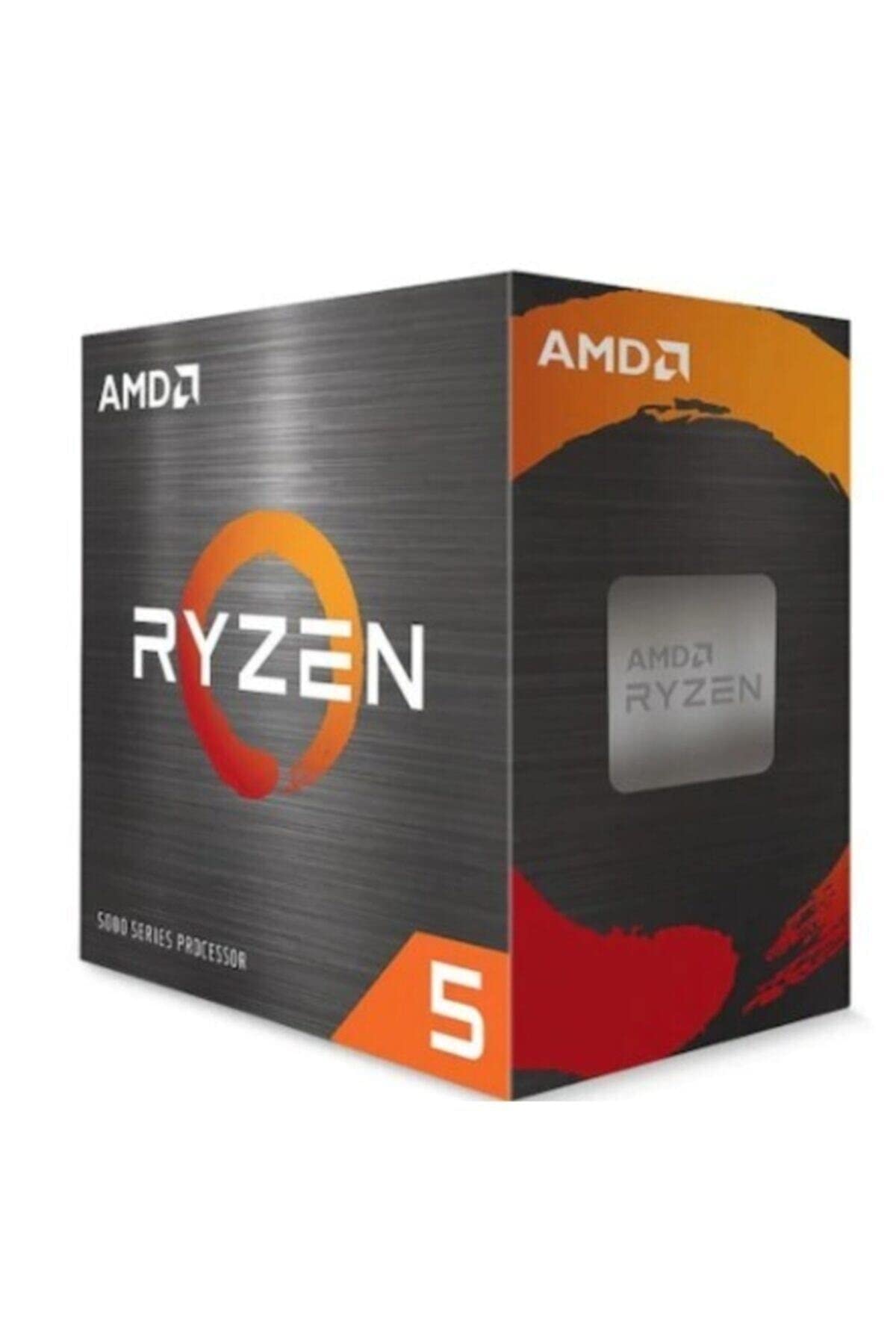 9.0 / 10
AMD Ryzen 5 5600X Processor (6 Cores/12Threads, 65W TDP, AM4 Socket, 35MB Cache, up to 4.6 GHz Max Boost, Wraith Stealth Cooler)
£142.98 · AMD
 9.0 / 10
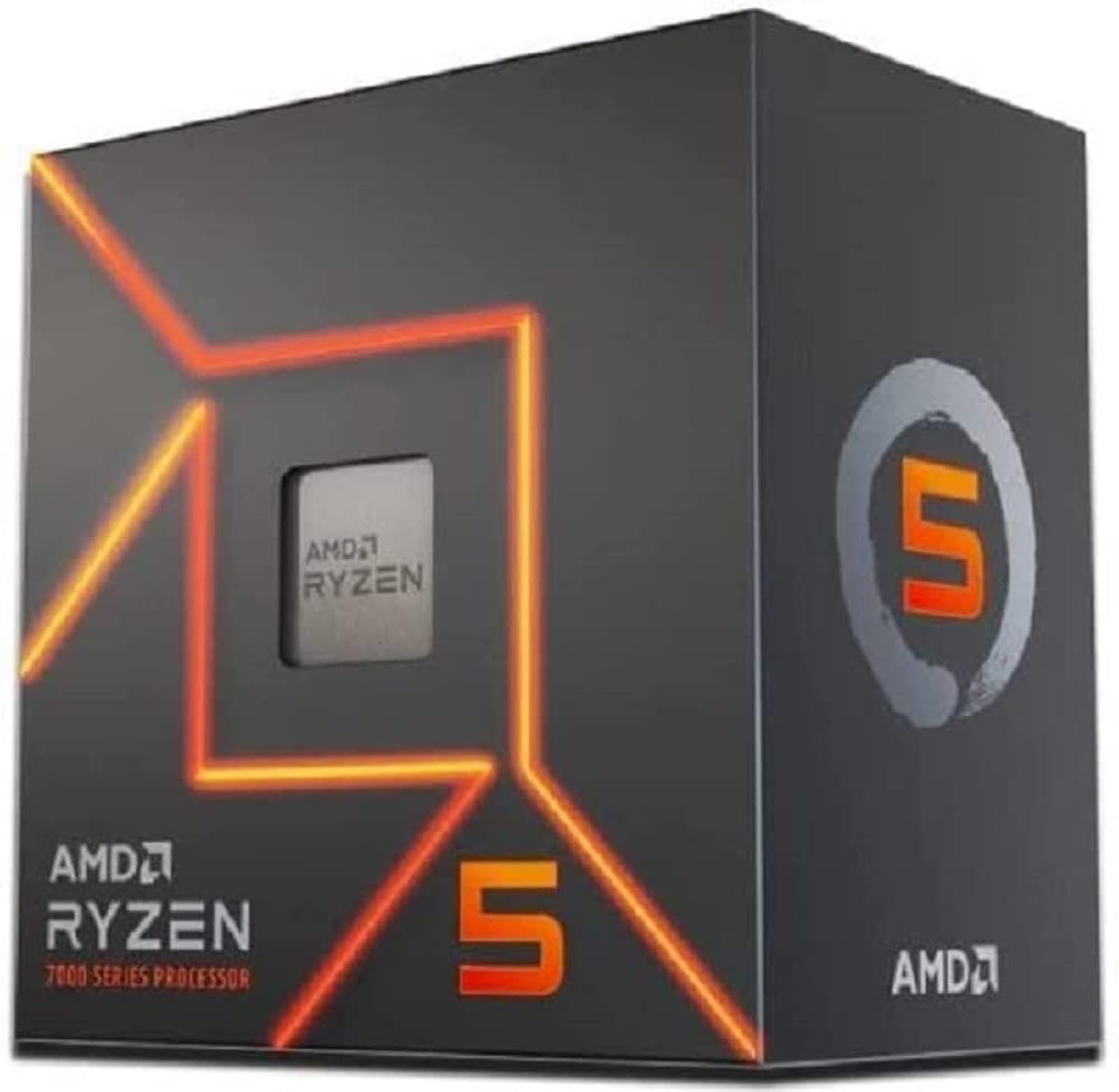
AMD Ryzen 5 7600 Processor (radeon graphics integrated, 6 cores/12 threads, 65W TDP, AM5 Socket, 38MB cache, up to 5.1 GHz max boost, Wraith Stealth Cooler)
£154.00 · AMD
Frequently asked
7 questions01Does the Intel Core i5-14400F include a cooler in the box?+
Yes. The i5-14400F ships with the Intel Laminar RM1 cooler, which is a 92mm push-pin heatsink rated for CPUs up to 65W TDP. It is adequate for stock operation but can become noisy under sustained multi-threaded load. A budget tower cooler such as a Thermalright Assassin X 120 R SE or a Cooler Master Hyper 212 is a worthwhile upgrade for builders who want quieter operation.
02Can I use DDR4 memory with the i5-14400F?+
Yes. The i5-14400F supports both DDR4 and DDR5, depending on which motherboard you choose. DDR4 boards typically use the DDR4 variants of B760 or Z790 motherboards, while DDR5 boards use the DDR5 variants. The official JEDEC speeds are DDR4-3200 and DDR5-4800, though XMP profiles allow DDR4 kits at 3600 MHz and DDR5 kits at 5600 MHz or higher to run at their rated speeds on compatible boards.
03What motherboards are compatible with the i5-14400F?+
The i5-14400F uses the LGA1700 socket and is compatible with Intel 700 Series motherboards (Z790, H770, B760, H710) and Intel 600 Series motherboards (Z690, H670, B660, H610). For most builds at this price point, a B760 motherboard offers the best balance of features and cost. Z790 boards provide additional PCIe lanes and overclocking support, but since the i5-14400F has a locked multiplier, the overclocking capability of a Z790 board is not useful here.
04Is the i5-14400F good for gaming?+
Yes, it is well suited to gaming. The six P-cores boost to 4.7 GHz and handle the main game thread and physics calculations effectively, while the four E-cores absorb background tasks such as Discord or a browser running alongside the game. At 1080p with a capable GPU, the chip delivers frame rates competitive with more expensive processors. At 1440p and 4K, the GPU becomes the primary bottleneck in most titles, so the CPU's tier matters less at those resolutions.
05Can you overclock the i5-14400F?+
No. The i5-14400F has a locked multiplier, which means CPU overclocking is not available regardless of the motherboard you use. The 4.7 GHz single-core boost is the ceiling. You can enable XMP profiles in the BIOS to run your DDR4 or DDR5 memory at its rated speed, which is a worthwhile and straightforward tuning step, but the CPU frequency itself cannot be increased beyond Intel's Turbo Boost limits. If overclocking is important to your build, the i5-14600KF is the appropriate Intel alternative.
06How does the i5-14400F compare to the AMD Ryzen 5 7600?+
In multi-threaded workloads, the i5-14400F has an advantage thanks to its additional E-cores, giving it sixteen threads versus the Ryzen 5 7600's twelve. In single-threaded and gaming performance, the two chips are broadly competitive, with the Ryzen 5 7600 holding a slight IPC edge from the Zen 4 architecture. The platform comparison favours AMD for longevity, as AM5 is supported through at least 2027 and LGA1700 is end-of-life. However, the i5-14400F platform allows DDR4 memory use and typically costs less in total motherboard price, which can make the Intel option more attractive for budget-conscious builds.
07Does the i5-14400F work without a graphics card installed?+
No. The F suffix indicates that the integrated graphics unit is disabled or absent. You must have a discrete GPU installed to get a display output. If you need a display fallback for troubleshooting or want the option to run without a discrete GPU, the standard Intel Core i5-14400 (without the F suffix) includes an integrated GPU and is worth the modest price premium in those scenarios.