Pick the wrong motherboard and your entire build pays for it. Wrong VRM and your CPU throttles under load. Wrong chipset and you're missing features you'll want in six months. The MSI B760M PROJECT ZERO sits in the mid-range bracket doing something genuinely unusual: hiding every cable connector on the back of the board, which sounds like a gimmick until you realise it might actually be the cleanest Micro-ATX build you've ever put together.
So is it any good? Yes, mostly. The VRM is properly specified for a B760 board, the connectivity list is strong, and the back-connect design delivers on its promise if you're building in a compatible case. The 27 owners who've reviewed it average ★★★★☆ (4.2), which for a niche form factor at this price point is a solid signal. There are a few things before you buy, though, and this review covers all of them without the marketing waffle.
Core Specifications
The B760M PROJECT ZERO is a Micro-ATX board built around Intel's B760 chipset, using the LGA 1700 socket. It supports 12th, 13th, and 14th Gen Intel Core processors, which covers a wide range of builds from budget Alder Lake chips right up to a Core i9-14900K if you're feeling ambitious (though you'd want a Z790 for that, really). Four DDR5 DIMM slots handle memory, with overclocking headroom up to 7800+ MHz. Storage is handled by two M.2 Gen4 x4 slots. Rear I/O includes USB 3.2 Gen 2x2 Type-C at 20Gbps, HDMI 2.1, DisplayPort 1.4, and 7.1 HD Audio. Wi-Fi 6E and Bluetooth 5.3 are built in, along with 2.5Gbps LAN.
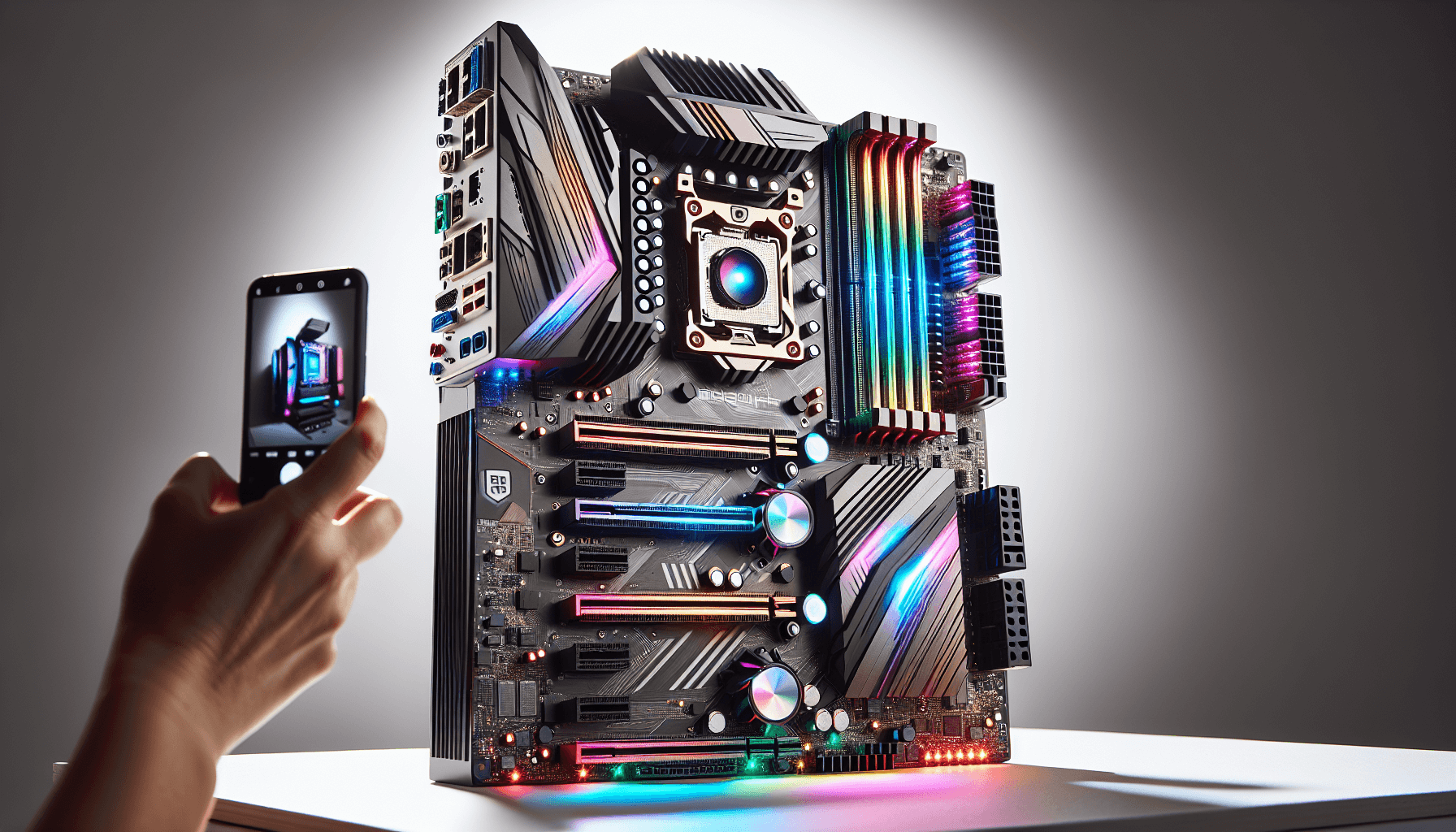
The headline feature, and the reason you'd pick this over a standard B760M, is the back-connect design. Every power connector, fan header, USB header, and front-panel connector routes to the rear of the PCB. The front of the board looks almost completely clean. It's a proper aesthetic win for anyone who cares about a tidy build, and it's not purely cosmetic because fewer cables crossing the board means better airflow through the case too.
The 6-layer server-grade PCB with 2 oz. thickened copper is. Most budget and mid-range boards use 4-layer PCBs. Six layers means better signal integrity and more robust power delivery traces. It's the kind of spec that doesn't show up in gaming benchmarks but does matter for long-term reliability. That's the sort of thing worth paying attention to.
| Specification | Detail |
|---|---|
| Socket | LGA 1700 |
| Chipset | Intel B760 |
| Form Factor | Micro-ATX |
| CPU Support | Intel 12th, 13th, 14th Gen Core |
| Memory Slots | 4 x DDR5 DIMM |
| Memory Speed | Up to 7800+ MHz (OC) |
| PCIe x16 Slot | 1 x PCIe 5.0 x16 (Steel Armor) |
| M.2 Slots | 2 x M.2 Gen4 x4 (64Gbps each) |
| VRM | 12 Phase Duet Rail, 75A DrMOS |
| USB (Rear) | USB 3.2 Gen 2x2 Type-C (20Gbps) |
| Video Output | HDMI 2.1, DisplayPort 1.4 |
| Audio | 7.1 HD Audio with Audio Boost, S/PDIF |
| Networking | Intel Wi-Fi 6E, Bluetooth 5.3, 2.5Gbps LAN |
| PCB | 6-layer server-grade, 2 oz. copper |
| Price | £129.99 |

Socket and CPU Compatibility
The LGA 1700 socket is Intel's platform for 12th Gen Alder Lake, 13th Gen Raptor Lake, and 14th Gen Raptor Lake Refresh processors. That's a good three-generation spread, which means if you're buying a 12th Gen chip now because prices have dropped, you've got upgrade headroom to 13th or 14th Gen later without swapping the board. That's genuinely useful. The socket itself uses 1700 contact points and is not compatible with older LGA 1200 or LGA 1151 coolers without an adapter bracket, so factor that in if you're reusing cooling hardware.
The B760 chipset officially supports 12th, 13th, and 14th Gen chips out of the box, though whether a specific board ships with firmware ready for 14th Gen depends on the BIOS version it comes with. MSI has generally been decent about shipping boards with up-to-date BIOS images, and the PROJECT ZERO has been available long enough that most retail stock should be fine. If you're buying used or old stock. MSI's support page lists available BIOS updates, so you can flash before installing a newer CPU if needed. You don't need a CPU to flash either, because MSI's Flash BIOS button lets you update via USB stick.
One thing to be clear about: this is not a platform for extreme overclocking. The B760 chipset locks CPU core overclocking. You can push memory speeds and adjust some power limits, but if you want to manually tune CPU multipliers on a Core i9, you need a Z790 board. For the vast majority of people building a sensible gaming or productivity rig with a locked or low-K chip, this is not a problem at all. The board's Core Boost feature helps manage power delivery for high core-count chips, which is practical rather than flashy.
Chipset Features
The Intel B760 chipset sits in the middle of Intel's 600/700 series lineup. It's below Z790 (which allows full CPU overclocking) and above H610 (which strips out a lot of lanes and features). For most builders, B760 hits the sweet spot: you get PCIe 5.0 for the primary GPU slot, PCIe 4.0 for M.2 storage, decent USB bandwidth, and enough lanes to run a proper gaming or workstation build without compromise.
What B760 doesn't give you is CPU multiplier overclocking. Memory overclocking via XMP is supported, which is what most people actually care about in practice. The chipset provides enough PCIe lanes to run two M.2 drives and a GPU simultaneously without sharing or bottlenecking, which is the critical thing to verify on any Micro-ATX board. Some cheaper B760M boards have to share lanes between the second M.2 slot and the chipset, effectively halving bandwidth. That's not the case here, with two full Gen4 x4 slots listed.
The B760 also handles USB distribution well enough for a mid-range build. The rear I/O includes that USB 3.2 Gen 2x2 Type-C port running at 20Gbps, which is genuinely fast and still not standard on every board in this bracket. Combined with the back-connect design routing internal headers neatly, the overall I/O setup is well thought through. It's not a chipset that will embarrass you in two years' time, which is about the best thing you can say about a mid-range chipset.
VRM and Power Delivery
This is where the PROJECT ZERO earns some respect. A 12-phase Duet Rail power system using 75A DrMOS MOSFETs is a proper VRM for a B760 board. To put that in context: many boards at this price point use 8 or 10 phases with cheaper MOSFETs and a small heatsink that barely covers the components. MSI has gone beyond that here, and the thermal solution backs it up with 7W/mK MOSFET thermal pads and an extended heatsink with a heat pipe. That's not budget-board stuff.
The Duet Rail design means each phase handles both high-side and low-side switching, which improves efficiency and reduces heat compared to a traditional split-phase arrangement. Paired with 75A per phase, you're looking at a VRM that can comfortably handle a Core i7-14700K or similar without sweating. Even a Core i9-14900K wouldn't cause immediate problems, though at that level you'd arguably be better served by a Z790 board anyway, both for the overclocking and because the VRM would be working harder. For a Core i5 or i7 build, which is the realistic use case here, the power delivery is more than adequate.
The dedicated pump-fan cooling header is a nice touch that often gets overlooked. If you're running an AIO liquid cooler, having a dedicated header for the pump (separate from standard fan headers) means the pump runs at full speed regardless of your fan curve settings, which is exactly how it should work. Some cheaper boards skip this and you end up either running the pump too slow or manually overriding the fan curve. Small detail, but it matters for system stability over time. Owner reviews don't flag any VRM thermal issues, which is consistent with what the spec sheet suggests.
Memory Support
Four DDR5 DIMM slots with support for speeds up to 7800+ MHz via overclocking. That's a strong memory spec for this chipset tier. The 1DPC 1R (one DIMM per channel, single rank) configuration is what unlocks those extreme speeds, which is standard across the industry at this frequency range. Run two sticks in dual-channel at more sensible speeds (DDR5-6000 or DDR5-6400) and you'll have no issues whatsoever with 2DPC operation. The board supports JEDEC DDR5 specifications as well as XMP profiles for overclocked kits.
DDR5 is the right call for a new build in 2026. DDR4 platforms are still around but DDR5 prices have come down significantly and the performance headroom is real, especially at higher memory frequencies. The PROJECT ZERO doesn't offer DDR4 compatibility, which is fine. If you've got DDR4 sticks from a previous build, they won't work here. Budget for new memory accordingly.
The memory overclocking story is genuinely good on this board. Owner reviews mention successful XMP profile loading without drama, which isn't always guaranteed on B760 boards. Some cheaper boards struggle to consistently post at rated XMP speeds, requiring manual sub-timing adjustments to stabilise. The PROJECT ZERO's 6-layer PCB and quality VRM contribute to cleaner power delivery to the memory controller, which helps here. If you're buying a DDR5-6000 or DDR5-6400 kit and want it to just work at rated speeds, this board looks like a safe bet based on owner feedback.
Storage Options
Two M.2 slots, both running PCIe Gen 4 x4 at up to 64Gbps each. That's the correct spec for a 2026 build. PCIe Gen 4 NVMe drives are the mainstream choice right now, offering sequential reads of 7,000 MB/s or more, which is plenty for gaming, content creation, or general use. Both slots get MSI's M.2 Shield Frozr heatsink to keep SSD temperatures in check, and installation uses EZ M.2 Clips for tool-free fitting. No screwdriver required. That's a quality-of-life improvement that owners consistently appreciate.
SSD thermal throttling is a real issue with Gen 4 drives under sustained load. The Shield Frozr covers both slots, which is better than boards that only cover the primary slot and leave the secondary one exposed. Whether you're running a single fast drive or two in parallel, both get thermal protection. That's not a given at this price point, and notably, because a throttling SSD in a secondary slot is an annoying problem to diagnose.
The board doesn't specify SATA port count in the verified product data, so we're not going to invent a number. If you're planning to run multiple SATA SSDs or hard drives, check MSI's full specification sheet before buying. For most modern builds running one or two NVMe drives, the two M.2 slots are sufficient and the back-connect design means no SATA cables cluttering the front of the board anyway. The overall storage setup is clean and well-specified for the target market.
Expansion Slots and PCIe
The primary GPU slot is a single PCIe 5.0 x16 slot with Steel Armor reinforcement. PCIe 5.0 doubles the bandwidth of Gen 4, providing up to 128 GB/s in x16 mode. Current graphics cards don't saturate even PCIe 4.0 x16, so the Gen 5 slot is future-proofing rather than a current performance differentiator. But future-proofing matters when you're buying a board you expect to use for several years, and having the headroom there costs nothing extra.
The Steel Armor reinforcement on the GPU slot is a practical feature, not just cosmetic. Heavy graphics cards, especially triple-fan models, put real mechanical stress on the slot. A reinforced slot is significantly less likely to crack or lose contact over time, particularly if you're regularly transporting the system or if the case doesn't have a GPU support bracket. It's a detail that matters for long-term reliability.
Being a Micro-ATX board, there are physical size constraints on how many expansion slots you get. The back-connect design also means the board's layout is different from a standard board, so check MSI's documentation for the exact slot configuration if you're planning to run additional PCIe cards beyond a GPU. For the typical use case (one GPU, two NVMe drives, Wi-Fi already built in), the expansion situation is perfectly adequate. Most people building a Micro-ATX system aren't planning to fill it with expansion cards anyway.

Connectivity and Rear I/O
The rear I/O list is strong for a mid-range Micro-ATX board. You get a USB 3.2 Gen 2x2 Type-C port running at 20Gbps, which is the fastest consumer USB standard widely available right now and still absent from plenty of boards in this bracket. HDMI 2.1 and DisplayPort 1.4 handle video output for builds using Intel's integrated graphics, useful for troubleshooting or for builds that don't need a discrete GPU. The 7.1 HD Audio with Audio Boost and S/PDIF output rounds out the audio side.
The back-connect design fundamentally changes how internal connectivity works. All your front-panel headers, fan headers, USB internal headers, and power connectors go to the back of the PCB rather than the front. This requires a compatible case that has a cutout or routing channel for back-connect boards. MSI has a list of compatible cases, and check it before you commit. Using a standard ATX case that doesn't support back-connect will make cable management extremely difficult and potentially impossible to close the side panel. This is the one practical hurdle the PROJECT ZERO puts in your way.
For builds in a compatible case, the result is genuinely impressive. The front of the board is clean, cables don't cross the motherboard tray, and airflow through the case is unobstructed. Owner reviews consistently mention the clean look as a highlight. One thing: the dedicated pump-fan header on the back-connect side means you'll want to plan your AIO routing carefully, but that's a one-time setup consideration rather than an ongoing problem.
WiFi and Networking
The Intel Wi-Fi 6E module is a proper choice. Intel's wireless chipsets have a strong reputation for driver stability and consistent performance, which matters more than peak theoretical speeds in day-to-day use. Wi-Fi 6E adds the 6 GHz band to the existing 2.4 GHz and 5 GHz bands from Wi-Fi 6, which means less congestion in dense environments and higher throughput when your router supports it. Bluetooth 5.3 is included for peripherals, which covers current wireless keyboards, mice, headsets, and controllers without issue.
The 2.5Gbps wired LAN is the right call for 2026. Standard Gigabit ethernet is increasingly a bottleneck for NAS setups, fast internet connections, and local file transfers. 2.5G is the practical upgrade that doesn't require expensive switching infrastructure, since 2.5G switches and routers are widely available at reasonable prices now. If you're still on a Gigabit switch, you won't notice the difference immediately, but you won't be leaving performance on the table when you do upgrade.
Having both Wi-Fi 6E and 2.5Gbps LAN built in means you're not paying extra for a wireless card or a network adapter, and you're not occupying a PCIe slot for networking. At this price point, that's good value. Some boards in this bracket include Wi-Fi but drop back to Gigabit ethernet, or include 2.5G ethernet but no Wi-Fi. Getting both at a decent spec is.
BIOS and Overclocking
MSI's BIOS has improved considerably over the past few years. The Click BIOS 5 interface is reasonably navigable, with an EZ Mode for quick setup and an Advanced Mode for people who want to dig into memory timings, fan curves, and power limits. It's not the prettiest BIOS on the market (ASUS ROG's BIOS still wins that contest) but it's functional and the layout makes sense once you've spent ten minutes in it. Owner reviews for the PROJECT ZERO don't flag any significant BIOS issues, which is a decent sign. A bad BIOS experience tends to generate vocal complaints.
Overclocking on B760 is limited to memory, as covered earlier. But memory overclocking on this board appears to work well. XMP profiles load reliably, and for people who want to push further, the BIOS provides access to manual frequency and timing adjustments. Getting DDR5-6000 or DDR5-6400 kits running at rated speeds is straightforward. Going beyond that into 7000+ MHz territory requires more patience and some sub-timing work, but the board supports it if you're inclined to tinker.
Fan curve control is because it's genuinely useful and often overlooked. MSI's fan control in BIOS allows per-header customisation with temperature source selection, which means you can tie your case fans to CPU temperature, chipset temperature, or a specific thermal sensor. The dedicated pump header runs independently. This level of control is standard on premium boards but not always present on mid-range options. Having it here means you can set up a quiet, thermally sensible system without needing third-party software. That's a practical win for anyone who cares about noise levels.
Build Quality and Aesthetics
The 6-layer PCB with 2 oz. thickened copper is a genuine quality signal. Standard consumer motherboards use 4-layer PCBs with 1 oz. copper. The extra layers improve signal integrity and the thicker copper reduces resistance in power delivery traces, which contributes to both performance and longevity. It's a spec you normally see on server boards or high-end enthusiast products. Finding it on a mid-range Micro-ATX board is unusual and worth the mention.
The heatsink setup covers VRM, chipset, and both M.2 slots, which is comprehensive. The VRM heatsink uses a heat pipe to spread thermal load across a larger surface area, and the 7W/mK thermal pads are high-quality interface material. Cheaper boards use thermal pads in the 4 to 5 W/mK range, which is noticeably less effective. The M.2 Shield Frozr heatsinks are solid aluminium covers with thermal pads, not decorative plastic. They actually work.
Aesthetically, the back-connect design is the whole point. The front of the board is clean to the point of looking almost blank compared to a standard motherboard. No cable clutter, no visible connectors. If you're building in a case with a tempered glass panel, this is the board that makes the interior look properly finished without spending hours on cable management. Owner photos shared in reviews back this up. The board itself doesn't appear to have RGB lighting, which will either be a relief or a disappointment depending on your preferences. For the clean-build crowd this board is aimed at, no RGB is probably the right call.
How It Compares
The two most relevant comparisons are the ASUS ROG STRIX B760-I GAMING WIFI (a Mini-ITX alternative at a higher price) and the Gigabyte B760M AORUS ELITE AX (a standard Micro-ATX B760 board at a similar price point). The PROJECT ZERO sits in an interesting position because its back-connect design is unique in this bracket, making direct comparison a bit awkward. You're not just comparing specs, you're comparing build philosophies.
Against the Gigabyte B760M AORUS ELITE AX, the PROJECT ZERO offers a comparable VRM and similar connectivity, but adds the back-connect design and the 6-layer PCB. The Gigabyte board uses a standard connector layout, which means it works in any Micro-ATX case without compatibility concerns. If you don't care about the clean-build aesthetic, the Gigabyte is a sensible, straightforward alternative that's widely available and well-reviewed. The PROJECT ZERO's premium is essentially paying for the back-connect design and the higher-spec PCB.
Against the ASUS ROG STRIX B760-I, the PROJECT ZERO is a different form factor (Micro-ATX vs Mini-ITX) with more memory slots and M.2 slots. The ASUS board typically costs more and fits in smaller cases. If you're specifically targeting a Mini-ITX build, the PROJECT ZERO isn't the right tool. If you're happy with Micro-ATX, the PROJECT ZERO gives you more expandability at a lower price than the ASUS. The back-connect design also gives you a cleaner result than a standard Mini-ITX board, which often has cables running everywhere due to the cramped layout.
| Feature | MSI B760M PROJECT ZERO | Gigabyte B760M AORUS ELITE AX | ASUS ROG STRIX B760-I GAMING WIFI |
|---|---|---|---|
| Form Factor | Micro-ATX | Micro-ATX | Mini-ITX |
| VRM | 12 Phase, 75A DrMOS | 12+1+2 Phase | 10 Phase |
| Memory Slots | 4 x DDR5 | 4 x DDR5 | 2 x DDR5 |
| M.2 Slots | 2 x Gen4 x4 | 3 x M.2 (mixed gen) | 2 x M.2 |
| Wi-Fi | Intel Wi-Fi 6E | Wi-Fi 6E | Wi-Fi 6E |
| LAN | 2.5Gbps | 2.5Gbps | 2.5Gbps |
| Back-Connect | Yes | No | No |
| PCIe x16 | PCIe 5.0 | PCIe 5.0 | PCIe 5.0 |
| PCB Layers | 6-layer | Not specified | Not specified |
| Price Tier | Mid-range | Mid-range | Premium |

Final Verdict
The MSI B760M PROJECT ZERO is a genuinely good mid-range Micro-ATX motherboard that does something different. The back-connect design is not a gimmick. It works, it looks great in a compatible case, and the underlying hardware is properly specified rather than cut-down to fund the aesthetic. A 12-phase 75A DrMOS VRM, a 6-layer PCB, two Gen4 x4 M.2 slots with heatsinks on both, Intel Wi-Fi 6E, 2.5Gbps LAN, and a 20Gbps USB Type-C port on the rear. For the mid-range bracket, that's a strong feature set.
The one real caveat is case compatibility. You must use a case that supports back-connect motherboards. This isn't a small thing. If you buy this board and then discover your chosen case doesn't have the right routing, you'll have a bad time. Check the MSI product page for compatible cases before committing. Assuming you've sorted the case, the board itself is well thought through. BIOS is functional, memory overclocking works reliably per owner feedback, and the thermal solution keeps everything running cool under load.
The 4.2-star average across 27 reviews is a fair reflection. It's not a perfect board and the small review count means a couple of outlier experiences can shift the average, but there are no patterns of serious failures or systematic issues in the feedback. Owner complaints, where they exist, tend to be about case compatibility confusion rather than the board itself, which is a documentation problem rather than a hardware problem.
Who should buy this? Someone building a clean Micro-ATX system in a back-connect compatible case, using a 12th, 13th, or 14th Gen Intel chip up to a Core i7 level, who wants Wi-Fi and fast storage without buying add-in cards. Content creators, PC enthusiasts who care about build aesthetics, and anyone who's ever spent an hour routing cables only to have them visible through the glass panel will appreciate what this board offers.
Who should skip it? Anyone not using a compatible case, obviously. Also anyone planning to run a Core i9 at full tilt who'd be better served by a Z790 board with proper overclocking support. And if you genuinely don't care about cable aesthetics and just want the most features per pound in Micro-ATX, the Gigabyte B760M AORUS ELITE AX is worth comparing directly. It works in any standard case, offers comparable connectivity, and costs a similar amount. No back-connect magic, but no case compatibility headache either. Be honest with yourself about which camp you're in before spending the money.
Our rating: 8 out of 10. Properly specified hardware, a unique design that actually works, and a mid-range price that doesn't feel like a rip-off. The case compatibility requirement is the only real friction point, and that's solvable with five minutes of research before you buy.
What works. What doesn’t.
5 + 3What we liked5 reasons
- Back-connect design genuinely cleans up builds in compatible cases
- 12-phase 75A DrMOS VRM is properly specified for this price bracket
- 6-layer server-grade PCB with 2 oz. copper is above mid-range standard
- Intel Wi-Fi 6E and 2.5Gbps LAN both included without compromise
- Both M.2 slots run Gen4 x4 with Shield Frozr heatsinks
Where it falls3 reasons
- Requires a back-connect compatible case, not all cases qualify
- B760 chipset locks CPU core overclocking, Z790 needed for that
- Small owner review pool (27 reviews) limits confidence in long-term reliability data
Full specifications
12 attributes| Socket | LGA1700 |
|---|---|
| Chipset | B760 |
| Form factor | Micro-ATX |
| Bios flashback | false |
| M2 slots | 2 |
| MAX RAM | 192GB |
| MAX RAM GB | 192 |
| Network | 2.5GbE + Wi-Fi 6E |
| Pcie 5 slots | 1 |
| Pcie slots | 1x PCIe 5.0 x16 |
| RAM slots | 4 |
| RAM type | DDR5 |
If this isn’t right for you
2 options

Frequently asked
5 questions01Is the MSI B760M PROJECT ZERO overkill for just gaming?+
Not really. The back-connect design is a build aesthetic choice rather than a gaming performance feature, but the underlying hardware is appropriately specified for a gaming build. PCIe 5.0 for the GPU slot, two Gen4 x4 M.2 slots for fast storage, Intel Wi-Fi 6E for wireless gaming, and a solid VRM that won't throttle your CPU under sustained load. If you're gaming in a compatible case and want a clean build, this is a sensible choice rather than overkill.
02Will my existing CPU cooler work with the MSI B760M PROJECT ZERO?+
The board uses the LGA 1700 socket. Coolers designed for LGA 1700 will mount directly. Coolers from older Intel platforms (LGA 1200, LGA 1151) are not directly compatible and require an adapter bracket, which most cooler manufacturers supply separately. Check your cooler manufacturer's compatibility list before assuming it will fit. AMD coolers will not work on this board.
03What happens if the MSI B760M PROJECT ZERO doesn't work with my components?+
Amazon UK's standard 30-day return window applies to most purchases, and the Amazon A-to-Z Guarantee covers you if there's a dispute. For compatibility issues, MSI's support team can help verify whether specific components are supported. The most common compatibility consideration with this board is case compatibility for the back-connect design, so verify that before purchasing rather than after.
04Is there a cheaper motherboard I should consider instead?+
Yes. If you don't need the back-connect design, boards like the Gigabyte B760M DS3H AX or the MSI PRO B760M-A WIFI DDR5 offer solid B760 functionality at a lower price point in the mid-range bracket. They work in any standard Micro-ATX case, have decent VRMs, and include Wi-Fi. The PROJECT ZERO's premium is essentially paying for the back-connect design and the higher-spec PCB. If neither of those matter to you, you can save money and get a perfectly capable board.
05What warranty and returns apply to the MSI B760M PROJECT ZERO?+
Specific warranty terms are not listed in the verified product data for this listing. MSI typically offers a 3-year warranty on motherboards, but confirm this directly with the seller or MSI UK before purchasing. Amazon's 30-day return policy and A-to-Z Guarantee apply to purchases made through Amazon UK regardless of manufacturer warranty.