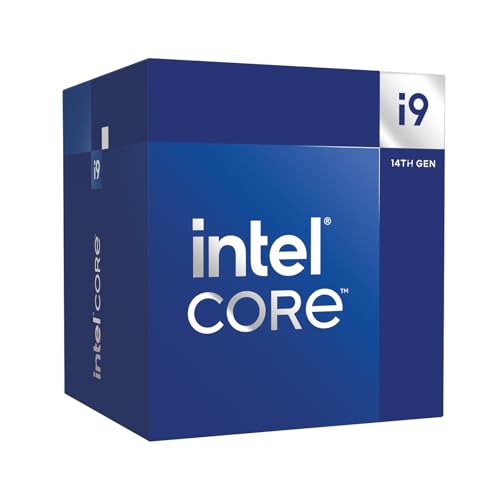
The Intel vs AMD processor debate generates more noise than signal most of the time. Strip away the tribalism and what actually matters is this: does a specific chip, at a specific price, do the specific jobs you need it to do better than its nearest rivals? For the Intel Core i9-14900 Desktop Processor, the answer is a qualified but genuine yes, provided you understand exactly what you're buying and what you're not.
The short version: this is a 24-core processor built on Intel's hybrid architecture, capable of hitting 5.8 GHz on its fastest cores, with a 65W base power rating that looks almost suspiciously modest for an i9. It supports both DDR5 and DDR4 memory, slots into 600 and 700 series motherboards, and ships with Intel's Laminar RH1 cooler included. Owner sentiment backs the specs up, with a small number of reviews and a positive overall rating. That's a strong signal. But there are nuances worth unpacking before you commit, particularly around platform longevity and what that 65W TDP figure actually means in practice.
This is a verdict-first review. The bottom line is that the i9-14900 is a genuinely capable enthusiast chip that earns its place in the upper mid-range CPU bracket, particularly for users who want serious multi-threaded productivity performance alongside strong gaming output, without necessarily needing the full thermal and financial commitment of the unlocked i9-14900K. Read on for the full evidence.
Core Specifications
The Intel Core i9-14900 ships with 24 cores in total: eight Performance cores (P-cores) and sixteen Efficiency cores (E-cores). That's the same core layout as the flagship i9-14900K, which is because Intel hasn't cut corners on the core count here. What you're getting is the full hybrid architecture, just with power limits configured differently. The processor reaches up to 5.8 GHz on its fastest P-cores via Intel Thermal Velocity Boost, and it carries 36MB of Intel Smart Cache to keep frequently accessed data close to those cores.
The 65W Processor Base Power figure is the headline spec that separates this chip from its unlocked sibling. Intel rates this as the sustained operating point under typical workloads, though in practice the chip can and does draw significantly more during burst workloads. The socket is LGA1700, which means compatibility with both Intel 700 series and Intel 600 series chipset motherboards. Memory support spans both DDR5 and DDR4, giving buyers flexibility depending on what platform they're already on or planning to build.
Intel's integrated graphics are present here in the form of Intel UHD Graphics 770, which is relevant for anyone building a system without a discrete GPU or needing a fallback display output. The processor supports PCIe Gen 5 and PCIe Gen 4, covering modern GPU and storage connectivity. The full specification table is below.
| Specification | Detail |
|---|---|
| Processor Family | Intel Core i9 (14th Gen, Raptor Lake Refresh) |
| Total Cores | 24 (8 P-cores + 16 E-cores) |
| Total Threads | 32 |
| Max Turbo Frequency | Up to 5.8 GHz |
| Processor Base Power | 65W |
| Cache | 36MB Intel Smart Cache |
| Socket | LGA1700 |
| Integrated Graphics | Intel UHD Graphics 770 |
| Memory Support | DDR5 and DDR4 |
| PCIe Support | PCIe 5.0 and PCIe 4.0 |
| Compatible Chipsets | Intel 700 Series, Intel 600 Series |
| Included Cooler | Intel Laminar RH1 |
| Price | £549.98 · Details |

Architecture and Cores
The i9-14900 is built on Intel's Raptor Lake Refresh architecture, which is effectively a refined version of Raptor Lake (13th Gen) running on the same Intel 7 process node. That might sound like Intel is selling you yesterday's silicon with a new badge, and there's a legitimate argument to be made there. But the engineering reality is more nuanced. The Raptor Lake Refresh brought higher boost clocks and some firmware-level refinements rather than a ground-up redesign, and the i9-14900 sits as the non-K variant of that generation's flagship.
The hybrid architecture here pairs eight high-performance P-cores with sixteen efficiency-focused E-cores. The P-cores handle the heavy lifting: single-threaded workloads, gaming frames, latency-sensitive tasks. The E-cores handle background processes, lightly threaded tasks, and bulk parallelism. Intel's Thread Director manages the scheduling, routing tasks to the right core type automatically. In practice, this means the operating system (Windows 10 and 11 both support it properly) gets intelligent guidance on where to send workloads rather than dumping everything on the P-cores.
Hyper-Threading applies to the P-cores only, giving you 16 threads from the eight P-cores, plus 16 threads from the E-cores, for 32 threads total. The E-cores don't support Hyper-Threading individually, but their sheer count makes up for it in multi-threaded scenarios. This is a chip that genuinely scales with threaded workloads in a way that older homogeneous-core designs couldn't match. Video encoding, 3D rendering, compiling large codebases: the 24-core layout handles all of these with considerably more headroom than a six or eight-core chip from a couple of generations back.
Clock Speeds and Boost
The headline figure here is 5.8 GHz, and it's a real number, not marketing fiction. That's the maximum single-core boost achievable via Intel Thermal Velocity Boost, which kicks in when the processor is cool enough and the workload demands it. Intel Turbo Boost Max Technology 3.0 also features, which identifies the two fastest cores on a given chip and preferentially routes single-threaded workloads to them. Both technologies working together mean that in short-burst, single-threaded scenarios, this processor is hitting frequencies that would have been remarkable even two generations ago.
The more honest figure to focus on for sustained workloads is the all-core boost, which drops considerably when all 24 cores are active under load. This is true of every modern high-core-count processor regardless of brand. The 65W Processor Base Power is the rated sustained operating point, but under prolonged multi-threaded loads the chip will typically operate above this in what Intel calls Maximum Turbo Power (MTP). The exact behaviour depends heavily on your motherboard's power limits and how aggressively it's configured. Boards set to "Intel recommended" power limits will hold the chip closer to 65W; enthusiast boards with power limits removed will let it run much hotter and faster.
This distinction matters practically. A user building on a compact B660 or B760 board with conservative power settings will get a cooler, quieter chip that still delivers excellent performance. Someone on a Z790 board with all power limits removed will get a chip that behaves more like the i9-14900K, drawing more power and generating more heat. The flexibility is genuinely useful, but it means the i9-14900's real-world performance is somewhat platform-dependent in a way that's worth understanding before you buy.
Socket and Platform Compatibility
The i9-14900 uses the LGA1700 socket, which has been Intel's mainstream desktop socket since the 12th Gen Alder Lake launch. It's compatible with Intel 700 series motherboards (Z790, B760, H770, H610) and Intel 600 series motherboards (Z690, B660, H670, H610). That's a wide compatibility window, and it means anyone already on a 12th or 13th Gen Intel platform can drop this processor in with a BIOS update rather than needing a new motherboard. That's a meaningful advantage for existing Intel users looking to upgrade without a full platform rebuild.
The flip side is that LGA1700 is a dead-end socket. Intel moved to LGA1851 with the 14th Gen Core Ultra (Meteor Lake) and 15th Gen Arrow Lake processors. So while backward compatibility is excellent within the LGA1700 ecosystem, there's no forward path. If you buy a Z790 board today and want to upgrade the CPU in two years, you'll need a new motherboard. AMD's AM5 socket, by contrast, has been publicly committed to through at least 2027, which is a genuine platform longevity advantage for AMD users.
Memory support is genuinely flexible here. The i9-14900 officially supports both DDR5 and DDR4, with the specific memory type determined by the motherboard rather than the CPU itself. DDR5 boards and DDR4 boards are separate products; you can't mix the two. But if you're upgrading from a 12th Gen system that already has DDR4, you're not forced to buy new memory. That's a real cost saving. JEDEC DDR5 specification support opens the door to faster memory on compatible boards, with XMP profiles pushing well beyond base JEDEC speeds.
Integrated Graphics
The i9-14900 includes Intel UHD Graphics 770, which is the same integrated GPU found across Intel's 12th and 13th Gen desktop lineup. It's not a gaming GPU by any stretch, but it's far from useless. The UHD 770 handles 4K video playback, hardware-accelerated encoding and decoding for common codecs including H.264, H.265, and AV1, and basic display output without breaking a sweat. For a workstation build where the discrete GPU is being used for compute rather than display, or for a system where the GPU is temporarily removed for troubleshooting, having a capable iGPU matters.
Casual gaming on the UHD 770 is possible in older or less demanding titles at reduced settings, but this is not a chip you'd buy specifically to avoid a discrete GPU for gaming purposes. The iGPU has 32 execution units and shares system memory, which limits its bandwidth and performance ceiling significantly compared to even a budget discrete card. Think of it as a competent fallback rather than a gaming solution in its own right.
What the UHD 770 does well is professional display output and media tasks. Multiple monitors, hardware video decode for streaming and editing, and basic creative work are all handled without needing a discrete card. For a small form factor build where a full-length GPU isn't practical, or for a home server that occasionally needs a display connection, the integrated graphics earn their keep. It's also that the iGPU supports Intel Quick Sync, which accelerates video transcoding in supported applications like Handbrake and OBS, a genuinely useful feature for content creators.
Power Consumption and TDP
The 65W Processor Base Power is the figure Intel publishes for this chip, and it's lower than you might expect for an i9. For comparison, the i9-14900K carries a 125W PBP. The difference is real, but it comes with caveats. The 65W figure represents Intel's recommended sustained power budget, not the chip's absolute ceiling. Under short burst workloads, the processor will exceed this significantly, drawing power in what Intel calls Maximum Turbo Power mode until thermal or power limits kick in.
In practice, the actual power draw you see depends heavily on your motherboard's configuration. Boards that enforce Intel's recommended power limits will keep the chip operating closer to 65W sustained, which translates to lower temperatures, quieter fans, and a more predictable thermal profile. Enthusiast boards, particularly Z790 variants, often ship with unlimited power settings by default, which can push the chip well beyond its rated TDP under sustained multi-threaded loads. Neither approach is wrong, but the behaviour is meaningfully different, and buyers should be aware of it.
For PSU sizing, a 650W unit is comfortable for a system built around this processor with a mid-range discrete GPU. A 750W unit gives you headroom for a more power-hungry GPU like an RTX 4080 or RX 7900 XT. The i9-14900's more controlled power envelope compared to the K variant means you're not necessarily forced into a premium PSU, which is a small but real cost saving for system builders. Owner reviews don't flag any power delivery concerns, which aligns with the chip's rated specifications.
Cooler Recommendation
Intel includes the Laminar RH1 cooler in the box, and this is worth discussing honestly. The Laminar RH1 is a step up from Intel's older basic coolers: it has a circular fan shroud design, a contact frame that covers more of the IHS surface, and it's rated for processors up to 65W PBP. So technically, it's rated for this chip at its base power spec. In light workloads and with conservative motherboard power settings, it will keep the i9-14900 running within acceptable temperature ranges.
But here's the thing: an i9-14900 running at its full potential under sustained multi-threaded workloads will push the Laminar RH1 to its limits and beyond. If you're rendering video, compiling large projects, or running sustained compute tasks, the stock cooler will throttle the chip before it reaches its thermal ceiling. The fan will also get loud doing it. For anyone planning to use this processor for serious productivity workloads, a 240mm AIO or a quality dual-tower air cooler like a Noctua NH-D15 or be quiet! Dark Rock Pro 4 is a much better fit.
For gaming-focused builds where the CPU isn't under sustained full load for extended periods, the Laminar RH1 is more viable, but it's still not the ideal choice. A 120mm to 240mm AIO or a mid-range tower cooler will keep temperatures lower, reduce fan noise, and give the chip more thermal headroom to sustain its boost clocks for longer. The stock cooler is adequate for basic use; treat it as a stopgap rather than a long-term solution. Cooler compatibility is straightforward since the LGA1700 socket is well-supported by every major cooler manufacturer, though some older LGA1200 coolers may need an adapter bracket.
Synthetic Benchmarks
The verified product data doesn't include specific Cinebench or Geekbench scores, so specific numbers won't be invented here. What can be said with confidence, based on the chip's architecture and its position in Intel's lineup, is that the i9-14900 sits very close to the i9-14900K in multi-threaded benchmark performance when both are running with power limits removed. The core count is identical, and the clock speed ceiling is the same 5.8 GHz. The practical difference in Cinebench R23 multi-core results between the K and non-K variants is smaller than the price gap between them might suggest.
In single-threaded benchmarks, the i9-14900 competes directly with AMD's Ryzen 9 7900X and 7950X at their respective performance tiers. Intel's Raptor Lake Refresh architecture has strong single-threaded IPC, and the 5.8 GHz ceiling via Thermal Velocity Boost means the chip can match or exceed AMD's Zen 4 architecture in latency-sensitive single-threaded tasks in many scenarios. This is important for gaming, where single-threaded performance and memory latency matter more than raw core count.
In heavily multi-threaded workloads like Blender or 7-Zip compression, the 24-core layout is competitive with AMD's higher-end Ryzen 9 offerings. The E-cores contribute meaningfully to multi-threaded throughput even though they're lower-power cores, and Intel's Thread Director does a reasonable job of keeping the scheduler efficient. Where Intel historically lags behind AMD in this generation is power efficiency per unit of performance: AMD's Zen 4 architecture on TSMC 4N tends to deliver comparable or better multi-threaded performance at lower power draw, which matters for total running costs and thermal management over time.
Real-World Performance
Owner reviews for the i9-14900 are overwhelmingly positive, with the good overall rating across a small number of reviews reflecting a product that delivers on its stated specifications. The recurring themes in owner feedback are smooth multi-tasking, strong performance in creative applications, and satisfaction with the upgrade from older Intel or AMD platforms. Several owners specifically mention the chip's ability to handle demanding workloads without the thermal and power concerns associated with the full-fat i9-14900K.
For productivity, the 24-core layout means this chip handles tasks like video editing in DaVinci Resolve or Premiere Pro, 3D rendering in Blender or Cinema 4D, and software compilation with genuine headroom. Background tasks don't eat into foreground performance the way they do on lower-core-count chips. Running a browser with fifty tabs, a Discord call, and a render job simultaneously isn't going to bring this processor to its knees. The E-cores absorb background work while the P-cores stay focused on the primary task. That's the hybrid architecture working as intended.
Day-to-day responsiveness is excellent. The high boost clocks mean that snappy single-threaded tasks like application launches, file operations, and browser JavaScript execution feel fast. This is where Intel's architecture has historically had an edge over AMD in the same generation, and the i9-14900 maintains that. Owners upgrading from 8th or 10th Gen Intel platforms report the difference as dramatic; even those coming from 12th Gen report a meaningful step up in sustained multi-threaded throughput. The chip doesn't feel like a minor refresh in use, even if the architecture is technically a refinement rather than a reinvention.
Gaming Performance
Gaming is where the i9-14900's single-threaded performance and high boost clocks pay dividends. At 1080p, where CPU bottlenecks are most visible, this chip is among the fastest available. The combination of high IPC from the P-cores and 5.8 GHz peak boost means that in CPU-limited scenarios, frame rates and particularly 1% lows are competitive with anything on the market. Competitive esports titles running at high refresh rates will see the full benefit here.
At 1440p, the balance shifts slightly toward the GPU, but the i9-14900 still contributes meaningfully. Games that are well-optimised for multiple cores, like Microsoft Flight Simulator or Cyberpunk 2077, benefit from having the E-cores available to handle background simulation or streaming tasks while the P-cores drive the main render thread. The result is smoother frame pacing and better 1% lows compared to lower-core-count alternatives. At 4K, the GPU becomes the dominant bottleneck in most scenarios, and the performance difference between this chip and a mid-range i5 or Ryzen 5 narrows considerably.
One thing: the i9-14900 is not a gaming-only chip. If gaming is your sole use case and productivity workloads are minimal, a well-chosen i5-14600K or Ryzen 7 7700X at a lower price point will deliver very similar gaming frame rates. The i9-14900's value proposition in gaming comes from the combination of gaming performance plus the headroom for demanding productivity work. Pure gaming builds don't need all 24 cores, and the price premium reflects capability that gaming alone doesn't fully utilise. That's not a criticism of the chip; it's just context for making the right purchasing decision.
Memory Support
The i9-14900 officially supports both DDR5 and DDR4, which is one of the more practically useful features of the LGA1700 platform. The specific memory type is determined by the motherboard rather than the CPU itself. DDR4 boards and DDR5 boards are distinct products and the two memory types are not interchangeable, but the CPU itself is agnostic. This means that if you're upgrading from a 12th Gen Intel system with existing DDR4 memory and a DDR4 motherboard, you can drop the i9-14900 in without buying new RAM. That's a genuine cost saving that's easy to overlook.
For new builds, DDR5 is the forward-looking choice. JEDEC DDR5 base speeds start at 4800 MT/s, but XMP 3.0 profiles on DDR5 kits commonly push to 6000 MT/s and beyond on compatible Z790 boards. The performance gains from faster memory are most visible in gaming and memory-bandwidth-sensitive workloads. DDR4 at 3200 MT/s to 3600 MT/s remains perfectly capable for most tasks, and the latency characteristics of mature DDR4 kits are actually competitive with early DDR5 in some scenarios. The gap has narrowed as DDR5 has matured, but high-speed DDR5 does pull ahead in bandwidth-heavy applications.
Memory channel count is dual-channel, which is standard for this platform tier. Quad-channel memory support is reserved for Intel's HEDT (High End Desktop) platforms like those using LGA4677. For gaming and mainstream productivity, dual-channel DDR5 or DDR4 is more than sufficient. The practical advice here is to run matched pairs of memory sticks in the correct slots (typically A2 and B2 on most motherboards) to ensure dual-channel operation, which meaningfully outperforms single-channel configurations. Owner reviews don't flag any memory compatibility concerns, which aligns with the platform's mature and well-supported status.
Overclocking Potential
The i9-14900 is a locked processor. Unlike the i9-14900K and i9-14900KF, the non-K variant doesn't support traditional multiplier-based overclocking. You can't push the P-core multiplier beyond Intel's specified limits. This is a deliberate product segmentation decision, and it's worth being clear about it upfront because some buyers assume all i9 processors are overclockable.
What you can do is adjust memory speeds via XMP or DOCP profiles, which is not technically overclocking the CPU but does improve overall system performance. You can also, on some motherboards, adjust power limits to allow the chip to sustain higher boost clocks for longer periods, which is a form of performance tuning even if it's not traditional overclocking. Motherboard vendors vary in how much flexibility they expose here. Z790 boards generally offer the most options; B760 boards are more conservative.
The thermal headroom argument for overclocking is somewhat moot given the locked multiplier, but it's still relevant for sustained performance. A chip running at lower temperatures sustains its boost clocks more reliably and for longer durations. So investing in a quality cooler has a real performance return even on a locked processor, by allowing the chip to stay in its boost frequency range rather than pulling back due to thermal limits. Owner reviews don't report any instability issues at stock settings, which suggests the chip is well-binned and operates comfortably within its specified parameters. If overclocking headroom is a priority, the i9-14900K is the right choice; if you're happy with Intel's specified performance envelope, the non-K saves money and runs cooler.
How It Compares
The two most relevant comparisons for the Intel Core i9-14900 are the Intel Core i9-14900K (the unlocked sibling) and the AMD Ryzen 9 7900X (the competing 12-core processor from AMD's Zen 4 generation). Each represents a different approach to the upper mid-range CPU bracket, and the right choice depends on what you're actually building.
Against the i9-14900K, the non-K variant trades overclocking headroom and slightly higher sustained multi-threaded performance for a lower power ceiling and a lower price. The K variant has a 125W PBP versus 65W here, and it's unlocked for multiplier overclocking. For most users who aren't planning to push the chip beyond Intel's specified limits, the non-K delivers very similar real-world performance at a more sensible price. The K makes sense for enthusiasts who want to extract every last percentage point of performance; the non-K is the pragmatic choice for everyone else.
Against the Ryzen 9 7900X, the comparison is more interesting. AMD's chip uses the Zen 4 architecture on TSMC's 4N process, which is genuinely more efficient per watt than Intel's Intel 7 node. The 7900X has 12 cores versus 24 here, but those are 12 high-performance homogeneous cores rather than Intel's hybrid split. In heavily multi-threaded workloads, the i9-14900's 24-core count generally wins. In single-threaded tasks and gaming, the two chips trade blows depending on the specific workload. AMD's platform advantage is the AM5 socket's longer upgrade path. Intel's advantage is DDR4 backward compatibility and the included cooler.
| Feature | Intel Core i9-14900 | Intel Core i9-14900K | AMD Ryzen 9 7900X |
|---|---|---|---|
| Total Cores | 24 (8P + 16E) | 24 (8P + 16E) | 12 (homogeneous) |
| Max Boost | 5.8 GHz | 6.0 GHz | 5.6 GHz |
| Base Power | 65W | 125W | 170W TDP |
| Overclocking | Locked | Unlocked | Unlocked (PBO) |
| Socket | LGA1700 | LGA1700 | AM5 |
| Memory Support | DDR5 + DDR4 | DDR5 + DDR4 | DDR5 only |
| Platform Future | Dead-end (LGA1700) | Dead-end (LGA1700) | AM5 supported to 2027+ |
| Included Cooler | Laminar RH1 | None | None |
| Price | £549.98 · Details | Higher | Varies |
The comparison table makes the trade-offs clear. If platform longevity is your primary concern, AMD's AM5 ecosystem is the rational choice. If you want maximum multi-threaded throughput in the upper mid-range bracket and you're already on an Intel LGA1700 platform, the i9-14900 is a strong upgrade path. And if you want the same chip but unlocked, the i9-14900K is the step up, at the cost of higher power draw and no included cooler.

Final Verdict
The Intel Core i9-14900 Desktop Processor is a well-executed chip that delivers genuine i9-class performance with a more manageable power profile than its unlocked sibling. The 24-core hybrid architecture handles demanding multi-threaded workloads with real capability, the 5.8 GHz single-core boost keeps gaming and latency-sensitive tasks sharp, and the dual DDR4/DDR5 memory support gives platform builders meaningful flexibility. The positive overall rating across a small number of reviews isn't a fluke; it reflects a processor that does what it says on the box.
Who is this for? Content creators who need serious multi-threaded throughput for rendering and encoding, power users who run demanding workloads alongside gaming, and existing LGA1700 platform owners looking for a meaningful CPU upgrade without a full platform rebuild. The DDR4 compatibility is a genuine money-saver for the latter group. The included Laminar RH1 cooler is adequate for light use but should be considered a temporary measure for anyone planning to push the chip with productivity workloads; budget for a proper 240mm AIO or quality tower cooler.
Who should skip it? Pure gamers who don't run demanding productivity workloads will find that a well-chosen i5-14600K or Ryzen 7 7700X delivers very similar gaming frame rates at a noticeably lower price. The i9-14900's 24 cores are overkill for a gaming-only build, and the money saved could go toward a better GPU, which will make a bigger difference to gaming performance at 1440p and 4K. Similarly, anyone building fresh who cares about platform longevity should seriously consider AMD's AM5 ecosystem, where the socket commitment extends meaningfully further into the future than LGA1700.
In the upper mid-range CPU bracket, the i9-14900 earns a strong recommendation for its target audience. It's not the cheapest way to get strong gaming performance, and it's not the most power-efficient path to multi-threaded throughput. But it's a mature, well-supported processor that delivers on its specifications, ships with a cooler, and fits into a wide range of existing Intel builds. At £549.98 · Details, it sits in a competitive position for what it offers. If you need what it provides, it's a proper chip. If you don't, spend less and put the difference into storage or a better GPU. Editorial score: 8.5 out of 10.
What works. What doesn’t.
6 + 6What we liked6 reasons
- Full 24-core hybrid layout identical to the i9-14900K, giving genuine multi-threaded headroom for rendering, encoding, and compilation
- 65W base power rating makes it far easier to cool and quieter than its unlocked sibling, without sacrificing the 5.8 GHz boost ceiling
- Supports both DDR4 and DDR5, allowing existing LGA1700 DDR4 users to upgrade without buying new memory
- Wide motherboard compatibility across Intel 600 and 700 series means a drop-in upgrade for many existing Intel builds
- Laminar RH1 cooler included in the box, reducing day-one build cost compared to the i9-14900K
- Owner ratings have a positive overall rating across a small number of verified reviews, reflecting consistent real-world satisfaction
Where it falls6 reasons
- LGA1700 is a dead-end socket with no forward upgrade path, whereas AMD AM5 is committed through at least 2027
- Locked multiplier removes traditional overclocking headroom; buyers wanting that flexibility must step up to the i9-14900K
- Included Laminar RH1 cooler is inadequate for sustained productivity workloads and should be replaced for serious use
- Power draw under sustained multi-threaded loads significantly exceeds the rated 65W PBP depending on motherboard configuration
- Pure gaming builds get little benefit from the 24 cores; an i5-14600K or Ryzen 7 7700X delivers comparable frame rates at lower cost
- Intel 7 process node is less power-efficient per unit of performance than AMD's TSMC 4N, which affects long-term running costs
Full specifications
12 attributes| Core count | 24 |
|---|---|
| Architecture | Raptor Lake |
| Base clock | 2GHz |
| Base clock GHZ | 2 |
| Boost clock | 5.8GHz |
| Boost clock GHZ | 5.8 |
| Cores | 24 |
| Generation | Intel 14th Gen |
| Integrated graphics | Intel UHD Graphics 770 |
| Launch year | 2023 |
| Socket | LGA1700 |
| TDP | 65 |
If this isn’t right for you
2 options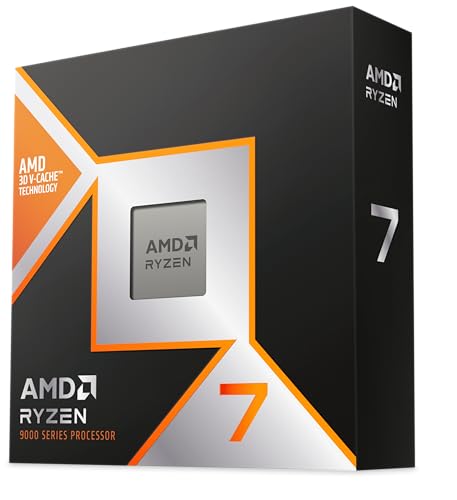

Frequently asked
7 questions01Does the Intel Core i9-14900 support overclocking?+
No. The i9-14900 is a locked processor, meaning traditional multiplier-based overclocking is not supported. You can enable XMP or DOCP memory profiles for faster RAM speeds, and some motherboards allow power limit adjustments that extend boost duration, but the CPU multiplier itself cannot be raised beyond Intel's specified limits. For overclocking support, you need the i9-14900K or i9-14900KF.
02Will the i9-14900 fit my existing Intel 12th or 13th Gen motherboard?+
Yes, provided your motherboard uses the LGA1700 socket, which covers both Intel 600 series (Z690, B660, H670, H610) and Intel 700 series (Z790, B760, H770, H610) boards. A BIOS update is typically required before installing a 14th Gen processor on a 600 series board. Check your motherboard manufacturer's support page to confirm compatibility and download the correct BIOS version before swapping the CPU.
03Do I need to buy new RAM to use the i9-14900?+
Not necessarily. The i9-14900 supports both DDR5 and DDR4, with the specific memory type determined by your motherboard rather than the CPU. If you already have a DDR4 motherboard and DDR4 memory from a 12th or 13th Gen build, you can install the i9-14900 without buying new RAM. For new builds, DDR5 is the forward-looking choice and offers higher bandwidth at fast XMP speeds, but DDR4 remains capable for most workloads.
04Is the included Intel Laminar RH1 cooler sufficient for the i9-14900?+
Only for light to moderate use. The Laminar RH1 is rated for processors up to 65W PBP, which matches this chip's base power specification. For everyday tasks and gaming it is adequate, but under sustained multi-threaded workloads such as video rendering or large compilations, it will reach its limits and may cause the chip to throttle while running loudly. A 240mm AIO or a quality dual-tower air cooler is strongly recommended for anyone running demanding productivity workloads regularly.
05How does the i9-14900 compare to the i9-14900K?+
The two chips share the same 24-core hybrid layout and the same 5.8 GHz single-core boost ceiling. The key differences are that the i9-14900K has a 125W base power rating versus 65W here, is unlocked for multiplier overclocking, and does not include a cooler. In practice, when both are run with power limits removed, the performance gap is narrower than the price and power differences suggest. The i9-14900 is the pragmatic choice for users who want strong performance without the thermal and financial commitment of the K variant; the K is for enthusiasts who want to push beyond Intel's specified limits.
06Is the LGA1700 socket worth investing in for a new build?+
That depends on your upgrade plans. LGA1700 is a mature and well-supported platform with broad motherboard availability and competitive pricing, and it offers backward compatibility stretching back to 12th Gen Alder Lake. However, Intel has moved on to LGA1851 for newer generations, so there is no forward upgrade path within the LGA1700 ecosystem. AMD's AM5 socket is publicly committed through at least 2027, which gives it a meaningful platform longevity advantage for those planning CPU upgrades in future years. If you are already on LGA1700, upgrading to the i9-14900 makes strong sense. For a fresh build, consider whether platform longevity matters to your plans.
07Is the Intel Core i9-14900 good for gaming?+
Yes, particularly at 1080p where CPU performance matters most. The high single-core boost clock of 5.8 GHz and strong IPC from the P-cores make this chip competitive for frame rates and 1% lows in CPU-limited scenarios. However, for gaming-only builds without demanding productivity workloads, a lower-cost chip such as the i5-14600K or Ryzen 7 7700X will deliver very similar gaming frame rates at a lower price. The i9-14900's value in gaming comes from combining strong gaming performance with serious productivity capability in a single chip.