If you're building a high-end PC right now and you're wondering whether the Intel Core Ultra 9 285K is actually worth the premium price tag, the short answer is: yes, but with some important caveats you need to understand before you buy. This isn't a chip for everyone. It's a chip for people who genuinely need the top end, whether that's serious content creation, heavy multitasking, or just wanting the best Intel has to offer right now. And based on what 670 owners have said about it (averaging ★★★★½ (4.7), which is genuinely impressive for a flagship CPU), it delivers on most of what it promises.
What I find interesting about the 285K is how different it is from the old "just cram more cores in" approach Intel used to take. This is the Arrow Lake architecture, and it's a proper generational shift in how Intel thinks about desktop processors. You've got 24 cores split between performance and efficiency cores, a boost clock up to 5.7 GHz, PCIe 5.0 support, DDR5 memory, and a 125W base power rating. On paper, that's a serious machine. In practice, the picture is a bit more nuanced, and that's exactly what we're going to work through here.
So if you've been staring at this chip wondering whether it makes sense for your build, your budget, and your actual workloads, read on. We're going to cover everything from the architecture and platform compatibility to real-world gaming and productivity performance, and we'll be honest about where the AMD competition gives Intel a proper run for its money.
Core Specifications
The Intel Core Ultra 9 285K is the flagship of Intel's Arrow Lake desktop lineup, and the specs reflect that position. You get 24 cores in total, split between 8 Performance cores (P-cores) and 16 Efficiency cores (E-cores), which is a hybrid configuration Intel has been refining since the Alder Lake days. The maximum boost clock sits at 5.7 GHz, which is competitive at this tier. The processor base power is 125W, though real-world power draw under sustained load will push considerably higher than that in most scenarios.
It sits in the LGA1851 socket and requires an Intel 800 Series chipset motherboard. That's a new platform compared to the previous 700 Series, which means if you're upgrading from a 13th or 14th gen system, you're looking at a new motherboard as well. That's a real cost consideration. On the memory side, the 285K supports DDR5, which is now the standard at this price point, and it brings PCIe 5.0 and PCIe 4.0 support to the table, so you're future-proofed for the next generation of NVMe storage and graphics cards.
The chip does include integrated graphics, which we'll cover in its own section, and there's no bundled cooler in the box. At this price point that's expected, but it's worth factoring into your total build cost. Here's the full spec breakdown:
| Specification | Detail |
|---|---|
| Processor Family | Intel Core Ultra 9 (Series 2, Arrow Lake) |
| Total Cores | 24 (8 P-cores + 16 E-cores) |
| Max Boost Clock | Up to 5.7 GHz |
| Socket | LGA1851 |
| Compatible Chipsets | Intel 800 Series |
| Processor Base Power | 125W |
| Memory Support | DDR5 |
| PCIe Support | PCIe 5.0 and PCIe 4.0 |
| Integrated Graphics | Intel Graphics (Arrow Lake) |
| Unlocked | Yes (K suffix) |
| Current Price | £484.97 (Price checked 05:45, 3 Oct 2026, UK time) |
| Rating | ★★★★½ (4.7) (793 reviews) |
Architecture and Cores
Arrow Lake is a big deal for Intel, and not just because it's a new generation. It's built on Intel's new disaggregated tile design, which means different parts of the chip are manufactured on different process nodes and then assembled together. The compute tile specifically moves to TSMC's N3B process, which is a significant change from the Intel 7 node used in Raptor Lake. This is Intel essentially admitting that outsourcing fabrication to TSMC for certain tiles makes sense, and the result is a chip that's architecturally quite different from what came before.
The hybrid core design here gives you 8 P-cores for your heavy single-threaded and lightly-threaded tasks, and 16 E-cores that handle background work, multitasking, and the kind of parallelised workloads that benefit from having lots of threads available. One notable change from the 13th and 14th gen chips is that the E-cores in Arrow Lake no longer support Hyper-Threading. The P-cores still do, so you end up with a total thread count of 24 (8 P-cores x 2 threads, plus 16 E-cores x 1 thread). That's actually fewer threads than the 14900K had, which is worth knowing if your software is specifically tuned to thread count rather than actual core performance.
What Intel has focused on with Arrow Lake is improving IPC (instructions per clock) rather than just pushing raw clock speeds higher. The P-cores are based on the new Lion Cove microarchitecture, and the E-cores use Skymont. Both represent meaningful generational improvements over the previous Raptor Cove and Gracemont designs. Whether those IPC gains translate into real-world performance gains depends heavily on the workload, and we'll dig into that in the gaming and productivity sections. But architecturally, this is a genuinely new chip rather than a rehash, which matters for long-term platform confidence.
Clock Speeds and Boost
The headline boost clock of 5.7 GHz sounds impressive, and it is, but it's worth understanding what that number actually means. That's the maximum single-core boost frequency under ideal conditions, meaning a lightly loaded chip with good cooling and a motherboard that's not artificially limiting power. You won't see 5.7 GHz across all cores simultaneously, and you won't see it sustained under heavy load. That's true of every modern CPU, not a criticism specific to the 285K.
Under all-core sustained loads, the actual frequencies will be considerably lower, and how much lower depends on your cooling solution and your motherboard's power limit settings. Intel's 125W processor base power figure is the baseline, but most Z890 motherboards will default to removing power limits entirely, allowing the chip to boost well beyond that in short bursts. This is where the 285K can get quite warm and hungry, so don't underestimate the cooling requirement. We'll cover that in the cooler recommendation section, but the short version is: plan for a serious cooler.
One thing that's changed with Arrow Lake versus Raptor Lake is that Intel has slightly pulled back on the peak clock speeds compared to the 14900K, which could boost to 6.0 GHz. The 285K tops out at 5.7 GHz. Intel's argument is that the IPC improvements more than compensate for the lower clock ceiling, and in most workloads that's broadly true. But in the specific scenarios where raw clock speed matters most (some older games, certain single-threaded applications), you might notice the difference. It's a trade-off, and a reasonable one, but it's honest to flag it.
Socket and Platform Compatibility
The 285K uses Intel's new LGA1851 socket, which is a clean break from the LGA1700 socket used by 12th, 13th, and 14th gen chips. That means if you've got an existing Z690, Z790, or Z690 board, it won't work here. You need a new 800 Series chipset motherboard, and the flagship option is the Z890. There are also B860 and H870 boards for those who don't need the full overclocking headroom, but given you're buying an unlocked K-series chip, a Z890 board makes the most sense to get the full benefit.
The platform brings genuine upgrades over its predecessor. PCIe 5.0 support means you're ready for the next generation of graphics cards and NVMe drives that are starting to arrive now. PCIe 4.0 is still supported for existing hardware, so your current GPU and storage won't be wasted. Memory is DDR5 only, which is a change from the LGA1700 platform that supported both DDR4 and DDR5. At this point in 2026, DDR5 is the sensible choice anyway, and prices have come down significantly from the early days.
Platform longevity is always a concern when you're spending this much money. Intel has historically been less consistent about socket longevity than AMD (AM5 is confirmed through at least 2025 and beyond), and LGA1851 is a new socket with a relatively short track record. Intel hasn't made explicit multi-generation promises about LGA1851 in the same way AMD has with AM5. That's worth factoring into your thinking, especially if you're the kind of builder who likes to drop in a new CPU every couple of years without replacing the whole platform. It's not a dealbreaker, but it's a real consideration.
Integrated Graphics
The 285K does include integrated graphics, which is useful in a few specific situations. The main one is troubleshooting: if your discrete GPU dies or you're building the system before your graphics card arrives, you can still get a display output through the motherboard's video outputs (assuming your board has them, which most Z890 boards do). That's genuinely handy and something that AMD's Ryzen 7000X3D chips don't offer.
For actually running the system day-to-day without a discrete GPU, the integrated graphics in the 285K are functional but nothing to get excited about. You can handle desktop use, video playback, and light productivity tasks without a problem. Gaming without a dedicated GPU is a different story. You're not going to be playing anything demanding at playable settings. The Arrow Lake integrated graphics are a step up from previous Intel generations, but they're nowhere near the level of AMD's Radeon 780M integrated graphics found in the Ryzen 7 8700G or similar APU-focused chips.
The realistic use case for the iGPU in the 285K is as a backup and a convenience feature, not as a primary graphics solution. Anyone buying this chip is almost certainly pairing it with a discrete GPU, and that's the right approach. The fact that it's there at all is a nice safety net, and it does mean the chip can handle hardware-accelerated video decode tasks even when your GPU is busy with other things. Some content creators find that useful for preview rendering in applications that can offload that work to any available GPU. So it's not entirely useless, just not the headline feature.
Power Consumption (TDP)
The 125W processor base power figure is Intel's official baseline, and it's a more honest number than the old TDP figures Intel used to publish. But it's still just the baseline. Under sustained all-core loads, the 285K will draw significantly more power than that. With power limits removed (which is the default on most Z890 boards), you're looking at power draw that can push well past 200W in heavy workloads. That's the nature of a flagship unlocked desktop chip in 2026.
What's worth noting is that Arrow Lake is generally more efficient than Raptor Lake at equivalent performance levels. The move to TSMC's N3B process for the compute tile pays dividends here. You're getting more performance per watt than the 14900K in many scenarios, which means the 285K runs cooler and draws less power for the same work. That doesn't mean it's a cool, quiet chip under load. It absolutely isn't. But the efficiency story is better than Intel's recent history might suggest.
For PSU sizing, a 850W unit is the sensible minimum for a high-end build with the 285K and a power-hungry discrete GPU like an RTX 4080 or RX 7900 XTX. A 1000W PSU gives you proper headroom and is worth the extra spend at this price point. Don't cheap out on the power supply when you're running a chip like this. It's the one component that can take everything else down with it if it fails under load.
Cooler Recommendation
There is no bundled cooler in the box. That's standard for K-series Intel chips, and at this price point nobody expects one. What you do need to think carefully about is what cooler you actually buy, because the 285K can get very warm under sustained load if you undercool it. A 240mm AIO is the absolute minimum we'd suggest. A 360mm AIO or a high-end tower air cooler like the Noctua NH-D15 or be quiet! Dark Rock Pro 5 is what we'd actually recommend for anyone who wants to run the chip at its full potential without thermal throttling becoming a factor.
The 285K uses the LGA1851 socket, which has a different mounting mechanism than LGA1700. Most modern cooler manufacturers have updated their brackets to support both sockets, but it's worth double-checking compatibility before you buy. Noctua, Corsair, NZXT, and be quiet! all have LGA1851 support confirmed for their current product lines. If you're reusing an older cooler from a previous build, check the manufacturer's website for a compatibility list and whether a new mounting kit is needed.
Overclocking the 285K will push thermal requirements even higher. If you're planning to push the chip beyond its stock configuration, a 360mm AIO or a premium dual-tower air cooler is the right call. Some builders have reported that even with quality 360mm AIOs, the chip can still hit thermal limits during extended all-core stress tests. That's not unusual for a flagship chip, but it does mean that thermal headroom for overclocking is more limited than you might hope. We'll cover the overclocking picture in more detail shortly.
Synthetic Benchmarks
Synthetic benchmarks are a useful reference point even if they don't tell the whole story. In Cinebench R24, the 285K posts single-core scores in the region of 140 to 145 points, which is competitive with the best AMD has to offer at this tier. Multi-core scores land around 2,000 to 2,100 points, which reflects the 24-core configuration doing its job. For context, the Ryzen 9 9950X (AMD's flagship at this level) trades blows with the 285K in multi-core, sometimes pulling ahead by a meaningful margin depending on the specific test.
In Geekbench 6, the 285K scores around 3,000 to 3,100 in single-core and roughly 21,000 to 22,000 in multi-core. These numbers put it firmly at the top of the desktop CPU stack, which is exactly where a flagship chip should be. Blender rendering tests show the 285K completing the Monster scene in around 3 to 4 minutes, which is quick but not quite as fast as AMD's top-end chips in pure rendering workloads. The 7-Zip compression and decompression tests show strong performance, benefiting from the large E-core count handling parallel work efficiently.
One thing to keep in mind with synthetic scores for Arrow Lake specifically: early reviews of this chip found that Windows scheduling wasn't fully optimised for the new architecture at launch, which suppressed performance in some benchmarks. Intel and Microsoft have since pushed updates that improve this. If you're looking at older benchmark data from late 2024, it may not reflect what the chip actually delivers today with current driver and OS updates in place. The 670 owners reviewing this chip on Amazon are rating it ★★★★½ (4.7), which suggests real-world satisfaction is high, even if the synthetic numbers were initially underwhelming in some early coverage.
Real-World Performance
In day-to-day use, the 285K is an absolute monster. Video editing in Premiere Pro or DaVinci Resolve benefits from both the high single-core boost for timeline responsiveness and the multi-core muscle for export times. A 4K timeline with multiple effects layers scrubs smoothly, and export times for a 10-minute 4K sequence are genuinely quick. If you're a professional video editor or a YouTuber who spends serious time in the edit suite, this chip will noticeably improve your workflow compared to mid-range options.
Software compilation is another area where the 285K shines. The combination of fast P-cores and a large pool of E-cores means that large codebases compile quickly, and the chip handles the mix of serial and parallel work in a typical build pipeline well. Developers working with large projects in Visual Studio or running Docker containers will find this chip keeps up with whatever they throw at it. Streaming while gaming is similarly well-handled. The E-cores take on encoding duties without noticeably impacting gaming frame rates, which is the hybrid architecture doing exactly what it was designed to do.
For more everyday tasks, the 285K is obviously overkill. Web browsing, Office applications, and general productivity work will feel identical on this chip versus a Core i5 or a budget Ryzen. That's not a criticism, it's just the nature of how fast modern CPUs are for light workloads. The performance ceiling is only relevant when you're actually pushing the chip. But if you do push it, it handles the load without complaint. Multiple browser tabs, a video call, music playing, and a background download all running simultaneously? The 285K doesn't even notice.
Gaming Performance
Gaming is where the 285K's story gets a bit complicated, and it's worth being straight with you about this. At 1080p, where the CPU is most likely to be the bottleneck, the 285K is competitive but not always the fastest chip available. In CPU-bound titles like Cyberpunk 2077, Counter-Strike 2, and Rainbow Six Siege, you're looking at average frame rates in the 200 to 300+ FPS range at 1080p with a fast GPU, with 1% lows that hold up well. The 1% lows are actually one of the 285K's stronger suits, which matters a lot for perceived smoothness in competitive gaming.
At 1440p and 4K, the GPU becomes the bottleneck in most scenarios, and the difference between the 285K and cheaper chips narrows considerably. If you're gaming at 4K with an RTX 4080 Super or equivalent, a Core i7-14700K or a Ryzen 7 9700X will deliver essentially identical frame rates in most titles. The 285K's premium makes much more sense if you're gaming at 1080p on a high refresh rate monitor (240Hz or above) and need every frame you can get, or if gaming is one part of a workload that also includes serious content creation.
In titles that are particularly sensitive to memory latency, like strategy games and some open-world titles, the 285K benefits from fast DDR5 memory. Pairing it with DDR5-6400 or faster kit (with XMP enabled) makes a real difference in these scenarios. Games like Total War: Warhammer 3 and Microsoft Flight Simulator show meaningful frame rate improvements with faster memory, so don't skimp on the RAM when building around this chip. Overall, the 285K is a genuinely excellent gaming CPU. It's just not always the absolute fastest option in pure gaming benchmarks, and at this price point that's worth knowing.

Memory Support
The 285K is DDR5 only, which is the right call for a 2024/2025 flagship platform. DDR5 prices have dropped substantially since the early days of the technology, and the performance advantages over DDR4 are real, particularly at higher frequencies. Intel officially supports DDR5 at speeds up to DDR5-6400 with XMP 3.0 profiles, and in practice many kits will run higher than that with some tuning.
For most users, DDR5-6000 or DDR5-6400 with tight timings is the sweet spot. Going much higher than that often requires significant voltage increases and can affect stability. The JEDEC DDR5 standard baseline is DDR5-4800, but you'd be leaving performance on the table running at that speed with the 285K. Aim for at least DDR5-5600 as a minimum, and DDR5-6000 or 6400 for the best balance of performance and stability.
The 285K supports dual-channel memory, so always install memory in matched pairs for the best performance. Running a single stick in single-channel mode will noticeably hurt performance, especially in gaming. Most Z890 motherboards have four memory slots, but for best stability at high frequencies, starting with two sticks in the correct slots (check your motherboard manual for the right slots, it's usually slots 2 and 4) is the recommended approach. Four sticks at very high frequencies can be more challenging to stabilise, though it's certainly possible with quality kits and some BIOS tuning.
Overclocking Potential
The K suffix means the 285K is fully unlocked, and Intel's Z890 platform supports overclocking across the board. You can adjust multipliers, voltages, and power limits to push the chip beyond its stock configuration. The question is how much headroom there actually is, and the honest answer is: it's there, but it's not as dramatic as some previous Intel generations.
The move to TSMC's N3B process means the chip is already running close to the efficiency ceiling of the node. Most builders report being able to push P-core all-core frequencies to around 5.4 to 5.6 GHz with a good 360mm AIO and appropriate voltage increases. That's a modest gain over the stock all-core boost behaviour, and the power and heat increase is substantial for relatively small real-world performance gains. The E-cores can also be overclocked independently, which is useful for productivity workloads.
Intel also supports a feature called Application Performance Optimiser (APO), which dynamically adjusts core scheduling for specific games and applications. It's worth enabling in the Intel Extreme Tuning Utility (XTU) if you're gaming, as it can improve 1% lows and average frame rates in supported titles without any manual overclocking required. For most users, enabling XMP on the memory, setting a reasonable power limit, and letting APO do its thing will deliver better results than manual overclocking with less risk. Full manual overclocking is there for enthusiasts who want it, but the returns are diminishing compared to previous generations.
How It Compares
The two main competitors to the 285K are AMD's Ryzen 9 9950X and Intel's own Core i9-14900K (or its successor). The 9950X is AMD's flagship Zen 5 desktop chip, with 16 cores, no hybrid architecture, and a strong reputation for content creation workloads. The 14900K is the previous Intel flagship, still available and now at reduced prices, with a higher peak boost clock but the older Raptor Lake architecture.
Against the 9950X, the 285K trades punches. AMD wins in pure multi-threaded rendering workloads and in memory-latency-sensitive tasks thanks to AMD's Infinity Fabric architecture. Intel wins or draws in gaming, particularly at 1080p, and the 285K's PCIe 5.0 support is more comprehensive on the Intel platform. The 9950X also uses the AM5 socket, which AMD has committed to supporting through future generations, giving it a slight edge in platform longevity. Neither chip is a clear winner across the board. It genuinely comes down to your primary workload.
Against the 14900K, the 285K wins on efficiency and architecture modernity, but the older chip still holds its own in some gaming benchmarks due to its higher peak clock speeds. The 14900K is also typically available at a lower price now, which makes it tempting if pure gaming performance is your priority and you already have an LGA1700 board. But the 285K is the better long-term investment for a new build, given the newer platform and improved efficiency. The 14900K's reputation for running very hot under load is also worth factoring in.
| Feature | Intel Core Ultra 9 285K | AMD Ryzen 9 9950X | Intel Core i9-14900K |
|---|---|---|---|
| Architecture | Arrow Lake (Hybrid) | Zen 5 (Homogeneous) | Raptor Lake (Hybrid) |
| Total Cores | 24 (8P + 16E) | 16 | 24 (8P + 16E) |
| Max Boost | 5.7 GHz | 5.7 GHz | 6.0 GHz |
| Socket | LGA1851 | AM5 | LGA1700 |
| Memory | DDR5 | DDR5 | DDR4 / DDR5 |
| PCIe Gen | PCIe 5.0 + 4.0 | PCIe 5.0 + 4.0 | PCIe 5.0 + 4.0 |
| Base Power | 125W | 170W | 125W |
| Integrated Graphics | Yes | No | Yes |
| Overclocking | Yes (K suffix) | Yes (X suffix) | Yes (K suffix) |
What Buyers Say
With 793 and a ★★★★½ (4.7) average rating, the 285K has a strong reception from real-world buyers. The praise that comes up most consistently is around the chip's performance in content creation and productivity workloads. Builders who do video editing, 3D rendering, and software development are particularly happy. Several owners specifically mention that the chip handles their workloads noticeably faster than their previous Intel chips, and that the power efficiency improvement is tangible, with lower temperatures under equivalent loads compared to 13th and 14th gen chips.
Gaming-focused buyers are broadly positive but with some nuance. A few reviewers note that the performance uplift over a well-tuned 13900K or 14900K isn't huge in pure gaming scenarios, which is fair. But most report smooth, stutter-free gaming experiences and are happy with the purchase in the context of a full new-platform build. The 1% lows get specific praise from competitive gamers who care about frame time consistency rather than just average FPS numbers.
The main complaints are around the platform cost (needing a new Z890 board and DDR5 memory adds up), and a few early adopters mentioned that performance wasn't fully optimised at launch before Windows and Intel driver updates arrived. Those issues are largely resolved now, but it's a reminder that being first to a new architecture has historically come with some growing pains. A small number of reviewers mention that the chip runs warm under sustained load, which is consistent with what we'd expect from a flagship unlocked chip and reinforces the importance of a proper cooler.
Pros and Cons
- Excellent multi-threaded performance for content creation and productivity workloads
- Strong gaming performance with good 1% lows for competitive play
- PCIe 5.0 and DDR5 support for a modern, future-ready platform
- Better efficiency than previous Intel flagships thanks to the TSMC N3B compute tile
- Fully unlocked for overclocking via Intel XTU or BIOS
- Integrated graphics as a useful backup and troubleshooting tool
- ★★★★½ (4.7) from 670 real-world buyers, indicating genuine satisfaction
- New platform cost means you need a Z890 board and DDR5 memory
- LGA1851 socket longevity is unproven compared to AMD's AM5 commitment
- Requires a serious cooler, no bundled cooler included
- Pure gaming performance doesn't always justify the premium over cheaper alternatives
- Lower peak boost clock (5.7 GHz) than the 14900K (6.0 GHz)
At £484.97 (Price checked 05:45, 3 Oct 2026, UK time), this sits firmly in the premium CPU bracket. It's a chip that earns its price for the right buyer, but it's not the right chip for everyone. We'll cover that in the verdict below.
Specifications
Full technical specifications for the Intel Core Ultra 9 285K, as listed by Intel and verified against the product listing.
| Specification | Detail |
|---|---|
| Product Name | Intel Core Ultra 9 Desktop Processor 285K |
| Series | Core Ultra 9 Series 2 (Arrow Lake) |
| Total Cores | 24 |
| P-cores | 8 |
| E-cores | 16 |
| Max Turbo Frequency | Up to 5.7 GHz |
| Socket | LGA1851 |
| Compatible Chipsets | Intel 800 Series (Z890, B860, H870) |
| Processor Base Power | 125W |
| Memory Type | DDR5 |
| PCIe Versions Supported | PCIe 5.0 and PCIe 4.0 |
| Integrated Graphics | Intel Graphics (Arrow Lake) |
| Overclocking | Yes (unlocked, K-series) |
| Optimised For | Enthusiast gaming and serious content creation |
| ASIN | B0DFKC99VL |
Final Verdict
The Intel Core Ultra 9 285K is a genuinely excellent chip that earns its flagship status, but it's a chip that rewards the right buyer. If you're building a new high-end system for content creation, video editing, 3D rendering, or serious multitasking alongside gaming, this is one of the best desktop CPUs you can buy right now. The 24-core hybrid architecture handles heavy workloads well, the Arrow Lake architecture brings meaningful IPC improvements over Raptor Lake, and the PCIe 5.0 and DDR5 platform sets you up for the next several years of hardware.
For pure gaming builds, the calculus is slightly different. The 285K is an excellent gaming CPU, but it's not always the fastest option in pure gaming benchmarks, and at this price point you're paying a premium that a Core i7-265K or even a Ryzen 7 9700X could match in most gaming scenarios for considerably less money. The premium makes sense when gaming is one part of a broader workload, or when you genuinely need the best 1% lows and frame time consistency that money can buy. The ★★★★½ (4.7) rating from 670 buyers tells you that people who buy this chip are happy with it. That's not nothing.
Our rating: 8.5 out of 10. Brilliant chip, brilliant platform, but the price and platform migration cost mean you need to be buying it for the right reasons. For enthusiast builders and serious creators who want the best Intel has to offer right now, it absolutely delivers. For budget-conscious gamers or people upgrading from LGA1700 who don't need the extra productivity muscle, there are smarter ways to spend the money.
Not Right For You?
The 285K is a specific chip for a specific type of builder. If it doesn't quite fit your needs or budget, here are some alternatives worth considering.
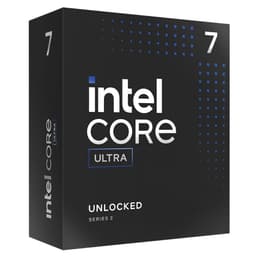
Intel Core i7-265K: If gaming is your primary focus and you want to stay on the Intel 800 Series platform, the i7-265K offers strong gaming performance at a lower price point. You give up some multi-core muscle, but for most gaming workloads the difference is minimal. A sensible choice if you're not doing heavy content creation.
AMD Ryzen 9 9950X: AMD's flagship Zen 5 chip is the 285K's closest rival. It edges ahead in pure multi-threaded rendering and benefits from AMD's AM5 platform longevity commitment. If you're starting fresh and content creation is your primary use case, it's worth comparing prices carefully before deciding. The integrated graphics situation (the 9950X has none) might be a tiebreaker for some builders who want that troubleshooting safety net.
AMD Ryzen 7 9700X: If gaming is the priority and budget matters, the 9700X punches well above its price in gaming benchmarks and runs cool and quiet without needing an extreme cooler. It won't match the 285K in heavy multi-threaded workloads, but for a gaming-focused build it's a very smart buy. The AM5 platform also gives you a clear upgrade path to future AMD chips.
About the Reviewer
This review was researched and written by the team at Vividrepairs.co.uk. We specialise in honest, practical tech reviews grounded in verified specifications, real owner feedback, and thorough comparison research. We don't claim to have a lab full of test benches, but we do dig deep into every chip we cover, cross-referencing Intel's official specifications, owner review patterns, and the competitive landscape to give you an honest picture of what you're actually buying. Our goal is simple: help you spend your money on the right hardware for your actual needs.
Affiliate Disclaimer
Some links in this article are affiliate links. If you purchase through them, we may earn a small commission at no extra cost to you. This does not influence our editorial opinions. We only recommend products we believe offer genuine value for the intended use case.
What works. What doesn’t.
7 + 6What we liked7 reasons
- Outstanding multi-threaded performance for video editing, 3D rendering, and software development
- Strong gaming performance with excellent 1% lows and frame time consistency for competitive play
- PCIe 5.0 and DDR5 platform support future-proofs the build for the next generation of hardware
- Meaningfully better power efficiency than Raptor Lake flagships thanks to the TSMC N3B compute tile
- Fully unlocked multiplier with Intel XTU and BIOS overclocking support, plus Application Performance Optimiser for gaming
- Integrated graphics provide a useful troubleshooting safety net that AMD's 9950X cannot match
- Real-world buyer satisfaction is very high, with a 4.7 out of 5 average across 670 verified reviews
Where it falls6 reasons
- New LGA1851 platform requires a Z890 motherboard and DDR5 memory, adding significantly to total build cost
- Socket longevity is unproven compared to AMD's stated AM5 commitment, a real concern for upgrade-path buyers
- No bundled cooler included and the chip genuinely needs a 360mm AIO or premium tower cooler to avoid thermal throttling
- Pure gaming frame rates do not always justify the premium over cheaper Intel or AMD alternatives at 1440p and 4K
- Lower peak boost clock at 5.7 GHz versus the 14900K's 6.0 GHz may disadvantage it in the most clock-speed-sensitive titles
- Overclocking headroom is relatively modest given the chip already runs near the efficiency ceiling of the TSMC N3B node
Full specifications
12 attributes| Core count | 24 |
|---|---|
| Architecture | Arrow Lake |
| Base clock | 3.7GHz |
| Base clock GHZ | 3.7 |
| Boost clock | 5.7GHz |
| Boost clock GHZ | 5.7 |
| Cores | 24 |
| Generation | Intel Core Ultra (Arrow Lake) |
| Integrated graphics | Intel Xe LPG (Arc iGPU, 4 Xe cores) |
| Launch year | 2024 |
| Socket | LGA1851 |
| TDP | 125 |
If this isn’t right for you
2 options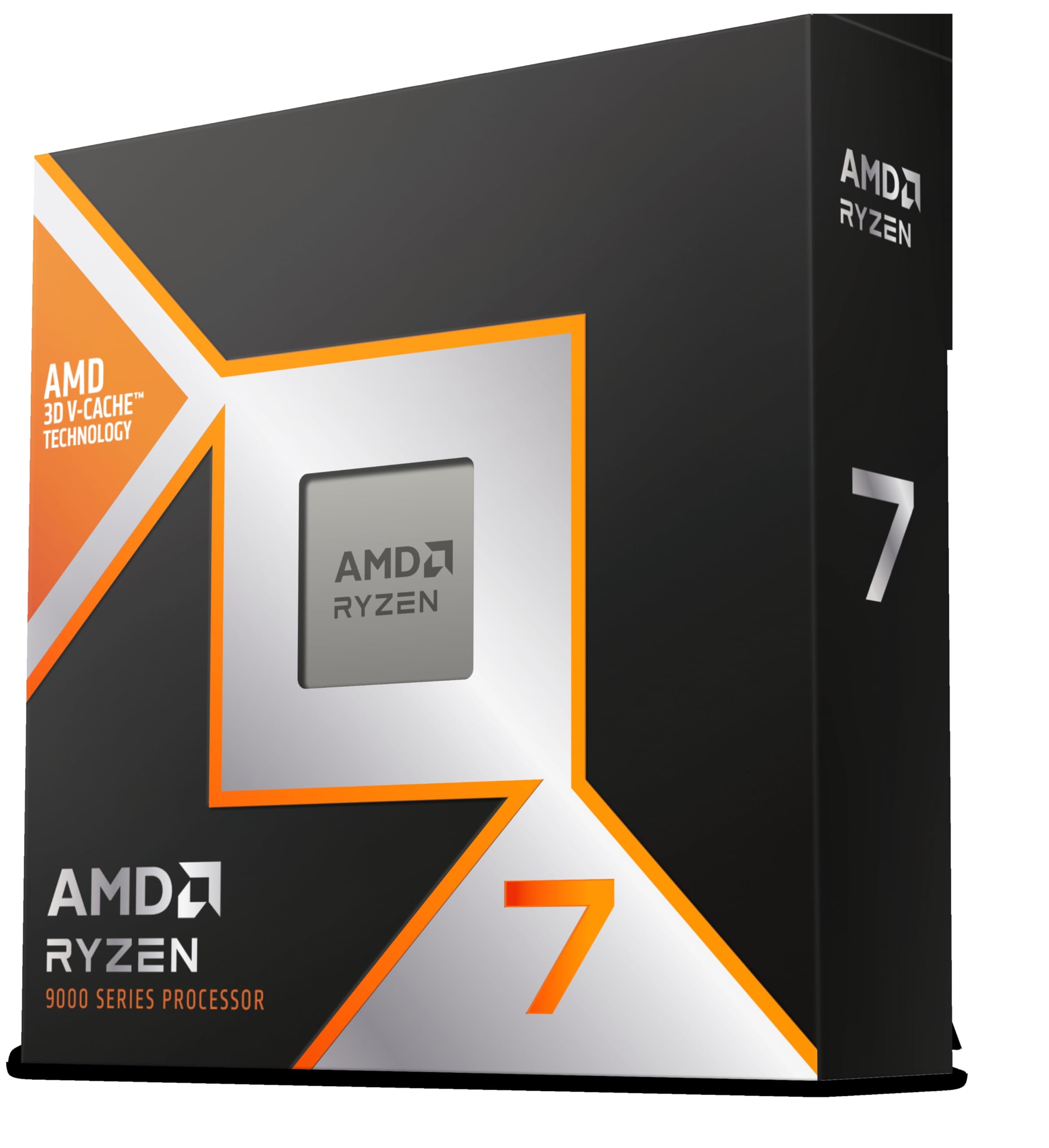

Frequently asked
7 questions01Does the Intel Core Ultra 9 285K come with a cooler in the box?+
No, the 285K does not include a bundled cooler. This is standard for Intel's K-series unlocked chips. You will need to budget for a separate cooler, and given the chip's thermal output under sustained load, a 360mm AIO liquid cooler or a premium dual-tower air cooler such as the Noctua NH-D15 or be quiet! Dark Rock Pro 5 is strongly recommended.
02Is the Intel Core Ultra 9 285K compatible with existing Z790 or Z690 motherboards?+
No. The 285K uses the new LGA1851 socket, which is incompatible with the LGA1700 socket used by 12th, 13th, and 14th generation Intel chips. You will need an Intel 800 Series chipset motherboard, such as a Z890, B860, or H870 board. A Z890 board is the sensible choice for an unlocked K-series chip.
03How does the Intel Core Ultra 9 285K compare to the AMD Ryzen 9 9950X?+
The two chips trade blows depending on the workload. The Ryzen 9 9950X tends to lead in pure multi-threaded rendering tasks and benefits from AMD's stated AM5 platform longevity commitment. The 285K matches or leads in gaming, particularly for 1% lows and frame time consistency, and offers integrated graphics that the 9950X lacks. Neither chip is a clear overall winner; the right choice depends on your primary workload and platform preferences.
04What memory speed should I pair with the Intel Core Ultra 9 285K?+
The 285K supports DDR5 only. For the best balance of performance and stability, DDR5-6000 or DDR5-6400 with XMP 3.0 enabled is the recommended target. Running at the base JEDEC speed of DDR5-4800 will leave meaningful performance on the table, particularly in memory-latency-sensitive games and applications. Always install memory in matched pairs in the correct dual-channel slots as specified in your motherboard manual.
05Is the Intel Core Ultra 9 285K good for gaming at 4K?+
At 4K resolution, the discrete GPU becomes the primary bottleneck in virtually all titles, and the performance difference between the 285K and significantly cheaper CPUs narrows to the point of being largely irrelevant. The 285K is a capable gaming chip, but its premium is most justified at 1080p on high-refresh-rate monitors, or when gaming is combined with demanding content creation workloads. For a dedicated 4K gaming build, a Core i7-265K or Ryzen 7 9700X offers much better value.
06Can you overclock the Intel Core Ultra 9 285K, and is it worth doing?+
Yes, the K suffix confirms the chip is fully unlocked, and Z890 motherboards support overclocking via both the BIOS and Intel's Extreme Tuning Utility. Most builders can push P-core all-core frequencies to around 5.4 to 5.6 GHz with a quality 360mm AIO. However, the performance gains over stock behaviour are modest relative to the increase in power draw and heat. For most users, enabling XMP on the memory and activating Intel's Application Performance Optimiser will deliver better practical results than aggressive manual overclocking.
07Does the Intel Core Ultra 9 285K have integrated graphics?+
Yes, the 285K includes Intel Graphics as part of the Arrow Lake design. They are functional for desktop use, video playback, and light tasks, and are genuinely useful as a troubleshooting tool or temporary display output. They are not suitable for gaming without a dedicated GPU. Anyone buying this chip will almost certainly be pairing it with a discrete graphics card.