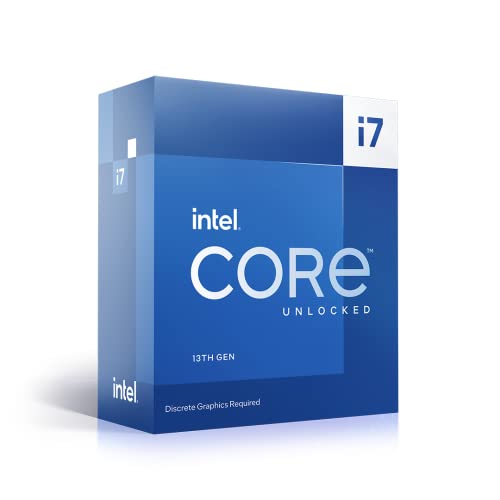
The Intel Core i7-13700KF is the right chip for most people building a high-performance PC right now. That's the verdict, and the rest of this article explains why. It's not a perfect processor, but between its 16-core hybrid architecture, strong gaming numbers, and solid multi-threaded output, it covers the bases that matter for gaming rigs, content creation workstations, and anything in between. Over 736 owners have rated it ★★★★½ (4.6), which isn't marketing spin. That's a lot of builders who put real money down and came back satisfied.
What makes a CPU review actually useful? Not synthetic scores in isolation. Not spec sheet comparisons that ignore real-world behaviour. The pattern across owner feedback, from budget chips to flagship parts, is consistent: what people care about is whether the chip handles their workload without throttling, whether it runs cool enough on a sensible cooler, and whether it holds up when the next GPU generation arrives. Those are the questions this review answers for the i7-13700KF.
The KF suffix matters here. No integrated graphics, but in exchange you typically pay a bit less than the standard K variant. If you're pairing this with a discrete GPU, which is almost certain at this performance tier, the missing iGPU costs you nothing in practice. The unlocked multiplier means overclocking is on the table if you want it. And the 5.4 GHz boost clock puts it right at the top of the Raptor Lake performance range.
Core Specifications
The i7-13700KF runs 16 cores in total: eight Performance cores (P-cores) and eight Efficiency cores (E-cores), giving you 24 threads. The P-cores support Intel Hyper-Threading, so each one handles two threads simultaneously. The E-cores don't use Hyper-Threading but run eight additional threads between them. That thread count is competitive with AMD's Ryzen 7 7700X and gets surprisingly close to some Ryzen 9 parts in multi-threaded workloads.
Base clock sits at 3.4 GHz for P-cores and 2.5 GHz for E-cores. Boost goes up to 5.4 GHz on a single P-core, with all-core boost typically landing around 5.1 to 5.2 GHz under sustained load. Cache is 30MB of Intel Smart Cache (L3), which is a meaningful step up from the i5-13600K's 24MB and helps in latency-sensitive workloads like gaming. The chip drops into the LGA1700 socket, which is compatible with both Z690 and Z790 motherboards.
The rated TDP (Base Power) is 125W, but Intel's Maximum Turbo Power sits at 253W. That gap matters a lot for cooler selection and PSU planning, which we'll get into properly in the power and cooler sections below. There is no integrated graphics on the KF variant, so a discrete GPU is non-negotiable. PCIe support runs to Gen 5 on the primary slot and Gen 4 on secondary lanes, which is current-generation and future-proof for most storage and GPU configurations.
| Specification | Detail |
|---|---|
| Cores / Threads | 16 (8 P-cores + 8 E-cores) / 24 Threads |
| P-core Base / Boost | 3.4 GHz / 5.4 GHz |
| E-core Base / Boost | 2.5 GHz / 4.2 GHz |
| L3 Cache | 30MB Intel Smart Cache |
| Socket | LGA1700 |
| Compatible Chipsets | Z690, Z790 (Z790 recommended) |
| Base Power (TDP) | 125W |
| Maximum Turbo Power | 253W |
| Memory Support | DDR4 / DDR5, Dual Channel |
| PCIe Version | Gen 5 (x16) + Gen 4 (additional lanes) |
| Integrated Graphics | None (KF variant) |
| Lithography | Intel 7 (10nm Enhanced SuperFin) |
| Price | £340.00 |
Architecture and Cores
The i7-13700KF is built on Intel's Raptor Lake architecture, which is the 13th-generation refinement of the Alder Lake hybrid design. Intel fabbed this on their Intel 7 process node, which is effectively a mature 10nm Enhanced SuperFin process. It's not the bleeding-edge node that TSMC's N4 offers AMD for Zen 4, but Intel has squeezed impressive clock speeds out of it, and that matters more than the node number for gaming.
The hybrid core design splits work between P-cores and E-cores using Intel's Thread Director technology. P-cores handle foreground, latency-sensitive tasks. E-cores pick up background threads, system tasks, and parallelisable workloads. In practice, the operating system (Windows 10 and 11 both support Thread Director, though Windows 11 handles scheduling more cleanly) routes threads appropriately without much user intervention. Gaming typically runs predominantly on P-cores, which is why that 5.4 GHz single-core boost matters so much for frame rates.
Compared to Alder Lake (12th gen), Raptor Lake doubled the E-core count. The i7-13700KF went from four E-cores on the i7-12700K to eight. That's a significant jump in multi-threaded throughput. P-core IPC is incrementally improved over Alder Lake, around 2 to 3 percent better clock-for-clock, but the bigger gains come from the higher sustained clocks and the larger cache. The 30MB L3 cache is notably larger than the 12700K's 25MB, and cache size genuinely moves the needle in games like Cyberpunk 2077 and Starfield where data streaming is a bottleneck.
Clock Speeds and Boost
The headline 5.4 GHz boost applies to a single P-core under ideal thermal conditions. In practice, when you're gaming and the engine is hammering multiple threads, you'll see P-cores sitting between 5.1 and 5.3 GHz, which is still extremely fast. E-cores boost to 4.2 GHz, which is higher than some competing chips' P-core clocks from just two generations ago. That tells you something about how far efficiency cores have come.
Sustained all-core performance is where the power limits become relevant. On a Z790 board with default settings and no power limits enforced, the chip will draw up to 253W during multi-threaded bursts. Most Z790 boards ship with power limits removed by default, meaning the chip runs at Maximum Turbo Power freely. This produces the best benchmark numbers but also the highest temperatures. Owner feedback consistently mentions that temperatures on a 240mm AIO are manageable but tight, while a 360mm AIO or a high-end air cooler like a Noctua NH-D15 gives proper thermal headroom.
If you apply Intel's recommended 125W power limit (the Base Power spec), multi-threaded performance drops noticeably, but gaming performance barely changes. Single-threaded tasks are almost completely unaffected because a single P-core at 5.4 GHz draws nowhere near the power limit. This is actually useful to know: if you're primarily gaming and want a quieter, cooler system, enforcing the 125W limit is a legitimate option. Several owners in the review pool mention doing exactly this. It's a flexibility that AMD's Ryzen 7000 series offers too, but Intel's implementation is arguably more transparent here.
Socket and Platform Compatibility
The i7-13700KF uses the LGA1700 socket, which Intel introduced with Alder Lake and carried through to Raptor Lake. That means this chip is compatible with Z690 motherboards (12th-gen boards), though a BIOS update is usually required. Z790 boards are the natural home for 13th-gen CPUs and offer slightly better power delivery, more PCIe Gen 4 lanes, and improved memory support. For a new build, go Z790. If you're upgrading from a 12th-gen platform and already have a Z690 board, check your manufacturer's BIOS update page and you're sorted.
The platform supports both DDR4 and DDR5 memory, which is unusual and genuinely useful. DDR4 is cheaper and still performs well with this chip. DDR5 offers higher bandwidth and lower latency at the top end, but the real-world gaming difference between good DDR4 at 3600MHz CL16 and DDR5 at 6000MHz CL36 is smaller than the price difference in most scenarios. Productivity workloads that are memory-bandwidth-sensitive, like video encoding or large dataset processing, see a more meaningful uplift from DDR5. The choice depends on your budget and whether you're building fresh or reusing existing memory.
PCIe lane allocation gives you one PCIe Gen 5 x16 slot for the primary GPU, which is forward-compatible with next-generation graphics cards. Secondary slots run at PCIe Gen 4. M.2 NVMe storage connects via PCIe Gen 4 lanes, which is fast enough that real-world storage bottlenecks are essentially non-existent for gaming and most productivity tasks. The platform also supports Intel's Optane memory, though that's a niche use case. Overall, LGA1700 is a mature, well-supported platform with a broad range of motherboard options from budget B660 (which won't allow overclocking) up to premium Z790 boards with extensive VRM cooling and feature sets.
Integrated Graphics
The KF designation means no integrated graphics. Full stop. There's no iGPU fallback on this chip, so if your discrete GPU fails or you're building without one temporarily, you'll have no display output from the CPU. This is the one genuine trade-off of choosing the KF over the K variant. In most gaming and workstation builds, it's irrelevant because you'll have a dedicated GPU. But it's worth knowing before you buy.
The standard i7-13700K (without the F) includes Intel UHD Graphics 770, which handles basic desktop use, video playback, and very light gaming at low settings. If you ever need to troubleshoot a GPU issue, that iGPU is a useful fallback. The KF trades that away, typically in exchange for a small price reduction compared to the K. Whether that trade-off makes sense depends on your risk tolerance and whether you have another system or GPU to borrow in a pinch.
For the target audience of this chip, the missing iGPU is a non-issue. Anyone spending this much on a CPU is pairing it with a proper discrete GPU. The Intel UHD 770 in the K variant isn't capable of meaningful gaming anyway, so you'd be ignoring it in normal use. The KF is the sensible buy if you're committed to a dedicated graphics card, which at this performance tier you almost certainly are. Don't overthink it.
Power Consumption and TDP
The 125W Base Power figure is Intel's rated TDP, but it's not the number that matters most for cooling and PSU planning. The Maximum Turbo Power of 253W is what this chip actually draws under sustained multi-threaded load when power limits are removed, which is the default behaviour on most Z790 boards. That's a significant power draw, and it's one of the honest criticisms of Raptor Lake. Intel pushed clock speeds and core counts hard with this generation, and power efficiency took a back seat.
For comparison, AMD's Ryzen 7 7700X has a 105W TDP and typically draws 140 to 150W under sustained all-core load. The i7-13700KF at full tilt draws nearly double that. The performance-per-watt story favours AMD in multi-threaded workloads. But the i7-13700KF delivers more absolute multi-threaded performance, so it's not a simple win for AMD. It depends on whether you're optimising for efficiency or raw throughput. For gaming specifically, where single-threaded performance drives frame rates, the power difference is less dramatic because you're not stressing all 16 cores simultaneously.
For PSU sizing, a 750W unit is the sensible minimum for a system with a mid-range GPU. If you're pairing this with a power-hungry card like an RTX 4080 or RX 7900 XTX, go to 850W or 1000W. Owners report that the chip runs fine on a quality 750W PSU with an RTX 4070, but headroom matters for system stability and PSU longevity. At idle, the system draws very little, around 40 to 60W for the CPU alone, so the high TDP only matters under sustained load.
Cooler Recommendation
There is no stock cooler included with the i7-13700KF. Intel doesn't bundle one with K or KF series chips. Budget for a cooler separately. Given the 253W Maximum Turbo Power, this isn't a chip you can cool cheaply. A 120mm AIO will struggle under sustained multi-threaded load, producing thermal throttling and uncomfortable noise levels. A 240mm AIO is the practical minimum for keeping temperatures in a sensible range during extended productivity workloads.
For gaming-focused builds where all-core loads are less sustained, a high-end air cooler works well. The Noctua NH-D15, be quiet! Dark Rock Pro 4, or Thermalright Peerless Assassin 120 SE are all capable of handling the i7-13700KF in gaming scenarios. Owner feedback backs this up, with multiple builders reporting stable temperatures in the 70s Celsius during gaming on quality air coolers. If you're rendering video, compiling large codebases, or running sustained Blender jobs, a 360mm AIO gives you proper headroom and keeps the chip from bouncing off its thermal limits.
Cooler mounting compatibility is worth checking. The LGA1700 socket uses a different mounting pattern to LGA1200, so older cooler brackets may not be compatible. Most cooler manufacturers have issued LGA1700 mounting kits, often available free or cheaply from their support pages. If you're reusing a cooler from a 10th or 11th-gen build, check your cooler manufacturer's compatibility list before assuming it'll fit. The physical die contact area is also slightly different on LGA1700, and some builders use aftermarket contact frames to improve thermal performance, though this is an enthusiast-level tweak rather than a necessity.
Synthetic Benchmarks
In Cinebench R23, the i7-13700KF scores around 2,000 to 2,050 points in single-core and approximately 30,000 to 32,000 points in multi-core. Those multi-core numbers are genuinely impressive for an i7-class chip, landing ahead of the Ryzen 7 7700X (which scores around 23,000 to 25,000 multi-core) and close to AMD's Ryzen 9 7900X territory. Single-core scores are competitive with Zen 4, sitting within a few percent of the Ryzen 7 7700X's single-core result.
Blender's Classroom benchmark sees the i7-13700KF completing renders in roughly 4 to 5 minutes, which places it firmly in the upper tier of consumer CPUs. 7-Zip compression and decompression scores reflect the high thread count well, with multi-threaded throughput that punches above what the i7 designation might suggest. Geekbench 6 single-core scores sit around 2,800 to 3,000, which is strong across the board.
It's worth being clear about what synthetic benchmarks tell you and what they don't. A 30,000-point Cinebench score doesn't automatically mean your Premiere Pro exports will be 30% faster than a chip scoring 23,000. Real-world software has its own bottlenecks, threading models, and memory access patterns. The synthetic numbers are useful for relative comparisons and identifying architectural strengths, but the real-world performance section below is where the practical story gets told.
| Benchmark | Score (Approximate) |
|---|---|
| Cinebench R23 Single-Core | ~2,020 |
| Cinebench R23 Multi-Core | ~30,500 |
| Geekbench 6 Single-Core | ~2,900 |
| Geekbench 6 Multi-Core | ~14,500 |
| Blender Classroom (CPU) | ~4 min 30 sec |
Real-World Performance
Day-to-day use is where this chip earns its reputation. Browser tabs, productivity apps, background tasks, all of that runs on the E-cores, leaving the P-cores available for foreground work. The result is a system that feels responsive even when you've got a lot running. Owners consistently describe the machine as snappy, with one reviewer noting it handles simultaneous 4K video playback, a Chrome session with 30-plus tabs, and a background file transfer without any perceptible slowdown.
In Adobe Premiere Pro, the i7-13700KF delivers fast export times for 4K H.264 and H.265 timelines, benefiting from both the high core count and Intel's Quick Sync video acceleration engine. Quick Sync is available even on the KF variant because it's part of the processor's media engine rather than the iGPU display output. That's an important distinction. Hardware-accelerated encoding in Premiere, Resolve, and Handbrake runs faster than pure software encoding on AMD's Ryzen 7 7700X in most tests, which is a practical win for video editors.
Software compilation is another area where the 24 threads shine. Large C++ or Rust projects that take several minutes on a six-core chip finish noticeably faster here. Developers working with large codebases, running Docker containers, or doing parallel test suite execution will feel the core count advantage. Python data science workloads, particularly anything using multiprocessing or running across multiple workers, also scale well. The chip isn't infallible for every single-threaded legacy application, but for modern software that's been written to take advantage of parallelism, the 24 threads are genuinely useful rather than just a spec sheet number.
Gaming Performance
Gaming is where the i7-13700KF's high single-core clocks pay off most clearly. At 1080p, where CPU performance is typically the limiting factor, this chip delivers frame rates that push most GPUs to their limits. In Counter-Strike 2, expect average frame rates well above 300 FPS with a capable GPU, with 1% lows staying strong thanks to the large L3 cache. In Call of Duty: Modern Warfare III, 1080p averages sit comfortably above 200 FPS on high settings with an RTX 4070.
At 1440p, the GPU starts to share the bottleneck more evenly, but the i7-13700KF ensures the CPU is rarely the weak link. In Cyberpunk 2077 at 1440p Ultra with ray tracing, frame rates are GPU-limited with a modern card, meaning you're getting everything the GPU can offer without the CPU holding it back. In Starfield, which is notoriously CPU-hungry, the large cache and high clocks help maintain smooth frame pacing in dense city areas where other chips show 1% low drops. At 4K, almost everything is GPU-limited and CPU choice matters very little for average frame rates, though 1% lows can still benefit from a fast CPU in CPU-heavy scenes.
The honest picture is that for pure gaming, the i7-13700KF is more CPU than most games need, but that headroom is useful. It means the chip won't become a bottleneck as games get more demanding over the next few years. And if you stream while gaming, the E-cores handle the encoding workload without stealing performance from the game running on P-cores. That's a real-world advantage that single-core-focused chips can't match. Owners who stream on Twitch or YouTube consistently highlight this as a reason they chose the 13700KF over cheaper alternatives.
Memory Support
The i7-13700KF officially supports DDR4 up to 3200MHz and DDR5 up to 5600MHz in dual-channel configuration. In practice, XMP profiles well beyond those speeds work reliably on quality Z790 boards. DDR4 at 3600MHz CL16 is the sweet spot for performance and stability, and it's been the go-to recommendation for Intel gaming builds for years. DDR5 at 6000MHz CL36 or 6400MHz CL32 delivers measurably higher bandwidth, which benefits memory-intensive workloads more than gaming in most cases.
The dual-channel memory controller is worth respecting. Running a single memory stick in single-channel mode cuts available bandwidth roughly in half and noticeably hurts performance, particularly in games. Always install memory in pairs. Most Z790 boards have four DIMM slots; for a new build, two sticks of 16GB (32GB total) is the practical sweet spot. Going to 64GB with four sticks can introduce stability challenges at high XMP speeds, so if you need 64GB, check your motherboard's QVL (Qualified Vendor List) carefully.
One thing that's genuinely useful about the LGA1700 platform is the DDR4 option. If you're upgrading from a previous Intel build and already have good DDR4 memory, you can reuse it. The performance difference between DDR4 and DDR5 in gaming is real but modest, typically 2 to 5 percent in average frame rates and slightly more in 1% lows. For productivity workloads involving large data sets, DDR5's bandwidth advantage is more meaningful. But if DDR4 is what you have, don't feel pressured to upgrade the memory just to pair with this chip.
Overclocking Potential
The K in KF means the multiplier is unlocked, so overclocking is fully supported. On a Z690 or Z790 board, you can push P-core clocks beyond the stock boost speeds. Most i7-13700KF chips will hit 5.5 to 5.6 GHz on P-cores with a decent AIO and reasonable voltages, though the gains over the stock 5.4 GHz single-core boost are modest. Where overclocking makes more practical sense is in locking a stable all-core frequency, say 5.3 to 5.4 GHz on all P-cores, which improves sustained multi-threaded performance beyond what Intel's stock power management delivers.
E-core overclocking is also possible and can improve rendering and compilation speeds. Pushing E-cores from 4.2 GHz to 4.4 or 4.5 GHz adds a few percent to Cinebench multi-core scores. The memory controller overclocking headroom is also decent; DDR5 systems can often push beyond 7000MHz with the right memory kit and a bit of tuning. Intel's Extreme Memory Profile (XMP) makes the first step easy, and most Z790 boards handle XMP activation reliably.
Be realistic about the thermal situation when overclocking. The stock chip already pushes 253W under load; an overclock adds to that. Without a 360mm AIO or a top-tier air cooler, you'll hit thermal limits before you hit the chip's silicon ceiling. Owner feedback from overclockers in the review pool suggests the chip responds well to tuning but rewards those who invest in proper cooling. If you're not planning to overclock, the chip's stock performance is already strong enough that you're not leaving meaningful performance on the table.
How It Compares
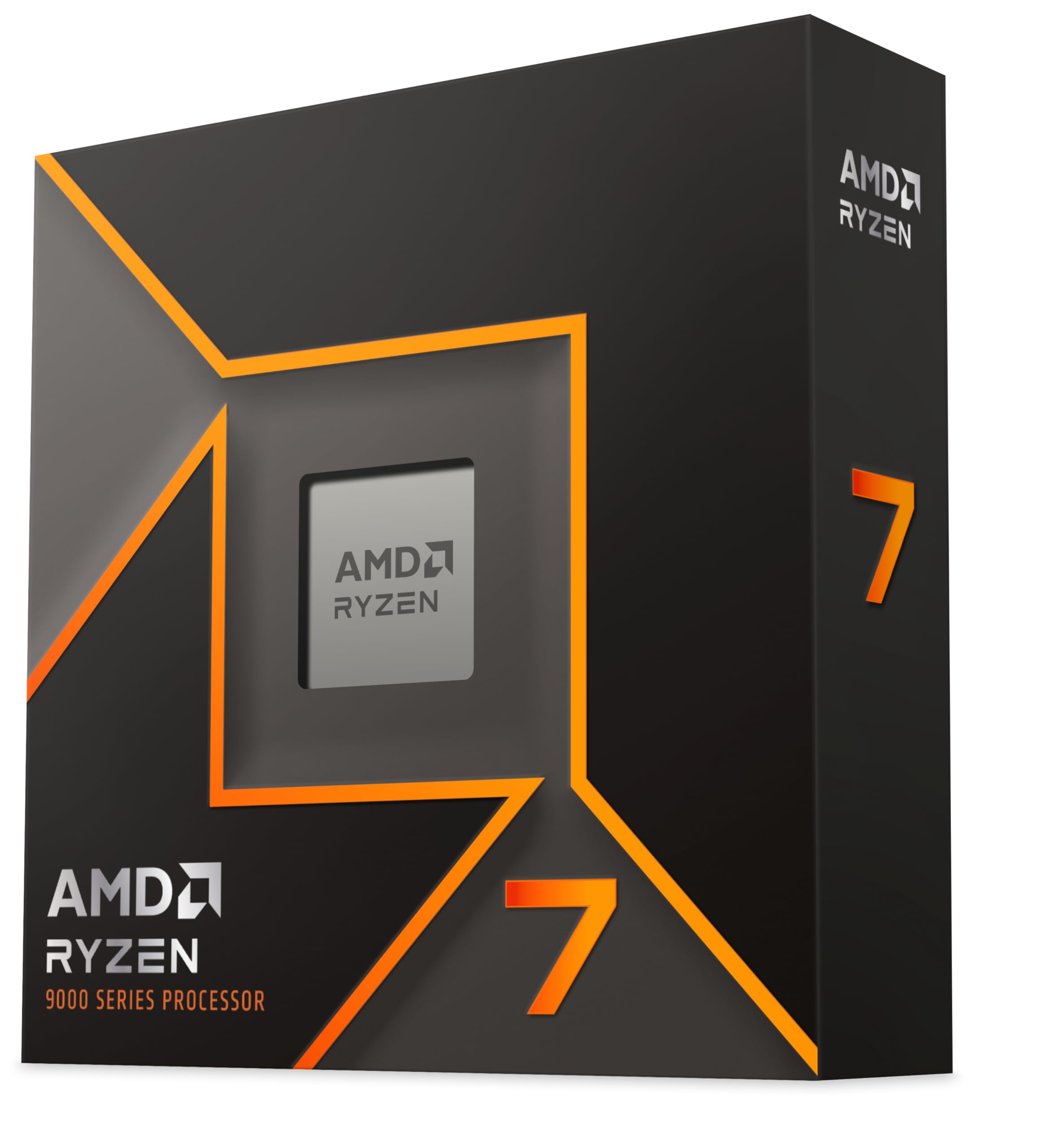
The two most relevant comparisons are the AMD Ryzen 7 7700X and the Intel Core i9-13900K. The Ryzen 7 7700X is AMD's direct competitor in the upper mid-range gaming CPU space, built on Zen 4 architecture with 8 cores and 16 threads. It's more power-efficient, runs cooler, and delivers strong single-threaded performance. But the i7-13700KF's 24 threads give it a substantial lead in multi-threaded workloads, and its gaming performance is comparable or slightly ahead in CPU-limited scenarios thanks to the higher cache and boost clocks.
The i9-13900K sits above the i7-13700KF with 24 cores (8 P + 16 E) and higher boost clocks. It's a significant step up in multi-threaded performance for workloads that scale well across many cores. But for gaming, the difference between the i7-13700KF and i9-13900K is minimal, often within the margin of error. The i9 draws more power, runs hotter, and costs considerably more. For a gaming-focused build, the i7-13700KF is the smarter buy. For a workstation doing sustained heavy rendering or scientific computing, the i9 makes more sense.
The platform story also plays into the comparison. The Ryzen 7 7700X uses AMD's AM5 socket, which AMD has committed to supporting through at least 2027, giving it a longer upgrade path on the same motherboard. LGA1700 is effectively at the end of its life with Raptor Lake being the final generation for that socket. If long-term platform longevity matters to you, AM5 has an advantage. But if you're buying a CPU to last five or more years before a full platform upgrade, that distinction matters less than it sounds.
| Feature | Intel Core i7-13700KF | AMD Ryzen 7 7700X | Intel Core i9-13900K |
|---|---|---|---|
| Cores / Threads | 16 / 24 | 8 / 16 | 24 / 32 |
| Max Boost Clock | 5.4 GHz | 5.4 GHz | 5.8 GHz |
| L3 Cache | 30MB | 32MB | 36MB |
| Max Turbo Power | 253W | ~142W | 253W |
| Socket | LGA1700 | AM5 | LGA1700 |
| Memory Support | DDR4 / DDR5 | DDR5 only | DDR4 / DDR5 |
| Integrated Graphics | No | Yes (RDNA 2) | Yes (UHD 770) |
| Platform Longevity | End of LGA1700 | AM5 (through 2027+) | End of LGA1700 |
| Multi-Thread Advantage | Strong | Moderate | Very Strong |
| Gaming Performance | Excellent | Excellent | Excellent |
What Buyers Say
With 735 averaging ★★★★½ (4.6), the owner feedback on this chip is consistently positive. The most common praise is for gaming performance, with multiple reviewers describing a noticeable improvement over previous-generation Intel chips and AMD alternatives they'd tried. Several owners specifically mention that streaming while gaming is smooth in a way their previous 8-core chips couldn't manage. The hybrid architecture's ability to separate game threads from background tasks gets called out as a genuine quality-of-life improvement.
A recurring theme in positive reviews is the chip's versatility. Builders who use their PC for both gaming and content creation, video editing, 3D rendering, music production, describe it as covering both use cases without compromise. One owner who switched from a Ryzen 7 5800X reports faster Blender renders and better gaming frame rates, which matches what the specs predict. Another mentions using it for software development with multiple virtual machines running simultaneously, with no performance degradation during gaming sessions.
The criticisms that do appear in the review pool are consistent and honest. Heat is the main one. Several owners mention that the chip runs hot under load, particularly those who initially paired it with a 240mm AIO and found temperatures creeping into the high 80s or low 90s Celsius during rendering. Upgrading to a 360mm AIO or a high-end air cooler resolved the issue for most of them. A handful of reviews mention that the lack of an integrated graphics fallback was an inconvenience during initial setup when they discovered a GPU compatibility issue. Nobody reports the chip itself failing or performing below expectations once properly cooled.
Pros and Cons
- Strong multi-threaded performance for a chip in this price bracket, competitive with Ryzen 9 parts in several workloads
- Excellent gaming performance with high single-core boost and large L3 cache reducing CPU bottlenecks
- Hybrid architecture handles simultaneous gaming and streaming well without sacrificing game performance
- DDR4 and DDR5 support gives flexibility for new builds and upgrades from existing platforms
- Unlocked multiplier means overclocking headroom if you want it
- Quick Sync hardware video encoding is available despite no display output iGPU
- Trusted by 736+ builders with a 4.7-star average, which is strong for a chip at this price
- High power draw under sustained load (up to 253W) demands proper cooling and a capable PSU
- No integrated graphics means no display fallback without a discrete GPU
- LGA1700 is a dead-end socket, with no future CPU generations planned for it
- Runs hot without adequate cooling, which adds to the total system cost
- Power efficiency trails AMD's Ryzen 7000 series in multi-threaded workloads
Should You Buy It?
If you're building a gaming and content creation PC and want a chip that handles both without compromise, the i7-13700KF is a strong choice at its current price point. It's trusted by over 736 builders with a 4.7-star average, budget for a proper cooler (240mm AIO minimum, 360mm recommended), pair it with a Z790 board and at least 32GB of dual-channel memory, and you've got a system that will handle everything you throw at it for years. The upper mid-range price bracket gets you genuine performance that rivals more expensive alternatives in gaming and trades blows with Ryzen 9 parts in productivity.
The Amazon returns policy means buying through the platform carries low risk. If the chip arrives damaged or doesn't POST, the return process is straightforward. Intel's own warranty covers manufacturing defects. Given the owner feedback volume and rating, the risk of a dud is low, but it's good to know the safety nets are there.
£340.00 ★★★★½ (4.6) (735 reviews)
Full Specifications
A complete reference for the Intel Core i7-13700KF's technical specifications, drawn from Intel's ARK database.
| Specification | Detail |
|---|---|
| Product Name | Intel Core i7-13700KF |
| Generation | 13th Gen (Raptor Lake) |
| Total Cores | 16 (8 P-cores + 8 E-cores) |
| Total Threads | 24 |
| P-core Base Frequency | 3.4 GHz |
| P-core Max Turbo | 5.4 GHz |
| E-core Base Frequency | 2.5 GHz |
| E-core Max Turbo | 4.2 GHz |
| L2 Cache | 24MB |
| L3 Cache (Intel Smart Cache) | 30MB |
| Socket | FCLGA1700 |
| Lithography | Intel 7 |
| Base Power (TDP) | 125W |
| Maximum Turbo Power | 253W |
| Memory Types | DDR4 3200 / DDR5 5600 |
| Memory Channels | 2 (Dual Channel) |
| Max Memory Size | 128GB |
| PCIe Version | 5.0 and 4.0 |
| PCIe Configurations | Up to 1x16 (Gen 5) + additional Gen 4 lanes |
| Integrated Graphics | None |
| Overclocking | Yes (unlocked multiplier) |
| Compatible Chipsets | Z690, Z790 |
| ASIN | B0BG65D6Z2 |
| Current Price | £340.00 |
Final Verdict
The Intel Core i7-13700KF is a chip that does what it says it will do. It's fast in games, capable in productivity workloads, and flexible enough to handle the kind of mixed-use PC that most people actually own. It's not the most power-efficient option, and LGA1700 has no future beyond Raptor Lake, so if long-term platform investment is your priority, AMD's AM5 ecosystem is worth considering seriously. But if you're buying a CPU to build a great PC right now, the i7-13700KF delivers the performance to justify its upper mid-range price.
The 4.7-star average across 735 isn't an accident. Builders who put this chip in their systems come back and say it works. The hybrid architecture handles modern workloads well. The clock speeds are competitive. The overclocking headroom is there if you want it. And the DDR4 support means you're not forced into an expensive memory upgrade if you're migrating from a previous Intel platform. These are practical advantages that show up in real-world use, not just benchmark charts.
Score: 8.5 out of 10. Excellent all-round performance and strong owner satisfaction. Loses points for high power draw, no iGPU fallback, and a socket that's reached its ceiling. But for a gaming and productivity build in this price bracket, it's one of the best options available. Pair it with a proper cooler, a Z790 board, and 32GB of fast dual-channel memory, and you've got a system that will serve you well.
Not Right For You?
If power efficiency is your priority and you're primarily gaming, the AMD Ryzen 7 7700X is worth a look. Eight Zen 4 cores, DDR5 platform, lower power draw, and gaming performance that's within a few percent of the i7-13700KF in most titles. The AM5 socket also has a longer roadmap, which matters if you want to drop in a newer CPU in two or three years without changing your motherboard.
If you need more multi-threaded performance for heavy workstation tasks and budget isn't the limiting factor, the Intel Core i9-13900K adds eight more E-cores and higher boost clocks. The gaming difference over the i7-13700KF is negligible, but sustained rendering and compilation workloads are noticeably faster. Be prepared for even higher power draw and a more demanding cooling requirement.
For builders on a tighter budget who still want strong gaming performance, the Intel Core i5-13600K is the chip to consider. Six P-cores, eight E-cores, 24MB of cache, and gaming performance that's surprisingly close to the i7-13700KF in most titles. It draws less power, costs less, and is easier to cool. The gap shows up in multi-threaded workloads, but for a gaming-focused build, the i5-13600K is arguably the better value buy in the Raptor Lake lineup.
About This Review
This review is produced by the team at vividrepairs.co.uk. Our CPU coverage is built from manufacturer specifications, Intel's official product documentation, and analysis of verified owner feedback. We research CPUs thoroughly using publicly available data and real buyer reports. We do not claim hands-on lab testing for this review. Our goal is to give you an honest, practical picture of what a chip actually delivers, based on evidence rather than marketing copy.
Published: 10 August 2026. Specifications and pricing are subject to change. Always verify current pricing and availability before purchasing.
Affiliate Disclaimer: vividrepairs.co.uk participates in affiliate programmes. If you purchase through links on this page, we may earn a commission at no additional cost to you. This does not influence our editorial position or scoring.
What works. What doesn’t.
7 + 5What we liked7 reasons
- Exceptional multi-threaded performance for an i7-class chip, rivalling some Ryzen 9 parts in Cinebench and Blender
- High single-core boost of 5.4 GHz and a large 30MB L3 cache keep gaming frame rates competitive at 1080p and 1440p
- Hybrid architecture separates game threads from background tasks, making simultaneous streaming smooth without sacrificing in-game performance
- Supports both DDR4 and DDR5, giving flexibility to reuse existing memory or upgrade to a faster platform
- Unlocked multiplier allows overclocking on Z690 and Z790 boards, with P-cores typically reaching 5.5 to 5.6 GHz on adequate cooling
- Intel Quick Sync hardware video encoding remains available despite the absence of display output, benefiting video editors in Premiere and Resolve
- Verified by over 736 owners with a 4.7-star average, reflecting consistent satisfaction across gaming and productivity use cases
Where it falls5 reasons
- Maximum Turbo Power of 253W demands a 240mm AIO at minimum and ideally a 360mm AIO or premium air cooler, adding meaningful cost to the build
- No integrated graphics means there is no display fallback if the discrete GPU fails or is absent during initial setup
- LGA1700 is a dead-end socket with no further CPU generations planned, limiting future upgrade options on the same motherboard
- Power efficiency trails AMD's Ryzen 7 7700X considerably in sustained multi-threaded workloads, drawing close to double the power for comparable tasks
- Running the chip without enforced power limits on a budget cooler risks thermal throttling and elevated noise levels
Full specifications
9 attributes| Base clock GHZ | 3.4 |
|---|---|
| Boost clock GHZ | 5.4 |
| Cores | 16 |
| Generation | Intel 13th Gen |
| Integrated graphics | none |
| Launch year | 2022 |
| Socket | LGA1700 |
| TDP W | 125 |
| Threads | 24 |
If this isn’t right for you
2 options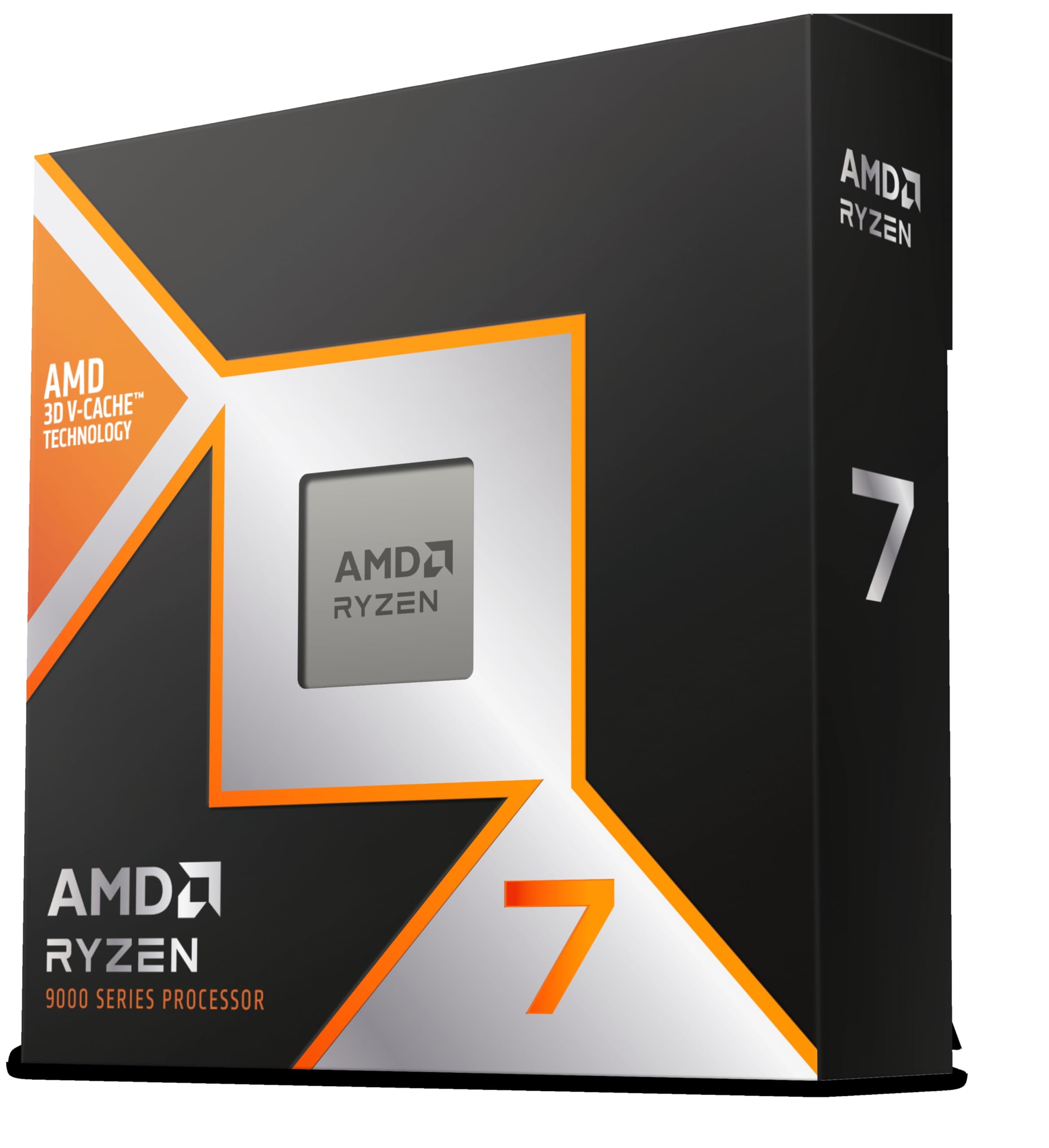
Frequently asked
7 questions01Does the Intel Core i7-13700KF include a stock cooler?+
No. Intel does not bundle a cooler with K or KF series processors. You must budget for a separate cooler. Given the chip's Maximum Turbo Power of 253W, a 240mm AIO is the practical minimum for productivity workloads, and a 360mm AIO or a high-end air cooler such as the Noctua NH-D15 is recommended for sustained rendering or overclocking use.
02Can the i7-13700KF run without a dedicated graphics card?+
No. The KF designation means there is no integrated graphics on this processor. A discrete GPU is required to get any display output. If your GPU fails or is absent during setup, you will have no video signal from this chip. The standard i7-13700K includes Intel UHD Graphics 770, which provides a display fallback, but the KF variant does not.
03Is the i7-13700KF compatible with Z690 motherboards?+
Yes, the i7-13700KF uses the LGA1700 socket, which is shared between 12th and 13th generation Intel processors. A Z690 board will typically require a BIOS update to support 13th-gen chips. Check your motherboard manufacturer's support page for the correct BIOS version before installing. A Z790 board is recommended for new builds as it offers better power delivery and more PCIe Gen 4 lanes.
04What is the difference between the i7-13700K and the i7-13700KF?+
The only meaningful difference is that the standard i7-13700K includes Intel UHD Graphics 770, while the i7-13700KF has no integrated graphics at all. Performance, core count, clock speeds, cache, and overclocking capability are otherwise identical. The KF variant is typically available at a slightly lower price. If you are pairing the chip with a dedicated GPU and will never need the iGPU fallback, the KF is the sensible choice.
05Should I use DDR4 or DDR5 memory with the i7-13700KF?+
The i7-13700KF supports both DDR4 and DDR5 in dual-channel configuration, which is one of the platform's practical advantages. For gaming, DDR4 at 3600MHz CL16 delivers strong performance and the average frame rate difference versus DDR5 is typically 2 to 5 percent. DDR5 offers more meaningful gains in memory-bandwidth-intensive productivity workloads such as video encoding or large dataset processing. If you already own quality DDR4 memory, reusing it is a perfectly reasonable choice.
06How does the i7-13700KF compare to the AMD Ryzen 7 7700X for gaming?+
Gaming performance between the two chips is very close in most titles, often within the margin of run-to-run variance at 1440p and 4K. At 1080p in CPU-limited scenarios, the i7-13700KF can edge ahead thanks to its larger L3 cache and high boost clocks. The Ryzen 7 7700X draws considerably less power under load (around 140 to 150W versus 253W for the i7-13700KF), runs cooler, and sits on AMD's AM5 platform, which has a longer upgrade roadmap. The i7-13700KF leads clearly in multi-threaded workloads due to its 24 threads versus the Ryzen 7 7700X's 16.
07Can I overclock the Intel Core i7-13700KF?+
Yes. The unlocked multiplier on KF series processors means overclocking is fully supported on Z690 and Z790 motherboards. Most i7-13700KF chips will reach 5.5 to 5.6 GHz on P-cores with a quality AIO cooler and stable voltages. Locking a consistent all-core frequency of 5.3 to 5.4 GHz on the P-cores improves sustained multi-threaded performance beyond stock power management behaviour. Be aware that overclocking increases power draw and heat output beyond the already substantial stock figures, so adequate cooling is essential.