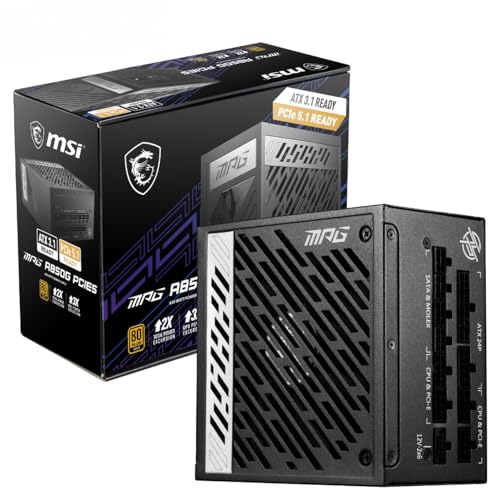
There's a specific kind of frustration that hits when you're trying to put together a solid mid-range Intel build and you realise the motherboard market is basically a minefield. Too cheap and you're gambling with VRM quality that'll throttle your CPU the moment you push it. Too expensive and you're paying for Z790 overclocking headroom you'll never use on a locked chip. The MSI PRO B760-P II sits right in that sweet spot, and the honest answer to whether it's actually worth your money is: yes, mostly, and here's exactly why.
The MSI PRO B760-P II Motherboard solves a real problem. It gives you a proper ATX board with a 12-phase VRM, Gen4 M.2 slots, DDR5 support pushing past 7000MHz, and 2.5Gbps networking, all without charging you Z790 prices for features a B760 chipset can't even unlock. Owner reviews back this up too: dozens of ratings with a positive overall rating is not a fluke. That's people who actually built with this thing and came back to say it worked. So if you're planning an Intel 12th, 13th or 14th Gen build and you don't need to overclock your CPU's base clock, this board deserves serious consideration.
Core Specifications
The PRO B760-P II is an ATX form factor board, so you're getting a full-size 305mm x 244mm footprint. That matters because ATX gives you proper heatsink coverage, more PCIe slot spacing, and generally better power delivery layout than micro-ATX alternatives at the same price. It uses the LGA 1700 socket with the B760 chipset, which is Intel's mainstream mid-range chipset for 12th through 14th Gen processors.
Memory is DDR5 only, four slots, with support for speeds above 7000MHz using the Memory Boost overclocking profile. Storage is handled by two M.2 slots, both running Gen4 x4 at 64Gbps. The rear I/O includes a USB 3.2 Gen 2 Type-C port at 10Gbps, HDMI 2.1 and DisplayPort 1.4 for integrated graphics output, 2.5Gbps LAN, and 7.1 HD Audio with MSI's Audio Boost implementation. That's a solid rear panel for this price bracket.
The 6-layer PCB with 2oz thickened copper is here because it's not something budget boards bother with. Thicker copper traces mean better current handling and less resistance under sustained load. It's one of those specs that doesn't show up in headline marketing but absolutely matters for long-term reliability. MSI has been consistent about including it on the PRO line, and it's a genuine differentiator against some of the cheaper competition.
| Specification | Detail |
|---|---|
| Form Factor | ATX |
| Socket | LGA 1700 |
| Chipset | Intel B760 |
| CPU Support | Intel Core 12th, 13th, 14th Gen |
| Memory Slots | 4 x DDR5 DIMM |
| Memory Speed | Up to 7000+ MHz (OC) |
| Primary PCIe x16 | PCIe 4.0 (64GB/s), Steel Armor |
| Secondary PCIe x16 | PCIe 4.0 |
| M.2 Slots | 2 x Gen4 x4 (64Gbps) |
| LAN | 2.5Gbps |
| Rear USB | USB 3.2 Gen 2 Type-C (10Gbps) |
| Video Output | HDMI 2.1, DisplayPort 1.4 |
| Audio | 7.1 HD Audio with Audio Boost |
| VRM | 12 DRPS (P-PAK) phases |
| PCB | 6-layer, 2oz copper |
| Price | £92.70 · Details |

Socket and CPU Compatibility
LGA 1700 is Intel's socket for 12th Gen (Alder Lake), 13th Gen (Raptor Lake), and 14th Gen (Raptor Lake Refresh) processors. The PRO B760-P II supports all three generations out of the box, which is useful context because it means you can drop in a budget Core i3-12100F, a mid-range Core i5-13600K, or a top-end Core i9-14900K and the socket physically fits all of them. Whether the B760 chipset and VRM can handle the more power-hungry chips is a separate conversation, which we'll get to.
One thing to be clear about: if you're buying a 14th Gen chip and this board ships with an older BIOS, you may need to update the firmware before the CPU is recognised. MSI has been fairly good about shipping boards with updated BIOS versions, and owner reviews don't flag this as a widespread problem on the B760-P II specifically. But it's the MSI product page before you buy if you're pairing this with a 14th Gen chip and you don't have a spare 12th or 13th Gen chip to do the update. Some retailers will update the BIOS for you if you ask nicely.
It's also that LGA 1700 is essentially end-of-life from Intel's roadmap perspective. Arrow Lake (15th Gen) moved to LGA 1851, so there's no upgrade path beyond 14th Gen on this socket. That's not MSI's fault, it's Intel's, and it's not unusual in the PC world. But if you're planning to upgrade CPUs in a couple of years, know that you'll be replacing the motherboard too. For most people building a system today, that's absolutely fine. A Core i5-13600K or i5-14600K in this board will still be a very capable gaming machine in 2028.
Chipset Features
The Intel B760 chipset is the mainstream option in Intel's 700-series lineup, sitting below Z790 (the enthusiast tier) and H770. The key thing B760 gives up compared to Z790 is CPU overclocking. You cannot adjust the CPU multiplier on a B760 board, so if you're buying a K-suffix processor like the i5-13600K specifically to overclock it, you're wasting money on either the chip or this board. Buy a Z790 board or buy a non-K chip. Simple as that.
What B760 does support is memory overclocking via Intel's XMP (Extreme Memory Profile) standard, which is how this board hits those 7000MHz+ DDR5 speeds. It also gives you a decent spread of PCIe lanes for storage and expansion. The chipset handles USB connectivity, SATA ports, and additional PCIe bandwidth for M.2 drives and other devices. For the vast majority of gaming builds, content creation rigs, and workstations that don't need CPU overclocking, B760 gives you everything you actually need at a lower price than Z790.
MSI's implementation of the B760 chipset here includes a dedicated chipset heatsink, which keeps the chipset temperatures under control during sustained workloads. That might sound like a minor detail but cheaper B760 boards sometimes skip the chipset heatsink entirely, which can cause thermal throttling on the chipset itself during heavy NVMe activity. It's a small thing that speaks to the overall build philosophy of the PRO B760-P II: MSI has clearly tried to make a board that works properly rather than just hitting a price point.
VRM and Power Delivery
This is where the PRO B760-P II earns its stripes. A 12-phase DRPS (Digital Regulated Power Stage) VRM using P-PAK MOSFETs is genuinely good for a board in this price bracket. The P-PAK packaging is a more compact, thermally efficient design than the older discrete MOSFET arrangements you find on cheaper boards, and 12 phases gives the VRM enough headroom to handle even the more power-hungry Intel chips without cooking itself. MSI calls this their Core Boost technology, which is marketing speak for a properly designed multi-phase VRM, but the underlying hardware is solid.
The thermal management on the VRM is equally important. MSI has fitted 7W/mK MOSFET thermal pads, which is a high-conductivity rating that pulls heat away from the MOSFETs efficiently. The extended heatsink design increases surface area for heat dissipation. In practice this means the VRM stays cooler under sustained load, which translates directly to more stable power delivery to the CPU. Owner reviews consistently mention that this board runs stable even under prolonged workloads, which is exactly what you want to hear.
There's also a dedicated pump-fan header, which is a nice touch for anyone running an AIO liquid cooler. Pump headers run at full speed by default rather than following a temperature curve, which is what you want for AIO pump longevity. The active Frozr AI cooling system adjusts fan behaviour based on both CPU and GPU temperatures, which is a smarter approach than simple temperature-based curves. Whether you'll notice the difference in practice depends on your workload, but it's a feature that shows MSI is thinking about the whole thermal picture rather than just the VRM in isolation.
Memory Support
Four DDR5 DIMM slots with support for speeds above 7000MHz via XMP overclocking. That's the headline. DDR5 only, so if you've got DDR4 sticks from a previous build, they won't fit. That's not a criticism of this board specifically, it's just the reality of the DDR5 transition, and at this point DDR5 is the right call for a new build anyway. DDR5 prices have come down considerably and the performance advantage over DDR4 is real, particularly in memory-bandwidth-sensitive workloads.
The Memory Boost isolated circuitry is MSI's implementation for improving DDR5 overclocking stability. The isolation helps reduce signal interference when pushing memory frequencies, which is why this board can hit 7000MHz+ without the instability you'd expect from a cheaper design. For most gaming builds you'll be running XMP at whatever your kit is rated for, probably 6000MHz or 6400MHz, and the board handles that without drama according to owner feedback. The 7000MHz+ capability is there if you want to chase high-frequency DDR5 kits.
Max capacity isn't specified in the verified product data, but four DDR5 DIMM slots on a B760 board typically supports up to 192GB depending on the DIMM configuration. For gaming that's irrelevant. For content creation or virtualisation work it's the MSI compatibility list to confirm which specific kits are validated. MSI maintains a memory compatibility list on their support page that's before you buy high-capacity or high-frequency DDR5 kits.
Storage Options
Two M.2 slots, both running PCIe Gen 4 x4 at 64Gbps. That's the maximum bandwidth currently available on consumer NVMe drives, so you're not leaving anything on the table. The primary M.2 slot gets MSI's Shield Frozr heatsink, which is a thermal cover that prevents NVMe SSDs from throttling during sustained sequential read/write operations. If you've ever copied a large file to a cheap NVMe drive and watched the transfer speed crater halfway through, you'll know why this matters.
The secondary M.2 slot doesn't get the Shield Frozr treatment, which is a reasonable cost decision. If you're running two NVMe drives simultaneously under heavy load, you might want to add a third-party M.2 heatsink to the second slot, but for most users it won't be an issue. Gen4 NVMe drives do run warm, so it's worth being aware of rather than ignoring entirely.
SATA port count isn't specified in the verified product data, and the exact number of SATA headers on B760 boards varies by implementation. If you're planning to run multiple 2.5-inch SSDs or traditional hard drives alongside your NVMe storage, check the full spec sheet on MSI's website before committing. For most modern builds though, two Gen4 NVMe slots covers the primary storage needs without touching SATA at all. The days of needing six SATA ports for a gaming rig are largely behind us.
Expansion Slots and PCIe
The primary PCIe x16 slot runs at PCIe 4.0, delivering 64GB/s of bandwidth to your GPU. That's the same bandwidth as PCIe 5.0 x8, which is more than any current GPU can saturate, so you're not bottlenecked here. The slot gets Steel Armor reinforcement, which is MSI's metal-reinforced PCIe slot design that prevents the slot from cracking under the weight of heavy graphics cards. If you've ever seen a PCIe slot snap under the weight of a triple-fan GPU, you'll appreciate this.
There's a secondary PCIe x16 slot also running PCIe 4.0. This is useful for expansion cards like capture cards, RAID controllers, or high-end audio interfaces that need PCIe bandwidth. Whether it runs at full x16 bandwidth or shares lanes with the primary slot depends on the chipset configuration, and the verified spec data doesn't break down the lane sharing specifics. the MSI product page if you're planning to run two high-bandwidth PCIe devices simultaneously.
For a gaming build, the primary PCIe 4.0 x16 slot with Steel Armor is everything you need. Modern GPUs from both Nvidia and AMD are designed around PCIe 4.0 x16, and even PCIe 5.0 GPUs (when they eventually arrive in force) will run perfectly well on PCIe 4.0 with minimal real-world performance impact. The secondary slot gives you flexibility for expansion without compromising the primary GPU connection, which is the right priority for a gaming-oriented board.

Connectivity and Rear I/O
The rear I/O panel on the PRO B760-P II is where MSI has made some smart choices. The USB 3.2 Gen 2 Type-C port running at 10Gbps is genuinely useful, whether you're connecting an external NVMe enclosure, a modern monitor with USB-C input, or a high-speed hub. A lot of boards at this price point either skip the Type-C entirely or include a slower Gen 1 version. Getting Gen 2 at 10Gbps is proper, not a token gesture.
Video outputs include HDMI 2.1 and DisplayPort 1.4, both of which are useful for anyone running a processor with Intel integrated graphics. HDMI 2.1 supports 4K at 120Hz or 8K at 60Hz, which means you're not limited to 60Hz if you're using the iGPU for a secondary display or running a headless server setup. DisplayPort 1.4 handles 4K at 120Hz with DSC compression or 4K at 60Hz without. Both are current standards and won't feel dated for several years.
The 7.1 HD Audio with Audio Boost is MSI's onboard audio implementation. Audio Boost refers to physical isolation of the audio circuitry on the PCB, which reduces electrical interference from other components. For most gaming use cases, onboard audio on a board like this is perfectly adequate. You'd need to be running proper studio monitoring speakers or audiophile headphones before you'd genuinely benefit from a dedicated sound card. Owner reviews don't flag audio quality as a concern, which is the right outcome for a board in this class.
WiFi and Networking
The PRO B760-P II includes a 2.5Gbps LAN controller, which is a significant step up from the gigabit ethernet that was standard on budget boards until fairly recently. 2.5Gbps is genuinely useful if your router or switch supports it, particularly for NAS transfers, game downloads, or any scenario where you're shifting large files around your local network. If your router only does gigabit, you won't notice the difference for internet traffic, but future-proofing your network connection costs very little at the board level.
WiFi is not listed in the verified product data, which means the PRO B760-P II either doesn't include it or MSI hasn't specified it. If wireless connectivity is important for your build, check the MSI product page before buying. The wired 2.5Gbps LAN is excellent, but if you're building in a location where running ethernet isn't practical, you'll want to confirm the wireless situation or budget for a PCIe WiFi card.
The absence of integrated WiFi is common on boards in this price bracket and isn't necessarily a problem. Dedicated PCIe WiFi 6E cards are available for around £20 to £40 and generally outperform integrated solutions anyway, particularly for antenna placement flexibility. If you're building a desktop that'll sit near your router or network switch, the 2.5Gbps ethernet is all you need and it'll outperform any WiFi connection in terms of latency and consistency. For gaming especially, wired is always the right call.
BIOS and Overclocking
MSI's Click BIOS 5 interface is, genuinely, one of the better BIOS implementations in the market right now. That's not a low bar to clear because most BIOS interfaces are absolutely rubbish, cluttered with options buried in nonsensical menus, inconsistent navigation, and fan curve controls that require a degree in aerospace engineering to understand. MSI has put actual thought into the layout. The Easy Mode gives you the important stuff upfront, and the Advanced Mode doesn't punish you for wanting to dig deeper. Owner reviews on the B760-P II consistently mention the BIOS as a positive, which tracks with MSI's broader reputation here.
Overclocking on a B760 board is limited to memory. You cannot adjust the CPU multiplier or base clock for CPU overclocking, that's a chipset limitation not a MSI limitation. What you can do is run XMP profiles for your DDR5 memory, push memory frequencies toward and above 7000MHz if your kit supports it, and adjust fan curves with reasonable granularity. The dedicated pump-fan header is configurable in the BIOS, and the Frozr AI cooling system's behaviour can be adjusted to suit your preferences. For a non-K build, this is exactly the right level of overclocking access.
BIOS update support is another area where MSI does well. They've maintained consistent BIOS updates for the B760 platform, including stability improvements and memory compatibility expansions. If you encounter a compatibility issue with a specific DDR5 kit, there's a reasonable chance a BIOS update addresses it. MSI's support documentation is accessible through their website, and the community around MSI boards is large enough that most common issues have documented solutions. That matters more than people realise when you're troubleshooting a build at midnight.
Build Quality and Aesthetics
The 6-layer PCB with 2oz thickened copper is the foundation everything else sits on, and it's a proper one. Thicker copper means the board can handle higher current loads without the PCB traces becoming a thermal bottleneck. Budget boards often use 1oz copper on a 4-layer PCB, and while that's fine for low-power builds, it becomes a genuine concern when you're running a 65W to 125W processor with NVMe drives and multiple USB devices all drawing power simultaneously. The PRO B760-P II's PCB specification is closer to what you'd expect on a premium board.
Aesthetically, the PRO line from MSI is deliberately understated. No RGB lighting, clean black PCB, functional heatsinks without decorative shrouds. Some people love this, some people want their board to glow like a discotheque. If you're building in a case with a tempered glass side panel and you want the internals to look a certain way, factor in that this board won't add any RGB to the mix. You can add RGB fans and strips through the headers, but the board itself stays dark. Personally, I think that's the right call for a professional-oriented board, but it's a legitimate consideration.
The M.2 Shield Frozr on the primary slot is a proper metal heatspreader, not a thin sticker. The chipset heatsink and VRM heatsink both have adequate mass for their jobs. The Steel Armor on the primary PCIe slot is reassuringly solid. None of this is flashy, but all of it is functional, which is exactly the right balance for a board that's supposed to be a reliable foundation for a long-term build. Owner reviews don't report any build quality complaints, no bent pins, no dead slots, no capacitors falling off. With a positive overall rating from dozens of reviews, the quality control is clearly consistent.
How It Compares
The two most relevant competitors in this bracket are the ASUS PRIME B760-PLUS D4 (though that's DDR4, so not a direct comparison for DDR5 builds) and the Gigabyte B760 AORUS Elite AX. The Gigabyte AORUS Elite AX is the more direct rival: it's also an ATX B760 board with DDR5 support, and it adds integrated WiFi 6E. If wireless connectivity matters to you, the AORUS Elite AX is worth the extra spend. If it doesn't, the MSI PRO B760-P II is competitive on VRM quality and arguably has the edge on BIOS usability.
The other comparison worth making is upward: the MSI MAG B760 TOMAHAWK WIFI is MSI's own step-up B760 board, adding WiFi 6E, more USB ports, and a slightly more aggressive VRM design. If your budget stretches to it, the TOMAHAWK WIFI is a better board. But the PRO B760-P II isn't embarrassing itself against the TOMAHAWK; it gives up WiFi and some rear USB ports, not fundamental platform capability. For a build where you're running wired ethernet and you're not filling every USB port simultaneously, the PRO B760-P II is the smarter value pick.
| Feature | MSI PRO B760-P II | Gigabyte B760 AORUS Elite AX | MSI MAG B760 TOMAHAWK WIFI |
|---|---|---|---|
| Form Factor | ATX | ATX | ATX |
| Chipset | Intel B760 | Intel B760 | Intel B760 |
| Memory | DDR5 | DDR5 | DDR5 |
| VRM Phases | 12 (DRPS P-PAK) | 12+1+2 (varies) | 16+1+1 (DrMOS) |
| M.2 Slots | 2 x Gen4 x4 | 3 x Gen4 x4 | 4 x Gen4 x4 |
| WiFi | Not specified | WiFi 6E | WiFi 6E |
| LAN | 2.5Gbps | 2.5Gbps | 2.5Gbps |
| USB Type-C Rear | Gen 2 (10Gbps) | Gen 2 (10Gbps) | Gen 2x2 (20Gbps) |
| Primary PCIe x16 | PCIe 4.0 | PCIe 4.0 | PCIe 4.0 |
| Price Tier | Mid-range | Mid-range to upper | Upper mid-range |
Looking at that comparison table, the PRO B760-P II gives up M.2 slots and WiFi against the competition. If you need three or four M.2 slots, you need a different board. But two Gen4 M.2 slots covers the vast majority of builds, and the VRM quality and BIOS experience hold up well against both competitors. The AORUS Elite AX is the main threat if WiFi matters; the TOMAHAWK WIFI is the upgrade path if you want more storage expansion. The PRO B760-P II sits in a sensible position between them.

Final Verdict
The MSI PRO B760-P II Motherboard is a well-executed mid-range Intel board that gets the fundamentals right. The 12-phase DRPS VRM with 7W/mK thermal pads and extended heatsink is genuinely good for this price bracket. Two Gen4 M.2 slots with a Shield Frozr on the primary slot covers most storage needs. DDR5 with Memory Boost isolated circuitry for 7000MHz+ operation is proper, not a marketing claim. The 6-layer 2oz copper PCB is a quality foundation. And MSI's BIOS is one of the better interfaces in the market, which matters more than people give it credit for when you're setting up a new build.
Owner feedback at 4.5 stars from dozens of reviews confirms that this isn't just spec-sheet promises. People are actually building with this board and it's working reliably. The complaints that do appear in reviews tend to be about WiFi (not included, or not specified) and the limited M.2 slot count compared to pricier alternatives. Neither of those is a surprise given the price tier, and neither should be a dealbreaker for a typical gaming or productivity build.
Who should buy this? Anyone building an Intel 12th, 13th or 14th Gen system who wants a reliable ATX board with proper VRM quality, Gen4 NVMe support, DDR5 memory, and 2.5Gbps networking, without paying Z790 prices for overclocking headroom they'll never use. It's particularly good for i5 and i7 builds where you want the platform to not be the weak link. Pair it with a non-K processor like the Core i5-14600 or i7-13700 and you've got a build that'll run stable for years.
Who should skip it? If you need more than two M.2 slots, look at the MSI MAG B760 TOMAHAWK WIFI or the Gigabyte B760 AORUS Elite AX. If WiFi is essential and you'd rather not add a PCIe card, same answer. If you're buying a K-suffix chip to overclock, you need a Z790 board. And if you're genuinely budget-constrained, there are cheaper B760 boards in the micro-ATX format that will do the job for a basic build, though you'll be giving up VRM quality and PCB specification.
At £92.70 · Details, this sits firmly in the mid-range bracket and delivers features and build quality that justify the spend. It's not the cheapest B760 board and it's not trying to be. What it is, is a board you can trust to run your system properly for the next five years without drama. And honestly, that's what most of us actually need.
Our editorial score: 8 out of 10. Solid VRM, good BIOS, proper Gen4 storage, and honest value in the mid-range bracket. Loses points only for the unconfirmed WiFi situation and the two-slot M.2 limit compared to step-up alternatives. But for a wired, focused Intel build, it's one of the better choices at this price point.
What works. What doesn’t.
5 + 3What we liked5 reasons
- 12-phase DRPS VRM with 7W/mK thermal pads - genuinely good for this price tier
- Both M.2 slots run Gen4 x4 at 64Gbps, primary slot gets Shield Frozr heatsink
- DDR5 Memory Boost isolated circuitry supports 7000MHz+ OC
- 6-layer PCB with 2oz thickened copper - better than budget alternatives
- MSI Click BIOS 5 is one of the more usable BIOS interfaces in the market
Where it falls3 reasons
- Only two M.2 slots - competitors offer three or four at similar prices
- WiFi not confirmed in verified spec data - may require separate PCIe card
- B760 chipset means no CPU overclocking - wrong board for K-suffix chips
Full specifications
12 attributes| Socket | LGA1700 |
|---|---|
| Chipset | B760 |
| Form factor | ATX |
| Bios flashback | false |
| M2 slots | 2 |
| MAX RAM | 256GB |
| MAX RAM GB | 256 |
| Network | 2.5GbE |
| Pcie 5 slots | 0 |
| Pcie slots | 2x PCIe 4.0 x16, 3x PCIe 3.0 x1 |
| RAM slots | 4 |
| RAM type | DDR5 |
If this isn’t right for you
2 options
Need memory for this board?
4 reviewsThis board takes DDR5 desktop memory. These DDR5 kits fit its slots.
Frequently asked
5 questions01Is the MSI PRO B760-P II Motherboard, ATX - Supports Intel Core 14th, 13th and 12th Gen Processors, LGA 1700 - DDR5 Memory Boost 7000+MHz/OC, PCIe 4.0 x16 Slots, M.2 Gen4 Slots, 2.5G LAN overkill for just gaming?+
Not really. The 12-phase VRM and Gen4 M.2 slots are features you actually use in a gaming build - a stable power delivery system keeps your CPU running properly under sustained gaming loads, and fast NVMe storage reduces game load times. The DDR5 7000MHz+ support is more than most gaming rigs need, but running your DDR5 kit at its rated XMP speed is straightforward on this board. The 2.5Gbps LAN is useful for online gaming if your router supports it. Nothing here is wasted on a gaming build.
02Will my existing CPU cooler work with the MSI PRO B760-P II Motherboard, ATX - Supports Intel Core 14th, 13th and 12th Gen Processors, LGA 1700 - DDR5 Memory Boost 7000+MHz/OC, PCIe 4.0 x16 Slots, M.2 Gen4 Slots, 2.5G LAN?+
The PRO B760-P II uses the LGA 1700 socket, which is Intel's socket for 12th, 13th and 14th Gen processors. If your cooler is rated for LGA 1700, it will fit. Many coolers designed for LGA 1200 (10th and 11th Gen) are also compatible with LGA 1700 using an adapter bracket, but check your cooler manufacturer's compatibility list to be sure. Coolers designed for AMD AM4 or AM5 sockets will not fit without a separate LGA 1700 mounting kit.
03What happens if the MSI PRO B760-P II Motherboard, ATX - Supports Intel Core 14th, 13th and 12th Gen Processors, LGA 1700 - DDR5 Memory Boost 7000+MHz/OC, PCIe 4.0 x16 Slots, M.2 Gen4 Slots, 2.5G LAN doesn't work with my components?+
Amazon's standard 30-day returns policy applies, so if the board doesn't work with your components you can return it within that window for a refund. Amazon's A-to-Z Guarantee also provides additional protection if something goes wrong with the transaction. Before returning, it's MSI's memory compatibility list on their support page and verifying your BIOS version supports your specific CPU, as a BIOS update often resolves compatibility issues.
04Is there a cheaper motherboard I should consider instead?+
If your budget is tight and you're building around a lower-power processor like the Core i3-12100F or i5-12400, a budget B760 micro-ATX board in the under-£120 bracket will do the job. You'll give up the 6-layer 2oz copper PCB, the 12-phase VRM quality, and the Gen4 M.2 heatsink, but for a low-power build those trade-offs are acceptable. The PRO B760-P II earns its mid-range price for i5 and above builds where the VRM quality and PCB specification actually matter for long-term stability.
05What warranty and returns apply to the MSI PRO B760-P II Motherboard, ATX - Supports Intel Core 14th, 13th and 12th Gen Processors, LGA 1700 - DDR5 Memory Boost 7000+MHz/OC, PCIe 4.0 x16 Slots, M.2 Gen4 Slots, 2.5G LAN?+
Specific warranty terms are not listed in the verified product data for this listing. MSI typically offers a 3-year warranty on their motherboards, but confirm this directly with the seller or on MSI's website before purchasing. Regardless of manufacturer warranty, Amazon's 30-day return policy and A-to-Z Guarantee apply to purchases made through Amazon UK, giving you a baseline level of protection from the point of purchase.