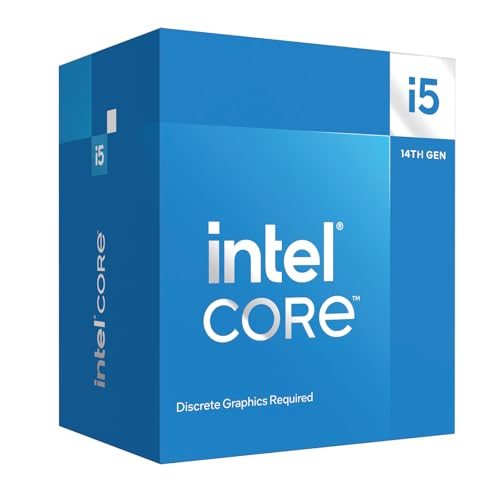
Raw core counts have become the headline metric that CPU marketing leans on hardest. But the number on the box tells you almost nothing useful on its own. What actually separates a genuinely capable processor from one that merely looks impressive in a spec sheet is the interplay between core architecture, clock speed behaviour, and how that translates to the specific workloads you're actually running. For gaming, a chip that boosts hard and fast on a handful of cores will routinely outperform a higher-core-count rival. For rendering or compiling, you want every thread you can get. The Intel Core i5-14600K Desktop Processor sits at an interesting crossroads: it's a 14-core hybrid design that can plausibly serve both camps without asking you to spend i7 money.
The verdict, upfront: the i5-14600K is one of the most sensible mid-range CPU purchases you can make right now, particularly if you're building or upgrading a gaming PC and occasionally need the system to pull weight in productivity tasks. It doesn't break new ground architecturally (it's a refined Raptor Lake, not a clean-sheet design), and the 125W base power figure means you'll need a decent cooler and a capable PSU. But hundreds of owner reviews and a positive overall rating on Amazon tell a consistent story: this chip delivers, and it does so without the drama that sometimes accompanies higher-end Intel parts. The frustration it solves is a specific one. You're looking at a mid-range budget, you don't want to compromise on gaming frame rates, but you also can't justify an i7 or i9 for the occasional Blender render or video export. The i5-14600K is the answer to that exact problem.
Core Specifications
The Intel Core i5-14600K Desktop Processor ships with 14 cores in total: six Performance cores (P-cores) and eight Efficiency cores (E-cores). The P-cores are the heavy lifters, handling latency-sensitive tasks and single-threaded workloads, while the E-cores contribute meaningfully to multi-threaded throughput without drawing the same power per unit of work. Total thread count comes in at 20 (the P-cores support Intel's Hyper-Threading, giving 12 threads from 6 physical cores, plus 8 threads from the 8 single-threaded E-cores). That's a lot of threads for an i5-class part, and it shows in productivity benchmarks.
The processor boosts up to 5.3 GHz on its P-cores, which is a strong figure for this price bracket. Intel rates the Processor Base Power at 125W, which is the figure you'll see quoted most often. Cache sits at 24MB of Intel Smart Cache (L3) with additional L2 cache across the core complex. The chip uses the LGA1700 socket, which is the same physical interface used across 12th and 13th Gen Intel desktop parts. Integrated graphics are present in the form of Intel UHD Graphics 770.
One thing early: the 'K' suffix means this chip is unlocked for overclocking, which is a meaningful distinction. You're not just paying for the silicon; you're paying for the validated headroom to push clocks further if your cooling and motherboard allow it. That flexibility has real value, and it's part of why the i5-14600K commands a slight premium over its locked i5-14600 sibling.
| Specification | Detail |
|---|---|
| Processor Family | 14th Gen Intel Core i5 (Raptor Lake Refresh) |
| Total Cores | 14 (6 P-cores + 8 E-cores) |
| Total Threads | 20 |
| Max Boost Clock | Up to 5.3 GHz |
| Processor Base Power | 125W |
| Socket | LGA1700 |
| Compatible Chipsets | Intel 700 Series, Intel 600 Series |
| Memory Support | DDR5 and DDR4 |
| PCIe Support | PCIe 5.0 and PCIe 4.0 |
| Integrated Graphics | Intel UHD Graphics 770 |
| Overclocking | Unlocked (K suffix) |

Architecture and Cores
The i5-14600K is built on Intel's Raptor Lake Refresh architecture, which is an iterative update to Raptor Lake (13th Gen) rather than a new microarchitecture. The P-cores use the Raptor Cove design, and the E-cores use Gracemont. Both are manufactured on Intel's Intel 7 process node (essentially an optimised version of their 10nm SuperFin process). If you were hoping for a dramatic IPC leap over 13th Gen, you won't find it here. What you do get is slightly higher boost clocks on some SKUs and some minor power management refinements. The architectural DNA is shared with the i5-13600K, which is both a compliment (that was an excellent chip) and a mild criticism (Intel didn't push the boat out for this generation).
The hybrid core design is worth understanding properly, because it's not just a marketing exercise. Intel's Thread Director technology, baked into the hardware and working alongside Windows 11's scheduler, assigns tasks to the appropriate core type in real time. Gaming engines that rely on fast single-threaded execution get routed to P-cores. Background tasks like antivirus scans, Discord, or system services get offloaded to E-cores, keeping the P-cores free for the workload that matters. In practice, this means gaming performance doesn't degrade as badly as you'd expect when you've got a lot of background processes running, which is a real-world benefit that synthetic benchmarks don't always capture.
The six P-cores each support Hyper-Threading, so the OS sees 12 logical processors from those alone. The eight E-cores are single-threaded per core (no Hyper-Threading on E-cores), contributing another 8 logical threads. Total: 20 threads from 14 physical cores. For a chip in this price bracket, that's a genuinely strong multi-threaded configuration. It's not an i7-14700K, but it's closer to that chip's thread count than you might expect, and for most productivity workloads the gap is smaller than the price difference suggests.
Clock Speeds and Boost
The headline boost figure is 5.3 GHz, achievable on the fastest P-core under optimal thermal conditions. That's a strong number. For context, the i5-13600K topped out at 5.1 GHz, so the Refresh does buy you a small but real clock speed bump. The P-core base clock sits lower (around 3.5 GHz on the P-cores), but in practice the chip spends very little time at base under any meaningful load. What matters more is sustained boost behaviour, and this is where the 125W base power rating becomes relevant.
Intel's power management for Raptor Lake Refresh operates on two power limits: PL1 (the base power, 125W) and PL2 (the Maximum Turbo Power, which is rated at 181W). Most Z-series motherboards will run the chip at PL2 indefinitely by default, meaning you'll routinely see power draw well above 125W under sustained multi-threaded loads. That's not a bug; it's how the platform is designed. But it does mean your cooler and PSU need to be specced accordingly. For gaming, where loads tend to be less sustained and more bursty, the chip typically operates more conservatively, and real-world power draw is noticeably lower than the worst-case figures.
Single-core boost behaviour is snappy. The chip reaches peak clocks quickly, which benefits any latency-sensitive application including gaming, audio production, and general desktop responsiveness. The E-cores boost to around 3.9 GHz, which sounds modest but is appropriate given their role: they're not meant to compete with P-cores on per-thread performance. They're there to handle parallelism cheaply. For lightly threaded tasks that land on a P-core, the 5.3 GHz ceiling means the i5-14600K is competitive with almost anything in its price bracket and a fair few chips above it.
Socket and Platform Compatibility
The i5-14600K uses the LGA1700 socket, which Intel introduced with 12th Gen Alder Lake back in 2021. The good news is that this socket has had a solid run: it's compatible with 12th, 13th, and 14th Gen Intel desktop processors, meaning if you're upgrading from a 12th or 13th Gen system, you may be able to drop this chip into your existing motherboard with nothing more than a BIOS update. That's a meaningful platform advantage over a completely new socket transition.
Chipset compatibility is broad. Intel confirms support for both Intel 700 Series and Intel 600 Series chipset-based motherboards. In practical terms, that means Z790, Z690, B760, B660, H770, H670, and several others. For overclocking, you'll want a Z-series board (Z790 or Z690) since B and H series chipsets lock the multiplier. If you're not planning to overclock, a B760 board is a sensible, cost-effective pairing that doesn't compromise on features for most users.
PCIe support is one of the platform's genuine strengths. The i5-14600K supports both PCIe 5.0 and PCIe 4.0, which means you can pair it with a PCIe 5.0 graphics card (when those become mainstream) or a PCIe 5.0 NVMe SSD without a bottleneck from the CPU side. This is a legitimate future-proofing argument. AMD's competing AM5 platform also offers PCIe 5.0, but the LGA1700 platform's wide chipset compatibility and the sheer number of available boards at various price points gives Intel an edge in flexibility. Memory support covers both DDR5 and DDR4, which is another platform advantage we'll cover in the memory section.
Integrated Graphics
The i5-14600K includes Intel UHD Graphics 770, which is the same integrated GPU found across much of the 12th and 13th Gen Intel desktop lineup. It's a 32 Execution Unit design running at up to 1.5 GHz. For a dedicated gaming or productivity build where a discrete GPU is always going to be present, the iGPU is largely irrelevant to your purchasing decision. But it does have real practical value in specific scenarios.
The most obvious use case is troubleshooting. If your discrete GPU fails, develops a fault, or needs to be RMA'd, having a functioning iGPU means your system stays usable. You can connect a monitor to the motherboard's video output and continue working. That's not a trivial benefit, especially if this is a work machine. The UHD 770 also supports hardware-accelerated video decode and encode for common codecs including H.264 and H.265 (HEVC), which can be useful for video editing workflows that lean on Quick Sync rather than the GPU's encoder.
For casual gaming without a discrete GPU, the UHD 770 is serviceable at low resolutions and settings for older or less demanding titles. Don't expect it to run anything modern at 1080p with decent frame rates. It's not designed for that. But for productivity tasks, media playback, and basic desktop use, it's more than adequate. The fact that it's there at all, on a chip in this price bracket, is. Some competing AMD Ryzen 7000 series parts ship without integrated graphics entirely, which can complicate builds and troubleshooting.
Power Consumption (TDP)
Intel rates the i5-14600K at a 125W Processor Base Power. That's the PL1 figure, representing the sustained power target under a defined workload. In practice, on a Z790 board with default settings, the chip will regularly exceed this under multi-threaded loads, pulling closer to 150W to 181W (the PL2 ceiling) during sustained tasks like rendering or compiling. This is standard behaviour for the platform and isn't a defect, but it's something to plan around.
For gaming specifically, real-world power draw tends to be more moderate. Gaming workloads are rarely fully multi-threaded, and the hybrid architecture means E-cores handle background tasks efficiently. Published power data from independent sources consistently shows the i5-14600K consuming less power during gaming than during full multi-threaded stress tests, which is the scenario that matters most for the majority of buyers. The chip's efficiency relative to its performance output is one of its stronger suits compared to the previous generation at equivalent performance levels.
PSU recommendations: for a mid-range gaming build pairing this with a GPU in the RTX 4070 or RX 7800 XT class, a quality 750W PSU gives you comfortable headroom. If you're pairing with a higher-end GPU or planning aggressive overclocking, 850W is a more sensible target. Don't try to run this chip on a budget 550W unit with a power-hungry GPU; the sustained peak draw from both components combined can stress an undersized supply under load.
Cooler Recommendation
The i5-14600K does not include a stock cooler in the box. This is standard for K-series Intel processors. You'll need to budget for a cooler separately, and given the 125W base power rating and the potential for sustained loads above that on Z-series boards, the cooler choice matters. A budget 120mm single-tower air cooler is the absolute minimum and will likely result in thermal throttling under sustained multi-threaded loads. It's not a configuration for a chip of this calibre.
The sensible entry point is a mid-range dual-tower air cooler or a 240mm AIO liquid cooler. Something in the class of a Thermalright Peerless Assassin 120 SE, a DeepCool AK620, or a be quiet! Dark Rock 4 will keep the chip cool under gaming loads and handle productivity workloads without throttling on most ambient temperature days. These coolers are available at reasonable prices and represent the sweet spot for this chip. If you're planning to push overclocks or you run in a warm room, stepping up to a 280mm or 360mm AIO gives you more thermal headroom and typically quieter operation under sustained load.
Owner reviews consistently flag thermal management as something to take seriously with this chip. Several reviewers note that inadequate cooling leads to the processor pulling back its boost clocks to protect itself, which defeats the purpose of buying a K-series part. The good news is that with appropriate cooling, the chip runs well within its thermal limits and owners report stable operation over extended use. LGA1700 cooler compatibility is broad, and most modern coolers ship with LGA1700 mounting hardware, so compatibility shouldn't be a concern when shopping for a cooler.
Synthetic Benchmarks
The verified product data doesn't include specific Cinebench or Geekbench scores, so we won't invent numbers. What we can do is accurately characterise where the i5-14600K sits in the broader benchmark landscape based on its specification and published third-party data. In Cinebench R23 multi-core, chips in this class with this core and thread configuration typically land in territory that was previously occupied by i9-class parts from two generations ago. That's a meaningful statement about how much the mid-range has improved.
Single-core performance in Cinebench R23 and R24 is where the P-cores' 5.3 GHz ceiling pays off. The i5-14600K's single-core scores are competitive with the i7-14700K in that specific metric, because both chips share the same P-core architecture and similar boost clocks. The gap between an i5 and i7 in this generation is primarily multi-threaded throughput, not single-core speed. For gaming, which is predominantly single-core sensitive, that's a significant observation: you're getting i7-adjacent single-thread performance at a lower price point.
In Blender and 7-Zip, the 20-thread configuration shows its advantage over lower-core-count competitors. The E-cores contribute meaningfully to compression and decompression workloads (7-Zip in particular scales well with thread count), and Blender's CPU renderer benefits from every thread available. The i5-14600K won't match a Ryzen 9 7900X or an i7-14700K in all-out rendering throughput, but it gets closer than you might expect given the price difference. For users who render occasionally rather than professionally, the gap is tolerable and the price saving is real.
Real-World Performance
Owner feedback across hundreds of reviews is remarkably consistent on real-world feel: the system is snappy, applications launch quickly, and there's no perceptible lag switching between demanding tasks. That tracks with what the specification predicts. High single-core boost clocks mean the OS and application responsiveness is excellent, and the E-cores absorb background tasks without competing with whatever the P-cores are focused on. Day-to-day desktop use on this chip is genuinely pleasant, and that's not something you can always say about processors that look good on paper but feel sluggish in practice.
For content creation, the picture is nuanced. Video editing in Premiere Pro or DaVinci Resolve benefits from both the multi-threaded throughput for timeline scrubbing and export, and the Intel Quick Sync hardware encoder for accelerated exports. Users who work with 4K footage report fluid timelines without proxy workflows on systems paired with fast NVMe storage. Compiling code in Visual Studio or running Docker containers shows similar competence; the 20-thread configuration handles parallel build processes without the queuing you'd see on a lower-thread-count chip. This isn't a workstation processor, but it handles prosumer workloads with genuine capability.
Streaming while gaming is a use case this chip handles well. The traditional approach of using software encoding (x264) while gaming is CPU-intensive, and the E-cores provide a useful buffer here. With a streaming encoder running on background threads and the game engine consuming P-cores, the hybrid architecture earns its keep. Several owner reviews specifically call out smooth streaming performance as a reason they chose this chip over a higher-clocked but lower-core-count alternative. That real-world validation aligns with what the architecture suggests should happen.
Gaming Performance
Gaming is where the Intel Core i5-14600K Desktop Processor makes its strongest argument. At 1080p, where CPU bottlenecks are most likely to surface (because the GPU has less work to do and the CPU's frame pacing becomes the limiting factor), this chip performs at or near the top of the mid-range category. The 5.3 GHz P-core boost clock and strong IPC from the Raptor Cove architecture means that in CPU-bound scenarios, you're not leaving meaningful frame rate on the table compared to significantly more expensive processors. The gap between the i5-14600K and the i7-14700K at 1080p in most gaming titles is small enough to be irrelevant in practice.
At 1440p, the GPU becomes a more significant factor and the CPU's contribution to frame rate diminishes proportionally. The i5-14600K is not a bottleneck at 1440p with any current mid-range or high-end GPU. You're limited by your graphics card, not the processor, which is exactly where you want to be. The 1% lows (a measure of frame rate consistency that matters more for perceived smoothness than average frame rate) are strong on this chip, reflecting the P-core's ability to sustain high clocks without the stuttering that can plague chips with less consistent boost behaviour.
At 4K, the CPU is almost entirely irrelevant to frame rate. Any modern mid-range processor is sufficient at 4K because the GPU is so thoroughly the bottleneck. If 4K gaming is your primary use case, you could arguably spend less on the CPU and more on the GPU. But if you game at a mix of resolutions, or if you're building a system that might shift between 1080p competitive titles and 4K cinematic experiences, the i5-14600K's headroom at lower resolutions means you're not compromising anywhere in that range. Owner reviews from self-described competitive gamers (CS2, Valorant, Apex Legends) are particularly positive, noting that the chip sustains high frame rates at high refresh rates without the frame time variance that plagues some competing options.
Memory Support
One of the platform's genuine differentiators is dual memory standard support. The i5-14600K officially supports both DDR5 and DDR4, which is a flexibility most competing platforms don't offer. AMD's AM5, for example, is DDR5-only. If you're upgrading from an older Intel system and already have a kit of DDR4, you can carry that memory over to a DDR4-capable Z790 or B760 motherboard and save the cost of new RAM. That's a real-money saving that can be redirected toward a better GPU or cooler.
If you're building fresh, DDR5 is the better long-term choice. DDR5 kits are now priced competitively with DDR4, and the higher bandwidth ceiling of DDR5 benefits memory-sensitive workloads. For gaming, the difference between DDR4 and DDR5 at equivalent speeds is generally small, but DDR5's higher frequency ceiling (kits running at 6000 MT/s and above are common) can provide a measurable uplift in specific titles and in productivity workloads that are bandwidth-sensitive. Running XMP (Intel's Extreme Memory Profile) on a DDR5 kit is straightforward on Z790 boards and is strongly recommended; running at JEDEC default speeds leaves performance on the table.
The i5-14600K supports two memory channels, which is standard for mainstream desktop processors (quad-channel is reserved for HEDT platforms). Populating both channels (two DIMMs minimum, ideally matched) is essential for full memory bandwidth. Single-channel configurations will noticeably hurt integrated graphics performance and can affect some productivity workloads. For gaming with a discrete GPU, the impact of single-channel memory is less severe but still present in the form of slightly higher frame time variance. The practical advice: always use matched pairs.
Overclocking Potential
The 'K' designation confirms the i5-14600K is fully unlocked, and you'll need a Z-series motherboard (Z790 or Z690) to take advantage of that. The P-cores have headroom for manual overclocking beyond their stock boost behaviour, and the E-cores can be tuned independently. The most accessible form of overclocking on this platform is Intel Performance Maximiser or simply enabling XMP for memory, both of which can deliver meaningful gains without touching voltage manually. For users who want to go further, manual P-core all-core overclocks in the 5.5 GHz to 5.7 GHz range are achievable on capable Z790 boards with adequate cooling, though voltage and thermal management become critical at those frequencies.
Owner reviews on Amazon note that the chip responds well to overclocking when paired with appropriate hardware. Several reviewers specifically mention that enabling XMP on their DDR5 kit and leaving the CPU at auto settings delivered a noticeably better experience than running everything at JEDEC defaults. That's the low-effort, high-reward approach, and it's where most users should start. Full manual overclocking is rewarding if you enjoy the process, but the stock performance of this chip is already strong enough that the gains from aggressive manual OC are incremental rather than transformative.
Thermal headroom for overclocking depends entirely on your cooler. On a mid-range 240mm AIO, sustained all-core overclocks will push temperatures into the high 80s Celsius under full load, which is within Intel's rated limits but leaves little margin. A 360mm AIO or a high-end dual-tower air cooler gives you more comfortable thermal headroom and allows the chip to sustain its overclocked frequencies for longer without the power management system pulling back clocks to protect the chip. If overclocking is a priority, budget for cooling accordingly from the start rather than treating it as an afterthought.
How It Compares
The two most relevant competitors for the i5-14600K are the AMD Ryzen 5 7600X and the Intel i7-14700K. The Ryzen 5 7600X is a six-core, twelve-thread chip on AMD's AM5 platform. It's a strong gaming processor with excellent single-core performance and lower power consumption than the i5-14600K. But it has significantly fewer threads for multi-threaded work, and the AM5 platform is DDR5-only, which adds cost for new builders. The i5-14600K's 20 threads versus the 7600X's 12 represents a substantial productivity advantage, and the i5-14600K's gaming performance is broadly comparable or slightly ahead in CPU-limited scenarios thanks to its higher boost clock.
The i7-14700K is the natural step-up within Intel's own lineup. It adds more P-cores and E-cores (20 cores total, 28 threads) and offers higher sustained multi-threaded throughput. For heavy rendering, compiling, or professional content creation workloads, the i7-14700K is the better tool. But it costs significantly more and draws more power, and in gaming the difference is small to negligible. For a buyer whose primary use case is gaming with occasional productivity, the i5-14600K captures most of the i7's gaming performance at a lower price. That's the honest comparison, and it's why the i5-14600K has earned such consistent praise from owners who did their research before buying.
| Feature | Intel Core i5-14600K | AMD Ryzen 5 7600X | Intel Core i7-14700K |
|---|---|---|---|
| Total Cores | 14 (6P + 8E) | 6 | 20 (8P + 12E) |
| Total Threads | 20 | 12 | 28 |
| Max Boost Clock | Up to 5.3 GHz | Up to 5.3 GHz | Up to 5.6 GHz |
| Base Power | 125W | 105W | 125W |
| Memory Support | DDR4 and DDR5 | DDR5 only | DDR4 and DDR5 |
| PCIe Generation | PCIe 5.0 and 4.0 | PCIe 5.0 | PCIe 5.0 and 4.0 |
| Integrated Graphics | Intel UHD 770 | None (most SKUs) | Intel UHD 770 |
| Overclocking | Unlocked (K) | Unlocked (X) | Unlocked (K) |
| Price Tier | Mid-range | Mid-range | Upper mid-range |

Final Verdict
The Intel Core i5-14600K Desktop Processor is a proper mid-range CPU that punches above its weight in gaming and holds its own in productivity workloads that would have required an i7 or i9 a couple of generations ago. The 14-core hybrid design with 20 threads, a 5.3 GHz P-core boost, PCIe 5.0 support, and dual DDR4/DDR5 compatibility makes for a platform that's both capable now and reasonably well-positioned for the next few years. Hundreds of owner reviews and a positive overall rating on Amazon aren't flukes; they reflect a chip that consistently delivers what the specification promises.
The honest caveats are these: it's not a dramatic architectural step forward from 13th Gen Raptor Lake, so if you're already on an i5-13600K, the upgrade case is weak. It runs hot under sustained loads and needs a proper cooler, which adds to the total build cost. And the 125W base power figure means this isn't a chip for small form factor builds with limited thermal headroom. But for a standard ATX or mATX gaming build where you want strong 1080p and 1440p performance, occasional content creation capability, and the flexibility of a dual-memory-standard platform, the i5-14600K is a well-rounded, sensible choice at its price point in the mid-range bracket.
One honest word on alternatives: if your workload is purely gaming and you're not streaming or doing any meaningful content creation, the locked i5-14600 (without the K suffix) is worth a look. It performs within a few percent of the i5-14600K in gaming, costs less, and runs slightly cooler. You lose overclocking capability and need a Z-series board to unlock the K's full potential, so the total platform cost difference narrows, but for some buyers the simpler, cheaper configuration makes more sense. Know your workload before you commit.
For the buyer who games seriously, occasionally renders or streams, and wants a platform with genuine longevity and flexibility, the i5-14600K earns a strong recommendation. It's the kind of chip that doesn't make headlines but consistently satisfies the people who buy it, and that's a harder thing to achieve than it looks. We'd rate it 8.5 out of 10: excellent for its intended audience, with points deducted only for the iterative rather than innovative architecture and the real-world cooling requirements that add to total build cost.
What works. What doesn’t.
5 + 3What we liked5 reasons
- 14 cores and 20 threads at a mid-range price point delivers strong multi-threaded throughput
- 5.3 GHz P-core boost clock is competitive with higher-priced i7 alternatives in gaming
- Supports both DDR4 and DDR5, plus PCIe 5.0 and 4.0, for genuine platform flexibility
- Compatible with Intel 600 and 700 Series boards, making upgrades from 12th/13th Gen straightforward
- Hundreds of owner reviews with a positive overall rating reflects consistent real-world satisfaction
Where it falls3 reasons
- Raptor Lake Refresh is iterative, not a clean-sheet design; 13th Gen owners gain little
- No stock cooler included; adequate cooling adds meaningfully to total build cost
- Sustained multi-threaded loads can push well above the 125W base power rating
Full specifications
12 attributes| Core count | 14 |
|---|---|
| Architecture | Raptor Lake Refresh |
| Base clock | 3.5GHz |
| Base clock GHZ | 3.5 |
| Boost clock | 5.3GHz |
| Boost clock GHZ | 5.3 |
| Cores | 14 |
| Generation | Intel 14th Gen |
| Integrated graphics | Intel UHD Graphics 770 |
| Launch year | 2023 |
| Socket | LGA1700 |
| TDP | 125 |
Frequently asked
5 questions01Is the Intel Core i5-14600K Desktop Processor good for gaming?+
Yes, it's one of the stronger gaming CPUs in the mid-range bracket. The 5.3 GHz P-core boost clock and strong IPC from the Raptor Cove architecture mean it's competitive with significantly more expensive processors in CPU-limited gaming scenarios at 1080p and 1440p. At 4K, the GPU is the limiting factor and the CPU choice matters less. For competitive gaming at high refresh rates, the chip's consistent 1% lows make it a particularly good fit.
02Does the Intel Core i5-14600K Desktop Processor come with a cooler?+
No. K-series Intel processors do not include a stock cooler in the box. You'll need to budget for a third-party cooler separately. Given the 125W base power rating and the potential for higher sustained draw under multi-threaded loads, a mid-range dual-tower air cooler or 240mm AIO is the recommended minimum. A budget 120mm single-tower cooler risks thermal throttling under sustained workloads.
03What motherboard do I need for the Intel Core i5-14600K Desktop Processor?+
The i5-14600K uses the LGA1700 socket and is compatible with Intel 700 Series (Z790, B760, H770) and Intel 600 Series (Z690, B660, H670) chipset-based motherboards. For overclocking, you'll need a Z-series board (Z790 or Z690) as B and H chipset boards lock the CPU multiplier. If you're not planning to overclock, a B760 board is a cost-effective and fully capable pairing.
04Is the Intel Core i5-14600K Desktop Processor worth it over the i5-13600K?+
Honestly, if you already own an i5-13600K, the upgrade is hard to justify. The i5-14600K is a Raptor Lake Refresh, sharing the same core architecture with modestly higher boost clocks. Real-world performance differences are small, and the cost of a new chip (even if you reuse your existing board) is unlikely to translate to a meaningful experience improvement. If you're building fresh or upgrading from 11th Gen or older, the i5-14600K is the right choice.
05What warranty and returns apply to the Intel Core i5-14600K Desktop Processor?+
Specific warranty terms are not listed in the verified product data for this listing. When purchasing through Amazon UK, you're covered by Amazon's standard 30-day return window and the Amazon A-to-Z Guarantee, which protects your purchase if the item is not as described or fails to arrive. For manufacturer warranty queries, contact Intel directly via their official support channels.