Whether you are cutting together 4K vlogs, colour-grading travel footage or running OBS while recording a gaming commentary, your CPU is the single component that determines how long you wait between takes. YouTube content creation is a uniquely demanding workload: it combines sustained multi-threaded rendering, real-time preview performance, occasional live-streaming encode duties and, increasingly, AI-assisted noise removal and auto-captioning. Since last year, AMD's Zen 5 architecture has arrived on AM5, bringing meaningful single-core speed gains over Zen 4, while Intel's Raptor Lake Refresh continues to offer high core counts at competitive prices. Budget creators have also benefited as AM4 chips have dropped sharply in price, making capable six-core processors available for well under £200. This guide covers five processors suited to creators at different budget levels, from the part-time vlogger editing 1080p clips to the full-time creator churning out weekly 4K productions with colour grading and motion graphics layered on top.
Quick Verdict
Best Overall: AMD Ryzen 7 9700X. Its Zen 5 architecture delivers outstanding single-core speed for smooth timeline scrubbing and fast export times, all within a 65 W envelope that keeps thermals manageable in a compact editing rig.
Best Value: AMD Ryzen 5 5600X. Still one of the most efficient AM4 chips ever made, it handles 1080p and 1440p editing with ease and can be paired with a budget B550 board for a complete system well under £300.
The Ryzen 7 9700X sits at the top of this list because it is the most balanced processor a YouTube content creator can buy right now. Built on AMD's Zen 5 architecture and manufactured on TSMC's 4 nm node, it pairs eight cores and sixteen threads with a 5.5 GHz boost clock, making it one of the fastest chips available for the kind of single-threaded work that dominates a video editing timeline: scrubbing through footage, applying LUTs, rendering previews and running plugin effects in DaVinci Resolve or Adobe Premiere Pro.
For creators working primarily in 1080p or 1440p, the 9700X will feel almost instantaneous. Proxy-free 4K H.264 timelines play back without dropped frames on a mid-range GPU, and software encoding for YouTube uploads is noticeably quicker than on the previous Zen 4 generation. The chip's 65 W TDP is a genuine figure rather than a marketing floor, which means it runs cool and quiet under a modest 240 mm AIO or even a quality air cooler. That matters enormously if you record voiceovers or commentary in the same room as your editing machine.
The AM5 platform is worth the investment for creators who plan to stay on the same socket for several years. DDR5 memory, PCIe 5.0 storage and a wide range of B650 and X670 motherboards give you room to grow. The 9700X also handles simultaneous streaming and recording with OBS more capably than any six-core chip, thanks to its eight physical cores sharing the encode load without starving the editing application running alongside it.
The one caveat is cost. The AM5 platform requires a new motherboard and DDR5 RAM, so total system cost is higher than an AM4 build. If you already own an AM4 board, the upgrade arithmetic changes. But for anyone building from scratch or upgrading a full system, the 9700X represents exceptional value per watt of rendering performance.
Verdict: The best all-round CPU for YouTube creators who want a future-proof platform, fast single-core performance and cool, quiet operation in a content creation environment.
Pros
- Zen 5 IPC gains deliver measurably faster Premiere Pro and DaVinci Resolve export times versus Zen 4
- 65 W TDP keeps fan noise low, important for voice recording in the same room
- AM5 socket ensures motherboard compatibility through at least 2025 and beyond
Cons
- AM5 platform requires DDR5 RAM and a new motherboard, raising total build cost significantly
- No integrated graphics, so a discrete GPU is mandatory even for basic display output
The Ryzen 5 9600X is the six-core entry point into AMD's Zen 5 generation and it punches well above what its core count suggests. With a 5.4 GHz boost clock and Zen 5's improved branch prediction and wider execution units, it outperforms the previous-generation Ryzen 5 7600 in virtually every content creation benchmark, often matching or beating older eight-core chips from Zen 3.
For a creator whose primary output is YouTube videos in the 1080p to 4K range, six cores and twelve threads is genuinely sufficient. DaVinci Resolve's Fusion page, Premiere Pro's multi-cam sequences and After Effects render queues all benefit from fast single-core speed, which is where the 9600X excels. Its 38 MB of total cache helps keep frequently accessed codec data close to the cores, reducing the stalls that slow down timeline scrubbing on complex projects.
The chip runs at 65 W, making it one of the most thermally efficient options on the AM5 platform. A mid-range air cooler such as the Noctua NH-U12S or be quiet! Dark Rock 4 is more than adequate, and the system will remain whisper-quiet during light editing tasks. Under a sustained Handbrake or Adobe Media Encoder export, the chip will draw more power but stays well within the limits of a quality 240 W PSU.
Where the 9600X falls slightly short is in heavily multi-threaded workloads. If you regularly render 3D motion graphics in Blender, process large After Effects compositions or run multiple applications simultaneously (editing, OBS streaming and a browser with dozens of tabs), the eight-core 9700X will be noticeably quicker. But for a creator whose workflow is linear, the 9600X saves a meaningful amount of money without sacrificing the day-to-day editing experience.
Like the 9700X, it requires an AM5 motherboard and DDR5 memory, so factor that into your budget. B650 boards have become very affordable, and the total platform cost is now much more reasonable than it was at AM5's launch.
Verdict: The smartest choice for creators who want Zen 5's generational speed improvements without paying for cores they will rarely saturate.
Pros
- 5.4 GHz boost clock delivers faster single-core editing performance than any previous Ryzen 5 chip
- 65 W TDP means quiet operation and compatibility with compact, low-noise cases
- AM5 platform provides a clear upgrade path to future Zen 6 processors
Cons
- Six cores can become a bottleneck when streaming and editing simultaneously in demanding projects
- AM5 ecosystem costs more upfront than equivalent AM4 builds using older Ryzen 5 chips
The Ryzen 5 5600X remains one of the most remarkable value propositions in the CPU market. Launched in late 2020 as AMD's mainstream Zen 3 flagship, it has aged gracefully and now sits at a price point that makes it almost irresistible for budget-conscious creators who already own or can source a cheap AM4 motherboard.
Six cores, twelve threads and a 4.6 GHz boost clock are more than adequate for editing 1080p YouTube content, and the chip handles 4K H.264 timelines in Premiere Pro without excessive dropped frames when paired with a capable GPU. Its 65 W TDP means it runs cool under the stock Wraith Stealth cooler for light tasks, though a budget aftermarket cooler is recommended for sustained export work.
The Zen 3 architecture introduced a significant IPC uplift over Zen 2, and that improvement is still visible in real-world editing benchmarks today. DaVinci Resolve's colour page responds smoothly, Premiere's Lumetri effects apply without stuttering and the chip handles multi-cam sequences at 1080p without proxy files. For a creator uploading two or three videos per week at 1080p or 1440p, the 5600X will not be the bottleneck in their workflow.
The AM4 platform's maturity is both a strength and a limitation. A vast selection of B450 and B550 motherboards are available at low prices, and DDR4 RAM is cheaper than ever. This makes a complete Ryzen 5 5600X system achievable for under £350 including board and 32 GB of RAM. The limitation is that AM4 is a dead-end platform with no further CPU upgrades beyond the Ryzen 5000 series, so if you plan to keep the same board for five years, you are already at the ceiling.
For part-time creators, students or anyone building their first dedicated editing machine on a tight budget, the 5600X is the most sensible starting point available. It will handle everything YouTube demands at 1080p and most 4K workflows without complaint.
Verdict: The definitive budget pick for YouTube creators, offering Zen 3 efficiency and speed on the affordable AM4 platform at a price that leaves money for a better GPU or more RAM.
Pros
- Exceptional price-to-performance ratio for 1080p and 1440p video editing workloads
- AM4 ecosystem means cheap motherboards and affordable DDR4 RAM keep total system cost low
- 65 W TDP keeps temperatures manageable even with modest cooling
Cons
- AM4 is a dead-end socket, so there is no upgrade path beyond existing Ryzen 5000 CPUs
- 4.6 GHz boost clock trails Zen 5 chips by a significant margin in single-core benchmarks
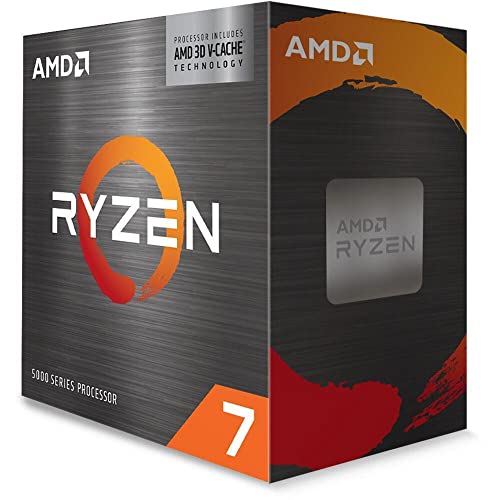
The Ryzen 7 5800X3D is a genuinely unusual chip that deserves a place on this list for a specific type of YouTube creator: the gaming content creator who records, edits and uploads gameplay footage. AMD's 3D V-Cache technology stacks 64 MB of additional L3 cache on top of the standard Zen 3 die, bringing the total to 96 MB. This enormous cache dramatically improves gaming frame rates, which matters if you are capturing gameplay while simultaneously running OBS for a live stream or local recording.
For pure video editing workloads, the 5800X3D is a more complex proposition. Its base and boost clocks are slightly lower than the standard 5800X because the V-Cache stacking process limits the chip's voltage and frequency headroom. In sustained multi-threaded rendering, such as a long Handbrake encode or a Blender animation, it can trail the 5600X in clock-for-clock comparisons. However, for the mixed workload of gaming capture plus editing, the cache advantage more than compensates.
Where the 5800X3D shines for creators is in the real-time preview experience within editing software. The massive cache keeps timeline data resident and reduces the frequency of cache misses that cause stutters when scrubbing through complex sequences. DaVinci Resolve users in particular have reported smoother playback on projects with multiple nodes and colour grades applied.
The 105 W TDP is higher than the other chips on this list, so a quality cooler is essential. The chip does not support overclocking, which simplifies setup but removes one avenue for extracting extra performance. At its current price, it sits between the 5600X and the 9700X, making it the right choice only if gaming performance is a genuine priority alongside editing.
If your channel is dedicated to gaming content, reaction videos or let's-play commentary where you need the CPU to handle game simulation, capture encoding and editing simultaneously, the 5800X3D is the most capable AM4 chip available for that specific use case.
Verdict: The ideal CPU for gaming-focused YouTube creators who need top-tier in-game performance alongside solid editing capability, all on the affordable AM4 platform.
Pros
- 96 MB of L3 cache delivers the best gaming frame rates of any AM4 processor, crucial for gameplay capture channels
- Large cache also smooths real-time preview playback in DaVinci Resolve and Premiere Pro on complex timelines
- AM4 compatibility means it drops into existing B550 and X570 boards with a BIOS update
Cons
- Lower boost clocks than the standard 5800X reduce sustained multi-threaded rendering speed
- 105 W TDP requires a quality aftermarket cooler, adding to total cost
- No overclocking support removes a potential avenue for additional performance
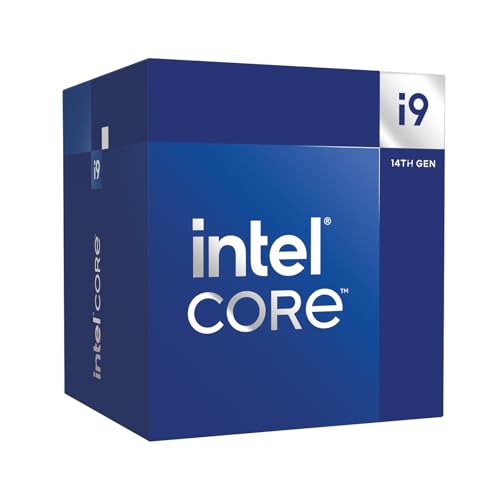
The Intel Core i9-14900 is the heavyweight option on this list, and it earns its place for creators who run the most demanding production workflows. With 24 cores (eight Performance cores and sixteen Efficiency cores) and a maximum boost clock of 5.8 GHz, it is the fastest chip here in sustained multi-threaded workloads. Long Handbrake encodes, Blender animation renders, After Effects multi-frame rendering and simultaneous 4K export plus live-stream encoding all complete faster on the i9-14900 than on any other chip in this selection.
The non-K suffix means this chip is locked at its stock frequencies and does not support overclocking, but it also operates within a more conservative 65 W base power envelope, which drops the idle and light-load noise levels significantly compared to the i9-14900K. Under sustained load, Intel's Thermal Velocity Boost will push power consumption well above 100 W, so a quality 240 mm AIO cooler is strongly recommended.
For YouTube creators, the i9-14900's sixteen Efficiency cores handle background tasks, browser tabs, communication apps and plugin processing without touching the Performance cores reserved for the editing application. This separation of workloads means the editing experience feels fluid even when the system is doing several things at once. Premiere Pro's multi-frame rendering feature, which distributes export work across all available cores, benefits enormously from the sheer core count.
The LGA1700 platform is reaching the end of its life, with Intel's Arrow Lake generation moving to LGA1851. This means the i9-14900 is a terminal upgrade for existing LGA1700 systems rather than a long-term platform investment. If you already own a Z690 or Z790 motherboard, dropping in an i9-14900 is an excellent way to maximise performance without changing the platform. For a fresh build, the AM5 alternatives offer a longer upgrade runway.
The price is the highest on this list, and that investment is only justified if your editing workload genuinely saturates eight or fewer cores on a regular basis. Full-time creators producing multiple long-form 4K videos per week, running colour grading, motion graphics and audio post-production in parallel, will feel the difference. Part-time creators will not.
Verdict: The fastest chip here for sustained multi-threaded production work, best suited to full-time creators on existing LGA1700 platforms who need maximum throughput for complex, multi-application workflows.
Pros
- 24 cores deliver the fastest sustained multi-threaded rendering speeds of any chip in this selection
- 5.8 GHz boost clock keeps single-core tasks like timeline scrubbing and effect previews extremely responsive
- Sixteen Efficiency cores handle background applications without stealing resources from the editing workload
Cons
- LGA1700 is a dead-end platform with no further Intel upgrades available on the same socket
- Sustained workloads push power consumption well above the rated 65 W base TDP, requiring substantial cooling
Buying Guide
Single-core speed versus core count
The most common mistake content creators make when choosing a CPU is chasing core count. While more cores do help with long export queues and Blender renders, the majority of time spent in an editing application is dominated by single-core tasks. Scrubbing a timeline, applying a colour grade, previewing a transition or adjusting audio levels all rely on the speed of one or two cores. A six-core chip with a 5.4 GHz boost clock will feel faster in daily editing than an older eight-core chip running at 4.0 GHz, even though the latter has more cores on paper. Look for the highest boost clock you can afford within your budget, then consider core count as a secondary factor.
Platform choice: AM4, AM5 or LGA1700
Your CPU choice locks you into a platform that determines your upgrade path for the next several years. AM4 is mature, affordable and well-supported, but it has reached the end of its life with no further AMD CPU releases planned. AM5 supports Zen 5 today and will support Zen 6 in the future, making it the better long-term investment if you are building from scratch. Intel's LGA1700 is also at end-of-life, with Arrow Lake moving to a new socket. If you already own an LGA1700 board, upgrading to an i9-14900 makes sense. If you are starting fresh, AM5 offers the clearest upgrade runway.
TDP and noise
Thermal design power directly affects how loud your editing machine will be. A 65 W chip paired with a quality air cooler will run near-silently during light editing, which is critical if you record voiceovers or commentary in the same room. Higher-TDP chips require more aggressive cooling, which means louder fans under load. If your studio doubles as your recording space, prioritise chips with 65 W or lower TDP ratings and invest in a quality cooler with low-noise fan profiles.
RAM compatibility and speed
AM5 requires DDR5 memory, which is faster than DDR4 but more expensive. For video editing, 32 GB of RAM is the practical minimum for 4K workflows, and 64 GB is preferable if you work with RAW footage or run multiple applications simultaneously. AM4 chips support DDR4, which is now very affordable. Faster RAM speeds (DDR4-3600 for AM4, DDR5-6000 for AM5) provide a measurable improvement in memory-bandwidth-sensitive tasks such as real-time preview rendering.
GPU dependency
Modern editing software offloads GPU-accelerated tasks including hardware decode, colour science calculations and AI features to the graphics card. A fast CPU paired with a weak GPU will still produce a frustrating editing experience. Budget accordingly: a Ryzen 5 5600X paired with an RTX 3060 will outperform a Ryzen 7 9700X paired with a basic GT 1030 in almost every real-world editing scenario. None of the chips in this guide include integrated graphics capable of video editing acceleration, so a discrete GPU is mandatory for all of them.
Storage
An NVMe SSD is essential for video editing. Footage stored on a spinning hard drive will cause constant buffering during playback, regardless of how fast your CPU is. A PCIe 4.0 NVMe drive for your project files and a secondary drive for footage storage will eliminate storage as a bottleneck entirely.
For the majority of YouTube content creators, the AMD Ryzen 7 9700X is the outright winner. Its Zen 5 architecture delivers the best combination of single-core editing speed, sustained multi-threaded export performance and thermal efficiency available at its price point. The 65 W TDP keeps it quiet in a recording environment, the AM5 platform provides a genuine upgrade path, and the gap between it and the competition in daily editing tasks is wide enough to justify the premium over the 9600X. Creators on a tighter budget should go straight to the Ryzen 5 5600X: it remains one of the best-value editing chips ever made and will handle everything a part-time or growing creator needs without compromise. The i9-14900 is the right choice only for full-time professionals who are already invested in the LGA1700 platform and need maximum throughput for complex, multi-application production pipelines.