Mini-ITX cases have a reputation for punishing you. Cramped routing channels, cooler clearances that rule out half the market, and thermals that cook your components because someone decided aesthetics mattered more than airflow. So when a case claims to solve all that in a 20.7-litre box, you want to know if it actually delivers or if it's just clever marketing photography. The NZXT H2 Flow, based on its specs and what over a hundred owners are saying (averaging ★★★★½ (4.7), which is genuinely hard to fake at that volume), looks like it might actually be the real thing.
This is an NZXT H2 Flow review, and the short version is: if you want a small-form-factor build that doesn't demand you sacrifice airflow, cable management patience, or your sanity, this case makes a strong argument for itself. The mesh front panel, 280mm radiator support, and 365mm GPU clearance put it in a different league from the plastic-fronted competition at this price tier. There are compromises, because there always are in ITX, but they're the right ones.
The longer version is below. Let's get into the details that actually matter.
Core Specifications
The H2 Flow is built around a steel chassis with a tempered glass side panel and a mesh front. At 20.7 litres, it sits in the compact end of the Mini-ITX spectrum without going full ultra-compact like an SFF cube design. It supports one Mini-ITX motherboard, takes a PSU up to 180mm in length (ATX PSUs are out, which is the one constraint that catches people off guard), and has room for a GPU up to 365mm long. CPU cooler clearance is 185mm, which is enough for most tower air coolers. NZXT rates it for up to a 280mm radiator at the front or a 120mm at the rear.
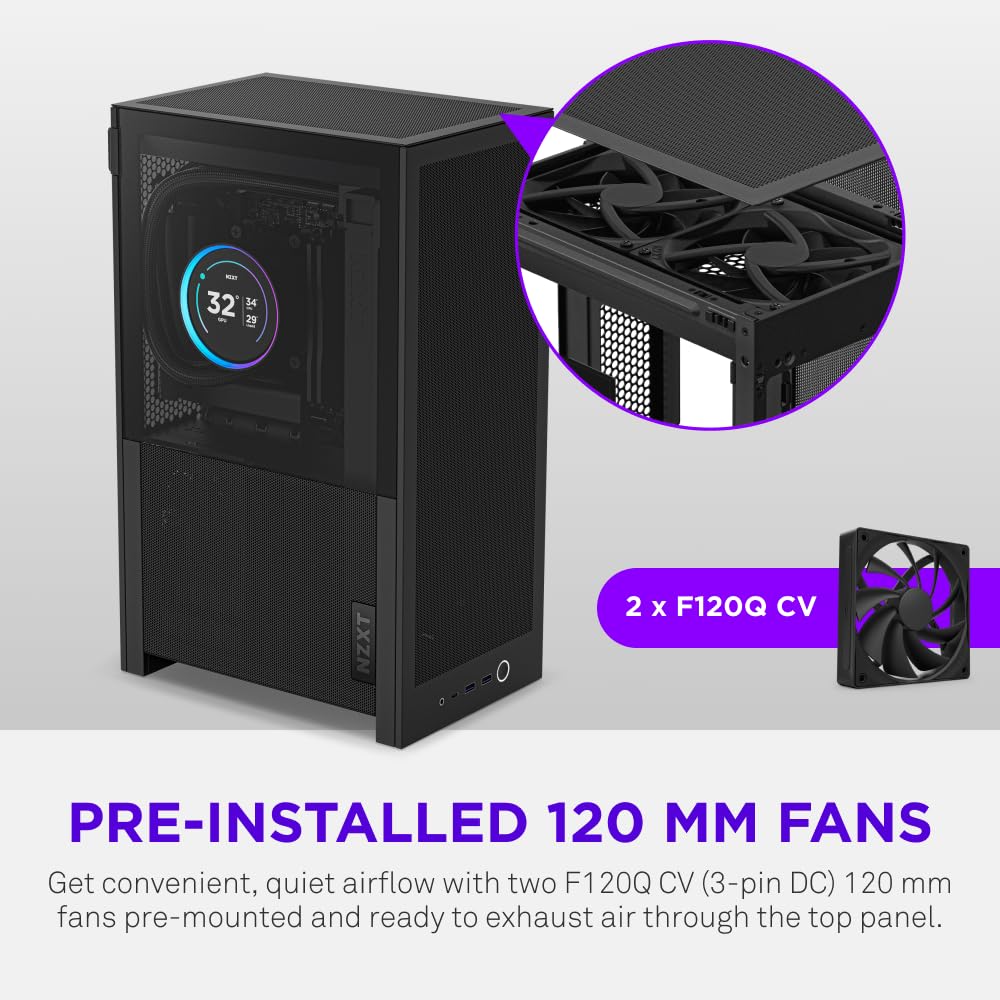
Fan support is three positions: two at the front (120mm or 140mm) and one at the rear (120mm). No included fans in the box, which is a bit cheeky at this price point but not unusual for NZXT. The front I/O gives you one USB 3.2 Gen 2 Type-C port and two USB 3.2 Gen 1 Type-A ports, plus a combined audio jack. The case weighs 5.2kg bare, which feels solid without being a nightmare to move around.
Storage is two 2.5-inch bays. No 3.5-inch support, so if you're still running spinning rust as your primary drive, this isn't the case for you. M.2 drives on the motherboard are the assumed storage solution here, which is fair in 2026 but still a constraint to flag if you have a big media library. The tempered glass panel is on the left side, showing off your build, and the mesh runs the full front face for maximum intake area.
| Specification | Detail |
|---|---|
| Form Factor | Mini-ITX |
| Volume | 20.7 litres |
| Dimensions (H x W x D) | 349mm x 210mm x 382mm |
| Motherboard Support | Mini-ITX only |
| Max GPU Length | 365mm |
| Max CPU Cooler Height | 185mm |
| Radiator Support | Front: 280mm / 240mm / 120mm; Rear: 120mm |
| PSU Support | SFX / SFX-L / ATX up to 180mm |
| Fan Mounts | Front: 2x 120/140mm; Rear: 1x 120mm |
| Included Fans | None |
| Drive Bays | 2x 2.5-inch |
| Front I/O | 1x USB 3.2 Gen 2 Type-C, 2x USB 3.2 Gen 1 Type-A, 1x audio combo |
| Side Panel | Tempered glass (left) |
| Front Panel | Mesh |
| Weight | 5.2kg |
| Colour | Black |

Form Factor and Dimensions
349mm tall, 210mm wide, 382mm deep. On paper those numbers look modest. In practice, 210mm of width means this sits comfortably on most desks without dominating the space, and the 382mm depth keeps it from hanging off the back edge of a shallow desk. It's a proper upright tower rather than a cube, which matters for airflow physics: hot air rises, and a vertical layout works with that rather than against it. The 20.7-litre volume puts it in interesting territory. It's bigger than a Dan A4 or a Sliger SM560, but meaningfully smaller than a mid-tower. You get real component headroom without the footprint of a full-size build.
The profile is clean. NZXT's design language has always leaned minimal, and the H2 Flow continues that. No aggressive angular styling, no LED strips baked into the exterior. The mesh front is functional rather than decorative, which is exactly what you want. Some owners mention the case photographs better than they expected, which is a nice bonus, but the shape is driven by airflow logic first. The tempered glass panel on the left side is held by four thumbscrews, which is standard and fine.
On a desk, it reads as a compact, tidy box. Next to a full mid-tower it looks small. Next to an ultra-compact SFF case it looks positively spacious. That middle ground is exactly where it needs to be, giving you the size discipline of ITX without the component compromise that comes with truly tiny cases. If you're moving from a mid-tower to ITX for the first time, this is a less brutal introduction to the format than something like a Velka 3.
Motherboard Compatibility
Mini-ITX only. That's the entire list. No mATX, no ATX, and obviously no E-ATX. If you're reading this and you own an ATX board, the H2 Flow is not for you and there's no workaround. Mini-ITX boards measure 170mm x 170mm, and the H2 Flow's internal layout is designed around that footprint. The Mini-ITX standard has been around since 2001, and the selection of boards available today is genuinely excellent, covering AMD AM5, Intel LGA1851, and older sockets, so you're not short of options.
The standoff layout is pre-installed for Mini-ITX, which removes one fiddly step from the build process. Owners consistently report the board drops in cleanly with no alignment drama. The I/O shield situation is where it gets slightly modern: the case is designed around boards with integrated I/O shields, which is now the norm for most mid-range and premium Mini-ITX boards. If you're running an older board with a separate I/O shield, check your board's specs before committing.
One thing to think about with any Mini-ITX build is that you're relying entirely on the motherboard for expansion. There's one PCIe slot, and your GPU is in it. No room for a dedicated sound card, capture card, or 10GbE NIC as a separate add-in. That's an ITX constraint, not an H2 Flow constraint specifically, but it shapes who this case is for. If you need expansion slots, you need a bigger form factor. If a GPU and fast storage via M.2 covers your needs, ITX is genuinely liberating.
GPU Clearance
365mm maximum GPU length. That covers the RTX 5080 Founders Edition (336mm), most RTX 5070 Ti variants, the RX 9070 XT reference card (322mm), and the vast majority of current-generation AIB cards. The RTX 5090 FE at 336mm technically fits on length, but the 5090 is also a triple-slot monster in most AIB configurations and you need to verify slot width and power connector clearance separately. For anything in the RTX 5070 to 5080 range, you're almost certainly fine.
No vertical GPU mount option is listed in the specs, which is a deliberate choice in a case this size. Vertical mounting in a 20.7-litre ITX case typically puts the GPU directly against the side panel with almost no clearance, which can actually hurt thermals. NZXT has made the sensible call here: horizontal mounting, proper airflow path, no gimmick. Some enthusiasts will miss the aesthetic of a vertical mount, but thermally it's the right decision.
Owners building with RTX 4070 Ti and 4080 cards report clean fits with room to spare on cable management. A few notes from reviews mention that very wide three-slot cards can feel snug against the PSU bracket, so if you're running a particularly chunky AIB card, double-check the width spec against the internal clearance. The 365mm length limit is the headline number, but width and connector orientation matter too, especially with the 16-pin (12VHPWR) connectors that PCIe power specifications now mandate on high-end cards.
CPU Cooler Clearance
185mm CPU cooler height clearance is genuinely generous for a Mini-ITX case. The Noctua NH-D15 is out (165mm but it's also enormous in footprint and won't play nice with RAM in ITX), but the NH-U12S Redux sits at 158mm, the be quiet! Pure Rock 2 is 155mm, and the Thermalright Peerless Assassin 120 SE at 155mm fits with room to spare. Basically, any single-tower cooler in the 120mm to 140mm class is fine. You've got headroom.
AIO support is where the H2 Flow earns its "Flow" name. A 280mm radiator at the front is the headline option, and that's a proper dual-fan AIO rather than a compromise 240mm. Front-mounted AIOs work well in this layout because the fans pull cool outside air through the radiator and push it over the motherboard and GPU. It's a sensible thermal path. The rear 120mm mount gives you the option for a slim AIO or just an exhaust fan to complete the airflow loop.
Pump head clearance on AIOs is worth thinking through. In a compact ITX layout, the pump head and the tubing routing can conflict with RAM or VRM heatsinks depending on your specific board. Owners running 240mm front AIOs (using the two 120mm positions) report straightforward installation, with the main variable being tubing length and routing style. The 280mm option requires a bit more planning around tube routing to the top of the case interior, but multiple owners have done it successfully. If you're going 280mm, pick an AIO with flexible tubing and plan the routing before you start.
Storage Bay Options
Two 2.5-inch bays. That's it. No 3.5-inch support, no hidden HDD cage, no tool-less drive sleds with questionable plastic clips. The assumption baked into this case is that your primary storage is M.2, which in 2026 is a reasonable assumption for most builds. Mini-ITX boards typically offer two M.2 slots, sometimes three, and NVMe SSDs have made 3.5-inch HDDs largely irrelevant for OS and application storage. Where HDDs still make sense is bulk media storage, and if that's your use case, this case politely tells you to look elsewhere.
The 2.5-inch bays are mounted behind the motherboard tray, which keeps them out of the main airflow path and out of sight. That's a clean approach. SSDs run cool enough that they don't need direct airflow, and tucking them away means less clutter in the main chamber. Owners report the mounting process is straightforward, with standard screws rather than tool-free clips. Not flashy, but solid.
If you genuinely need bulk storage in an ITX build, the realistic options are external drives over USB or a NAS on the network. The H2 Flow isn't designed to be a storage server, and that's fine. It's designed to be a fast, clean gaming or workstation build in a small footprint. Two SSDs covers most people's needs for that use case. If you're building a home media server, you want a different case entirely.
Cable Management
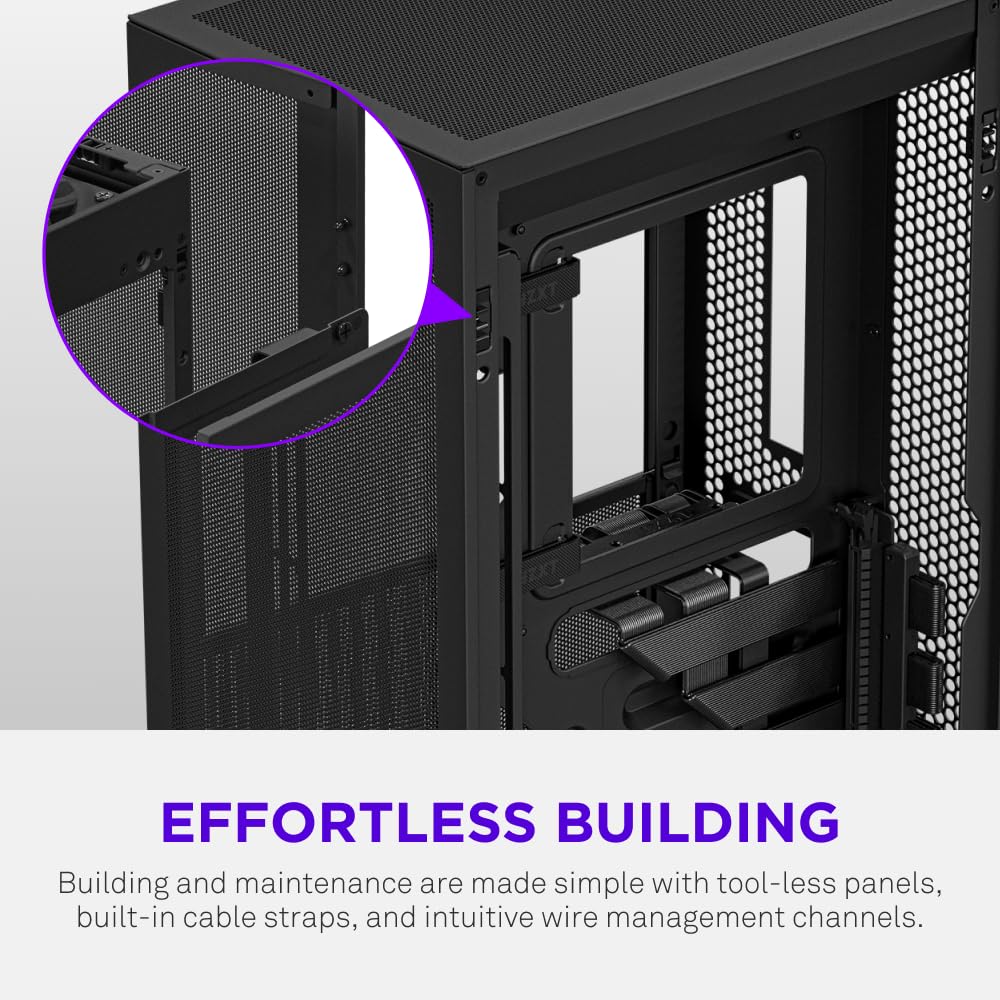
Cable management in Mini-ITX cases is where builds either look professional or look like a bag of spaghetti exploded inside a shoebox. The H2 Flow takes a structured approach. There's a dedicated cable management channel behind the motherboard tray, with routing holes at sensible positions for the 24-pin ATX connector, the CPU power cable, and GPU power. The rear panel clearance for cables is reportedly around 20mm to 25mm based on the external dimensions versus internal chamber depth, which is enough for most cable runs without forcing the side panel.
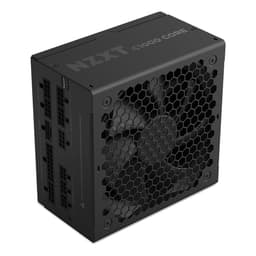
The PSU placement is at the bottom, which is standard for this layout. The PSU shroud hides the power supply and the cable mess that comes with it, keeping the main chamber looking clean through that tempered glass panel. Given the 180mm maximum PSU length, you're in SFX or SFX-L territory. SFX-L PSUs like the Corsair SF750 or be quiet! SFX-L Power 600W are the go-to choices here, and their modular cable systems make routing significantly easier than a fully wired unit would.
Owners are generally positive about cable management, with several specifically mentioning that the routing holes are in the right places and the channel depth is adequate. A few note that with a 280mm AIO plus a large GPU plus the PSU cables, things get tight in the rear channel. That's not a design failure, it's just ITX physics. The case gives you the tools; how tidy the result looks depends on your patience and whether you've bought the right length cables. Custom cable kits sized for SFX PSUs are a sensible investment if you care about the aesthetic.
Airflow and Thermal Design
The mesh front panel is the defining feature of the H2 Flow's thermal story, and it's why "Flow" is in the name. A solid or glass front panel creates a pressure restriction that forces air to sneak in through gaps rather than flowing through properly. Mesh eliminates that restriction. Combined with two front fan mounts (120mm or 140mm), you can push a serious volume of air through the case. The rear 120mm exhaust position completes a conventional front-to-rear airflow path that works with the natural convection of hot air rising.
The front mesh also has a removable dust filter, which is the detail that separates a well-designed case from one that looks good for six months and then turns into a dust trap. Dust filters are mundane but they matter. A case without them is a case you'll be cleaning with a compressed air can every few weeks if it's on the floor, or every few months if it's on a desk. The H2 Flow's filter is removable from the front, which means you can clean it without moving the case or disassembling anything.
With no included fans, the thermal performance you get depends entirely on what you install. NZXT's own F-series fans are the obvious pairing, and the F140 RGB or F140 Core variants in the front mounts with an F120 at the rear would give you a solid baseline. Alternatively, Noctua NF-A14 fans in the front are about as good as air movement gets. Owner thermal reports vary based on fan choice and component TDP, but the consensus is that the case doesn't bottleneck airflow when you fit decent fans. The mesh front earns its keep. For context on why mesh matters thermally, the principles of computational fluid dynamics that case designers use confirm that unrestricted intake area directly reduces static pressure requirements on fans, letting them move more air at lower RPM and noise.
One thing to consider with a mesh front in a dusty environment: more air in means more dust in, filter or not. The filter catches the big stuff, but fine particles get through any mesh. If your desk is in a particularly dusty room or you have pets, you'll be cleaning the filter more often than the marketing photos suggest. That's not a criticism of the H2 Flow specifically; it's true of every mesh-front case. The thermal trade-off is absolutely worth it for most builds.
Front I/O and Connectivity
The front I/O panel sits at the top of the case, which is the sensible position for a tower that lives on a desk. You get one USB 3.2 Gen 2 Type-C port, two USB 3.2 Gen 1 Type-A ports, a combined headphone and microphone jack, and the power button. No reset button, which is an NZXT design choice they've made across multiple cases and which some people find annoying. In practice, most people reset by holding the power button, but if you're the type who regularly needs a hard reset without going to the OS, it's a minor irritation.
The USB Type-C port running at USB 3.2 Gen 2 (10Gbps) is the right call for 2026. It means fast external SSD transfers, compatibility with modern peripherals, and future-proofing for at least a few years. The two Type-A ports at Gen 1 (5Gbps) are adequate for mice, keyboards, and USB drives. You're not going to feel short on ports for a typical gaming or workstation setup. If you run a lot of USB peripherals, a hub is always an option, and the Type-C port can drive one without breaking a sweat.
The combined audio jack is a compromise that most people won't notice if they're using USB headsets or a DAC. If you're plugging in an analogue headset directly, combined jacks are fine for basic use but audiophiles will want a proper sound card or external DAC anyway. The power button placement and feel get positive mentions from owners, with the tactile response described as solid rather than mushy. Small detail, but you press that button every time you use the machine, so it matters more than it sounds.
Build Quality and Materials
NZXT cases at this price tier use 0.8mm to 1.0mm SGCC steel for the chassis, and the H2 Flow is no exception. That's not the thickest steel you'll find in a case, but it's industry standard for this price range and it produces a chassis that doesn't flex or creak when you're installing components. The tempered glass side panel is 4mm thick, which is the norm, and owner reviews don't mention any cracking or panel quality issues, which is the main thing you want to know about tempered glass.
Panel alignment gets consistent praise in owner reviews. The side panel lines up cleanly, the front mesh panel sits flush, and the thumbscrews don't strip. These sound like low bars, but they're bars that cheaper cases regularly fail to clear. A panel that doesn't sit flush, or thumbscrews that round off on the second build, are the kind of quality issues that make you regret not spending a bit more. At this price point, the H2 Flow appears to have those basics sorted.
The finish is a matte black powder coat on the steel, which hides fingerprints better than a gloss finish and doesn't show minor scratches as readily. The interior is white in some configurations (check the listing for your specific variant), which helps with visibility during the build and makes the inside look clean through the glass. A few owners mention that the interior cable management velcro straps feel a bit thin, which is a fair criticism but also something you can supplement cheaply. Overall, the build quality impression from owner feedback is of a case that feels considered rather than cost-cut, which at this price is exactly what you want.
How It Compares
The obvious competition at this price tier and form factor is the Fractal Design Terra and the Cooler Master NR200P. The Terra is a gorgeous case but it's polarising: it's smaller (11.1 litres), more restrictive on GPU clearance, and the open-air design means dust management is entirely on you. It's a case for people who prioritise size and aesthetics over practical thermal management. If that's you, great. If you want a more conventional build experience with proper dust filtration and easier component clearances, the H2 Flow is the more sensible choice.
The NR200P is the more direct comparison. It's been the go-to recommendation for ITX builds for a few years now, and for good reason: it's flexible, it's well-built, and it supports both mesh and glass panels. But it's also a cube design, which changes the airflow dynamics and the desk footprint. The NR200P supports ATX PSUs in a pinch and has more fan mount options, but the H2 Flow's taller vertical layout arguably provides a more natural airflow path for tower-style cooling. The NR200P is typically cheaper, which is a real consideration.
Then there's the NZXT H1 V2, which is NZXT's own ultra-compact ITX option. The H1 V2 includes a built-in AIO and PSU, which simplifies the build considerably but also locks you into NZXT's ecosystem for those components. The H2 Flow gives you component freedom that the H1 V2 doesn't. If you want to pick your own AIO and PSU, the H2 Flow is the better platform.
| Feature | NZXT H2 Flow | Cooler Master NR200P | Fractal Design Terra |
|---|---|---|---|
| Form Factor | Mini-ITX tower | Mini-ITX cube | Mini-ITX tower |
| Volume | 20.7L | 18.0L | 11.1L |
| Max GPU Length | 365mm | 330mm | 322mm |
| Max CPU Cooler Height | 185mm | 153mm | 65mm (air) / 240mm AIO |
| Max Radiator | 280mm (front) | 280mm (top) | 240mm (top) |
| PSU Support | SFX/SFX-L/ATX up to 180mm | SFX/SFX-L/ATX | SFX/SFX-L |
| Front Panel | Mesh | Mesh or glass (included both) | Open mesh |
| Included Fans | None | None | None |
| Drive Bays | 2x 2.5-inch | 2x 2.5-inch, 1x 3.5-inch | 2x 2.5-inch |
| Front USB-C | Yes (Gen 2) | Yes (Gen 1) | Yes (Gen 2) |
| Price Tier | Mid-range | Mid-range (often cheaper) | Premium |
Final Verdict
The NZXT H2 Flow is what a well-executed Mini-ITX case looks like in 2026. The mesh front, 280mm radiator support, 365mm GPU clearance, and 185mm CPU cooler headroom give you genuine flexibility without the component gymnastics that smaller ITX cases demand. The build quality is solid, the panel alignment is clean, and over a hundred owners rating it positively is about as strong a signal as you get that the real-world experience matches the spec sheet promise. NZXT's design language is tidy without being fussy, and the thermal logic is sound.
The constraints are real but predictable. No included fans means you're spending more on top of the case price. The 180mm PSU length cap rules out standard ATX power supplies, so budget for an SFX or SFX-L unit. No 3.5-inch storage means HDDs are out. And no vertical GPU mount if that matters to you aesthetically. None of these are surprises if you've done your research, but they're the things that catch people out if they haven't.
Who is this for? Anyone building a compact gaming or workstation PC who wants proper airflow, modern I/O, and a build experience that doesn't require a degree in cable origami. It suits people stepping down from a mid-tower who want to keep the flexibility of full-size components (long GPUs, tall air coolers, 280mm AIOs) in a much smaller footprint. It also suits first-time ITX builders who want a forgiving case rather than a punishing one.
Who should skip it? If you need 3.5-inch HDD support, look at the NR200P instead, which also tends to be cheaper. If you want the absolute smallest possible footprint and you're happy to work around tighter clearances, the Fractal Design Terra or a Dan A4 might suit you better. And if you're on a tighter budget and don't need the 280mm radiator support or the Gen 2 USB-C, the NR200P is a genuine alternative that costs less and still builds well.
At mid-range pricing, the H2 Flow sits at the upper end of what you'd pay for a Mini-ITX case before you hit premium territory. It earns that position. The combination of airflow-first design, real component clearances, and quality that holds up under owner scrutiny makes it one of the better ITX cases available right now. If the spec sheet matches your build plans, buy it with confidence.
Score: 8.5 out of 10. Loses half a point for no included fans at this price, and another point for the ATX PSU restriction catching people out. Everything else is genuinely good.
What works. What doesn’t.
6 + 5What we liked6 reasons
- Full mesh front panel removes intake restriction and delivers genuine airflow improvement over solid or glass-fronted alternatives
- 365mm GPU clearance accommodates current-generation cards including RTX 5080 Founders Edition and most AIB variants
- 185mm CPU cooler clearance and 280mm front radiator support give unusual flexibility for a 20.7-litre case
- Clean, minimal exterior design driven by thermal logic rather than decorative styling
- Panel alignment and build quality hold up under scrutiny from over a hundred owners rating it positively
- Front I/O includes USB 3.2 Gen 2 Type-C, which is the right standard for 2026
Where it falls5 reasons
- No fans included in the box, which means additional cost on top of an already mid-range to upper price
- PSU length capped at 180mm rules out standard ATX power supplies and forces SFX or SFX-L spending
- No 3.5-inch drive support makes this unsuitable for anyone relying on spinning hard drives for bulk storage
- No vertical GPU mount option for those who want that particular aesthetic
- No reset button on the front I/O panel, continuing a divisive NZXT design choice
Full specifications
10 attributes| Form factor | Mini-ITX |
|---|---|
| CPU cooler clearance MM | 75 |
| Dimensions MM | 433.6 x 181 x 263 |
| Fans included | 2 |
| GPU clearance MM | 331 |
| MAX FAN count | 4 |
| MAX radiator MM | 280 |
| PSU support | SFX/SFX-L up to 130mm |
| Side panel | tempered glass and mesh |
| Supported motherboard | Mini-ITX |
Got a motherboard yet?
4 reviewsThe maker lists Mini-ITX boards for this case. These Mini-ITX boards fit it.
Frequently asked
7 questions01Does the NZXT H2 Flow come with fans included?+
No. The H2 Flow ships without any fans in the box. You will need to purchase fans separately. The case supports two 120mm or 140mm fans at the front and one 120mm fan at the rear. NZXT's own F-series fans are the obvious pairing, but any quality 120mm or 140mm fan will work.
02Will a standard ATX power supply fit in the NZXT H2 Flow?+
Only if it is 180mm or shorter in length. Most standard ATX power supplies exceed this, so in practice you will need an SFX or SFX-L power supply. Popular options include the Corsair SF750, the be quiet! SFX-L Power 600W, and similar modular SFX units. Budget for this additional component cost when pricing your build.
03What is the maximum GPU length supported by the H2 Flow?+
365mm. This covers the RTX 5080 Founders Edition at 336mm, most RTX 5070 Ti AIB variants, and the RX 9070 XT reference card at 322mm. For very large triple-slot AIB cards, also verify width and power connector clearance in addition to length, as those dimensions can be tight near the PSU bracket.
04Can I fit a 280mm AIO cooler in the NZXT H2 Flow?+
Yes. The front of the case supports a 280mm radiator, which is the headline cooling option. You can also fit a 240mm radiator using two 120mm fan positions at the front, or a 120mm unit at the rear. For 280mm AIOs, plan your tubing routing carefully before starting the build, and choose an AIO with flexible tubing.
05How does the NZXT H2 Flow compare to the Cooler Master NR200P?+
The NR200P is a cube design that typically costs less and supports full ATX PSUs alongside SFX units. It also includes one 3.5-inch drive bay. The H2 Flow offers a taller vertical tower layout with a more natural front-to-rear airflow path, a larger 365mm GPU clearance versus 330mm, and a USB 3.2 Gen 2 Type-C port versus Gen 1 on the NR200P. If budget and HDD support matter, the NR200P is worth a look. If airflow design and component clearance are priorities, the H2 Flow is the stronger choice.
06Is the NZXT H2 Flow suitable for a first-time Mini-ITX build?+
Yes, and it is one of the more recommended entry points for ITX. The pre-installed Mini-ITX standoffs, clean panel alignment, sensible cable routing holes, and generous component clearances make the build process less frustrating than more compact ITX cases. The main preparation required is sourcing an SFX or SFX-L power supply and planning your fan and cooling purchases before you start.
07Does the mesh front panel mean the inside of the case will get dusty quickly?+
The H2 Flow includes a removable dust filter behind the mesh front panel, which catches larger particles. However, a mesh front does allow more air and fine dust through than a solid panel. In dusty environments or homes with pets, you will need to clean the filter more regularly. The filter is accessible from the front of the case without moving or disassembling anything, which makes maintenance straightforward.