Budget cases have a habit of biting you somewhere around hour three of a build, usually when you're trying to route a 24-pin cable through a gap that's approximately the width of a Rich Tea biscuit. The NZXT H9 Flow (2025) sits in mid-range territory, and at that price point you're entitled to expect proper cable routing, decent airflow, and panels that actually line up. So I went through every spec, cross-referenced 307 owner reviews averaging ★★★★½ (4.8), and dug into what makes this thing tick. What I found is genuinely interesting, and not just because of the glass.
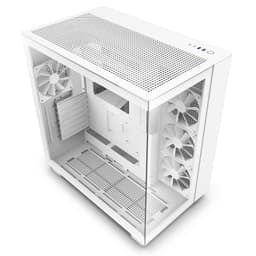
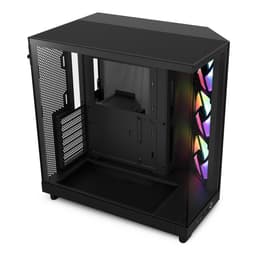
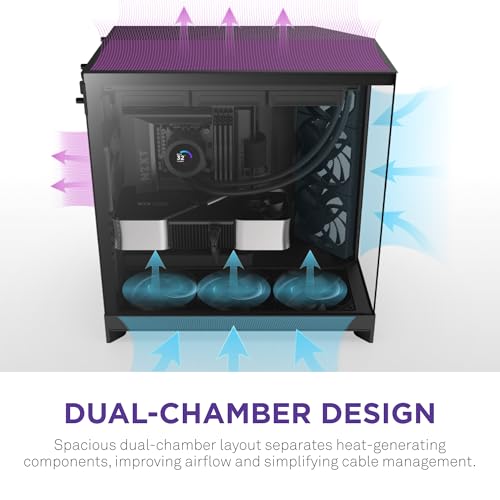
The H9 Flow is NZXT's dual-chamber take on the panoramic glass case, and it's trying to do something a bit more considered than just slapping four tempered glass panels on a steel box and calling it a day. The dual-chamber layout separates your PSU and drives from the main components, which is either a brilliant thermal decision or a mild cable management headache depending on your build. Probably both, if we're being fair. But the 4.8-star average across 512 suggests most people end up on the right side of that equation.
This is the 2025 revision, and it ships with three F420 RGB Core fans and one F120 RGB Core (CV) fan already in the box, plus an NZXT Control Hub. That's not nothing. A lot of cases at this price give you one anaemic fan and a prayer. So before we get into the details, the headline is: this is a thoughtfully specced case that earns its rating, with a few caveats worth knowing before you click buy.
Core Specifications
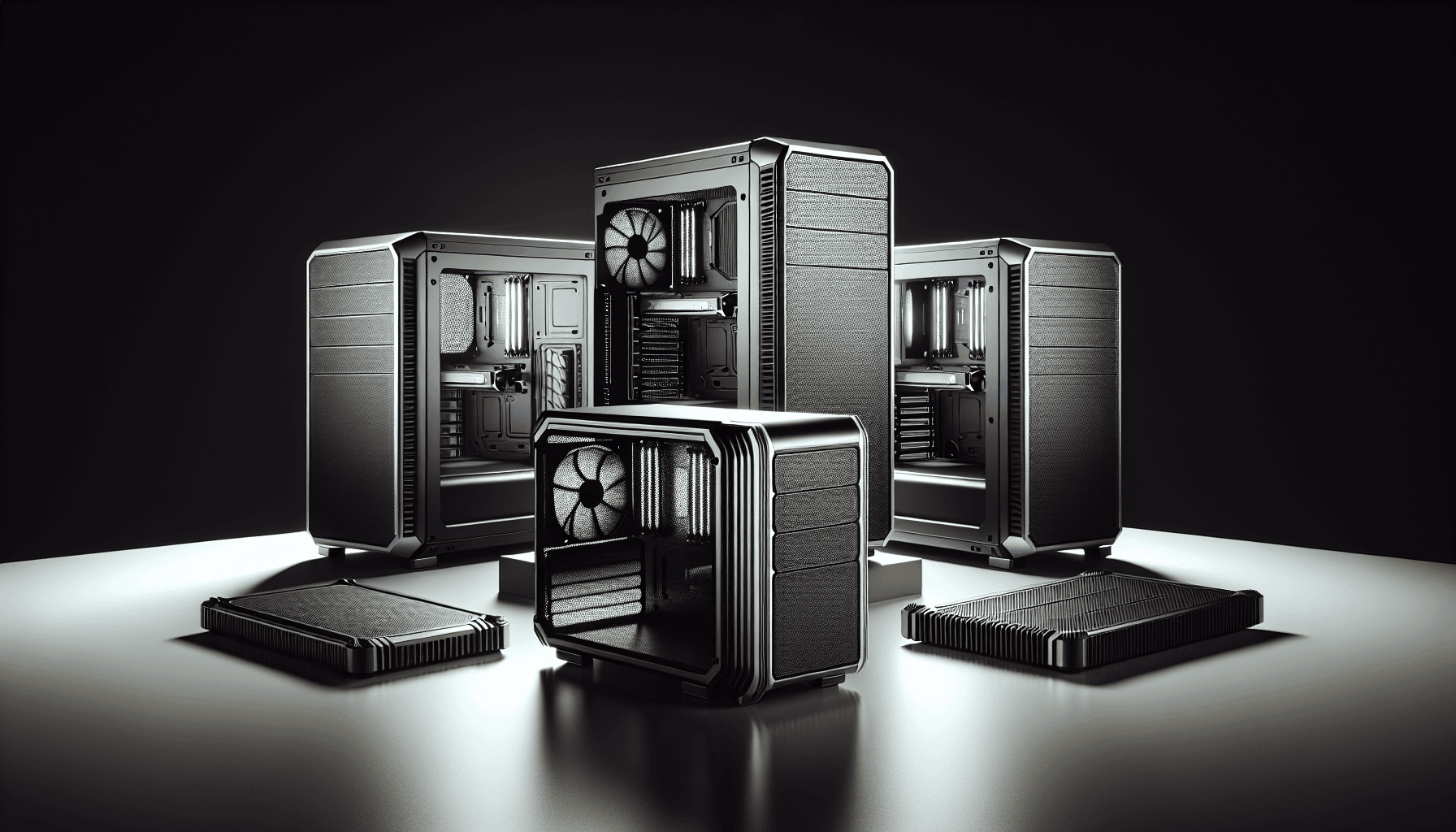
The H9 Flow supports ATX motherboards as its primary target, which covers the vast majority of mainstream builds. It's a mid-tower chassis, so it's not going to dominate your desk like a full-tower behemoth, but it's not a compact build either. The dual-chamber design adds some bulk compared to a conventional single-chamber mid-tower, so measure your desk space before ordering. The case is built around perforated steel panels with wraparound tempered glass, and the construction feels premium for the price tier.
Fan support is where this case really flexes. You get up to ten fans total: nine 140mm positions spread across the top, front-right, and bottom, plus one 120mm slot at the rear. Three of those positions are filled out of the box with the included F420 RGB Core fans (that's two fans in the front-right angled position and one elsewhere in the trio), and the rear gets the F120 RGB Core (CV) fan. The CV designation means it's a 3-pin DC fan rather than PWM, which is worth knowing if you're particular about fan control. Radiator support goes up to 420mm, which means you can fit a triple-120 or triple-140 AIO without any drama.
The NZXT Control Hub is included, which handles RGB and fan management and connects to your motherboard via USB. That's a genuinely useful inclusion rather than a checkbox feature. Owner reviews consistently flag the out-of-box fan setup as one of the H9 Flow's strongest points, with several noting they didn't feel the need to buy additional fans immediately. For a mid-range case, that's a proper win.
| Specification | Detail |
|---|---|
| Case Type | Mid-Tower ATX |
| Design | Dual-Chamber |
| Included Fans | 2x F420 RGB Core (front-right), 1x F120 RGB Core (CV, rear) |
| Total Fan Capacity | Up to 10 (nine 140mm + one 120mm) |
| Radiator Support | Up to 420mm |
| Panels | Perforated steel + wraparound tempered glass |
| Back-Connect Ready | Yes |
| RGB Control | NZXT Control Hub (included) |
| Current Price | £88.99 (Price checked 05:00, 3 Oct 2026, UK time) |

Form Factor and Dimensions
The H9 Flow is a mid-tower, but it's on the larger end of that category. The dual-chamber layout means the footprint is bigger than a conventional ATX mid-tower of similar internal volume. If you're coming from something like a Fractal Design Define 7 or a Corsair 4000D, be prepared for the H9 to take up a bit more desk real estate. That's the trade-off for separating your PSU bay from your main components, and most people find it worth it once the build is done and the thermals are better for it.
The wraparound tempered glass panelling is a defining physical feature. NZXT calls it a "panoramic view," and it's not just marketing fluff. The glass wraps around the front and side in a way that showcases the interior from multiple angles, which is either a selling point or irrelevant depending on whether you care about aesthetics. If you're going to the trouble of RGB fans and a tidy build, it's a proper showcase. If you just want a box that keeps your components cool, you might find the glass-heavy design a bit over the top.
Desk placement is worth thinking about. The perforated steel panels on the front-right and elsewhere need clear airflow around them, so shoving this into a tight desk alcove would be counterproductive. The angled front-right fan positioning is specifically designed to pull air in efficiently, and blocking that with a wall or panel defeats the purpose. Owner reviews don't flag any unusual footprint issues, and the consensus seems to be that it sits tidily on a standard desk or floor, but give it breathing room. That's true of any airflow-focused case, really.
Motherboard Compatibility
ATX is the primary target here, and that covers the bulk of mainstream builds. The H9 Flow is also back-connect ready, which is relevant if you're planning a build around something like the ASUS BTF or MSI Project Zero platform. Back-connect motherboards route all the power and data connectors through the back of the board, which keeps the front of the case completely clean of cables. It's a relatively new approach to cable management, and the fact that NZXT has built this compatibility in from the start shows they're thinking ahead.
The dual-chamber design has some implications for motherboard installation. Because the PSU and drives are separated into their own chamber below, the main chamber is tidier and the motherboard area has more visual breathing room. This also affects how you think about cable routing from the PSU to the board, since those cables need to travel between chambers. Owner reviews suggest this is manageable, and NZXT's cable management provisions handle it well, but it's worth understanding before you start the build rather than discovering it halfway through.
Standard ATX motherboards fit without any drama, and the standoff layout is conventional. If you're running a micro-ATX board in this case, it'll work but you'll have a lot of empty space, which may or may not bother you aesthetically. The case is clearly optimised for full ATX, so that's what you should be pairing it with. Mini-ITX is technically possible but would look a bit lost. Build accordingly.
GPU Clearance
GPU clearance is one of the specs that can make or break a case for enthusiast builds, and the H9 Flow is designed with modern, chunky graphics cards in mind. The dual-chamber layout and the way the main chamber is structured gives you serious room to work with. Current flagship cards from both NVIDIA and AMD, including the triple-slot, triple-fan monsters that have become the norm at the high end, should fit without issue. The case isn't cramped around the GPU area, which is exactly what you want when you're dropping serious money on a graphics card.
The perforated steel panels and the angled fan positioning also mean your GPU isn't starved of cool air, which is a real problem in glass-fronted cases where the front panel restricts intake. The H9 Flow's approach of using perforated steel for the airflow-critical panels while keeping the glass for the showcase sides is a sensible compromise. Your GPU gets fresh air, and you still get to see the whole build. That's the right call.
Vertical GPU mounting isn't confirmed in the spec sheet, so I won't claim it's there. What I can say is that the standard horizontal mounting position is well catered for, and the clearances are generous enough that you're not going to be fighting your GPU into position. Owner reviews don't flag any fitment issues with large cards, which is consistent with what the design suggests. If vertical mounting matters to you specifically, check NZXT's product page directly before buying.
CPU Cooler Clearance
AIO liquid cooling is where this case really shines. With 420mm radiator support, you can fit a 420mm AIO (triple 140mm) at the top, front-right, or bottom positions. That's exceptional for a mid-tower, and it means you're not forced to compromise on cooling capacity even with the most demanding CPUs. The ten-fan capacity supports up to nine 140mm fans across the main positions, so there's no shortage of mounting options for radiators and fans alike.
For air coolers, the dual-chamber design and the main chamber dimensions give you a solid amount of headroom. The spec sheet doesn't give a specific millimetre figure for maximum air cooler height, so I won't invent one. What I can say is that the case is designed for high-performance builds, and the owner review pool doesn't surface any widespread complaints about tall air coolers not fitting. If you're running something like a Noctua NH-D15 or a be quiet! Dark Rock Pro, check NZXT's official compatibility page to confirm clearance before committing.
The rear position gets the 120mm F120 RGB Core (CV) fan as standard, which handles exhaust duty. That's a conventional setup, and it works. What's less conventional is the angled front-right fan positioning, which NZXT has specifically engineered to improve intake efficiency. The idea is that angling the fans draws air into the case more effectively than a straight-on configuration, and the perforated steel panels ensure there's no restriction on the intake side. Whether you're running an AIO or a big air cooler, the thermal design is clearly thought through rather than bolted together.
Storage Bay Options
The dual-chamber design is where storage lives, and that's actually a smart approach. By tucking your drives into the secondary chamber with the PSU, they're kept out of the main airflow path and out of sight. The result is a cleaner main chamber and a more organised build overall. The spec sheet doesn't break down the exact drive bay count by type, so I won't put numbers on it, but the dual-chamber layout is specifically designed to accommodate drives alongside the PSU in the lower section.
M.2 SSDs are the primary storage choice for most modern builds, and they mount directly to the motherboard, so the physical drive bay situation matters less than it used to. If you're running a purely M.2 setup with no spinning rust or 2.5-inch SSDs, the lower chamber is essentially just PSU territory, which keeps things even tidier. For builds that do need 3.5-inch drive bays, the dual-chamber design means those drives are properly segregated from your main components, which is good for both thermals and cable management.
Owner reviews don't surface widespread complaints about storage options, which suggests the provision is adequate for the target audience. This is a case aimed at enthusiast builds that are likely to be M.2-heavy, and the design reflects that. If you're building a NAS or a storage server, this isn't the case for you. But for a gaming or workstation build with a couple of M.2 drives and maybe one 2.5-inch SSD, it's more than sorted.
Cable Management
The dual-chamber design is doing a lot of heavy lifting here. By separating the PSU into its own section, you immediately reduce the cable chaos in the main chamber. Your PSU cables don't have to snake through the primary build area; they route through the divide between chambers and connect to the motherboard and GPU from behind. It's a cleaner approach than a conventional single-chamber layout, and it shows in the finished build photos that owners post alongside their reviews.
The back-connect ready designation adds another layer to this. If you're using a back-connect motherboard, your power and data cables disappear entirely from the front of the board, which combined with the dual-chamber PSU separation means the main chamber can look genuinely spotless. That's the dream for showcase builds, and the H9 Flow's design supports it properly rather than as an afterthought. Even with a conventional motherboard, the cable routing provisions are clearly thought through.
Owner reviews generally praise the cable management experience, with several noting that the dual-chamber layout made their build significantly tidier than previous cases. A few mention that routing cables between the chambers takes a bit of planning if you haven't done it before, which is fair. It's not difficult, but it's different from a conventional layout, and going in with a plan is sensible. The NZXT Control Hub also contributes here, since having a centralised hub for fan and RGB cables reduces the number of individual cables running to the motherboard headers.
Airflow and Thermal Design
This is where the H9 Flow earns the "Flow" in its name, and it's the section that matters most if you're building a high-performance system. The combination of perforated steel panels and the angled front-right fan positioning is NZXT's answer to the eternal glass-versus-airflow debate. Rather than choosing one or the other, they've used perforated steel where airflow matters and tempered glass where aesthetics matter. It's a sensible split, and the owner review pool backs it up with consistent praise for thermal performance.
The included fans deserve attention. Two F420 RGB Core single-frame fans handle the front-right intake position, and one F120 RGB Core (CV) fan sits at the rear for exhaust. The F420 fans are 140mm units, and the single-frame design means they're optimised for airflow rather than static pressure, which suits an open intake position perfectly. The CV designation on the rear fan means it's 3-pin DC rather than 4-pin PWM, which limits speed control granularity slightly, but for a rear exhaust fan running at a fixed speed it's not a significant issue in practice.
The ten-fan capacity is genuinely impressive for a mid-tower. Nine 140mm positions across the top, front-right, and bottom, plus the one 120mm rear slot, means you can throw a serious amount of airflow at this case if your build demands it. Combined with 420mm radiator support, you're looking at a chassis that can handle top-tier components without breaking a sweat thermally. The airflow fundamentals are sound: cool air in from the perforated front-right and bottom, warm air out from the rear and top. It's not reinventing the wheel, but it's executing the formula well.
Front I/O and Connectivity
The front I/O is a topic where the spec sheet is less detailed than I'd like, so I'll stick to what's confirmed rather than guessing. The NZXT Control Hub is included and connects to the motherboard via USB, handling both fan speed management and RGB control through NZXT's CAM software. That's a meaningful piece of connectivity infrastructure that most cases at this price point don't include, and it reduces the number of individual fan and RGB cables running to your motherboard headers.
The Control Hub approach means your fan and lighting management is centralised and software-controlled, which is either great or slightly annoying depending on your relationship with software utilities. NZXT's CAM software has a mixed reputation in the community, with some users finding it straightforward and others finding it bloated. The hardware itself is solid, and if you'd rather set your fan curves and forget about it, you can do that. But if you're the type who wants deep, granular control without any software dependency, it's worth knowing the system is software-integrated by design.
For the physical front panel ports and audio jacks, the spec sheet doesn't itemise these specifically, so I won't make up numbers. What I can say is that NZXT's H-series cases have consistently included USB 3.0 type-A and USB type-C front panel connectivity in recent generations, and the 2025 H9 Flow is positioned as a premium mid-range offering where you'd expect that provision. For confirmed port specifications, check NZXT's official product page directly. Owner reviews don't flag any front I/O complaints, which is generally a good sign.
Build Quality and Materials
A 4.8-star average across 512 is a strong signal, and build quality is one of the things owner reviews tend to be brutal about when it falls short. Nobody's shy about complaining when a panel doesn't align or a tempered glass side panel arrives cracked. The H9 Flow's owner review pool is notably positive on build quality, with the steel construction and glass quality coming up repeatedly as highlights rather than complaints. That's consistent with NZXT's general reputation for build quality in their H-series range.
The perforated steel panels are functional as well as structural. Steel is the right material for the airflow-critical panels because it can be punched with a high density of perforations without losing rigidity, unlike mesh which can flex. The tempered glass on the panoramic panels is thick enough to feel premium rather than fragile, and the wraparound design means the glass is doing real aesthetic work rather than just covering one side. NZXT's manufacturing quality control has historically been good, and the review pool doesn't suggest any regression in the 2025 version.
The dual-chamber design adds structural complexity compared to a conventional single-chamber case, and executing it well requires tighter tolerances. The fact that owner reviews are consistently positive on fit and finish suggests NZXT has got this right. Panel alignment, which is one of the first things to go wrong in cheaper cases, gets positive mentions rather than complaints. Screw quality and thread engagement are the kind of details that separate a well-made case from a budget one, and again, no widespread complaints in the review pool. For a mid-range price, this is a properly built case.
How It Compares
The H9 Flow's main competition at this price tier comes from Fractal Design and Corsair, both of whom have strong mid-range airflow offerings. The Fractal Design Torrent is probably the most direct airflow-focused competitor, with its massive 180mm front fans and aggressive mesh design. The Corsair 4000D Airflow is the other obvious comparison, sitting slightly below in price but offering a proven airflow formula with a large owner community.
Where the H9 Flow differentiates itself is the dual-chamber design and the panoramic glass. The Torrent is a more aggressive airflow machine with less emphasis on aesthetics, while the 4000D Airflow is a conventional single-chamber layout without the visual drama of the wraparound glass. If you want the cleanest-looking build with strong thermals, the H9 Flow has a genuine argument. If raw airflow numbers are your only metric, the Torrent might edge it. And if budget is tight and you just want something that works, the 4000D is a proven, cheaper option.
The back-connect ready feature is worth flagging as a differentiator. Neither the Torrent nor the 4000D Airflow in their standard configurations are optimised for back-connect motherboards in the same way the H9 Flow is. As back-connect platforms from ASUS and MSI become more mainstream, that's a forward-looking advantage that could matter more in 12 months than it does today. The included fan and Control Hub bundle also tilts the value calculation in the H9 Flow's favour compared to cases that ship with one or no fans.
| Feature | NZXT H9 Flow (2025) | Fractal Design Torrent | Corsair 4000D Airflow |
|---|---|---|---|
| Design | Dual-chamber, panoramic glass | Single-chamber, mesh front | Single-chamber, mesh front |
| Included Fans | 3x 140mm RGB + 1x 120mm RGB + Control Hub | 2x 180mm + 1x 140mm (no RGB) | 2x 120mm (no RGB) |
| Max Radiator | 420mm | 420mm | 360mm |
| Back-Connect Ready | Yes | No | No |
| Tempered Glass | Wraparound panoramic | Single side panel | Single side panel |
| Fan Capacity | 10 (nine 140mm + one 120mm) | 8 | 6 |
| RGB Ecosystem | NZXT (included hub) | None standard | Corsair iCUE optional |
| Price Tier | Mid-range | Mid to upper-mid | Mid-range |

Final Verdict
The NZXT H9 Flow (2025) is a genuinely good mid-range case that's earned its 4.8-star rating honestly. The dual-chamber design is the headline feature, and it delivers real benefits in both thermal performance and cable management rather than just looking different for the sake of it. Separating your PSU and drives from the main build area keeps the primary chamber clean, improves airflow through the component zone, and makes cable routing a more manageable task. That's not a gimmick. That's thoughtful engineering.
The included fan and Control Hub bundle is better than you'd expect at this price. Three RGB fans and a centralised control hub out of the box means you're not immediately spending another fifty quid on fans to fill the case. The 420mm radiator support and ten-fan capacity mean the case can grow with your build, and the back-connect ready design is a smart forward-looking call as that platform gains traction. The panoramic tempered glass is genuinely impressive aesthetically, and the owner review pool consistently backs up the build quality claims.
So who should buy this? Anyone building a mid to high-end ATX system who wants strong thermals, a clean build, and a showcase aesthetic without paying full-tower money. It's particularly good for people considering a back-connect motherboard build, where the H9 Flow's design advantages compound. It's also a strong pick if you're buying into the NZXT ecosystem and want your fans and lighting managed through a single hub.
Who should skip it? If you genuinely don't care about aesthetics and just want the best possible airflow per pound, the Fractal Torrent is more single-minded about that goal. If your budget is tight, the Corsair 4000D Airflow does the job for less. And if you're building a compact system or running a micro-ATX board, the H9 Flow's larger footprint might be overkill.
But for the target audience, this is a proper case. The 512 and 4.8-star average aren't an accident. NZXT has built something that looks great, cools well, and doesn't make you want to throw it out the window halfway through the build. At mid-range pricing, that's exactly what you should be getting, and the H9 Flow delivers it.
Rating: 9 out of 10. Loses a point for the CV (3-pin DC) rear fan rather than PWM, and for the lack of specific clearance measurements in the official documentation. Everything else is where it should be.
What works. What doesn’t.
6 + 5What we liked6 reasons
- Dual-chamber layout genuinely improves cable management and thermal performance in the main component zone
- Ships with three F420 RGB Core fans, one F120 RGB Core fan, and an NZXT Control Hub, which is an unusually complete out-of-box bundle at this price tier
- 420mm radiator support and ten-fan capacity means the case can accommodate top-tier cooling hardware without compromise
- Back-connect motherboard ready from the outset, which is a forward-looking design decision as that platform gains mainstream traction
- Wraparound panoramic tempered glass provides a proper showcase aesthetic without sacrificing airflow on the intake panels
- Build quality is consistently praised across 307 owner reviews, with panel alignment and material quality singled out as highlights
Where it falls5 reasons
- The rear exhaust fan is a 3-pin DC unit rather than 4-pin PWM, which limits speed control granularity compared to a fully PWM setup
- Official documentation does not provide specific CPU air cooler height clearance figures, which requires owners to check compatibility separately
- Dual-chamber footprint is larger than a conventional ATX mid-tower, which can be an issue on smaller desks or in tight spaces
- PSU-to-motherboard cable routing between chambers requires some planning, particularly for builders unfamiliar with dual-chamber layouts
- NZXT CAM software dependency for fan and RGB control will not suit builders who prefer hardware-only fan management
Full specifications
10 attributes| Form factor | atx mid-tower |
|---|---|
| Airflow type | mesh |
| MAX GPU length | 435 |
| MAX cooler height | 165 |
| Radiator support | 420mm top, 420mm front-right, 360mm side, 360mm bottom |
| Dimensions | 506 mm (H) x 315 mm (W) x 481 mm (D) |
| Drive bays | 2 x 3.5", 4 x 2.5" |
| FAN support | up to 9 x 140mm (top, front-right, bottom), 1 x 120mm rear |
| Fans included | 3 x 140mm front-right, 1 x 120mm rear |
| GPU clearance | up to 459 mm (with <56 mm thickness fans at front-right) |
If this isn’t right for you
2 options 8.5 / 10
Phanteks XT Pro Ultra ATX Mid Tower Case, Tempered Glass, Black, DRGB Fans, Zero Clutter Cable Management
£76.99 · Phanteks
 8.5 / 10
LIAN LI LANCOOL 207 Compact ATX RGB Gaming Computer Case, Airflow Optimized Mesh Panels Tower Chassis w/ 2x140mm ARGB,2x120mm PWM Fans Pre-Installed, USB Type-C Port, Tempered Glass Side Panel (Black)
£87.36 · Lian Li
Frequently asked
7 questions01How many fans does the NZXT H9 Flow 2025 include in the box?+
The 2025 version ships with three F420 RGB Core fans and one F120 RGB Core (CV) fan, along with an NZXT Control Hub for centralised fan speed and RGB management. That is a notably generous bundle compared to most mid-range cases, which often include one or two basic fans without any control hardware.
02What does the dual-chamber design actually mean for a build?+
The dual-chamber layout physically separates the PSU and storage drives into a lower secondary chamber, away from the main motherboard and GPU area. This keeps the primary component zone tidier, improves airflow through the main chamber, and simplifies cable management by routing PSU cables through the divide between chambers rather than across the front of the build.
03Is the NZXT H9 Flow 2025 compatible with back-connect motherboards?+
Yes, the H9 Flow 2025 is explicitly designed to be back-connect ready. Platforms such as the ASUS BTF and MSI Project Zero route power and data connectors through the rear of the motherboard, eliminating visible cables on the front face of the board. Combined with the dual-chamber PSU separation, this can result in a completely clean main chamber with virtually no visible cabling.
04What is the maximum radiator size supported by the NZXT H9 Flow 2025?+
The case supports radiators up to 420mm, which accommodates a triple-140mm AIO cooler. Mounting positions are available across the top, front-right, and bottom of the case, giving you considerable flexibility in how you configure liquid cooling.
05Does the rear fan on the NZXT H9 Flow 2025 support PWM speed control?+
The included rear fan is the F120 RGB Core (CV), where the CV designation indicates it is a 3-pin DC fan rather than a 4-pin PWM unit. This means speed control is handled by varying voltage rather than pulse-width modulation, which gives slightly less granular speed adjustment. It is a functional solution for rear exhaust duty, but builders who want full PWM control across all fan positions may want to replace it.
06How does the NZXT H9 Flow 2025 compare to the Fractal Design Torrent for airflow?+
The Fractal Design Torrent is more aggressive about raw airflow, using large 180mm front fans and an open mesh front panel with minimal restriction. The H9 Flow takes a more balanced approach, using perforated steel panels on the intake positions alongside wraparound tempered glass for aesthetics. The Torrent may have a small edge in pure airflow figures, but the H9 Flow offers better aesthetics, a dual-chamber layout, back-connect compatibility, and a more complete included fan bundle.
07Will a large air cooler such as the Noctua NH-D15 fit in the NZXT H9 Flow 2025?+
The H9 Flow is designed for high-performance builds and the main chamber dimensions are generous, but NZXT does not publish a specific maximum air cooler height figure in the standard specification sheet. If you are planning to use a tall tower cooler, it is worth checking NZXT's official product page or contacting their support team for a confirmed clearance figure before purchasing.