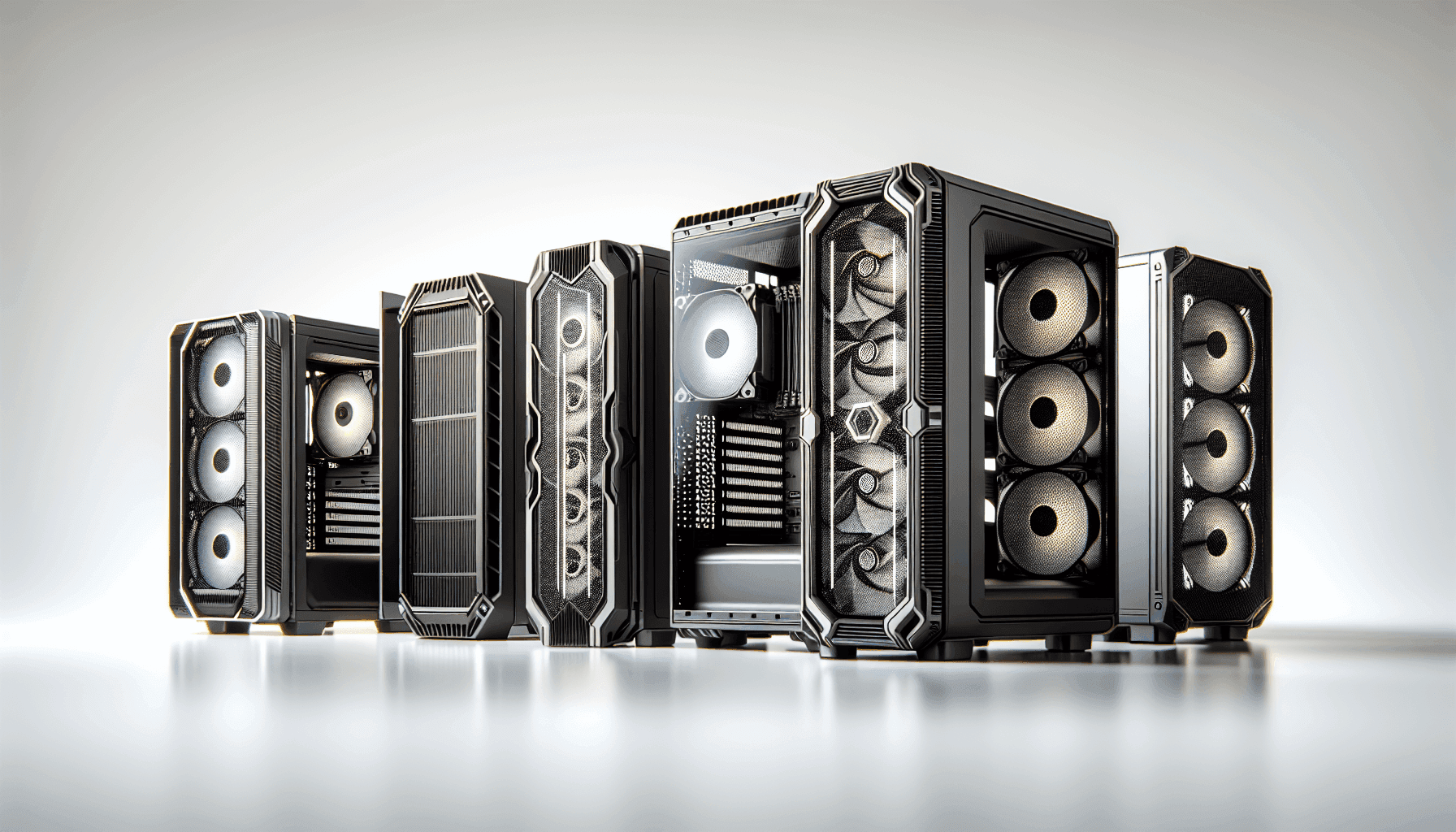
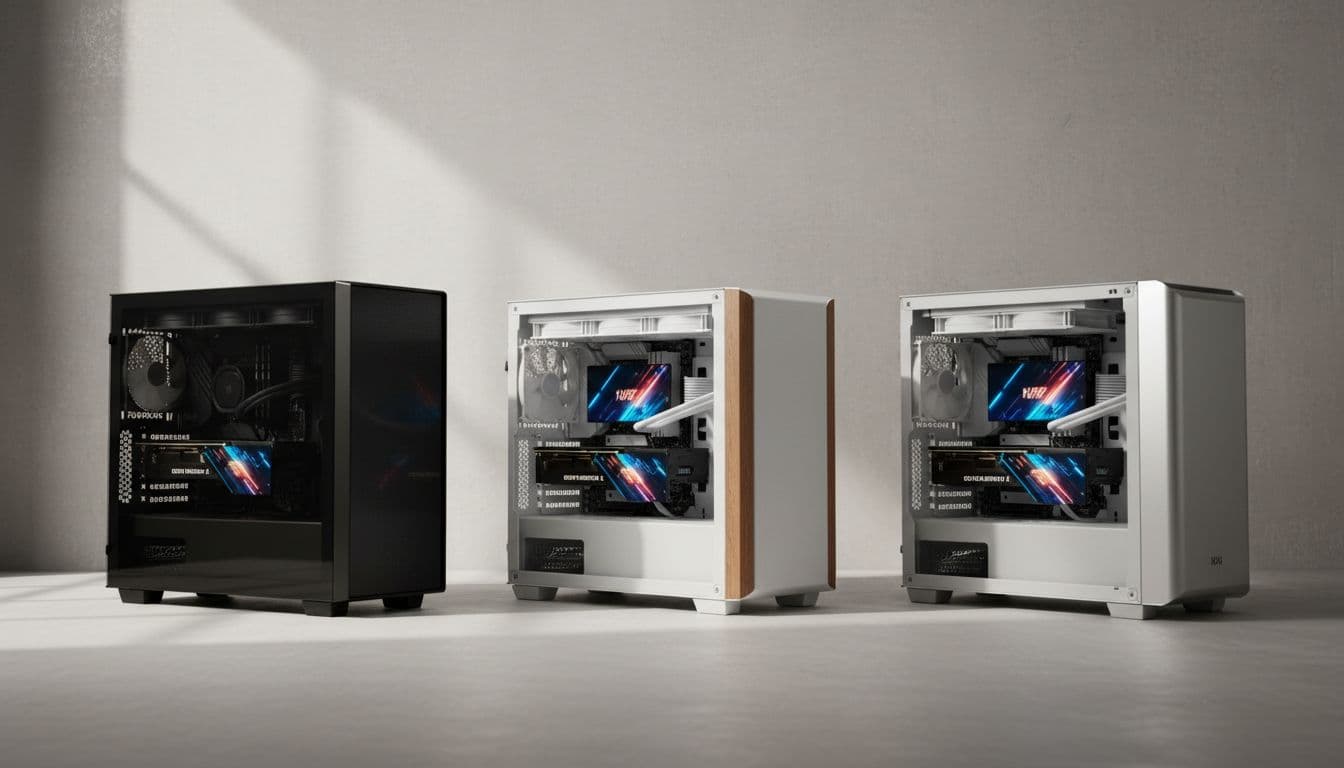
Picking a mid-tower case at the budget end of the market is genuinely annoying. Half of them look decent in product photos and then you get them home and the front panel is basically a solid brick of plastic that chokes your GPU, the cable management is an afterthought, and the tempered glass panel wobbles like it's held on with wishful thinking. The other half have decent airflow but look like they were designed by someone who hates nice things. So where does the NZXT H6 Flow land? Somewhere surprisingly good, as it turns out.
The H6 Flow is NZXT's answer to the "I want it to look great AND breathe properly" crowd, and at an entry-level price point, that's a harder trick to pull off than it sounds. The dual-chamber design is the headline feature here, separating the PSU and cables from the main build area so you're not fighting a spaghetti monster every time you need to reach your GPU power connectors. Three 120mm RGB fans come pre-installed out of the box. The wraparound glass panels make your components the star of the show. And nearly 3,000 owners have given it a ★★★★½ (4.8), which is the kind of rating that makes you stop and pay attention.
But ratings can be generous, especially when people are just happy their PC posted first time. So let's get into what the specs and owner feedback actually tell us about whether this case is worth your money, and who it's really built for.
Core Specifications
The H6 Flow sits in the compact mid-tower class, which means it's not trying to be a full-tower behemoth but it's also not cramped in the way that SFF cases can be. The dual-chamber layout is the defining design choice here, and it shapes everything about how the internal space is used. The main chamber houses your motherboard, GPU, CPU cooler, and the three included fans. The secondary chamber tucks away the PSU and most of your cable runs, which is a genuinely clever way to keep the visible area looking clean without requiring you to be a cable management wizard.
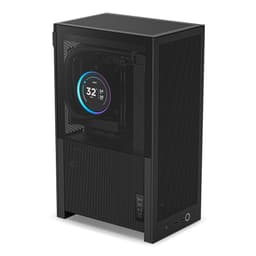
Three 120mm RGB fans come pre-installed, positioned to deliver decent airflow from the factory without you having to immediately buy extras. The top and side panels feature a perforated pattern designed to let hot air escape and pull fresh air through, and NZXT has included dust filtration on those panels too, which is a detail that cheaper cases often skip entirely. The wraparound tempered glass panels on two sides give you a panoramic view of the internals, which is a nice touch if you're spending money on RGB RAM and a fancy GPU cooler.
Owner feedback consistently highlights how well the case presents components visually, and how the included fans are a notch above the usual throwaway fans you get bundled with budget cases. The RGB lighting from those fans is controlled via a hub, so you're not stuck with three separate fan headers eating up your motherboard's fan connectors.
| Specification | Detail |
|---|---|
| Form Factor | Compact Mid-Tower |
| Design | Dual-chamber |
| Included Fans | 3 x 120mm RGB |
| Panel Material | Wraparound tempered glass (two sides) |
| Dust Filtration | Top and side panel perforation with filtration |
| Cable Management | Wide channels and velcro straps included |
| Colour | Black (CC-H61FB-01) |
| Rating | 4.8/5 (3,082 reviews) |
| Price | £84.98 |

Form Factor and Dimensions
Compact mid-tower is one of those marketing terms that can mean almost anything depending on who's using it, but in the H6 Flow's case it genuinely earns the label. This isn't a full-sized mid-tower that'll dominate your desk, and it's not so small that you're fighting for space inside. It sits comfortably on a standard desk without feeling like it's taking over the room, which matters if you're working in a normal-sized home office setup rather than a dedicated gaming cave with unlimited space.
The dual-chamber approach does add a little width compared to a traditional single-chamber design, because you need physical space for that secondary PSU and cable area. But the payoff is that the main build chamber feels genuinely spacious for a case of this footprint. Owners regularly comment on how surprised they are by how roomy it feels inside once they start building, which is exactly the kind of feedback that tells you the internal layout has been thought through properly rather than just shoehorned into a box.
The wraparound glass panels are a design highlight worth talking about. Two sides of the case are glass, giving you that panoramic view of your components from multiple angles. This is a premium feature you'd usually expect to pay considerably more for. The tradeoff is that glass panels need careful handling, and a couple of owner reviews mention the panels need a bit of care during transport and setup. That's pretty standard for any glass-panel case though, and nothing unique to this one.
Motherboard Compatibility
The H6 Flow supports ATX, Micro-ATX, and Mini-ITX motherboards, which covers the vast majority of consumer builds. If you're on a standard ATX board, you'll have no issues whatsoever. Micro-ATX builders will find the case feels even more spacious, and Mini-ITX users will have a lot of room to work with, though the case is clearly sized for ATX as its primary use case.
The standoff layout follows the standard ATX pattern, so you're not going to run into any weird compatibility surprises with mainstream boards from ASUS, MSI, Gigabyte, or ASRock. The dual-chamber design means the motherboard area is properly isolated from the PSU section, which makes it easier to route cables neatly without them crossing over your board in awkward ways. That's a genuine quality-of-life improvement over traditional single-chamber layouts.
One thing worth flagging for anyone considering a larger E-ATX board: the H6 Flow is not designed for Extended ATX. If you're running a high-end workstation or HEDT platform that requires E-ATX, this case isn't for you. But for the overwhelming majority of gaming and general-purpose builds, ATX support is all you need, and the H6 Flow handles it well. Owner reviews from people running everything from budget B650 boards to higher-end Z790 builds confirm there are no fitment issues with standard ATX.
GPU Clearance
GPU clearance is one of those specs that can make or break a case for modern builds. Today's high-end graphics cards are enormous, and a case that can't accommodate a current-gen GPU is basically useless for anyone who wants to run something decent. The H6 Flow has been designed with modern GPU sizes in mind, and the dual-chamber layout helps here because the PSU is tucked away in its own section, meaning the GPU doesn't have to compete with the power supply for vertical space.
Owner reviews from people running large triple-fan GPUs, including cards like the RTX 4080 and RX 7900 XT class of cards, report no fitment issues. The internal depth of the main chamber is generous enough to handle the longer, chunkier cards that have become the norm for enthusiast builds. This is the kind of practical headroom you need when you're spending serious money on a graphics card and don't want to discover it doesn't fit after the fact.
One thing to keep in mind is that if you're planning a front-mounted radiator setup alongside a large GPU, you'll want to double-check your specific GPU length against the available clearance with the radiator installed. The combination of a 360mm front radiator and a very long GPU can get tight in any compact mid-tower, not just this one. For most standard builds with air cooling or a top-mounted AIO, GPU clearance is a non-issue here.
CPU Cooler Clearance
Air cooler clearance in the H6 Flow is solid for a compact mid-tower. The case accommodates tall tower coolers without drama, which is good news if you're planning to run something like a Noctua NH-D15 or a be quiet! Dark Rock Pro. The perforated top panel helps here too, because hot air from a large air cooler has somewhere to go rather than bouncing around inside the case. Owner feedback from people running large dual-tower coolers is generally positive, with no reports of panel clearance issues.
For AIO liquid coolers, the H6 Flow supports radiator mounting at the top and front of the case. The top panel's perforated design makes it a natural spot for a 240mm or 360mm radiator, and the front can accommodate radiators as well. The dual-chamber design actually works in your favour here because the cable clutter that would normally compete for space near a front radiator is largely hidden away in the secondary chamber.
A few owner reviews mention that RAM clearance with a top-mounted radiator is something to check if you're running particularly tall memory sticks with large heatspreaders. This is a common issue across compact mid-towers in general, not specific to the H6 Flow, but it's worth measuring your RAM height against the available clearance before committing to a top radiator mount. For standard-height DDR5 or DDR4 with modest heatspreaders, there's no issue.
Storage Bay Options
The H6 Flow's storage situation reflects its compact dual-chamber design philosophy: the focus is on keeping things clean and modern rather than offering a tower of 3.5-inch bays for spinning rust. The secondary chamber handles the drive mounting, keeping mechanical hard drives and SSDs tucked away from the main build area. This is the right call for a case that prioritises aesthetics and airflow in the primary chamber.
The case supports both 3.5-inch and 2.5-inch drives, so you're not locked out of using traditional hard drives if you need the storage capacity. Most modern builds are running NVMe SSDs as their primary drives anyway, with those living on the motherboard itself rather than in a dedicated bay, so the physical bay count matters less than it used to. Owner reviews from people running two or three drives alongside NVMe storage report no issues with the available mounting options.
The cable management system in the secondary chamber makes accessing the drive area reasonably straightforward during a build, which is more than you can say for some cases where the drive bays are practically inaccessible once you've started routing cables. The wide channels and velcro straps that NZXT includes make it easier to keep things organised back there, which is a practical benefit that saves you time and frustration during the build process.

Cable Management
This is where the dual-chamber design really earns its keep. Traditional single-chamber cases give you a main area and a thin rear section for cable routing, and if your cables are particularly stiff or your power supply has a lot of modular leads, you end up with a bulging rear panel that's a nightmare to close. The H6 Flow separates the PSU and cable runs into a dedicated secondary chamber, which means the main build area stays clean and the cable routing has actual space to breathe.
NZXT includes wide cable management channels and velcro straps, which are the two things that make the difference between a frustrating build and a satisfying one. Wide channels mean you can bundle multiple cables together without forcing them through a gap that's two millimetres too narrow. Velcro straps mean you can actually secure things properly rather than relying on zip ties that you'll need to cut every time you want to change something. These are details that sound minor but genuinely affect how much you enjoy the build process.
Owner reviews consistently highlight the cable management as a strong point, with multiple people commenting that it's the easiest case they've built in at this price point. A few reviews mention that the system is particularly helpful for first-time builders who aren't experienced with routing cables neatly, because the channels guide you towards sensible routing paths rather than leaving you to figure it out from scratch. That's a real benefit if you're helping a family member or friend with their first build and you don't want to spend an hour wrestling with cables.
NZXT H6 Flow Airflow and Thermal Design
The name "Flow" isn't just marketing in this case. The H6 Flow's thermal design is genuinely one of its stronger points, and it's what separates it from the glass-box-with-terrible-airflow category that so many cases at this price fall into. The key is the combination of the perforated top and side panels with the three pre-installed 120mm fans. You're getting actual intake and exhaust paths rather than a sealed glass box that looks great and cooks your components.
The three 120mm RGB fans are positioned at angles optimised for airflow, according to NZXT's own design documentation. They're not just slapped in wherever they fit. The positioning is designed to push air through the case in a coherent pattern, and owner feedback backs this up with people reporting respectable temperatures for the price point. The fans are also better quality than the typical bundle fans you get with budget cases, which usually sound like a small aircraft and move about as much air as a gentle sigh.
The perforated top and side panels serve double duty: they let hot air escape and they include dust filtration to stop your case turning into a fluff museum after six months. Dust filters are one of those features that budget cases often skip to save money, and then you end up cleaning your components with a can of compressed air every few weeks. Having them built into the panel perforation pattern is a sensible design choice. The overall thermal performance from the factory configuration is genuinely good for a case at this price, and if you want to add more fans later, the mounting options are there.
Front I/O and Connectivity
The front I/O on the H6 Flow covers the essentials you'd expect from a modern mid-tower. You get USB connectivity on the front panel, which is where you'll be plugging in USB drives, controllers, and anything else you reach for regularly. The placement is sensible and accessible, which sounds obvious but there are cases out there where the front I/O is positioned in ways that make it awkward to actually use without contorting your arm.
The power button and reset button are positioned logically, and the overall front panel design is clean and uncluttered, which fits with the aesthetic direction of the rest of the case. NZXT's design language across their H-series cases is consistently minimalist, and the H6 Flow follows that pattern without going so minimal that you lose useful functionality.
Owner reviews don't flag any significant complaints about the front I/O, which is generally a good sign. When front I/O is bad, you hear about it loudly in the reviews. The fact that it's not a talking point in the feedback suggests it works as expected and doesn't cause frustration. For most users, the front panel connectivity will be perfectly adequate for everyday use alongside whatever's plugged into the rear I/O of the motherboard.
Build Quality and Materials
At the entry price tier, build quality is always the thing you're watching most carefully. Cheap cases can feel cheap in ways that are immediately obvious: thin steel that flexes when you push on it, panels that don't align properly, screw holes that strip on first contact, and glass that looks like it came from a greenhouse rather than a PC case. The H6 Flow avoids most of these pitfalls, which is why it has nearly 3,082 averaging ★★★★½ (4.8).
The tempered glass panels are the most visible quality indicator, and owner feedback is positive here. The wraparound glass design with the smooth edge looks genuinely premium for the price, and the panels don't show the kind of wobble or misalignment that cheaper glass cases often suffer from. The steel of the chassis itself feels solid without being unnecessarily heavy, which is the right balance for a case that people will actually be moving around occasionally.
A small number of reviews mention minor panel alignment issues, but this is true of virtually every case at this price point and the proportion of complaints is low relative to the total review count. The overall consensus from nearly 3,000 buyers is that the build quality exceeds expectations for the price, which is about the best endorsement you can get for a budget to mid-range case. NZXT has a reputation for quality control that's better than most in this segment, and the H6 Flow upholds that reputation.
How the NZXT H6 Flow Compares
The obvious competition for the H6 Flow at this price tier is the Corsair 4000D Airflow and the Fractal Design Pop Air. Both are solid cases with strong reputations, and both compete directly in the same market segment. So how does the H6 Flow stack up?
The Corsair 4000D Airflow is arguably the most popular case in this segment, and for good reason. It has excellent airflow, a clean interior, and Corsair's typically solid build quality. But it doesn't include any fans in the box, which means you're immediately spending more money to get it to the same starting point as the H6 Flow. The H6 Flow's three included RGB fans are a genuine advantage here, especially if you're budget-conscious and don't want to spend extra on fans on top of the case itself.
The Fractal Design Pop Air is another strong competitor, known for its practical design and good airflow. Fractal's cases tend to appeal to people who want functionality over flash, and the Pop Air delivers that. But again, the H6 Flow's dual-chamber design and wraparound glass panels give it a visual advantage for anyone who cares about how their build looks. If aesthetics matter to you, the H6 Flow is the more compelling option at a similar price. If you just want the most practical airflow-focused case and don't care about looks, the Pop Air is worth a look.
| Feature | NZXT H6 Flow | Corsair 4000D Airflow | Fractal Design Pop Air |
|---|---|---|---|
| Form Factor | Compact Mid-Tower | Mid-Tower | Mid-Tower |
| Chamber Design | Dual-chamber | Single-chamber | Single-chamber |
| Included Fans | 3 x 120mm RGB | None | 2 x 140mm |
| Glass Panels | Wraparound (two sides) | Single side | Single side |
| Dust Filtration | Top and side panels | Front and PSU | Front filter |
| Velcro Cable Straps | Yes, included | Yes, included | Yes, included |
| Price Tier | Entry | Entry to Mid | Entry to Mid |
| Owner Rating | ★★★★½ (4.8) (3,082) | ★★★★½ (4.8) | ★★★★½ (4.8) |

Final Verdict
The NZXT H6 Flow is a genuinely good case for the money. It solves the two biggest frustrations with budget cases: terrible airflow hidden behind pretty glass, and cable management that turns your build into a stress event. The dual-chamber design addresses both problems at once, keeping the main build area clean and giving your cables somewhere sensible to live. Three RGB fans included from the factory means you're not immediately reaching for your wallet again the moment you open the box.
The wraparound glass panels are a legitimate premium touch at this price point. Most cases at this tier give you a single glass side panel and call it a day. Getting two sides of glass, with a proper unobstructed view of your components, is the kind of feature that makes a real difference if you're spending money on a good-looking build. The perforated top and side panels with dust filtration show that NZXT hasn't just focused on looks at the expense of thermal performance, which is the trap that so many glass-heavy cases fall into.
Is it perfect? No. The compact dimensions mean you'll want to check your specific cooler and GPU combination if you're running particularly large components, and E-ATX builders need to look elsewhere. But for the vast majority of ATX gaming builds, the H6 Flow is a very well-rounded package. Nearly 3,000 people have given it ★★★★½ (4.8), and reading through the feedback, it's clear that rating reflects genuine satisfaction rather than first-impression enthusiasm. For a first build or an upgrade from an older case, this is one of the most sensible choices in the entry price tier right now.
Editorial score: 8.5 out of 10. Strong value, thoughtful design, and a build experience that's noticeably better than most at this price. The dual-chamber layout and included RGB fans tip it ahead of the competition for buyers who want their build to look as good as it performs.
What works. What doesn’t.
5 + 3What we liked5 reasons
- Three 120mm RGB fans included from the factory, no extra spend needed
- Dual-chamber design keeps cables hidden and the main build area clean
- Wraparound glass on two sides is a premium touch at an entry price
- Perforated panels with dust filtration mean airflow and cleanliness aren't an afterthought
- Intuitive cable management with wide channels and velcro straps included
Where it falls3 reasons
- Compact dimensions require checking clearances for very large GPU and cooler combinations
- No E-ATX support, limits appeal for high-end workstation builds
- Glass panels need careful handling during setup
Full specifications
12 attributes| Form factor | Mid-Tower |
|---|---|
| Airflow type | mesh |
| MAX GPU length | 365 |
| MAX cooler height | 163 |
| Radiator support | 360mm top |
| CPU cooler clearance MM | 163 |
| Dimensions MM | 435 x 287 x 415 |
| Fans included | 3 |
| GPU clearance MM | 365 |
| MAX FAN count | 6 |
| MAX radiator MM | 360 |
| PSU support | ATX up to 200mm |
If this isn’t right for you
2 options 8.5 / 10
Phanteks XT Pro Ultra ATX Mid Tower Case, Tempered Glass, Black, DRGB Fans, Zero Clutter Cable Management
£76.99 · Phanteks
 8.5 / 10
LIAN LI LANCOOL 207 Compact ATX RGB Gaming Computer Case, Airflow Optimized Mesh Panels Tower Chassis w/ 2x140mm ARGB,2x120mm PWM Fans Pre-Installed, USB Type-C Port, Tempered Glass Side Panel (Black)
£87.36 · Lian Li
Frequently asked
5 questions01Is the NZXT H6 Flow good for airflow?+
Yes, and it's better than most glass-heavy cases at this price. The H6 Flow uses perforated top and side panels with dust filtration to create real intake and exhaust paths rather than sealing your components inside a pretty box. Three 120mm fans come pre-installed and positioned at angles optimised for airflow, so you get decent thermal performance straight out of the box. Owner feedback consistently reports good temperatures for the price tier, and the dual-chamber design helps by keeping cable clutter out of the main airflow path.
02What is the GPU clearance on the NZXT H6 Flow?+
The H6 Flow is designed to accommodate modern large GPUs, and owner reviews confirm that triple-fan cards in the RTX 4080 and RX 7900 XT class fit without issues. The dual-chamber layout helps here because the PSU is in a separate section, freeing up vertical space in the main chamber. If you're planning to combine a very long GPU with a front-mounted radiator, check your specific GPU length against the available clearance with the radiator installed, as this combination can get tight in any compact mid-tower.
03Can the NZXT H6 Flow fit a 360mm AIO?+
The H6 Flow supports radiator mounting at the top and front of the case. A 360mm radiator can be accommodated at the front, and the top panel's perforated design supports radiator mounting there too. If you're going top-mounted with tall RAM heatspreaders, check your specific RAM height against the clearance available, as very tall memory sticks can conflict with a top radiator in compact mid-towers. For standard-height DDR4 or DDR5 modules, clearance is generally not an issue.
04Is the NZXT H6 Flow easy to build in?+
Owner reviews consistently say yes, and it's one of the most frequently praised aspects of the case. The dual-chamber design separates the PSU and cable runs from the main build area, which immediately makes the motherboard and GPU installation feel less cluttered. Wide cable management channels and included velcro straps make routing cables straightforward, and multiple reviewers specifically mention it's a great case for first-time builders. There are no widespread reports of sharp edges or panel alignment issues that would make the build process frustrating.
05What warranty and returns apply to the NZXT H6 Flow?+
Amazon offers 30-day hassle-free returns if the case doesn't suit your build. NZXT typically provides a 2-year warranty on their cases covering manufacturing defects. Check the current product listing and NZXT's official support pages for the exact warranty terms applicable to your purchase.