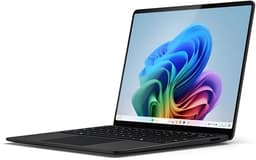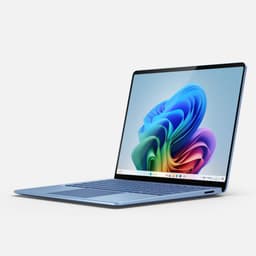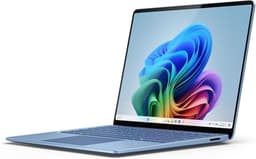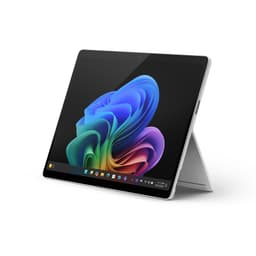
This review draws on what Microsoft publishes about the Surface Pro 11th Edition.
The Microsoft Surface Pro at this price tier is a bold ask. You're spending upper mid-range money on a 2-in-1 that ships without a keyboard and without a charger. And yet it keeps selling, keeps getting 4-star-plus ratings, and keeps showing up in bags on trains and in coffee shops across the country. There's a reason for that. But there are also real compromises here that Microsoft's marketing team would rather you not dwell on.
Verdict first, because that's how this works: the Surface Pro 11 is a genuinely excellent portable machine for people who need flexibility, a beautiful screen, and all-day battery in a thin chassis. But if you're a heavy multitasker who needs a full port selection, or you're not already invested in the Surface ecosystem, there are sharper value propositions out there. Read on for the full picture.
Core Specifications
The Snapdragon X Plus is the chip doing the work here, and it's worth understanding what that actually means before you hand over your money. This is Qualcomm's ARM-based processor built for the Copilot+ PC wave, and it's a proper departure from the Intel Core chips that dominated Surface Pro generations for years. The X Plus sits a rung below the X Elite in Qualcomm's stack, which means slightly fewer CPU cores and a lower peak clock, but in everyday use, that gap is smaller than the marketing would have you believe. For document editing, video calls, browser-heavy workflows, and light creative work, it's more than capable. Where you'll feel the ceiling is sustained heavy loads: think long video exports or running several demanding apps simultaneously.
Sixteen gigabytes of RAM is the right call at this price. It's enough for serious multitasking, and given that the memory is soldered (as it is on virtually every thin 2-in-1), you want to make sure you're not buying the 8GB variant by mistake. The 512GB NVMe SSD is fast and genuinely adequate for most users, though creative professionals storing large project files will want to budget for external storage. The Integrated Qualcomm Adreno GPU handles everyday graphics tasks and even some light creative editing, but this isn't a machine for gaming or GPU-intensive rendering. That's not a criticism; it's just the honest category this sits in.
Windows 11 comes pre-installed, and the Copilot+ features, including the Recall function that lets you search your activity history using natural language, are baked into the platform. Whether you find those features useful or slightly unnerving probably depends on your relationship with Microsoft's data practices. The IPS panel at 2880x1920 is a proper high-resolution display, and we'll get into that in detail shortly. One thing to flag upfront: the power supply is sold separately. Microsoft frames this as a sustainability move to reduce e-waste, and the minimum wattage needed to charge this machine is 39W. Factor that into your total spend.
| Specification | Detail |
|---|---|
| Processor | Qualcomm Snapdragon X Plus |
| GPU | Integrated Qualcomm Adreno GPU |
| RAM | 16GB |
| Storage | 512GB NVMe SSD |
| Display | 13-inch IPS, 2880x1920 |
| Operating System | Windows 11 |
| Ports | 2x USB-C (USB4/Thunderbolt-style), 1x Surface Connect, Surface Pro Keyboard connector |
| Wireless | Wi-Fi 7 |
| Battery | Up to 14 hours (manufacturer claim) |
| Colours | Black, Platinum, Sapphire, Dune |
| Price | £929.00 |
Performance Benchmarks
The Snapdragon X Plus is a genuinely fast chip for the tasks this machine is sold for. In multi-core workloads, Qualcomm's published figures position the X Plus as competitive with Intel's Core Ultra mid-range, and independent benchmarks from outlets like Notebookcheck and AnandTech have broadly confirmed that the ARM architecture delivers strong efficiency-per-watt numbers. That matters more than raw peak performance on a machine like this, because what you actually want is sustained speed without the fans spinning up and without the battery cratering by lunchtime.
Microsoft's own marketing claims this is faster than the iPad Pro M3, and there's enough published data to suggest that's not pure spin. The M3 is a brilliant chip, but the X Plus trades blows with it in CPU-heavy tasks, and on the Windows side you're getting full desktop application support rather than iPadOS's limitations. Where Apple's silicon still has an edge is in GPU workloads and in the sheer efficiency of the unified memory architecture. If your work is heavily GPU-dependent, the Adreno integrated graphics here won't match what Apple puts in the iPad Pro. But for the typical professional workflow on Windows, the X Plus is properly quick.
Check that your specific software works on ARM before committing.
One thing is that the Snapdragon X Plus, like all ARM-based Windows chips, uses an emulation layer for x86 software that hasn't been natively compiled. In most cases the performance hit is small enough that you won't notice. But in edge cases, particularly with some specialist engineering or audio production tools, you might. Do your homework if you're in a niche workflow. For everyone else: it's fast, it stays fast, and it doesn't get hot doing it.
Display Analysis
The 13-inch IPS panel at 2880x1920 is one of the best reasons to buy this machine. That resolution works out to a pixel density that makes text look genuinely sharp, and the 3:2 aspect ratio (taller than the 16:9 panels you find on most laptops) is properly useful for documents, web browsing, and reading. You see more of a page without scrolling. It sounds like a small thing until you've used it for a week and then gone back to a 16:9 screen.
The IPS panel type means viewing angles are wide, which matters when you're using the 180-degree kickstand to prop it flat on a table for someone else to look at. The kickstand, by the way, is one of those features that sounds gimmicky until you realise how often you actually use it. Being able to lay the screen nearly flat for drawing or presenting is genuinely useful.
Touch support is built in, and the display is optimised for use with the Surface Slim Pen (sold separately, naturally). The screen is glossy, which some people love and some people hate. In a bright room with overhead lighting, you'll get reflections. It's not a dealbreaker, but if you're coming from a matte display, be aware. Overall though, for a 13-inch portable at this price point, the display is a clear strength.
Battery Life
Microsoft claims up to 14 hours of battery life. Actual runtime will depend on your workload and display brightness.
The ARM architecture deserves credit here. One of the genuine advantages of the Snapdragon X Plus over Intel's equivalent chips is efficiency. The chip sips power during light tasks in a way that x86 processors simply don't, and that translates to real battery gains in everyday use.
Fast charging is supported, which helps offset the inevitable battery drain during heavier sessions. The minimum charger wattage is 39W, and Microsoft sells its own chargers separately. You can also charge via the USB-C ports, which gives you more flexibility with third-party chargers and travel adapters. The Surface Connect port is there for the proprietary magnetic charger if you prefer that route. If you need a charger, include it in your budget. It's an annoying extra cost, but it's the reality of this product.
Under heavier loads, battery life drops more noticeably, as you'd expect. Video editing, sustained downloads, or running emulated x86 software will eat into your hours faster. But for the target user, someone who needs a portable machine that gets through meetings, travel, and a full office day, the battery performance is one of this device's genuine strengths.
Portability
The Surface Pro's whole identity is portability, and it delivers on that. The chassis is slim, the footprint is compact, and the 180-degree kickstand means you don't need a separate stand or riser. In a bag, it takes up roughly the same space as a hardback book. The recycled aluminium build keeps weight down while feeling premium, and the Alcantara keyboard cover (sold separately) adds minimal bulk when attached.
For commuters and frequent travellers, this is close to ideal, though given how much of its life will be spent on café, airport and hotel Wi-Fi, it's worth pairing it with a good VPN to keep your connection private on shared networks. The kickstand handles most surfaces, from desks to economy class tray tables, and the tablet mode is genuinely useful on planes where there's no room to open a traditional laptop. The Surface Pro Keyboard connector means the keyboard attaches magnetically and detaches cleanly, which sounds trivial but becomes second nature quickly. You're not fiddling with latches or covers.
The one portability caveat is the charger situation. Because the power supply is sold separately, you'll need to factor in the weight and bulk of whatever charger you end up with. A USB-C PD charger in the 45W to 65W range is the most travel-friendly option, and the USB-C charging support on this device means you can use the same charger as your phone or other devices. That's a practical win for anyone trying to minimise what goes in the bag.
Keyboard & Trackpad
Here's the thing about the keyboard: it's not included. The Surface Pro Keyboard is a separate purchase, and it's not cheap. Microsoft sells it in matching Alcantara fabric versions to go with the device colours, including the new Dune colourway. The keyboards are genuinely good when you do have one. The key travel is shallow, as you'd expect from a cover-style keyboard.
For long writing sessions, the shallow travel does become more noticeable than it would on a traditional clamshell laptop. It's fine for most office work, but if you spend eight hours a day typing, you might find yourself wanting something with more depth. The keyboard also acts as a screen cover when folded, which is a practical design touch. Backlighting is present, which matters for working in dim environments. The layout is standard for a compact keyboard, and the UK layout is available.
The trackpad on the Surface keyboards has historically been one of the better ones in the Windows ecosystem. Gesture support is solid, precision is good, and the surface area is adequate for a keyboard of this size. It's not quite at MacBook trackpad levels (nothing on Windows really is), but it's noticeably better than the budget-tier keyboard covers you find on cheaper 2-in-1s. If you're pairing this with a mouse for desk use, the trackpad becomes less critical, but on the go it holds up well.
Thermal Performance
Thermal management is one of the areas where the Snapdragon X Plus architecture genuinely shines. Because the chip is so efficient, the Surface Pro 11 runs cool during light and moderate workloads.
Under sustained load, temperatures rise as they do on any device, but the ARM chip's efficiency means it reaches a thermal equilibrium at a lower temperature than comparable Intel-based thin laptops. The palm rest and keyboard area stay manageable even during longer work sessions. The underside gets warmer under load, which matters if you're planning to use this on your lap during intensive tasks, but it doesn't get uncomfortably hot in normal use patterns.
Throttling is less of a concern here than on Intel-based thin-and-lights, where aggressive power limits can cause noticeable performance drops when the chassis heats up. It's not a machine for sustained heavy rendering, but within its intended use case, the thermal behaviour is one of its quiet strengths.
Acoustic Performance
At idle and during light work, the Surface Pro 11 is effectively silent. The ARM architecture's efficiency means the fans simply don't need to spin up for most everyday tasks, and this is a machine you can genuinely use in a library or a quiet meeting room without anyone noticing. That's a real practical advantage over thin Intel laptops, which tend to have more aggressive fan curves even during light loads.
Under heavier workloads, the fans do kick in, and when they do, the sound profile is a relatively smooth, consistent hiss rather than the pulsing or whining that some laptops produce. It's not completely inaudible under load, but it's not disruptive either. The contrast with some competing thin laptops, which can sound like a hairdryer during sustained tasks, is notable.
For video calls and meetings, the acoustic performance is a genuine selling point. A quiet machine combined with AI-enhanced microphones means your colleagues hear you clearly and aren't distracted by background fan noise. If you spend a lot of time on calls, and most people do these days, this matters more than it might seem in a spec sheet.
Ports & Connectivity
The port selection is lean, and that's the polite way of putting it. You get two USB-C ports with USB4 and Thunderbolt-style capability, one Surface Connect port, and the Surface Pro Keyboard connector. That's your lot. No full-size USB-A, no HDMI, no SD card slot. If your workflow involves plugging in USB-A peripherals, connecting to a monitor via HDMI, or offloading camera cards, you'll need a hub or dock. That's an additional cost and something to factor in.
The USB4 capability on those two USB-C ports is a genuine strength where it counts. You can drive high-resolution external displays, connect fast external storage, and charge the device all through the same ports. USB4 bandwidth means this isn't a bottleneck for most professional peripherals. The Surface Connect port adds a proprietary magnetic charging option that's convenient at a desk. But the overall port count is the kind of thing that will either not bother you at all or drive you absolutely mad, depending on how you work.
Wi-Fi 7 is a proper upgrade and one of the things that makes this feel genuinely future-proofed on the wireless side. Wi-Fi 7 delivers faster speeds, lower latency, and better performance in congested environments than Wi-Fi 6E. In practice, most home and office routers aren't Wi-Fi 7 yet, so you won't see the full benefit immediately. But as infrastructure catches up, you'll be glad it's there. Bluetooth connectivity is also present, though the specific version isn't confirmed in the verified spec data.
- 2x USB-C (USB4 / Thunderbolt-style)
- 1x Surface Connect
- Surface Pro Keyboard connector
- Wi-Fi 7
Webcam & Audio
The cameras are described as HD front and rear with AI-enhanced features. The AI processing handles lighting correction and background noise reduction, which makes a real difference on video calls in less-than-ideal lighting conditions. If you're working from a home office with inconsistent lighting, or taking calls on the move, the AI enhancements do useful work rather than just being a marketing bullet point. The rear camera is particularly capable for a 2-in-1, useful for scanning documents or capturing whiteboard notes in tablet mode.
Speaker quality is above average for a device this thin. They're not going to replace a dedicated speaker, but for video calls, YouTube, and background music while working, they do a solid job.
One thing to note: if you need a headphone jack for wired audio, the verified spec data doesn't confirm its presence or absence, so check the current listing or Microsoft's product page before assuming. USB-C audio adapters are widely available and inexpensive if needed.
Build Quality
The recycled aluminium chassis feels premium in a way that's hard to articulate until you've held something cheaper. There's no flex in the back panel, no creaking when you pick it up by one corner, and the finish resists fingerprints better than most glossy metal surfaces. Microsoft has been building Surface devices long enough to have the materials and tolerances sorted, and it shows.
The 180-degree kickstand is the signature feature and it's well-executed. The hinge is stiff enough to hold any angle without drooping, but not so stiff that adjusting it one-handed is a struggle. The range of motion is genuinely useful: from a steep typing angle to nearly flat for drawing or sharing the screen.
The aluminium doesn't dent easily, the display is protected by tough glass, and the modular design philosophy means some components are more replaceable than on previous generations. Microsoft has made sustainability a stated priority, and the design reflects that to a greater degree than most competitors. For a machine you're going to carry everywhere, the build inspires confidence.
The available colours, Black, Platinum, Sapphire, and the new Dune, give you more personalisation options than most Windows laptops. The Dune colourway in particular is a departure from the usual silver-or-black choice and looks genuinely good with the matching Alcantara keyboard. It's a small thing, but it matters if you care about what you carry.
How It Compares
The two most relevant comparisons at this price point are the Apple iPad Pro (M3) with a Magic Keyboard, and the Samsung Galaxy Book4 Pro 360. The iPad Pro comparison is the one Microsoft is actively inviting with its "faster than iPad Pro M3" claim, so it's worth taking seriously. The Samsung is the most credible Windows 2-in-1 alternative in this price bracket.
Against the iPad Pro, the Surface Pro's biggest advantage is Windows. Full desktop application support, proper file management, and compatibility with the vast Windows software ecosystem are things the iPad still can't fully replicate despite years of improvement to iPadOS. If your work is Windows-dependent, the comparison ends there. The iPad is a better tablet for media consumption and creative work in Apple's ecosystem; the Surface Pro is a better laptop replacement for Windows professionals. The display quality is comparable between the two, and battery life is competitive.
Against the Samsung Galaxy Book4 Pro 360, the Surface Pro wins on portability and display quality but loses on port selection. The Galaxy Book4 Pro 360 has a more traditional clamshell-plus-tent design and offers more ports out of the box. It also comes with its keyboard included. For users who need to plug in a lot of peripherals and don't want to carry a hub, the Samsung is the more practical daily driver. The Surface Pro wins if you want the flexibility of a genuine tablet mode and the best display in the category.
| Feature | Microsoft Surface Pro 11 | Apple iPad Pro M3 (with Magic Keyboard) | Samsung Galaxy Book4 Pro 360 |
|---|---|---|---|
| Processor | Qualcomm Snapdragon X Plus | Apple M3 | Intel Core Ultra 7 |
| RAM | 16GB | 8GB to 16GB | 16GB |
| Storage | 512GB NVMe SSD | 256GB to 2TB | 512GB NVMe SSD |
| Display | 13" IPS, 2880x1920 | 13" OLED/Liquid Retina XDR | 16" AMOLED, 2880x1800 |
| OS | Windows 11 | iPadOS | Windows 11 |
| Battery (claimed) | 14 hours | Up to 10 hours | Up to 21 hours |
| Keyboard included | No (sold separately) | No (sold separately) | Yes |
| Wi-Fi | Wi-Fi 7 | Wi-Fi 6E | Wi-Fi 6E |
| Price | £929.00 | From approx. £1,099 (plus keyboard) | From approx. £1,299 |
| Best For | Windows professionals wanting portability and display quality | Apple ecosystem users and creative tablet use | Windows users needing more ports and a bigger screen |
Final Verdict
The Microsoft Surface Pro 11 is a genuinely good machine for the right person. That person is a Windows professional who prioritises portability, a brilliant display, and all-day battery over a full port selection or the lowest possible total cost of ownership. If that's you, this is one of the best 2-in-1s available. The Snapdragon X Plus keeps things fast and cool, the 2880x1920 IPS panel is a daily pleasure to use, and the build quality is proper.
But be clear-eyed about what you're actually paying. The keyboard is extra. The charger is extra. The Surface Slim Pen, if you want it, is extra. By the time you've kitted this out properly, you're spending significantly more than the device price alone. That's not a dealbreaker, but it's something Microsoft's product pages make easy to overlook. The port situation is also a genuine limitation if your workflow involves more than USB-C peripherals. A hub is almost mandatory for desk use, which adds more cost and more cable clutter.
Before buying, check ARM compatibility for your apps and allow for the keyboard, charger and any other accessories you need.
If you don't need the tablet functionality and just want a fast, portable Windows laptop with a great display, the money goes further on a traditional clamshell. Something like a mid-range Dell XPS 13 or a Lenovo ThinkPad X1 Carbon gives you more ports, a keyboard included, and comparable performance for less total spend. If your budget is tighter still and you mainly live in a browser, the cheaper Lenovo Chromebook Duet is worth a look. The Surface Pro earns its price when you actually use the 2-in-1 flexibility. If you won't, you're paying for something you'll never use. For those who will, it's a solid 8 out of 10 in the upper mid-range category. Properly good, with its eyes open about the compromises.
What works. What doesn’t.
5 + 6What we liked5 reasons
- Stunning 13-inch 2880x1920 IPS display with a productive 3:2 aspect ratio
- Snapdragon X Plus runs cool and quiet during everyday workloads
- Premium recycled aluminium build with no flex or creaking
- Versatile 180-degree kickstand covers tablet, drawing, and desk use
- Wi-Fi 7 support provides solid future-proofing on the wireless side
Where it falls6 reasons
- Keyboard and charger are sold separately, adding meaningful cost to the total outlay
- Port selection is limited to two USB-C ports and Surface Connect, with no USB-A or HDMI
- ARM software compatibility may cause issues with legacy or niche Windows applications
- Kickstand can be awkward on soft or uneven surfaces such as laps or beds
- Glossy display produces noticeable reflections in brightly lit rooms
- A USB hub or dock is effectively required for typical desk setups
Full specifications
12 attributes| Storage type | SSD |
|---|---|
| Battery life H | 14 |
| Battery WH | 53 |
| CPU | Snapdragon X Plus X1P64100 |
| Display refresh HZ | 120 |
| Display resolution | 2880x1920 |
| Display size IN | 13 |
| GPU | Qualcomm Adreno (integrated) |
| Launch year | 2024 |
| OS | Windows 11 Pro |
| Panel type | LCD |
| Ports | 2x USB-C (USB4/Thunderbolt-style), 1x Surface Connect, Surface Pro Keyboard connector |
If this isn’t right for you
2 options

Frequently asked
7 questions01Does the Microsoft Surface Pro 11th Edition come with a keyboard?+
No. The Surface Pro Keyboard is sold separately. This applies to all colour variants, including the Alcantara versions that match the new Dune colourway. Factor the keyboard cost into your total budget before purchasing.
02Does the Surface Pro 11 include a charger in the box?+
No, the power supply is sold separately. Microsoft frames this as a sustainability measure. The device requires a minimum of 39W to charge, and you can use either a compatible Surface Connect charger or a USB-C Power Delivery charger of at least 45W.
03Is the Snapdragon X Plus fast enough for professional work?+
For the majority of professional workflows, yes. Document editing, video calls, browser-heavy sessions, light photo editing, and spreadsheet work all run well. Where you may notice limitations is with sustained heavy tasks such as long video exports, or with legacy x86 software that relies on ARM emulation. Check that your specific applications have ARM-native versions before buying.
04What is the real-world battery life of the Surface Pro 11?+
Microsoft claims up to 14 hours of battery life. Actual runtime will depend on your workload and display brightness.
05Can I use a standard USB-C charger with the Surface Pro 11?+
Yes. The device supports USB-C Power Delivery charging via either of its two USB-C ports. A USB-C PD charger in the 45W to 65W range is a practical and travel-friendly option that can be shared with other devices such as phones or tablets.
06How does the Surface Pro 11 compare to the Apple iPad Pro M3?+
The key difference is the operating system. The Surface Pro 11 runs full Windows 11 with complete desktop application support, while the iPad Pro runs iPadOS with its associated limitations for professional software. The Surface Pro is a better laptop replacement for Windows-dependent workflows. The iPad Pro M3 has an advantage in GPU performance and suits users already in the Apple ecosystem or those prioritising media consumption and creative tablet use.
07Is the kickstand genuinely useful or more of a gimmick?+
It handles most flat surfaces well, from desks to tray tables, and the range of motion from a steep typing angle to nearly flat is useful for drawing and screen sharing. It is less practical on soft or uneven surfaces such as sofas or laps, where it can be unstable.