

Spec sheets are optimistic. Apple says up to 18 hours of battery life on the MacBook Air M5, and that's its video streaming figure; for wireless web browsing it says up to 15. What you actually get depends on whether you're streaming video with little else running or doing what most people actually do: six browser tabs, Slack, a Spotify stream, and a PDF open in the background. The gap between those two scenarios is the gap between Apple's marketing and your Tuesday afternoon.
The verdict up front: the MacBook Air M5 is a very easy thin-and-light laptop to recommend if you're in the Apple ecosystem or willing to join it. The M5 chip is quick and efficient, 16GB of memory is the starting point, and Wi-Fi 7 support means this machine won't feel outdated for a long time. But it's not for everyone. If you do GPU-heavy video work or gaming, you need a machine with active cooling. The M5 Air earns its price for people who push the machine and want it to last five-plus years without feeling slow.
Core Specifications
The M5 chip inside this machine uses a 10-core CPU (four super cores and six efficiency cores) paired with an 8-core GPU. In a fanless machine, performance per watt is basically everything. More performance per watt means the chip can sustain higher loads before the thermal ceiling kicks in and it has to throttle back. That's the whole game with the Air.
The 16GB of unified memory is the right call and it's good to see it as the base configuration. Unified memory in Apple Silicon means the CPU, GPU, and Neural Engine all share the same pool, and Apple quotes 153GB/s of memory bandwidth. In practice, 16GB handles modern multitasking comfortably. You're not going to hit a wall with 20 browser tabs, a video call, and a couple of apps open. The 512GB SSD is a solid starting point too, though if you work with large media files regularly, you'll want to think about whether you need the 1TB option (Apple also offers 2TB and 4TB) or a decent external drive.
A 16-core Neural Engine, plus Neural Accelerators in the GPU, is the substance behind Apple's "Built for AI" pitch. Realistically, most of what Apple Intelligence does runs fine on the M4 too, so that's less a selling point and more a reassurance that this chip won't be left out of AI features for the foreseeable future. The 8-core GPU is capable for light creative work, photo editing, and casual video, but it's not a match for a discrete GPU if you're rendering timelines or doing anything genuinely GPU-intensive. Fanless design has limits.
| Specification | Detail |
|---|---|
| Processor | Apple M5, 10-core CPU, 8-core GPU, 16-core Neural Engine |
| RAM | 16GB Unified Memory |
| Storage | 512GB SSD |
| Display | 13.6-inch Liquid Retina, 2560 x 1664, 224ppi, 500 nits |
| Webcam | 12MP Centre Stage |
| Battery | 53.8Wh, up to 18 hours video streaming or 15 hours wireless web (Apple claim) |
| Ports | 2x Thunderbolt 4 / USB 4, MagSafe 3, 3.5mm headphone jack |
| Wi-Fi | Wi-Fi 7 (802.11be) |
| Bluetooth | Bluetooth 6 |
| Weight | 1.23kg |
| Dimensions | 304.1 x 215 x 11.3mm |
| Colour | Sky Blue |

Performance
For the day-to-day stuff, this is almost absurdly fast. Opening apps, switching between them, handling large spreadsheets, running Xcode, cutting together a short video in Final Cut, running a local AI model through Apple Intelligence features. None of it makes the machine break a sweat. The 10-core CPU (four super cores and six efficiency cores, in Apple's terms) means the efficiency cores handle the light background tasks while the super cores stay ready for when you actually need them. It's a smart design and it's a big part of why the battery life holds up.
A caveat: if you're doing serious machine learning work, running Docker containers with complex environments, or doing 3D rendering, you'll hit the limits of 16GB unified memory and the fanless design sooner than you'd like. The machine will handle it. It just won't handle it as quickly as a MacBook Pro with active cooling. For most people, that's a non-issue. For a specific subset of power users, it matters.
Display Analysis
The 13.6-inch Liquid Retina display runs at 2560 x 1664 pixels, which works out to 224 pixels per inch. Text is sharp, photos look great, and you're not going to squint at this screen.
Peak brightness is rated at 500 nits, which is enough for most indoor environments and reasonable in indirect outdoor light. Direct sunlight is a different story. Five hundred nits outdoors in bright British summer sunshine (all three days of it) is manageable but not ideal. The panel supports wide colour (P3) and a billion colours, and True Tone adjusts the white balance to match the lighting around you.
The bezels are reasonably slim on three sides, with a slightly thicker chin at the bottom. The notch at the top houses the webcam, which some people hate on principle and most people forget about within a week. The display doesn't support touch input (this is macOS, not Windows), and there's no stylus support. If either of those matter to you, this is the wrong machine.
Battery Life
Apple claims up to 18 hours of video streaming and up to 15 hours of wireless web browsing. Those are Apple's own test figures. Light tasks like writing, browsing and email sit closest to them; video calls, photo editing and a few heavier apps will bring the number down, as they do on any laptop.
The 53.8Wh battery isn't unusually large, so the M5's efficiency is doing most of the work. The chip is doing less work to achieve the same result, so it draws less power. That's the whole Apple Silicon story in one sentence. On heavy sustained loads (video export, large compilations), battery life drops significantly, but that's true of every laptop.
Charging is via MagSafe 3 or either of the two USB-C ports, which is genuinely useful. You can charge from a USB-C power bank on a long train journey, or use the MagSafe cable at your desk and keep both USB-C ports free for peripherals. There's no power adapter in the UK box, though: you get a 2m USB-C to MagSafe 3 cable, and Apple says you need a USB-C PD charger of at least 30W. For fast charging it wants a 70W or higher USB PD source.
Portability
At 1.23kg, the MacBook Air 13 M5 is easy to carry all day. The 11.3mm thickness means it slides into slim laptop sleeves without drama.
With no charger in the box, the practical setup for most people who travel regularly is a multi-port USB-C charger of 30W or more that they already carry for a phone, with a USB-C cable (which you probably already have).
For commuters, students, and people who work from different locations throughout the day, this is a very easy 13-inch laptop to carry around. If you spend that time hopping between café, airport and hotel Wi-Fi, it's worth running a good VPN to keep your connection private on shared networks. It's the kind of machine you can throw in a backpack and forget about until you need it.
Keyboard and Trackpad
The MacBook Air M5 uses Apple's backlit Magic Keyboard: 79 keys on the UK (ISO) layout, including 12 full-height function keys, with an ambient light sensor alongside. If you're coming from a mechanical keyboard you'll notice the difference, as you would on any thin laptop.
The Touch ID sensor is built into the top-right corner of the keyboard. Unlocking the machine, authenticating app purchases, filling passwords with Apple Keychain: it covers all of it. There's no Face ID (Apple doesn't put it on its laptops), so Touch ID is the fingerprint login here. The keyboard layout is standard UK format in this configuration, with the pound sign where it should be and the return key shaped correctly. Small things, but they matter if you type for a living.
The trackpad uses Apple's Force Touch technology to simulate a click without any physical movement, and it supports Force clicks, pressure-sensitive drawing and Multi-Touch gestures. The macOS gestures (three-finger app switching, pinch to zoom, four-finger Mission Control) are all there.
Thermal Performance
There's no fan in the MacBook Air M5. That's a design choice, not an oversight, and it's been Apple's approach with the Air since the M1. Apple calls it a silent, fanless design. With no fan, heat has to leave through the chassis, so the chip slows itself down when it needs to.
Under sustained heavy load (think an hour-long Final Cut export or a long Xcode build), the machine will throttle to keep temperatures in check. This isn't unique to the M5 Air; it's the nature of fanless design.
For 90 percent of use cases, thermal performance is a non-issue. Browsing, writing, video calls, spreadsheets, even light photo editing sit well within what passive cooling handles. It's only at the heavy end of the workload spectrum that you feel the limits of passive cooling. If you're regularly doing that kind of work, a MacBook Pro with active cooling is the more sensible tool. But if you're buying an Air, you probably already know it's not a workstation replacement.
Acoustic Performance
No fan means no fan noise. Full stop. The MacBook Air M5 is completely silent in every condition short of the speakers being on. You can use it in a library, in a meeting, in a recording studio, and it will not make a sound. This is one of those things that sounds like a minor detail until you've spent time with a laptop that whirs and whooshes every time you open Chrome, and then you realise how much background noise you were tolerating.
The speakers themselves are here too: Apple fits a four-speaker sound system, with Spatial Audio support when playing music or video with Dolby Atmos. They won't replace a decent Bluetooth speaker, but they're not embarrassing in a way that makes you reach for headphones the moment you want to watch something.
For calls there's a three-mic array with directional beamforming, and Voice Isolation and Wide Spectrum microphone modes for clearer voices in audio and video calls. The 3.5mm headphone jack supports high-impedance headphones, which is a small but appreciated detail for anyone with quality over-ear headphones in their kit.
Ports and Connectivity
The port situation is the MacBook Air's weak spot, and it's a real one. You get two Thunderbolt 4 / USB 4 ports (both on the left side), MagSafe 3 for charging (also left), and a 3.5mm headphone jack on the right. That's it. No HDMI, no SD card slot, no USB-A. If you're coming from a Windows laptop with a full port array, this will require an adjustment. A USB-C hub or dock becomes a practical necessity for desk use, which is an added cost and something Apple should sort out but clearly won't.
The Wi-Fi 7 support comes from Apple's own N1 wireless chip. Wi-Fi 7 (802.11be) supports multi-link operation, which means the laptop can use multiple frequency bands simultaneously for lower latency and more stable connections. In practice, you'll only benefit from this if your router supports Wi-Fi 7, and most home routers don't yet. But it's future-proofing that matters if you're buying a machine you plan to use for five or more years. Bluetooth is version 6.
The two Thunderbolt 4 ports do a lot of heavy lifting. Each supports up to 40Gbps data transfer, DisplayPort output, and USB Power Delivery for charging. Apple says the Air drives up to two external displays at up to 6K and 60Hz while the built-in screen stays on. So while the port count is low, the ports you have are capable. A hub helps, but it's a faff that the 14-inch MacBook Pro avoids with its more generous port selection.
- MagSafe 3 (left side)
- 2x Thunderbolt 4 / USB 4 (40Gbps, left side)
- 3.5mm headphone jack with high-impedance support (right side)
- Wi-Fi 7 (802.11be)
- Bluetooth 6
Webcam and Audio
The 12MP Centre Stage camera is one of the stronger parts of the package, and the Centre Stage feature is what makes it useful. It uses the wide-angle lens and machine learning to keep you centred in frame as you move around, which sounds like a novelty until you're on a two-hour call and you've shifted position six times without thinking about it. It also supports Desk View and records 1080p HD video.
Build Quality
Apple makes the MacBook Air M5's enclosure from 100% recycled aluminium, and the whole machine is 55% recycled content by Apple's count.
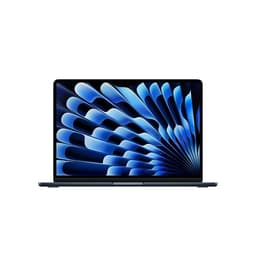
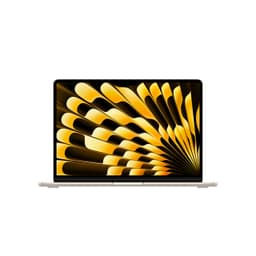
This one is Sky Blue, a subtle, muted blue rather than anything garish. Apple also sells the 13-inch M5 in Silver, Starlight and Midnight.
Durability is hard to judge from a spec sheet. The biggest long-term concern is battery degradation, which is normal for any lithium battery, and Apple's battery replacement service is available if you need it after the warranty period. Apple's warranty is one year, with 90 days of phone support, and UK consumer law gives you rights against the seller on top.

Final Verdict
The MacBook Air M5 13-inch is a proper all-day laptop that earns its premium price for the right buyer. The M5 chip is fast, efficient, and silent. The 16GB unified memory base spec means you're not immediately compromised the moment you open more than five apps, and Apple's battery figures (up to 18 hours of video streaming, 15 of web browsing) are generous. On Amazon it's rated ★★★★½ (4.5) from 76 ratings.
But there are real reasons to look elsewhere. Two ports are awkward for desk workers who don't want to buy a hub. If you're on Windows and your workflow depends on it, macOS isn't a casual switch. And if your work is heavily GPU-bound or involves sustained heavy compute loads, the fanless design will throttle before a MacBook Pro would. There's no charger in the box either, so budget for one if you don't already own a 30W or bigger USB-C charger. The M5 Air suits most people. It's not the laptop for every person.
If you're already in the Apple ecosystem and you want a laptop that handles a full working day without drama, stays completely silent, and will still feel fast in 2029, this is the one to get. The Sky Blue colour is a nice touch if you want something that doesn't look like every other silver laptop in the coffee shop. Score: a strong 9 out of 10 for the premium thin-and-light category. It loses a point for the port situation, which Apple could fix and chooses not to.
What works. What doesn’t.
6 + 5What we liked6 reasons
- Apple claims up to 18 hours of video streaming and 15 hours of web browsing from a 53.8Wh battery
- Fanless design means the M5 chip runs completely silently
- 16GB unified memory as the base configuration handles modern multitasking comfortably
- Wi-Fi 7 and Bluetooth 6 through Apple's N1 chip, plus two Thunderbolt 4 ports
- 12MP Centre Stage camera with Desk View and a three-mic array with directional beamforming for video calls
- Enclosure made from 100% recycled aluminium, with a Force Touch trackpad and Touch ID
Where it falls5 reasons
- Only two Thunderbolt 4 ports, so a USB-C hub becomes a practical necessity for desk use
- No HDMI, no SD card slot, and no USB-A means switching from a well-ported Windows laptop requires an adjustment and extra spend
- No power adapter in the box: you need a USB-C charger of at least 30W, and 70W or more for fast charging
- Fanless design still throttles under sustained heavy GPU or CPU loads, making a MacBook Pro with active cooling a more sensible choice for intensive creative work
- macOS is a genuine platform commitment and not a casual switch for anyone whose workflow depends on Windows software
Full specifications
12 attributes| Storage type | SSD |
|---|---|
| Battery WH | 53.8 |
| Bluetooth | 6 |
| CPU | Apple M5 |
| Display resolution | 2560x1664 |
| Display size IN | 13.6 |
| GPU | integrated |
| Keyboard | backlit |
| Launch year | 2026 |
| OS | macOS |
| Panel type | IPS |
| RAM GB | 16 |
If this isn’t right for you
2 optionsFrequently asked
6 questions01What is the real-world battery life of the MacBook Air M5 13-inch?+
Apple claims up to 18 hours of video streaming and up to 15 hours of wireless web browsing from the 53.8Wh battery. Those are Apple's own test figures. Light work such as writing, browsing and email sits closest to them, while video calls, photo editing and long exports bring the runtime down, as they do on any laptop.
02Does the MacBook Air M5 overheat without a fan?+
It does not overheat, but it does throttle under sustained heavy loads. The MacBook Air M5 is fanless, so heat leaves through the aluminium chassis and the chip slows itself down when it needs to. In light to moderate use the limits of passive cooling rarely come into play. Under prolonged heavy workloads such as long video exports or large code compilations, the chip settles at a lower sustained performance level.
03Is the MacBook Air M5 worth buying over the MacBook Air M4?+
For light work such as documents, email, browsing and video calls, an M4 Air handles the same jobs. The M5 is the one to pick if you regularly run demanding applications, do creative work or plan to keep the machine for five or more years. It also has Wi-Fi 7 and Bluetooth 6 through Apple's N1 chip, which is meaningful future-proofing if you buy a compatible router.
04Can you charge the MacBook Air M5 from a USB-C power bank?+
Yes. The MacBook Air M5 charges via MagSafe 3 or either of its two Thunderbolt 4 USB-C ports using USB Power Delivery, so a compatible USB-C power bank or a multi-port USB-C charger you already carry will work. Apple says the source needs to supply at least 30W, and fast charging needs 70W or more. There's no power adapter in the UK box: you get a 2m USB-C to MagSafe 3 cable only.
05Does the MacBook Air M5 support external displays?+
Yes. Apple says the 13-inch MacBook Air M5 supports up to two external displays at up to 6K and 60Hz (or one display at up to 8K and 60Hz), while the built-in display keeps running at full resolution, so you don't need to close the lid. It can even drive both over a single Thunderbolt port.
06Is 16GB of unified memory enough for the MacBook Air M5?+
For most users, yes. Apple's unified memory architecture means the CPU, GPU, and Neural Engine share a fast memory pool, and 16GB handles modern multitasking well, including 20-plus browser tabs, video calls, spreadsheets, and light creative work simultaneously. Power users doing machine learning, running complex Docker environments, or handling large video timelines may find 16GB limiting under heavy sustained use. Apple offers 24GB and 32GB, but only when you order, as the memory can't be added later.