Best Overall Value
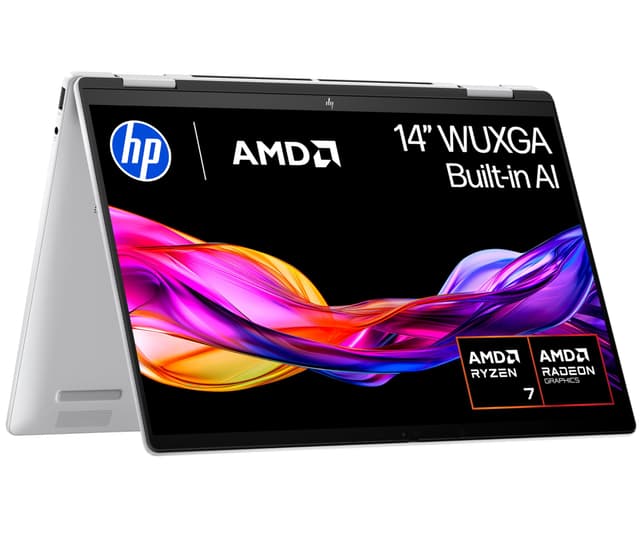
The one component that decides this machine is the processor. The Ryzen 7 8840HS is a proper eight-core chip, and our review notes it delivers genuinely strong multi-threaded performance, outpacing most Intel Core Ultra 5 rivals at this price. That matters in a 2-in-1 because these are the machines people buy to do everything on one device: spreadsheets in laptop mode, sketching in tablet mode, a bit of light Lightroom in between. The Radeon 780M integrated graphics handle light creative work and casual gaming better than the Intel Iris Xe you'll find in the Surface Pro models, so this is the convertible on the list that flinches least when you push it.
It backs that up with storage nobody else here matches: a 1TB PCIe Gen4 NVMe SSD, against the 512GB in the Samsung Galaxy Book4 Pro 360 and just 256GB in the 12-inch Surface Pro. For anyone keeping a photo library or a couple of games locally, that gap is the difference between managing your drive weekly and forgetting it exists. RAM is 16GB of fast LPDDR5-6400, though our review flags it as soldered, so 16GB is a permanent ceiling. Buy accordingly.
The chassis is aluminium with a reliable 360-degree hinge, a good keyboard and a large precision trackpad. The 5MP IR webcam is above average for the price and makes a real difference on video calls, which puts it ahead of the ageing 720p cameras on both EliteBooks below. USB-C charging with Power Delivery means no proprietary brick to lose, and Wi-Fi 6E with Bluetooth 5.3 keeps connectivity current.
The honest catch is the screen. It's a 300-nit IPS panel at 1920x1200, competent rather than special, and it struggles in direct sunlight where the AMOLED Samsungs and the OLED-panel Surface Pro pull clearly ahead. Our review also puts real mixed-use battery at seven to ten hours rather than the marketed 14 hours 45 minutes, and sustained heavy loads bring thermal throttling and fan noise in a chassis this slim. None of that unseats it. For most people wanting one machine that does the lot, this is it. Owners rate it 4.3 stars across 59 ratings. See our full HP Envy x360 14 review.
Pros
- 1TB SSD is the largest drive on this list, double most rivals
- Radeon 780M graphics outrun the Iris Xe chips elsewhere here
- 5MP IR webcam beats the 720p cameras on both EliteBooks
- USB-C Power Delivery charging, two USB-C plus two USB-A ports
Cons
- 16GB RAM is soldered, no upgrade path later
- No SD card slot, awkward for photographers
- Hinge needs two hands to open from flat
Buy on Amazon£818.99Read full review
Best for All-Day Battery
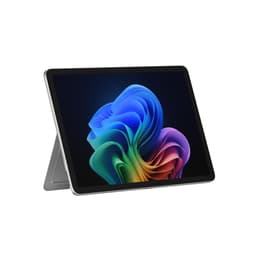
If the Envy is the do-everything pick, this is the take-it-everywhere one. The Snapdragon X Plus platform is what changes the equation: our review puts real-world battery at 10 to 13 hours, among the best in the Windows 2-in-1 category, and it runs near-silent under typical work because there's no power-hungry x86 chip to cool. At 0.895kg for the tablet, it's a fraction of the 1.66kg Galaxy Book4 Pro 360.
The 13-inch 2880x1920 display in a 3:2 ratio is the other headline. That taller shape gives you more usable document height than any widescreen panel here, and the 180-degree kickstand adjusts far more freely than a normal hinge. The AI-enhanced Studio Camera is a real step up for video calls over the 720p sensors on the EliteBooks. Wi-Fi 7 and 16GB of LPDDR5X round it out.
Now the cost. The keyboard and the charger are both sold separately, so the true outlay lands well above the device price, unlike the clamshell Envy that includes everything. Ports are just two USB-C plus Surface Connect, so a hub is close to mandatory. And Snapdragon's ARM architecture still trips up some niche x86 apps, so check your key software first. For a travelling knowledge worker who lives in browsers and Office, though, nothing here lasts longer per charge. Owners rate it 4.4 stars from 63 ratings. We covered this in our Surface Pro (11th Edition) review.
Pros
- Wi-Fi 7 support, ahead of the Wi-Fi 6E field here
- Lightest device on the list at 0.895kg
- 3:2 aspect ratio gives more document height than widescreen rivals
- Fast charging supported over USB-C Power Delivery
Cons
- Keyboard and charger both cost extra
- Only two USB-C ports, no headphone jack
- Not suited to sustained 4K editing or long compiles
Buy on Amazon£799.00Read full review
Best Big Screen
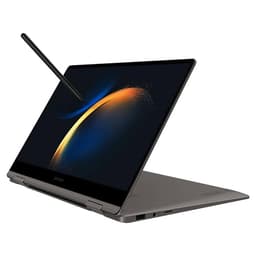
This is the one you buy for the display and the pen. The 16-inch Dynamic AMOLED 2X panel at 2880x1800 and 120Hz is, per our review, among the best available on any laptop this size: true blacks, excellent colour accuracy, and Vision Booster to fight glare. The S Pen is in the box, so unlike the Acer Spin 514, which supports a stylus but doesn't include one, you get creative and annotation value with no extra purchase.
The Core Ultra 7 155H brings strong productivity performance and an NPU for AI features, and the port set is genuinely practical for a slim convertible: two Thunderbolt 4, HDMI, USB-A and a microSD slot. That microSD reader alone answers the Envy's biggest gap for photographers.
The compromise is size and storage. At 1.66kg across 16 inches, this is a noticeable carry rather than a grab-and-go tablet like either Surface. Our review also flags 512GB as tight for media work and 16GB of soldered RAM as a ceiling for power users. Intel Arc graphics rule out serious gaming. If you want the biggest, best screen here and will mostly work at a desk, it's the pick. Owners rate it 3.8 stars from 10 ratings, a small sample. See our full Galaxy Book4 Pro 360 review.
Pros
- S Pen included, no separate stylus purchase
- microSD slot plus two Thunderbolt 4 ports
- 16-inch AMOLED handles bright rooms via Vision Booster
Cons
- 1.66kg makes it a large everyday carry
- 512GB fills fast for photo and video work
- Only 10 owner ratings so far
Buy on Amazon£999.00Read full review
Best for Portability
The smaller sibling to the 13-inch Surface Pro, and the choice when weight is everything. At 0.686kg for the tablet, this is the lightest thing on the page by a clear margin. The 12-inch PixelSense screen in 3:2 is sharp and pleasant for documents, and the eight-core Snapdragon X Plus keeps it cool and quiet with genuine all-day battery, per our review.
Where it slips behind the 13-inch model is the panel and storage. This is an LCD rather than OLED, so contrast can't match the Galaxy Book4 Pro 360, and 256GB fills quickly once Windows takes its cut. As with its bigger sibling, the keyboard cover and charger are separate purchases, and it's a single USB-C world, so a hub is likely.
Buy this over the 13-inch Surface Pro if you want the smallest, lightest Windows tablet and can live with less storage. Owners rate it 4.3 stars across 245 ratings, the largest sample here. Read our 12-inch Surface Pro review.
Pros
- Lightest tablet here at 0.686kg
- Wi-Fi 7 and Bluetooth 5.4
- Slim Pen stores and charges on the back
Cons
- 256GB storage is tight for the price
- LCD panel, not the OLED of the Samsungs
- Keyboard and charger sold separately
Buy on Amazon£899.00Read full review
Best for Note-Takers
The 2023 forerunner to the Galaxy Book4 Pro 360, shrunk to a more portable 13.3 inches. The draw is the FHD AMOLED touch panel and the bundled S Pen, which together make it a natural for handwritten notes and annotation without the 16-inch model's bulk. It runs a Core i7-1360P with 16GB RAM and a 512GB SSD.
Ports are a highlight: Samsung's listing states HDMI, USB-A, a microSD slot and a Thunderbolt 4 port, a fuller set than either Surface Pro offers. The 1080p webcam is a step up from the EliteBooks' 720p sensors too. We hold no published review score for this exact configuration, so treat it on its specs rather than a verdict for another model. It's a 2023 machine, so the Core Ultra chip in the Book4 Pro 360 is newer, but for note-takers wanting AMOLED and a pen in a 13-inch body, this earns its place. Owners rate it 4.4 stars from 59 ratings.
Pros
- S Pen included for notes and sketching
- Thunderbolt 4, HDMI, USB-A and microSD per the listing
- 1080p webcam, sharper than the EliteBook cameras
Cons
- 2023 13th-gen chip, older than the Book4's Core Ultra
- FHD resolution, not the higher-res panels on the Surfaces
- No published review score for this configuration
Buy on Amazon£977.75
Best Budget Convertible
The value play. What makes this stand out at its price is a feature you rarely see on budget Chromebooks: two Thunderbolt 4 USB-C ports, which open the door to docks, external displays and fast storage. The 14-inch WUXGA 16:10 IPS touchscreen gives real vertical room, and the Core i3-1315U has genuine headroom for Chrome OS, well beyond the old Celeron machines this replaces.
UFS storage is faster than the eMMC in the cheaper Acer Spin 513 and the Lenovo Flex 3, so apps launch quicker. Wi-Fi 6E and Bluetooth 5.3 keep it current. Our review scores it 7.5 out of 10 and calls it a well-rounded budget convertible that punches above its price.
The limits are honest. 128GB of storage is tight if you add Linux apps, the 8GB RAM is soldered, there's no HDMI, and the touchscreen-supporting design ships without a stylus. Against the Lenovo Flex 3 it costs more but gives you a far better chip, screen and ports; against the Windows machines above it trades software breadth for a much lower price. For browser-based work, it's the smart budget buy. Owners rate it 4.2 stars from 29 ratings. See our full Acer Chromebook Plus Spin 514 review.
Pros
- Dual Thunderbolt 4, rare at this price
- Faster UFS storage than eMMC Chromebook rivals
- Wi-Fi 6E, ahead of Wi-Fi 5 budget machines
Cons
- 128GB storage limits Linux and Android caching
- No HDMI, needs a USB-C adapter
- Stylus not included despite touch support
Buy on Amazon£379.99Read full review
Best Build Quality
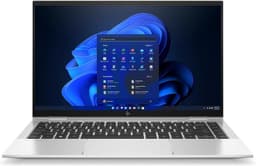
A business machine that slid into budget territory by being a generation old, and renewed. The standout is 32GB of RAM, double anything else on the list and genuine future-proofing for heavy multitasking. It pairs that with a premium aluminium chassis, two Thunderbolt 4 ports plus HDMI, and a bright 400-nit touchscreen that our review notes works well outdoors, where the Envy's 300-nit panel struggles.
The i7-1185G7 is 11th-gen Intel, so it sits behind the Ryzen and Core Ultra chips above on raw pace, and the 720p webcam feels dated next to the Envy's 5MP sensor. Integrated Iris Xe graphics rule out gaming. Our review scores it 8 out of 10 and rates battery around eight hours.
Buy this over the Envy if you value metal build quality and 32GB of RAM more than a newer CPU and a 1TB drive. It's renewed, not new, which is the trade for the spec. Owners rate it 4.1 stars from 65 ratings. Read our EliteBook x360 1040 G8 review.
Pros
- 32GB RAM, most on this list
- 400-nit screen, brighter than the Envy's panel
- Two Thunderbolt 4 plus HDMI and two USB-A
Cons
- 11th-gen chip trails the newer rivals here
- 720p webcam looks dated
- Renewed condition, not brand new
Buy on Amazon£490.00Read full review
Best 3:2 Chromebook Screen
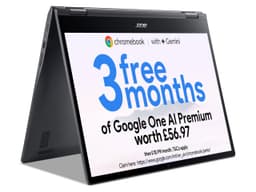
A fanless MediaTek Chromebook built around a sharp 13.5-inch QHD 3:2 touchscreen at 2256x1504, which gives more vertical space than the widescreen budget crowd. It runs the Kompanio 1380 with 8GB RAM and 128GB of eMMC storage, and Acer's listing rates battery at 10 hours. We hold no published review score for it, so judge it on specs. Against the Acer Spin 514 above, it's cheaper and silent but slower, with eMMC storage rather than UFS and Wi-Fi 6 rather than 6E. Good for a light, quiet Chrome OS convertible with an unusually nice screen. Owners rate it 4 stars from 37 ratings.
Pros
- Sharp 3:2 QHD screen, rare in budget Chromebooks
- Fanless and silent in use
- Light at 1.28kg
Cons
- eMMC storage, slower than the Spin 514's UFS
- Wi-Fi 6, not 6E
- No published review score
Buy on Amazon£489.63
Best for Bright-Screen Work
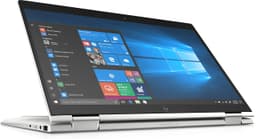
The older, cheaper EliteBook. Its 400-nit touchscreen still shines outdoors, matching the G8 above and beating the Envy's panel. It has 16GB DDR4, a 512GB NVMe drive, an aluminium chassis and Bang & Olufsen speakers. Our review scores it 7.8 out of 10. The catch is age: the 8th-gen i7-8650U trails everything here on pace, battery runs a mediocre 5 to 7 hours, and it charges over a barrel plug rather than USB-C, so you can't share a phone charger like you can with the Envy or Surfaces. It's a refurb. For someone who wants a bright screen and solid metal build on a tight budget, it works. Owners rate it 4.3 stars from 82 ratings. See our full EliteBook x360 1040 G5 review.
Pros
- Bright 400-nit touchscreen for outdoor use
- Aluminium chassis and good keyboard
- Thunderbolt 3 and HDMI ports
Cons
- 8th-gen chip, oldest here
- Barrel-plug charger, no USB-C charging
- 5 to 7 hour battery, refurbished
Buy on Amazon£430.00Read full review
Best Budget
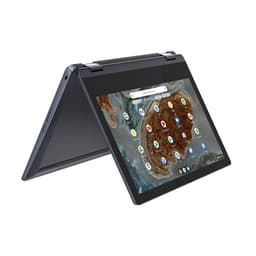
The floor of the price range and a genuine recommendation for students and casual users. It's fanless, completely silent, and our review puts battery at 8 to 10 hours, well ahead of budget Windows rivals. At 11.6 inches it's a tiny, light travel machine, and both charging ports are USB-C so any phone charger works. The ceilings are clear: 4GB RAM strains once you stack Android apps, and the 1366x768 250-nit screen is soft and weak outdoors next to the Acer Chromebooks above. For a first Chromebook on a strict budget, it earns its spot. Owners rate it 4.5 stars from 86 ratings, the highest rating on this list. See our full Lenovo IdeaPad Flex 3 review.
Pros
- Fanless and silent
- USB-C charging on both ports
- Highest owner rating here at 4.5 stars
Cons
- 4GB RAM limits multitasking
- 1366x768 screen, soft and dim outdoors
- No keyboard backlight
Buy on Amazon£249.99Read full review