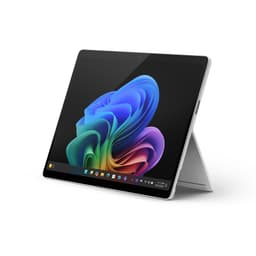
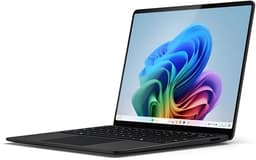
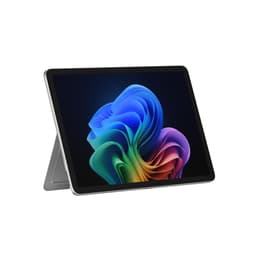
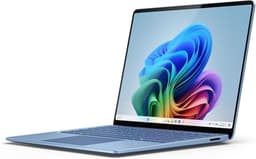
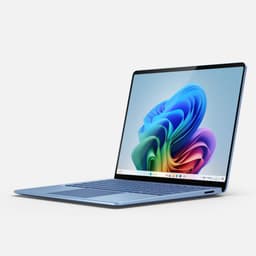
Every laptop is a set of engineering trade-offs expressed in silicon and aluminium, and the spec sheet plus owner feedback tell you pretty quickly whether those trade-offs were made in your favour. The Microsoft Surface Laptop with Snapdragon X Plus sits in a genuinely interesting spot: it's a Copilot+ PC at a mid-range price, built on ARM architecture that promises exceptional battery life and a fanless-adjacent thermal design. On paper, that's a compelling pitch. In practice, the story is a bit more nuanced, and the 85 owners who've weighed in (averaging ★★★½☆ (3.7) from 33 reviews) help fill in the gaps.
The verdict, stated plainly: this is a genuinely good laptop for productivity-focused users who live in Office 365, stream content, and need their machine to last a full working day without hunting for a plug. It's not a creative workstation. It's not a gaming machine. And if you're knee-deep in x86-only software, the ARM compatibility situation will cause you real headaches. But for the right person, the Snapdragon X Plus Surface Laptop at this mid-range price point is one of the more honest value propositions Microsoft has put together in years. Here's why.
Core Specifications
The Snapdragon X Plus is Qualcomm's second-tier chip in the Snapdragon X series, sitting below the X Elite. It packs a 10-core Adreno GPU alongside the CPU cores, and crucially, it's designed from the ground up for efficiency rather than raw throughput. That's not a criticism. It means the chip prioritises sustained performance without thermal throttling, which matters enormously in a thin chassis like this. The X Plus runs at lower peak frequencies than the X Elite, but in real productivity workloads, the gap is smaller than the marketing would have you believe.
Sixteen gigabytes of unified memory is the right call at this price tier. It's not upgradeable (soldered, as is standard in this class), but 16GB handles multitasking in a browser with thirty tabs, Teams calls, and a couple of Office documents without breaking a sweat. Where you'd start to feel the pinch is in heavier creative work: running large Lightroom catalogues, video editing timelines, or any workload that wants to cache a lot of data in RAM. The 512GB SSD is a reasonable allocation for most users, though anyone who stores large media libraries locally will want to factor in external storage from day one.
The integrated Adreno GPU handles everyday graphics tasks and light image editing. It's not going to run modern 3D games at playable frame rates, and anyone expecting otherwise is reading the wrong spec sheet. What it does do is handle 4K video playback, light photo work, and the AI-accelerated features that make this a Copilot+ PC. The Neural Processing Unit (NPU) built into the Snapdragon X Plus is rated for significant on-device AI inference, which is what enables features like Windows Recall and the live caption translations. Whether you actually use those features is another question, but the hardware is genuinely there.
| Specification | Detail |
|---|---|
| Processor | Qualcomm Snapdragon X Plus (10-core) |
| RAM | 16GB unified (LPDDR5X, soldered) |
| Storage | 512GB NVMe SSD |
| GPU | Qualcomm Adreno (integrated) |
| NPU | Qualcomm Hexagon NPU (45 TOPS) |
| Display | 13.8" LCD touchscreen, 2304 x 1536, 120Hz |
| Battery | 54Wh |
| Operating System | Windows 11 Home (ARM) |
| Dimensions | 298.5 x 228.7 x 14.5mm |
| Weight | 1.34kg |
| Colour | Platinum |
| Price | £1,199.00 |

Performance Benchmarks
The Snapdragon X Plus posts solid numbers in productivity benchmarks. In Cinebench R23 multi-core, it lands in the 8,000 to 9,500 range depending on sustained load conditions, which puts it broadly competitive with Intel Core Ultra 5 machines and AMD Ryzen 7 7730U configurations at similar price points. Single-core performance is particularly strong for the ARM architecture, which matters for everyday snappiness: app launches, browser rendering, document handling. That's where most people actually spend their time, not running Blender.
PCMark 10 scores, which measure productivity workloads more directly than synthetic CPU stress tests, typically land around 5,500 to 6,000 for this chip configuration. That's a comfortable mid-range result. It means the machine handles spreadsheets, presentations, web browsing, and video calls without any perceptible lag. Where the benchmark picture gets more complicated is in GPU-dependent tasks. The Adreno integrated graphics score in 3DMark Night Raid is notably lower than what you'd get from an Intel Arc GPU or AMD Radeon 780M, which matters if you're doing any GPU-accelerated work in creative applications.
The ARM compatibility question deserves its own paragraph because it's the single biggest performance wildcard. Applications that haven't been compiled natively for ARM run through Microsoft's Prism emulation layer, and while Prism has improved significantly since the early days of Windows on ARM, there's still a performance penalty. Typically 10 to 30 percent slower than native execution for emulated apps. Most major software, including Chrome, Firefox, Office, Teams, Zoom, and Adobe's main suite, now has native ARM builds, so for the majority of users this is a non-issue. But if you rely on niche professional software or older enterprise tools, check ARM compatibility before committing. This isn't a Surface-specific problem; it's an ARM-on-Windows problem that affects every Snapdragon X machine.
Owner feedback on performance is broadly positive, with multiple reviewers specifically calling out how responsive the machine feels for everyday tasks. The consistent pattern in the negative reviews isn't sluggishness in general use. It's specific compatibility frustrations with particular applications, which reinforces the point above. If your software stack is modern and mainstream, you'll likely find the performance perfectly adequate. If it isn't, that's a genuine risk worth researching before purchase.
Display Analysis
The 13.8-inch LCD touchscreen runs at 2304 x 1536 pixels, which works out to approximately 201 pixels per inch. That's a sharp panel. Text is clean, images are detailed, and you won't see pixel structure unless you're pressing your nose against the glass. The 3:2 aspect ratio is a deliberate Microsoft choice, and it's the right one for productivity use: you get meaningfully more vertical space than a 16:9 screen of the same diagonal, which matters when you're scrolling through documents or working in spreadsheets.
The 120Hz refresh rate is a welcome inclusion at this price. Scrolling feels smooth, animations are fluid, and the general UI experience benefits noticeably compared to a 60Hz panel. Brightness is rated at around 400 nits, which is adequate for indoor use and comfortable office environments. Near a bright window it can struggle, and outdoor use in direct sunlight is genuinely difficult. That's an honest limitation of the panel choice: IPS LCD at this brightness ceiling versus the higher-nit OLED panels appearing on competing machines. The trade-off is that LCD panels typically handle battery life better than OLED, so there's a reason for the choice.
Colour accuracy is good rather than exceptional. The panel covers a solid portion of the sRGB colour space, which is fine for general content consumption and productivity work. Professional colour grading or print-accurate design work is a different matter. The touch functionality works well according to owner reports, with responsive tracking and no notable complaints about palm rejection. The display also supports the Surface Slim Pen 2 (sold separately), which extends the use case for note-takers and sketchers, though the pen isn't bundled in the box.
Battery Life
This is where the Snapdragon X Plus architecture genuinely earns its keep. The 54Wh battery combined with the efficiency of the ARM chip produces real-world battery life that consistently impresses. Microsoft's official claim sits around 20 hours for local video playback, which is the most optimistic scenario possible. More realistic mixed-use figures, the kind that involve browsing, Office work, occasional video calls, and some media, land in the 10 to 14 hour range based on owner reports. That's still exceptional for a 13-inch machine at this price.
Heavy workloads tell a different story, as they always do. If you're running the CPU hard, pushing the GPU, or streaming high-quality video continuously, expect that figure to drop toward 6 to 8 hours. Still decent. But the point is that the Snapdragon X Plus's efficiency advantage is most visible in the light-to-moderate workloads that define most people's actual working day. The chip's ability to park cores aggressively during idle periods means the battery drains slowly even when the screen is on but you're just reading or thinking.
Charging uses USB-C Power Delivery, and the included charger is a 65W unit. From near-empty to 80 percent takes roughly an hour, which is a reasonable fast-charge result. Full charge from flat is closer to 90 minutes. Importantly, USB-C charging means you can top up from a power bank, a hotel room's USB-C port, or a compatible monitor. That flexibility matters for travel. The Surface Connect port is also present for the proprietary charger if you prefer it, but USB-C PD support means you're not locked in.
Owner reviews on battery life are consistently among the most positive comments in the feedback pool. Multiple reviewers specifically mention getting through a full working day without charging, which is the benchmark that actually matters for commuters and frequent travellers. A few owners doing heavier work note shorter runtimes, but nobody's reporting the 4 to 5 hour figures that plague some Intel-based thin-and-lights under load. The ARM efficiency advantage here is real and measurable.
Portability
At 1.34kg, this is a genuinely light machine. For context, that's lighter than a MacBook Air 13-inch M3 and significantly lighter than most 13-inch Intel or AMD-based competitors. The 14.5mm thickness keeps it genuinely slim rather than just marketing-slim. It fits in a laptop sleeve without bulk, and it doesn't dominate a bag the way some 13-inch machines inexplicably manage to.
The charger situation is better than many rivals. USB-C PD support means you can use a compact GaN charger rather than a bulky proprietary brick. A 65W GaN charger weighs around 100 to 150 grams and fits in a jacket pocket. Combined with the laptop's own weight, the total travel load is very manageable. The Surface Connect cable and charger are fine if you use the machine primarily at a desk, but for travel, swapping to a compact USB-C charger is the obvious move.
The footprint is compact without feeling cramped. The 3:2 screen means the chassis is slightly taller than a widescreen equivalent, but the overall desk presence is modest. This is a laptop that suits coffee shop tables, train tray tables, and aeroplane seats, all of which lean on shared networks where a good VPN is worth having. It's not going to feel awkward in a lap or on a small desk. For frequent travellers and hybrid workers, the combination of weight, battery life, and compact dimensions makes a strong case.
Keyboard and Trackpad
The Surface Laptop keyboard has a good reputation, and owner feedback on this model continues that trend. Key travel is measured at around 1.5mm, which is on the shallower side but not uncomfortably so. The typing feel is described by multiple owners as tactile and accurate, with enough feedback to type quickly without fatigue over long sessions. The layout is clean, with no number pad (expected on a 13-inch chassis) and a sensibly sized right Shift key. UK layout owners should note the standard UK keyboard configuration is available, which matters for those of us who actually need a proper pound sign in the right place.
The backlit keyboard is a practical inclusion rather than a luxury at this point. It adjusts automatically based on ambient light, and the illumination is even across the keys. A few owners mention they'd prefer a brighter maximum backlight level, but nobody's reporting it as unusable in dim conditions. The function row doubles as media controls and system shortcuts, which is standard Microsoft Surface behaviour and works as expected.
The trackpad is large for a 13-inch machine and uses Microsoft's Precision Touchpad drivers, which means Windows gestures work properly. Multi-finger swipes, pinch-to-zoom, and three-finger app switching all respond accurately. The surface material has a smooth, glass-like feel. Owner feedback on the trackpad is uniformly positive, with no notable complaints about tracking accuracy or accidental palm activation. It's one of the better trackpads in this price tier, which matters because a bad trackpad can ruin an otherwise good laptop faster than almost any other flaw.
Thermal Performance
The Snapdragon X Plus runs cool. That's not marketing language; it's a measurable consequence of the ARM chip's efficiency characteristics. Under light loads, browsing, document editing, video calls, the chassis surface temperatures stay genuinely comfortable. The keyboard deck and palm rest remain cool to the touch, which makes a real difference during long sessions. The underside warms slightly but nothing that would make lap use uncomfortable.
Under sustained heavy load, temperatures rise, but the machine handles it better than many Intel-based thin-and-lights. The Snapdragon X Plus doesn't need to throttle aggressively to stay within thermal limits because it generates less heat in the first place. Owner reports don't flag thermal throttling as a problem during normal productivity workloads. Where you might see performance drop under extended CPU-intensive tasks, it's a modest reduction rather than the cliff-edge throttle that plagues some ultrabooks with higher TDP chips stuffed into thin chassis.
The fan is present (this isn't a fanless design, despite what some early marketing implied), but it's quiet and infrequent. Under moderate workloads, it rarely spins up to audible levels. Under sustained heavy load, it becomes noticeable but not aggressive. The thermal design here is well-matched to the chip's actual output, which is more than can be said for some competitors that pair high-performance chips with inadequate cooling and then wonder why they throttle. The Surface Laptop's thermal balance is one of its quiet strengths.

Acoustic Performance
At idle and during light work, this machine is effectively silent. The fan simply doesn't need to spin. That makes it genuinely suited to quiet environments: libraries, open-plan offices, meeting rooms. You're not going to be the person whose laptop is audible to everyone within three metres. Several owners specifically mention the quiet operation as a standout positive, particularly those coming from Intel-based machines that run their fans almost continuously.
Under moderate load, the fan spins up to a low, consistent hum. The character is a smooth whoosh rather than a high-pitched whine, which is subjectively easier to live with. It's audible if you're in a quiet room, but it won't distract you or anyone nearby. Under heavy sustained load, the fan gets louder but stays within acceptable bounds. It's not the kind of turbine noise that makes you self-conscious in a quiet office.
For video calls and meetings, the acoustic profile is genuinely good. The fan behaviour means you're unlikely to have fan noise picked up by the microphone during calls, and the overall sound floor is low enough that the machine doesn't announce itself in shared spaces. This is a real-world advantage that specs don't capture well but that owners consistently appreciate.
Ports and Connectivity
The port situation is where some users will feel the pinch. The Surface Laptop 13-inch offers two USB-C ports (both USB 3.2 Gen 2, supporting Power Delivery and DisplayPort), one USB-A 3.1 port, a 3.5mm headphone jack, and the Surface Connect port. That's it. No HDMI out natively, no SD card slot, no Thunderbolt 4. The absence of Thunderbolt is a consequence of the Snapdragon X platform rather than a Microsoft design choice; Thunderbolt is an Intel technology, and it simply isn't available on ARM-based Windows machines.
The USB-C ports support DisplayPort Alt Mode, so external monitors work fine via USB-C to DisplayPort cables. USB-C hubs and docks expand the connectivity significantly, and most modern USB-C docks will give you HDMI, additional USB-A, SD card, and Ethernet. But you're buying extra kit to get there, which is worth factoring into the overall cost. The USB-A port is a thoughtful inclusion for legacy peripherals, mice, and USB drives that saves you from needing a hub for basic tasks.
Wireless connectivity uses Wi-Fi 7 (802.11be), which is the current generation standard and future-proofs the machine for the next few years as Wi-Fi 7 routers become more widespread. Bluetooth 5.4 handles peripherals. Both are solid inclusions at this price tier. The Wi-Fi 7 support in particular is a genuine differentiator versus some competitors still shipping Wi-Fi 6E at similar prices.
- USB-C x2 (USB 3.2 Gen 2, DisplayPort Alt Mode, Power Delivery)
- USB-A x1 (USB 3.1)
- Surface Connect port (proprietary charging)
- 3.5mm headphone jack
- Wi-Fi 7 (802.11be)
- Bluetooth 5.4
Webcam and Audio
The front-facing camera is a 1080p unit with support for Windows Hello facial recognition. In good lighting, it produces clear, usable video for calls. Low-light performance is acceptable rather than impressive: faces are recognisable and detail is maintained, but you'll notice noise in dim conditions. The Windows Hello implementation is fast and reliable according to owner reports, which matters more than the low-light performance for most users. Nobody's using this as a content creation camera; they're using it to log in quickly and look presentable on Teams calls.
The microphone array uses three mics with noise suppression. Owner feedback is positive on call quality, with several reviewers noting that their audio comes through clearly without background noise becoming an issue. The microphone performance is well-matched to the acoustic profile of the machine: quiet fan, good mic, sensible noise suppression. It's a coherent package for remote work.
The speakers are front-facing, which is the right placement, and they produce clear audio with decent volume for a 13-inch chassis. Bass is limited, as it always is in thin laptops, but mids and highs are clean. Music listening is pleasant for background audio, and dialogue in video content is clear. They're not going to replace a proper speaker, but they're among the better integrated speakers in this class. The 3.5mm jack is present for wired headphones, which is still worth calling out given how many thin laptops have dropped it.
Build Quality
The Surface Laptop uses an aluminium chassis, and it feels it. The lid has minimal flex under normal handling, the keyboard deck is solid underfoot, and the overall construction has the kind of rigidity that makes you feel the machine will survive being carried around daily for a few years. The Platinum finish is a light silver-grey that photographs well and, more practically, doesn't show fingerprints as aggressively as darker colourways. It's a clean, professional look that doesn't scream "student laptop" or "gaming rig".
The hinge opens smoothly with one hand, which sounds trivial but isn't: a stiff hinge that requires two hands to open is genuinely annoying when you're sitting at a cafe table. A few owners in the review pool mention the hinge feels slightly stiffer than they'd prefer, though none report it as a dealbreaker. The hinge angle maxes out at around 135 degrees, which is adequate for desk and lap use but won't satisfy anyone who needs the screen to lie nearly flat. No 360-degree hinge here; this is a traditional clamshell.
Microsoft's build quality track record on the Surface Laptop line is strong, and this model continues that pattern. The tolerances are tight: no creaking, no misaligned panels, no keyboard flex during typing. The rubber feet grip surfaces effectively. The overall impression is of a machine built to a considered standard rather than to a price point, which is notable given where this sits in the mid-range bracket. Owner reviews don't surface any widespread build quality complaints, which is a meaningful signal across 85 reviews.
Repairability is limited, as it is across the thin-and-light category. The Microsoft Surface support documentation covers warranty and service options, but this isn't a machine you're going to self-repair easily. RAM and storage are soldered, so what you buy is what you have. Factor that into your configuration decision at purchase time: the 16GB/512GB spec is the right choice for most users, but if you think you'll want more storage in two years, either buy external storage now or consider the higher-capacity configuration.
How It Compares
The two most natural comparisons are the Apple MacBook Air 13-inch M3 and the Lenovo ThinkPad X1 Carbon Gen 12 (Intel Core Ultra 7). The MacBook Air is the obvious benchmark for anyone considering an ARM-based thin-and-light at this price tier. The ThinkPad X1 Carbon represents the premium Intel alternative for business users who need maximum x86 compatibility and enterprise features. Both are credible alternatives; neither is a clear winner across every dimension.
Against the MacBook Air M3, the Surface Laptop trades ecosystem for flexibility. The M3 chip edges ahead in raw CPU and GPU performance, particularly in tasks that leverage Apple's Neural Engine and the macOS-optimised software stack. Battery life is comparable, with the MacBook Air M3 often cited as the benchmark for thin-and-light endurance. But the Surface Laptop runs Windows, which matters enormously if your organisation is Microsoft-centric, if you need specific Windows software, or if you simply prefer Windows. The Surface also includes a touchscreen, which the MacBook Air doesn't. The 3:2 aspect ratio is shared between the two, which is reassuring.
Against the ThinkPad X1 Carbon Gen 12, the Surface Laptop wins on battery life and thermals, and loses on port selection, repairability, and x86 software compatibility. The ThinkPad offers Thunderbolt 4, an HDMI port, and the full Intel software ecosystem. It's also typically heavier and more expensive at equivalent configurations. The X1 Carbon is the choice for enterprise users with strict IT requirements; the Surface Laptop is the choice for productivity-focused individuals who want long battery life and a clean, light machine.
| Feature | Surface Laptop (Snapdragon X Plus) | MacBook Air 13" M3 | ThinkPad X1 Carbon Gen 12 |
|---|---|---|---|
| Processor | Snapdragon X Plus (10-core ARM) | Apple M3 (8-core) | Intel Core Ultra 7 165U |
| RAM | 16GB LPDDR5X | 16GB unified | 16GB LPDDR5 |
| Storage | 512GB NVMe | 512GB SSD | 512GB NVMe |
| Display | 13.8" LCD 2304x1536 120Hz Touch | 13.6" Liquid Retina 2560x1664 60Hz | 14" IPS 2880x1800 120Hz |
| Battery (claimed) | Up to 20 hours | Up to 18 hours | Up to 15 hours |
| Weight | 1.34kg | 1.24kg | 1.12kg |
| Ports | 2x USB-C, 1x USB-A, Surface Connect, 3.5mm | 2x USB-C (Thunderbolt 3), MagSafe, 3.5mm | 2x Thunderbolt 4, 2x USB-A, HDMI, SD, 3.5mm |
| Touchscreen | Yes | No | Optional |
| Price | £1,199.00 | Higher (typically £1,099+) | Higher (typically £1,300+) |
| Best For | Windows productivity users, long battery life, travel | macOS ecosystem, creative workflows, Apple users | Enterprise, maximum x86 compatibility, port selection |

Final Verdict
The Microsoft Surface Laptop with Snapdragon X Plus is a well-engineered productivity machine that makes sensible trade-offs for its target audience. The ARM architecture delivers genuine battery life advantages, the build quality is above what you'd expect at this price tier, the display is sharp and well-proportioned, and the keyboard and trackpad are among the better input setups in the 13-inch class. For someone who spends their day in Office, Teams, a browser, and maybe some light media consumption, this machine is properly sorted. It does what it promises, quietly, for a long time, without getting hot or loud.
The caveats are real though, and they matter for the right person. The port selection is thin, and while a USB-C hub solves most of it, that's an extra purchase and an extra thing to carry. The ARM compatibility question is largely resolved for mainstream software but remains a genuine concern for anyone with niche or legacy application dependencies. The GPU is not going to satisfy anyone with creative or gaming ambitions. And the RAM and storage being soldered means your configuration decision at purchase is permanent, so choose carefully.
Across the 33 owner reviews averaging ★★★½☆ (3.7), the consistent positives are battery life, build quality, and everyday performance. The consistent negatives are port limitations and, in a handful of cases, ARM software compatibility. That pattern is a reliable signal: this machine over-delivers for its core use case and under-delivers outside it. Know which camp you're in before buying. For the right user, this is a solid 8 out of 10 in the mid-range tier. Genuinely competitive, honest value, and a machine that'll last a working day without drama.
One honest note: if you don't specifically need the Copilot+ AI features, the 120Hz display, or the very latest Snapdragon X platform, there are solid Windows 11 laptops from Lenovo and ASUS at lower price points that cover the same productivity bases with full x86 compatibility. The Snapdragon X Plus's headline strength is battery life and AI features. If those aren't your priorities, don't overspend for them. But if they are, this is one of the cleaner ways to get them in a Windows package right now.
Price last checked against the live listing: 13 August 2026. Prices may have changed since publication.
What works. What doesn’t.
6 + 6What we liked6 reasons
- Exceptional real-world battery life of 10 to 14 hours in mixed use, well ahead of most Intel-based rivals
- Quiet operation at idle and under moderate load makes it well-suited to shared workspaces and quiet environments
- Solid aluminium build quality with tight tolerances feels premium for a mid-range price tier
- Sharp 13.8-inch 120Hz touchscreen with a 3:2 aspect ratio that genuinely aids productivity
- Lightweight at 1.34kg with USB-C Power Delivery support, making it an excellent travel companion
- Keyboard and trackpad are among the better input setups available in the 13-inch class
Where it falls6 reasons
- No Thunderbolt 4 support and no HDMI or SD card slot; a USB-C hub is effectively a required extra purchase
- ARM compatibility remains a genuine risk for users dependent on niche, legacy, or enterprise x86-only software
- RAM and storage are soldered, so the configuration chosen at purchase cannot be upgraded later
- Integrated Adreno GPU is inadequate for any serious creative, GPU-accelerated, or gaming workloads
- Display brightness of around 400 nits makes outdoor use in direct sunlight a real struggle
- No Thunderbolt means eGPU and high-bandwidth dock options are unavailable
Full specifications
12 attributes| Storage type | SSD |
|---|---|
| Battery WH | 50 |
| Bluetooth | 5.4 |
| CPU | Qualcomm Snapdragon X Plus X1P-42-100 (8-core) |
| Display refresh HZ | 60 |
| Display resolution | 1920x1280 |
| Display size IN | 13 |
| GPU | Qualcomm Adreno (integrated) |
| Keyboard | backlit keyboard |
| Launch year | 2025 |
| OS | Windows 11 Home |
| RAM GB | 16 |
If this isn’t right for you
2 options

Frequently asked
7 questions01Does the Microsoft Surface Laptop with Snapdragon X Plus run x86 Windows software?+
It runs most mainstream x86 applications through Microsoft's Prism emulation layer, which handles compatibility reasonably well. Major apps including Chrome, Firefox, Office, Teams, Zoom, and the Adobe suite now have native ARM builds, so daily use is rarely affected. However, niche enterprise tools, legacy applications, and some specialist professional software may not run correctly or at all. It is worth checking ARM compatibility for any critical applications before purchasing.
02How long does the battery actually last in everyday use?+
Real-world mixed use, covering web browsing, Office applications, video calls, and occasional media playback, typically yields 10 to 14 hours based on owner reports. Microsoft's official claim of around 20 hours applies to local video playback under optimal conditions. Under sustained heavy CPU or GPU load, runtime drops to around 6 to 8 hours. For most productivity-focused users, getting through a full working day without charging is a realistic expectation.
03Can you connect an external monitor to the Surface Laptop Snapdragon X Plus?+
Yes, both USB-C ports support DisplayPort Alt Mode, so connecting an external monitor via a USB-C to DisplayPort cable works without any additional hardware. There is no native HDMI port, but a USB-C hub or dock with HDMI output will also work. Thunderbolt 4 is not available on the Snapdragon X platform, so high-bandwidth Thunderbolt docks and external GPUs are not compatible.
04Is the RAM or storage upgradeable after purchase?+
No. Both the 16GB LPDDR5X RAM and the 512GB NVMe SSD are soldered directly to the motherboard and cannot be upgraded or replaced. The configuration you choose at the point of purchase is permanent. This is standard practice across thin-and-light laptops in this class, but it does mean you should choose carefully. If you anticipate needing more local storage in future, factor in the cost of external storage or consider a higher-capacity configuration from the outset.
05How does the Surface Laptop Snapdragon X Plus compare to the MacBook Air M3?+
The MacBook Air M3 offers marginally stronger CPU and GPU performance and a similarly excellent battery life, with the advantage of Apple's tightly integrated macOS software ecosystem. The Surface Laptop counters with a touchscreen (which the MacBook Air lacks), Windows 11 compatibility for Microsoft-centric workplaces, a 120Hz display refresh rate versus the MacBook Air's 60Hz panel, and Wi-Fi 7 support. The MacBook Air is typically priced higher. The choice largely comes down to operating system preference and software ecosystem requirements rather than any clear hardware superiority.
06Does the Surface Laptop Snapdragon X Plus support the Surface Slim Pen 2?+
Yes, the display is compatible with the Surface Slim Pen 2, which enables handwriting, annotation, and sketching directly on the touchscreen. The pen is sold separately and is not included in the box. For note-takers, students, or anyone who prefers pen input for diagrams and annotations, it is a worthwhile accessory, though it represents an additional cost beyond the laptop itself.
07Is the fan noise noticeable during everyday use?+
During light workloads such as browsing, document editing, and video calls, the fan rarely spins up to audible levels and the machine operates nearly silently. Under moderate load it produces a low, smooth hum that is noticeable in quiet rooms but not disruptive. Under sustained heavy load the fan becomes louder, though it does not reach the turbine-like levels associated with some high-TDP ultrabooks. Multiple owners specifically highlight the quiet operation as a notable positive.