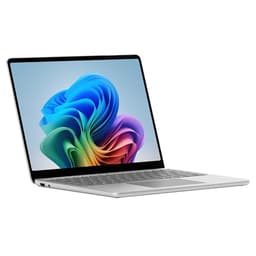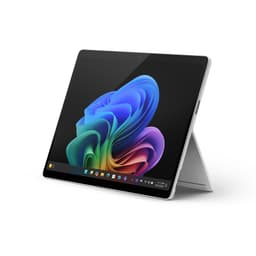
Marketing specs are the easy bit. Any laptop looks good on a slide deck. What actually matters is whether the battery gets you through a full day without panic, whether the fans kick in mid-Teams call, and whether the thing runs cool enough to use on your lap without becoming a portable hob. The Surface Laptop 7 with the Snapdragon X Plus promises all of the above, and on paper it's a genuinely compelling package. But "on paper" and "in practice" aren't always the same thing, so let's look at what the specs and owner reports actually tell us.
Short version: this is a very good laptop for most people who work on documents, spreadsheets, video calls, and browser tabs all day. The battery life is the real headline, owners consistently back up Microsoft's claims, and the build quality is proper premium. But the Snapdragon X Plus has real limitations around app compatibility and raw performance that you need to know about before spending upper mid-range money. And there are competitors worth considering at this price point. So here's the full picture.
Core Specifications
The processor here is Qualcomm's Snapdragon X Plus with 10 cores. It's ARM-based, which is the most important thing to understand about this machine. Not because ARM is bad (it isn't), but because it changes how the laptop behaves compared to an Intel or AMD machine. Most mainstream apps run fine through Windows 11's emulation layer, and native ARM apps are growing fast. But if you rely on specific professional software, older peripherals with 32-bit drivers, or niche tools that haven't been updated in years, you could hit a wall. Check your critical apps first. Seriously.
The 10-core variant of the Snapdragon X Plus sits below the 12-core X Elite that appears in some rival configurations. In everyday productivity tasks, the difference is small enough that most people won't feel it. Where it starts to matter is sustained multi-threaded workloads: video encoding, large data processing, running multiple heavy applications simultaneously. For the target audience here, which is broadly office workers, students, and people who want a premium laptop that just gets on with it, the 10-core chip is more than adequate. The integrated Adreno GPU handles light creative work and even some older games, though this isn't a machine you'd buy for gaming.
16GB of RAM is the right amount for 2024 and 2025 usage. It's soldered, which means you can't upgrade it later, so factor that into your decision now. The 512GB SSD is fast, using NVMe storage that keeps file transfers and app launches snappy. Owners don't report any storage-related complaints, which is exactly what you want: the best storage is the kind you never think about. One thing worth flagging is that 512GB fills up faster than you'd expect once you factor in Windows, apps, and any local media. If you work with large files regularly, think about whether you'll need external storage.
| Specification | Detail |
|---|---|
| Processor | Qualcomm Snapdragon X Plus (10-core, ARM) |
| RAM | 16GB LPDDR5x (soldered) |
| Storage | 512GB NVMe SSD |
| Display | 13.8-inch PixelSense touchscreen, 2304 x 1536, 120Hz |
| GPU | Qualcomm Adreno (integrated) |
| Battery | 54Wh |
| Operating System | Windows 11 Home |
| Wi-Fi | Wi-Fi 7 (802.11be) |
| Bluetooth | Bluetooth 5.4 |
| Weight | 1.34kg |
| Dimensions | 298.7 x 223.6 x 14.5mm |
| Colour | Sapphire |
Performance Benchmarks
The Snapdragon X Plus 10-core posts Cinebench R24 multi-core scores in the region of 700 to 750 points in published benchmarks from outlets like Notebookcheck. That puts it comfortably ahead of Intel's 13th-gen Core i5 and i7 options, and roughly on par with AMD's Ryzen 7 7745HX in multi-threaded tasks. Single-core performance is strong too, which is what you feel in day-to-day use: snappy app launches, quick browser tab switching, no waiting around. For the kind of work this laptop is designed for, those numbers translate to a genuinely responsive experience.
Where the X Plus starts to show its limits is in GPU-heavy tasks. The integrated Adreno GPU is capable enough for video playback, light photo editing, and casual use, but it's not in the same league as even a discrete entry-level GPU. If you're doing any serious video editing with effects, 3D rendering, or running modern games at decent settings, you'll feel the ceiling. Owners who use it for Lightroom, basic Premiere edits, and Office work report no issues. Owners who've tried to push it harder report the expected slowdowns. Know which camp you're in before buying.
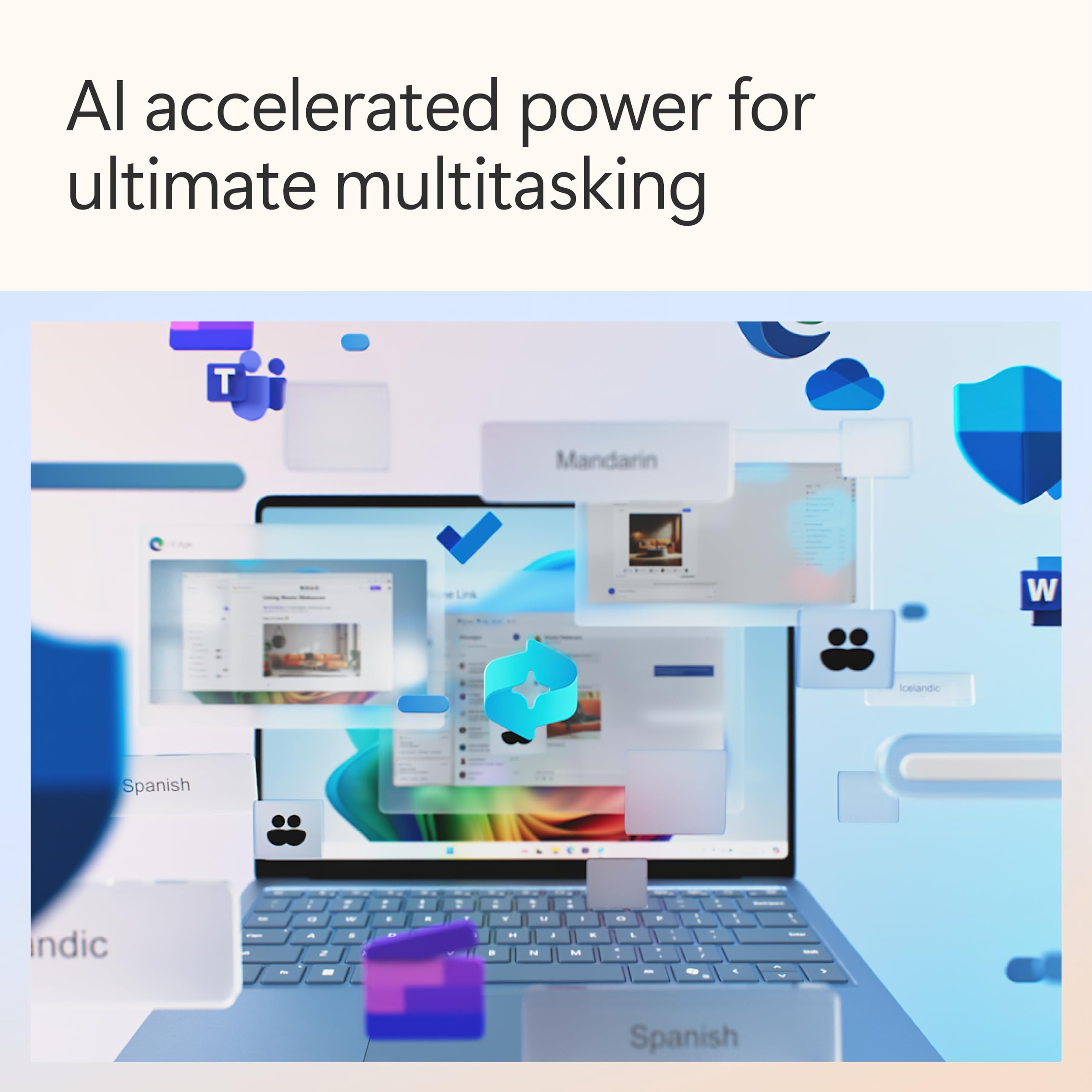
The NPU (neural processing unit) built into the Snapdragon X Plus is what earns this the "Copilot+ PC" badge from Microsoft. It handles AI-accelerated features like Windows Studio Effects, live captions, and eventually more of Microsoft's AI tools as they roll out. In practical terms right now, the NPU's main visible benefit is webcam enhancement and some background blur in video calls, which owners generally find works well. The broader Copilot+ feature set is still maturing, so you're partly paying for future capability here. Whether that's a selling point or a concern depends on how much you trust Microsoft's roadmap.
App compatibility is the elephant in the room. Most mainstream apps now have native ARM versions or run well through emulation. Microsoft 365, Chrome, Firefox, Spotify, Slack, Teams, Zoom: all fine. But there are still edge cases. Some VPN clients, certain security software, and a handful of specialist tools either don't work or run with noticeable emulation overhead. Owners in the reviews flag this occasionally but it's clearly not a dealbreaker for the majority given the 4.1-star average. Do your homework if your workflow is specialised.
Display Analysis
The 13.8-inch PixelSense display runs at 2304 x 1536 resolution with a 3:2 aspect ratio. That taller format is one of the best decisions Microsoft has made with the Surface line and they've stuck with it for good reason. You get more vertical space for documents, web pages, and spreadsheets compared to the 16:9 screens on most competing laptops. If you spend your day reading and writing, the extra height genuinely reduces scrolling. It's a small thing that adds up across a working day.
The 120Hz refresh rate makes the display feel smooth and responsive, particularly when using the touchscreen. And yes, the touchscreen works well in practice. Owners who use it for note-taking, annotating documents, and casual touch navigation report it's accurate and responsive. It's not a replacement for a dedicated tablet or a Surface Pro with a stylus, but it adds genuine utility rather than being a checkbox feature. Brightness is rated at 600 nits, which is enough for indoor use and reasonably lit environments. Owners working near windows or in bright offices are generally happy. Outdoor use in direct sunlight is harder going, as it is on most laptops at this brightness level.
Colour accuracy is good for the target audience. The display covers sRGB well, and owners doing light photo editing report it looks accurate enough for casual creative work. It's not a wide-gamut DCI-P3 panel designed for professional colour grading, so if that matters to you, you're in the wrong product category entirely. The matte-ish coating reduces glare without killing vibrancy. Overall, this is a display that's genuinely pleasant to spend a full working day looking at, which is more than can be said for some competitors at this price.
Battery Life
This is where the Snapdragon X Plus earns its keep. Microsoft claims up to 23 hours of battery life, which is obviously a best-case figure measured under controlled conditions. Real-world usage is always lower. But here's the thing: owners consistently report getting 12 to 16 hours of mixed use, with some hitting higher on light days of document work and video calls. That's exceptional for a 13.8-inch laptop at this price tier. For comparison, most Intel-based competitors in this bracket struggle to break 10 hours in real use.
The ARM architecture is the key reason for this. The Snapdragon X Plus is built on a mobile-derived design that's fundamentally more power-efficient than x86 chips at equivalent performance levels. It's the same reason Apple's M-series MacBooks have dominated battery life comparisons for years. Windows on ARM is finally catching up, and the Surface Laptop 7 is probably the clearest demonstration of that yet. Owners who travel regularly, work in locations without easy access to power, or simply hate the anxiety of watching a battery percentage drop are consistently positive about this aspect.
The 54Wh battery charges via the included 65W charger. Microsoft also supports USB-C Power Delivery charging, which means you can top up from a compatible USB-C charger or power bank in a pinch. That's a genuinely useful feature for travel. Charge time from flat to full is around 80 minutes with the supplied charger, which is decent. The USB-C charging speed depends on the charger you're using, so don't expect the same speed from a phone charger. Owners don't report any significant battery degradation complaints, though the review pool is still relatively young.
One thing worth noting: the battery life advantage narrows when you're running emulated x86 apps heavily. Native ARM apps are more efficient; emulated apps draw more power. If your entire workflow runs through native ARM software, you'll be at the top end of real-world battery life. If you're running a lot of emulated software all day, expect something closer to the middle of the range. Still good, but worth knowing.
Portability
At 1.34kg, the Surface Laptop 7 is genuinely light. You notice it in a bag, or rather you don't notice it, which is the point. It's thinner than most competitors at 14.5mm, and the 13.8-inch footprint keeps the overall size manageable. This is a laptop you can slip into a slim bag without it dominating the space. For commuters, frequent travellers, and anyone who moves between locations regularly, the size and weight make a real practical difference, and if you spend your days on café, airport and hotel Wi-Fi it's worth running a good VPN to keep your connection private on shared networks.
The charger is reasonably compact. The proprietary Surface Connect port is there alongside USB-C, so you can use Microsoft's magnetic charger if you prefer, or just use a USB-C cable from your bag. Having both options is sensible. The magnetic connector is useful if you're clumsy or work in busy environments where someone might catch a cable. It's a feature that sounds minor until it saves your laptop from hitting the floor.
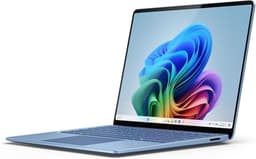
The Sapphire colour option looks good and feels premium in hand based on owner descriptions. It's distinctive without being showy. The overall package is well-suited to business travel, university use, and anyone who wants a laptop that doesn't feel like a compromise on portability. If you need a larger screen or more ports, you'll need to look elsewhere, but for a primary travel machine that also works well at a desk, the size and weight are properly sorted.
Keyboard & Trackpad
The keyboard on the Surface Laptop 7 gets consistently positive feedback from owners. Key travel is described as comfortable for long typing sessions, which matters if you're writing a lot. The layout is clean and sensibly arranged. There's no number pad (it's a 13.8-inch machine, so that's expected) and the UK layout is properly done. Backlit keys are included, which is standard at this price but still worth confirming. Owners who work in dim environments or on evening trains appreciate it.
The trackpad is large and accurate. Microsoft has been good at trackpads for a while now, and owners confirm the Surface Laptop 7 continues that trend. Gestures work reliably, multi-finger scrolling is smooth, and precision is good enough that most people won't feel the need to reach for an external mouse. That's not a given at this price point. Some competitors in the same bracket have trackpads that feel mushy or imprecise, which is genuinely annoying when you're trying to work.
A few owners mention that the keyboard deck can feel slightly warm during heavier use, which is a consequence of the fanless or near-silent cooling design. It's not reported as uncomfortable, more as noticeable. The typing experience overall is one of the stronger points of this machine. If you type a lot, this is a laptop that won't fight you.
Thermal Performance
The Snapdragon X Plus runs cool. This is one of the defining characteristics of ARM-based laptops compared to their x86 counterparts, and it's something owners consistently flag as a positive. Under light to moderate loads, the palm rest and keyboard area stay comfortable. The underside gets warm but not hot. For lap use during a typical working day, this is a genuinely comfortable machine to use without a desk.
Under sustained heavy load, temperatures rise as you'd expect, but the Snapdragon's efficiency means it doesn't hit the kind of skin-burning temperatures that some Intel and AMD chips produce when pushed hard. Throttling under sustained load does occur, as it does on virtually all thin laptops without active cooling headroom, but the practical impact for the target use case is minimal. You're not buying this to encode 4K video for hours on end. If you were, you'd want a different machine entirely.
The thermal story connects directly to the acoustic story (more on that below), but the short version is that the Surface Laptop 7 manages heat quietly and without drama. Owners who've come from Intel-based machines often comment on how much cooler and quieter it runs. That's not just comfort; it's also a sign that the chip isn't being pushed to its thermal limits constantly, which is better for long-term reliability.

Acoustic Performance
At idle and during light work, the Surface Laptop 7 is essentially silent. The ARM chip's efficiency means the fans don't need to spin up for the kind of tasks most people do most of the time. Browsing, writing, video calls, spreadsheets: you'll hear nothing. This matters more than people realise until they've worked next to a laptop that sounds like a small aircraft during a Teams call.
Under heavier loads, the fans do kick in, but owners describe the noise as a gentle hum rather than anything intrusive. It's not the kind of aggressive fan ramp that some thin-and-light Intel machines produce when they're working hard. The fan character is smooth rather than pulsing or high-pitched, which makes it less noticeable even when it's running. For library use, open-plan offices, and video calls, this is a laptop that won't embarrass you.
The combination of low thermals and quiet acoustics is one of the Surface Laptop 7's genuine competitive advantages over x86 alternatives in the same price bracket. Some owners specifically mention this as a reason they chose it over competitors. It's the kind of thing that doesn't show up in a spec sheet but makes a real difference to daily life.
Ports & Connectivity
Port selection is where the Surface Laptop 7 asks you to make a compromise. The port count is on the lean side. You get two USB-C ports (both USB4 / Thunderbolt 4 compatible), one USB-A port, a 3.5mm headphone jack, and the proprietary Surface Connect port. That's it. No HDMI, no SD card slot, no full-size USB-A second port. If your workflow involves regularly plugging in multiple peripherals, a monitor via HDMI, and a USB-A device simultaneously, you'll want a hub or dock.
The USB4 / Thunderbolt 4 support on the USB-C ports is genuinely useful. You can run external displays, fast external storage, and USB-C docks through these ports. The Surface Connect port adds the magnetic charging option and is compatible with Surface docks if you want a proper desk setup. Wi-Fi 7 (802.11be) is included, which is the current top-tier standard and future-proofs the wireless connectivity nicely. Bluetooth 5.4 handles peripherals without issues.
Owners who travel light and use a single monitor or work wirelessly report the port situation is fine. Owners who need to regularly connect multiple wired peripherals flag it as a limitation. This is a known trade-off with slim premium laptops, and the Surface Laptop 7 is firmly in the "elegant but minimal" camp. Budget for a USB-C hub if you need more flexibility.
- 2x USB-C (USB4 / Thunderbolt 4) with USB-C Power Delivery
- 1x USB-A 3.1
- 1x Surface Connect (magnetic charging)
- 1x 3.5mm headphone/microphone combo jack
- Wi-Fi 7 (802.11be)
- Bluetooth 5.4
Webcam & Audio
The front-facing camera is a 1080p unit with Windows Studio Effects support, meaning the NPU handles background blur, eye contact correction, and automatic framing. Owners report that video call quality is good, and the AI-enhanced features work noticeably better than basic software implementations. For the remote-working target audience, a capable webcam is a genuine priority, and this one delivers. Low-light performance is decent but not exceptional; you'll want a reasonably lit room for best results.
The microphone array picks up voice clearly and does a reasonable job of suppressing background noise. Owners on video calls report positive feedback from the other end, which is the practical test that matters. The speaker quality is above average for a laptop this thin. Sound is clear and reasonably full for a machine without much physical space for drivers. You won't mistake it for a Bluetooth speaker, but for video calls, music while working, and the occasional YouTube video, it's perfectly adequate.
The headphone jack is present and works as expected. Wired audio quality is clean. There's no nonsense here: plug in headphones, they work. Given that some manufacturers are dropping the jack entirely, it's worth confirming it's still here.
Build Quality
The Surface Laptop 7 is built from aluminium and feels it. The lid is solid, the keyboard deck doesn't flex noticeably under normal typing pressure, and the overall construction feels genuinely premium rather than just premium-looking. Owners consistently describe the build quality in positive terms, which is reflected in the rating. At upper mid-range pricing, you expect a well-made machine and this delivers.
The hinge is smooth and opens one-handed, which is a small but satisfying detail. It holds its position well without wobble. The Sapphire finish is attractive and distinctive. Fingerprints show up on the lid but not excessively so, and the aluminium wipes clean easily. The overall aesthetic is understated and professional, which suits the business and student audience this is aimed at.
The touchscreen adds a layer of complexity to durability assessment. The glass covering the display is Gorilla Glass, which offers reasonable scratch resistance, but it's still a touchscreen and it will show smudges. Owners don't report any issues with screen durability, and the hinge mechanism that positions the screen is solid. Microsoft's build quality on the Surface line has been consistently good over multiple generations, and the 7th edition continues that track record.
One thing worth mentioning: the repairability of this machine is limited. The soldered RAM, the slim construction, and the overall design philosophy prioritise thinness and build quality over user serviceability. If something goes wrong out of warranty, repair costs can be significant. That's a trade-off inherent to this category of laptop, not unique to Microsoft, but it's worth factoring into your thinking.
How It Compares
The two most obvious rivals at this price point are the Apple MacBook Air M3 13-inch and the Dell XPS 13 with Intel Core Ultra. The MacBook Air M3 is the comparison everyone makes because it runs the same ARM-architecture playbook and has a similar battery life story. The Dell XPS 13 represents the x86 alternative: a beautifully built machine with broader app compatibility but a different set of trade-offs.
Against the MacBook Air M3, the Surface Laptop 7 offers a touchscreen (the MacBook has none), a taller 3:2 display ratio versus MacBook's 16:10, Windows 11 instead of macOS, and similar battery life performance. The M3 chip is generally considered more powerful in sustained workloads and has a more mature native app ecosystem. If you're already in the Apple ecosystem, the MacBook is probably the better choice. If you need Windows, the Surface Laptop 7 is the closest equivalent in terms of the overall experience.
The Dell XPS 13 with Intel Core Ultra offers broader x86 app compatibility and no ARM emulation concerns. But battery life is noticeably shorter in real-world use, and the thin chassis means it can run hotter and louder under load. The XPS 13 is a very good laptop, but if battery life and quiet operation are priorities, the Surface Laptop 7 has a meaningful edge. The choice between them comes down to whether ARM compatibility is a concern for your specific workflow.
| Feature | Surface Laptop 7 (Snapdragon X Plus) | Apple MacBook Air M3 13" | Dell XPS 13 (Intel Core Ultra) |
|---|---|---|---|
| Processor | Snapdragon X Plus 10-core (ARM) | Apple M3 8-core (ARM) | Intel Core Ultra 7 (x86) |
| RAM | 16GB LPDDR5x | 16GB unified memory | 16GB LPDDR5 |
| Display | 13.8" 2304x1536 120Hz Touch, 3:2 | 13.6" 2560x1664 60Hz, 16:10 | 13.4" 2880x1800 60Hz, 16:10 |
| Real-World Battery | 12 to 16 hours (owner reports) | 12 to 15 hours (owner reports) | 8 to 11 hours (owner reports) |
| Touchscreen | Yes | No | Optional |
| App Compatibility | ARM (good, some gaps) | ARM (excellent ecosystem) | x86 (universal) |
| Weight | 1.34kg | 1.24kg | 1.2kg |
| Operating System | Windows 11 | macOS | Windows 11 |
| Best For | Windows users wanting ARM efficiency and a touchscreen | Apple ecosystem users wanting best-in-class ARM performance | Windows users needing universal x86 app compatibility |

Final Verdict
The Microsoft Surface Laptop 7 with the Snapdragon X Plus is a genuinely excellent laptop for the right person. That person is someone who works primarily in mainstream productivity software, values battery life above almost everything else, wants a premium build that's light enough to carry without noticing, and needs Windows rather than macOS. For that person, this is one of the best options at the upper mid-range price point right now. The ★★★★☆ (4.1) rating from 33 owners reflects a machine that delivers on its core promises.
The caveats are real though. ARM compatibility is the main one. If you have specific software that doesn't play nicely with Windows on ARM, this laptop will frustrate you. The port selection is minimal and you'll likely need a hub. The soldered RAM means 16GB is what you've got forever. And the Adreno GPU has a firm ceiling on what it can handle creatively. None of these are dealbreakers for the target audience, but they're reasons why this isn't the right answer for everyone.
Scored honestly, this is a solid 8 out of 10 for its intended use case. The battery life, the build quality, the display, and the quiet operation are all genuinely class-leading or close to it. The ARM trade-offs and the thin port selection stop it from being a universal recommendation. If you're looking at the full Surface Laptop range, the base configuration with 16GB and 256GB storage is worth checking if your storage needs are modest and you want to save some money. And if you're not sure about ARM compatibility for your workflow, the Dell XPS 13 with an Intel chip gives you universal app support in a similarly slim package, even if the battery life story isn't as strong.
For the person this is built for, though, the Surface Laptop 7 is the kind of laptop that gets out of the way and lets you work. That's rarer than it should be at any price point. And at the upper mid-range tier, it's a genuinely competitive option that's earned its positive reception.
Price last checked against the live listing: 18 August 2026.
What works. What doesn’t.
6 + 6What we liked6 reasons
- Exceptional real-world battery life of 12 to 16 hours, comfortably ahead of most x86 rivals in this bracket
- The 13.8-inch 3:2 PixelSense touchscreen at 120Hz is genuinely pleasant for document-heavy work and reduces scrolling considerably
- Runs cool and quiet under everyday loads, making it comfortable on the lap and unobtrusive in shared workspaces
- Build quality is properly premium, with a solid aluminium chassis, a smooth one-handed-opening hinge, and a typing experience owners consistently praise
- Wi-Fi 7 and Thunderbolt 4 via USB-C future-proof the wireless and wired connectivity
- USB-C Power Delivery support means you can charge from a compatible power bank or charger when travelling without the proprietary cable
Where it falls6 reasons
- ARM architecture means some VPN clients, niche professional tools, and software with 32-bit drivers may not work or suffer emulation overhead
- Port selection is minimal: no HDMI, no SD card slot, and only one USB-A port, so a hub or dock is a likely additional purchase
- 16GB of RAM is soldered and cannot be upgraded, and 512GB fills up faster than expected with large working files
- The integrated Adreno GPU has a firm ceiling, making this unsuitable for serious video editing with effects, 3D rendering, or modern gaming
- Battery life advantage narrows meaningfully when running heavily emulated x86 applications throughout the day
- Repairability is limited by the slim construction and soldered components, which can mean significant costs for out-of-warranty repairs
Full specifications
12 attributes| Storage type | SSD |
|---|---|
| Bluetooth | 5.3 |
| CPU | Qualcomm Snapdragon X Plus (10-core) |
| Display refresh HZ | 120 |
| Display resolution | 2304x1536 |
| Display size IN | 13.8 |
| GPU | Qualcomm Adreno GPU |
| Keyboard | backlit keyboard |
| Launch year | 2024 |
| OS | Windows 11 Home |
| RAM GB | 16 |
| RAM type | LPDDR5x |
If this isn’t right for you
2 options

Frequently asked
7 questions01Does the Surface Laptop 7 with Snapdragon X Plus run standard Windows software?+
Most mainstream applications including Microsoft 365, Chrome, Firefox, Slack, Teams, Zoom, and Spotify run without issues, either natively on ARM or through Windows 11's emulation layer. However, some VPN clients, certain security tools, older peripherals requiring 32-bit drivers, and niche specialist software may not work correctly or may run with noticeable emulation overhead. It is strongly advisable to confirm your critical applications are ARM-compatible before purchasing.
02What is the real-world battery life of the Surface Laptop 7 Snapdragon X Plus?+
Owner reports consistently describe 12 to 16 hours of mixed use covering document work, video calls, and browser tabs. Some owners on lighter days of predominantly document work report figures towards the higher end. Running heavily emulated x86 applications all day will bring the figure closer to the middle of that range. Microsoft's quoted figure of up to 23 hours reflects a controlled best-case scenario rather than typical use.
03Can the RAM or storage be upgraded in the Surface Laptop 7?+
No. The 16GB of LPDDR5x RAM is soldered directly to the motherboard and cannot be upgraded after purchase. The 512GB NVMe SSD is also not user-replaceable in practice due to the construction of the chassis. If you anticipate needing more storage, external USB-C drives or planning for cloud storage are the practical options. The 16GB RAM ceiling is worth factoring into a long-term purchase decision.
04How does the Surface Laptop 7 compare to the MacBook Air M3?+
Both use ARM-based processors and deliver similar real-world battery life in the 12 to 15 hour range. The Surface Laptop 7 offers a touchscreen, a taller 3:2 display ratio, a higher 120Hz refresh rate, and runs Windows 11. The MacBook Air M3 generally outperforms in sustained multi-threaded workloads, benefits from a more mature native ARM app ecosystem on macOS, and is slightly lighter at 1.24kg versus 1.34kg. The right choice depends primarily on whether you need Windows or macOS, and whether touchscreen support matters to your workflow.
05Is the Surface Laptop 7 suitable for gaming or video editing?+
Light gaming using older titles and basic video editing in applications like Lightroom or simple Premiere Pro timelines is manageable. The integrated Adreno GPU has a firm performance ceiling, meaning modern games at decent settings, heavy effects-based video editing, and 3D rendering will be slow or impractical. This machine is designed for productivity rather than creative or gaming performance, and shoppers with those needs should look at machines with discrete GPUs.
06What ports does the Surface Laptop 7 have and will I need a hub?+
The Surface Laptop 7 includes two USB-C ports with USB4 and Thunderbolt 4 support, one USB-A 3.1 port, a Surface Connect magnetic charging port, and a 3.5mm headphone and microphone combo jack. There is no HDMI output, no SD card slot, and no second USB-A port. Users who regularly connect a monitor via HDMI, multiple USB-A peripherals, or other wired accessories simultaneously will find a USB-C hub or dock a practical necessity.
07Does the Surface Laptop 7 charge via USB-C?+
Yes. The Surface Laptop 7 supports USB-C Power Delivery charging through either of its USB-C ports, in addition to the proprietary Surface Connect magnetic charger included in the box. This means you can top up from a compatible USB-C power bank or third-party charger when travelling. Charge speed via USB-C depends on the output of the charger being used; the supplied 65W Surface charger takes approximately 80 minutes for a full charge from flat.