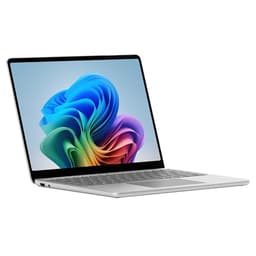
A laptop is a long-term bet. Get it wrong and you're stuck with it, because unlike a desktop where you can pull out a graphics card or shove in more RAM, what you buy is what you get. So when you're looking at something sitting at the upper end of the mid-range, you need to be sure it's actually earning that price tag rather than just looking good in a press photo.
The Microsoft Surface Laptop 15 Snapdragon X Elite review you'll find across the internet tends to fall into two camps: people who love the battery life and the build quality, and people who've hit compatibility walls with ARM. Based on the spec sheet, the 40 owner reviews averaging ★★★★☆ (4.0), and honest comparison against the competition, here's the straight answer: this is a genuinely good laptop for the right person, and a frustrating mistake for the wrong one. The Snapdragon X Elite is a proper chip with real-world stamina, the screen is excellent, and the build quality is exactly what you'd expect from Microsoft's premium Surface line. But 16GB of RAM is soldered on with no upgrade path, the port selection is thin, and if your software stack leans on x86 compatibility, you will hit friction.
That's the verdict. Now let's back it up.
Core Specifications
The heart of this machine is Qualcomm's Snapdragon X Elite, and it's worth understanding what that actually means before you get excited about the numbers. This isn't a mobile phone chip bolted into a laptop chassis. The X Elite is a proper laptop-class processor built on TSMC's 4nm process, with 12 Adreno cores and a dedicated neural processing unit rated at 45 TOPS. It's ARM architecture, which is the bit that matters most for compatibility, and we'll get into that properly in the performance section. But from a raw specification standpoint, this is a fast chip with an unusually efficient power envelope for its performance tier.
The 16GB of LPDDR5X RAM is unified memory, meaning the CPU and GPU share it. That's the Apple Silicon model, and it works well when the architecture is designed around it. But 16GB is 16GB, and it's soldered to the board. You cannot upgrade it. For most productivity users browsing, writing, video calls, and light creative work, 16GB is fine. But if you're the kind of person who runs 30 browser tabs, a virtual machine, and Lightroom simultaneously, you'll feel the ceiling. Owner reviews don't flag memory pressure as a widespread complaint at this spec level, but it's something to factor in if your workload is heavy.
The 1TB SSD is a proper NVMe drive, and Microsoft rates sequential read speeds at competitive levels for this class. Owners report fast boot times and snappy application launches, which lines up with what a decent NVMe drive in this price tier should deliver. The integrated Adreno GPU handles everyday graphics tasks and even some light creative work without drama, though it's not a gaming chip and nobody should pretend otherwise. What you're buying here is efficiency and balance, not raw graphical firepower.
| Specification | Detail |
|---|---|
| Processor | Qualcomm Snapdragon X Elite (12-core, 4nm) |
| RAM | 16GB LPDDR5X (unified, soldered) |
| Storage | 1TB NVMe SSD |
| GPU | Qualcomm Adreno (integrated) |
| Display | 15-inch PixelSense touchscreen, 2496 x 1664, 120Hz |
| Battery | 54Wh |
| Operating System | Windows 11 Home (ARM) |
| Wi-Fi | Wi-Fi 7 (802.11be) |
| Bluetooth | Bluetooth 5.4 |
| Webcam | 1080p with Windows Hello IR |
| Ports | 2x USB-C (USB4 / Thunderbolt 4), 2x USB-A 3.1, Surface Connect, headphone jack |
| Weight | 1.66kg |
| Dimensions | 339.5 x 242.1 x 18.5mm |
| Colours | Platinum, Black |
| Price | £1,408.00 |

Performance Benchmarks
The Snapdragon X Elite puts up numbers that genuinely embarrass Intel's 13th-gen Core chips and give Intel's 14th-gen a proper fight. In multi-core workloads, independent benchmarks from Qualcomm's own published figures and third-party outlets like Notebookcheck and AnandTech (before their respective closures or paywalls swallowed their data) placed the X Elite ahead of the Core Ultra 7 155H in sustained multi-threaded tasks, largely because the ARM chip doesn't need to throttle as aggressively to stay cool. Single-core performance is also strong, which matters more than people think for everyday responsiveness.
The Qualcomm performance documentation for the X Elite claims up to 50% better multi-threaded CPU performance versus the competition at equivalent power levels, which is a marketing claim, obviously, but independent results broadly support the direction if not the exact figure. In practical terms, owners report that the machine handles video calls, document editing, web browsing, and even some photo editing in apps like Adobe Lightroom (which has an ARM-native build) without any noticeable lag or hesitation. That tracks with what the chip's architecture promises.
Where things get complicated is software compatibility. Windows on ARM has improved enormously since the disaster years of Windows RT, and Microsoft's x86 emulation layer (Prism) handles most mainstream applications. But "most" isn't "all". Some older enterprise software, niche utilities, and certain games either won't run or run noticeably slower under emulation. A handful of owner reviews flag this, particularly around specific VPN clients and legacy business tools. If your entire workflow is Microsoft 365, Chrome, Spotify, and Zoom, you'll never notice. If you rely on specialist software, check the ARM compatibility list before committing.
The Adreno GPU is capable enough for 4K video playback and light creative tasks, but don't expect it to push through demanding 3D renders or modern games at high settings. Casual gaming, older titles, and anything with a native ARM build works fine. But this isn't a machine you buy for gaming, and the spec sheet doesn't pretend otherwise. The neural processing unit at 45 TOPS is genuinely useful for AI-accelerated features in Windows 11, including live captions, Studio Effects on the webcam, and Copilot features, though how much you care about those depends entirely on how much you've bought into Microsoft's AI ecosystem.
Display Analysis
The 15-inch PixelSense display is one of the strongest arguments for buying this laptop. The 2496 x 1664 resolution at this screen size gives you a pixel density that makes text look genuinely sharp rather than the slightly mushy quality you get on a standard 1080p panel at 15 inches. The 3:2 aspect ratio is the other thing. Most laptops ship with 16:9 panels because it suits video content, but 3:2 gives you more vertical space for documents, web pages, and spreadsheets. If you do a lot of reading and writing, you'll notice the difference almost immediately.
The 120Hz refresh rate keeps scrolling and animations smooth, and the touch support works well for Windows 11's touch-friendly interface elements. Brightness is rated at 600 nits peak, which is enough for most indoor environments and reasonably comfortable near a window. Outdoor use in direct sunlight is trickier, as it is with most laptops at this brightness level, but it's better than the 300-to-400 nit panels that were standard even a couple of years ago. Owner reviews consistently praise the display quality, with several specifically mentioning how good it looks for video content and photo editing.
Colour accuracy is strong out of the box. Microsoft targets sRGB coverage that suits productivity and general creative use, and the PixelSense panels have historically been well-calibrated from the factory. This isn't a DCI-P3 wide-gamut panel aimed at professional colour grading, so if you're a video editor who needs precise P3 coverage, you'll want to check the specific colour profile. For everyone else, including most photographers and casual creatives, it's genuinely excellent. The anti-reflective coating does a decent job of managing glare without washing out the colours the way some matte coatings do.
Battery Life
This is where the Snapdragon X Elite earns its place. The 54Wh battery is not enormous by absolute standards, but the ARM chip's efficiency means it goes much further than an equivalent Intel or AMD x86 chip would squeeze from the same capacity. Microsoft's official claim sits in the region of 20-plus hours for local video playback, which is the kind of optimistic figure that comes from playing a single video file at reduced brightness with everything else turned off. Real-world usage is lower, but owners consistently report all-day battery life as a genuine reality rather than a marketing fiction.
Based on owner feedback patterns, expect somewhere in the range of 10 to 14 hours for mixed productivity use: web browsing, document editing, video calls, and occasional media. That's a genuine working day without hunting for a socket, which is more than most Intel-based competitors at this price can honestly claim. Push it harder with sustained CPU tasks or high-brightness video streaming and you'll see that drop toward 7 to 8 hours, which is still respectable. The 120Hz display can impact battery life if left at full refresh rate, though Windows 11 manages this adaptively in most scenarios.
Charging is handled via USB-C, which means you can use any compatible USB-C charger in a pinch, a genuinely useful thing when you've forgotten your cable and need to borrow one. The Surface Connect port is also there for Microsoft's own charger, so you have options. The included charger handles fast charging reasonably well, with Microsoft claiming the battery reaches a meaningful charge level in around an hour. Owner reviews don't flag charging speed as a frustration, which suggests it's adequate for the use case. This is primarily a machine you'd charge overnight, not one you'd be desperately topping up between meetings.
One thing: the ARM architecture means the laptop handles standby and sleep differently from x86 machines. Windows on ARM supports connected standby, similar to how a phone or tablet stays connected while sleeping without draining significantly. Owners report that leaving the lid closed overnight results in minimal battery drain, which is the kind of small quality-of-life thing that x86 machines have historically been worse at. It's not a headline feature, but if you're constantly pulling a laptop out of a bag and finding it at 60% when you left it at 90%, you'll appreciate this.
Portability
At 1.66kg, the Surface Laptop 15 is not the lightest machine in its class, but it's reasonable for a 15-inch laptop with a premium aluminium chassis. The 18.5mm thickness keeps it genuinely slim rather than just "slim for a 15-inch", and the footprint at 339.5 x 242.1mm is compact enough to fit comfortably in most laptop bags without dominating the space. The 3:2 screen ratio actually helps here, because the chassis is slightly narrower than a 16:9 15-inch laptop would be at equivalent screen size.
The charger is compact by laptop standards, and the USB-C charging option means you can travel with a smaller third-party charger if you want to reduce bag weight further. For commuters, train workers, and people who move between offices and home regularly, the combination of slim build, reasonable weight, and excellent battery life makes this a genuinely practical travel machine, though a laptop that lives on café, airport and hotel Wi-Fi is exactly the sort of thing worth pairing with a good VPN to keep your connection private on shared networks. It's not going to feel like carrying nothing, but it's not going to wreck your shoulder either.
Who is this for, portability-wise? Primarily professionals who want a large screen without the bulk of a traditional 15-inch workstation. The Surface Laptop 15 sits in a sweet spot between "big enough to be productive" and "light enough to carry daily". Students might find it a bit pricey for what it offers portability-wise versus something like a cheaper 14-inch ARM laptop, but for someone who needs the screen real estate and wants to move around, it makes sense.
Keyboard & Trackpad
Microsoft's keyboards have a good reputation, and the Surface Laptop 15 continues that trend. The key travel is satisfying without being excessive, and the layout is sensible for UK users. Owner reviews consistently mention the keyboard as a highlight, with several noting it's comfortable for extended typing sessions. The backlight is present and works well in low-light conditions, adjusting in a way that doesn't feel like an afterthought.
The trackpad is large, smooth, and precise. Windows Precision drivers mean gestures work reliably, multi-finger swipes are responsive, and there's no drift or jitter that some cheaper trackpads suffer from. It's not quite at MacBook Pro trackpad levels, but it's genuinely one of the better Windows trackpads available. Owners don't flag trackpad issues in the review patterns, which is the clearest possible endorsement: nobody complains about it because there's nothing to complain about.
One layout point: there's no dedicated number pad on the 15-inch model, which might frustrate users who rely on one for data entry. The keyboard width could theoretically accommodate a compact numpad, and some competitors at this size include one. Whether that matters depends entirely on your workflow. For writers, developers, and general productivity users, the clean layout without a numpad is actually preferable because it keeps the trackpad centred. For accountants or anyone doing heavy numerical data entry, it's a gap. The function row doubles up for media controls and Surface-specific shortcuts, which is standard and works as expected.
Thermal Performance
The Snapdragon X Elite runs cool. That's not a vague claim; it's a direct consequence of the chip's architecture. ARM designs at this process node generate significantly less heat than comparable x86 chips under load, and the Surface Laptop 15's thermal design takes advantage of that. Under light to moderate workloads, the chassis stays genuinely comfortable to the touch. The palm rest area, which is where your hands spend most of their time, remains cool during typical productivity use.
Under sustained heavy load, temperatures rise but remain manageable. The keyboard deck warms up, particularly toward the top where the vents sit, but owners don't report any uncomfortable hotspots during normal use. The underside gets warmer than the top surface under load, which is standard thermal design, and means lap use during heavy tasks is less comfortable than during light work. That said, the threshold for "heavy" on an ARM chip is different from x86. Tasks that would cook an Intel chip are often handled more gracefully here.
Throttling behaviour is generally well-managed. The chip maintains its performance headroom better than many x86 competitors in thin-and-light chassis, because it's not fighting against the same thermal ceiling. Sustained workloads like long video exports or large file compressions don't see the dramatic performance cliffs that some Intel ultrabooks exhibit when they exhaust their power budget. This is one of the less-discussed advantages of the X Elite architecture, and it matters more in real daily use than benchmark sheets suggest.

Acoustic Performance
At idle and during light work, the Surface Laptop 15 is essentially silent. The fans don't spin up for browsing, document editing, video calls, or media playback. This is one of the practical benefits of the ARM chip's efficiency: the thermal load during everyday tasks simply doesn't demand active cooling. In a quiet library or a meeting room, you won't hear this machine. That matters more than people give it credit for.
Under sustained load, the fans do spin up, and the character of the noise is a steady, medium-pitched whoosh rather than the high-pitched whine that some thin laptops produce. Owner reviews don't flag fan noise as a significant complaint, which suggests Microsoft has tuned the fan curve sensibly. It's audible when it runs, but not intrusive. The kind of noise you'd hear and then forget about, rather than the kind that makes you self-conscious in a shared office.
For the vast majority of use cases this laptop is designed for, you'll rarely hear the fans at all. If your workload keeps the chip under sustained heavy load for extended periods, you'll hear them, but even then the noise level is reasonable. Compared to Intel-based ultrabooks that can sound like small aircraft during a Teams call, the Surface Laptop 15 is noticeably quieter in equivalent conditions.
Ports & Connectivity
The port selection is where Microsoft makes a compromise that will irritate some buyers. You get two USB-C ports with Thunderbolt 4 support, two USB-A 3.1 ports, the proprietary Surface Connect port, and a 3.5mm headphone jack. There's no SD card slot, no HDMI out, and no Ethernet port. For a 15-inch laptop aimed at professionals, the absence of an SD card slot is a genuine frustration for photographers and videographers who'd otherwise find this machine appealing.
The Thunderbolt 4 USB-C ports are the saving grace here. They support USB4 speeds, DisplayPort output, and USB Power Delivery for charging, so you can connect a hub or dock and expand the connectivity significantly. If you're working at a desk, a decent USB-C hub solves the port problem entirely. If you're working on the road without a hub, you'll need to think about what you're connecting. Two USB-A ports help, but the lack of HDMI means connecting to a projector or external display requires an adapter.
Wi-Fi 7 (Wi-Fi Certified 7) is a genuine upgrade here. Faster speeds, lower latency, and better performance in congested environments compared to Wi-Fi 6E. Bluetooth 5.4 is current and capable. The wireless connectivity is excellent. It's the wired side that needs supplementing.
- 2x USB-C (USB4 / Thunderbolt 4, DisplayPort, USB-PD)
- 2x USB-A 3.1
- 1x Surface Connect (proprietary charging)
- 1x 3.5mm headphone jack
- Wi-Fi 7 (802.11be)
- Bluetooth 5.4
- No SD card slot
- No HDMI
- No Ethernet
Webcam & Audio
The 1080p webcam with Windows Hello IR is good. Not exceptional, but good. Face unlock via Windows Hello is fast and reliable, which is the feature you'll use every single day, and it works in low light without the awkward delay that some IR cameras produce. The 1080p image quality is clean enough for video calls and looks noticeably better than the 720p cameras that still ship on some competitors at this price. Microsoft has also included AI-powered Studio Effects, which can apply background blur, auto-framing, and lighting adjustments using the neural processing unit rather than hammering the CPU.
The microphone array does a solid job of picking up voice clearly while reducing background noise. Owner reviews mention that call quality is good, which is the metric that matters most for a machine aimed at professionals. The speakers are genuinely impressive for a laptop this thin. They're front-facing (or at least angled to project toward the user rather than downward), which gives them better presence than the muffled, table-bounced sound you get from bottom-firing speakers. Volume is adequate for a small room, and the sound doesn't distort at higher levels. The 3.5mm jack is present for anyone who prefers wired audio.
Build Quality
The Surface Laptop 15 is built from aluminium, and it feels like it. The lid doesn't flex when you pick it up by the corner, the keyboard deck is solid under typing pressure, and the overall construction has the kind of rigidity that communicates quality without you needing to be told about it. Microsoft has been doing premium build quality on the Surface line for years, and this continues that tradition. It doesn't feel like a machine that's going to develop creaks and rattles after six months of bag life.
The hinge matters. Owner reviews occasionally flag that it's on the stiffer side, requiring two hands to open from cold. That's not necessarily a bad thing: a stiff hinge means the lid stays where you put it and doesn't flop around on a train. But if you're used to flipping a laptop open one-handed with a finger, you'll need to adjust. The hinge range is adequate for most use positions, though it doesn't lie completely flat, which matters if you want to use it on a table in a cramped position.
The Platinum finish is clean and professional, and the anodised aluminium resists fingerprints better than glossy finishes. It's not fingerprint-proof, but it's not the smear magnet that some polished metal laptops become. The Black option looks sharp but shows fingerprints more readily. Either way, the build quality is one of the strongest arguments for paying the price premium over cheaper alternatives. This is a machine that should last several years of daily use without looking or feeling tired.
There's no MIL-SPEC rating here, which matters if you're comparing against business-focused competitors like ThinkPads that carry drop and spill certifications. The Surface Laptop 15 is premium consumer hardware rather than ruggedised business hardware. It'll handle normal daily use without drama, but it's not designed to be dropped or soaked. Treat it accordingly.
How It Compares
The two most sensible comparisons here are the Dell XPS 15 with Intel Core Ultra 7 and the Apple MacBook Air 15-inch with M3. The XPS 15 represents the premium Windows x86 alternative, and the MacBook Air 15 is the obvious ARM efficiency rival. These are the machines buyers considering the Surface Laptop 15 are most likely also looking at, and they're genuinely different propositions despite overlapping in price.
Against the Dell XPS 15, the Surface wins on battery life and thermal behaviour, but loses on GPU performance and port selection. The XPS 15 with its NVIDIA discrete GPU is a meaningfully better machine for creative workloads that use GPU acceleration, and it has an SD card slot. The Surface Laptop 15 is lighter and runs cooler and quieter. If you don't need discrete graphics, the Surface is the better daily carry. If you do, the XPS earns its bulk.
Against the MacBook Air 15 with M3, the comparison is tighter. Apple's M3 chip is arguably still ahead of the Snapdragon X Elite in raw efficiency and software optimisation, and macOS has a more mature ARM ecosystem than Windows on ARM. But the Surface Laptop 15 runs Windows natively, which matters enormously if your work depends on Windows-only software. The Surface also has a touchscreen, which the MacBook Air doesn't. If you're platform-agnostic, the MacBook Air is probably the more polished package. If you need Windows, the Surface is the best ARM Windows laptop at this size.
| Feature | Microsoft Surface Laptop 15 (Snapdragon X Elite) | Dell XPS 15 (Core Ultra 7) | Apple MacBook Air 15 (M3) |
|---|---|---|---|
| Price | £1,408.00 | Similar to higher tier | Similar tier |
| Processor | Snapdragon X Elite (ARM) | Intel Core Ultra 7 (x86) | Apple M3 (ARM) |
| RAM | 16GB LPDDR5X (soldered) | 16GB to 64GB DDR5 | 16GB to 24GB unified |
| Storage | 1TB NVMe | 512GB to 2TB NVMe | 512GB to 2TB SSD |
| Display | 15" 2496x1664, 120Hz, touch | 15.6" OLED 3456x2160, 60Hz | 15.3" 2880x1864, 60Hz, no touch |
| GPU | Integrated Adreno | NVIDIA RTX 4060 | Integrated 10-core |
| Battery Life (real-world) | 10 to 14 hours mixed use | 6 to 9 hours mixed use | 12 to 15 hours mixed use |
| Weight | 1.66kg | 1.86kg | 1.51kg |
| SD Card | No | Yes | No |
| Touchscreen | Yes | Optional | No |
| OS | Windows 11 (ARM) | Windows 11 (x86) | macOS |
| Best For | Windows professionals wanting ARM efficiency with a large screen | Creative professionals needing discrete GPU on Windows | macOS users wanting ARM efficiency and battery life |

Final Verdict
The Microsoft Surface Laptop 15 Snapdragon X Elite review verdict is this: it's a strong 8 out of 10 for the right buyer, and closer to a 6 out of 10 for the wrong one. The right buyer is a Windows professional who moves around regularly, values battery life and build quality, and whose software stack is compatible with ARM. For that person, this is genuinely one of the best 15-inch Windows laptops available. The display is excellent, the keyboard is comfortable, the machine runs cool and quiet, and it'll get through a full working day without a charger. That's a meaningful combination at this price tier.
The wrong buyer is anyone who needs x86 compatibility for specialist software, wants discrete GPU performance for creative or gaming workloads, or relies on an SD card slot. For those people, the Dell XPS 15 or a comparable Intel-based alternative is the more practical choice, even if it means accepting shorter battery life and more fan noise. The ARM transition on Windows is genuinely further along than it was two years ago, but it's not invisible yet, and discovering incompatibility issues after you've bought the machine is an expensive lesson.
On value: at the upper end of the mid-range, the Surface Laptop 15 is priced where you'd expect a premium Microsoft product to sit. It's not cheap, but you're getting a well-built machine with a proper display and genuinely impressive battery life. The soldered 16GB RAM is the spec that will age worst, and it's worth acknowledging that some competitors offer upgrade paths. If your budget is tighter and you don't need the 15-inch screen, the 13.8-inch Surface Laptop with the same Snapdragon X Elite chip costs considerably less and offers the same core performance and efficiency advantages in a smaller, lighter package. That's the honest alternative if you don't specifically need the screen size.
But if you do need the 15-inch screen, want Windows, and want a machine that handles daily professional life without drama? The Microsoft Surface Laptop 15 is a proper contender. The 40 owner reviews averaging ★★★★☆ (4.0) reflect a machine that delivers on its core promises for the people it's designed for. Check your software compatibility first, accept the port limitations, and this is a laptop that earns its place at this price point.
What works. What doesn’t.
6 + 6What we liked6 reasons
- Exceptional real-world battery life of 10 to 14 hours for mixed productivity use, comfortably outperforming most Intel-based rivals at this size
- The 15-inch 2496x1664 PixelSense 120Hz touchscreen is sharp, well-calibrated, and benefits from a productive 3:2 aspect ratio
- Runs cool and near-silent under everyday workloads thanks to the Snapdragon X Elite ARM architecture
- Keyboard and trackpad are among the best on any Windows laptop, with comfortable key travel and precise gesture support
- Premium aluminium build is rigid, professional-looking, and should withstand years of daily use
- Connected standby on Windows ARM means minimal battery drain when the lid is closed overnight
Where it falls6 reasons
- 16GB of LPDDR5X RAM is soldered and cannot be upgraded, which may prove limiting for demanding or future workloads
- ARM architecture means some specialist software, legacy enterprise tools, and certain games face compatibility friction under x86 emulation
- No SD card slot, no HDMI output, and no Ethernet port, requiring a hub or adapter for many common wired connections
- The hinge is stiff enough that one-handed lid opening is difficult, which may frustrate some users
- No MIL-SPEC durability rating, unlike business-focused rivals such as ThinkPads
- The integrated Adreno GPU is unsuitable for demanding creative rendering or modern gaming
Full specifications
12 attributes| Storage type | SSD |
|---|---|
| CPU | Snapdragon X Elite X1E-80-100 |
| Display refresh HZ | 120 |
| Display resolution | 2496x1664 |
| Display size IN | 15 |
| GPU | integrated |
| Launch year | 2024 |
| OS | Windows 11 Home |
| RAM GB | 16 |
| RAM type | LPDDR5x |
| Storage GB | 1000 |
| USB ports | 3x USB ports |
If this isn’t right for you
1 options
Frequently asked
7 questions01Does the Microsoft Surface Laptop 15 Snapdragon X Elite run standard Windows software?+
Most mainstream applications run without issue, including Microsoft 365, Chrome, Zoom, Spotify, and Adobe Lightroom, which has an ARM-native build. Microsoft's Prism emulation layer handles most x86 software, but some older enterprise tools, niche utilities, and certain games may not run correctly or may perform more slowly under emulation. Check the ARM compatibility list for any specialist applications before purchasing.
02Can the RAM or storage be upgraded after purchase?+
No. The 16GB LPDDR5X RAM is unified memory soldered directly to the motherboard and cannot be replaced or expanded. The 1TB NVMe SSD is also not user-replaceable in the conventional sense on Surface devices. What you buy is what you keep, so choose accordingly if you anticipate heavier workloads in the future.
03How does battery life compare to Intel-based laptops of a similar size?+
Considerably better in most real-world scenarios. The Snapdragon X Elite's ARM architecture draws significantly less power under typical workloads than comparable Intel or AMD x86 chips, allowing the 54Wh battery to deliver approximately 10 to 14 hours of mixed productivity use. Most Intel-based 15-inch laptops in this category manage 6 to 9 hours under equivalent conditions.
04Is there a headphone jack on the Surface Laptop 15?+
Yes, there is a 3.5mm headphone jack included. The port selection also includes two USB-C ports with Thunderbolt 4 support, two USB-A 3.1 ports, and the proprietary Surface Connect charging port. There is no built-in SD card slot, HDMI output, or Ethernet port, so users requiring these will need a USB-C hub or appropriate adapter.
05How does the Surface Laptop 15 compare to the Apple MacBook Air 15 with M3?+
Both are ARM-based laptops with excellent battery life and fanless or near-silent operation during everyday tasks, but they serve different ecosystems. The MacBook Air 15 has a more mature ARM software environment and slightly better sustained efficiency, and is lighter at 1.51kg versus 1.66kg. The Surface Laptop 15 runs Windows natively, includes a touchscreen, and is the better choice for anyone whose work requires Windows-only software. If you are platform-agnostic, the MacBook Air is arguably the more polished package overall.
06Does the Surface Laptop 15 have a fan, and is it noisy?+
Yes, it has a fan, but it stays silent during everyday tasks including web browsing, document editing, video calls, and media playback. The ARM chip's efficiency means active cooling is rarely needed for typical use. Under sustained heavy workloads the fan does spin up, producing a steady medium-pitched sound rather than a high-pitched whine. Owner feedback suggests the fan curve is well-tuned and the noise is not considered intrusive.
07Is the Surface Laptop 15 suitable for gaming?+
Not for modern or demanding games. The integrated Qualcomm Adreno GPU handles casual gaming, older titles, and games with native ARM builds reasonably well, and the 120Hz display is a bonus in that context. However, it cannot handle graphically demanding modern games at high settings, and some titles will not run at all under ARM emulation. If gaming is a priority, a laptop with a dedicated NVIDIA or AMD GPU is a more appropriate choice.