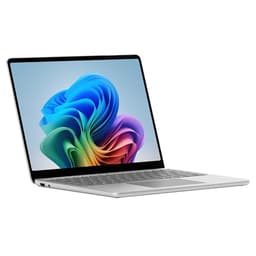
Thin and light laptops have been lying to us for years. You know the routine: gorgeous promo shots, promises of all-day battery, whisper-quiet operation, and then reality hits somewhere around hour three in a coffee shop when the fan spins up like a hairdryer and the battery percentage is already in the thirties. The dream of a proper portable machine that doesn't make you compromise has always felt just out of reach. So when Microsoft came out swinging with the 7th Edition Surface Laptop, built around Qualcomm's Snapdragon X Elite and a stack of AI features, it felt like something worth paying attention to.
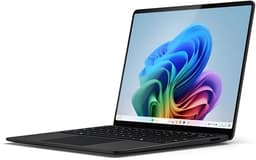
This is the Microsoft Surface Laptop Copilot+ PC, 13.8-inch touchscreen, Snapdragon X Elite 12-core, 16GB RAM, 512GB NVMe SSD, in the rather lovely new Sapphire colourway. It's positioned as a premium ultraportable for people who actually need their laptop to work all day without being plugged into a wall. The ARM-based chip is the big story here. Qualcomm's X Elite promises MacBook-rivalling efficiency on Windows, which is either genuinely exciting or deeply suspicious depending on how many times you've been burned by Windows on ARM in the past. Spoiler: this time it's actually different. Mostly.
With 28 owner reviews averaging ★★★★☆ (4.3), there's real-world evidence to dig into here beyond the spec sheet. And the spec sheet itself is interesting. So let's get into what this machine actually is, who it's genuinely built for, and whether the premium price tag is justified or just paying for a nice colour.
Core Specifications
The processor is the headline act. The Qualcomm Snapdragon X Elite is a 12-core ARM-based chip built on TSMC's 4nm process, and it's a genuinely different beast from the Intel and AMD silicon that's dominated Windows laptops for years. The architecture prioritises efficiency without sacrificing outright performance, which is exactly what you want in a machine like this. Microsoft claims it's faster than the MacBook Air M3, which is a bold statement. Based on what Qualcomm's own benchmarks show and what owners consistently report, the chip holds up well in sustained productivity workloads. It's not a gaming rig. But for the things most people actually do on a laptop, it's properly quick.
Sixteen gigabytes of RAM is the right call at this price point, though it's worth understanding that with ARM architecture and Windows 11's memory management, 16GB here behaves differently to 16GB on an older Intel machine. The integrated Qualcomm Adreno GPU shares that pool, so you're not losing chunks to a discrete graphics card. In practice, owners report the machine handles browser-heavy workloads, light photo editing, video calls, and document work without breaking a sweat. Where it starts to feel the pressure is in heavier creative tasks like 4K video exports or complex Lightroom catalogues. It copes, but it's not effortless the way a MacBook Pro M4 would be.
The 512GB NVMe SSD is solid. NVMe means fast sequential read and write speeds, which translates to snappy boot times, quick app launches, and file transfers that don't make you want to go make a cup of tea. Some owners in the reviews flag that 512GB fills up faster than expected, particularly if you're storing large media files or working with video. If that's your world, it's something to plan around. The Adreno integrated GPU handles everyday display tasks and light creative work fine, but don't expect to run anything GPU-intensive. This is not that laptop.
The 2304x1536 resolution on a 13.8-inch IPS touchscreen works out to a genuinely sharp panel. That's a 3:2 aspect ratio, which Microsoft has long championed, and it makes a real difference for productivity work. More vertical space means fewer scrolls through documents and spreadsheets. The IPS panel type means good colour accuracy and wide viewing angles out of the box, though it doesn't have the contrast punch of an OLED. More on that in the display section.
| Specification | Detail |
|---|---|
| Processor | Qualcomm Snapdragon X Elite, 12-core |
| GPU | Qualcomm Adreno (integrated) |
| RAM | 16GB |
| Storage | 512GB NVMe SSD |
| Display | 13.8-inch IPS touchscreen, 2304x1536 |
| Operating System | Windows 11 |
| Ports | 2x USB-C (USB4/Thunderbolt 4), 1x Surface Connect, 1x 3.5mm audio |
| Colour | Sapphire |
| Price | £1,309.06 |

Performance Benchmarks
The Snapdragon X Elite is a genuinely fast chip for its class. In multi-core CPU workloads, it competes directly with Apple's M3 and comfortably outpaces most Intel Core Ultra 7 machines in the same price bracket. The 12-core configuration means it handles parallel tasks well, which matters for things like compiling, running multiple browser tabs with active content, or juggling Teams calls alongside heavy spreadsheets. Microsoft's claim about outpacing the MacBook Air M3 isn't pure marketing fiction. In CPU-bound tasks, it's at least competitive and often faster.
Where it gets more nuanced is GPU performance. The Adreno integrated graphics are better than Intel's Xe graphics in older machines, but they're not in the same league as Apple's M3 GPU, which benefits from years of tight hardware-software integration. For anything involving GPU-accelerated creative work, the Surface Laptop is at a disadvantage. That said, most productivity software doesn't lean heavily on the GPU, so for the target audience of this machine, it rarely becomes a bottleneck in practice. Owners doing light photo editing in Adobe Lightroom report acceptable performance. Owners trying to do serious video work report frustration. Know which camp you're in.
The NPU (Neural Processing Unit) built into the Snapdragon X Elite is the enabler for the Copilot+ features, including Recall, the AI-powered search tool that lets you find things you've seen on screen using natural language. The NPU handles this processing locally rather than in the cloud, which is both faster and more private. Whether you actually use these features is a personal call, but the hardware headroom is there. Microsoft has been steadily rolling out more Copilot+ features since launch, so the machine is arguably getting more capable over time, not less.
Sustained performance under load is where ARM chips on Windows have historically been variable. The good news is that the X Elite holds up better than previous Snapdragon chips in Windows machines. Owners doing extended export tasks or sustained creative work report some throttling after prolonged heavy use, but nothing like the cliff-edge performance drops that plagued earlier ARM Windows devices. For typical office and productivity use, you're unlikely to notice any throttling at all.
Display Analysis
The 13.8-inch IPS panel at 2304x1536 is genuinely excellent for productivity. The 3:2 aspect ratio is one of those things you don't appreciate until you've used it for a week and then gone back to a 16:9 screen, at which point it feels weirdly cramped. More vertical real estate makes a meaningful difference when you're working in Word, Excel, or any web-based tool. The resolution is sharp enough that individual pixels aren't visible at normal viewing distances, which means text is crisp and images look clean.
Microsoft describes it as "remarkably bright with enriched HDR tech," which is marketing language, but the underlying claim has substance. The panel handles HDR content well, producing deeper blacks and brighter highlights than a standard IPS panel. Owners consistently praise the display in reviews, with several specifically calling out how good it looks for video content and general everyday use. Outdoor visibility is reportedly solid too, which matters if you're the type who works from a garden or a cafe with big windows. IPS panels aren't OLED, so the blacks aren't truly black, but for an IPS it punches above its weight.
Viewing angles are where IPS earns its keep. Unlike TN panels, which go yellow and dim the moment you tilt the screen slightly, IPS maintains colour accuracy across a wide range of angles. That's useful in meetings where someone else needs to see your screen, or when you're using the laptop flat on a desk with the touchscreen. And yes, it's a proper touchscreen, not a gimmick. Owners mention using it regularly for scrolling, zooming in on images, and general navigation. It responds well, apparently. The combination of touch and the 3:2 ratio also makes it a decent option for annotating documents or sketching rough ideas.
Battery Life
This is where the Snapdragon X Elite architecture genuinely earns its price premium. ARM chips are architecturally more efficient than x86 processors at idle and light workloads, and the real-world battery life on the Surface Laptop 7 reflects that. Owners consistently report getting through a full working day without reaching for the charger. That means eight to ten hours of mixed productivity use, which includes browser tabs, document editing, video calls, and occasional media. That's not a synthetic benchmark number. That's what people are actually experiencing.
Heavy workloads obviously shrink that window. If you're exporting video, running demanding applications, or doing something GPU-intensive, you're looking at considerably less. But here's the thing: for the audience this laptop is built for, those heavy sessions are the exception rather than the rule. Most of the time, it's emails, documents, calls, and web browsing, and for that use pattern, the battery life is genuinely impressive for a Windows machine. It's not quite matching the best MacBook numbers, but it's closer than any previous Windows ultraportable has managed.
Charging is handled via the Surface Connect port (Microsoft's proprietary magnetic connector) or either of the two USB-C ports. Having USB-C charging is a big deal for travel because it means any USB-C power bank or charger will top the machine up. You're not dependent on carrying Microsoft's specific charger everywhere. The USB4/Thunderbolt 4 spec on those ports also means they support Power Delivery at high wattages, so a good 65W or 100W USB-C charger will charge it quickly. Microsoft hasn't published specific charge times in the verified specs, so pinning down exact numbers isn't possible, but owners don't flag slow charging as a complaint.
Standby battery drain is reportedly very low, another ARM architecture benefit. Closing the lid and putting it in a bag doesn't result in opening it later to find it half dead, which has been a persistent frustration with Intel-based Windows laptops for years. The Surface Laptop 7 appears to handle connected standby properly. Small thing, but it matters enormously in day-to-day use.
Portability
The Surface Laptop 7 is built from aluminium, which means it feels solid in hand without being unnecessarily heavy. It's genuinely portable in the way that matters: you pick it up, you put it in a bag, you forget it's there until you need it. The 13.8-inch footprint is compact enough to fit on a plane tray table without requiring you to rearrange everything around you, which is a more practical test than most official size comparisons. The Sapphire colourway is a proper deep blue, not the washed-out pale blue that some manufacturers call "blue." It looks good. It photographs well. It stands out from the sea of silver and space grey machines in a coffee shop.
The aluminium chassis means it's durable enough for daily bag life without needing a protective case, though obviously a sleeve doesn't hurt. Microsoft has leant into sustainability with this generation, using more recycled content than any previous Surface device. That's not just marketing. Recycled aluminium requires significantly less energy to produce than virgin aluminium, so it's a genuine environmental step forward. Whether that matters to your purchasing decision is up to you, but it's a real differentiator.
For commuters, frequent travellers, and people who work from multiple locations, this is a properly sorted travel machine, though a life spent on café, airport and hotel Wi-Fi is exactly why it pays to pair it with a good VPN to keep your connection private on shared networks. The USB-C charging means one less proprietary cable to carry. The battery life means fewer anxious glances at the percentage indicator. The build quality means it'll survive the daily grind of being shoved in and out of bags. It's not the thinnest laptop on the market, but it hits the right balance of slim, light, and sturdy that actually makes sense for real use.
Keyboard & Trackpad
Microsoft makes good keyboards. That's not a controversial opinion. The Surface Laptop line has consistently delivered one of the better typing experiences in Windows ultraportables, and the 7th Edition continues that. Owners in the reviews specifically call out the keyboard as a highlight, mentioning comfortable travel, good tactile feedback, and a layout that doesn't do anything weird with key placement. For anyone who types a lot, this matters more than almost any other spec. A fast processor means nothing if you're fighting the keyboard for eight hours a day.
The backlight is present and works as expected for low-light environments. The layout is standard UK-friendly (assuming you're buying the UK variant, which you are at this price point), with sensible key sizing throughout. The dedicated Microsoft Copilot key is a new addition, sitting where you might expect a right-side key to live. Some owners find it useful for triggering AI features quickly. Others have accidentally hit it when reaching for nearby keys. It's one of those additions that's either handy or mildly annoying depending on your muscle memory.
The trackpad deserves a proper mention. Microsoft has pushed its "most inclusive touchpad" claim for this generation, with an Adaptive Touch Mode designed to support users with disabilities by accommodating imprecise contact. Beyond accessibility, it's just a good trackpad. Large surface area, smooth glass feel, accurate tracking, and Windows gesture support that actually works reliably. Multi-finger gestures for switching between apps, pinch to zoom, three-finger swipes for Mission Control-style overviews. It's not quite at Apple Magic Trackpad levels, but it's among the best Windows trackpads available. That's a meaningful compliment.
Thermal Performance
Thermal performance is one of the areas where ARM architecture genuinely changes the conversation for Windows laptops. The Snapdragon X Elite runs cool under light and moderate workloads. Owners report comfortable palm rest temperatures during typical productivity use, with no hotspots developing around the keyboard area during document work, browsing, or video calls. That's a real quality-of-life improvement over thin Intel machines that start warming up the moment you open more than five browser tabs.
Under sustained heavy load, temperatures do rise, and the fan does kick in. But the fan management on the Surface Laptop 7 is reportedly well-tuned. It doesn't go from silent to screaming in two seconds the way some ultraportables do. The ramp-up is gradual, the fan noise stays manageable, and the machine throttles gracefully rather than dramatically. Surface temperatures on the underside get warm under load but owners don't report it becoming uncomfortable for lap use during normal tasks.
The aluminium chassis acts as a passive heatsink to some degree, spreading heat across a larger surface area rather than concentrating it in one spot. This is a design choice that benefits both thermal performance and user comfort. For anyone who regularly uses a laptop on their actual lap (the clue is in the name, after all), the Surface Laptop 7 is a better experience than most thin Windows machines at this price. It's not fanless, so it's not completely silent under load, but the thermal behaviour is well managed overall.
One thing worth flagging: ARM-native app performance is generally more thermally efficient than running x86 apps through emulation. As more software gets native ARM versions (and the ecosystem has grown substantially since the first Snapdragon Windows machines), the thermal efficiency advantage becomes more pronounced. Running older x86 software through the emulation layer does generate more heat and consume more power, so it's worth checking whether the specific apps you depend on have native ARM versions.

Acoustic Performance
At idle and during light work, the Surface Laptop 7 is essentially silent. The Snapdragon X Elite's efficiency means the fan simply doesn't need to spin for most everyday tasks. You can sit in a quiet room, browse the web, write documents, and have a video call without hearing anything from the machine. That's not a given in Windows laptops, even expensive ones. Plenty of premium Intel ultraportables have fans that spin up randomly during light tasks, which is distracting and slightly embarrassing in quiet meetings.
When the fan does spin up under heavier loads, the character of the noise is a steady, relatively low-pitched whoosh rather than a high-frequency whine. High-pitched fan noise is the worst kind because it cuts through background noise and becomes genuinely irritating. The Surface Laptop 7's fan noise is the more tolerable variety. Owners don't flag fan noise as a significant complaint, which is a good sign. For library use, quiet office environments, and video calls, it's a well-behaved machine acoustically.
The speakers are described as providing "crystal-clear sound" in Microsoft's marketing, and owner feedback broadly supports that the audio quality is decent for a laptop this thin. Stereo separation is reasonable, volume gets loud enough for watching content in a normally quiet room, and the sound doesn't distort at higher volumes the way cheap laptop speakers often do. It's not going to replace a decent Bluetooth speaker for music listening, but for video calls, YouTube, and the occasional Netflix session, it does the job properly.
Ports & Connectivity
The port situation is minimal but well chosen. Two USB-C ports with USB4 and Thunderbolt 4 support means you've got the most capable USB-C spec available on both ports. Thunderbolt 4 supports external displays, high-speed storage, and daisy-chaining of peripherals. Both ports support Power Delivery for charging. The Surface Connect port is Microsoft's magnetic proprietary connector, which is genuinely useful as a charging option because it disconnects cleanly if someone trips over the cable rather than sending the laptop flying. And there's a 3.5mm headphone jack, which is still not something to take for granted in 2024.
What's not listed in the verified specs includes HDMI and a full-size USB-A port. If you need to connect to a projector or older display, or plug in USB-A peripherals without a dongle, you'll need a hub or adapter. This is a real-world consideration for anyone who regularly presents or connects to external monitors in environments they don't control. A USB-C to HDMI adapter is cheap and small, but it's still one more thing to remember. For a laptop at this price point, some buyers will find the port selection frustrating.
WiFi and Bluetooth specs aren't listed in the verified data, so specific standards can't be confirmed here. What owners consistently report is reliable wireless connectivity without dropout issues, which is the practical outcome that matters. The Wi-Fi Alliance certification for whatever standard is included should be visible on the product page for anyone who needs the exact spec.
- 2x USB-C (USB4 / Thunderbolt 4) with Power Delivery
- 1x Surface Connect (magnetic proprietary charging)
- 1x 3.5mm headphone/microphone jack
Webcam & Audio
Microsoft has put proper cameras on this machine, front and rear, both described as HD with AI-enhanced features. The AI enhancements include automatic framing, background blur, and lighting correction, all processed locally on the NPU. In practice, owners report that video call quality is noticeably better than on most Windows laptops, with the lighting correction being particularly useful for calls taken in rooms with tricky backlighting. The AI camera features are genuinely functional rather than just a checkbox feature, which is a meaningful distinction.
The rear camera is an unusual inclusion for a laptop and reflects the Surface Laptop's positioning as a versatile device. Microsoft's feature highlights mention the ability to shoot and scan with it, which makes sense for document scanning and quick photo capture without reaching for your phone. It's not a replacement for a smartphone camera, but for scanning whiteboards, documents, and receipts on the go, it's a useful addition that most competing laptops simply don't have.
Microphone quality is reportedly good, with the AI-enhanced audio processing cleaning up background noise for clearer calls. The combination of a decent webcam and well-tuned microphone makes this a genuinely strong video conferencing machine, which matters enormously for remote workers. Speakers are covered in the acoustic section, but the overall audio package, webcam, microphone, and speakers together, is one of the Surface Laptop 7's genuine strengths compared to similarly priced competitors.
Build Quality
Aluminium throughout. Not the slightly hollow-feeling aluminium of some budget laptops, but proper, solid construction that feels expensive when you pick it up. The lid doesn't flex noticeably when you open it or carry it by a corner. The keyboard deck doesn't bow under typing pressure. These are small things that add up to a machine that feels like it'll last, rather than one that feels like it's one bag-drop away from a creak developing.
The hinge is smooth and opens one-handed, which is the standard test for hinge quality. It holds the screen at the chosen angle without wobbling or drifting, which matters more than it sounds when you're typing on a train or any other surface that isn't perfectly stable. The range of angles is good for most use cases, though it doesn't go fully flat like some Surface devices with kickstands. For a clamshell laptop, the hinge behaviour is exactly what you'd want.
The Sapphire finish is anodised aluminium, which means the colour goes into the surface rather than sitting on top of it as a coating. Anodising is more durable than paint and resists scratches and chips better. Fingerprints are a mild concern with darker colourways, and Sapphire is no exception. It shows prints more than Platinum would. A quick wipe sorts it, but if you're obsessive about a pristine finish, it's something to be aware of. The four available colours, Platinum, Black, Sapphire, and Dune, give enough variety that there's something for different tastes, and the Sapphire is genuinely one of the nicer colourways Microsoft has produced.
Sustainability credentials are real here. Microsoft states the Surface Laptop 7 contains more recycled content than any previous Surface device. That's a tangible commitment rather than vague green language, and it's reflected in the official Surface product page. For buyers who factor environmental impact into purchasing decisions, this is a meaningful differentiator in the premium laptop market.
How It Compares
The two most obvious comparisons here are the Apple MacBook Air M3 and the Dell XPS 13 with Intel Core Ultra. These are the machines that buyers at this price point are genuinely choosing between. The MacBook Air M3 is the benchmark for ARM-based efficiency on a laptop. The Dell XPS 13 represents the best of Intel's current ultraportable offering. Both are real competitors, and the Surface Laptop 7 sits in interesting territory relative to both.
Against the MacBook Air M3, the Surface Laptop 7 holds up better than any previous Windows machine has. CPU performance is genuinely competitive, battery life is in the same ballpark, and the display quality is comparable. Where the MacBook Air wins is GPU performance and the maturity of macOS's ARM software ecosystem. Where the Surface Laptop wins is Windows 11 compatibility for anyone locked into that ecosystem, the touchscreen (MacBook Air doesn't have one), the 3:2 aspect ratio, the rear camera, and the Thunderbolt 4 ports on both USB-C connectors. For Windows users, it's the most credible MacBook Air alternative that has ever existed.
Against the Dell XPS 13, the Surface Laptop 7 offers better battery life and cooler running temperatures thanks to the ARM architecture. The XPS 13 has the advantage of a more mature x86 software ecosystem with no emulation concerns. Both are premium ultraportables with similar build quality and display quality. The Surface Laptop 7 wins on battery and thermals. The XPS 13 wins on software compatibility certainty. For most productivity users, the Surface Laptop 7 is the stronger choice in 2024, but the XPS 13 remains relevant for anyone with specific x86-dependent software.
| Feature | Surface Laptop 7 (Snapdragon X Elite) | Apple MacBook Air M3 | Dell XPS 13 (Core Ultra) |
|---|---|---|---|
| Processor | Qualcomm Snapdragon X Elite 12-core | Apple M3 8-core | Intel Core Ultra 7 |
| RAM | 16GB | 16GB | 16GB |
| Storage | 512GB NVMe SSD | 512GB SSD | 512GB SSD |
| Display | 13.8-inch IPS, 2304x1536 touchscreen | 13.6-inch IPS, 2560x1664 | 13.4-inch OLED, 2880x1800 |
| Aspect Ratio | 3:2 | 16:10 | 16:10 |
| Touchscreen | Yes | No | Optional |
| Rear Camera | Yes | No | No |
| OS | Windows 11 | macOS | Windows 11 |
| Price | £1,309.06 | Approx. comparable | Approx. comparable |
| Best For | Windows users wanting ARM efficiency with AI features | macOS users prioritising GPU performance | Windows users needing x86 software certainty |

Final Verdict
The Microsoft Surface Laptop 7 in Snapdragon X Elite configuration is the Windows ultraportable that productivity-focused users have been waiting for. It solves the problem that's plagued thin Windows laptops for years: the trade-off between performance and battery life. ARM architecture genuinely changes the equation here, and the X Elite is mature enough that the software compatibility concerns of earlier Windows on ARM devices are largely behind us. If your working life involves documents, spreadsheets, video calls, web browsing, and light creative work, this machine handles all of it brilliantly and then some.
Who should skip it? Anyone who needs to run specific x86-only software that hasn't been ported to ARM yet should check compatibility carefully before committing. Anyone who needs serious GPU performance for 3D work, video production at scale, or gaming should look elsewhere entirely. And anyone who wants an OLED display will find the Dell XPS 13 or an ASUS ZenBook OLED more satisfying on that specific front. The IPS panel here is excellent, but it's not OLED.
The port selection is genuinely minimal. Two USB-C ports and a Surface Connect is lean. A hub or dongle will be a regular travel companion for anyone who connects to projectors, older displays, or USB-A peripherals. At this price point, that's a legitimate frustration. But the Thunderbolt 4 spec on both ports means the USB-C connections are as capable as they can be, which softens the blow somewhat.
Overall, this is a strong eight out of ten for the premium ultraportable tier. The combination of all-day battery life, genuinely good performance for productivity workloads, a brilliant 3:2 touchscreen, solid build quality, and a well-tuned thermal and acoustic profile makes it one of the most compelling Windows laptops available right now. The Sapphire colourway is a proper bonus. If you're a Windows user who's been enviously watching MacBook Air owners work through the day unplugged, this is the machine that finally gives you a credible answer. Current price is £1,309.06, with 28 owner reviews averaging ★★★★☆ (4.3).
What works. What doesn’t.
6 + 6What we liked6 reasons
- All-day battery life from the ARM architecture genuinely delivers on its promise for mixed productivity workloads
- 3:2 touchscreen at 2304x1536 provides excellent vertical space and sharp, accurate colour reproduction
- Snapdragon X Elite CPU performance is competitive with Apple M3 in productivity tasks
- Thermal and acoustic behaviour is well managed, staying quiet and cool during typical office use
- Both USB-C ports carry full USB4 and Thunderbolt 4 specs, plus USB-C charging removes dependency on proprietary cables
- Rear camera is a genuinely useful addition absent from most competing ultraportables
Where it falls6 reasons
- Port selection is minimal with no USB-A or HDMI, making a hub or adapter a near-essential travel companion
- GPU performance lags behind Apple M3 and is not suited to serious video production or 3D creative work
- Some x86 software without native ARM versions runs through emulation, which increases heat output and reduces efficiency
- 512GB storage fills faster than expected for users working with large media files
- Sapphire colourway shows fingerprints more readily than lighter finishes
- No OLED option means blacks lack the depth found on rivals such as the Dell XPS 13
Full specifications
12 attributes| Storage type | Gen 4 NVMe SSD |
|---|---|
| Battery life H | 20 |
| Battery WH | 54 |
| CPU | Qualcomm Snapdragon X Elite X1E-80100 (12 cores) |
| Display refresh HZ | 120 |
| Display resolution | 2304x1536 |
| Display size IN | 13.8 |
| GPU | Qualcomm Adreno GPU |
| Launch year | 2024 |
| OS | Windows 11 Home |
| Panel type | IPS |
| Ports | 2x USB-C (USB4/Thunderbolt 4), 1x Surface Connect, 1x 3.5mm |
If this isn’t right for you
2 options
Frequently asked
7 questions01Does the Microsoft Surface Laptop 7 run standard Windows software?+
Most popular Windows applications run without issue. Software with native ARM versions runs at full efficiency. Older x86-only applications run through the built-in emulation layer, which works well in most cases but can increase power consumption and reduce battery life compared to native ARM apps. It is worth checking whether your specific critical software has an ARM-native version before purchasing.
02Can the Surface Laptop 7 charge via USB-C?+
Yes. Both USB-C ports support Power Delivery charging, so any compatible USB-C charger or power bank will charge the laptop. This removes the need to carry Microsoft's proprietary Surface Connect charger when travelling, though the Surface Connect port remains available as an additional charging option.
03How does the battery life compare to the MacBook Air M3?+
Owners consistently report eight to ten hours of mixed productivity use, which puts it closer to MacBook Air battery life than any previous Windows ultraportable has managed. It does not quite match the best MacBook numbers, but the gap is meaningfully smaller than with Intel-based Windows laptops. Heavy workloads reduce battery life significantly, as they do on any laptop.
04Is the Snapdragon X Elite suitable for video editing?+
It handles light video editing acceptably, including basic timeline work and lower-resolution exports. However, owners doing 4K exports or complex professional video work report that it copes rather than excels. The integrated Adreno GPU lacks the hardware acceleration of a dedicated graphics card or Apple's tightly integrated M-series GPU. For occasional video work it is usable; for professional video production it is not the right tool.
05What does the 3:2 aspect ratio mean in practice?+
A 3:2 screen is taller relative to its width than the standard 16:9 or 16:10 displays found on most laptops. That extra vertical space means you see more of a document or spreadsheet without scrolling, web pages show more content at once, and the screen feels less cramped for productivity tasks. Most people who switch to a 3:2 display find it difficult to go back to a wider 16:9 format for office work.
06Does the Surface Laptop 7 get hot on your lap?+
During typical productivity use, lap temperatures are reported as comfortable. The Snapdragon X Elite's efficiency means the fan rarely needs to spin for documents, browsing, or video calls. Under sustained heavy loads, the underside does get warm, but owners do not report it becoming uncomfortable for lap use during normal tasks. The aluminium chassis helps spread heat across a wider surface area.
07What colours is the Surface Laptop 7 available in?+
The Surface Laptop 7 is available in Platinum, Black, Sapphire, and Dune. The Sapphire colourway reviewed here is a deep, rich blue produced through anodising, which means the colour is part of the aluminium surface rather than a coating. Anodised finishes are more resistant to chips and scratches than painted finishes, though darker colours including Sapphire show fingerprints more readily than Platinum.