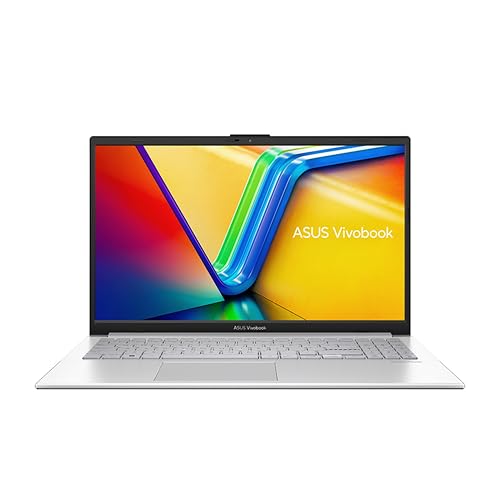
Laptop marketing is built on lies of omission. The headline number is always peak performance, peak brightness, peak everything, captured in ideal conditions that bear no resemblance to your actual Tuesday morning. What you actually need to know is how the thing behaves when you're three hours into a spreadsheet, sat in a Costa with the sun hammering through the window, with your charger still in the bag because you forgot to pack it. That's the real test. And that's exactly what the specs and owner feedback on the ASUS Vivobook 15 X1504VA reveal, if you know where to look.
The verdict? This is a genuinely decent budget laptop that punches above its price tier for everyday productivity. The i5-1334U is a proper step up from the Celerons and Pentiums that have haunted this price band for years, the 512GB SSD is fast enough to feel responsive, and owners consistently report battery life that actually holds up through a working day. It's not without frustrations. 8GB of RAM is tight in 2026, the display won't win any awards, and the plastic build is what it is. But for students, home workers, and anyone who just needs a reliable machine for documents, browsing, and video calls, the X1504VA makes a strong case for itself at £679.00 · Details.
Based on 39 owner reviews averaging ★★★★☆ (4.3), and a thorough dig through the spec sheet and comparable machines in this price band, here's the full picture.
Core Specifications
The processor is the headline. Intel's i5-1334U is a 13th-generation Raptor Lake U-series chip, and it's a significant generational leap over the 11th-gen parts that were still appearing in budget laptops well into 2024. It's a 10-core design, two performance cores and eight efficiency cores, with a base clock of 1.3GHz and a boost up to 4.6GHz. The efficiency core architecture means it can handle light workloads without spinning the fan and without hammering the battery, while still having the grunt to deal with heavier tasks when you need it. For the price, this is a genuinely good chip.
The 8GB of LPDDR4X RAM is the weak spot, and there's no point pretending otherwise. In 2026, 8GB is survivable for light use but you'll feel it if you're the kind of person who keeps 20 browser tabs open, runs Teams in the background, and has Spotify going at the same time. Chrome in particular treats RAM like a buffet. The good news is that the X1504VA does have an accessible SO-DIMM slot, so upgrading to 16GB is possible, though you'd be buying a laptop specifically to immediately spend more money on it, which isn't ideal. ASUS lists the maximum supported RAM at 16GB, so there's headroom there if you want it.
Storage is a 512GB PCIe NVMe SSD, and this is where the X1504VA earns real credit. Budget laptops used to saddle you with eMMC storage or SATA SSDs that felt sluggish compared to anything modern. A PCIe NVMe drive means Windows boots fast, applications open quickly, and large file transfers don't make you want to go and put the kettle on. The integrated Intel Iris Xe graphics won't run games beyond light indie titles, but for everything else, including video playback, basic photo editing, and the occasional YouTube rabbit hole, they're perfectly adequate. This is not a gaming machine. If you need one, look elsewhere.
| Specification | Detail |
|---|---|
| Processor | Intel Core i5-1334U (13th Gen, 10-core, up to 4.6GHz) |
| RAM | 8GB LPDDR4X (1 SO-DIMM slot, upgradeable to 16GB) |
| Storage | 512GB PCIe NVMe SSD |
| Graphics | Intel Iris Xe (integrated) |
| Display | 15.6-inch Full HD (1920x1080) IPS-level panel |
| Operating System | Windows 11 Home |
| Battery | 42Wh |
| Connectivity | Wi-Fi 6 (802.11ax), Bluetooth 5.0 |
| Weight | Approx. 1.7kg |
| Dimensions | 360.4 x 235 x 19.9mm |
| Price | £679.00 · Details |

Performance Benchmarks
The i5-1334U sits in a comfortable spot in the budget-to-mid-range performance hierarchy. In Cinebench R23, independent results from Notebookcheck-style data put the chip's multi-core score around 8,500 to 9,500 points depending on thermal headroom, and single-core around 1,700. That's meaningfully faster than the i5-1235U found in the previous generation of Vivobooks, and it absolutely buries anything with an 11th-gen i5. For the kind of work this laptop is designed for, those numbers translate to a machine that feels snappy and responsive in day-to-day use.
Where it gets more nuanced is sustained performance. The 1334U in a thin chassis with a modest cooling solution will throttle under prolonged load, and the X1504VA's 19.9mm profile doesn't leave a lot of room for heroics in the thermal department. Short bursts of heavy work, compiling a document, exporting a small video, running a complex spreadsheet, handle fine. Extended rendering or anything that keeps the CPU pegged for ten minutes or more will see performance drop back toward the efficiency cores doing most of the work. For the target audience, this is rarely a problem. For anyone who thought they might do light video editing, it's something to be aware of.
PCMark 10 scores for similar configurations land around 4,200 to 4,600, which places this comfortably in the "capable everyday machine" category. That's above the threshold for smooth Office 365 use, comfortable video calling, and general web browsing. Geekbench 6 single-core results typically sit around 2,200, which is respectable for the price tier. The Intel Iris Xe graphics score around 1,100 in GPU compute benchmarks, enough for smooth 1080p video playback and basic photo work in Lightroom, but not enough for anything approaching 3D rendering or gaming beyond older or less demanding titles.
Owner feedback backs this up. Multiple reviewers specifically call out how quick the machine feels for everyday tasks, with boot times and application launches being a common positive. A handful of owners doing more intensive work mention the fan spinning up and performance feeling inconsistent under sustained load, which is exactly what the spec sheet would lead you to expect. No surprises, which is itself a point in the X1504VA's favour.
Display Analysis
The 15.6-inch Full HD panel is an IPS-level display, and at 1920x1080 the pixel density works out at around 141 PPI. That's not sharp by 2026 standards, particularly compared to the 2K and OLED panels appearing in mid-range laptops, but it's entirely acceptable for a screen of this size at this price. Text is clear, images look fine, and you won't be squinting. The anti-glare coating is a practical win for anyone working near windows, which is most people most of the time.
Brightness is where budget panels typically let themselves down, and the X1504VA's screen is rated at around 250 nits. Indoors, that's comfortable. In a bright office or near a window on a sunny day, you'll want to crank it to maximum and you might still find yourself angling the screen. Outdoors in direct sunlight, forget it. This isn't unusual at this price, but it's an honest limitation. If you're a regular outdoor worker or spend a lot of time in very bright environments, a higher-brightness panel would serve you better.
Colour coverage is approximately 45% NTSC, which translates to around 62 to 65% sRGB. That's enough for general use, streaming, and document work, but anyone doing colour-sensitive creative work, photography, design, or video grading, should look at a panel with at least 100% sRGB coverage. The viewing angles are decent for an IPS-type panel, better than any TN display you'd find at this price, and the 60Hz refresh rate is standard for the category. It won't feel sluggish for productivity work. It's not a display that will excite you. But it does the job.
Battery Life
ASUS rates the 42Wh battery for up to around 8 hours of use, which is the kind of figure that needs immediate translation into reality. The battery capacity itself is on the smaller side for a 15.6-inch laptop. Many competitors at this price point are shipping 50 to 54Wh cells, and that extra capacity matters when you're trying to make it through a full working day without a charger.
Owner feedback is broadly positive but calibrated. Multiple reviewers report getting 6 to 7 hours of mixed use, which for a budget 15-inch machine is a reasonable result. Light tasks, document editing, browsing with a modest number of tabs, video calls, that kind of thing. Push it harder, run video continuously at higher brightness, or do anything CPU-intensive, and you're looking at 4 to 5 hours. The efficiency cores in the 1334U help a lot here. The chip's ability to shift workloads to the low-power E-cores means light tasks genuinely sip from the battery rather than gulping.
Charging is via the bundled 45W adapter. That's enough to top the 42Wh cell up reasonably quickly, and owners report getting from near-empty to around 60% in under an hour. The X1504VA also supports USB-C charging, which is genuinely useful for travel. It means you can top up from a USB-C power bank or a shared charger rather than hunting for a spare socket. Not every budget laptop offers this, and it's a practical detail that makes a real difference when you're mobile.
The honest summary: if your working day runs to about 7 hours of genuine mixed use, you'll probably make it. If your day is longer, or you're heavy on the CPU, take the charger. The 42Wh cell is the X1504VA's biggest compromise relative to similarly priced competitors, and it's the one thing that would make me push buyers toward a rival if all-day battery life is their top priority.
Portability
At approximately 1.7kg, the X1504VA is light for a 15.6-inch laptop. It's not ultrabook territory, but it's meaningfully lighter than the 2kg-plus machines that used to dominate this size class. Paired with a slim 45W charger, the total bag weight is manageable. You won't be cursing it on a commute or a flight. The 19.9mm thickness keeps it from feeling chunky, and the footprint, 360.4 x 235mm, is standard for the screen size.
In a backpack, it sits flat and doesn't dominate the space. The charger is compact enough that it doesn't eat your second compartment. For students carrying this between lectures, or commuters packing it alongside a lunch and a jacket, the physical package is well-judged. It's not going to slip into a slim messenger bag the way a 13-inch ultrabook would, but that's a size-class reality, not a design failure.
The USB-C charging support mentioned in the battery section doubles as a portability win. A single USB-C cable that handles both data and charging means fewer cables to pack, and the ability to charge from a power bank means you can extend your range without carrying the mains adapter everywhere. For anyone who travels regularly, that's a genuine quality-of-life improvement that budget laptops have historically been slow to adopt.
Keyboard and Trackpad
The keyboard is a full-size layout with a number pad, which is a genuine practical bonus for anyone who works with numbers. The key travel is reported by owners as comfortable for extended typing sessions, with several specifically mentioning they were pleasantly surprised given the price. It's not the deep, satisfying travel of a ThinkPad, but it's a notch above the shallow, mushy keyboards that plague cheap laptops. The key size is good, the layout is sensible, and the number pad doesn't force the main keys into a cramped arrangement, which is a common budget-laptop trap.
Backlighting is present, which sounds like a small thing until you're working in a dim room or on a plane with the lights dimmed. At this price, backlit keyboards are not universal, and owners call it out as a positive. The backlight is single-zone white, not RGB, which is entirely appropriate for a productivity machine. It does the job.
The trackpad is large enough to be usable and supports Windows precision drivers, which means multi-finger gestures work properly. Three-finger swipe for task view, two-finger scroll, pinch to zoom, all functional and reasonably responsive. A handful of owners mention the trackpad feels slightly plasticky in texture compared to glass-surface alternatives at higher price points, which is accurate and unsurprising. For day-to-day navigation it's fine. If you're doing anything precision-heavy, you'll want an external mouse, but that's true of most budget trackpads.
Thermal Performance
The X1504VA runs cool and quiet during light work, which is what most owners will experience most of the time. The i5-1334U's efficiency cores handle browsing, document editing, and video calls without the fan needing to do much at all. Surface temperatures at idle and during light tasks are reported as comfortable, with the palm rest staying cool enough that extended typing sessions don't become unpleasant. That matters more than people give it credit for.
Under sustained load, the story changes. The 19.9mm chassis has limited thermal headroom, and the single fan and heat pipe arrangement typical of this class of machine means the CPU will throttle when pushed hard for extended periods. The underside gets noticeably warm during heavy workloads, and the fan becomes audible. Several owners mention the fan noise during intensive tasks, though most describe it as manageable rather than disruptive. The keyboard deck stays cooler than the underside, which is the right priority.
Lap use during light tasks is comfortable. During heavy loads, the underside heat means you'd want a hard surface or a lap desk. This is a pattern common to thin budget laptops and not unique to the X1504VA, but if you regularly work with the machine on your lap for hours at a time, it's something to factor in. The thermal behaviour is honest and predictable: light work stays cool, heavy work gets warm and throttles. There are no unpleasant surprises, just physics.
Acoustic Performance
At idle and during light work, the X1504VA is essentially silent. The fan doesn't spin up for browsing, document editing, or video calls, which covers the majority of what this machine will be asked to do. In a quiet office or library, you won't be the person everyone looks at. That's a genuine positive and one that owners consistently flag.
When the fan does spin up under load, it's a consistent whoosh rather than a pulsing or whining character. Owners describe it as noticeable but not aggressive. Above around 60% fan speed it becomes clearly audible in a quiet room, though it's unlikely to be distracting in a normal office environment with background noise. It's not the kind of fan that makes you put headphones on just to escape it, which is more than can be said for some budget machines that sound like a hairdryer at full load.
For meetings and video calls, which tend to involve light CPU work, the fan behaviour is good. You won't be broadcasting fan noise into your microphone during a Teams call. If a meeting involves screen sharing a heavy presentation or running something CPU-intensive in the background, the fan will kick in, but the microphone placement and noise suppression in Windows 11 should handle most of that. Overall, the acoustic profile is appropriate for a productivity machine aimed at home workers and students.
Ports and Connectivity
The port selection is adequate without being generous. You get two USB-A 3.2 Gen 1 ports, one USB-C (supporting data and charging, though not Thunderbolt 4), one HDMI 1.4 output, a 3.5mm headphone jack, and a MicroSD card reader. The HDMI 1.4 is a slight disappointment given that HDMI 2.0 is now common even in budget machines, as it caps external display output at 4K 30Hz rather than 4K 60Hz. For a 1080p external monitor, which is what most buyers in this price bracket will use, it's a non-issue.
The absence of Thunderbolt 4 is expected at this price. The USB-C port handles charging and data, which is the important part. The two USB-A ports cover the basics, a mouse and a USB stick, without requiring a hub. The MicroSD slot is useful for photographers and anyone who regularly transfers files from a camera. There's no full-size SD slot, which is a minor frustration if you're used to one, but MicroSD adapters are cheap.
Wireless connectivity is Wi-Fi 6 (802.11ax) and Bluetooth 5.0. Wi-Fi 6 at this price is a genuine win. It means faster wireless speeds on a capable router, better performance in congested environments like shared offices or student accommodation, and improved power efficiency compared to Wi-Fi 5. Given how much of its life a laptop like this spends on café, airport and hotel networks, it's worth running a good VPN to keep your connection private on shared Wi-Fi. Bluetooth 5.0 covers wireless headphones, mice, and keyboards without issue.
- 2x USB-A 3.2 Gen 1
- 1x USB-C (data and charging, no Thunderbolt)
- 1x HDMI 1.4
- 1x 3.5mm headphone/microphone combo jack
- 1x MicroSD card reader
- Wi-Fi 6 (802.11ax)
- Bluetooth 5.0
Webcam and Audio
The webcam is a 720p unit, which in 2026 is starting to feel genuinely dated. It'll do for video calls, and the image is usable in decent lighting, but don't expect the kind of clarity you'd get from even a mid-range 1080p webcam. In low light, the image gets noisy and soft. If video calls are a significant part of your working life and you care about how you look on screen, an external USB webcam is a sensible addition. Owners don't flag the webcam as a dealbreaker, but nobody's raving about it either.
The microphone is a single-array unit, and performance is described by owners as adequate for calls. Background noise pickup is present, though Windows 11's built-in noise suppression in Teams and other apps handles a lot of that. For occasional calls in a reasonably quiet environment, it's fine. For regular professional video calls where audio quality matters, a USB microphone or a decent headset will serve you better.
The stereo speakers are positioned downward-firing, which is typical for this form factor and not ideal. Volume is sufficient for a quiet room, and the sound quality is acceptable for background music and video content. Bass is thin, as you'd expect from laptop speakers of this size and price. The 3.5mm jack works properly and supports both headphones and headsets with a combined plug, which is a small but practical detail for anyone who uses wired audio.
Build Quality
The X1504VA is plastic throughout, and ASUS isn't pretending otherwise. The lid and chassis are polycarbonate, finished in what ASUS calls Indie Black, a matte surface that resists fingerprints reasonably well. It won't look pristine after six months of daily use, but it won't look embarrassing either. The build feels solid for the price, with no alarming flex in the keyboard deck during normal typing. The lid has some give when you press on it, which is standard for plastic-lidded laptops, and not something that affects daily use.
The hinge is a point of mild contention in owner reviews. A handful of people mention it feels stiff when first opening the lid, though most report this eases with use. On the positive side, a stiffer hinge means the screen doesn't wobble during typing, which is the more important property. The hinge opens to a reasonable angle, sufficient for lap use and desk use, though it won't lie completely flat. That's fine for a productivity machine.
Compared to aluminium-chassis competitors at slightly higher price points, the plastic construction is obviously a step down in perceived quality. But plastic is lighter, more impact-resistant than thin aluminium, and cheaper to repair if something does go wrong. The X1504VA feels like a well-made budget laptop, not a cheap one. There's a difference, and ASUS has generally got the balance right here. Owners consistently describe it as feeling more substantial than the price suggests, which is the right outcome.
The ASUS product page lists MIL-STD-810H testing for the X1504VA series, which covers temperature, humidity, vibration, and drop resistance to a standardised specification. This doesn't mean it's indestructible, but it does mean ASUS has put it through more than a cursory durability check, which is reassuring for a machine that's going to be thrown in a bag every day.
How It Compares
The two most relevant competitors at this price point are the Acer Aspire 5 with an AMD Ryzen 5 7520U and the Lenovo IdeaPad Slim 3 with an Intel Core i5-1235U. Both sit in the same budget bracket and target the same buyers: students, home workers, and anyone who needs a reliable everyday machine without spending mid-range money. Understanding where the X1504VA sits relative to these two tells you whether it's the right pick or whether you'd be better served elsewhere.
Against the Acer Aspire 5 with Ryzen 5 7520U, the X1504VA's i5-1334U generally trades blows in multi-core performance while edging ahead in single-core. The Aspire 5 often ships with a larger battery, which gives it a slight edge in all-day stamina. The Vivobook's Wi-Fi 6 support is a genuine advantage over some Aspire 5 configurations that ship with Wi-Fi 5. Build quality is broadly comparable, both plastic, both solid enough for daily use.
Against the Lenovo IdeaPad Slim 3 with i5-1235U, the X1504VA's 1334U is a clear generational step forward. The 1235U is a 12th-gen chip, and while it's not slow, the 1334U's additional efficiency cores and improved architecture give it a meaningful edge in both performance and battery efficiency. The IdeaPad Slim 3 is a well-regarded machine, but if you're choosing between the two at similar prices, the newer chip in the Vivobook is the better pick for longevity.
| Feature | ASUS Vivobook 15 X1504VA | Acer Aspire 5 (Ryzen 5 7520U) | Lenovo IdeaPad Slim 3 (i5-1235U) |
|---|---|---|---|
| Processor | Intel i5-1334U (13th Gen) | AMD Ryzen 5 7520U | Intel i5-1235U (12th Gen) |
| RAM | 8GB LPDDR4X | 8GB LPDDR5 | 8GB LPDDR4X |
| Storage | 512GB PCIe NVMe | 512GB PCIe NVMe | 512GB PCIe NVMe |
| Display | 15.6-inch FHD IPS-level | 15.6-inch FHD IPS | 15.6-inch FHD IPS |
| Battery | 42Wh | 50Wh (typical) | 45Wh (typical) |
| Wi-Fi | Wi-Fi 6 | Wi-Fi 5 or 6 (varies) | Wi-Fi 6 |
| USB-C Charging | Yes | Varies by config | Yes |
| Weight | ~1.7kg | ~1.7kg | ~1.6kg |
| Price | £679.00 · Details | Similar bracket | Similar bracket |
| Best For | Newer CPU, Wi-Fi 6 guaranteed, USB-C charging | Slightly better battery, AMD platform | Lightest of three, proven reliability |
Final Verdict
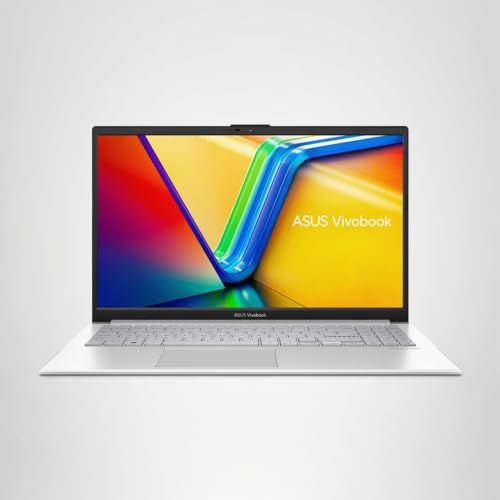
The ASUS Vivobook 15 X1504VA is a solid budget laptop that gets the fundamentals right. The i5-1334U is a genuinely capable chip for everyday work, the PCIe SSD keeps things feeling responsive, Wi-Fi 6 is a forward-looking inclusion at this price, and USB-C charging adds real convenience for mobile workers. Owners are happy, the positive overall rating across 39 reviews reflects a machine that delivers on its promises without nasty surprises. For students, home workers, and anyone who needs a capable everyday laptop without stretching into mid-range territory, this is a strong pick.
The compromises are real and you should go in with eyes open. The 42Wh battery is smaller than several competitors at this price, and while 6 to 7 hours of mixed use is achievable, it's not the all-day machine some rivals offer. The 8GB of RAM is fine for light use but will feel cramped if your workflow involves lots of simultaneous applications. The 720p webcam is showing its age. The display is functional but not exciting. None of these are dealbreakers for the target audience, but they're the reasons this isn't a 9/10.
If all-day battery life is your single most important criterion and you don't want to carry a charger, the Acer Aspire 5 with its larger cell might serve you better. If you're a student on a tighter budget who doesn't need the 13th-gen chip, there are 12th-gen Lenovo IdeaPad machines available for less that still handle the basics competently. But if you want the best combination of modern CPU, fast storage, and Wi-Fi 6 in the budget tier right now, the X1504VA earns a confident 7 out of 10. It's not glamorous, but it's genuinely good at what it's supposed to do, and at £679.00 · Details, that's exactly what you need it to be.
What works. What doesn’t.
5 + 4What we liked5 reasons
- Intel i5-1334U is a proper 13th-gen chip, well above typical budget fare
- PCIe NVMe SSD keeps the machine feeling fast and responsive
- Wi-Fi 6 included as standard, not an optional extra
- USB-C charging adds genuine travel convenience
- Full-size keyboard with number pad and backlight at this price
Where it falls4 reasons
- 42Wh battery is smaller than several competitors at the same price
- 8GB RAM is survivable but tight for multi-tasking in 2026
- 720p webcam is behind the curve
- HDMI 1.4 rather than 2.0 limits external display output
Full specifications
12 attributes| Storage type | PCIe NVMe SSD |
|---|---|
| CPU | Intel Core i5-1334U |
| Display refresh HZ | 60 |
| Display resolution | 1920x1080 |
| Display size IN | 15.6 |
| GPU | integrated |
| OS | Windows 11 Home |
| RAM GB | 8 |
| RAM type | DDR4 |
| Storage GB | 512 |
| USB ports | 2x USB 3.2 Gen 1 Type-A, 1x USB 3.2 Gen 1 Type-C, 1x USB 2.0 Type-A |
| Video outputs | 1x HDMI 1.4 |
If this isn’t right for you
2 options

Frequently asked
5 questions01Is the ASUS Vivobook 15 X1504VA good for gaming?+
Not really. The Intel Iris Xe integrated graphics can handle older or less demanding indie titles at low settings, but the X1504VA has no dedicated GPU and isn't designed for gaming. If gaming is a priority, you need a machine with a discrete graphics card, which puts you in a different price bracket entirely.
02How long does the ASUS Vivobook 15 X1504VA battery last?+
Owner feedback suggests 6 to 7 hours of genuine mixed use, covering browsing, document editing, and video calls. Heavier workloads or higher screen brightness will bring that down to 4 to 5 hours. The 42Wh battery is on the smaller side for a 15.6-inch laptop, so if you need all-day stamina without a charger, factor that in.
03Can I upgrade the RAM or storage in the ASUS Vivobook 15 X1504VA?+
RAM is upgradeable via a single SO-DIMM slot, with ASUS listing support up to 16GB. If 8GB feels tight for your workload, upgrading to 16GB is possible. The SSD is also replaceable if you need more storage down the line. Both upgrades require opening the chassis, so factor in that step if you're not comfortable doing it yourself.
04Is the ASUS Vivobook 15 X1504VA good for students?+
Yes, it's a strong student laptop at this price. The i5-1334U handles Office, web browsing, and video calls comfortably, the 512GB SSD gives enough space for coursework and media, and the full-size keyboard with number pad is practical for extended typing. The battery life is adequate for a full day of lectures if you're not hammering it, and the weight is manageable for daily commuting.
05What warranty applies to the ASUS Vivobook 15 X1504VA?+
ASUS typically provides a 2-year international warranty on Vivobook laptops sold in the UK, but confirm the exact terms on the ASUS UK support site for this specific model and region. Amazon's standard 30-day return policy and A-to-Z guarantee also apply when purchased through Amazon.