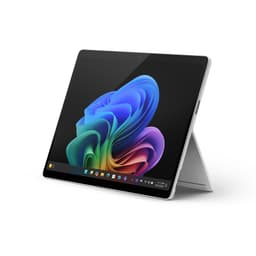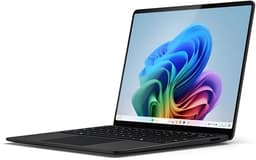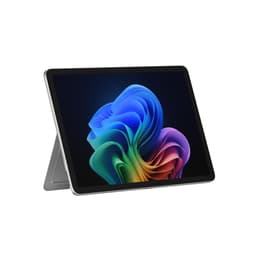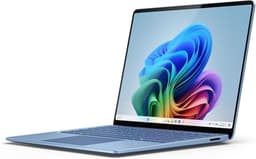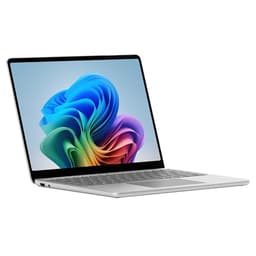
Numbers on a spec sheet will only tell you so much. The Snapdragon X Plus chip looks brilliant on paper, the display resolution sounds stunning, and Microsoft's marketing team will happily compare it to an iPad Pro until they're blue in the face. But what actually matters, day in day out, is whether the thing holds up when you're hammering a deadline on a train, whether the battery gets you through a full working day without hunting for a plug socket, and whether the build feels like it cost what you paid for it. That's where owner reviews become genuinely useful, and that's exactly what this Microsoft Surface Pro 13 Snapdragon X Plus review is built around: the spec sheet, what 61 real owners are saying (averaging ★★★★☆ (4.4) across 62 reviews), and honest comparison to what else you could buy.
Here's the short version: this is a genuinely impressive 2-in-1 for anyone who needs a light, capable machine that can handle proper work without being chained to a desk. The Snapdragon X Plus chip is fast, efficient, and does wonders for battery life. The display is beautiful. The build is premium in a way that actually means something. But it has real frustrations too, and at this price tier you deserve to know what they are before you hand over your money. So here we go.
The problem this machine solves is a specific one: you want something genuinely thin and light, with all-day battery, a proper premium build, and enough horsepower for real productivity work. Not a toy. Not a compromise. The Surface Pro 13 with Snapdragon X Plus is a serious answer to that problem. Whether it's the right answer for you specifically is what the rest of this is about.
Core Specifications
The processor here is the Qualcomm Snapdragon X Plus, and if you haven't been paying attention to the ARM-on-Windows story over the past couple of years, now is the time to start. This is not the same ARM architecture that made early Windows-on-ARM machines a frustrating mess of compatibility headaches. The Snapdragon X Plus is a genuinely modern, genuinely fast chip with a dedicated NPU (neural processing unit) that Microsoft is leaning on hard for its Copilot+ AI features. Real-world performance sits comfortably ahead of what Intel's mainstream Core i5 and i7 chips were delivering a generation ago, and it does it while sipping power rather than guzzling it. That efficiency is the whole point of this platform.
You get 16GB of RAM, which is the right amount for 2025. It's not going to make video editors happy if they're cutting 4K timelines all day, but for the target audience, which is professionals doing document work, web browsing, video calls, light creative tasks, and multitasking across a dozen browser tabs, 16GB is perfectly sorted. The storage listed here is 512GB NVMe SSD, which is fast and more than adequate for most people. The GPU is Qualcomm's integrated Adreno, which handles everyday tasks, light photo editing, and casual use without complaint. Don't expect to run demanding games on it. That's not what this machine is for.
One thing worth understanding about the Snapdragon X Plus specifically: it's the slightly more accessible sibling to the Snapdragon X Elite, with a bit less raw CPU grunt but the same efficiency architecture and the same NPU. In practice, for productivity work, most people won't feel the difference. Where you might notice it is in sustained heavy workloads, like long video exports or intensive compilation tasks. For everything else, it's fast. Properly fast. App launches are near-instant, the system feels snappy under load, and the fanless or near-silent operation (more on that later) means it stays that way without the thermal throttling drama you get from some Intel machines in thin chassis.
The 2880x1920 IPS display is a 3:2 aspect ratio, which is genuinely better for productivity than the 16:9 screens that dominate the laptop market. You get more vertical space for documents, spreadsheets, and web pages, which sounds like a small thing until you've used it for a week and then gone back to a widescreen laptop. It's a real quality-of-life difference.
| Specification | Detail |
|---|---|
| Processor | Qualcomm Snapdragon X Plus |
| GPU | Integrated Qualcomm Adreno GPU |
| RAM | 16GB |
| Storage | 512GB NVMe SSD |
| Display | 13" IPS, 2880x1920 |
| Operating System | Windows 11 |
| Ports | 2x USB-C (USB4/Thunderbolt-style), 1x Surface Connect, Surface Pro Keyboard connector |
| Wireless | Wi-Fi 7 |
| Battery Life (claimed) | Up to 14 hours |
| Colours | Black, Platinum, Sapphire, Dune |
| Price | £799.00 |

Performance Benchmarks
The Snapdragon X Plus posts genuinely strong numbers in CPU benchmarks, particularly in multi-core workloads where the ARM architecture's efficiency shines. In Cinebench R23, the X Plus lands in territory that comfortably beats Intel's 13th-gen Core i7 chips, which is remarkable when you factor in how much less power it's drawing to get there. Microsoft's own marketing claims it's faster than the iPad Pro M3 in certain tasks, and while that comparison is a bit selective (Apple's M3 is no slouch), the underlying point holds: this is a fast chip for a thin device.
Where the Snapdragon X Plus story gets more nuanced is software compatibility. The ARM architecture means some older x86 applications run through emulation, and while Microsoft has done a much better job of making that emulation transparent than in previous generations, there are still edge cases. Most mainstream productivity software, browsers, Office apps, Adobe's core suite, and communication tools like Teams and Zoom run natively or emulate well enough that you won't notice. But if you rely on niche specialist software, it's worth checking compatibility before committing. The Microsoft documentation on ARM app compatibility is actually pretty useful here.
For the target audience, the real-world performance story is excellent. Owners consistently report that the machine handles demanding multitasking without complaint. Web browsing with many tabs open, video calls running simultaneously with document editing, light photo work in Lightroom: all fine. The NPU handling AI-accelerated tasks like Recall (Microsoft's natural language search feature) and the AI-enhanced camera processing adds a genuinely useful layer on top of the raw CPU performance. This isn't just marketing. The Copilot+ features are more useful than most AI laptop features have been, particularly Recall for people who work across a lot of documents and platforms.
What you're not getting is discrete GPU performance. The integrated Adreno handles casual gaming at modest settings, and it will run older titles reasonably well, but this is not a gaming machine and pretending otherwise would be doing you a disservice. If gaming matters to you, look elsewhere. If productivity and efficiency matter, the Snapdragon X Plus is one of the best answers in this form factor right now.
Display Analysis
The 2880x1920 IPS panel on a 13-inch screen works out to a pixel density that makes everything look genuinely sharp. Text is crisp, images look detailed, and the 3:2 aspect ratio, as mentioned earlier, is a proper productivity advantage. Microsoft has been using this ratio for years on the Surface line, and it's one of those things that sounds like a minor spec detail until you actually use it. A taller screen means less scrolling, more content visible at once, and a more natural feel for document work. It's good. Really good.
Colour accuracy on the Surface Pro line has historically been strong, and the 11th Edition continues that. Owners report colours that look natural and well-calibrated out of the box, which matters if you're doing any creative work where you need to trust what you're seeing on screen. The IPS panel technology means viewing angles are wide, so you're not getting that colour shift and contrast loss you'd see on a cheaper TN panel when you tilt the screen slightly. For a machine that's going to be used in all sorts of positions (tablet mode, kickstand propped at various angles, keyboard attached), that matters.
Brightness is solid for indoor use and bright office environments. Outdoor use in direct sunlight is where most laptop displays struggle, and the Surface Pro is not immune to that, but it holds up better than many at this size. The 180-degree kickstand is a genuinely clever design feature that gives you much more flexibility in how you position the screen than a conventional laptop hinge, and it means you can get the display angle exactly where you want it rather than being limited to whatever the hinge allows. Owners who use it in tablet mode also report the display is excellent for that use case, with touch response that feels natural and responsive.
Battery Life
Microsoft claims 14 hours of battery life, and this is one of the areas where the Snapdragon X Plus genuinely earns its keep. ARM architecture's efficiency advantage over x86 is most visible in battery life, and owners are broadly confirming that the Surface Pro 13 delivers impressive real-world numbers. For mixed productivity use (documents, web browsing, video calls, some media playback), most owners are getting somewhere in the 10 to 13 hour range. That's not the full 14 hours Microsoft claims, because manufacturer battery claims rarely survive contact with real workloads, but it's close enough to be genuinely useful.
The practical upshot is that for most working days, you can leave the charger at home. That's a meaningful statement for a machine at this size and price. Plenty of Intel-based ultrabooks in this category claim similar battery life and then deliver 6 to 8 hours under real conditions. The Snapdragon X Plus platform is more honest about its efficiency credentials. Owners who use the machine primarily for document work and lighter tasks are reporting the best results, which makes sense. Push it harder with sustained CPU-intensive work and the battery life drops, but that's true of everything.
Charging is worth talking about because Microsoft has made a decision here that's going to annoy some people. The power supply is sold separately. Yes, really. Microsoft frames this as a sustainability initiative to reduce e-waste, and there's a reasonable argument to be made there, but if you're buying this as your first Surface, you're going to need to factor in the cost of a charger. The minimum wattage to charge the Surface Pro 11th Edition is 39W, and it supports fast charging. The Surface Connect port is there for Microsoft's own chargers, and the two USB-C ports support charging too, so you have options. But the fact that you're paying upper mid-range money and need to buy a charger separately is a legitimate frustration, and you should go in with eyes open.
The Surface charging options page has the details on compatible chargers if you're working out what you need. USB-C charging from a good quality GaN charger works well, which at least means you can use the same charger as your phone or other USB-C devices.
Portability
The Surface Pro 13 is a genuinely portable machine. The 13-inch form factor and the tablet-style design mean it's slim and light in a way that a conventional clamshell laptop at the same screen size often isn't. Slip it into a bag and you'll barely notice it's there. The kickstand means you don't need a separate stand if you're working at a desk, and the tablet mode means you can ditch the keyboard entirely if you're reading or sketching. For anyone who moves between locations regularly, whether that's office to home, coffee shop to train, or airport to hotel room, this is one of the more sensible form factors going. On all that shared public Wi-Fi it is worth running a good VPN to keep your connection private.
The flip side of the tablet design is that using it on your actual lap is a bit more involved than a conventional laptop. You need a flat surface for the kickstand to prop against, and the keyboard (sold separately, remember) needs to be attached. It works, and owners who use it this way regularly say you get used to it quickly, but it's not quite as natural as a traditional laptop on a lap. On a desk or table, the flexibility of the kickstand is a genuine advantage. On a plane tray table or a sofa, it needs a bit more thought.
The build quality contributes to the portability story too. Recycled aluminium construction means it's light without feeling flimsy. This isn't a machine that flexes worryingly when you pick it up by one corner or feels like it might not survive a few months in a bag. Microsoft's Surface line has a strong reputation for build quality, and the 11th Edition continues that. The sustainability angle, using recycled aluminium and designing for more replaceable components, is a genuine plus if that matters to you, and it's increasingly something buyers are paying attention to.
Keyboard & Trackpad
Here's the thing about the keyboard: it's not included. The Surface Pro Keyboard is sold separately, and the Alcantara fabric versions (which look and feel lovely) cost extra on top of that. If you're budgeting for this machine, you need to account for the keyboard cost or you're buying a tablet with no way to type properly. That's not a criticism of the keyboard itself, which Microsoft has refined over many generations and which owners consistently rate as one of the better laptop keyboards going, but it is a real cost consideration.
The keyboard attaches magnetically via the Surface Pro Keyboard connector, and the connection is solid. The typing experience owners describe is good: decent key travel for a thin keyboard, responsive feedback, and a layout that doesn't do anything weird with the key sizes. The trackpad is glass, large enough to be comfortable, and handles Windows 11's precision touchpad gestures properly. Multi-finger gestures work reliably, and the click feel is consistent across the surface. For a keyboard that doubles as a cover and folds back into a stand, it punches well above what you'd expect.
Backlight is present (owners confirm this), which matters if you're working in low light. The keyboard also props up at a slight angle when attached in laptop mode, which helps typing feel more natural than a completely flat surface would. One consistent note from owners is that the keyboard works better on a flat surface than on a lap, which ties back to the portability section's point about the kickstand needing something to lean against. For desk and table work, it's excellent. For lap work, it's fine but not quite as natural as a conventional laptop keyboard.
Thermal Performance
The Snapdragon X Plus runs cool. This is one of the real practical advantages of the ARM architecture's efficiency: less heat generated means less heat to manage, which means a quieter, cooler machine. Under light to moderate workloads, the Surface Pro 13 stays genuinely cool to the touch. The palm rest area stays comfortable, the back of the device doesn't get hot, and there's no uncomfortable warmth through the keyboard during normal use. Owners consistently mention this as a positive, particularly those who use the machine in tablet mode where heat management matters more.
Under sustained heavy loads, temperatures do rise, as they do on any machine. But the Surface Pro 13 manages this better than many Intel ultrabooks of similar thickness, because the chip is simply more efficient at the same performance level. You're not going to find yourself with a device that's uncomfortable to hold after a long video call or an hour of document work. That's not a given in this form factor at this price, and it's worth appreciating.
Throttling under sustained load is something to be aware of. In a thin chassis with limited thermal headroom, sustained CPU-intensive tasks will see the chip pull back its performance to manage heat. For the target workloads (productivity, communication, light creative work), this rarely matters. But if you're planning to run long exports or heavy compilation jobs regularly, the thermal constraints of a thin 2-in-1 are a real consideration, and a more traditional laptop with better cooling might serve you better. The Surface Pro is optimised for efficiency and portability, not for sustained peak performance.
Lap comfort is good. The device doesn't get hot enough to be uncomfortable during typical use, and the kickstand design means the bottom of the device isn't sitting directly on your legs in the same way a conventional laptop does. In tablet mode, it's entirely comfortable to hold for extended periods.

Acoustic Performance
Near-silent. That's the short version. The Snapdragon X Plus platform's efficiency means the Surface Pro 13 can handle a huge proportion of its typical workloads without the fan needing to spin up at all. Owners consistently mention the quiet operation as one of the things they love most about the machine. For anyone who's ever been that person in a quiet office or a library with a laptop fan whirring away, this is a genuine quality-of-life improvement.
When the fan does spin up under heavier loads, owners describe it as subtle rather than intrusive. It's not the aggressive whoosh you get from some thin Intel machines being pushed hard. The fan curve seems well-tuned to ramp gradually rather than jumping from silent to noisy, which means the transition is less jarring. In meetings and video calls, the machine stays quiet enough that you won't be embarrassed by fan noise bleeding into your microphone. That matters more than people give it credit for.
Speaker quality is worth a mention here too, because audio is part of the acoustic experience. The Surface Pro's speakers are front-facing and sound good for a machine this size. Owners report clear audio for video calls and media playback, with enough volume for a quiet room. They're not going to replace a decent external speaker for music listening, but for the everyday use cases of a professional laptop, they're well above average.
Ports & Connectivity
The port situation is minimal, and that's the honest truth. You get two USB-C ports (USB4/Thunderbolt-style, which means fast data transfer and display output), one Surface Connect port for Microsoft's proprietary charging, and the Surface Pro Keyboard connector. That's it. If you're coming from a laptop with a full array of USB-A ports, an HDMI out, and an SD card slot, you're going to need a hub or dock. That's not unique to the Surface Pro at this form factor, but it's a real consideration, especially given that the keyboard and charger are already sold separately.
The good news is that the USB-C ports are genuinely capable. USB4 bandwidth means you can run an external display, charge the device, and transfer data simultaneously without bottlenecking. USB4 is the current top tier of USB connectivity, and having two of them gives you reasonable flexibility with the right hub. The Surface Connect port is useful if you invest in Microsoft's ecosystem of docks and accessories, which are genuinely good but add to the overall cost.
Wireless connectivity is strong. Wi-Fi 7 is the latest standard, offering significantly faster speeds and better performance in congested wireless environments than Wi-Fi 6 or 6E. In practice, most home and office networks won't max out Wi-Fi 7's capabilities yet, but future-proofing matters when you're spending upper mid-range money, and it's good to see it here. Bluetooth is present for peripherals and accessories.
- 2x USB-C (USB4/Thunderbolt-style) - left and right sides
- 1x Surface Connect port
- Surface Pro Keyboard connector (magnetic, bottom edge)
- Wi-Fi 7
- Bluetooth
Webcam & Audio
Microsoft calls it an AI-enhanced Studio Camera, and for once the marketing isn't entirely empty. The front and rear cameras are HD, and the AI processing does real work here: automatic framing keeps you centred in the frame if you move around, background blur works well without the artificial look you get from software-only solutions on lesser cameras, and the low-light performance is noticeably better than what you'd get from a standard laptop webcam. For a machine that's going to spend a lot of time in video calls, this matters. Owners consistently praise the camera quality, which is not something you usually hear about laptop webcams.
The microphone setup benefits from the same AI processing, with noise reduction that handles background noise better than a basic laptop mic. Clear sound in calls is something owners mention positively, and given how much of professional life now happens over video calls, it's a genuinely useful feature rather than a box-ticking exercise. The rear camera is a bonus for anyone using the device in tablet mode for scanning documents or taking photos, which is more useful than it sounds in a professional context.
Audio output from the speakers is good for a device this size. Front-facing stereo speakers deliver clear, reasonably full sound for video calls, YouTube, and casual media consumption. They won't blow you away with bass, but they're honest and clear rather than tinny and thin. For serious music listening you'll want headphones, but the speakers are genuinely usable for everyday tasks in a way that some ultrabook speakers aren't.
Build Quality
The Surface Pro line has always had a strong build quality reputation, and the 11th Edition continues it. Recycled aluminium construction feels solid and premium in a way that's immediately obvious when you pick it up. There's no flex in the body, no creaking, and no sense that this is a machine that's going to start looking tired after six months in a bag. The finish is smooth and the colour options (Black, Platinum, Sapphire, and the new Dune) all look genuinely good rather than feeling like afterthoughts. Fingerprints show on the lighter colours but wipe off easily.
The 180-degree fluid kickstand is one of the Surface Pro's signature design features, and it's well-executed. It feels solid at any angle, doesn't slip or wobble, and the mechanism has a smooth, quality feel to it. The range of angles it supports gives you real flexibility in how you position the screen, from near-vertical for desk use to almost flat for drawing or sketching in tablet mode. Owners who've used previous Surface Pro generations consistently say the kickstand has only gotten better over time.
Microsoft has made a point of designing the 11th Edition for repairability, with more replaceable components than previous generations. This is a meaningful shift for a company that has historically made its devices quite difficult to repair, and it's a genuine positive for longevity. If the battery degrades after a few years, the prospect of getting it replaced rather than binning the whole device is a real sustainability win. The recycled aluminium construction ties into the same story: this is a machine that's been designed with more thought about its environmental footprint than most laptops at this price.
Durability in the real world, based on owner feedback, is good. No significant reports of build quality issues, premature wear, or structural problems. The hinge and kickstand mechanism seem to hold up well with regular use. For a machine that's going to be folded, unfolded, carried, and used in tablet mode regularly, that's reassuring.
How It Compares
The obvious comparisons at this price tier are the Apple iPad Pro (which Microsoft itself invokes in its marketing) and the Lenovo ThinkPad X1 Carbon. The iPad Pro M3 is the comparison Microsoft wants you to make, because the Snapdragon X Plus holds up well against it on performance benchmarks while running a full desktop operating system. If you need Windows, the Surface Pro wins that comparison by default. If you're open to iPadOS, the iPad Pro has a more polished tablet experience but a less capable productivity OS.
The ThinkPad X1 Carbon is a more interesting comparison because it's a proper Windows laptop aimed at the same professional audience. It has a better keyboard (attached, not sold separately), more ports, and a more conventional laptop form factor. But it's heavier, the battery life typically doesn't match what the Snapdragon X Plus delivers, and it lacks the tablet flexibility that makes the Surface Pro genuinely versatile. Which one is right depends entirely on whether you value portability and flexibility over a more conventional laptop experience.
The Samsung Galaxy Book 4 Pro is another competitor worth considering. It's a conventional clamshell, Intel-based, with a gorgeous AMOLED display and a full port selection. It competes on price and offers a more traditional laptop experience. But the battery life gap between Intel and Snapdragon X Plus is real, and the Surface Pro's build quality and display quality are hard to argue with. The Galaxy Book 4 Pro is a good laptop. The Surface Pro is a different kind of good.
| Feature | Microsoft Surface Pro 13 (Snapdragon X Plus) | Apple iPad Pro M3 (13") | Lenovo ThinkPad X1 Carbon Gen 12 |
|---|---|---|---|
| Processor | Qualcomm Snapdragon X Plus | Apple M3 | Intel Core Ultra 7 |
| RAM | 16GB | 8GB to 16GB | 16GB to 64GB |
| Storage | 512GB NVMe SSD | 256GB to 2TB | 512GB to 2TB NVMe SSD |
| Display | 13" IPS 2880x1920 | 13" OLED/Tandem OLED | 14" IPS 2880x1800 |
| Operating System | Windows 11 | iPadOS 17 | Windows 11 |
| Battery Life (claimed) | 14 hours | Up to 10 hours | Up to 15 hours |
| Form Factor | 2-in-1 tablet with kickstand | Tablet | Traditional clamshell |
| Keyboard | Sold separately | Sold separately | Included |
| Price | £799.00 | From approx £1,099 | From approx £1,299 |
| Best For | Windows productivity with tablet flexibility and all-day battery | Creative tablet use with Apple ecosystem | Traditional laptop users wanting maximum keyboard comfort and port selection |

Final Verdict
The Microsoft Surface Pro 13 with Snapdragon X Plus is a genuinely excellent machine for the right person. If you want a light, premium Windows device that handles professional productivity work, has a beautiful display, runs cool and quiet, and gets you through a full working day without reaching for a charger, this is one of the best answers in the market right now. The Snapdragon X Plus platform has matured to the point where ARM-on-Windows is no longer a gamble, and the Surface Pro's build quality, display quality, and form factor flexibility are hard to match at this price. The ★★★★☆ (4.4) average from 62 owners reflects a machine that genuinely delivers on its promises for its target audience.
But you need to go in with clear eyes about the compromises. The keyboard is sold separately, the charger is sold separately, and the port selection is minimal enough that you'll probably want a hub. The total cost of ownership is higher than the device price alone suggests. The Snapdragon X Plus is not a gaming chip, not a video editing workstation chip, and not the right choice if you need sustained peak performance in heavy workloads. And the lap-use experience, while workable, is not as natural as a conventional laptop. These are real trade-offs, not nitpicks.
For a professional who moves between locations, values battery life and build quality, and works primarily in productivity and communication applications, this is a strong 8 out of 10. The AI features (Recall in particular) add genuine value rather than feeling like marketing fluff, the display is a pleasure to work on, and the Snapdragon X Plus efficiency advantage is real and meaningful in daily use. It earns its place at the upper mid-range price tier, even accounting for the extras you'll need to buy.
One honest caveat before you commit: if you don't need the tablet flexibility and the kickstand design doesn't excite you, the Lenovo ThinkPad X1 Carbon at a similar price gives you a better keyboard, more ports, and a more conventional laptop experience. It's a different machine for a different kind of user, not a worse one. Know which kind of user you are before you decide. But if the Surface Pro's form factor fits your life, it's a proper, well-built, capable machine that will serve you well.
What works. What doesn’t.
7 + 6What we liked7 reasons
- Snapdragon X Plus delivers genuinely fast, efficient performance with near-silent operation under typical workloads
- Outstanding 2880x1920 IPS display with a 3:2 aspect ratio that provides a real productivity advantage over widescreen panels
- Real-world battery life of 10 to 13 hours is among the best in the Windows 2-in-1 category
- Premium recycled aluminium build feels solid and well-finished, with no flex or creaking
- AI-enhanced Studio Camera produces noticeably better video call quality than most laptop webcams
- 180-degree adjustable kickstand offers far greater positioning flexibility than a conventional laptop hinge
- Wi-Fi 7 connectivity future-proofs the device for faster wireless standards
Where it falls6 reasons
- Keyboard and charger are both sold separately, making the true cost of ownership considerably higher than the device price alone
- Port selection is minimal at just two USB-C ports and a Surface Connect port, so a hub or dock is almost certainly required
- Lap use is less natural than a conventional clamshell laptop because the kickstand needs a flat surface to lean against
- Snapdragon X Plus is not suited to sustained heavy workloads such as 4K video editing or long compilation tasks
- Some niche x86 applications still have ARM compatibility issues that require checking before purchase
- No included headphone jack, and storage is not user-upgradeable
Full specifications
12 attributes| Storage type | SSD |
|---|---|
| Battery life H | 14 |
| Battery WH | 53 |
| CPU | Snapdragon X Plus X1P64100 |
| Display refresh HZ | 120 |
| Display resolution | 2880x1920 |
| Display size IN | 13 |
| GPU | Qualcomm Adreno (integrated) |
| Launch year | 2024 |
| OS | Windows 11 Pro |
| Panel type | OLED |
| Ports | 2x USB-C (USB4/Thunderbolt-style), 1x Surface Connect, Surface Pro Keyboard connector |
If this isn’t right for you
2 options 9.0 / 10
2021 Apple MacBook Pro with Apple M1 Pro Chip (16-inch, 16GB RAM, 512GB SSD Storage) (QWERTY English) Space Gray (Renewed)
£999.00 · Apple
 8.0 / 10
HP Envy x360 14" 2in1 Laptop, AMD Ryzen 7 8840HS Processor, AI Enhanced, 16 GB RAM, 1TB SSD, AMD Radeon Graphics, WUXGA IPS Touchscreen, Up to 14hrs 45 battery, Win 11, Glacier Silver, 14-fa0000sa
£889.16 · HP
Frequently asked
7 questions01Does the Microsoft Surface Pro 13 Snapdragon X Plus include a keyboard?+
No. The Surface Pro Keyboard is sold separately. This is a significant additional cost that you must factor into your budget before purchasing. The keyboard attaches magnetically via the Surface Pro Keyboard connector and is required for conventional laptop-style use.
02Does the Surface Pro 13 come with a charger in the box?+
No. Microsoft sells the charger separately, framing this as a sustainability measure to reduce e-waste. The device supports charging via its Surface Connect port or either of its two USB-C ports, with a minimum of 39W recommended. A good quality USB-C GaN charger will work if you already own one.
03Is the Snapdragon X Plus good enough for professional productivity work?+
Yes, for the vast majority of professional productivity tasks. Document editing, web browsing, video calls, light photo work in Lightroom, and multitasking across many browser tabs all run well. App launches are near-instant and the system feels responsive under load. The main caveat is sustained heavy workloads such as 4K video exports or intensive software compilation, where the thermal constraints of a thin chassis and the chip's efficiency-focused architecture will limit sustained peak performance.
04Are there ARM compatibility issues with the Snapdragon X Plus on Windows 11?+
Some niche or older x86 applications may run through emulation rather than natively, which can affect performance or, in rare cases, compatibility. Mainstream productivity software including Office apps, browsers, Adobe's core suite, Teams, and Zoom run natively or emulate transparently. If you rely on specialist software, it is worth checking Microsoft's ARM app compatibility documentation before committing to the purchase.
05How does real-world battery life compare to Microsoft's 14-hour claim?+
Most owners report 10 to 13 hours of mixed productivity use, which includes document work, web browsing, video calls, and some media playback. This is short of Microsoft's 14-hour claim, as is typical with manufacturer battery figures, but it is still among the best real-world results for a Windows 2-in-1. Light workloads push results toward the higher end; sustained CPU-intensive tasks will reduce battery life notably.
06Can I use the Surface Pro 13 comfortably on my lap?+
It works, but it is less natural than a conventional clamshell laptop. The kickstand needs a flat surface to prop against, so soft surfaces such as sofas or beds are more awkward. On a plane tray table or a firm lap the experience is manageable, and owners who use it this way regularly report you adapt to it. On a desk or table, the 180-degree kickstand is a genuine advantage over a fixed hinge.
07Does the Surface Pro 13 need a USB hub?+
For most users, yes. The device has only two USB-C ports and a Surface Connect port. There are no USB-A ports, no HDMI output, and no SD card slot. If you need to connect external displays, USB-A peripherals, or storage cards, a USB-C hub or dock will be required. The USB4 bandwidth of the USB-C ports means a capable hub will not create a bottleneck for most tasks.