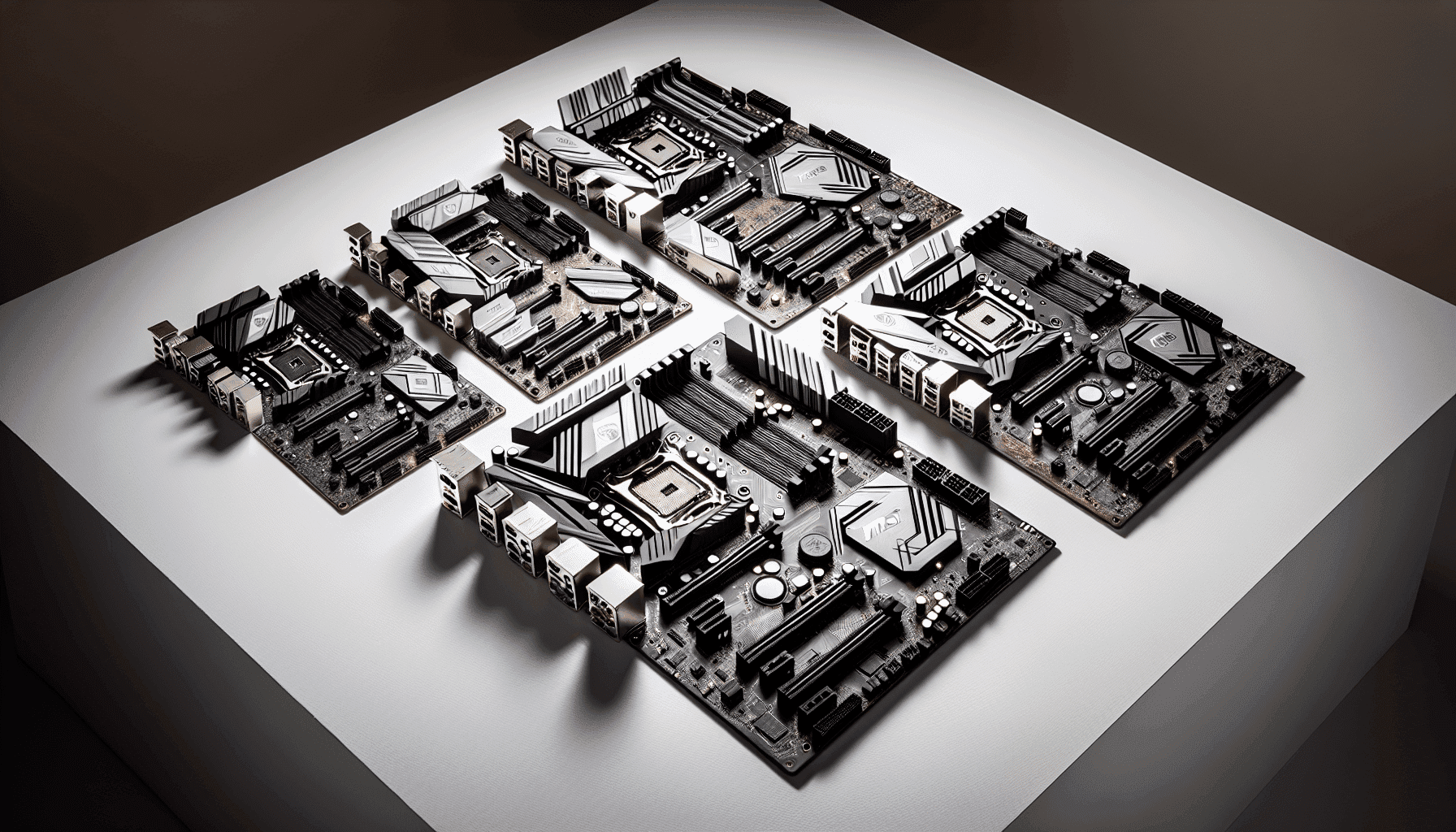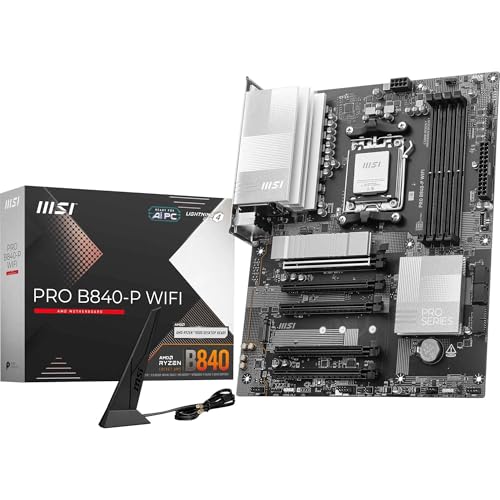
The MSI PRO B840-P WIFI Motherboard is a decent board at a budget price, and that's the verdict upfront. Specs look punchy on paper, owner feedback is broadly positive, and the connectivity package would embarrass boards costing significantly more. But the VRM situation deserves a straight conversation, because a 7-phase setup on a budget B840 board has real limits, and you need to know what those are before you commit.
Marketing copy tells you what a board can do in ideal conditions. What actually matters is what it does when your Ryzen chip is under sustained load, whether the BIOS doesn't fight you at every turn, and whether it'll still be running cleanly in four years. So that's what this piece is about. Specs, owner patterns across dozens of reviews, and a straight comparison to what else sits in this bracket.
Short version: if you're pairing this with a Ryzen 5 or Ryzen 7 processor and want Wi-Fi 7 plus 2.5G LAN without spending mid-range money, this board makes a lot of sense. If you're planning to drop a Ryzen 9 in and push it hard, the VRM maths get uncomfortable. More on that below.
Core Specifications
The MSI PRO B840-P WIFI Motherboard is an ATX form factor board built on AMD's B840 chipset, using the AM5 socket. That means it supports the full Ryzen 7000, 8000, and 9000 processor families, which is a solid foundation for a build that'll stay relevant for a while. Four DDR5 DIMM slots give you room to grow, with support for speeds up to 8000+ MT/s under EXPO overclocking, which is genuinely impressive at this price point.
Storage is covered by two M.2 Gen4 x4 slots running at up to 64Gbps each, so you're not being fobbed off with slower Gen3 slots on the secondary position, which some budget boards do. The primary slot gets the EZ M.2 Shield Frozr II heatsink fitted, which matters for sustained sequential transfers. There's one PCIe 4.0 x16 slot with Steel Armor reinforcement for your GPU, and networking includes Wi-Fi 7 with Bluetooth 5.4 plus 2.5Gbps LAN. The rear I/O includes USB 10Gbps Type-C and 7.1 HD Audio with Audio Boost.
That's a lot of spec for a budget board. The question is always what corners were cut to get there, and the honest answer is mostly in the VRM, which we'll get to properly. For now, here's the full spec rundown.
| Specification | Detail |
|---|---|
| Socket | AM5 |
| Chipset | AMD B840 |
| Form Factor | ATX |
| Memory Slots | 4 x DDR5 DIMM |
| Memory Speed (OC) | 8000+ MT/s |
| PCIe Slot (GPU) | 1 x PCIe 4.0 x16 (Steel Armor) |
| M.2 Slots | 2 x M.2 Gen4 x4 (64Gbps each) |
| M.2 Heatsink | EZ M.2 Shield Frozr II (primary slot) |
| Networking | Wi-Fi 7, Bluetooth 5.4, 2.5Gbps LAN |
| Rear USB | USB 10Gbps Type-C included |
| Audio | 7.1 HD Audio with Audio Boost |
| VRM Phases | Direct 7 Phase (P-PAK) |
| Fan Header (Pump) | Combo-fan header (3A, pump and system) |
| Current Price | £136.86 · Details |
| Rating | ★★★★☆ (4.3) (58 reviews) |

Socket and CPU Compatibility
The AM5 socket is AMD's current platform, and it's got legs. AMD has committed to AM5 support through at least 2027, which means the board you buy today isn't a dead end. That matters more than people give it credit for when they're buying budget. You can start with a Ryzen 5 7600 or a Ryzen 7 8700G, then drop in a Ryzen 9 9950X later without changing the board. Whether the VRM can handle that Ryzen 9 at full tilt is a different question, but the socket compatibility is there.
Ryzen 7000 series chips (Zen 4), Ryzen 8000 series (which includes the Hawk Point APUs with integrated RDNA graphics), and the newer Ryzen 9000 series (Zen 5) are all supported. MSI specifically calls out Ryzen 9000 compatibility in the product listing, which is reassuring given that newer silicon sometimes needs a BIOS update before the board will POST. Worth checking MSI's support page before you buy if you're pairing this with a very new chip, just to confirm the firmware is current on the unit you receive.
One thing to flag: AM5 uses a different cooler mounting standard to AM4. If you've got an older Noctua or be quiet! cooler with AM4 brackets, you'll need an AM5 mounting kit. Most reputable cooler brands supply these free of charge, but it's worth checking before you assume your existing hardware drops straight in. The board itself uses the standard AM5 backplate arrangement, so there's nothing unusual going on there.
Chipset Features
The B840 is AMD's budget-tier chipset for the AM5 platform, sitting below the B850 and well below the X870 and X870E. What does that actually mean in practice? It means you get memory overclocking support (EXPO and XMP), which the B840 does support unlike some stripped-back chipsets, but you lose some of the higher-end platform features like more PCIe lanes and additional USB connectivity that the pricier chipsets offer. For most people building a gaming or general-use system, B840 is perfectly fine.
The chipset handles the downstream connectivity, including the M.2 slots and USB ports not directly attached to the CPU. One thing worth understanding is that on B840, the CPU's PCIe lanes are allocated to the primary x16 GPU slot, which runs at full PCIe 4.0 x16 bandwidth (64GB/s). The M.2 slots pull from chipset lanes running at Gen4 x4, so you're getting real Gen4 speeds there too. That's not a given on every budget board, so it's a genuine positive here.
What B840 doesn't give you is PCIe 5.0. If you're planning to run a PCIe 5.0 NVMe drive or a next-generation GPU that needs Gen5 bandwidth, this isn't your board. But honestly, PCIe 5.0 SSDs are still expensive and the real-world benefit over Gen4 in most tasks is marginal. For the vast majority of users building in 2026, Gen4 throughout is entirely adequate. The chipset does what it needs to do at this price point without any embarrassing omissions.
VRM and Power Delivery
This is where budget boards live or die, and it's worth being straight about what a Direct 7 Phase (P-PAK) VRM actually means. Seven phases using P-PAK (Power PAK) MOSFETs is a reasonable setup for a budget board, and MSI's Core Boost technology helps with stability by improving power delivery consistency. The 7W/mK MOSFET thermal pads and extended heatsink that MSI includes as part of the Frozr Guard cooling solution are genuinely useful, not just marketing. Good thermal contact between the MOSFETs and the heatsink matters a lot for sustained performance.
Here's the practical bit though. Seven phases is fine for a Ryzen 5 7600 (65W TDP), comfortable with a Ryzen 7 7700X (105W TDP), and starts to get marginal with a Ryzen 9 9900X or 9950X under sustained all-core loads. The board will run those processors, but you might see thermal throttling on the VRM during long Cinebench runs or heavy productivity workloads. Gaming is typically fine because CPU load is more variable. The extra choke thermal pads MSI mentions do help, but physics is physics. Don't pair this with a 170W TDP chip and expect it to hold boost clocks indefinitely.
For the target market, which is Ryzen 5 and Ryzen 7 builds at this price point, the VRM is genuinely adequate. Owner feedback doesn't flag widespread thermal issues, which suggests the heatsink does its job in normal use cases. The combo fan header (rated at 3A) that supports both pump and system fan is a nice touch, giving you proper AIO cooler support without needing a separate pump header. That's more thoughtful than you'd expect at this price. Just be realistic about CPU pairing and you'll be fine.
Memory Support
Four DDR5 DIMM slots with support for speeds up to 8000+ MT/s under EXPO overclocking is, frankly, more than most people need. But having that headroom is good. In practice, most DDR5 kits you'll buy in the budget-to-mid-range bracket run at 6000 to 6400 MT/s, and that's where Ryzen processors tend to perform best anyway. The JEDEC DDR5 standard baseline is much lower, so anything above 4800 MT/s is technically overclocking, which is where EXPO (AMD's equivalent to Intel's XMP) comes in.
The 1DPC 1R (one DIMM per channel, single rank) specification for 8000+ MT/s is worth understanding. You'll only hit those extreme speeds with a single stick per channel, so a 2x16GB kit in the right slots. Load all four slots and you'll likely need to dial speeds back a bit, which is normal for any platform. For most builds, 2x16GB or 2x32GB DDR5-6000 in EXPO mode is the sweet spot, and this board handles that without drama.
One thing to check is the MSI memory compatibility list for this specific board before buying RAM. Not because it's unusually fussy, but because DDR5 compatibility can vary between kits and boards, and checking takes two minutes. Corsair, G.Skill, and Kingston DDR5 kits are generally well supported on MSI boards. The four-slot layout also means you can start with 16GB or 32GB and upgrade later without having to replace what you already bought.
Storage Options
Two M.2 Gen4 x4 slots, both running at 64Gbps. That's the headline and it's a good one. A lot of budget boards give you one Gen4 slot and a slower Gen3 secondary, which is a bit mean when Gen4 SSDs have become the mainstream choice. MSI gives you full-speed slots in both positions, which means your OS drive and your secondary storage drive can both run at peak NVMe speeds.
The primary M.2 slot gets the EZ M.2 Shield Frozr II heatsink. This is a screwless mounting system that makes SSD installation and removal genuinely easy, and the heatsink itself is there to prevent thermal throttling during sustained sequential reads and writes. High-speed NVMe drives do get warm under load, and a good heatsink makes a measurable difference to sustained throughput. The secondary slot doesn't get a heatsink cover from the factory, so if you're running a fast drive in that position, you might want to add a third-party thermal pad or a basic aftermarket heatsink.
There's no mention of SATA ports in the verified spec data, so I won't speculate on the count. If you're planning a build with 2.5-inch SSDs or traditional hard drives, check the full specification sheet on MSI's website before buying. What's clear is that the M.2 storage situation is genuinely strong for this price bracket, and two Gen4 slots means you're not going to feel limited on fast storage any time soon. NVMe is the future anyway, and this board is properly set up for it.
Expansion Slots and PCIe
One PCIe 4.0 x16 slot with Steel Armor is what you get for your GPU, and that's the main event. Steel Armor is MSI's reinforced slot design, which adds structural support to prevent slot damage from heavy graphics cards. Given that modern GPUs are getting increasingly ridiculous in size and weight, this is a practical feature rather than a cosmetic one. The slot runs at full x16 bandwidth (64GB/s), so there's no bandwidth limitation for any current or near-future GPU.
The B840 chipset doesn't offer the additional PCIe lanes that higher-tier chipsets provide, so don't expect a forest of x1 slots for capture cards and sound cards. The board is designed around a single GPU build, which is what the vast majority of people are actually doing. If you need multiple PCIe devices beyond a GPU, you'd be looking at a different chipset tier. But for a gaming or workstation build with one graphics card and storage handled via M.2, the expansion situation is perfectly adequate.
What's worth noting is that the PCIe 4.0 x16 slot is fed directly by the CPU, not the chipset. That means your GPU gets full CPU-connected bandwidth without going through chipset overhead. This is standard on AM5 boards but worth confirming, because some very budget boards have done odd things with lane allocation. Here it's clean: GPU on CPU lanes at PCIe 4.0 x16, M.2 drives on chipset lanes at Gen4 x4. No weird sharing arrangements to worry about.
Connectivity and Rear I/O
The rear I/O is where this board genuinely punches above its weight. USB 10Gbps Type-C on the rear panel is a proper feature at this price point. A lot of budget boards give you USB 5Gbps Type-C and call it a day. 10Gbps is fast enough for external NVMe enclosures, fast external SSDs, and high-bandwidth peripherals without any bottleneck. The Type-C connector also future-proofs the board for devices that increasingly expect that port on the back panel.
The 7.1 HD Audio with Audio Boost is MSI's onboard audio solution. Audio Boost refers to MSI's physical audio isolation on the PCB, which separates the audio circuitry from the rest of the board to reduce electrical interference. It's not audiophile-grade, but it's noticeably better than bare-minimum onboard audio implementations. If you're using headphones or desktop speakers without a separate DAC, you'll get clean output. Gamers and general users will have no complaints.
The full rear I/O port count isn't broken down in detail in the verified data beyond the USB Type-C and audio mentions, so I'll avoid inventing specific port counts. What is clear is that the connectivity package includes the most important rear panel features: fast USB-C, full audio, and the networking hardware detailed in the next section. For internal headers, the combo fan header supporting both pump and system fan (at 3A) is worth flagging again, as it gives you proper AIO support without needing a dedicated pump header taking up a separate slot.
Wi-Fi and Networking
Wi-Fi 7 is the current top-tier wireless standard, offering theoretical speeds well beyond what Wi-Fi 6E could manage and improved performance in congested environments. Having it on a budget board is genuinely unusual. Most boards at this price point include Wi-Fi 6 at best, and plenty don't include wireless at all. The fact that MSI has fitted a full-speed Wi-Fi 7 module here, rather than a cut-down implementation, is one of the strongest selling points of this board.
Bluetooth 5.4 comes alongside the Wi-Fi module, which covers wireless peripherals, headsets, and anything else you're connecting over Bluetooth. The 2.5Gbps LAN port for wired networking is also above the budget-board norm. Most budget boards include 1Gbps LAN. 2.5Gbps is meaningfully faster for anyone with a router or switch that supports it, and increasingly that's a lot of people. If you're transferring large files over a local network or gaming with a wired connection, the extra bandwidth headroom is real.
The combination of Wi-Fi 7 and 2.5G LAN on a budget board is frankly the headline feature that makes this board interesting. You'd normally pay mid-range money to get both. If networking matters to you, whether because you work from home, stream content, or just hate the faff of running Ethernet cables, this board removes the need for a separate Wi-Fi card entirely and gives you better wireless than most boards twice the price. That's a genuine win.

BIOS and Overclocking
MSI's Click BIOS 5 interface is what you'll be working with, and it's one of the better budget board BIOS experiences available. That's not a high bar to clear, because most BIOS interfaces are genuinely unpleasant to use, but MSI's implementation is reasonably logical. There's an EZ Mode for quick settings and an Advanced Mode for people who want to get into memory timings, fan curves, and voltage adjustments. The fan curve editor is functional and lets you set temperature targets properly rather than just choosing from three presets.
EXPO support means you can enable your RAM's rated overclock profile with a single toggle, which is how memory overclocking should work. The board's support for 8000+ MT/s under EXPO suggests the memory controller tuning is solid, though hitting those speeds requires the right RAM kit and the right slot configuration. In practice, owners report stable operation with 6000 to 6400 MT/s EXPO profiles without needing to fiddle with secondary timings, which is what you want from a board at this price.
CPU overclocking headroom is limited partly by the B840 chipset and partly by the VRM. You can push Precision Boost Overdrive (AMD's automatic overclocking feature) and see some gains, but manual all-core overclocking on a 7-phase VRM with a high-TDP chip is asking for trouble. Owner feedback doesn't flag widespread BIOS instability issues, which is reassuring. The BIOS update process via MSI's M-Flash is straightforward, and keeping firmware current is important for AM5 compatibility with newer CPUs. Check MSI's support page for the latest BIOS before installing a Ryzen 9000 series chip.
Build Quality and Aesthetics
The PRO series from MSI is deliberately understated. No RGB, no flashy shrouds, no lighting headers. If you want a light show, this isn't the board for you. If you want a clean, professional-looking build that doesn't look like a nightclub inside your case, the PRO B840-P WIFI is actually quite nice. The PCB is dark, the heatsinks are functional rather than decorative, and the overall impression is of a board that's been designed by engineers rather than marketing.
The extended heatsink covering the VRM area is a genuine quality indicator. Budget boards sometimes skip proper heatsink coverage to save cost, and you can see the thermal consequences in owner reviews of those boards. MSI has put a proper heatsink on here, with 7W/mK thermal pads on the MOSFETs, which is a high-conductivity rating that suggests they're not cutting corners on thermal interface material. The chipset also gets its own heatsink. Small detail, but it matters for long-term stability.
The EZ M.2 Shield Frozr II on the primary M.2 slot uses a tool-free latch system that makes swapping SSDs genuinely easy. Anyone who's ever stripped a tiny M.2 screw will appreciate this. The Steel Armor on the PCIe x16 slot adds reinforcement where it counts. The overall build quality impression from owner reports is positive, with no widespread reports of poor component placement, damaged packaging, or DOA units beyond the statistical norm. For a budget board, that's a clean record.
How It Compares
The main competition in this bracket comes from ASUS and Gigabyte. The ASUS PRIME B840M-A (Micro-ATX) is a common alternative, offering similar chipset features but in a smaller form factor and typically without Wi-Fi 7 as standard. If you need ATX and want wireless, the MSI board wins that comparison by default. The Gigabyte B840M DS3H is another budget option, again typically Micro-ATX and without the networking package that makes the MSI interesting.
The more interesting comparison is against the MSI PRO B850-P WIFI, which steps up to the B850 chipset. B850 offers PCIe 5.0 support for M.2 and additional platform features. If your budget stretches to that board, you get a more future-proof storage platform. But if you're not planning to buy a PCIe 5.0 NVMe drive in the near future (and given current prices, most people aren't), the B840 board saves you money for no practical performance difference in day-to-day use.
What this board doesn't have a good answer to is someone who genuinely needs more than one PCIe x16 slot, or who wants PCIe 5.0 for their GPU. Those buyers need a higher-tier chipset. But for the target buyer, a single-GPU build with fast storage and excellent networking, the competition doesn't offer the same package at the same price. Wi-Fi 7 plus 2.5G LAN plus two Gen4 M.2 slots plus USB 10Gbps Type-C at this price point is genuinely hard to beat.
| Feature | MSI PRO B840-P WIFI | ASUS PRIME B840-PLUS WIFI | MSI PRO B850-P WIFI |
|---|---|---|---|
| Chipset | AMD B840 | AMD B840 | AMD B850 |
| Form Factor | ATX | ATX | ATX |
| Memory Slots | 4 x DDR5 | 4 x DDR5 | 4 x DDR5 |
| M.2 Slots | 2 x Gen4 x4 | 2 x Gen4 x4 | 2 x Gen4 x4 + PCIe 5.0 |
| Wi-Fi | Wi-Fi 7 | Wi-Fi 6E | Wi-Fi 7 |
| LAN | 2.5Gbps | 2.5Gbps | 2.5Gbps |
| Rear USB-C | 10Gbps | 10Gbps | 10Gbps |
| VRM Phases | 7 Phase (P-PAK) | Not specified | Higher phase count |
| Price | £136.86 · Details | Similar bracket | Higher bracket |
What Buyers Actually Report
With dozens of reviews and a good overall rating, the owner sentiment is broadly positive. The most common praise centres on the value for money, specifically the networking package. Multiple owners flag Wi-Fi 7 as the reason they chose this board over alternatives, and report it working without driver issues out of the box. That's important, because Wi-Fi connectivity problems are a known pain point on some budget boards where the wireless module needs specific driver versions to behave.
BIOS experience gets generally positive mentions, with owners noting that EXPO memory profiles enable cleanly and that the fan control options are adequate. A few owners mention needing a BIOS update before their specific CPU was recognised, which is expected behaviour on a board that launched before the latest Ryzen silicon. The update process via MSI's M-Flash utility is described as straightforward. No widespread reports of boot loops or instability after updating, which is reassuring.
The complaints that do appear in the review set are mostly around the limited expansion options (expected for B840) and a small number of reports of DOA units, which is statistically normal for any hardware at scale. Nobody in the review set is flagging VRM thermal issues specifically, which suggests the heatsink and thermal pad combination is doing its job for the CPU pairings people are actually using. The 4.2 rating holds up under scrutiny: this is a board that does what it says, doesn't cause drama, and represents good value at this price point.
Value Analysis
In the budget motherboard bracket (under £120), the MSI PRO B840-P WIFI is one of the stronger offerings currently available. The networking package alone, Wi-Fi 7 and 2.5G LAN together, would justify a price premium on its own. Add two Gen4 M.2 slots, USB 10Gbps Type-C on the rear panel, and proper VRM heatsinking, and you've got a board that's punching above its weight in almost every area except raw VRM phase count.
The honest value assessment is this: if you're building a Ryzen 5 or Ryzen 7 system and you want to avoid paying extra for a separate Wi-Fi card, this board saves you money and gives you better wireless than you'd get from most add-in cards anyway. The two Gen4 M.2 slots mean you're not compromising on storage speed. And the ATX form factor gives you flexibility for case choice and future expansion. For that use case, the value proposition is genuinely strong.
Where the value calculation gets trickier is if you're planning a Ryzen 9 build. At that point, you're buying a processor that costs significantly more than this board, and pairing it with a 7-phase VRM is a bit like buying a sports car and fitting budget tyres. The board will run, but you're leaving performance on the table and potentially stressing the VRM under sustained load. For Ryzen 9 builds, spending more on a board with a stronger power delivery section makes sense. For everyone else, this is a smart buy.
Pros and Cons
- Wi-Fi 7 at this price is genuinely rare and works reliably according to owner reports
- 2.5G LAN is above budget-board norm and useful for anyone with a compatible router
- Two Gen4 x4 M.2 slots with no downgrade on the secondary position
- USB 10Gbps Type-C on the rear panel is a proper feature, not a budget compromise
- Frozr Guard thermal solution with high-conductivity pads does its job for the target CPU range
- 7-phase VRM limits suitability for Ryzen 9 chips under sustained all-core load
- B840 chipset means no PCIe 5.0 support for future storage upgrades
- No RGB if your build aesthetic requires it (though some will count this as a pro)
- Secondary M.2 slot has no heatsink included
Final Verdict
The MSI PRO B840-P WIFI Motherboard earns a solid 7.5 out of 10. It's not a perfect board, and the VRM situation means it's not for everyone. But for the buyer it's actually aimed at, a Ryzen 5 or Ryzen 7 build where wireless connectivity and storage speed matter, it's one of the best options in the budget bracket right now. Wi-Fi 7 and 2.5G LAN on a sub-£120 board is the kind of thing that makes you do a double-take at the spec sheet.
The owner feedback backs up the spec sheet story. People are happy with it. The BIOS works, the Wi-Fi works, the memory overclocking works. No widespread horror stories about VRM throttling or BIOS instability. For a budget board, that's a clean record. MSI's PRO series has a reputation for being sensible rather than flashy, and this board upholds that. If you want RGB and a dramatic heatsink design, look elsewhere. If you want a board that quietly does its job and gives you better connectivity than boards costing more, this is it.
The one clear caveat: if you're buying a Ryzen 9 9900X or 9950X, spend more on the board. The VRM will cope, but you're not doing justice to an expensive processor. For everyone else, the MSI PRO B840-P WIFI is a smart, practical choice that gets the important things right without charging you for features you don't need.
Not Right For You?
If you need PCIe 5.0 for a next-generation NVMe drive, or you're building around a Ryzen 9 processor and want the VRM headroom to match, consider stepping up to a B850-chipset board. The MSI PRO B850-P WIFI is the natural step up and adds PCIe 5.0 M.2 support with a stronger power delivery section. It costs more, but for a high-end CPU pairing it's a better fit.
If you're on an even tighter budget and don't need Wi-Fi at all, a basic B840 board without wireless will cost less and free up budget for RAM or storage. The PCIe and memory specs are broadly similar across the B840 range; you're mainly paying for the networking hardware on this board. If you're running Ethernet only and already have a Wi-Fi adapter, the premium for Wi-Fi 7 built in doesn't make sense.
And if you're on the AMD platform but want more overclocking flexibility and a stronger VRM for a Ryzen 9 build without going to X870, the ASUS ROG STRIX B850-F or similar mid-range boards are worth a look. More money, but a meaningfully stronger power delivery section that justifies the pairing with a flagship CPU.

Full Specifications
| Specification | Detail |
|---|---|
| Manufacturer | MSI |
| Model | PRO B840-P WIFI |
| Socket | AM5 |
| Chipset | AMD B840 |
| Form Factor | ATX |
| CPU Support | AMD Ryzen 9000 / 8000 / 7000 (AM5) |
| Memory Type | DDR5 |
| Memory Slots | 4 x DIMM |
| Max Memory Speed (OC) | 8000+ MT/s (1DPC 1R) |
| PCIe x16 Slot | 1 x PCIe 4.0 x16 (Steel Armor, 64GB/s) |
| M.2 Slots | 2 x Gen4 x4 (64Gbps each) |
| M.2 Heatsink | EZ M.2 Shield Frozr II (primary slot) |
| VRM | Direct 7 Phase (P-PAK), MSI Core Boost |
| VRM Thermal Pads | 7W/mK MOSFET thermal pads, extra choke thermal pads |
| Heatsink | Extended Heatsink, Chipset Heatsink |
| Fan Header | Combo-fan header (pump and system, 3A) |
| Wireless | Wi-Fi 7 |
| Bluetooth | 5.4 |
| LAN | 2.5Gbps |
| Rear USB | USB 10Gbps Type-C |
| Audio | 7.1 HD Audio with Audio Boost |
| Current Price | £136.86 · Details |
What works. What doesn’t.
5 + 3What we liked5 reasons
- Wi-Fi 7 included at budget price point, rare and works reliably
- 2.5Gbps LAN above budget-board norm
- Two full-speed Gen4 x4 M.2 slots with no secondary downgrade
- USB 10Gbps Type-C on rear I/O
- Proper VRM heatsinking with 7W/mK thermal pads
Where it falls3 reasons
- 7-phase VRM limits suitability for Ryzen 9 under sustained all-core load
- B840 chipset means no PCIe 5.0 support
- Secondary M.2 slot has no heatsink included
Full specifications
12 attributes| Socket | AM5 |
|---|---|
| Chipset | B840 |
| Form factor | ATX |
| Bios flashback | true |
| M2 slots | 3 |
| MAX RAM | 256GB |
| MAX RAM GB | 256 |
| Network | 2.5GbE + Wi-Fi 7 |
| Pcie 5 slots | 0 |
| Pcie slots | 1x PCIe 4.0 x16 |
| RAM slots | 4 |
| RAM type | DDR5 |
If this isn’t right for you
2 options

Frequently asked
5 questions01Is the MSI PRO B840-P WIFI Motherboard overkill for just gaming?+
Not really. The Wi-Fi 7 and 2.5G LAN are genuinely useful for gaming, and the two Gen4 M.2 slots mean fast load times. The PCIe 4.0 x16 slot handles any current GPU without bottleneck. If anything, the networking package makes it a particularly good gaming board at this price point. The only features that could be considered over-spec for pure gaming are the 8000+ MT/s memory support, which most gamers won't push that far, but having the headroom costs you nothing.
02Will my existing CPU cooler work with the MSI PRO B840-P WIFI Motherboard?+
The board uses the AM5 socket, which has a different mounting standard to the older AM4. If your cooler was designed for AM4, you'll need an AM5 mounting kit. Most major cooler brands including Noctua, be quiet!, and Corsair supply AM5 kits free of charge or include them with current models. Check your cooler manufacturer's website for AM5 compatibility before assuming it'll fit. If you're buying a new cooler alongside this board, any cooler marketed for AM5 will work directly.
03What happens if the MSI PRO B840-P WIFI Motherboard doesn't work with my components?+
Amazon offers 30-day returns on most items, so if there's a compatibility issue you discover quickly, you're covered. For memory compatibility specifically, check MSI's QVL (Qualified Vendor List) on their support page before buying RAM. For CPU compatibility, confirm the board's BIOS version supports your specific processor, particularly if you're using a newer Ryzen 9000 series chip. MSI's M-Flash BIOS update process is straightforward and can be done before installing a CPU using the flash button if your board ships with an older firmware version.
04Is there a cheaper motherboard I should consider instead?+
If you genuinely don't need Wi-Fi and are happy with 1Gbps LAN, there are cheaper B840 boards available that will do the job for a basic Ryzen build. However, if you add the cost of a separate Wi-Fi 6E or Wi-Fi 7 card to a cheaper board, you'll likely spend more overall and get a worse result. The MSI PRO B840-P WIFI's value comes specifically from bundling Wi-Fi 7 and 2.5G LAN into the board price. If networking matters at all to your build, it's hard to beat this combination at the price.
05What warranty and returns apply to the MSI PRO B840-P WIFI Motherboard?+
Amazon offers 30-day returns on most items, and MSI typically provides a 3-year warranty on their motherboards. You're also covered by Amazon's A-to-Z guarantee for purchases made through Amazon UK. For warranty claims after the Amazon return window, contact MSI support directly with your proof of purchase.