VIVID·REPAIRS/THE FIELD GUIDE/CPUUpdated 7 October 2026Prices live from Amazon UK
Best of · UK · Field of 11
Best Intel CPUs Under £400
By the Vivid Repairs deskUpdated 7 October 202611 ranked picks11,958 owner ratings read
As an Amazon Associate we may earn from qualifying purchases. We have not handled these products. Everything below is judged on published specifications, the owner ratings on the UK listings and our own product reviews, and the ranking stays independent of what any of them pay.
As an Amazon Associate, we may earn from qualifying purchases. Our ranking is independent.
Amazon confirms the live price, seller, stock and delivery. Prices here are read from the live listing through the day; a pick Amazon cannot supply is marked as such, and where the list has one in stock it is offered.
vividrepairs.co.uk / best-intel-cpus-under-400Updated 7 October 2026 · Prices from the live Amazon UK listing
§ The field
Eleven picks, on one page
Ranked on fit for the job in the title, not on raw specification. Tap any one to jump to the argument for it. Prices are the live Amazon UK figure, read today; a pick with no figure is out of stock and says so in its entry.
20-core configuration delivers strong multi-threaded performance for rendering and compilation
Excellent gaming frame rates at 1080p and 1440p with good 1% lows
Supports both DDR4 and DDR5, keeping build costs flexible
Where it gives upPulls 245-255W under sustained all-core load, requiring a proper PSU and cooler. LGA1700 is end-of-life with no future CPU upgrade path.
The rules this ranking ran under, in plain sight: what we read, what we weighed and what no merchant can move.
How we picked
Our editors evaluated 11 Cpu options against the criteria readers actually weigh up: price, real-world performance, build quality, warranty, and UK availability. Picks lean toward what we'd recommend to a friend buying today, not specs-on-paper winners.
Editorial contextEditor notes from individual reviews, not press releases.
Live UK pricingRefreshed from Amazon UK twice daily.
No paid placementsAffiliate commission doesn't change what wins.
The full guideEverything behind the shortlist above: the spec sheet, the write-ups in full, our method and the verdict.
§ Editorial · The full guide · five proofs, nothing hidden
The Doubt Index.
The shortlist told you what we picked; this zone shows the working. Come in through whichever doubt you’re carrying, or read straight down; we’d rather you checked us than trusted us.
Here’s the sheet the desk works from, kept deliberately factual. Every row is written to be checked against the retailer’s current listing, and you should check. The table scrolls sideways inside its own frame; the page underneath stays still.
Scroll sideways →8 rows · 5 columns · Prices swap to the live figure at render
Product
Best For
Key Spec
Price
Rating
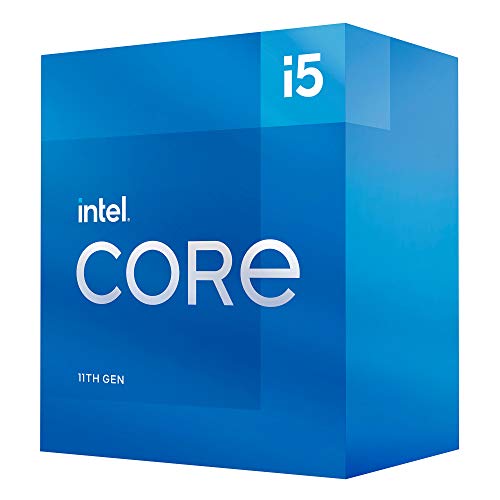
Intel® Core™ i5-11400 Desktop Processor 6 Cores up to 4.4 GHz LGA1200 (Intel® 500 Series & Select 400 Series Chipset) 65W
You can, and you should. What follows is the part a sheet can’t do: the working between what these products have and what your desk actually needs, kept word for word.
Finding the best Intel CPUs under £400 is genuinely harder than it sounds. Intel's lineup spans multiple generations, socket types, and wildly different use cases, and the price gaps between chips don't always reflect the performance gaps. Whether you're building a gaming rig, a home office machine, or a proper content creation workstation, there's an Intel processor in this price range that fits. We've pulled together eight of the most relevant options, from the budget-friendly i5-11400 to the beastly i7-14700K, and ranked them honestly on value, real-world performance, and what you actually get for your money. These are the best Intel CPUs under £400 worth your attention right now.
Buying Guide: What to Look For in the Best Intel CPUs Under £400
Buying a CPU is one of the most consequential decisions in a PC build. Get it right and your system will feel fast for years. Get it wrong and you'll be rebuilding sooner than you planned. Here's what actually matters when you're shopping for the best Intel CPUs under £400.
Socket and Platform. This is the first thing to sort. LGA1200 (11th gen) is end-of-life. LGA1700 (12th, 13th, 14th gen Raptor Lake) is mature and has a wide range of motherboards at every price point. LGA1851 (Arrow Lake, Core Ultra) is the newest platform with the longest upgrade runway. If you're building fresh, LGA1700 or LGA1851 are the sensible choices.
K vs non-K. K-series chips are unlocked for overclocking and tend to have higher boost clocks. They also cost more, require Z-series motherboards (which are pricier), and don't include a cooler. If you're not overclocking, a non-K chip on a B-series board will save you real money with very little performance difference in everyday use.
F suffix means no integrated graphics. If you have a dedicated GPU, this doesn't matter. If you don't, or if you want a fallback display output, avoid F-suffix chips. The i5-14600K and i5-14500 both include integrated graphics. The i5-14600KF and i5-14400F do not.
Core count and what it means. More cores help with multi-threaded tasks like video editing, 3D rendering, and running multiple applications at once. For gaming, single-core performance and boost clock speed matter more than core count. The i5-14600K's 5.3 GHz boost is more useful in most games than the i7-14700K's extra cores.
TDP and cooling. A 65W chip like the i5-11400 is easy to cool and quiet. A 125W K-series chip under load can exceed 200W and needs a proper cooler. Budget for cooling when you're buying a K-series chip. A good 240mm AIO or a quality tower cooler like the Noctua NH-D15 will handle anything in this roundup.
Total build cost. Don't just look at the CPU price. A K-series chip needs a Z-series board and an aftermarket cooler. A non-K chip can use a B-series board and often includes a stock cooler. The total system cost can be very similar between a K and non-K build, but the non-K build is simpler and often more reliable for less experienced builders.
For most people building a gaming PC or a home office machine, the i5-14600K or i5-14600KF hits the best balance of performance and price. For budget-conscious builds, the i5-14400F or i5-14500 are the smart picks. And if you're doing serious content creation work, the i7-14700K is worth the extra spend.
Six write-ups, none folded away. We don’t lab-test, so every line below sticks to what can be defended: the published sheet, the owner ratings on the UK listings and our own reviews.
Here's the thing: the i5-11400 is a few generations old now, but it's still one of the most sensible purchases you can make if you're on a tight budget and need a reliable everyday desktop processor. Six cores, twelve threads, and a 4.4 GHz boost clock. That's genuinely enough for web browsing, office work, light photo editing, and even 1080p gaming with a decent GPU alongside it.
The 65W TDP is a real practical advantage. You won't need a beefy cooler, your system will run quietly, and your electricity bill won't take a hit. The stock Intel cooler that ships with it is adequate for normal use, which saves you money on day one. It also carries Intel UHD 730 integrated graphics, so you can get a display output without a dedicated GPU if needed.
The honest limitation here is the LGA1200 platform. It's end-of-life. You won't be upgrading to a newer Intel chip on this socket, so if you're planning to upgrade in two or three years, you'd be better served by an LGA1700 chip. But for a complete, finished build that you're not planning to tinker with? The i5-11400 is proper decent value and a well-understood, stable chip with years of owner feedback behind it.
Real-world performance in productivity tasks is solid. It won't embarrass itself in Cinebench or Blender for light work. Gaming performance at 1080p is competitive with chips that cost significantly more, because most games are still GPU-limited at that resolution anyway.
Pros
Excellent value for everyday computing
Low 65W TDP, runs cool and quiet
Integrated graphics included
Comes with a stock cooler
Proven, stable platform with years of owner feedback
Cons
LGA1200 is end-of-life, no upgrade path
Older architecture, behind on efficiency vs newer chips
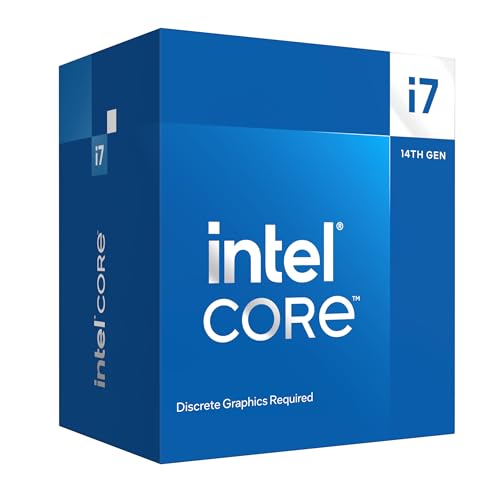
The i5-14600KF is the i5-14600K with one thing removed: integrated graphics. That's it. Same 14 cores, same 5.3 GHz boost, same overclocking capability. If you already have a dedicated GPU (and if you're gaming, you almost certainly do), the KF saves you a few pounds for zero performance difference in any task that matters.
For gaming builds under £400, this is arguably the smarter buy over the standard K. You're not paying for integrated graphics you'll never use. The savings are modest, but every pound counts when you're also buying a GPU, RAM, storage, and a case.
The same caveats apply as the K version: you need a Z-series board to overclock, no cooler is included, and it runs hot under sustained load. But for pure gaming performance per pound, the i5-14600KF is genuinely hard to beat in the best Intel CPUs under £400 category. It consistently trades blows with the i7-13700K in gaming benchmarks, which is remarkable given the price difference.
One thing worth flagging: without integrated graphics, if your GPU fails or you're troubleshooting, you have no display output. Small inconvenience, but worth knowing before you buy.
Twenty cores. 5.6 GHz boost. This is the most powerful chip in this roundup, and at just under £350, it sits right at the top of the best Intel CPUs under £400 bracket. For content creators who also game, it's a genuinely compelling option. Video rendering, 3D work, streaming while gaming. The i7-14700K handles all of it with headroom to spare.
In gaming, the gains over the i5-14600K are modest. Most games don't use 20 cores, and the GPU is still the limiting factor at 1440p and 4K. But in Cinebench R23 multi-core, Blender, and Handbrake, the i7-14700K pulls away clearly. If your workload involves heavy multi-threaded tasks, the extra cores are worth the premium.
The power draw is the main concern. Under full load, this chip can exceed 250W. You need a proper 360mm AIO or a high-end air cooler, and a quality PSU. Factor that into your budget. It also needs a Z-series motherboard and doesn't include a cooler. The total build cost is higher than it looks at first glance.
But for the right user, the i7-14700K is the best Intel CPU under £400 by a clear margin in raw performance terms. It's a chip that won't feel slow for years.
Pros
20 cores for serious multi-threaded workloads
5.6 GHz boost, fastest in this roundup
Excellent for content creation and gaming combined
The i7-14700F is the i7-14700K without the overclocking capability and without integrated graphics. Twenty cores, a 5.4 GHz boost clock, and a lower price than the K version. For users who want the raw multi-core grunt of the i7-14700 series but don't need to overclock and already have a GPU, this is a smart buy.
In multi-threaded workloads, the i7-14700F is genuinely impressive. Video encoding, 3D rendering, running multiple virtual machines. It handles heavy lifting well. And because it's a non-K chip, it works on B-series and H-series motherboards, which brings the total build cost down compared to a K-series system.
The lack of integrated graphics is the obvious trade-off. No display output without a GPU. And the power draw, while lower than the 14700K, is still substantial under full load. You'll want a decent cooler. But for content creators and power users who want 20 cores without the overclocking premium, the i7-14700F is one of the better value propositions in the best Intel CPUs under £400 space.
Gaming performance is strong, though the gap over the i5-14600K in most titles is small. Where it earns its keep is in the background tasks running alongside your game.
Pros
20 cores for excellent multi-threaded performance
Works with B-series motherboards, lower build cost
The Core Ultra 5 245KF is the odd one out in this roundup. It uses Intel's newer Arrow Lake architecture rather than Raptor Lake Refresh, which brings some genuine differences. Better power efficiency, improved AI acceleration via the NPU, and a new LGA1851 socket. It's the most forward-looking chip in this list.
At its price point, it's actually quite accessible for a next-gen architecture chip. For beginners building their first proper desktop, the Arrow Lake platform offers a longer upgrade runway than the older LGA1700 chips. You're not buying into a dead-end socket.
The honest caveat: in gaming benchmarks, the Core Ultra 5 245KF doesn't always beat the i5-14600K, which costs more but has a more mature driver and optimisation ecosystem. Arrow Lake had a slightly rocky launch in terms of gaming performance, and while Intel has improved things with BIOS and driver updates, Raptor Lake still edges it in some titles. For productivity and efficiency, though, Arrow Lake is genuinely better.
The KF suffix means no integrated graphics and an unlocked multiplier. You'll need a Z890 motherboard to overclock, and no cooler is included. But for a beginner who wants to build on a modern platform and isn't chasing the absolute highest gaming frame rates, the Core Ultra 5 245KF is an interesting and future-friendly choice.
Pros
Modern Arrow Lake architecture, longer platform life
Improved power efficiency over Raptor Lake
AI acceleration via NPU
Unlocked for overclocking
Good value for a next-gen chip
Cons
Gaming performance doesn't always beat older Raptor Lake chips
No integrated graphics
Newer platform means fewer budget motherboard options
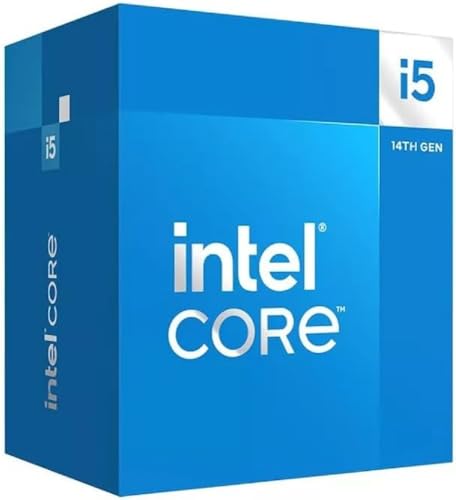
The i5-14500 is the non-K, non-F version of Intel's 14th gen mid-range. Fourteen cores (6 P-cores and 8 E-cores), a 5.0 GHz boost, and crucially, integrated Intel UHD 770 graphics. It's a flexible chip that works without a dedicated GPU, which makes it genuinely useful for home office builds, media centre PCs, and anyone who wants to start gaming and add a GPU later.
As the designated best budget pick in this roundup, the i5-14500 offers a modern LGA1700 platform with a lot of capability baked in. It's not locked down to Z-series boards either, so you can pair it with a B760 motherboard and keep costs down. The stock cooler is included, which is another saving.
Performance is strong for a non-K chip. In gaming at 1080p with a dedicated GPU, it's competitive with the i5-14600K in most titles, with only a small deficit in heavily multi-threaded scenarios. For everyday use, productivity, and moderate gaming, you'd struggle to notice the difference.
The i5-14500 is the chip for people who want a complete, capable system without the complexity and cost of a K-series build. It's sorted, straightforward, and genuinely good value in the context of the best Intel CPUs under £400.
Pros
14 cores on a modern LGA1700 platform
Integrated graphics included
Stock cooler included
Works with budget B-series motherboards
Flexible, good for builds without a dedicated GPU
Cons
Not overclockable
Slightly behind the i5-14600K in multi-threaded tasks
This page carries affiliate links; they never set the order. We don’t lab-test: rankings come from published specifications, the owner ratings on the UK listings and our own reviews.
How We Chose These Picks
We assessed each chip based on published benchmark data from Tom's Hardware and Intel's official product pages, cross-referenced with real owner feedback from Amazon UK and tech forums. We looked at gaming performance at 1080p and 1440p, multi-threaded productivity scores, power draw, platform compatibility, and total build cost. Pricing was checked at time of writing and reflects current UK market rates. We also considered long-term value, upgrade paths, and how each chip fits the specific needs of UK buyers building systems in 2026.
A crown that can’t be argued with isn’t proof of quality; it’s proof nobody checked. So rather than restate the winner’s virtues, we defend the crown against the strongest cases to take it.
Intel® Core™ i5-11400 Desktop Processor 6 Cores up to 4.4
Cross-examination · Three challengers, taken seriously
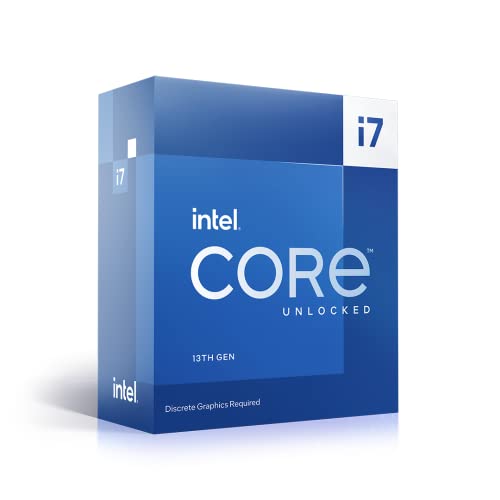
The owners’ argumentIntel® Core™ i5-14600KF Desktop Processor 14 cores
Owners rate it 4.7 from 690 ratings. The crown holds on the ranking rules: the order above was set before any link was attached, and its case is argued in full in the write-up above.
The owners’ argumentIntel® Core™ i7-14700K Desktop Processor 20 cores
Owners rate it 4.6 from 1,412 ratings. Our review scores it 8.0 against the winner’s 7.5. The crown holds on the ranking rules: the order above was set before any link was attached, and its case is argued in full in the write-up above.
The owners’ argumentIntel 20 Core i7 14700F Raptor Lake Refresh CPU/Processor
It’s £273.49 on the live listing today. Owners rate it 4.4 from 206 ratings. Our review scores it 8.5 against the winner’s 7.5. The crown holds on the ranking rules: the order above was set before any link was attached, and its case is argued in full in the write-up above.
The best Intel CPUs under £400 cover a genuinely wide range of needs, and the right pick depends on what you're building and how much you want to spend on the rest of the system. For most people, the i5-14600K or i5-14600KF is the standout choice: 14 cores, 5.3 GHz boost, and overclocking headroom make it one of the best value gaming CPUs available right now. If you're on a tighter budget or want a simpler build, the i5-14500 is the smart pick, with integrated graphics, a stock cooler, and compatibility with cheaper B-series boards. Power users and content creators who need maximum multi-threaded performance should look seriously at the i7-14700K, which is the most capable chip in this roundup and still sits comfortably under £400. Whatever your use case, there's a strong Intel processor in this price bracket that will serve you well.
The i5-14600K offers the best gaming performance under £400. Its 6 P-cores boost to 5.3GHz, delivering excellent frame rates in modern titles. The integrated graphics also provide flexibility if you're waiting on a GPU upgrade.
It depends on your setup. If you have a dedicated graphics card, the 'F' variants (like the i5-14600KF) save you £10-15 without sacrificing performance. But integrated graphics provide a useful backup if your GPU fails or for troubleshooting.
Raptor Lake (14th gen) uses the LGA1700 socket and offers proven performance with wide motherboard compatibility. Arrow Lake (Core Ultra) uses the newer LGA1851 socket with improved efficiency but requires new motherboards and has a smaller upgrade path currently.
For content creation, absolutely. The i7-14700K's 20 cores (versus 14) make a massive difference in video rendering and 3D work. For pure gaming, the i5-14600K delivers 95% of the performance less, making it better value for most gamers.
Current Intel CPUs under £400 offer excellent value right now. Prices have dropped significantly, and performance is strong. Unless you need cutting-edge efficiency or plan to keep the CPU for 5+ years, today's options represent solid purchases.
That’s the field: eleven intel cpus under £400, ranked for the job in the title and nothing else. We read the published specifications, the owner ratings and our own reviews; we haven’t handled these products, and no maker moves the order. Figures checked against the live Amazon UK listings, page updated 7 October 2026.
The Vivid Repairs desk
1Our top pickIntel® Core™ i5-11400 Desktop Processor 6 Cores up to 4.4 GHz LGA1200 (Intel® 500 Series & Select 400 Series Chipset) 65WScored 7.5/10Compare all →Buy on Amazon →