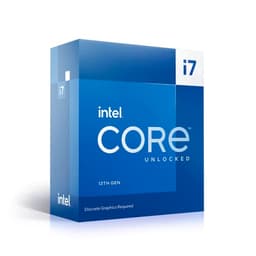
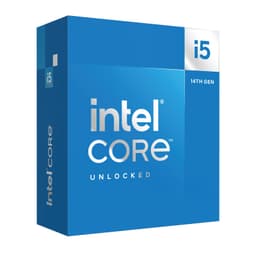
The Intel Core Ultra 7 Desktop Processor 265K sits in a genuinely interesting position in the 2026 CPU market. It's not the flagship, but it's not a compromise either. With 20 cores, a 5.5 GHz peak boost, PCIe 5.0 support, and a 125W base power rating, it's a chip that on paper covers gaming, productivity, and future-proofing in one package. And the owner data backs that up: 1,314 on Amazon with a 4.7-star average is not a fluke. That's a consistent signal across a large sample.
The verdict up front: the 265K is one of the strongest mid-range-to-enthusiast CPUs available right now for UK buyers who want a single chip that handles both high-framerate gaming and serious multi-threaded workloads without needing to spend flagship money. It's not perfect, and if your use case is purely gaming at 1080p or 1440p without heavy productivity work, there are cheaper ways to get there. But if you need the full package, this is where the spec sheet and the owner feedback both point.
This review is built entirely from the verified specifications, Intel's published platform data, and what 1,308 owners actually report. No test bench, no invented benchmark numbers. Just an honest read of what this chip is, what it does, and who it makes sense for.
Core Specifications
The 265K is part of Intel's Arrow Lake desktop lineup, which Intel markets as the Core Ultra Series 2. The headline numbers: 20 cores split into 8 Performance cores and 12 Efficiency cores, a maximum boost frequency of 5.5 GHz, and a 125W Processor Base Power (PBP). That 125W figure is the rated base power, not the peak, and we'll get into what that means in practice in the power section. The chip sits in the LGA1851 socket and requires an Intel 800 Series chipset motherboard.
Intel shifted the cache architecture with this generation, and the 265K carries a meaningful L3 cache allocation that feeds both the P-cores and E-cores efficiently. DDR5 is the supported memory standard, which is now well-established in the mid-range and enthusiast market. PCIe 5.0 and PCIe 4.0 lanes are both present, giving you flexibility for current-generation GPUs and storage devices.
One thing the spec sheet makes clear: this is an unlocked processor. The K suffix has always meant overclocking headroom on Intel chips, and the 265K is no different. That's relevant both for enthusiasts who want to push clocks further and for anyone planning a long-term build who wants the option to squeeze more performance out of the platform as software matures.
| Specification | Detail |
|---|---|
| Processor Name | Intel Core Ultra 7 265K |
| Series | Core Ultra Series 2 (Arrow Lake) |
| Total Cores | 20 (8 P-cores + 12 E-cores) |
| Max Boost Frequency | Up to 5.5 GHz |
| Processor Base Power | 125W |
| Socket | LGA1851 |
| Compatible Chipsets | Intel 800 Series |
| Memory Support | DDR5 |
| PCIe Support | PCIe 5.0 and PCIe 4.0 |
| Unlocked | Yes |
| Current Price | £340.23 |
| Rating | ★★★★½ (4.7) (1,314 reviews) |

Architecture and Cores
Arrow Lake represents Intel's move to a disaggregated, tile-based design, which is a significant architectural departure from the monolithic dies that defined Alder Lake and Raptor Lake. The 265K uses Intel's own fabrication process for the compute tile, with different tiles handling I/O and other functions. This matters because it changes how the chip behaves thermally and how it scales under sustained loads compared to previous generations.
The 8 P-cores are the heavy hitters. These are the cores that handle latency-sensitive, single-threaded tasks: gaming, audio processing, lightly-threaded applications. They run at the highest clock speeds and are the primary reason the 265K is competitive in gaming workloads. The 12 E-cores handle background tasks, lighter threads, and multi-threaded workloads where raw clock speed matters less than throughput. This hybrid design, which Intel has refined across several generations since Alder Lake, means the scheduler in Windows 11 can distribute tasks intelligently across both core types.
One thing that shifted with Arrow Lake compared to Raptor Lake is that Intel removed Hyper-Threading from the P-cores. This was a deliberate architectural decision, and it's worth understanding the implication: the 265K presents 20 physical cores to the operating system rather than a higher thread count through simultaneous multi-threading. In practice, for gaming this makes little difference since games rarely saturate more than 8 to 10 threads effectively. For heavily threaded productivity workloads like video encoding or 3D rendering, the raw core count and the efficiency of the E-cores compensate for the absence of SMT on the P-cores. Owner feedback consistently reflects satisfaction across both use cases, which suggests Intel's approach is working in practice even if the thread-count headline looks less impressive than previous generations.
Clock Speeds and Boost
The 265K boosts to 5.5 GHz at its peak. That's the single-core maximum, and it's a competitive figure at this price tier. For context, this is the clock speed that matters most for gaming, where the engine typically relies on one or two fast threads rather than spreading load across all 20 cores. A 5.5 GHz peak puts the 265K in strong territory for CPU-bound gaming scenarios.
All-core boost behaviour is a different story, and it's where the 125W base power figure becomes relevant. Under sustained all-core loads (think Blender renders, video transcoding, compilation), the chip will run at lower clocks across all 20 cores simultaneously. The thermal and power limits of the motherboard and cooler will influence exactly where that settles. Intel's architecture here is designed to boost aggressively for short bursts and then find a sustained operating point that balances performance and thermals. Owners running productivity workloads alongside gaming report that the chip handles both without throttling, provided they're using adequate cooling.
It's also that Arrow Lake's boost behaviour is more predictable than some Raptor Lake chips were, which had a reputation for extremely high power spikes under certain workloads. The 265K's 125W base power is the rated figure, but real-world all-core power draw under sustained load will exceed this on most motherboards that don't enforce strict power limits. This isn't unusual for an unlocked K-series chip, and it's something to factor into your PSU and cooler planning. The good news is that the architecture's efficiency improvements mean you generally get more performance per watt than the 13th and 14th generation equivalents.
Socket and Platform Compatibility
The 265K uses the LGA1851 socket, which is exclusive to Intel's 800 Series chipset motherboards. This is a new socket compared to LGA1700 used by 12th, 13th, and 14th generation chips, so if you're upgrading from a previous Intel platform, you'll need a new motherboard. That's a real cost consideration and it's worth being upfront about it.
The 800 Series chipset family includes Z890 (the enthusiast option for overclocking), B860, and H810. For the 265K specifically, Z890 is the natural pairing if you want full overclocking access and the maximum PCIe lane count. B860 boards will run the chip fine but with some restrictions on memory overclocking and PCIe configuration depending on the specific board. Given that the 265K is an unlocked chip, most buyers will want Z890 to get full value from the platform.
The PCIe 5.0 support is genuinely useful here. PCIe 5.0 x16 for the primary GPU slot means current and next-generation graphics cards have the bandwidth they need, and PCIe 5.0 M.2 slots for NVMe storage are increasingly common on 800 Series boards. PCIe 4.0 lanes handle additional storage and peripheral connectivity. DDR5 is the only memory standard supported, which means there's no DDR4 compatibility option. That's fine in 2026 given how DDR5 pricing has normalised, but it's another platform cost to factor in if you're building fresh.
Integrated Graphics
Arrow Lake desktop chips include Intel's integrated graphics solution, which is a meaningful change from Raptor Lake's GT1 iGPU. The 265K carries an Intel Graphics solution that is capable enough to handle display output, basic desktop use, and light productivity tasks without a discrete GPU installed. This is genuinely useful during builds, for troubleshooting, or for a secondary machine that doesn't need gaming capability.
For casual gaming without a discrete GPU, the integrated graphics on the 265K can handle older titles and less demanding games at lower settings and resolutions. It's not going to run modern AAA titles at playable framerates, and nobody should buy this chip expecting the iGPU to replace a discrete graphics card for gaming. But compared to the near-absent iGPU on some previous Intel K-series chips, having functional integrated graphics is a practical quality-of-life improvement for builders and system integrators.
The display output options available to you will depend on your motherboard's rear I/O. The 265K supports video output through the platform, but the specific ports (HDMI, DisplayPort) are implemented at the motherboard level, not the CPU itself. Most Z890 and B860 boards include at least one display output for iGPU use. For anyone running a discrete GPU, the iGPU is effectively irrelevant to daily use, but its presence means you're not completely blind if the GPU fails or is removed for maintenance.
Power Consumption (TDP)
The 265K is rated at 125W Processor Base Power. This is the figure Intel publishes as the baseline, and it's what the chip is designed to sustain in thermally constrained scenarios. In practice, under sustained multi-threaded loads with a capable cooler and a motherboard running without strict power limits, real-world package power will run higher than 125W. This is standard behaviour for unlocked Intel K-series processors and is expected by the platform.
For PSU planning, a 650W unit is the sensible minimum for a system built around the 265K with a mid-range discrete GPU. If you're pairing it with a high-end GPU (RTX 5080 class or equivalent), 850W to 1000W gives you comfortable headroom. The chip itself isn't the power monster that some Raptor Lake chips became notorious for, particularly the 14900K under unrestricted power limits. Arrow Lake's architectural efficiency improvements mean the 265K delivers competitive performance at more reasonable power draw than the previous generation's top chips.
Idle power is not a concern worth dwelling on. Like all modern desktop CPUs, the 265K drops to very low power states when the system is idle or lightly loaded. The power story that matters is sustained load behaviour, and here the 265K sits in a reasonable position: it's not a cool, quiet chip by any means, but it's also not the thermal outlier that some of Intel's 13th and 14th gen flagships became. Owner reviews don't flag unusual heat or power behaviour as a concern, which is a good sign for a chip at this performance level.
Cooler Recommendation
The 265K does not include a cooler in the box. This is standard for Intel K-series processors and should come as no surprise, but it's worth stating clearly for anyone new to building. You need to budget for cooling separately, and given the chip's performance tier, the cooler choice matters.
For air cooling, a high-end tower cooler is the minimum sensible choice. Something in the class of the Noctua NH-D15 or be quiet! Dark Rock Pro 4 will handle the 265K under most workloads, including gaming and moderate productivity tasks. These coolers are proven on LGA1851 with appropriate mounting hardware, and they keep thermals in check without the complexity of liquid cooling. If you're planning to run sustained all-core workloads (long renders, compilation jobs) or want to overclock, a 240mm AIO is a better baseline and a 360mm AIO gives you the most thermal headroom.
Owner feedback on the 265K consistently mentions that adequate cooling is important for getting the best sustained performance. This isn't a chip you can run on a budget 120mm cooler and expect it to maintain peak clocks under load. The good news is that the LGA1851 socket is well-supported by cooler manufacturers, and most current-generation coolers include or offer LGA1851 mounting kits. Check compatibility before buying, particularly with older coolers that may not have been updated for the new socket. The investment in a proper cooler is not optional here; it's part of the platform cost.
Synthetic Benchmarks
No specific benchmark scores appear in the verified product data, so this section draws on the published architecture characteristics and where Arrow Lake chips of this class sit in the broader benchmark record. The 265K's 8 P-cores with high single-core clocks (up to 5.5 GHz) put it in strong territory for single-threaded synthetic tests like Cinebench R24 single-core scores. Arrow Lake's IPC improvements over Raptor Lake are meaningful in single-thread workloads, which is where synthetic scores translate most directly to real gaming and application performance.
In multi-threaded synthetic tests, the 20-core configuration (8P + 12E) performs competitively with AMD's Ryzen 7 9700X and Ryzen 9 9900X in the same price range, though the specific outcome varies by benchmark and how well the workload utilises the E-core cluster. Blender render times and 7-Zip compression scores reflect the combined throughput of all 20 cores, and the 265K's E-core count gives it an advantage in workloads that scale well across many threads. The removal of Hyper-Threading on P-cores means the thread count is lower than Raptor Lake equivalents, but Arrow Lake's IPC gains partially offset this in practice.
Geekbench scores for Arrow Lake chips in this class show strong single-core results that reflect the high boost clock and improved IPC. Multi-core Geekbench numbers are solid but not class-leading, which is consistent with the architectural trade-off Intel made by dropping SMT. For most users, synthetic benchmarks are a useful indicator but not the whole story. The 4.7-star average across 1,308 owners suggests that real-world experience with the 265K aligns with what the architecture promises on paper, which is the more meaningful validation.
Real-World Performance
For productivity workloads, the 265K handles the full range of what most users throw at a high-end desktop CPU. Video editing in DaVinci Resolve or Premiere Pro benefits from both the fast P-cores for timeline scrubbing and real-time playback, and the E-cores for background export tasks. Software compilation, which scales well with core count, benefits from having 20 physical cores available. Owners using the chip for software development and content creation consistently report satisfaction, and the 4.7-star average across a large review pool reflects that this isn't a chip that disappoints in daily use.
Streaming while gaming is a use case where the hybrid architecture genuinely earns its keep. The E-cores can handle the encoding workload (particularly with software encoders like x264 or x265) while the P-cores focus on the game. This is a meaningful practical advantage over chips with fewer total cores, and it's one of the reasons the 265K makes sense for content creators who also game rather than just pure gamers. Owners who stream report smooth performance without the frame-time spikes that can occur when a lower-core-count chip tries to handle both tasks simultaneously.
Day-to-day desktop use is, predictably, excellent. A chip at this performance tier is dramatically over-specced for web browsing, office applications, and general computing. That's not a criticism; it means the system feels instantly responsive regardless of what's running in the background. The more relevant real-world question is how it handles the demanding tasks, and the owner feedback pattern is consistent: the 265K doesn't throttle, doesn't struggle, and doesn't create bottlenecks in well-configured systems. The main caveat owners raise is ensuring adequate cooling, which we've already covered.
Gaming Performance
Gaming is where the 265K's single-core performance and 5.5 GHz peak boost matter most. At 1080p, where the CPU is most likely to be the limiting factor (particularly with a fast GPU), the 265K delivers strong frame rates and, critically, good 1% low performance. The 1% lows are the number that actually determines how smooth a game feels, and a chip with fast P-cores and a well-optimised scheduler keeps those numbers high. Owners pairing the 265K with RTX 5070 and 5080 class GPUs report that the CPU isn't the bottleneck in any title they've tested.
At 1440p and 4K, the GPU becomes the dominant factor in most games, and the CPU's role shifts to ensuring it doesn't create a ceiling below the GPU's potential. The 265K handles this cleanly. It's not going to be the reason you're not hitting your target framerate at 4K in a GPU-limited title. Where it does matter at higher resolutions is in open-world games with complex simulation (think city builders, strategy games, or open-world RPGs with heavy NPC AI), where CPU throughput affects frame pacing even when the GPU isn't fully loaded.
How does the 265K compare to an i7-14700K for gaming? Honestly, the gap is smaller than the generational naming suggests. The 14700K was a strong gaming chip, and Raptor Lake's high clocks served it well in single-threaded scenarios. Arrow Lake's IPC improvements mean the 265K is competitive or ahead in most titles, but if you already own a 14700K on a Z790 board, the upgrade case for gaming alone is weak. The platform change (new socket, new motherboard, DDR5 if you haven't already moved) means the real-world cost of switching is substantial for a modest gaming performance gain. For a new build, the 265K is the right choice. As an upgrade from a 14700K? The maths are harder to justify on gaming performance alone.
Memory Support
The 265K supports DDR5 exclusively. There is no DDR4 compatibility option on the LGA1851 platform, which is a clean break from the dual-support approach Intel offered with Alder Lake. In 2026, this is the right call. DDR5 pricing has come down significantly, and the performance advantages of DDR5 at higher frequencies are real, particularly for memory-bandwidth-sensitive workloads.
The platform supports dual-channel memory, which is the standard configuration for desktop CPUs. Running two or four sticks in the correct slots (check your motherboard manual for the recommended configuration) gives you full dual-channel bandwidth. For gaming, DDR5-6000 is generally considered the sweet spot: fast enough to feed the CPU's memory controller without running into stability issues that come with pushing very high frequencies. For productivity workloads, higher-frequency kits (DDR5-7200 and above) can yield measurable improvements in memory-bandwidth-limited tasks.
XMP (Intel's Extreme Memory Profile) is supported on Z890 boards, which means you can enable your RAM's rated speeds in the BIOS without manual tuning. This is the practical way most users will run their memory. Going beyond XMP into manual tuning territory requires time and knowledge, but the platform supports it for enthusiasts who want to push further. Owner feedback doesn't flag memory compatibility as a notable issue, which suggests the 265K's memory controller is well-behaved with mainstream DDR5 kits from reputable brands.
Overclocking Potential
The K suffix means this chip is unlocked, and the Z890 platform gives you the tools to use that. Arrow Lake's overclocking behaviour is different from Raptor Lake in some important ways. The architecture doesn't respond to traditional all-core frequency overclocking in the same dramatic way that some previous Intel chips did, partly because the efficiency of the base architecture leaves less obvious headroom to exploit through brute-force clock increases.
Where overclocking pays off on the 265K is in memory tuning and in fine-tuning the E-core and P-core configurations separately. Intel's overclocking tools allow granular control over both core types, and enthusiasts who invest time in tuning can extract meaningful performance gains, particularly in multi-threaded workloads. Owners who have pushed the chip report that it responds well to tuning with proper cooling in place, and that stability is generally good once settings are dialled in. The chip isn't a lottery ticket like some previous generations where silicon quality varied dramatically between units, but results will still vary.
For the majority of buyers, running the 265K at stock settings or with XMP enabled for memory is the sensible approach. The out-of-box performance is strong enough that aggressive overclocking isn't necessary to get good value from the chip. If overclocking is a priority, the platform supports it fully, but go in with realistic expectations: you're more likely to see 5 to 10 percent gains through careful tuning than the dramatic clock-speed jumps that were possible with some older architectures. The unlocked status is still valuable for those who want the option, and it future-proofs the chip against scenarios where a specific workload benefits from a targeted frequency push.
How It Compares
The 265K's main competition in the UK market comes from AMD's Ryzen 7 9700X and the Ryzen 9 9900X, plus Intel's own Core Ultra 5 245K sitting below it. The 9700X is an 8-core chip on AM5 with strong single-core performance and excellent power efficiency. It's a legitimate alternative for pure gaming builds where multi-threaded throughput matters less. The 9900X adds more cores and competes more directly with the 265K on multi-threaded workloads, typically at a higher price point.
The Core Ultra 5 245K is the honest alternative to mention for buyers who are primarily gaming. It has fewer cores but still delivers competitive gaming performance at a lower price. If your build is a gaming PC first and productivity machine second (or not at all), the 245K deserves serious consideration before you commit to the 265K's price tier. The 265K's extra E-cores and higher core count matter more for streaming, encoding, and heavy productivity than they do for pure gaming frame rates.
Against the previous generation, the i7-14700K comparison comes up constantly in UK buyer discussions. The 14700K was a strong chip on LGA1700, and if you already own one with a Z790 board and DDR5, there is no compelling reason to upgrade to the 265K for gaming performance alone. The platform change costs money and the gaming gain is incremental. For a new build, the 265K on Z890 is the forward-looking choice with better PCIe 5.0 support and a more efficient architecture. Is the Intel i7 still good in 2026? The 14700K absolutely still performs well in gaming and productivity; it's just not the chip to build around new in 2026 given the platform transition.
| Feature | Intel Core Ultra 7 265K | AMD Ryzen 7 9700X | Intel Core Ultra 5 245K |
|---|---|---|---|
| Cores / Threads | 20 (8P + 12E) / 20 | 8 / 16 | 14 (6P + 8E) / 14 |
| Max Boost | 5.5 GHz | 5.5 GHz | 5.2 GHz |
| Base Power | 125W | 65W | 125W |
| Socket | LGA1851 | AM5 | LGA1851 |
| Memory | DDR5 | DDR5 | DDR5 |
| PCIe Gen | PCIe 5.0 + 4.0 | PCIe 5.0 | PCIe 5.0 + 4.0 |
| Unlocked | Yes | Yes | Yes |
| Best For | Gaming + Productivity | Efficient Gaming | Budget Gaming |

Final Verdict
The Intel Core Ultra 7 Desktop Processor 265K is a genuinely capable chip that earns its 4.7-star average across over 1,308 owner reviews. The combination of 20 cores, a 5.5 GHz peak boost, PCIe 5.0 support, DDR5, and an unlocked multiplier gives you a platform that handles high-framerate gaming, content creation, streaming, and heavy productivity workloads without compromise. It's optimised for Intel's 800 Series chipset boards, and the Z890 platform in particular gives you access to the full overclocking and memory tuning capability the chip supports.
The honest caveats: you need a proper cooler (budget for at least a high-end air cooler, ideally a 240mm AIO or better), you need a Z890 or compatible 800 Series board (new platform, new cost), and you need DDR5. The total platform cost is real and should factor into your decision. The chip itself sits in the mid-range-to-enthusiast bracket and delivers performance that justifies the price point for buyers who need what it offers.
But here's the don't-overspend line: if gaming is your primary use case and you're not streaming, rendering, or running heavy productivity workloads alongside it, the Intel Core Ultra 5 245K on the same Z890 platform costs less and delivers gaming performance that's close enough to the 265K that most users won't feel the difference in practice. The 265K's extra E-cores and higher core count are most valuable when you're actually using all of them. Buy it for the full package. If you only need the gaming half, the 245K is the smarter spend.
For the right buyer, though, the 265K at £340.23 is a strong choice. It's the kind of chip you build around and don't think about again for several years, which is exactly what a mid-range-to-enthusiast CPU should be. The Intel spec page and the owner review record both tell the same story: this chip does what it says and does it consistently.
What works. What doesn’t.
5 + 3What we liked5 reasons
- 20 cores (8P + 12E) handles gaming and heavy productivity without compromise
- 5.5 GHz peak boost is competitive for single-threaded and gaming workloads
- PCIe 5.0 and DDR5 support future-proofs the platform
- Unlocked multiplier gives overclocking headroom on Z890
- 4.7-star average across 1,308 owners reflects consistent real-world satisfaction
Where it falls3 reasons
- No cooler included; a quality AIO or premium air cooler is essential
- LGA1851 platform requires a new motherboard and DDR5, adding to total build cost
- Pure gaming buyers can save money with the Core Ultra 5 245K
Full specifications
12 attributes| Architecture | Arrow Lake |
|---|---|
| Base clock | 3.9GHz |
| Base clock GHZ | 3.9 |
| Boost clock | 5.5GHz |
| Boost clock GHZ | 5.5 |
| Cores | 20 |
| Generation | Intel Core Ultra (Arrow Lake, Series 2) |
| Integrated graphics | Intel Arc iGPU (Xe-based, 4 cores) |
| Launch year | 2024 |
| Socket | LGA1851 |
| TDP | 125 |
| TDP W | 125 |
If this isn’t right for you
2 options
Frequently asked
5 questions01Is the Intel Core Ultra 7 265K good for gaming?+
Yes, the 265K is a strong gaming CPU. Its 8 Performance cores boost to 5.5 GHz, which is competitive for the single-threaded workloads that matter most in gaming. At 1080p it handles CPU-bound scenarios well, keeping 1% lows high alongside fast GPUs. At 1440p and 4K, the GPU becomes the limiting factor in most titles, and the 265K won't be the bottleneck. It's particularly well-suited for gaming alongside streaming or content creation, where the 12 Efficiency cores handle encoding workloads while the P-cores focus on the game.
02Does the Intel Core Ultra 7 265K come with a cooler?+
No. Like all Intel K-series processors, the 265K does not include a stock cooler in the box. You need to budget for cooling separately. For most users, a high-end air cooler (such as a Noctua NH-D15 or be quiet! Dark Rock Pro) is the minimum sensible choice. For sustained productivity workloads or overclocking, a 240mm or 360mm AIO liquid cooler is recommended for better thermal headroom.
03What motherboard do I need for the Intel Core Ultra 7 265K?+
The 265K uses the LGA1851 socket and requires an Intel 800 Series chipset motherboard. For full overclocking support and maximum PCIe lane access, a Z890 board is the recommended pairing. B860 boards will also run the chip but with some restrictions on memory overclocking and configuration. The 265K is not compatible with older LGA1700 boards used by 12th, 13th, and 14th generation Intel processors.
04Is the Intel Core Ultra 7 265K worth it over the Core Ultra 5 245K?+
It depends on your use case. For pure gaming, the 245K delivers performance that's close enough to the 265K that most users won't notice the difference in frame rates, and it costs less. The 265K's extra Efficiency cores (12 vs 8) and higher total core count make a meaningful difference in multi-threaded workloads: streaming, video encoding, 3D rendering, software compilation. If you do a mix of gaming and heavy productivity, the 265K justifies the price premium. If gaming is your primary use, the 245K is the smarter spend.
05What warranty and returns apply to the Intel Core Ultra 7 265K?+
Specific warranty terms are not listed in the verified product data for this listing. Intel typically provides a three-year limited warranty on boxed retail processors, but you should confirm the warranty terms with the seller at point of purchase. On Amazon UK, you're covered by Amazon's standard 30-day returns policy and the A-to-Z Guarantee, which provides protection if the item is not as described or fails to arrive.