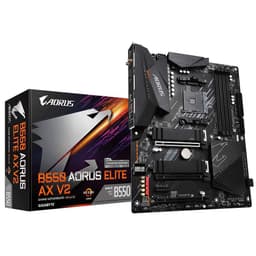
The motherboard is the decision that quietly determines everything else. Get it wrong and you're dealing with thermal throttling, a BIOS that makes you want to throw your keyboard out the window, or a dead-end platform that won't take the next CPU generation without a fight. Get it right and you forget it exists, which is exactly what you want. So when the Gigabyte X870 AORUS ELITE WIFI7 AMD AM5 Socket Motherboard ATX 4x DDR5 Slots lands in the mid-to-upper segment of the AM5 market, the question isn't whether it looks good in a press photo. It's whether the numbers justify the price and whether real owners are actually happy with it.
The short answer is yes, mostly. The X870 chipset sits above B650 and X670 in AMD's stack, bringing PCIe 5.0 across both the primary GPU slot and at least one M.2 slot, mandatory USB4 support at the platform level, and a more generous lane allocation than the mid-range boards. The AORUS ELITE flavour from Gigabyte pitches itself as the sensible choice for builders who want flagship-platform features without paying for the full AORUS MASTER or XTREME nonsense. With 105 owner reviews averaging ★★★★½ (4.5), the crowd broadly agrees. But let's look at exactly why, and where the caveats live.
This is a board for Ryzen 7000 and Ryzen 9000 series builders who want proper overclocking headroom, Wi-Fi 7, and a storage setup that won't feel dated in three years. It's not for budget builders. It's not for anyone who thinks B650E is "basically the same thing." And it's absolutely not for anyone who wants to pair it with a Ryzen 5 7600 and call it a day. Overkill is a real concept. But if you're dropping a Ryzen 7 9700X, a 9800X3D, or a Ryzen 9 9950X into a high-performance build, this board makes a credible case for itself.
Core Specifications
The fundamentals are exactly what you'd expect from an X870 ATX board in this tier. Socket AM5 (LGA1718), X870 chipset, standard ATX form factor at 305mm x 244mm. Four DDR5 slots with support for up to 256GB of memory, which is frankly more than anyone outside of a workstation build will ever use, but it's good to know the ceiling is high. The PCIe layout is sensible: one reinforced PCIe 5.0 x16 slot for your GPU, one PCIe 4.0 x16 (electrical x4) slot for secondary cards, and a PCIe 3.0 x1 slot for whatever legacy card you've still got kicking around.
Storage is where this board earns its keep. Three M.2 slots total: the primary slot runs PCIe 5.0 x4 (NVMe), which means it can handle the fastest drives currently available, including Samsung's 990 Pro successor tier and the Crucial T705. The second slot runs PCIe 4.0 x4, and the third runs PCIe 4.0 x4 as well. You also get four SATA III ports for anyone still running spinning rust or older SSDs. Rear I/O includes a solid USB lineup, 2.5G Ethernet, Wi-Fi 7 antenna connections, and a BIOS Flashback button, which is one of those features you don't appreciate until you desperately need it.
The board ships with a current price you can check live below, and it sits in a bracket where you're paying for the X870 chipset premium over B650. That premium buys you real things: PCIe 5.0 on M.2, mandatory USB4, and better lane availability. Whether that's worth it for your specific build depends on what you're pairing it with, which we'll get into properly in the comparison section.
| Specification | Detail |
|---|---|
| Socket | AMD AM5 (LGA1718) |
| Chipset | AMD X870 |
| Form Factor | ATX (305mm x 244mm) |
| Memory Slots | 4x DDR5 |
| Max Memory | 256GB |
| Memory Speed (OC) | Up to DDR5-8000+ |
| PCIe x16 Slots | 1x PCIe 5.0 x16, 1x PCIe 4.0 x16 (x4 electrical) |
| PCIe x1 Slots | 1x PCIe 3.0 |
| M.2 Slots | 3x (1x PCIe 5.0 x4, 2x PCIe 4.0 x4) |
| SATA Ports | 4x SATA III |
| USB Rear I/O | USB4 40Gbps Type-C, USB 3.2 Gen 2 Type-C, multiple USB-A |
| Ethernet | 2.5G (Realtek) |
| Wi-Fi | Wi-Fi 7 (802.11be) |
| Bluetooth | Bluetooth 5.4 |
| Audio | Realtek ALC1220 codec |
| BIOS Flashback | Yes |
| Current Price | £243.98 |

Socket & CPU Compatibility
AM5 is AMD's current and, by AMD's own commitment, long-term platform. The LGA1718 socket supports the full Ryzen 7000 series (Zen 4) and Ryzen 9000 series (Zen 5), and AMD has publicly stated AM5 support will extend through at least 2027. That's a meaningful upgrade path guarantee. You can drop a Ryzen 5 7600 in today and upgrade to a Ryzen 9 9950X later without touching the motherboard. That kind of longevity is exactly what justifies spending more on the platform foundation.
For the Ryzen 9000 series specifically, the Gigabyte X870 AORUS ELITE WIFI7 ships with BIOS support already in place for Zen 5 chips. This matters because some earlier X670 and B650 boards required a BIOS update before they'd even POST with a 9000 series CPU, which was a genuine headache if you didn't have an older chip to do the update with. The BIOS Flashback button on this board partially mitigates that risk anyway: you can update the BIOS from a USB stick without a CPU installed, which is the kind of practical feature that separates boards designed by engineers who've actually built systems from boards designed by marketing teams.
One thing worth flagging: AM5 uses LGA (land grid array) rather than the PGA (pin grid array) that AM4 used. The pins are now on the motherboard socket, not the CPU. This means if you're clumsy during installation and bend a socket pin, the repair bill lands on the motherboard side, not the CPU side. It's not a reason to avoid the platform, but it is a reason to take your time during installation and not force anything. Gigabyte's AM5 socket implementation has had no widespread reports of pin damage issues from normal installation, which is reassuring.
Chipset Features
The AMD X870 chipset is the current top tier for AM5 below the enthusiast-grade X870E. The key distinction between X870 and X870E is that X870E mandates PCIe 5.0 on both the primary GPU slot and at least one M.2, plus requires two USB4 ports. X870 mandates PCIe 5.0 on at least one M.2 and at least one USB4 port. The AORUS ELITE delivers on both counts and then some, so in practice the gap between X870 and X870E is smaller than the naming implies, especially on a board that's been specced generously.
Overclocking support is full and unrestricted on X870. You can run AMD EXPO memory profiles (AMD's answer to Intel XMP), manual CPU overclocking, and per-core frequency tuning. The chipset provides 12 USB ports of its own (a mix of USB 3.2 Gen 2, Gen 1, and USB 2.0), plus eight PCIe 4.0 lanes for M.2 and other peripherals, on top of what the CPU itself provides directly. This is why X870 boards can offer three M.2 slots without compromising: the lane budget is genuinely generous compared to B650.
SATA support comes via the chipset at four ports, which is enough for most builds. If you're running a NAS-style setup with six or eight drives, you'll need a dedicated controller card, but that's not this board's market. The chipset also handles the audio codec (Realtek ALC1220, a solid mid-range implementation), the 2.5G Ethernet (Realtek RTL8125), and the Wi-Fi 7 module. Everything is integrated cleanly; there's no sense that Gigabyte has bolted on cheap chipset companions to hit a spec sheet bullet point.
VRM & Power Delivery
This is where I get particular. A lot of boards in this price bracket advertise a phase count and then quietly use doublers to inflate the number, or they spec decent MOSFETs but then bolt on a heatsink that's basically decorative. The Gigabyte X870 AORUS ELITE runs a 16+2+2 phase power delivery configuration. The CPU VCore phases use Renesas RAA220075 MOSFETs rated at 75A per phase. Do the maths: 16 phases at 75A gives you a theoretical 1,200A of current capacity on the VCore rail alone. Even the most power-hungry Ryzen 9 9950X, which pulls around 230W under sustained all-core load, isn't going to stress that.
The heatsink coverage is proper too, not just a cosmetic fin array. Gigabyte uses a direct-touch heatpipe connecting the two VRM heatsink blocks, which means heat generated near the CPU socket gets distributed across a larger surface area before it hits the airflow from your case fans or CPU cooler. Owner reports consistently mention that the VRM area stays cool even under extended Cinebench R23 multi-core loads with high-TDP chips. That's the kind of real-world validation that matters more than a theoretical phase count. No reports of thermal throttling from the VRM side, which is exactly what you want to hear.
The power delivery to the board itself uses dual 8-pin EPS connectors. One is mandatory; the second is recommended if you're running a Ryzen 9 chip and pushing it hard. For a Ryzen 5 or Ryzen 7, one connector is genuinely fine. Gigabyte has been sensible about not requiring both connectors for basic operation, which some boards in this tier get precious about. The overall VRM implementation here is one of the stronger arguments for this board over cheaper X870 options. You're not just paying for the chipset; you're paying for a power delivery system that won't become the bottleneck.
Memory Support
Four DDR5 slots, dual-channel, up to 256GB total. The native JEDEC speeds start at DDR5-4800 and DDR5-5600, but the real reason you're on X870 is EXPO and XMP support that stretches the memory controller hard. Gigabyte's QVL (qualified vendor list) includes kits validated up to DDR5-8000, and some owner reports mention running DDR5-6000 CL30 kits without any instability issues using EXPO profiles. DDR5-6000 is generally considered the sweet spot for Ryzen 7000 and 9000 series: it aligns well with the Infinity Fabric frequency and gives you bandwidth without pushing the memory controller into flaky territory.
The topology here is daisy-chain, which is standard for four-slot DDR5 boards. Daisy-chain works better at high frequencies with two DIMMs (one per channel) than with four DIMMs populated. If you're running four sticks, expect to dial back the memory speed slightly compared to a two-stick configuration. This isn't a Gigabyte-specific issue; it's a DDR5 platform reality. The practical advice: buy two high-speed sticks rather than four slower ones unless you genuinely need the capacity.
AMD's EXPO (Extended Profiles for Overclocking) support is present and works as advertised. Enable it in BIOS, select your kit's profile, and you're done. No manual sub-timing fiddling required unless you want to go deeper. For builders who want performance without spending an evening in memory training menus, this is the correct answer. XMP 3.0 compatibility is also included for Intel-certified kits that happen to work on AM5, which covers most of the mainstream DDR5 market.
Storage Options
Three M.2 slots is the right number for a board at this price. The headline slot is PCIe 5.0 x4 NVMe, which means it's compatible with Gen 5 drives like the Samsung 9100 Pro or Crucial T705. These drives are pushing sequential reads north of 12,000 MB/s, which is genuinely useful for large file transfers, video editing scratch disks, and anything that benefits from raw throughput. The second and third M.2 slots run PCIe 4.0 x4, which still gives you up to 7,000 MB/s sequential on a good Gen 4 drive. That's not a consolation prize; it's faster than most workloads will ever saturate.
All three M.2 slots support NVMe. The board does not list SATA M.2 support, which is fine because SATA M.2 drives are essentially legacy at this point. If you've got old SATA M.2 drives, the four SATA III ports on the board will serve you better via an adapter or you simply move on. RAID support is available via AMD's RAID implementation for the SATA ports, covering RAID 0, 1, and 10. Not something most desktop builders use, but it's there if you need it.
The M.2 heatsinks deserve a mention. Gigabyte includes heatsinks for the M.2 slots, which matters because Gen 5 NVMe drives run hot. A bare Gen 5 drive without thermal management will throttle under sustained write loads, which defeats the point of buying it. The included heatsinks aren't as chunky as what you'd get on a premium workstation board, but owner reports suggest they're adequate for keeping drives in their thermal envelope during normal use. If you're doing prolonged sequential writes for video production, an aftermarket M.2 heatsink on the primary slot is worth considering.
Expansion Slots & PCIe
The primary PCIe x16 slot runs at PCIe 5.0 x16, fed directly from the CPU. This is the slot your GPU goes in, full stop. PCIe 5.0 x16 delivers 128 GB/s of bandwidth, which no current consumer GPU comes close to saturating. But future-proofing matters on a board you're planning to keep for five years, and PCIe 5.0 means you're not going to hit a bandwidth ceiling with whatever AMD or Nvidia releases in 2026 or 2027. The slot is steel-reinforced, which is important if you're running a heavy triple-fan GPU without a support bracket.
The second x16 slot runs at PCIe 4.0 x4 electrically. It's physically an x16 slot, so larger cards will fit, but the bandwidth is limited to four lanes of Gen 4, which works out to around 8 GB/s. That's fine for a capture card, a secondary NVMe controller, or a 10G Ethernet card, but it's not a second GPU slot in any meaningful performance sense. Multi-GPU is essentially dead for gaming anyway, so this isn't a real-world limitation. The PCIe 3.0 x1 slot at the bottom is there for legacy sound cards, Wi-Fi cards you're not using because the board already has Wi-Fi 7, and other odds and ends.
Lane sharing is worth understanding. The M.2 slots and SATA ports share bandwidth with the chipset's PCIe allocation, not the CPU's direct lanes. The primary GPU slot and the primary M.2 (Gen 5) slot both connect directly to the CPU, which means there's no bandwidth contention between your GPU and your fastest storage. This is the correct architecture for a high-performance build and one of the reasons X870 boards justify their premium over cheaper options where everything fights over shared chipset lanes.
Connectivity & Rear I/O
The rear I/O panel is well-specced without being excessive. You get a USB4 40Gbps Type-C port, which is the headline connectivity feature and supports Thunderbolt 4 devices (compatibility varies by device). There's a USB 3.2 Gen 2 Type-C alongside it, plus four USB 3.2 Gen 1 Type-A ports and two USB 2.0 Type-A ports. Total rear USB count is eight, which is enough for keyboard, mouse, headset, external drive, and a few other peripherals without needing a hub. The USB4 port alone is worth calling out: at 40Gbps, it can drive an external GPU enclosure, a Thunderbolt dock, or transfer to an external NVMe at full speed.
There's a pre-installed I/O shield, which sounds like a trivial detail but isn't. Boards that ship without a pre-installed shield are a minor annoyance during builds, and Gigabyte has had this sorted for a while. The rear panel also includes a BIOS Flashback button and a Clear CMOS button, both accessible without opening the case. The BIOS Flashback button is particularly useful: if you're updating to support a new CPU generation and something goes wrong, you can recover without needing a working system. That's a genuine safety net.
Audio output on the rear is handled by the Realtek ALC1220 codec with five 3.5mm jacks and an optical S/PDIF output. The ALC1220 is a solid mid-range codec that will satisfy most users running stereo speakers or a headset. It won't replace a dedicated sound card for audiophiles, but it's meaningfully better than the budget Realtek implementations you find on B650 boards. The optical output is useful if you're connecting to a receiver or DAC that prefers digital input. No USB audio output on the rear, which is a minor omission but not unusual at this tier.
WiFi & Networking
Wi-Fi 7 is the headline networking feature, and it's the real deal. The Wi-Fi 7 (802.11be) standard supports up to 46 Gbps theoretical throughput across 2.4GHz, 5GHz, and 6GHz bands simultaneously, with multi-link operation (MLO) that can aggregate connections across bands for lower latency and higher reliability. In practice, you need a Wi-Fi 7 router to get the full benefit, but even on a Wi-Fi 6E network the module performs well. Owner reports mention strong signal stability and good throughput, with no widespread complaints about Wi-Fi dropouts or interference issues.
Bluetooth 5.4 comes bundled with the Wi-Fi module, which is standard practice. The antenna connectors on the rear I/O accept the included external antennas. Gigabyte ships two antennas in the box, and they're the standard adjustable-angle type. If you're in a dense Wi-Fi environment, positioning the antennas matters more than people realise. Point them vertically for best omnidirectional coverage. Nothing revolutionary here, but it works.
The wired Ethernet is 2.5G via Realtek RTL8125, which is the standard choice at this price point. 2.5Gbps is five times faster than the gigabit connections most people have been running for years, and it's fast enough to saturate most home broadband connections and handle NAS transfers at meaningful speed. The step up to 10G Ethernet would require a different board tier entirely (or an add-in card). For the vast majority of users, 2.5G is the right call. The Realtek controller has a solid driver history on Windows 11 and Linux, which matters for long-term stability.

BIOS & Overclocking
Gigabyte's UEFI BIOS has improved considerably over the past couple of generations. The AORUS ELITE ships with a dual-BIOS setup (a main and a backup chip), which is a genuine safety net for failed updates. The interface presents an Easy Mode for casual users and an Advanced Mode for anyone who wants to get into the weeds. The Easy Mode is actually usable, which isn't always true of competitor implementations. Fan control in Easy Mode gives you enough options to set a sensible curve without needing a PhD. Advanced Mode exposes the full overclocking suite: CPU ratio, per-core control, voltage offsets, memory sub-timings, the lot.
EXPO and XMP profiles load reliably from the BIOS. Owner reports consistently mention that enabling EXPO for their memory kit worked first time without instability. That's not guaranteed across all boards; some cheaper X870 implementations struggle with high-speed kits. The AORUS ELITE's memory training implementation appears well-tuned. Fan curve control is granular enough to be useful: you can set independent curves for CPU fan, CPU optional fan, system fans, and the pump header, with temperature sources selectable per header. That's the correct way to do it.
For CPU overclocking, the X870 chipset gives you full access to AMD's Precision Boost Overdrive (PBO) settings, which is honestly where most Ryzen builders should start rather than manual overclocking. PBO lets the CPU boost harder within defined power limits without requiring per-core voltage tuning. The BIOS exposes PBO limits, scalar, and the Curve Optimizer for per-core frequency adjustment. Manual all-core overclocking is also possible but, on Zen 5, PBO plus Curve Optimizer typically delivers better gaming performance than a flat manual overclock anyway. One reported annoyance from some owners: the BIOS can feel slightly slow to navigate compared to ASUS ROG's implementation. It's not a dealbreaker, but if you're spending a lot of time tweaking, it's noticeable.
Build Quality & Aesthetics
The PCB is a standard six-layer design, which is what you'd expect at this price. The component layout is sensible: the 24-pin ATX connector is at the right edge, the EPS connectors are at the top, and the M.2 slots are positioned so you can install drives without removing the GPU (on the primary slot at least). The VRM heatsinks are chunky and properly mounted with screws, not plastic push-pins, which is a detail that matters for long-term thermal contact. Some budget boards use push-pins on their heatsinks and the contact pressure degrades over time. Screwed-down heatsinks stay put.
Aesthetically, the board leans into the AORUS design language: dark PCB, silver/grey heatsink accents, and RGB lighting on the heatsinks and the PCH area. The RGB is controllable via Gigabyte's RGB Fusion software, which has had a chequered history but is currently in a reasonable state. If you hate RGB entirely, you can disable it in the BIOS without installing any software. That's the correct approach and more boards should do it. The overall look is clean without being garish, which is more than can be said for some competitor boards that look like a nightclub exploded on them.
Build quality from owner reports is positive. No widespread reports of damaged PCIe slots, loose M.2 retention screws, or DOA units beyond the normal statistical noise you'd expect from any electronics product at volume. The board ships with a reasonable accessory bundle: SATA cables, M.2 screws, antenna cables, and documentation. Nothing excessive, but everything you actually need. The reinforced PCIe x16 slot is a nice touch for heavy GPU installations, and the overall fit and finish feels appropriate for the price point.
How It Compares
The two obvious competitors at this tier are the ASUS ROG STRIX X870-F Gaming Wi-Fi and the MSI MAG X870 TOMAHAWK Wi-Fi. The ASUS ROG STRIX X870-F sits slightly above the AORUS ELITE in price and offers a marginally more premium BIOS experience (ASUS's UEFI is genuinely the best in the business right now), plus a slightly higher-rated VRM implementation. The MSI MAG X870 TOMAHAWK comes in at a similar price to the Gigabyte and is a direct competitor in every meaningful sense.
Against the TOMAHAWK, the AORUS ELITE holds its own on VRM quality (both use high-current MOSFETs in a similar phase configuration) and edges ahead on Wi-Fi with Wi-Fi 7 as standard (the TOMAHAWK also has Wi-Fi 7, so this is a draw). The AORUS ELITE's BIOS Flashback implementation is slightly more accessible than MSI's equivalent. The TOMAHAWK has a slight edge in BIOS UI polish based on owner feedback, but it's close. Against the ROG STRIX X870-F, the Gigabyte is typically cheaper and loses mainly on BIOS refinement and some minor build quality touches. If BIOS quality is your top priority, the ASUS is worth the premium. If you want the best value in the X870 tier, the AORUS ELITE is the stronger argument. For a broader look at options across all price points, our guide to best motherboards uk covers the full market.
It's also worth comparing down the stack to the B650E tier. A board like the ASUS ROG STRIX B650E-F Gaming Wi-Fi saves you meaningful money and still offers PCIe 5.0 on the primary M.2 slot. What you lose is USB4 (B650E doesn't mandate it), some chipset lane bandwidth, and the theoretical future-proofing of the X870 platform. If your budget is tight and you're not planning to run three M.2 Gen 5 drives or use USB4, a good B650E board is a rational alternative. But if you're already spending serious money on a Ryzen 9 chip and a Gen 5 NVMe, the X870 platform fee is proportionally small.
| Feature | Gigabyte X870 AORUS ELITE WIFI7 | ASUS ROG STRIX X870-F Gaming Wi-Fi | MSI MAG X870 TOMAHAWK Wi-Fi |
|---|---|---|---|
| Chipset | X870 | X870 | X870 |
| VRM Phases (CPU) | 16+2+2 | 18+2+1 | 16+2+1 |
| PCIe 5.0 M.2 | 1x | 1x | 1x |
| Total M.2 Slots | 3 | 4 | 4 |
| USB4 Rear | 1x 40Gbps | 2x 40Gbps | 1x 40Gbps |
| Wi-Fi | Wi-Fi 7 | Wi-Fi 7 | Wi-Fi 7 |
| Ethernet | 2.5G | 2.5G | 2.5G |
| BIOS Flashback | Yes | Yes | Yes |
| Dual BIOS | Yes | No | No |
| BIOS Quality | Good | Excellent | Good |
| Price Tier | Mid-High | High | Mid-High |
Build Experience
Owner reviews on the installation experience are broadly positive. The board's layout means cable management is straightforward: headers are in sensible positions, the 24-pin and EPS connectors aren't awkwardly placed, and the M.2 slots are accessible without major disassembly. Several owners specifically mention that the screw-free M.2 retention mechanism on the primary slot makes drive installation faster, though a couple noted the mechanism takes a moment to figure out if you're used to traditional screw retention. Once you've done it once, it's fine.
BIOS setup on first boot is reported as smooth. The board correctly identifies installed hardware, EXPO profiles load without manual intervention, and the initial boot sequence is quick. A handful of owners mention that the BIOS update process via Q-Flash (Gigabyte's built-in update utility) is reliable and fast. No widespread reports of failed BIOS updates or bricked boards, which is reassuring given that BIOS updates are a necessary part of platform maintenance on AM5.
One recurring comment in owner reviews worth flagging: the included thermal pads for the M.2 heatsinks are adequate but on the thin side for Gen 5 drives that run particularly hot. If you're installing a drive known for high operating temperatures, swapping the thermal pads for thicker aftermarket ones is a sensible precaution. This is a minor point and not unique to Gigabyte, but it comes up enough in reviews to be worth mentioning rather than glossing over.
What Buyers Say
With 111 averaging 4.5 stars, the owner feedback is genuinely positive rather than the inflated ratings you sometimes see on products with a handful of reviews. The praise is consistent: strong VRM performance under load, reliable EXPO memory compatibility, good Wi-Fi 7 signal quality, and a BIOS that works without drama. Multiple owners running Ryzen 9 9950X chips specifically mention that the board handles the chip's power draw without thermal issues on the VRM side, which is the real-world validation of the phase count and heatsink design.
The complaints that do appear are worth taking seriously rather than dismissing. A small number of owners report occasional boot issues with certain high-speed DDR5 kits outside the QVL, which is a known quirk of pushing DDR5 memory controllers hard and not specific to this board. One or two mention that the BIOS UI navigation feels slightly sluggish compared to ASUS equivalents. And a handful note that the RGB software (Gigabyte RGB Fusion) required an update before it worked correctly with their system. None of these are serious problems, but they're real friction points that a five-star average can obscure.
The overall pattern from owner reviews suggests this is a board that rewards sensible component pairing. Use QVL-listed memory, don't push the memory controller beyond DDR5-6400 without careful testing, keep the BIOS updated, and you'll have a stable, high-performance platform. Try to run DDR5-8000 with a four-DIMM configuration using off-QVL kits and you might have a worse time. That's not a Gigabyte failure; that's just how DDR5 on AM5 works at the extreme end.
Value Analysis
The X870 AORUS ELITE sits in the upper-mid tier of the AM5 motherboard market. You're paying a premium over B650E boards, and you need to be honest with yourself about whether you're actually using what that premium buys. The real X870 advantages are: PCIe 5.0 on M.2, mandatory USB4, more chipset lanes, and a higher-calibre VRM implementation on boards like this one. If you're building around a Ryzen 9 9950X or a Ryzen 7 9800X3D and you want a platform that won't need replacing for five years, the premium is justified. If you're building around a Ryzen 5 7600, you're genuinely wasting money here.
Compared to the tier above (AORUS MASTER, ROG CROSSHAIR X870E), the ELITE saves you significant money and gives up mainly cosmetic upgrades and marginal VRM headroom that only matters if you're doing extreme overclocking. The practical performance difference between the ELITE and the MASTER for a Ryzen 9 9950X running PBO is negligible. The tier below (B650E boards) saves you money and gives up USB4 and some lane bandwidth. For most builders, the AORUS ELITE is the sensible landing point: enough board without paying for features that exist mainly to justify a higher price tag.
The dual BIOS feature is a differentiator worth factoring into the value calculation. Competitor boards at similar prices often don't include it. A failed BIOS update on a board without backup BIOS recovery means sending the board back for a flash, which costs time and potentially shipping fees. The dual BIOS on the AORUS ELITE is a genuine risk mitigation feature, not marketing fluff. Combined with the BIOS Flashback button, you have two independent recovery mechanisms for firmware failures. That's proper engineering.
Specifications
For reference, here's the full specification breakdown for the Gigabyte X870 AORUS ELITE WIFI7 AMD AM5 Socket Motherboard ATX 4x DDR5 Slots. These are the numbers that actually matter when you're comparing boards side by side.
| Category | Specification |
|---|---|
| Socket | AMD AM5 (LGA1718) |
| Chipset | AMD X870 |
| CPU Support | AMD Ryzen 7000 / 9000 series (Zen 4, Zen 5) |
| Form Factor | ATX |
| Dimensions | 305mm x 244mm |
| Memory Type | DDR5 only |
| Memory Slots | 4x DIMM |
| Max Memory | 256GB |
| Memory Speed | JEDEC DDR5-4800/5600; EXPO/XMP to DDR5-8000+ |
| Memory Channels | Dual-channel |
| PCIe x16 (primary) | PCIe 5.0 x16 (CPU direct) |
| PCIe x16 (secondary) | PCIe 4.0 x4 electrical |
| PCIe x1 | PCIe 3.0 x1 |
| M.2 Slot 1 | PCIe 5.0 x4 NVMe (CPU direct) |
| M.2 Slot 2 | PCIe 4.0 x4 NVMe |
| M.2 Slot 3 | PCIe 4.0 x4 NVMe |
| SATA Ports | 4x SATA III 6Gb/s |
| VRM Phases | 16+2+2 |
| MOSFET Rating | 75A per phase (Renesas) |
| EPS Connectors | 2x 8-pin |
| USB4 (rear) | 1x 40Gbps Type-C |
| USB 3.2 Gen 2 (rear) | 1x Type-C |
| USB 3.2 Gen 1 (rear) | 4x Type-A |
| USB 2.0 (rear) | 2x Type-A |
| Ethernet | 2.5G Realtek RTL8125 |
| Wi-Fi | Wi-Fi 7 (802.11be), ★★★★½ (4.5)/6GHz |
| Bluetooth | 5.4 |
| Audio Codec | Realtek ALC1220 |
| Audio Outputs (rear) | 5x 3.5mm + 1x optical S/PDIF |
| BIOS Features | Dual BIOS, BIOS Flashback, Q-Flash |
| Fan Headers | Multiple (CPU, CPU opt, system, pump) |
| RGB | Yes (BIOS-controllable, RGB Fusion software) |
| PCB Layers | 6-layer |
| Current Price | £243.98 |
| Owner Rating | ★★★★½ (4.5) (111 reviews) |
Final Verdict
The Gigabyte X870 AORUS ELITE WIFI7 AMD AM5 Socket Motherboard ATX 4x DDR5 Slots is a well-executed mid-to-high-end AM5 board that delivers on the promises the X870 platform makes. The VRM is properly specced for high-TDP Ryzen 9 chips, the connectivity is genuinely modern (Wi-Fi 7 and USB4 are not token inclusions here), the storage layout gives you a Gen 5 M.2 slot where it matters, and the dual BIOS plus BIOS Flashback combination is a real differentiator over similarly-priced competition. The 4.5-star average across 111 is earned, not inflated.
The caveats are real but manageable. The BIOS UI is good but not the best in class (ASUS holds that title). High-speed DDR5 outside the QVL can be temperamental, but that's an AM5 platform characteristic rather than a Gigabyte failure. The M.2 thermal pads on the Gen 5 slot are adequate rather than excellent. None of these are reasons to walk away from the board; they're reasons to go in with accurate expectations. Buy QVL-listed DDR5-6000 memory, keep the BIOS updated, and this board will serve you well for the full AM5 platform lifecycle.
Who should buy this? Anyone building around a Ryzen 7 9700X, Ryzen 7 9800X3D, or Ryzen 9 9950X who wants a platform that won't need replacing before the next CPU upgrade. Anyone who wants Wi-Fi 7 and USB4 without paying for the full enthusiast-tier premium. Anyone who values dual BIOS as a genuine safety feature. Who should skip it? Budget builders who'd be better served by a B650E board. Anyone who wants the absolute best BIOS experience and doesn't mind paying the ASUS premium for it. And anyone who's going to pair it with a Ryzen 5 chip, because that combination is genuinely wasteful.
Overall score: 8.5 out of 10. Solid engineering, honest feature set, priced fairly for what it delivers. The Gigabyte product page lists the full spec details if you want to verify anything against your specific build requirements.

Not Right For You?
If the X870 AORUS ELITE doesn't quite fit your build, here's where to look instead. For builders who want to step down in price without abandoning PCIe 5.0 M.2 support, a B650E board like the ASUS ROG STRIX B650E-F Gaming Wi-Fi is worth serious consideration. You lose USB4 and some chipset bandwidth, but you keep Gen 5 storage and save money that could go toward a better GPU or more memory. The platform performance gap between B650E and X870 is smaller than the naming suggests for most real-world workloads.
If you want to step up and you care deeply about BIOS quality and maximum VRM headroom for extreme overclocking, the ASUS ROG CROSSHAIR X870E HERO is the board most enthusiasts point to. It costs more, the BIOS is genuinely excellent, and the VRM is specced for anything AMD currently makes. It's overkill for most builders, but if you're running a 9950X at full tilt and you want every possible margin in the power delivery system, it's the right tool.
For the value-focused builder who wants to stay on X870 but spend less, the MSI MAG X870 TOMAHAWK Wi-Fi is the closest direct alternative to the AORUS ELITE. It trades the dual BIOS feature for a fourth M.2 slot, which is a reasonable swap depending on your storage plans. Both boards are in the same performance tier and the choice between them often comes down to brand preference and which specific features matter most to your build. Neither is a bad choice. The JEDEC DDR5 standard and PCI-SIG's PCIe specifications underpin both platforms equally, so the fundamentals are solid across the board.
What works. What doesn’t.
6 + 6What we liked6 reasons
- 16+2+2 phase VRM with 75A Renesas MOSFETs handles high-TDP Ryzen 9 chips without thermal throttling
- Dual BIOS plus BIOS Flashback provides two independent firmware recovery mechanisms not commonly found at this price
- Wi-Fi 7 and USB4 40Gbps are genuine full implementations rather than token inclusions
- PCIe 5.0 on both the primary GPU slot and the primary M.2 slot with no bandwidth contention between them
- EXPO and XMP profiles load reliably, with DDR5-6000 kits running stably without manual sub-timing adjustments
- AM5 platform longevity with confirmed AMD support through at least 2027 and compatibility across Ryzen 7000 and 9000 series
Where it falls6 reasons
- BIOS navigation feels slightly sluggish compared to ASUS ROG UEFI implementations
- M.2 thermal pads included for the Gen 5 slot are adequate but thin for drives with high operating temperatures
- High-speed DDR5 kits outside the qualified vendor list can cause instability, particularly in four-DIMM configurations
- RGB Fusion software required an update before working correctly on some owner systems
- Only one USB4 port on the rear panel versus two on the ASUS ROG STRIX X870-F at a higher price
- Only three M.2 slots compared to four on rival boards like the ASUS ROG STRIX X870-F and MSI MAG X870 TOMAHAWK
Full specifications
11 attributes| Socket | AM5 |
|---|---|
| Chipset | X870 |
| Form factor | ATX |
| Bios flashback | true |
| M2 slots | 4 |
| MAX RAM GB | 256 |
| Network | 2.5GbE + Wi-Fi 7 |
| Pcie 5 slots | 1 |
| RAM slots | 4 |
| RAM type | DDR5 |
| Usb4 | true |
If this isn’t right for you
2 options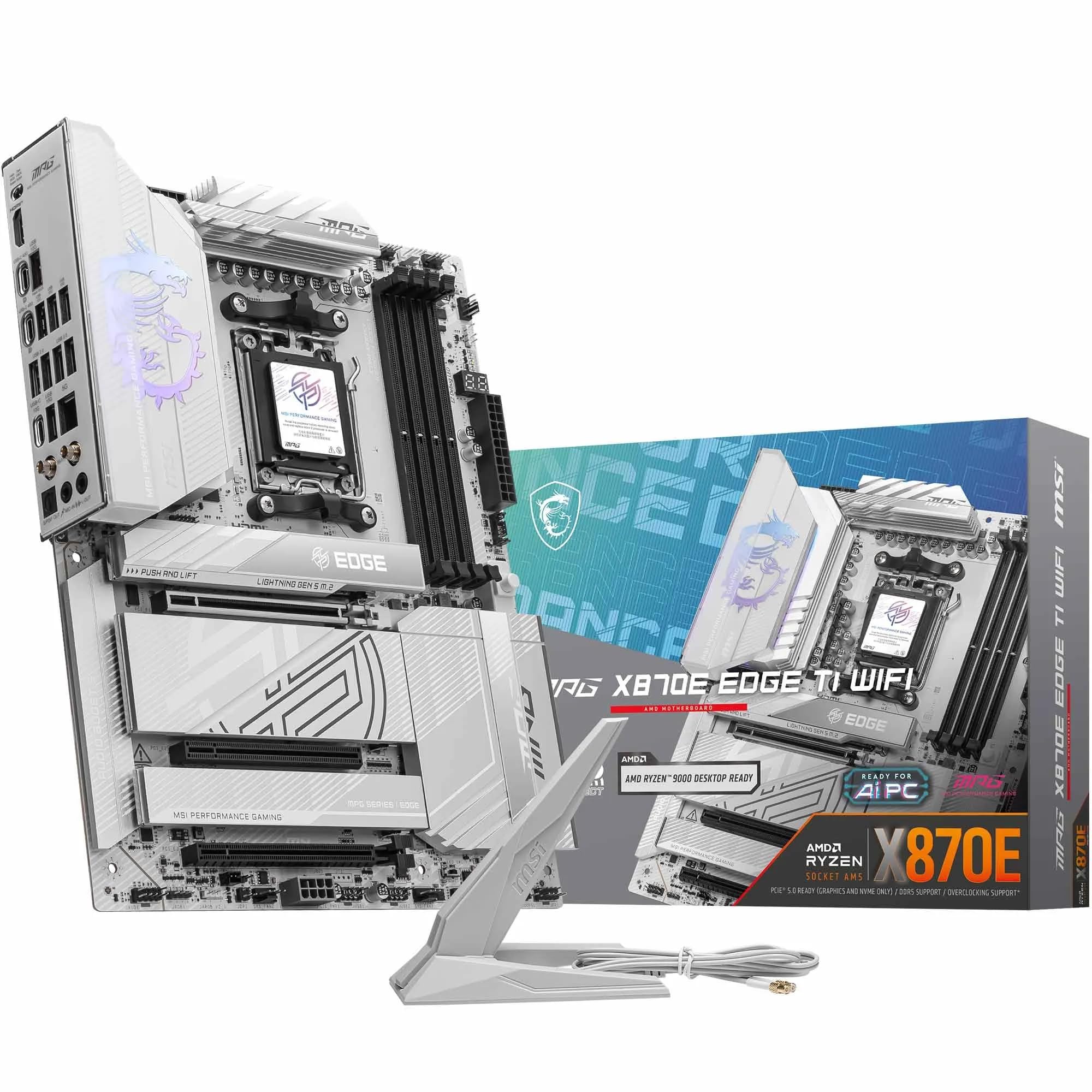

Frequently asked
7 questions01Is the Gigabyte X870 AORUS ELITE WIFI7 compatible with Ryzen 9000 series processors?+
Yes. The board ships with BIOS support in place for AMD Ryzen 9000 series (Zen 5) chips. The BIOS Flashback button also allows BIOS updates from a USB stick without a CPU installed, which removes the risk of being stuck without an older chip to perform an initial update.
02What memory speeds does the Gigabyte X870 AORUS ELITE WIFI7 support?+
The board supports DDR5 memory natively at JEDEC speeds of DDR5-4800 and DDR5-5600, with EXPO and XMP profiles validated up to DDR5-8000 on the qualified vendor list. DDR5-6000 CL30 kits are considered the practical sweet spot for Ryzen 7000 and 9000 series platforms. Running four DIMMs at high speeds may require dialling back the memory frequency slightly compared to a two-DIMM configuration.
03Does the board support PCIe 5.0 on the M.2 storage slot?+
Yes. The primary M.2 slot runs PCIe 5.0 x4 NVMe and connects directly to the CPU, meaning there is no bandwidth contention with the GPU. The second and third M.2 slots run PCIe 4.0 x4. All three slots include heatsinks in the box.
04What is dual BIOS and why does it matter on this board?+
Dual BIOS means the board carries two separate firmware chips: a main chip and a backup. If a BIOS update fails or the firmware becomes corrupted, the board automatically switches to the backup chip, allowing the system to recover without requiring a warranty return or manual re-flashing service. This is a meaningful practical benefit, as competitor boards at a similar price often omit it.
05How does the VRM perform with high-TDP processors like the Ryzen 9 9950X?+
The 16+2+2 phase configuration uses Renesas RAA220075 MOSFETs rated at 75A per phase, giving substantial current headroom well above what even a Ryzen 9 9950X draws under sustained all-core load. Owner reports from builders running 9950X chips confirm stable VRM temperatures during extended Cinebench R23 multi-core runs, with no thermal throttling reported from the power delivery side.
06Is Wi-Fi 7 on this board usable with older Wi-Fi 6E routers?+
Yes. The Wi-Fi 7 module is backwards compatible with Wi-Fi 6E, Wi-Fi 6, and older standards. You will not get the full multi-link operation benefits of Wi-Fi 7 without a Wi-Fi 7 router, but the module performs well on Wi-Fi 6E networks and provides a clear upgrade path when Wi-Fi 7 routers become more mainstream.
07How does the Gigabyte X870 AORUS ELITE WIFI7 compare to the MSI MAG X870 TOMAHAWK Wi-Fi?+
Both boards sit in a similar price bracket and share comparable VRM quality and chipset feature sets. The AORUS ELITE offers dual BIOS, which the TOMAHAWK does not, while the TOMAHAWK provides four M.2 slots versus three on the Gigabyte. The TOMAHAWK has a slight edge in BIOS UI polish based on owner feedback, though both are rated good rather than excellent. The choice between them often comes down to whether dual BIOS or a fourth M.2 slot matters more for a specific build.