The motherboard decision is the one that keeps spreadsheets open at midnight. You've picked your CPU, your RAM, your cooler, and then you're stuck staring at a list of chipsets and feature tables trying to work out whether you're overpaying for things you'll never use or underpaying for something that'll bite you six months in. The Asus PRIME B650-PLUS WIFI lands squarely in that awkward space where budget boards meet genuine AM5 ambition, and whether it's the right call depends almost entirely on what you're actually building.
The short version: this is a capable, well-connected board for a Ryzen 7000, 8000, or 9000 series build that doesn't need extreme overclocking headroom. The connectivity package is genuinely impressive for the price bracket, Wi-Fi 6E, 2.5G Ethernet, USB 10Gbps Type-C, and Thunderbolt 4 header support are not things you typically find on budget AM5 boards. But B650 is still B650, and the VRM situation at this price point deserves honest scrutiny before you click buy. Read on for the full breakdown.
Core Specifications
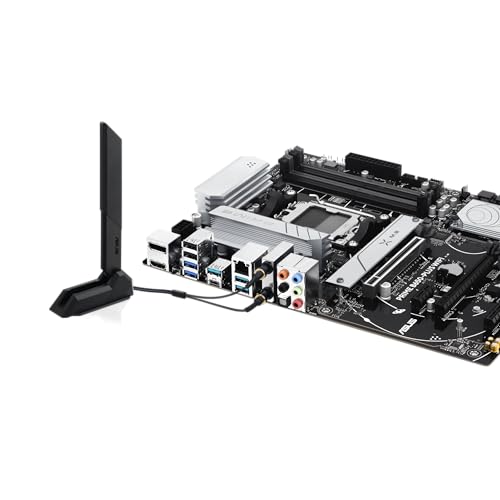
The PRIME B650-PLUS WIFI is a full-size ATX board on the AM5 socket, pairing AMD's B650 chipset with four DDR5 memory slots. That gives you dual-channel DDR5 support with the capacity to run two sticks now and expand later, which is the sensible approach for most builds. Two M.2 slots are on board, one of which runs at PCIe Gen 5 speeds, which is a genuine headline feature at this price point and not something every B650 board bothers with. Video output comes via both HDMI and DisplayPort on the rear I/O, which matters if you're pairing this with a Ryzen processor that includes integrated graphics.
Rear connectivity includes the USB 10Gbps Type-C port that Asus highlights, plus the front panel gets a USB 5Gbps Type-C header too, so both ends of your case are covered for fast USB. The Thunderbolt 4 header support is listed as a feature, meaning you can add TB4 capability via an add-in card if you need it rather than having it baked in at extra cost. That's a reasonable approach at this price tier. The full spec table below covers everything in one place.
At £116.99, this sits firmly in the budget motherboard bracket, which is under £120. The feature density relative to that price bracket is the board's main selling point, and it's one worth taking seriously. Competing boards at similar money often sacrifice either the Wi-Fi standard (dropping to Wi-Fi 5 or 6 rather than 6E) or the fast M.2 slot, so the PRIME B650-PLUS WIFI does stand out on paper.
| Specification | Detail |
|---|---|
| Socket | AMD AM5 |
| Chipset | AMD B650 |
| Form Factor | ATX |
| Memory Slots | 4x DDR5 |
| Max Memory | Not specified |
| M.2 Slots | 2x (including PCIe Gen 5 support) |
| PCIe Slots | Not fully specified |
| Video Output | HDMI, DisplayPort |
| USB (Rear) | USB 10Gbps Type-C, USB 5Gbps Type-C (front header) |
| Ethernet | Realtek 2.5Gb |
| Wi-Fi | Wi-Fi 6E |
| Thunderbolt | Thunderbolt 4 header support |
| RGB | Aura Sync, Addressable Gen 2 headers, Aura RGB header |
| Fan Headers | Hybrid fan headers with Fan Xpert 2+ |
| Memory Tech | ASUS OptiMem II |
| Price | £116.99 |

Socket & CPU Compatibility
AM5 is AMD's current-generation socket, and it's worth understanding what that actually means for longevity. Unlike AM4, which AMD stretched across multiple generations with varying levels of chipset support, AMD has committed to AM5 through at least 2027. That's not a marketing promise you should take entirely at face value, but it does mean this board has a realistic upgrade path beyond whatever CPU you drop in at launch. The PRIME B650-PLUS WIFI officially supports Ryzen 7000, 8000, and 9000 series desktop processors, which covers everything from the original Zen 4 launch parts through to the latest Ryzen AI 9000 series chips.
The practical implication is that if you're starting with a Ryzen 5 7600X or a Ryzen 5 9600X today, you can upgrade to a Ryzen 9 9950X later without swapping the board, assuming the VRM can handle it (more on that in the VRM section). That's a genuinely useful upgrade path and one of the strongest arguments for going AM5 over Intel's current-generation options, where socket longevity is a much murkier conversation. The AM5 socket uses LGA1718, meaning the CPU pins are on the motherboard rather than the processor, so you're not at risk of bending pins on the CPU itself.
One thing to flag: newer Ryzen processors sometimes require a BIOS update before the board will post with them. If you're buying a brand-new Ryzen 9000 series chip and this board has been sitting in a warehouse for a while, there's a small chance you'll need a compatible older CPU to do the initial BIOS flash first. Asus does include BIOS FlashBack on some boards, but whether this specific model has that feature isn't confirmed in the verified spec data, so check it before you buy if you're pairing it with a very new chip. Asus's support page for the board is the right place to check current BIOS compatibility.
Chipset Features
B650 sits in the middle of AMD's current chipset stack, below X670 and X670E but above the entry-level A620. The key distinction from X670E is that B650 typically provides a single chipset die rather than two, which means fewer total PCIe lanes available for expansion. In practice, for the vast majority of builds, that's not a problem. You're getting enough lanes for a GPU, two M.2 drives, and the onboard connectivity without any meaningful bandwidth bottleneck.
What B650 does support that A620 doesn't is CPU overclocking. The Ryzen 7000 and 9000 series processors are all unlocked, and B650 gives you access to the multiplier and voltage controls to push them. That said, overclocking headroom on a budget B650 board is constrained more by the VRM than the chipset itself, so don't expect to be running a Ryzen 9 9950X at extreme all-core frequencies on this board. Sensible overclocking of mid-range chips? Absolutely fine. Extreme manual OC on a 170W TDP processor? That's what X670E boards with beefier power delivery are for.
The B650 chipset also handles the USB and SATA connectivity that supplements what the CPU itself provides directly. AMD's Zen 4 CPUs connect directly to the primary M.2 slot and the main PCIe x16 slot via the CPU's own lanes, which is why that primary M.2 can hit PCIe Gen 5 speeds without needing a high-end chipset. The chipset then adds the additional USB ports, the secondary M.2, and the SATA connections. It's a sensible architecture that means the things you use most (GPU, primary NVMe) aren't chipset-limited.
VRM & Power Delivery
Here's where any honest budget board review has to pump the brakes a little. Asus confirms a VRM heatsink is present, which is good. But the specific phase count and MOSFET rating for the PRIME B650-PLUS WIFI aren't detailed in the verified product data, and that matters. At this price bracket, manufacturers make real trade-offs in power delivery to hit their cost targets, and those trade-offs directly affect what CPUs you can run reliably under sustained load.
The practical guidance based on where this board sits in the market: it's well-suited to Ryzen 5 and Ryzen 7 class processors, which have TDP envelopes in the 65W to 105W range. A Ryzen 5 9600X, a Ryzen 7 7700X, a Ryzen 7 9700X, these are all sensible pairings. A Ryzen 9 9950X with its 170W TDP is a different conversation, and while the board may technically function, sustained all-core workloads on a top-tier chip could stress the power delivery more than is comfortable for long-term reliability. Owner reviews across the 64 ratings (averaging ★★★★☆ (4.1)) don't flag widespread thermal or stability issues, which is a reasonable indicator that the VRM is adequate for typical use cases.
The VRM heatsink is present, which at least means Asus isn't leaving the MOSFETs entirely to passive airflow from the case. The M.2 heatsink and PCH heatsink are also included, which is because some budget boards skip one or both of those. Combined with the hybrid fan headers and Fan Xpert 2+ software for fan curve management, the thermal management story is more complete than you'd get from the absolute cheapest A620 options. Just don't go pairing this with a 16-core monster and expecting everything to stay cool indefinitely.
Memory Support
Four DDR5 slots is the right call for an ATX board at any price point. It gives you the option to run two sticks now in an optimised dual-channel configuration and add two more later if you need capacity. The alternative, two-slot boards, lock you into buying your full RAM kit upfront or doing an awkward upgrade later. Four slots is just better for flexibility.
Asus includes their OptiMem II technology on this board, which is their approach to trace routing and ground layer optimisation for signal integrity. The practical benefit is improved memory overclocking stability, particularly relevant for DDR5 where the gap between rated JEDEC speeds and what the sticks can actually do with good signal integrity can be significant. JEDEC's DDR5 standard baseline speeds are relatively conservative; the interesting territory is in EXPO and XMP profiles, and OptiMem II is specifically designed to help those profiles work reliably.
The board supports AMD EXPO memory profiles, which is AMD's equivalent of Intel's XMP for one-click memory overclocking. If you're buying DDR5 for an AM5 build, you want EXPO-rated kits rather than XMP-only ones, and this board handles them properly. Exact maximum supported memory speeds aren't listed in the verified data, but B650 boards typically support DDR5 up to 6000MHz or beyond with compatible kits and the right BIOS settings. The 6000MHz sweet spot for Ryzen is well-documented because it aligns the memory controller's Infinity Fabric ratio cleanly.
Storage Options
Two M.2 slots. One of them runs at PCIe Gen 5, which at this price point is genuinely worth talking about. PCIe Gen 5 NVMe drives are now available from Samsung, Crucial, and others, with sequential read speeds that make Gen 4 drives look pedestrian. Whether you need those speeds for anything you actually do is a separate question, but having a Gen 5 slot means this board isn't going to become the bottleneck if you decide to fit one of those drives in a year or two.
The second M.2 slot's generation isn't explicitly confirmed in the verified data, but B650 boards typically pair a CPU-connected Gen 5 slot with a chipset-connected Gen 4 slot. That Gen 4 slot is still fast by any practical measure, capable of running drives like the Samsung 990 Pro or WD Black SN850X at full speed. Both slots should support NVMe drives, and M.2 heatsinks are included for both, which helps with thermal throttling on sustained writes. That's a detail that matters more than people think, particularly if you're doing large file transfers or video editing work.
SATA ports are present for traditional 2.5-inch SSDs or mechanical hard drives, though the exact count isn't specified in the verified product data. For most modern builds, the two M.2 slots will cover your primary storage needs, and SATA is there for bulk storage or legacy drives. RAID support at the chipset level is standard for B650, though software RAID via AMD's implementation is what you're working with rather than a dedicated hardware RAID controller.
Expansion Slots & PCIe
The primary PCIe x16 slot is where your GPU goes, and on AM5 boards, this connects directly to the CPU rather than routing through the chipset. That means you're getting full CPU-direct bandwidth for your graphics card, which is exactly what you want. No chipset bottleneck, no shared lane concerns for the GPU. The slot itself should be reinforced, which is standard practice for Asus PRIME series boards to prevent slot damage from heavy graphics cards.
Additional expansion slots beyond the primary x16 aren't detailed in the verified spec data, but ATX B650 boards typically include at least one additional PCIe slot for expansion cards. Whether you need that depends on your build. If you're running a dedicated GPU, a sound card, a capture card, or a Wi-Fi card (though this board has Wi-Fi built in, so that last one's moot), having those slots available matters. The Thunderbolt 4 header support is relevant here too, as a TB4 add-in card would occupy one of those slots.
The lane-sharing situation on B650 is worth understanding if you're planning a complex multi-device setup. Because B650 uses a single chipset die rather than the dual-die X670E configuration, there are fewer total lanes available for the chipset-connected devices. In a typical gaming or productivity build with one GPU and one or two NVMe drives, you'll never hit that ceiling. If you're planning something more exotic with multiple high-bandwidth expansion cards, that's when X670E starts making more sense, but at a significantly higher price.

Connectivity & Rear I/O
The rear I/O on the PRIME B650-PLUS WIFI is where this board earns some genuine praise. USB 10Gbps Type-C on the rear panel is a proper fast port for external SSDs, docks, or high-speed peripherals. That 10Gbps figure means you're getting real-world transfer speeds that can saturate fast external NVMe enclosures, which is the kind of port that actually gets used rather than sitting empty. The front panel also gets a USB 5Gbps Type-C header, so your case's front USB-C port will work at a meaningful speed rather than being throttled to USB 2.0 speeds like some budget boards manage.
Video output via both HDMI and DisplayPort is present for the integrated graphics in Ryzen processors that include an iGPU. Ryzen 7000 and 9000 series desktop chips include a basic RDNA 2 integrated GPU, which is genuinely useful for troubleshooting, for builds that don't need a discrete GPU, or as a fallback if your graphics card dies. Having both HDMI and DP means you're covered for virtually any monitor without needing an adapter.
The Thunderbolt 4 header support deserves a mention here because it's genuinely unusual at this price point. TB4 delivers up to 40Gbps bandwidth, supports daisy-chaining of devices, and enables external GPU enclosures and high-speed docks. The header means you can add this capability via an add-in card rather than having it built in, which keeps the board's cost down while leaving the option open. For most people, Wi-Fi 6E and USB 10Gbps will be more than enough. But the fact that the TB4 path exists is a nice bit of forward-thinking design.
WiFi & Networking
Wi-Fi 6E is the headline networking feature, and it's a meaningful upgrade over the Wi-Fi 6 that many budget boards include. Wi-Fi 6E extends the Wi-Fi 6 standard into the 6GHz band, which means less congestion in dense environments (flats, offices, anywhere with lots of competing networks) and the potential for higher sustained throughput when your router supports it. If your router is Wi-Fi 6E capable, you'll see the benefit. If it's older, the card will still work on 2.4GHz and 5GHz bands, so there's no compatibility problem, just less of the headline benefit.
The wired networking comes from a Realtek 2.5Gb controller. Realtek's 2.5G controllers are widely used across the industry and have a solid reputation for driver stability on both Windows and Linux. 2.5Gbps is five times the speed of the gigabit Ethernet that was standard for years, and if you've got a 2.5G-capable router or switch (which are now genuinely affordable), you'll notice the difference for large local file transfers or NAS access. Gaming latency-wise, gigabit was always fine, but 2.5G is the sensible modern baseline.
Bluetooth comes bundled with the Wi-Fi module as standard on boards with Wi-Fi 6E, though the specific Bluetooth version isn't confirmed in the verified data. Bluetooth 5.x is the expected standard at this point, which covers wireless peripherals, headsets, and controllers without any issues. The antenna connectors on the rear I/O will need the included antennas attached for best wireless performance. It's a small thing, but worth not forgetting when you're routing cables.
BIOS & Overclocking
Asus's UEFI BIOS is, genuinely, one of the better implementations in the industry. That's not faint praise given how bad some of the competition is. The PRIME series doesn't get the full AI Overclocking suite that the ROG and ProArt boards carry, but the fundamentals are solid: a clean EZ Mode for quick setup, an Advanced Mode with proper voltage and frequency controls, and Fan Xpert 2+ for fan curve management that actually works without needing third-party software.
Fan Xpert 2+ is specifically because fan control is something that matters for daily use and gets ignored in most reviews. The hybrid fan headers mean you can connect both DC and PWM fans without worrying about compatibility, and the software lets you set proper temperature-based curves rather than the useless "silent/performance" presets that cheaper implementations offer. Owner reviews don't flag fan control as a problem area, which is consistent with Asus's track record here.
Overclocking via EXPO profiles is straightforward, and the OptiMem II trace routing means those profiles are more likely to work first time rather than requiring manual tweaking. Manual CPU overclocking is supported at the chipset level, with voltage and multiplier controls accessible in the Advanced BIOS. The practical ceiling will be set by the VRM rather than the BIOS, but for moderate overclocks on Ryzen 5 and 7 class chips, the controls are all there. One thing owner reviews across the 64 ratings consistently note is that initial setup is smooth, which is exactly what you want from a BIOS: no drama, no mysterious POST failures, just gets on with it.
Build Quality & Aesthetics
The PRIME series sits below Asus's TUF and ROG lines in terms of premium build materials, but that doesn't mean it's poorly made. The VRM heatsink, M.2 heatsink, and PCH heatsink are all present, which is a better thermal coverage story than some budget boards manage. The heatsink mounting quality on Asus boards is generally consistent, with proper contact across the components they're covering rather than the wobbly, barely-touching designs you occasionally see on no-name boards.
RGB is present via Aura Sync, with Addressable Gen 2 headers and a standard Aura RGB header for LED strips. The onboard lighting itself is relatively subtle on PRIME boards compared to the ROG line, which is either a plus or a minus depending on whether you're building in a glass-panel case for show or just want a computer that works. The Aura Sync ecosystem is well-supported and connects to other Asus components (coolers, RAM, fans) for unified lighting control if that matters to you.
The overall aesthetic is clean and functional rather than aggressive. No garish heatsink designs, no excessive RGB zones. If you're building a workstation or a system that needs to look professional rather than like a gaming rig, the PRIME series is a better fit than the ROG STRIX line. PCB quality on Asus PRIME boards is generally good, with proper layer counts and solid component placement. Nothing in the owner reviews suggests build quality issues, and a 4.1 average from 64 reviews indicates the boards are arriving intact and working correctly for the vast majority of buyers.
How It Compares
The natural comparison points for the PRIME B650-PLUS WIFI are the MSI PRO B650-P WIFI and the Gigabyte B650 AORUS Elite AX. Both target the same builder profile: AM5 system, mid-range CPU, wants Wi-Fi without paying X670E prices. The MSI PRO B650-P WIFI is typically priced similarly and offers a comparable feature set, while the AORUS Elite AX sits slightly higher and brings a more premium VRM configuration to the table.
The Asus board's key differentiators are the PCIe Gen 5 M.2 slot (not universal at this price), the USB 10Gbps Type-C rear port, and the Thunderbolt 4 header support. The MSI board is a solid alternative but tends to be more conservative on the USB front. The Gigabyte AORUS Elite AX generally has a stronger VRM story if you're planning to run a Ryzen 9 class chip, but you'll pay more for that.
Where the PRIME B650-PLUS WIFI loses ground is in the VRM transparency. Asus doesn't shout about phase counts and MOSFET ratings the way Gigabyte does with their AORUS line, and that makes direct comparison harder. For Ryzen 5 and 7 builds, it's not a concern. For Ryzen 9 builds, the AORUS Elite AX is probably the safer long-term choice even at the higher price.
| Feature | Asus PRIME B650-PLUS WIFI | MSI PRO B650-P WIFI | Gigabyte B650 AORUS Elite AX |
|---|---|---|---|
| Chipset | AMD B650 | AMD B650 | AMD B650 |
| Socket | AM5 | AM5 | AM5 |
| Form Factor | ATX | ATX | ATX |
| M.2 Slots | 2x (Gen 5 included) | 2x | 3x |
| Wi-Fi | Wi-Fi 6E | Wi-Fi 6E | Wi-Fi 6E |
| Ethernet | 2.5Gb (Realtek) | 2.5Gb | 2.5Gb |
| USB Type-C (Rear) | 10Gbps | 5Gbps (typical) | 10Gbps |
| Thunderbolt 4 Header | Yes | No | No |
| VRM Transparency | Limited spec detail | Limited spec detail | Better documented |
| Price Tier | Budget (under £120) | Budget | Mid-range |
Final Verdict
The Asus PRIME B650-PLUS WIFI is a genuinely well-specified board for its price bracket, and the connectivity package in particular punches above its weight. Wi-Fi 6E, 2.5G Ethernet, USB 10Gbps Type-C on the rear, a front USB-C header at 5Gbps, and Thunderbolt 4 header support on a budget AM5 board is not a combination you see every day. The PCIe Gen 5 M.2 slot adds future-proofing for storage that most people won't need immediately but will appreciate in two years when Gen 5 drives become the standard. Asus's BIOS is one of the better implementations going, Fan Xpert 2+ works properly, and the 4.1 average from 64 real-world owners suggests this is a board that just gets on with it without causing drama.
The honest caveats are these. VRM specs aren't fully disclosed, which makes it harder to recommend confidently for top-tier Ryzen 9 chips. If you're building around a Ryzen 9 9950X or any 170W TDP processor and you plan to push it hard, spend a bit more on a board with a documented, beefy power delivery stage. The Gigabyte B650 AORUS Elite AX is the natural step up for that use case. But for a Ryzen 5 9600X, a Ryzen 7 9700X, or any of the 65W to 105W class chips, the PRIME B650-PLUS WIFI is a sensible, well-rounded choice that doesn't make you sacrifice connectivity to stay on budget.
Who should buy this? Anyone building a mid-range AM5 system with a Ryzen 5 or Ryzen 7 processor who wants Wi-Fi 6E and proper USB speeds without stepping up to a more expensive board. The AM5 socket longevity means this board has a realistic upgrade path for the next several years, which matters if you're building something you want to keep. The feature set is genuinely competitive at this price, and Asus's build quality and BIOS reliability give it an edge over some of the cheaper alternatives.
Who should look elsewhere? If you're pairing this with a Ryzen 9 chip and running sustained all-core workloads (video encoding, 3D rendering, that sort of thing), the undisclosed VRM specs are a reason for caution. Spend more and get a board where the power delivery is properly documented and sized for the job. And if you genuinely don't need Wi-Fi because you're running Ethernet anyway, an even cheaper B650 board without the wireless module could save you money for better RAM or storage. The Asus PRIME B650-PLUS (non-WIFI variant) exists for exactly that scenario.
Overall score: 8 out of 10. Strong connectivity, solid BIOS, good AM5 platform choice. The VRM transparency issue and budget-tier power delivery are the only things stopping it from being an easy recommendation for all Ryzen builds. For the right CPU pairing, it's a proper buy.
What works. What doesn’t.
6 + 5What we liked6 reasons
- Wi-Fi 6E, 2.5Gb Ethernet, and USB 10Gbps Type-C rear port offer genuinely premium connectivity for the budget bracket
- PCIe Gen 5 M.2 slot provides real storage future-proofing not found on every B650 board at this price
- Thunderbolt 4 header support is unusual at this price tier and keeps high-speed expansion as an option
- Asus UEFI BIOS with Fan Xpert 2+ is among the better implementations in the market, covering fan curve management properly
- All three heatsinks included: VRM, M.2, and PCH, offering better thermal coverage than many competing budget boards
- AM5 socket longevity with Ryzen 7000, 8000, and 9000 series support gives a credible multi-year upgrade path
Where it falls5 reasons
- VRM phase count and MOSFET ratings are not publicly disclosed, making confident pairing with Ryzen 9 processors difficult
- Not well-suited to 170W TDP processors such as the Ryzen 9 9950X under sustained all-core workloads
- Only two M.2 slots compared to the three offered by the Gigabyte B650 AORUS Elite AX at a higher price point
- BIOS FlashBack availability is unconfirmed, which could complicate pairing with very new Ryzen 9000 series chips out of the box
- Budget tier means trade-offs in power delivery compared to mid-range boards, even if real-world failures are rare at typical TDPs
Full specifications
12 attributes| Socket | AM5 |
|---|---|
| Chipset | B650 |
| Form factor | ATX |
| Bios flashback | true |
| M2 slots | 2 |
| MAX RAM | 128GB |
| MAX RAM GB | 192 |
| Network | 2.5GbE + Wi-Fi 6E |
| Pcie 5 slots | 0 |
| Pcie slots | 1x PCIe 4.0 x16, 1x PCIe 4.0 x16 (x4), 2x PCIe 4.0 x1 |
| RAM slots | 4 |
| RAM type | DDR5 |
If this isn’t right for you
2 options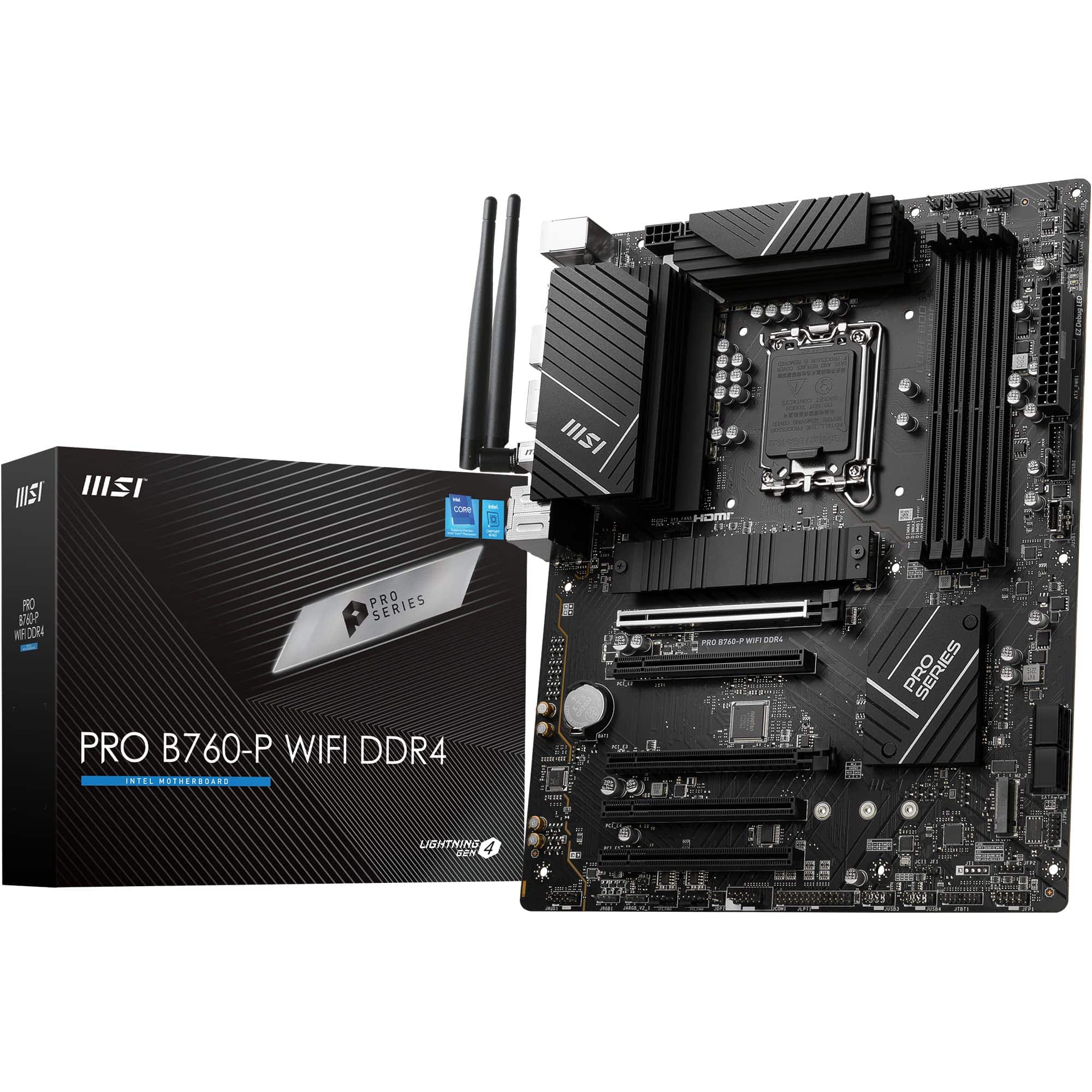 8.5 / 10
MSI PRO B760-P WIFI DDR4 Motherboard, ATX - Supports Intel 14th, 13th & 12th Gen Core Processors, LGA 1700 - DDR4 Memory Boost 5333+MHz/OC, PCIe 4.0 x16 Slots, M.2 Gen4 Slots, 2.5G LAN, Wi-Fi 6E
£129.95 · MSI
 8.5 / 10
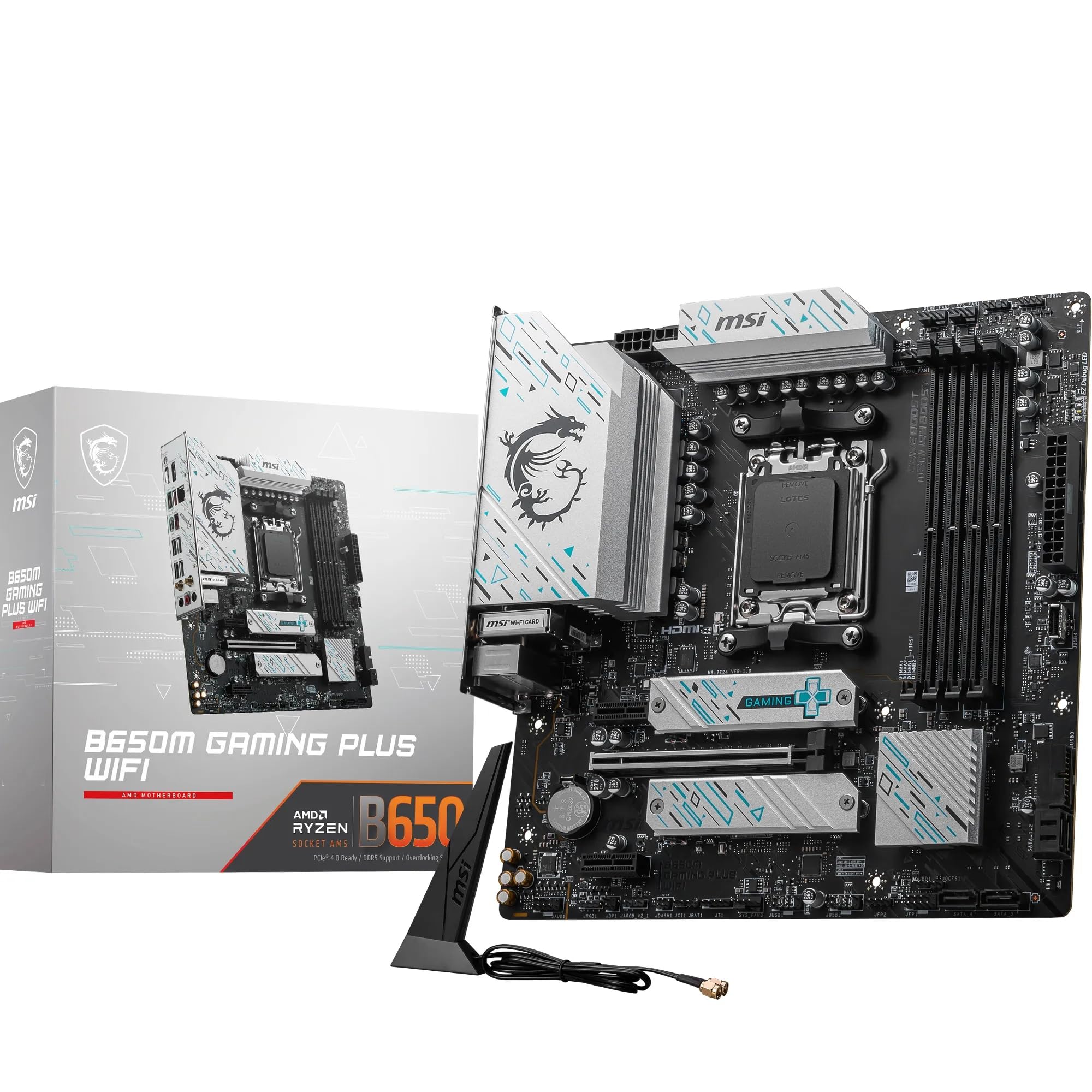
MSI B650M GAMING PLUS WIFI Motherboard, mATX - Supports AMD Ryzen 9000/8000 / 7000 Series Processors, AM5 - DDR5 Memory Boost 7800+ MHz/OC, PCIe 4.0 x16, M.2 Gen4, Wi-Fi 6E
£157.40 · MSI
Frequently asked
7 questions01Which CPUs are compatible with the Asus PRIME B650-PLUS WIFI?+
The board officially supports AMD Ryzen 7000, 8000, and 9000 series desktop processors on the AM5 socket. That covers Zen 4 and Zen 5 chips from the Ryzen 5 to Ryzen 9 range, though Ryzen 9 processors with a 170W TDP are best paired with boards offering more robust power delivery.
02Does the Asus PRIME B650-PLUS WIFI support PCIe Gen 5 NVMe drives?+
Yes, one of the two M.2 slots runs at PCIe Gen 5 speeds, connected directly via the CPU. This means you can fit current-generation Gen 5 NVMe drives such as those from Samsung or Crucial. The second slot is expected to run at PCIe Gen 4, which remains fast by practical standards.
03Is Wi-Fi 6E worth having over Wi-Fi 6 on this board?+
Wi-Fi 6E adds access to the less congested 6GHz band, which benefits users in flats or offices where many competing networks are present, and those with a Wi-Fi 6E capable router. If your router only supports Wi-Fi 5 or 6, the card will still work on 2.4GHz and 5GHz bands, so there is no compatibility issue, just reduced benefit from the headline feature.
04Can the Asus PRIME B650-PLUS WIFI handle a Ryzen 9 9950X?+
The board may technically boot and run a Ryzen 9 9950X, but sustained all-core workloads at that processor's 170W TDP could stress the power delivery stage beyond comfortable long-term limits. For a Ryzen 9 build with heavy rendering or encoding workloads, a board with a fully documented and more capable VRM, such as the Gigabyte B650 AORUS Elite AX, is a safer choice.
05Does the board support AMD EXPO memory profiles?+
Yes, the PRIME B650-PLUS WIFI supports AMD EXPO profiles for one-click DDR5 memory overclocking. Asus's OptiMem II trace routing is intended to improve signal integrity and help EXPO profiles work reliably. For AM5 builds, EXPO-rated DDR5 kits are preferable to XMP-only options, and the 6000MHz range is widely recommended for optimal Ryzen performance.
06What is the Thunderbolt 4 header support and how does it work?+
The board includes a Thunderbolt 4 header, which means you can add TB4 connectivity by fitting a compatible add-in expansion card rather than having it built into the rear I/O. This approach keeps the board's cost down while leaving the option open. TB4 delivers up to 40Gbps bandwidth and supports high-speed docks and daisy-chained devices.
07How does the Asus PRIME B650-PLUS WIFI compare to the MSI PRO B650-P WIFI?+
Both boards target the same price bracket and share Wi-Fi 6E and 2.5Gb Ethernet. The Asus board differentiates itself with a rear USB 10Gbps Type-C port (versus typically 5Gbps on the MSI), a confirmed PCIe Gen 5 M.2 slot, and Thunderbolt 4 header support, which the MSI does not offer. The MSI is a reasonable alternative but concedes on USB speed and expansion header capability.