There's a specific kind of frustration that comes from building a PC, pressing the power button, and watching the debug LED sit stubbornly on "DRAM" while nothing appears on the screen. You've seated the sticks correctly. You've checked the manual. The kit is supposedly on the QVL. And yet. This is the RAM experience for a non-trivial number of builders, and it's almost always an XMP or EXPO story. The rated speed on the box is not a guaranteed speed. It's a request. One your motherboard might politely decline.
That's the context you need before buying any DDR5 kit, including this one. The Corsair Vengeance RGB DDR5 32GB (2x16GB) at 6000MHz CL30, model CMH32GX5M2B6000Z30K, is aimed squarely at AM5 and Intel 12th/13th/14th gen builders who want a solid mid-to-high-spec DDR5 kit with both AMD EXPO and Intel XMP 3.0 profiles baked in. It's not the cheapest 32GB DDR5 kit you can buy, and the RGB heatspreader means you're paying something for aesthetics. The question is whether the timings, the compatibility record, and the overall package justify that cost. And whether 32GB is actually what you need in the first place.
With over 5,000 owner reviews averaging ★★★★½ (4.7), the crowd verdict is pretty clear. But crowds can be wrong, and averages hide outliers. So here's what the specs actually say, what the real latency numbers look like, and where this kit fits against the competition.
Speed, Timings and Real Latency
The headline is 6000MHz, and that's the number Corsair prints in big font. But the number that actually tells you how fast this memory is in practice is the CAS latency alongside the speed, not instead of it. CAS 30 at 6000MHz works out to a true latency of 10 nanoseconds. The formula is straightforward: (CAS / speed in MHz) x 2000. So (30 / 6000) x 2000 = 10ns. That's genuinely good. For comparison, a 6000MHz CL36 kit, which is common at this price bracket, works out to 12ns. A 6000MHz CL40 kit, which you'll find on cheaper DDR5, is sitting at 13.3ns. The CL30 figure here is meaningfully tighter, not just a marketing footnote.
The full primary timings on this kit are 30-36-36-76 at 1.35V. Those secondary timings matter too, though CAS is the dominant figure for most workloads. The tRCD and tRP at 36 are reasonable for this speed bin. You're not getting the ultra-tight 30-30-30 profile that some of the more exotic (and more expensive) kits advertise, but you're also not paying for those. What you're getting is a well-balanced set of timings that should translate to snappy real-world performance without requiring you to manually tune anything in BIOS. That's important for most builders, who want to enable XMP or EXPO and forget about it.
The 6000MHz speed point is also worth understanding in the context of AMD's AM5 platform specifically. The Ryzen 7000 and 9000 series memory controllers have a well-documented sweet spot around 6000MHz, where the memory fabric (Infinity Fabric) runs at 2000MHz in a 1:1 ratio with the memory controller. Push beyond 6000MHz and you often hit a 1:2 divider that can actually hurt latency-sensitive workloads. So Corsair hasn't just picked 6000MHz because it sounds fast. On AM5, it's genuinely the sensible speed target. On Intel, the picture is a bit different (those platforms aren't as sensitive to this specific threshold), but 6000MHz CL30 is still a strong spec. Worth knowing that JEDEC baseline for DDR5 starts at 4800MHz with much looser timings, so this kit is a meaningful step up from stock.

XMP / EXPO Stability and Compatibility
This is where DDR5 kits live or die for most builders, and it's the section of any RAM review that deserves the most honesty. The Corsair CMH32GX5M2B6000Z30K ships with both an AMD EXPO profile and an Intel XMP 3.0 profile. That dual-profile support is genuinely useful. EXPO is AMD's flavour of the overclocking profile standard, and while it's broadly similar to XMP in concept, the implementation details matter at the board level. A kit with only XMP profiles can sometimes struggle on AM5 boards, or require manual EXPO configuration. Having both profiles means you enable one setting in BIOS and you're done. In theory.
In practice, the owner review pool tells a mostly positive story. The vast majority of the 5,000-plus reviewers report clean first-boot behaviour with EXPO or XMP enabled. On popular AM5 boards from ASUS, MSI, and Gigabyte, the 6000MHz CL30 profile tends to post without drama. Intel Z690, Z790, and the newer boards also see good results. There are outliers, as there always are with high-speed DDR5. A small number of owners report needing a BIOS update before the kit would post at rated speed, which is sensible advice anyway on any new build. A smaller number report needing to manually set timings or drop to 5600MHz before working up. That's not unique to Corsair, and it's not a sign of a bad kit. It's the reality of high-speed DDR5 on motherboards with varying memory controller tolerances.
The voltage of 1.35V is worth flagging. DDR5 uses an on-DIMM power management IC (PMIC), which is a significant architectural change from DDR4, and the base spec voltage is lower than DDR4 (1.1V at JEDEC). At 1.35V for the XMP/EXPO profile, this kit is within normal parameters for high-speed DDR5 overclocking. It's not pushing into risky territory. Corsair's QVL list for this kit covers a solid range of mainstream boards, and the ICUE software compatibility means RGB sync works without fighting with your system. One practical note: if you're on a B650 or B760 board rather than X670E or Z790, check the QVL. Budget boards sometimes have more conservative memory controller support, and not every B-series board will happily post at 6000MHz without coaxing.
Capacity and Use Case
The honest conversation about RAM capacity is one that gets skipped too often in favour of talking about speed. So here it is: 32GB in a 2x16GB configuration is the right amount for most people building a serious PC in 2024 and 2025. Not 16GB, which is increasingly tight for gaming with a browser open, and not 64GB unless you have a specific reason. The "specific reason" category includes video editing at 4K or above, 3D rendering, running virtual machines, or working with large datasets. If you're gaming and doing light productivity work, 32GB means you'll never feel memory pressure, and you'll have headroom for the next few years as games continue to creep upward in their RAM demands.
The 2x16GB configuration is the right way to get to 32GB. Two sticks means you're running in dual-channel mode, which on both AM5 and Intel platforms roughly doubles the memory bandwidth compared to a single stick. Dual channel is not optional if you care about performance. It's also worth noting that 2x16GB leaves two DIMM slots free, so if you decide you need 64GB later, you can add another 2x16GB kit. Whether that second kit will play nicely with the first is a different question (mixing kits is always a gamble), but the option is there. Four sticks of 16GB on a modern DDR5 platform can be more challenging for the memory controller than two sticks, so if you know you want 64GB, a single 2x32GB kit is generally a cleaner path.
For gaming specifically: 32GB is more than enough. No current game genuinely needs more than 24GB of system RAM, and most are comfortable at 16GB. What you're buying with 32GB is future-proofing and the comfort of running a game, Discord, a browser with 40 tabs, and Spotify simultaneously without watching your task manager spike. Content creators doing photo editing in Lightroom or Photoshop will find 32GB comfortable. Video editors working in Premiere or DaVinci Resolve will find it adequate for 1080p and 1440p timelines, and slightly constrained for heavy 4K work with lots of effects. If you're in that category, 64GB is worth considering, though the cost jump is significant.
DDR5 vs DDR4 Value
If you're building on AM5 (any Ryzen 7000 or 9000 series processor) or Intel 12th gen and newer, DDR5 is either your only option or the better option. AM5 is DDR5-only. Intel's 12th and 13th gen platforms supported both DDR4 and DDR5 depending on the board, but 14th gen boards are predominantly DDR5. So for most people reading this review, the DDR4 versus DDR5 debate isn't really a debate. Your platform has made the choice.
That said, it's worth being honest about where DDR5 actually delivers gains over DDR4. The bandwidth improvement is real and significant, particularly on workloads that are memory-bandwidth-limited: video encoding, large file compression, some scientific computing tasks. For gaming, the picture is murkier. The gains from DDR5 over DDR4 in game frame rates are marginal in most titles. We're talking single-digit percentage differences in many cases, and often within the margin of run-to-run variation. The architectural improvements in DDR5 are more meaningful for productivity and content creation than they are for gaming. If someone tells you DDR5 will transform your gaming experience, they're selling something.
Where this specific kit sits in the DDR5 landscape is as a premium-but-not-extreme option. You're paying for 6000MHz CL30, which is a genuinely good spec, and for Corsair's brand reliability and ICUE ecosystem. Compared to budget DDR5 kits at 4800MHz or 5200MHz with CL40 timings, the real-latency difference is substantial. Compared to the very top-end DDR5 kits at 7200MHz or beyond with CL34 or CL36 timings, you're giving up headline speed but getting better real latency in many cases. The 6000MHz CL30 sweet spot is where a lot of serious builders land when they want performance without chasing benchmark numbers that don't translate to daily use.
Build Quality and Heat Spreaders
The Vengeance RGB DDR5 uses a custom aluminium heatspreader design that Corsair has iterated on across several generations. The grey colourway on this specific kit (CMH32GX5M2B6000Z30K) is the more understated option compared to the white or black versions, which is a sensible choice if your build aesthetic isn't "maximum RGB at all times." The heatspreader is a dual-fin design with a translucent diffuser strip along the top for the RGB lighting. It's a clean look. Not flashy for the sake of it.
Height is worth checking before you buy. The Vengeance RGB DDR5 heatspreader measures approximately 44mm tall. That's taller than a low-profile kit (which typically sits around 31 to 34mm), and it can cause clearance issues with large tower coolers that overhang the first DIMM slot. If you're running a Noctua NH-D15, a be quiet! Dark Rock Pro 4, or similar large dual-tower coolers, check the clearance on your specific motherboard. Some boards have the first DIMM slot close enough to the socket that 44mm heatspreaders will conflict. It's not a dealbreaker, but it's the kind of thing that causes frustration if you find out after the fact.
The PCB and ICs are not officially disclosed by Corsair for this kit, which is frustratingly common across the industry. Based on the speed bin and timing profile, the ICs are likely Samsung or Hynix A-die, both of which have good reputations for stability at these speeds. Owner reports don't suggest any pattern of early failure or heat issues, which is consistent with quality ICs under a reasonable heatspreader. DDR5's on-DIMM PMIC does generate slightly more heat than DDR4's simpler design, so a proper heatspreader matters more than it did with DDR4. Corsair's aluminium spreader does the job.
RGB and Aesthetics
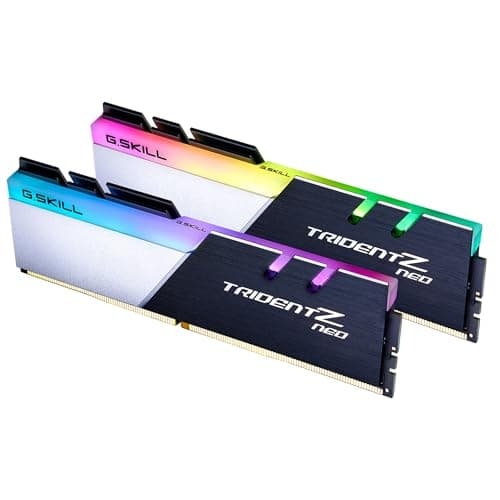
The RGB on the Vengeance DDR5 is driven by a strip of LEDs along the top of each module, diffused through a translucent channel. It's not the most elaborate RGB implementation in the memory world (G.Skill's Trident Z Neo and Kingston's Fury Beast RGB both have more even diffusion in some configurations), but it's clean and bright enough to be visible through a tempered glass side panel. Each stick has independent LED zones, so you can run gradient effects across the pair if your software supports it.
Software control is through Corsair's iCUE. If you're already in the iCUE ecosystem (Corsair keyboard, mouse, AIO), this integrates without friction. If you're not, iCUE is a fairly heavy application that some owners find annoying to have running in the background. The good news is that the sticks will hold their last lighting setting without iCUE running, so you can set a static colour or effect, close iCUE, and it'll stay that way. For those who want to sync across brands (say, ASUS Aura or MSI Mystic Light), there's some third-party support through OpenRGB, though that's a community tool rather than an official integration.
Now, the RGB tax question. Is there a meaningful price premium for the RGB version over a non-RGB Vengeance DDR5 kit at the same speed? Broadly yes. If you genuinely don't care about lighting, the non-RGB Vengeance DDR5 at the same 6000MHz CL30 spec is typically cheaper. The RGB adds cost, and on a kit at this price point, that cost is real. If your case has no window, or you run with the side panel off, the RGB is pure waste. Buy the non-RGB version. If you've got a windowed case and the lighting matters to your build, then the premium is at least buying you something visible. Just be clear-eyed that you're paying for aesthetics, not performance.
How It Compares
The main competitors at this spec level are the G.Skill Trident Z5 Neo RGB DDR5 6000MHz CL30 (which targets the same AM5 sweet spot with similar timings) and the Kingston Fury Beast DDR5 6000MHz CL30 (which skips the RGB and typically comes in cheaper). Both are legitimate alternatives worth considering. The G.Skill kit is arguably the most direct competitor: same speed, same CAS, similar RGB implementation, and a strong reputation among enthusiasts. Kingston's Fury Beast trades the lighting for a lower price point and a simpler heatspreader, which some builders prefer.
| Feature | Corsair Vengeance RGB DDR5 6000MHz CL30 | G.Skill Trident Z5 Neo RGB DDR5 6000MHz CL30 | Kingston Fury Beast DDR5 6000MHz CL30 |
|---|---|---|---|
| Capacity | 32GB (2x16GB) | 32GB (2x16GB) | 32GB (2x16GB) |
| Speed | 6000MHz | 6000MHz | 6000MHz |
| CAS Latency | CL30 | CL30 | CL30 |
| Primary Timings | 30-36-36-76 | 30-38-38-96 | 30-36-36-80 |
| Voltage | 1.35V | 1.35V | 1.35V |
| Profile Support | XMP 3.0 + EXPO | XMP 3.0 + EXPO | XMP 3.0 + EXPO |
| RGB | Yes (iCUE) | Yes (G.Skill software) | No |
| Heatspreader Height | ~44mm | ~44mm | ~34mm |
| Warranty | Lifetime | Lifetime | Lifetime |
| Price (approx) | £509.99 | Similar bracket | Lower bracket |
Looking at the secondary timings, the Corsair kit's 30-36-36-76 is slightly tighter than G.Skill's 30-38-38-96, which is a small but real advantage in memory-latency-sensitive workloads. The Kingston kit matches Corsair's tRCD and tRP at 36, though the tRAS differs slightly. In practice, these differences are unlikely to be perceptible in gaming or general use. They might show up in memory bandwidth benchmarks or in latency-sensitive productivity tasks, but we're talking about marginal differences between already-good kits. If you're choosing between these three on pure performance grounds, the Corsair edges it on paper by a small margin. If you're choosing on value, the Kingston is the answer. If you're deep in the G.Skill ecosystem or prefer their aesthetic, the Trident Z5 Neo is a perfectly valid pick.
What owners praise
The dominant theme across the positive reviews is simple: it worked first time. Owners on AM5 boards, particularly with ASUS ROG, MSI MEG, and Gigabyte X670E boards, consistently report enabling EXPO in BIOS and booting straight to the rated 6000MHz CL30 without any fuss. That sounds like a low bar, but given how many DDR5 compatibility horror stories circulate online, "it just worked" is genuinely meaningful praise. Several owners specifically call out the dual XMP/EXPO profile support as the reason they chose this kit over alternatives, and the fact that it delivered on that promise earns consistent five-star ratings.
The RGB implementation also gets positive mentions from owners who care about aesthetics. The iCUE integration is called out as smooth by those already in the Corsair ecosystem, and the grey colourway gets specific praise from builders going for a clean, non-garish look. A number of reviews mention the kit running cool and stable after extended use, which is what you want to hear about memory that's been in a system for months rather than days.
Where owners push back
The complaints, when they appear, cluster around a few areas. A small number of owners on B-series motherboards (B650, B760) report needing BIOS updates or manual timing adjustments to get the kit stable at 6000MHz. This isn't unique to Corsair, and the advice to update your BIOS before enabling XMP or EXPO applies universally. A handful of reviews mention iCUE as software they'd rather not have running, which is a fair criticism of Corsair's software approach generally. And there are occasional mentions of one stick arriving DOA, though the lifetime warranty and Corsair's RMA process are generally described as straightforward when this happens.
The price point generates some friction in reviews, with a segment of owners feeling the RGB premium isn't justified compared to non-RGB alternatives at the same spec. That's a legitimate view. If you're buying on pure performance-per-pound, the RGB version of this kit is not the most efficient choice. The people who are happiest with it are those who factored the aesthetics into their decision from the start, rather than discovering the price gap afterwards.
Reliability and Warranty
Corsair backs this kit with a lifetime warranty, which is the standard for premium memory and what you should expect at this price. The lifetime warranty matters more than it might seem. DDR5 is a newer standard, the PMIC adds a component that could theoretically fail, and memory is something you want to know is covered indefinitely. Corsair's warranty service in the UK is handled through their support portal, and the general owner consensus is that RMA requests are processed without excessive friction. You're not hearing stories of months-long waits or disputed claims, which is reassuring.
Long-term stability is where the 4.7-star average across 5,000-plus reviews does a lot of work. Memory that develops instability over time would show up as one-star reviews from owners who've had the kit for six to twelve months. The review pool doesn't show that pattern. The complaints that exist are mostly about initial setup or software preferences, not about kits that worked for three months and then started causing system instability. That's a meaningful signal. RAM that's stable from day one and stays stable is the whole job, and this kit appears to do it.
One thing worth knowing: DDR5's on-DIMM PMIC is a newer failure mode compared to DDR4. If a PMIC fails, the stick is dead. The good news is that PMIC failures appear to be rare in practice, and Corsair's lifetime warranty covers it regardless. The IC quality on Corsair's higher-spec kits has historically been good, and the owner review pattern here supports that. There's no cluster of reviews describing early failures, which is the clearest evidence available from outside a lab.
Value and Price Per GB
At the current price point for the CMH32GX5M2B6000Z30K, you're in the premium DDR5 tier. The price per GB works out to a figure that's noticeably higher than budget DDR5 at 4800MHz or 5200MHz CL40, and that premium is buying you three things: the 6000MHz CL30 speed and timing combination, the RGB aesthetics, and Corsair's brand reliability and warranty support. Whether that's worth it depends entirely on your priorities.
If you're a builder who wants the best real-latency DDR5 at 6000MHz without spending on the extreme-enthusiast kits at 7000MHz-plus, this sits in a sensible position. The price gap between this and a budget DDR5 kit is real but not enormous, and the timing difference (10ns real latency versus 13ns on a CL40 kit) is genuine. For productivity workloads that are memory-sensitive, that difference can show up in rendering times and large file operations. For gaming, the honest answer is that you probably won't notice.
The comparison that matters most is against non-RGB DDR5 at the same 6000MHz CL30 spec. If you can find a non-RGB kit at meaningfully lower cost with the same timings, and you don't care about lighting, that's the better value choice. If RGB is part of your build plan and you're already in the Corsair ecosystem, the premium is at least coherent. The worst outcome is paying the RGB premium and then hiding the sticks behind a non-windowed case panel. Know what you're buying.
Platform Compatibility
The CMH32GX5M2B6000Z30K is designed for both AMD AM5 (Ryzen 7000 and 9000 series) via EXPO and Intel LGA1700 platforms (12th, 13th, and 14th gen) via XMP 3.0. That dual-platform support is one of the kit's genuine strengths. You don't need to check whether you're buying the "AMD version" or the "Intel version." One kit, both profiles, you pick the right one in BIOS.
On AM5 specifically, the 6000MHz target aligns with AMD's Ryzen memory controller sweet spot as discussed in the latency section. EXPO profiles on AM5 boards from the major manufacturers (ASUS, MSI, Gigabyte, ASRock) are broadly well-supported at this speed. The X670E and X670 chipset boards have the most mature EXPO support. B650E and B650 boards are generally fine but benefit more from a BIOS update before enabling EXPO, particularly on boards that launched before DDR5 support was fully mature in firmware.
On Intel, Z790 and Z690 boards with XMP 3.0 support handle this kit well. The 6000MHz speed is well within what current Intel memory controllers can manage. H-series boards (H770, H670) are more variable. Some support XMP 3.0 fully, others have reduced overclocking support that may limit you to lower speeds. If you're on an H-series Intel board and you want to run at 6000MHz, check your specific board's memory support page before committing. Corsair's own compatibility checker on their website is a useful first stop. And as always: update your BIOS before enabling any XMP or EXPO profile. This is not optional advice.
Core Specifications
The CMH32GX5M2B6000Z30K is a 32GB kit consisting of two 16GB modules in the standard DIMM form factor for desktop systems. It runs at a rated speed of 6000MHz under the XMP 3.0 or EXPO profile, with primary timings of 30-36-36-76 and a voltage of 1.35V. At JEDEC default (which is what you get if you don't enable XMP or EXPO), it'll run at 4800MHz with much looser timings, like any DDR5 kit. The JEDEC DDR5 standard baseline is a useful reference point for understanding just how much headroom these kits are running above stock.
The grey colourway distinguishes this model from the black and white variants in the Vengeance RGB DDR5 lineup. All three share the same core spec (6000MHz CL30, 2x16GB, 1.35V), with the colour being the only variable. The heatspreader design is consistent across the range. The RGB lighting is addressable via Corsair's iCUE software, and the kit is compatible with iCUE's ecosystem-wide lighting sync if you have other Corsair peripherals or cooling.
One thing the spec sheet doesn't tell you is the IC manufacturer or rank configuration. Corsair doesn't publish this officially, which is frustrating but industry-standard. Based on the speed bin and the timing profile, the ICs are consistent with Samsung or Hynix A-die, both of which are well-regarded for stability at 6000MHz and above. Single-rank configuration on 16GB modules is the norm at this density, which is relevant if you're considering whether to run four sticks later (four single-rank sticks can be harder on the memory controller than two dual-rank sticks, though this is more of a concern at extreme speeds than at 6000MHz).
| Specification | Detail |
|---|---|
| Model | CMH32GX5M2B6000Z30K |
| Capacity | 32GB (2x16GB) |
| DDR Generation | DDR5 |
| Rated Speed | 6000MHz |
| CAS Latency | CL30 |
| Primary Timings | 30-36-36-76 |
| Voltage (XMP/EXPO) | 1.35V |
| JEDEC Voltage | 1.1V |
| Profile Support | Intel XMP 3.0, AMD EXPO |
| Form Factor | DIMM (288-pin) |
| Heatspreader Height | ~44mm |
| RGB | Yes (Corsair iCUE) |
| Warranty | Lifetime |
| Colour | Grey |
| Price | £509.99 |
Final Verdict
The Corsair Vengeance RGB DDR5 32GB 6000MHz CL30 is a well-specified kit that hits the right speed and timing combination for the current AM5 and Intel DDR5 generation. The 10ns real latency (6000MHz CL30) is genuinely tighter than most of the competition at this price, the dual EXPO/XMP 3.0 profile support means it works without fuss on both major platforms, and the owner evidence across 5,000-plus reviews is about as positive as you'll find for a RAM kit. It's not perfect. The RGB premium is real, iCUE isn't everyone's idea of a good time, and a small number of builders on budget boards have needed to do BIOS housekeeping before it would post at rated speed. But none of that is surprising, and none of it is a dealbreaker.
Who should buy this? Builders on AM5 or Intel Z-series platforms who want 32GB of DDR5 at a genuinely good speed/timing combination, and who either want RGB or are fine paying for it. The 6000MHz CL30 spec is the sweet spot for AM5 in particular, and Corsair's implementation here is solid. The grey colourway is a good choice for builds that want some visual interest without going full Christmas tree.
Who should skip it? Anyone who doesn't care about RGB (buy the non-RGB equivalent or the Kingston Fury Beast at lower cost). Anyone on a B-series budget board who isn't certain their board handles 6000MHz cleanly (check the QVL first, update the BIOS, or consider a 5600MHz CL28 kit for less compatibility risk). And anyone building a content creation rig who's debating between 32GB fast RAM and 64GB slower RAM: at that crossroads, capacity wins. 64GB at 4800MHz CL40 will serve a video editor better than 32GB at 6000MHz CL30, full stop.
Overall, this is a 9 out of 10 for the target buyer. It does what it says, it's stable, the timings are genuinely good, and Corsair's lifetime warranty means you're covered if anything goes wrong. The only reason it's not a 10 is the RGB tax, which is real and not everyone's problem to solve.

Not Right For You?
If the RGB premium puts you off, look at the non-RGB Corsair Vengeance DDR5 at the same 6000MHz CL30 spec. Same performance, lower cost, simpler heatspreader. If you're on a tight budget and 6000MHz CL30 is more than you need to spend, the Kingston Fury Beast DDR5 6000MHz CL30 delivers very similar real-world performance without the lighting. If you're an AM5 builder who wants to go beyond 6000MHz and has a board and processor that can handle it, G.Skill's Trident Z5 Neo at 6400MHz CL32 is worth a look, though the real latency advantage over 6000MHz CL30 is smaller than the headline number suggests.
For those debating capacity rather than speed: if you're a content creator who's genuinely pushing large projects, a 64GB kit (2x32GB) at 5200MHz CL40 will serve you better than this 32GB kit. The bandwidth difference won't matter as much as having headroom for large project files and preview caches. And if you're building a budget gaming rig and 32GB feels like overkill, it probably is for now. A 16GB DDR5 kit at 5200MHz or 5600MHz will cover most gaming workloads today, and you can always add a second kit later if you need more.
What works. What doesn’t.
5 + 5What we liked5 reasons
- 6000MHz CL30 delivers a genuine 10ns real latency, meaningfully tighter than the CL36 and CL40 kits common at this price bracket
- Dual AMD EXPO and Intel XMP 3.0 profiles mean the kit works on both major platforms without needing separate SKUs or manual timing configuration
- Lifetime warranty and a strong owner track record across more than 5,000 reviews suggest long-term stability and reliable RMA support
- The 6000MHz speed target aligns precisely with AMD AM5's Infinity Fabric sweet spot, making it a particularly sensible choice for Ryzen 7000 and 9000 series builds
- Secondary timings of 30-36-36-76 are slightly tighter than several direct competitors at the same CL30 headline figure
Where it falls5 reasons
- The RGB version carries a noticeable price premium over non-RGB kits at the same 6000MHz CL30 specification, which is difficult to justify on pure performance grounds
- The 44mm heatspreader height can cause clearance conflicts with large tower CPU coolers that overhang the first DIMM slot
- Corsair's iCUE software is a relatively resource-heavy background application that some owners would prefer to avoid entirely
- A small number of owners on B-series motherboards report needing BIOS updates or manual timing adjustments before the kit would post stably at rated speed
- IC manufacturer is not officially disclosed, which limits pre-purchase confidence for builders who prefer to verify the die source
Full specifications
9 attributes| Capacity GB | 32 |
|---|---|
| CAS latency | 30 |
| ECC | false |
| Form factor | DIMM |
| Module count | 2 |
| RGB | true |
| Speed MHZ | 6000 |
| Type | DDR5 |
| Voltage V | 1.4 |
If this isn’t right for you
2 options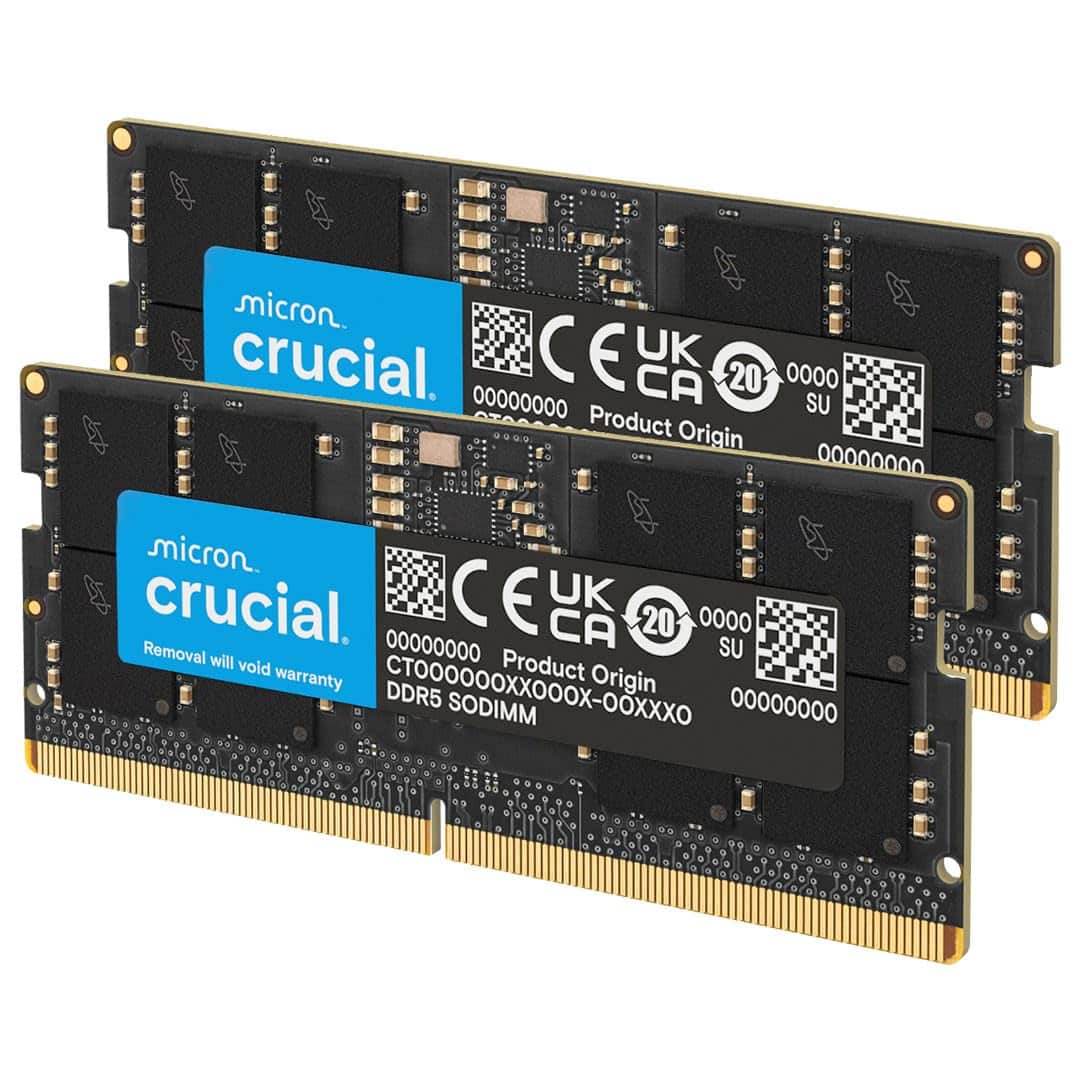

Frequently asked
7 questions01What is the real-world latency of the Corsair Vengeance RGB DDR5 6000MHz CL30 kit?+
The true latency works out to 10 nanoseconds, calculated using the formula (CAS latency divided by speed in MHz) multiplied by 2000. So (30 divided by 6000) multiplied by 2000 equals 10ns. For comparison, a 6000MHz CL36 kit sits at 12ns and a CL40 kit at 13.3ns, making the CL30 figure here meaningfully tighter than most kits in the same price bracket.
02Does this kit work on AMD AM5 boards as well as Intel platforms?+
Yes. The CMH32GX5M2B6000Z30K ships with both an AMD EXPO profile and an Intel XMP 3.0 profile. On AM5 boards you enable EXPO in BIOS; on Intel Z-series boards you enable XMP 3.0. You do not need to buy a platform-specific version. The 6000MHz speed also aligns with AMD's Infinity Fabric sweet spot on Ryzen 7000 and 9000 series, where the memory runs at a 1:1 ratio with the memory controller clock.
03Will the heatspreader fit under my CPU cooler?+
The Vengeance RGB DDR5 heatspreader is approximately 44mm tall. If you are using a large dual-tower air cooler such as a Noctua NH-D15 or be quiet! Dark Rock Pro 4, check whether the cooler overhangs the first DIMM slot on your specific motherboard. Low-profile coolers and most 240mm or 360mm AIOs will not have a problem, but large tower coolers can conflict with 44mm heatspreaders depending on socket position and board layout.
04Do I need to do anything in BIOS to get the 6000MHz CL30 speed?+
Yes. Like all DDR5 kits rated above the JEDEC baseline, this kit runs at 4800MHz with loose timings by default. To get 6000MHz CL30 you need to enter BIOS and enable the EXPO profile (on AMD boards) or XMP 3.0 profile (on Intel boards). Corsair strongly advises updating your motherboard BIOS to the latest version before enabling the profile, which is good advice for any high-speed DDR5 kit regardless of brand.
05Is the RGB worth the extra cost over the non-RGB version?+
Only if RGB lighting is genuinely part of your build plan. The non-RGB Corsair Vengeance DDR5 at the same 6000MHz CL30 specification is typically cheaper and delivers identical performance. The RGB version is the sensible choice if you have a windowed case and are already using Corsair iCUE for other peripherals. If your case has no side panel window, or RGB is not a priority, the non-RGB variant or the Kingston Fury Beast DDR5 at the same CL30 spec represents better value per pound.
06What warranty does this kit come with, and how is the RMA process?+
Corsair covers this kit with a lifetime warranty. In the UK, warranty claims are handled through Corsair's support portal. Owner reports across the large review pool suggest the RMA process is handled without excessive delays or disputes, and DOA stick replacements are described as straightforward. DDR5's on-DIMM power management IC is a newer component that could theoretically fail, but PMIC failures appear rare in practice and are covered under the lifetime warranty regardless.
07How does the 32GB capacity hold up for gaming and content creation in 2025?+
For gaming and general productivity, 32GB is the right amount. No current game needs more than 24GB of system RAM, and 32GB provides comfortable headroom for gaming alongside a browser, Discord, and other background applications. For content creation, 32GB handles photo editing and 1080p or 1440p video timelines well. Heavy 4K video editing with many effects may feel constrained, and if that describes your workflow, a 64GB kit is worth considering even if it means accepting lower speed and looser timings.