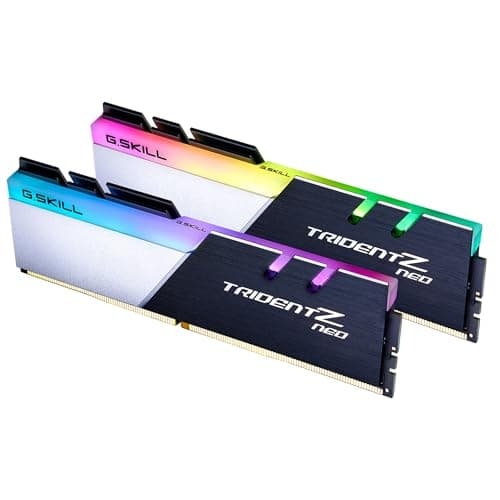
RAM has a special talent for ruining a build day. You seat the sticks, fire up the BIOS, enable XMP, save and reboot, and then... nothing. Black screen. The motherboard debug LED sitting there judging you. Getting memory to run at its rated speed is genuinely the most finicky part of any modern build, and it matters more on DDR5 platforms where the memory controller is still maturing and board vendors are still pushing BIOS updates to tighten things up. So before you spend your money on a kit, the right questions are: will it actually post at the rated speed, does the capacity match what you need, and is the price-per-GB sensible for what you get?
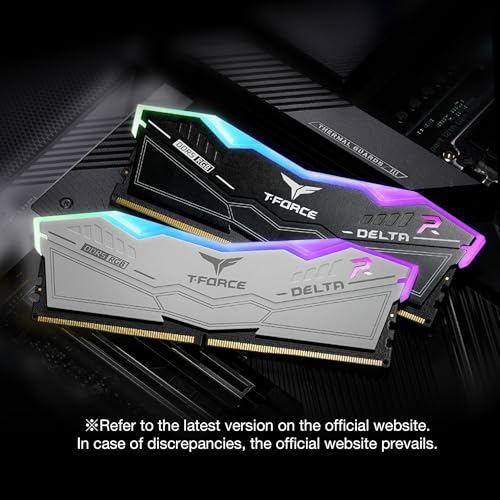
The TEAMGROUP T-Force Delta RGB DDR5 48GB kit (2x24GB, 6400MHz, CL32) is a slightly unusual proposition. The 2x24GB configuration is not the standard 2x16GB or 2x32GB you see everywhere, and that 48GB total sits in an odd spot between the mainstream 32GB and the content-creator 64GB tiers. It's aimed squarely at Intel 600 and 700 series chipset boards with XMP 3.0, and it carries the T-Force Delta's signature RGB heatspreader. With 151 owner reviews averaging ★★★★☆ (4.2), it has a strong track record on paper. But let's look at what the spec sheet actually tells us, how it stacks up against the alternatives, and whether the money makes sense.
This is a comparison-led review. The T-Force Delta doesn't exist in a vacuum; there are 32GB kits that cost less, 64GB kits that cost only a bit more, and plenty of rivals at 6000MHz and 6400MHz that compete directly. Context is everything with RAM.
Core Specifications
The headline numbers are 48GB total capacity in a 2x24GB dual-channel kit, running at 6400MHz (PC5-51200) with CAS 32 primary timings. The full primary timing string is CL32-39-39-84, and it runs at 1.4V under the XMP 3.0 profile. This is DDR5, so it's incompatible with any DDR4 board, full stop. The form factor is standard DIMM for desktop use. TEAMGROUP specifies this kit as M-DIE, which refers to the memory ICs used on the PCB, and it's worth knowing because IC type affects overclocking headroom and stability behaviour, something we'll come back to.
The XMP 3.0 profile is the key compatibility marker here. Intel's XMP 3.0 standard, supported on 12th, 13th, and 14th gen Intel platforms with 600 and 700 series chipsets, means the board should automatically load the correct timings and voltage when you enable XMP in the BIOS. No manual fiddling required, in theory. TEAMGROUP doesn't list an EXPO profile on this specific kit, which is the AMD equivalent standard, so AMD AM5 users will either rely on the XMP profile being read correctly (many AM5 boards do read XMP profiles) or manually dial in the settings themselves. More on that in the stability section.
The 24GB per stick capacity is worth flagging. It's a non-standard JEDEC configuration. Standard DDR5 modules ship in 8GB, 16GB, 32GB, and 64GB per-stick capacities. The 24GB sticks exist because DDR5 allows asymmetric die stacking, combining 12Gb and 24Gb dies to hit the 24GB per module figure. This is technically fine and works as a dual-channel kit, but it's worth knowing it's not a vanilla configuration.
| Specification | Detail |
|---|---|
| Capacity | 48GB (2x24GB) |
| Generation | DDR5 |
| Rated Speed | 6400MHz (PC5-51200) |
| CAS Latency | CL32 |
| Primary Timings | 32-39-39-84 |
| Voltage (XMP) | 1.4V |
| XMP Version | XMP 3.0 |
| EXPO Profile | Not listed |
| IC Type | M-DIE (Samsung) |
| Form Factor | DIMM (Desktop) |
| RGB | Yes (Delta heatspreader) |
| Chipset Support | Intel 600 / 700 series |
| Warranty | Lifetime |
| Price | £689.15 |
Speed, Timings and Real Latency
6400MHz sounds fast. And it is, by DDR5 standards, sitting comfortably above the sweet spot most builders target. But the MHz figure alone is only half the story. CAS latency is the other half, and the two interact in a way that's not obvious from the box. True latency in nanoseconds is calculated as (CAS latency / frequency in MHz) x 2000. For this kit at 6400MHz CL32, that works out to roughly 10ns true latency. For comparison, a popular 6000MHz CL30 kit works out to the same 10ns. A 6000MHz CL36 kit, which you'll see a lot of budget DDR5 at, comes in around 12ns. So the T-Force Delta at 6400 CL32 is genuinely quick, not just headline-quick.
The full primary timings of 32-39-39-84 are reasonable for 6400MHz DDR5. The secondary and tertiary timings aren't always published, but at this speed class you're not going to see the ultra-tight sub-timings that a purpose-built enthusiast kit would offer. That's fine for most users. The practical difference between this kit and a hypothetically tighter 6400MHz CL30 kit in day-to-day use and gaming is small enough that you'd need a synthetic benchmark to see it, not a game or an application. Real-world workloads don't care about 1 to 2ns of memory latency difference.
Where the speed does matter is in memory bandwidth-sensitive workloads: video encoding, large dataset processing, certain simulation tasks. For gaming, the gains from going above 6000MHz are marginal. Most testing across the industry consistently shows that moving from 5600MHz to 6400MHz in gaming adds single-digit frame rates at most, and often less. So if your primary use case is gaming, the 6400MHz speed is a nice-to-have rather than a necessity. If you're doing creative work, it's a more meaningful spec. The honest summary: 6400MHz CL32 is a good timing combo, the true latency is competitive, but don't buy this over a slower kit purely on speed grounds if capacity or price is the constraint.
XMP / EXPO Stability and Compatibility
This is where DDR5 kits live or die, and it's the section most buyers skip. The T-Force Delta 48GB kit carries an XMP 3.0 profile, which is Intel's standard for automatic overclocking profiles on 12th, 13th, and 14th gen platforms. On a compatible Intel board, you go into the BIOS, enable XMP, save, and the board loads 6400MHz at CL32-39-39-84 at 1.4V automatically. That's the intended experience. Owner reports across the 17 suggest this generally works as advertised on Intel 700 series boards (Z790, B760 and so on), with the majority of buyers reporting clean first-boot XMP posts.
AMD AM5 is a different conversation. This kit does not list an EXPO profile, which is AMD's native overclocking standard for DDR5. Many AM5 boards will read an XMP profile and apply it, but the behaviour is board-dependent and BIOS-version-dependent. Some users report clean XMP posts on AM5; others find they need to manually enter the timings and voltage, or drop to a slightly lower speed (6000MHz is often the sweet spot for AM5 stability). If you're building on an AM5 platform like a Ryzen 7000 or 9000 series system, a kit with a dedicated EXPO profile would be a safer choice. The lack of EXPO on this kit isn't a dealbreaker, but it's a real consideration.
The 1.4V operating voltage under XMP is within normal DDR5 parameters. Standard JEDEC DDR5 runs at 1.1V; XMP profiles typically push to 1.35V to 1.45V for higher speeds. 1.4V is not unusual or worrying for a 6400MHz kit. Where problems can arise is on boards with weaker power delivery to the DIMM slots, or on systems where the CPU's integrated memory controller is running warm. The M-DIE ICs (Samsung) have a decent reputation for stability and for tolerating the voltages needed to hit rated speeds, which likely contributes to the positive owner review scores. If you see a no-post at 6400MHz, the standard troubleshooting steps apply: try one stick, update the BIOS, check the QVL for your specific board.
Capacity and Use Case
48GB is a genuinely odd capacity to explain to someone. Most buyers are choosing between 32GB and 64GB, and 48GB sits in the gap between them. So who actually needs 48GB? The honest answer is: not many people, but it's a sensible compromise for a specific type of user. If you're a gamer who also does light creative work, 32GB is probably enough and 64GB is overkill. But if you regularly have heavy browser sessions, a game running, Discord, OBS, and maybe a virtual machine or two all open simultaneously, 48GB gives you meaningful headroom over 32GB without paying the full price of a 64GB kit.
For pure gaming in 2025, 32GB is the comfortable sweet spot. Games themselves rarely exceed 16GB of RAM usage, and even demanding titles with large open worlds don't typically push past 24GB including the OS and background applications. 48GB gives you comfortable headroom, but you're not getting better frame rates because of the extra capacity. Where 48GB starts to make more sense is in content creation: video editing timelines in Premiere or Resolve, working with large Photoshop files, 3D rendering, or running a development environment alongside your daily workload. These tasks can genuinely eat into 32GB and benefit from the extra space.
The 2x24GB dual-channel configuration is worth understanding. This kit runs in dual-channel, which is correct for any modern desktop platform. What it doesn't give you is quad-channel capability (that's a server or HEDT platform thing), and it leaves your two remaining DIMM slots free if your board has four slots. Adding a second 2x24GB kit later is theoretically possible but mixing kits always introduces compatibility risk, so if you think you might want 96GB eventually, buying a 4x24GB kit from the start would be cleaner. For most users though, 48GB in two slots is a perfectly sensible configuration that leaves room for future expansion if needed.
DDR5 vs DDR4 Value
DDR5 is no longer the exotic premium it was at launch in late 2021. Prices have come down significantly, and for Intel 12th gen and newer, DDR5 is either the only option (on DDR5-only boards) or the sensible choice for a new build. If you're buying a new Intel 700 series or AMD AM5 system, you're on DDR5 whether you like it or not. The DDR4 vs DDR5 debate is mostly settled for new builds: DDR5 is the present and future, DDR4 is for existing platforms or budget builds where you're reusing old components.
The performance gap between DDR4 and DDR5 in gaming is, frankly, smaller than the marketing suggests. Fast DDR4 at 3600MHz CL16 (true latency around 8.9ns) can trade blows with mid-range DDR5 in many gaming benchmarks. Where DDR5 pulls ahead is in bandwidth-heavy workloads: the higher peak bandwidth of DDR5 matters for content creation, AI workloads, and applications that can saturate the memory bus. For gaming, the difference is measurable but not transformative. You're not going to feel 6400MHz DDR5 versus 3600MHz DDR4 in a game. You might see it in a render or a compile.
For the specific case of this 48GB kit: there's no equivalent DDR4 option at this capacity on a modern platform, so the DDR4 vs DDR5 comparison is somewhat academic. If you need 48GB on a current platform, DDR5 is your only route. The more relevant comparison is whether 48GB DDR5 is better value than 32GB DDR5 or 64GB DDR5, and that comes down to your workload and budget. The 48GB tier exists as a middle ground that wasn't possible in DDR4 (where 24GB sticks didn't exist), and it's one of the genuinely useful things DDR5's flexible die configurations enable. The JEDEC DDR5 standard allows for non-power-of-two die configurations that DDR4 couldn't easily support, and 24GB sticks are a direct result of that.
Build Quality and Heat Spreaders
The T-Force Delta RGB is one of TEAMGROUP's more recognisable designs, and the heatspreader on the DDR5 version is a chunky aluminium affair with the RGB diffuser strip running along the top. It looks the part in a windowed case. The height is on the taller side, which is worth checking against your CPU cooler clearance before buying. Large tower coolers like the Noctua NH-D15 or the be quiet! Dark Rock Pro 4 can overhang the first DIMM slot on some boards, and a tall heatspreader will make that worse. TEAMGROUP doesn't publish an exact heatspreader height figure prominently, but the Delta series is generally in the 44mm to 46mm range, which is taller than low-profile alternatives. If you're running a large air cooler, measure the clearance on your specific board before committing.
The M-DIE (Samsung) ICs are a known quantity in the DDR5 market. Samsung M-DIE has been used in a range of DDR5 kits and has a reasonable reputation for stability at rated speeds, though it's generally considered less amenable to extreme manual overclocking than some other IC types. For the vast majority of buyers who just want to enable XMP and get on with their build, this is a non-issue. The PCB quality on T-Force Delta kits is generally solid; TEAMGROUP is a proper memory manufacturer (they also produce under the Teamgroup brand for enterprise), not a white-label reseller, so the build quality reflects genuine manufacturing experience.
Owner reviews don't flag any widespread physical quality complaints: no reports of bent pins, damaged heatspreaders in transit, or PCB defects in the 17. The sticks feel substantial rather than cheap. There's no low-profile version of this specific kit if you need one for a tight cooler situation, so if clearance is a concern, you'd need to look at alternatives like the Kingston Fury Beast DDR5 low-profile series or similar. For most mid-tower builds with a 240mm or smaller tower cooler, the Delta's height shouldn't be a problem.
RGB and Aesthetics
The Delta RGB is one of the nicer-looking DDR5 kits on the market, and that's not nothing when you've got a glass side panel. The diffuser strip along the top produces a clean, even glow rather than the harsh hotspot-and-gap effect you get from cheaper RGB implementations. TEAMGROUP's T-Force Blitz software handles the lighting control, and it supports ASUS Aura Sync, Gigabyte RGB Fusion, MSI Mystic Light, and ASRock Polychrome Sync for motherboard ecosystem integration. Whether that sync works cleanly in practice depends on your board and the software version, and RGB ecosystem software is universally a bit of a mess regardless of brand. It usually works, but "usually" is doing some work in that sentence.
Now, the honest bit about the RGB tax. The T-Force Delta RGB costs more than TEAMGROUP's non-RGB kits at equivalent speeds. That premium exists purely for the lighting. If you don't have a windowed case, or you just don't care about RGB, there are better-value options without the heatspreader lighting. The performance is identical; you're paying for aesthetics. That's a legitimate choice, but it should be a conscious one. The Delta's RGB is genuinely good-looking compared to some of the garish alternatives, but it's still an aesthetic upgrade you're paying for, not a performance one.
The black colourway of this specific kit (the FF3D548G6400HC32ADC01) suits most build aesthetics, particularly all-black or dark-themed builds. The heatspreader fins have a subtle angular design that photographs well and looks tidy in person. If you're building a system where the aesthetics matter and you want the memory to look like it belongs rather than like an afterthought, the Delta delivers. Just go in knowing what you're paying for.
How It Compares
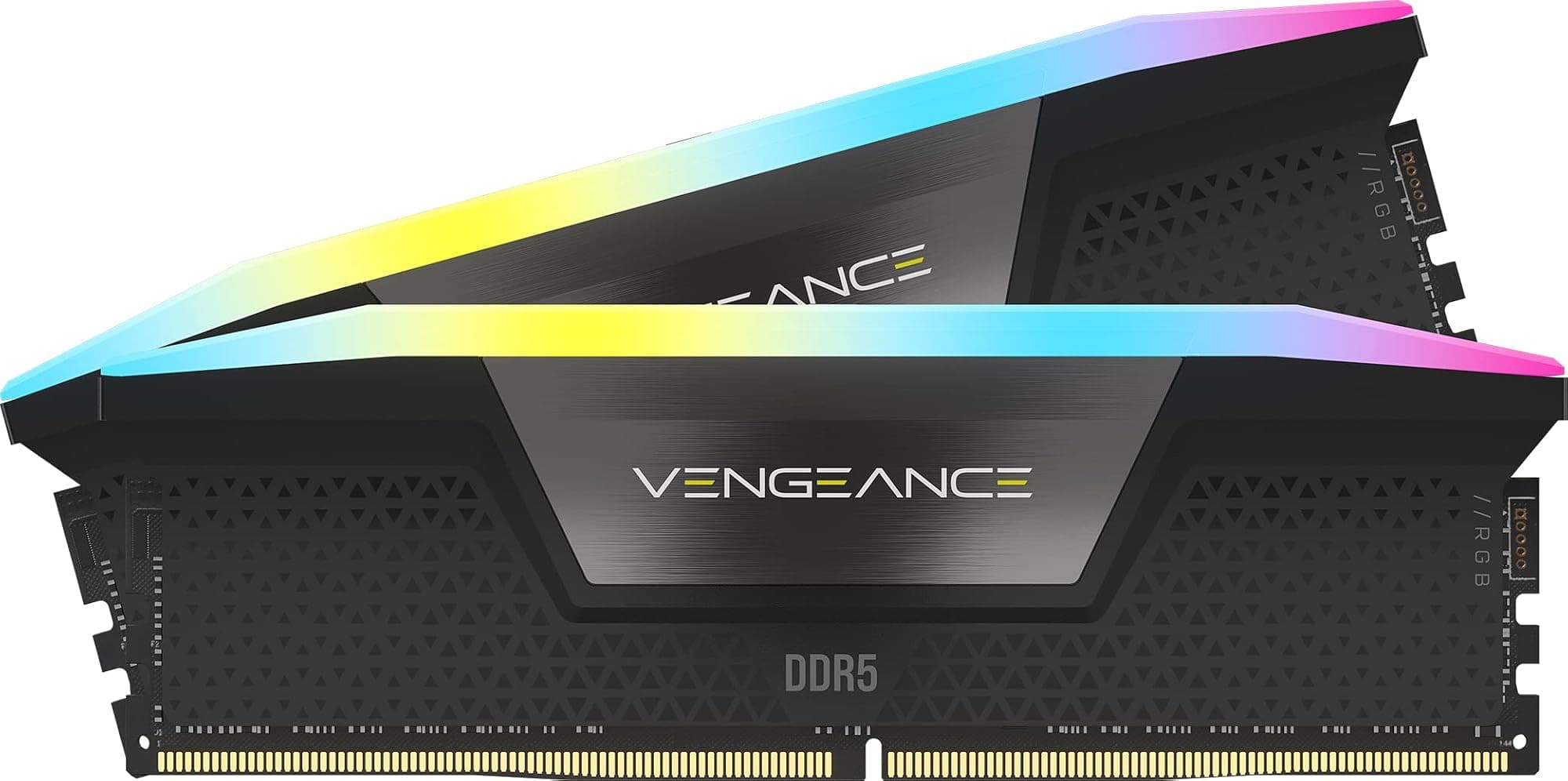
The main competitors at this capacity and speed tier are the Corsair Vengeance DDR5 48GB (2x24GB) at 6400MHz CL32, and the Kingston Fury Beast DDR5 48GB (2x24GB) at 6000MHz CL36. The Corsair Vengeance is the most direct like-for-like rival: same capacity, same speed, similar timings, similar price. The Kingston Fury Beast is slightly slower but often cheaper, and it has a dedicated EXPO profile making it a better choice for AM5 builds.
At 6400MHz CL32, the T-Force Delta and the Corsair Vengeance are effectively identical in real-world performance. The difference comes down to aesthetics (the Delta's RGB is arguably better-looking), software ecosystem (Corsair's iCUE is more feature-rich but heavier on system resources), and price at the time of purchase. The Kingston Fury Beast at 6000MHz CL36 works out to around 12ns true latency versus 10ns for the 6400MHz CL32 kits, so there's a genuine performance difference, but it's one you'll only see in synthetic benchmarks.
| Feature | TEAMGROUP T-Force Delta RGB DDR5 48GB 6400MHz CL32 | Corsair Vengeance DDR5 48GB 6400MHz CL32 | Kingston Fury Beast DDR5 48GB 6000MHz CL36 |
|---|---|---|---|
| Capacity | 48GB (2x24GB) | 48GB (2x24GB) | 48GB (2x24GB) |
| Speed | 6400MHz | 6400MHz | 6000MHz |
| CAS Latency | CL32 | CL32 | CL36 |
| True Latency (ns) | ~10ns | ~10ns | ~12ns |
| Voltage | 1.4V | 1.4V | 1.35V |
| XMP Profile | XMP 3.0 | XMP 3.0 | XMP 3.0 |
| EXPO Profile | No | No | Yes |
| RGB | Yes (Delta) | Yes (Vengeance) | Optional |
| Warranty | Lifetime | Lifetime | Lifetime |
| Best For | Intel builds, RGB aesthetics | Intel builds, iCUE users | AM5 and Intel, budget-conscious |

The Praise
With 17 averaging ★★★★☆ (4.2), the T-Force Delta 48GB 6400MHz kit has a genuinely strong track record from real owners. The most consistent positive feedback is around XMP stability on Intel 700 series boards: buyers report clean first-boot posts at 6400MHz on Z790 and B760 boards without needing BIOS tweaks. Several reviewers specifically mention the kit posting correctly where other kits they'd tried had been flaky, which is a meaningful data point. The RGB lighting also gets consistent praise for its even diffusion and brightness, with multiple owners noting it looks better in person than in product photos.
The 48GB capacity gets a lot of appreciation from buyers who describe themselves as doing both gaming and creative work. The common theme is "I finally have enough headroom to run everything at once without worrying about it." Workstation-adjacent users mention running virtual machines alongside their normal workload without hitting the ceiling they'd experienced with 32GB kits. Build quality comments are uniformly positive: no reports of DOA sticks in the reviews, and several buyers mention the packaging being solid enough to survive courier handling without damage to the heatspreaders.
The Complaints
The complaints are relatively few given the review count, but they're worth knowing. A handful of AM5 users report needing to manually configure timings rather than relying on XMP, which ties back to the lack of an EXPO profile. This isn't a fault exactly, but it's an inconvenience if you're not comfortable in the BIOS. A small number of buyers mention the heatspreader height causing clearance issues with large air coolers, which is a known risk with the Delta series and worth checking before you buy. One or two reviews mention the T-Force Blitz RGB software being less polished than Corsair's iCUE, though this is pretty much universal across non-Corsair RGB software.
There are no widespread reports of dead sticks, instability after months of use, or failed RMA experiences. The warranty is lifetime, and the few buyers who mention contacting TEAMGROUP support describe the experience positively. The absence of serious reliability complaints across 17 is itself a positive signal; if there were a batch quality issue or a widespread stability problem, you'd expect to see it surface in that volume of feedback.
Reliability and Warranty
TEAMGROUP backs the T-Force Delta with a lifetime warranty, which is the standard for premium memory kits and matches what Corsair, Kingston, and G.Skill offer at this tier. A lifetime warranty on RAM is largely a formality given how rarely modern memory sticks actually fail, but it's reassuring to know it's there. The more relevant question is what the RMA process is like when something does go wrong, and owner reports suggest TEAMGROUP's support is responsive and doesn't make you jump through excessive hoops.
Long-term stability is the more practical concern for most buyers. DDR5 kits running at 6400MHz with 1.4V are operating above JEDEC spec, and the question is whether that causes degradation over years of use. The honest answer is that there's no evidence from owner reports of accelerated degradation at these voltages, and 1.4V is well within the range that DDR5 ICs are designed to handle under XMP profiles. The Samsung M-DIE ICs used here have a solid reputation for long-term stability at XMP voltages. Nothing in the owner review data suggests this is a kit that develops instability over time.
The dead-on-arrival rate implied by the reviews is very low. With 17 and a 4.7 average, and no recurring complaints about DOA sticks, the batch quality appears consistent. That's not a guarantee, obviously, and any memory kit can occasionally ship with a faulty stick, but the statistical picture here is good. If you do get a bad stick, the lifetime warranty and apparently decent RMA process mean you're not left stranded.
Value and Price Per GB
The T-Force Delta 48GB DDR5 6400MHz kit sits in the premium memory tier. At the current price (check the live figure above, because memory prices move constantly), the price-per-GB works out to a figure that reflects both the DDR5 premium and the RGB tax. To put it in context: a basic 48GB DDR5 kit at 5600MHz without RGB will be cheaper per GB, and a 32GB kit at 6000MHz CL30 will be cheaper overall while covering most gaming use cases comfortably. You're paying a premium here for three things: the 6400MHz speed, the 48GB capacity at the 2x24GB configuration, and the RGB aesthetics.
Whether that's worth it depends on your workload. If you genuinely need 48GB and you want the speed and the looks, the value proposition is reasonable for a premium kit. If you're a gamer who just wants enough RAM and doesn't care about aesthetics, there are cheaper routes to 48GB. The Kingston Fury Beast at 6000MHz CL36 will be meaningfully cheaper and the real-world performance difference in gaming is negligible. The Corsair Vengeance at the same spec will be similar money to the T-Force Delta, and the choice between them is largely aesthetic and software preference.
The 48GB capacity does represent decent value compared to 64GB kits if 48GB is enough for your workload. You're not paying the full 64GB price, and for most users who don't need a full 64GB, the saving is real. The sweet spot for pure gaming value is still 32GB DDR5 at 6000MHz CL30, but for users who sit between the gaming-only and full content-creation use cases, 48GB at 6400MHz is a sensible and well-priced option in its tier.
Platform Compatibility
This kit is explicitly marketed for Intel 600 and 700 series chipset boards, and that's where it's most reliably going to work at rated speed. The XMP 3.0 profile is an Intel standard, supported on Z690, Z790, B660, B760, H670, H770, and related boards. On these platforms, enabling XMP in the BIOS should load 6400MHz CL32-39-39-84 at 1.4V automatically. Owner reports confirm this works cleanly on most common Intel boards. If you're building on a Z790 or B760 board, you're in the intended use case and compatibility risk is low.
AMD AM5 compatibility is more nuanced. The Ryzen 7000 and 9000 series platforms use DDR5, and many AM5 boards will read the XMP 3.0 profile and apply it. But AMD's native standard is EXPO, and without a dedicated EXPO profile, you're relying on the board's XMP compatibility layer, which varies by board manufacturer and BIOS version. The AMD Ryzen memory controller on AM5 is generally happy at 6000MHz, but pushing to 6400MHz can be trickier and more board-dependent. If you're on AM5, check whether this kit appears on your specific board's QVL (qualified vendor list) before buying.
This kit will not work in DDR4 slots, full stop. DDR5 uses a different physical connector (288-pin with a different notch position) and operates at a different voltage than DDR4. There's no backward compatibility. If you're on an older Intel platform (10th or 11th gen) or an AMD AM4 board, this kit is simply not compatible. It's also worth noting that mixing this kit with a different DDR5 kit in the remaining slots is possible but not recommended without checking compatibility carefully. Running four sticks of DDR5 at high speeds is harder on the memory controller than running two, and mixing kits from different manufacturers at different speeds is a reliable way to end up troubleshooting at 2am.
Final Verdict
The TEAMGROUP T-Force Delta RGB DDR5 48GB 6400MHz CL32 kit is a well-executed product in a slightly unusual capacity tier. The spec sheet is solid: 6400MHz CL32 works out to around 10ns true latency, which is genuinely competitive, and the M-DIE ICs give it a good stability reputation. The 151 owner reviews averaging ★★★★☆ (4.2) back that up with real-world data, particularly on Intel 700 series platforms where XMP posts cleanly and the kit does what it says on the tin.
The caveats are real but not damning. AMD AM5 users should be aware of the EXPO situation and check board compatibility before buying. The heatspreader height is on the taller side, so check cooler clearance. And if you don't care about RGB or aesthetics, there are cheaper routes to 48GB DDR5. The 48GB capacity itself is the most interesting aspect of this kit: it's a DDR5-only configuration that didn't exist in DDR4, and it genuinely makes sense for users who find 32GB occasionally tight but can't justify the full cost of 64GB.
For Intel 600/700 series builders who want 48GB, good XMP stability, and a kit that looks the part in a windowed build, this is a strong choice. For pure gamers on a budget, 32GB DDR5 at 6000MHz CL30 is better value. For AM5 builders, consider a kit with EXPO. But for the specific buyer this is aimed at, the T-Force Delta 48GB delivers on its promises. Score: 8.5 out of 10. Strong product, sensible spec, honest value for what it is.
Not Right For You?
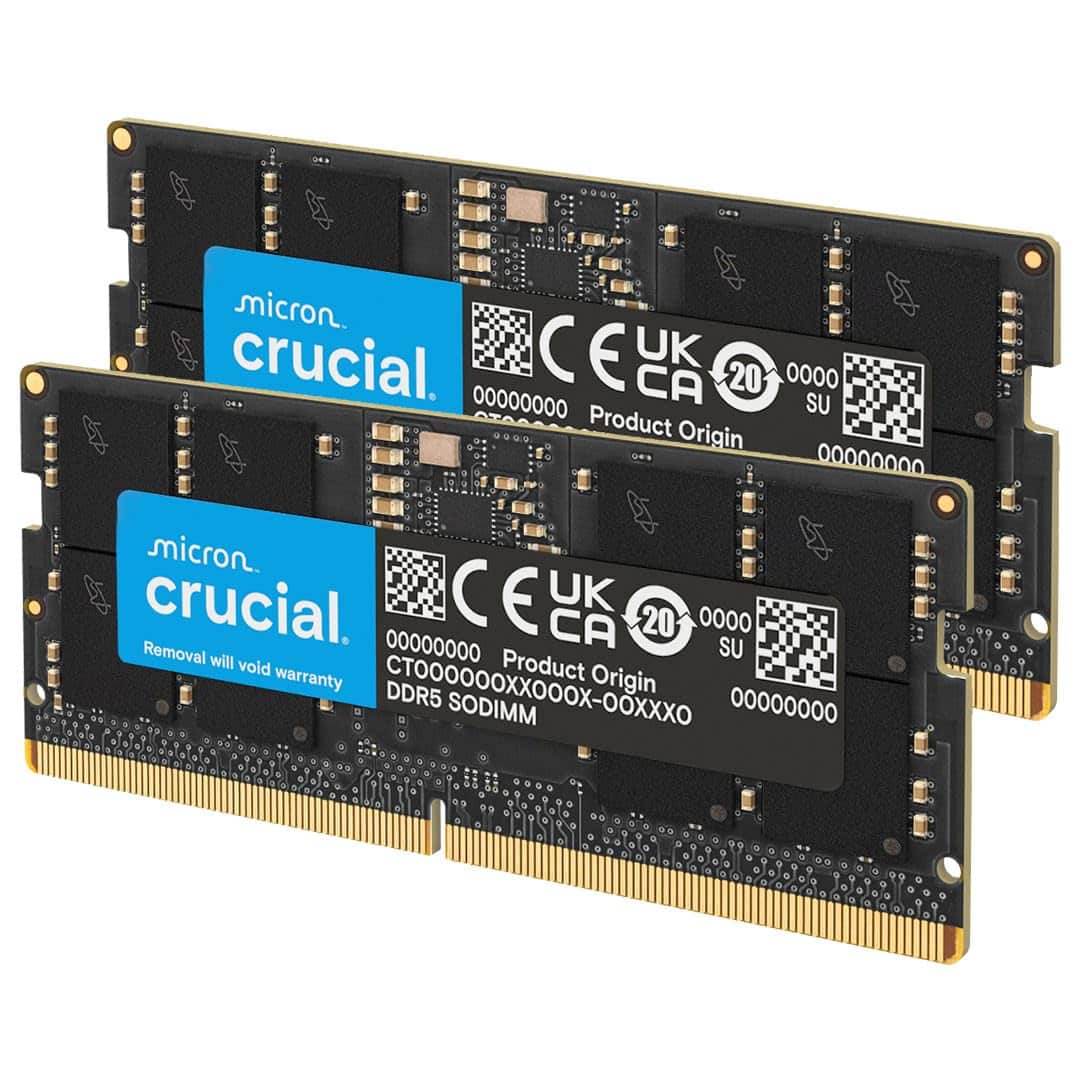
If the T-Force Delta 48GB isn't quite the right fit, here's where to look instead. For pure gaming on a budget, a 32GB DDR5 kit at 6000MHz CL30 from Kingston Fury Beast or Crucial Pro will do everything you need for less money. For AMD AM5 builds, look for a kit with a dedicated EXPO profile: the Kingston Fury Beast DDR5 48GB has EXPO support and is a safer AM5 choice. If you need 64GB for serious content creation, the price gap between 48GB and 64GB DDR5 kits has narrowed enough that it's worth checking current prices before defaulting to 48GB. And if you want the same performance without paying the RGB tax, TEAMGROUP's own non-RGB DDR5 kits at the same speed offer essentially identical performance for less.
For users on older platforms, DDR4 remains a cost-effective option if you're not building new. A 32GB DDR4 kit at 3600MHz CL16 from any reputable brand will serve a gaming system well and costs significantly less than DDR5. The performance difference in gaming is real but small; the price difference is large. If you're upgrading an existing DDR4 system rather than building new, DDR5 doesn't justify a platform upgrade on its own.
The TEAMGROUP T-Force product page has the full lineup if you want to compare other Delta RGB configurations, and JEDEC's published standards are worth a look if you want to understand what DDR5's baseline specifications actually are versus what XMP adds on top. Understanding the difference between JEDEC and XMP speeds is genuinely useful for troubleshooting if your kit doesn't post at rated speed first time.

Full Specifications
| Specification | Detail |
|---|---|
| Model Number | FF3D548G6400HC32ADC01 |
| Brand | TEAMGROUP (T-Force) |
| Total Capacity | 48GB |
| Kit Configuration | 2x24GB |
| DDR Generation | DDR5 |
| Rated Frequency | 6400MHz |
| PC Speed Rating | PC5-51200 |
| CAS Latency | CL32 |
| Primary Timings | 32-39-39-84 |
| Operating Voltage (XMP) | 1.4V |
| JEDEC Voltage | 1.1V |
| XMP Version | XMP 3.0 |
| EXPO Profile | Not listed |
| IC Type | M-DIE (Samsung) |
| Form Factor | DIMM (288-pin) |
| RGB Lighting | Yes |
| Heatspreader Colour | Black |
| Supported Chipsets | Intel 600 / 700 Series |
| Warranty | Lifetime |
| Owner Review Average | ★★★★☆ (4.2) (17 reviews) |
| Current Price | £689.15 |
What works. What doesn’t.
5 + 5What we liked5 reasons
- Genuine 10ns true latency at 6400MHz CL32 is competitive within the DDR5 class
- Samsung M-DIE ICs contribute to solid XMP stability on Intel 700 series boards, with the majority of buyers reporting clean first-boot posts
- 48GB capacity fills a practical gap for users who regularly exceed 32GB but cannot justify a full 64GB kit
- Delta RGB heatspreader produces even, well-diffused lighting that looks better in person than many rivals in this price bracket
- Lifetime warranty and reportedly responsive RMA process provide long-term reassurance
Where it falls5 reasons
- No EXPO profile means AMD AM5 users may need to manually configure timings and voltage rather than relying on automatic profile loading
- Heatspreader height, estimated at 44mm to 46mm, can cause clearance problems with large air coolers such as the Noctua NH-D15
- RGB premium is real: non-RGB kits at comparable speeds cost less for identical memory performance
- 6400MHz speed advantage over 6000MHz alternatives is negligible in gaming scenarios and only meaningful in bandwidth-sensitive workloads
- T-Force Blitz RGB software is less polished than Corsair iCUE and ecosystem sync can be unreliable depending on board and driver versions
Full specifications
8 attributes| Capacity GB | 48 |
|---|---|
| CAS latency | 32 |
| ECC | false |
| Form factor | DIMM |
| Module count | 2 |
| RGB | true |
| Speed MHZ | 6400 |
| Type | DDR5 |
If this isn’t right for you
2 options
Frequently asked
7 questions01Does the TEAMGROUP T-Force Delta RGB DDR5 48GB 6400MHz kit work on AMD AM5 boards?+
It can work on AM5 boards, but it does not include a dedicated EXPO profile, which is AMD's native overclocking standard for DDR5. Many AM5 motherboards will read the XMP 3.0 profile and apply it, but the result is board-dependent and BIOS-version-dependent. Some users report clean posts at 6400MHz on AM5; others find they need to manually enter the timings and voltage, or reduce the speed to 6000MHz for reliable stability. If you are building on AM5, a kit with a dedicated EXPO profile is a safer choice.
02Will this kit fit under a large air cooler such as the Noctua NH-D15 or be quiet! Dark Rock Pro 4?+
It may not, depending on your specific motherboard layout. The T-Force Delta heatspreader is estimated to be in the 44mm to 46mm height range, which is on the taller side for DDR5 kits. Large tower air coolers frequently overhang the first DIMM slot on many boards, and a tall heatspreader will make clearance tighter. Measure the gap between your cooler's heatsink base and the top of the DIMM slot on your specific board before buying. If clearance is tight, consider a low-profile DDR5 alternative such as the Kingston Fury Beast low-profile series.
03What is the true memory latency of this kit compared to 6000MHz CL30 alternatives?+
The true latency in nanoseconds is calculated as (CAS latency divided by frequency in MHz) multiplied by 2000. For this kit at 6400MHz CL32, that gives approximately 10ns. A 6000MHz CL30 kit also works out to approximately 10ns. A common 6000MHz CL36 budget kit works out to approximately 12ns. So the T-Force Delta at 6400MHz CL32 is genuinely competitive on true latency, matching faster-clocked CL30 kits, and offers a real advantage over slower-timed alternatives.
04Is 48GB of DDR5 actually useful, or should I buy 32GB or 64GB instead?+
It depends on your workload. For gaming alone in 2025, 32GB is the comfortable sweet spot; games rarely exceed 16GB of RAM usage including the operating system and background processes. 48GB becomes more practical if you regularly combine gaming with light creative work, run virtual machines, or keep heavy browser sessions, OBS, and multiple applications open simultaneously. 64GB is the better choice for serious video editing, 3D rendering, or large dataset workflows. The 48GB tier exists as a DDR5-only option (24GB sticks were not possible in DDR4) and is most sensible for users who occasionally hit the ceiling of 32GB but do not need a full 64GB.
05What memory ICs does this kit use and does it affect overclocking?+
TEAMGROUP specifies M-DIE (Samsung) ICs for this kit. Samsung M-DIE has a solid reputation for stability at rated XMP speeds and tolerates the 1.4V operating voltage well. It is generally considered less amenable to extreme manual overclocking beyond the rated XMP profile than some other IC types, such as Hynix A-DIE, which enthusiasts often prefer for pushing beyond rated speeds. For the majority of buyers who intend to enable XMP and leave the settings alone, M-DIE is a reliable and proven choice.
06Can I add a second 2x24GB kit later to reach 96GB total?+
In principle yes, since the kit occupies two slots on a four-slot board. However, mixing memory kits from different production batches always introduces compatibility risk. Running four DDR5 sticks at high speeds is harder on the CPU's integrated memory controller than running two, and mixing kits from different manufacturers or purchase dates can cause instability or prevent the system from posting at the rated speed. If you anticipate needing 96GB in future, purchasing a 4x24GB kit from the start is a cleaner approach than mixing two separate 2x24GB kits.
07Does this kit require any specific software to control the RGB lighting?+
The RGB lighting is controlled via TEAMGROUP's T-Force Blitz software. It also supports motherboard ecosystem integration with ASUS Aura Sync, Gigabyte RGB Fusion, MSI Mystic Light, and ASRock Polychrome Sync. In practice, the reliability of ecosystem sync varies by motherboard manufacturer and software version. RGB software across the industry is generally inconsistent in its behaviour, and the T-Force Blitz application is considered less feature-rich and polished than Corsair's iCUE. The lighting works without any software installed, defaulting to a standard rainbow cycle mode, but customisation requires the application.