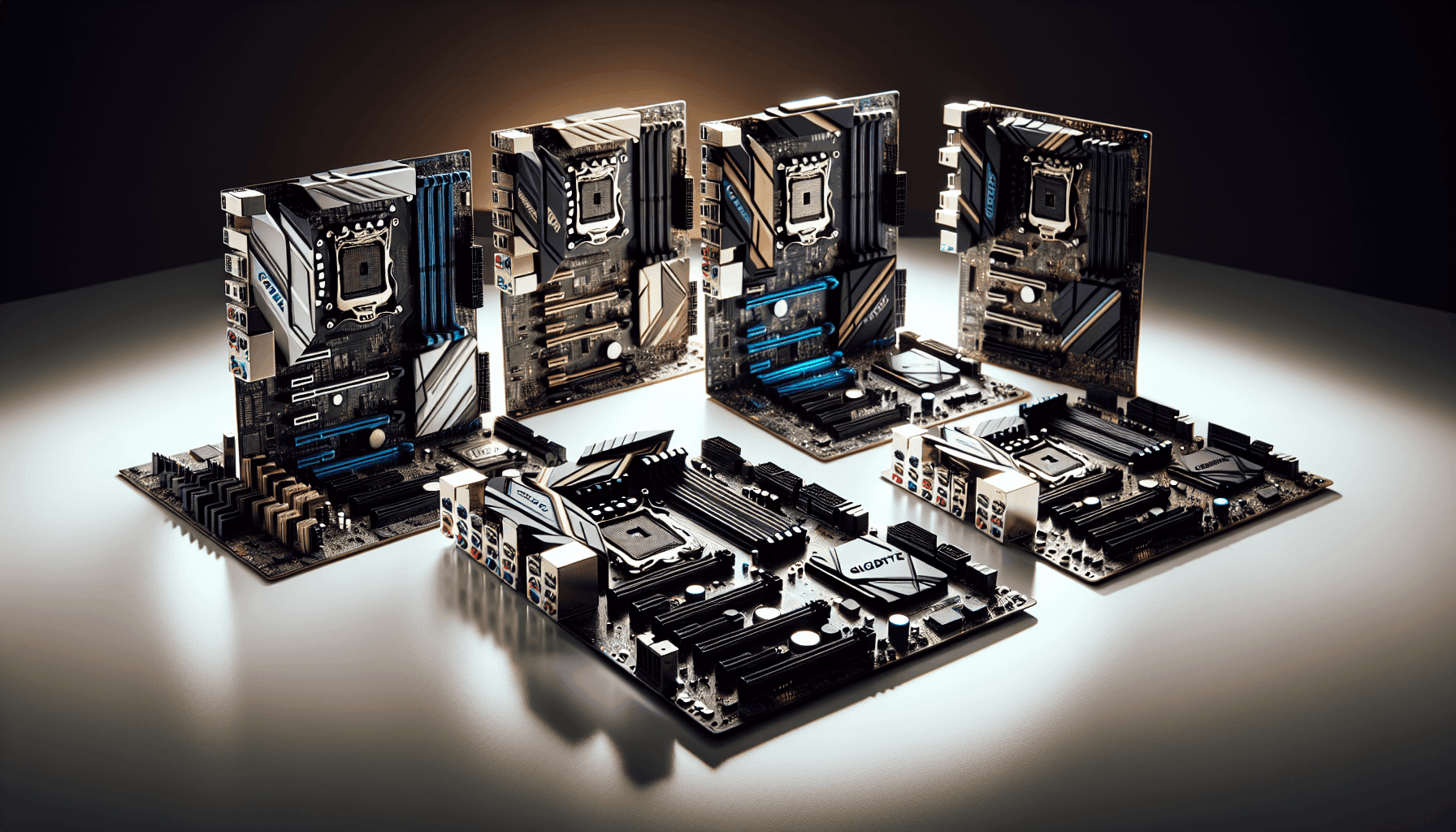
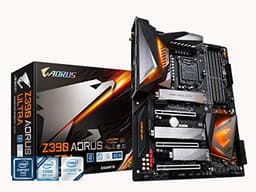
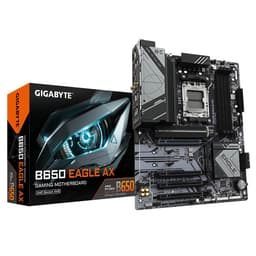
Pick the wrong motherboard and you'll be fighting it for years. Wrong VRM, dodgy BIOS, a PCIe slot that shares bandwidth at the worst possible moment. The board is the backbone of everything, and in the budget AM4 segment there are genuinely good options and genuinely terrible ones sitting at similar prices. So where does the Gigabyte B550M GAMING X WIFI6 Motherboard land? Based on the spec sheet and 177 owner reviews averaging ★★★★½ (4.5), the answer is: better than it looks on paper in some areas, and honest about its limitations in others.
The verdict first, because that's what you're here for. This is a solid budget micro-ATX board for a Ryzen 5000 build where you're not pushing a power-hungry CPU like a Ryzen 9 5950X. The Wi-Fi 6 inclusion at this price point is genuinely useful, the dual M.2 slots cover most people's storage needs, and owners report it just works without drama. But the 5+3 phase VRM is the ceiling here. Pair it with a Ryzen 5 5600 or a 5700X and you're fine. Try to run a 5900X flat out and you're asking for trouble. Know your CPU, know your limits, and this board earns its keep.
Core Specifications: Gigabyte B550M GAMING X WIFI6 Motherboard
The B550M GAMING X WIFI6 is a micro-ATX board on AMD's AM4 socket, built around the B550 chipset. It takes up to four sticks of DDR4 memory, supports PCIe 4.0 on the primary x16 slot (driven directly by the CPU), and offers dual M.2 slots, one PCIe 4.0 and one PCIe 3.0. The rear I/O includes USB 3.2 Gen 1 ports, and the board ships with Wi-Fi 6 and 1GbE LAN for networking. For a board in the budget bracket, that's a reasonable feature set on paper.
The form factor matters here. Micro-ATX means it'll fit in most mid-tower cases as well as proper mATX cases, which is genuinely flexible. You're not locked into a tiny ITX build or forced into a full ATX footprint. That said, the mATX layout does mean fewer expansion slots than a full-size board, which we'll get to. The memory support tops out at 3200MHz officially, though XMP profiles above that are possible with some kit depending on your CPU's memory controller.
Here's the full spec rundown:
| Specification | Detail |
|---|---|
| Socket | AMD AM4 |
| Chipset | AMD B550 |
| Form Factor | Micro-ATX |
| CPU Support | AMD Ryzen 5000 Series, 3rd Gen Ryzen, 3rd Gen Ryzen with Radeon Graphics |
| Memory | DDR4, 4 DIMMs, Dual Channel, up to 3200MHz |
| VRM Phases | 5+3 Phases |
| PCIe x16 Slot | 1x PCIe 4.0 (CPU) |
| M.2 Slots | 1x PCIe 4.0, 1x PCIe 3.0 |
| USB | USB 3.2 Gen 1 |
| LAN | 1GbE |
| Wi-Fi | Wi-Fi 6 |
| Audio | Not specified in verified data |
| Price | £96.95 |

Socket and CPU Compatibility
The AM4 socket is one of the best things AMD ever did for PC builders. Launched back in 2017 and carried through to Ryzen 5000 in 2020, it means a huge ecosystem of compatible CPUs and coolers. The Gigabyte B550M GAMING X WIFI6 supports AMD Ryzen 5000 Series processors, 3rd Gen Ryzen (Matisse), and 3rd Gen Ryzen with Radeon Graphics (Picasso and Renoir APUs). That covers the Ryzen 5 5600, 5600X, Ryzen 7 5700X, 5800X, and the high-end Ryzen 9 5900X and 5950X, though as mentioned, the VRM situation makes those top chips a questionable pairing.
One thing: if you're buying a brand-new board and a Ryzen 5000 CPU, you should be fine out of the box since B550 boards have had BIOS updates shipping for years now. But if you somehow end up with old stock that hasn't been updated, you'd need a compatible older Ryzen CPU to flash the BIOS first. In practice, with a board like this purchased new in 2026, that shouldn't be an issue. Gigabyte's BIOS update process for AM4 boards is well documented on their official product support page.
The AM4 cooler mounting standard is also a massive plus. Pretty much every aftermarket cooler made in the last several years supports AM4, from budget Cooler Master options up to Noctua's finest. You won't need an adapter kit or a new cooler just because you went with this board. That's the kind of practical, real-world compatibility that matters when you're building on a budget and don't want surprise extra costs.
Chipset Features
The B550 chipset sits in the middle of AMD's AM4 lineup, below X570 but well above the entry-level A520. The key practical difference versus X570 is that B550 doesn't support PCIe 4.0 from the chipset itself, only from the CPU lanes. So the primary PCIe x16 slot and the first M.2 slot get true PCIe 4.0 speeds because they're wired directly to the CPU, while the second M.2 and any chipset-connected slots run at PCIe 3.0. For most users, that's completely fine. PCIe 3.0 SSDs are still fast.
B550 also supports CPU overclocking, which A520 doesn't. So if you want to push your Ryzen 5 5600 with PBO (Precision Boost Overdrive) or manual overclocking, you can. The chipset provides a reasonable number of USB ports and SATA connections for a budget board, and the platform is mature enough that driver support and stability are well sorted. No nasty surprises from a half-baked chipset driver package like you sometimes get with brand-new platforms.
What B550 doesn't give you compared to X570 is the same level of chipset-connected PCIe bandwidth and some of the higher-end features like full PCIe 4.0 across all slots. But honestly, for a gaming or general-use build, that gap is largely theoretical. The features that matter day-to-day are all present. SATA ports for extra drives, enough USB for your peripherals, and proper overclocking support for when you want to squeeze a bit more out of your CPU. B550 is a genuinely good chipset for the money, and this board makes reasonable use of it.
VRM and Power Delivery
Right, this is the section that actually determines whether this board is right for your build. The Gigabyte B550M GAMING X WIFI6 uses a 5+3 phase VRM configuration. That's five phases for the CPU Vcore and three for the SoC. To put that in context, budget is budget. Compare it to something like the Gigabyte B550 AORUS Pro (which uses a 12+2 phase design with 50A DrMOS) and you can see the difference immediately. The GAMING X WIFI6 is a step down in power delivery, and that's fine as long as you're honest about what CPU you're pairing with it.
For a Ryzen 5 5600 (65W TDP) or even a Ryzen 7 5700X (65W TDP), this VRM is absolutely adequate. These CPUs don't demand enormous amounts of current, and the board can handle them without thermal throttling under sustained loads. Where it gets dicier is with the 105W TDP chips like the Ryzen 7 5800X or the Ryzen 9 5900X and 5950X. Those processors will push the VRM harder, and a 5+3 phase setup without beefy heatsinking is going to run warm under sustained all-core workloads like video encoding or 3D rendering. Gaming is typically less stressful since it rarely hammers all cores simultaneously, but it's still the limits.
Owner reviews don't report widespread VRM overheating issues, which suggests the board handles typical workloads without drama. But the reviews also skew toward people running sensible CPU choices for this price point. Nobody's dropping a 5950X on a budget mATX board and expecting miracles. If your build is a Ryzen 5 5600 paired with a mid-range GPU for gaming, the VRM here is perfectly fine and you'll never notice the limitation. If you're planning something more demanding, spend more on the board and get the power delivery to match.
Memory Support
Four DIMM slots in dual-channel configuration, supporting DDR4 up to 3200MHz. That's the headline. In practice, running four sticks of RAM on Ryzen can sometimes be trickier than running two, because the memory controller in Ryzen CPUs can be fussier with four-DIMM loads. Most people building on a budget board like this will run two sticks of 16GB for 32GB total, which is the sweet spot for gaming and general use in 2026. Two sticks at 3200MHz CL16 will run without issue on virtually any Ryzen 5000 CPU.
The board supports XMP profiles (AMD calls their version EXPO, but XMP DDR4 kits work fine on AM4), so you can enable faster-rated memory kits through the BIOS without manual overclocking. Whether you can push above 3200MHz depends more on your specific CPU's memory controller than the board itself. Some Ryzen 5000 chips are great at 3600MHz with tight timings, others are happy at 3200MHz and nothing more. Don't blame the board if your particular chip doesn't want to run at 3600MHz.
Non-ECC unbuffered DDR4 is the supported type here, which is what virtually every consumer DDR4 kit uses. ECC memory (used in workstations and servers) is not the target for this board and this price point. The four-slot layout gives you upgrade room if you start with 16GB and want to add more later, though again, four sticks can occasionally be more finicky than two. Starting with a matched pair in the correct slots (check the manual for dual-channel configuration) and leaving the other two slots for future expansion is the sensible approach.
Storage Options
Two M.2 slots, and this is actually one of the stronger points of the board for the price. The first slot runs at PCIe 4.0 x4, which means it can handle the fastest NVMe drives available right now, like the Samsung 990 Pro or the WD Black SN850X. Full sequential read speeds north of 7,000 MB/s are possible if you stick a PCIe 4.0 drive in there. The second slot runs PCIe 3.0 x4, which is still plenty fast for a secondary storage drive. PCIe 3.0 NVMe drives top out around 3,500 MB/s sequential, which is still dramatically faster than any SATA SSD.
SATA ports are present for additional storage, though the exact count isn't specified in the verified product data. For most builds, two M.2 slots covers the primary and secondary NVMe drives, and SATA ports handle any additional HDDs or SATA SSDs you might want for bulk storage. The combination of one fast PCIe 4.0 M.2 and one PCIe 3.0 M.2 is a genuinely useful setup and covers the vast majority of gaming and general use cases without compromise.
One thing to watch with budget mATX boards is that adding drives in certain configurations can sometimes disable SATA ports due to lane sharing. This is a chipset-level limitation rather than a board flaw, but it's the manual before you plan your storage layout. In practice, most people running a PCIe 4.0 boot drive and a PCIe 3.0 secondary drive won't hit any conflicts, but it's good to know before you start plugging things in. Owner reviews don't flag storage conflicts as a recurring issue, which is reassuring.
Expansion Slots and PCIe
The primary PCIe x16 slot runs at PCIe 4.0 from the CPU, which is what you want for your graphics card. PCIe 4.0 x16 gives you double the bandwidth of PCIe 3.0 x16, and while most current GPUs don't actually saturate PCIe 3.0 x16 bandwidth, having 4.0 is future-proofing that costs nothing extra here. Your RTX 4070 or RX 7700 XT will slot straight in and run at full speed.
Being a micro-ATX board, you're not getting the same number of expansion slots as a full ATX layout. That's the trade-off you make for a smaller, tidier build. For most gaming systems, one PCIe x16 slot for the GPU is all you need. If you're planning to run multiple GPUs (which is largely irrelevant for gaming in 2026 anyway) or need multiple PCIe x1 cards for capture cards, sound cards, and the like, a full ATX board would serve you better. But for a clean single-GPU gaming build, the slot configuration here is perfectly adequate.
The PCIe 4.0 x16 slot is the board's headline expansion feature, and it's the right one to prioritise. Bandwidth to the GPU matters. Having a PCIe 4.0 slot means this board won't be the bottleneck for any current or near-future GPU. That's a meaningful spec to get right, and Gigabyte did get it right here. The secondary slots, where they exist, handle lighter duties and PCIe 3.0 bandwidth is more than sufficient for anything that isn't a primary GPU.

Connectivity and Rear I/O
USB 3.2 Gen 1 on the rear I/O, which delivers up to 5Gbps per port. That's fast enough for most external drives, USB hubs, and peripherals without any real-world bottleneck for typical use. The board also includes a front panel USB 3.2 Gen 1 Type-C header, which is genuinely useful for modern cases that have a USB-C port on the front panel. Not every budget board includes this, so it's a nice touch.
For display output, the board supports DisplayPort and HDMI for multiple display configurations, which is relevant if you're using a Ryzen APU (like the Ryzen 5 5600G) that has integrated graphics. If you're running a discrete GPU, your display cables plug into the GPU rather than the motherboard, so the onboard video outputs become a useful troubleshooting fallback rather than a primary feature. Still, having both DisplayPort and HDMI available is better than having neither, especially for APU builds.
The audio situation isn't specified in the verified product data, so we won't invent details. What owner reviews suggest is that the audio output is functional and adequate for most users, which is about what you'd expect at this price point. If audio quality is a serious priority, a dedicated sound card or USB DAC is always the better answer regardless of which motherboard you pick. The rear I/O overall is sensible for a budget mATX board, covering the connectivity needs of a typical gaming or home office build without anything obviously missing.
Wi-Fi and Networking
This is where the board's name earns its keep. Wi-Fi 6 (802.11ax) at a budget price point is genuinely good value. The Wi-Fi 6 standard delivers up to 9.6Gbps theoretical throughput (you'll never see that in practice, but the real-world speeds and lower latency versus Wi-Fi 5 are meaningful), better performance in congested environments with multiple devices, and improved power efficiency. For a gaming PC that can't be wired directly to your router, Wi-Fi 6 is a solid choice and avoids the need to buy a separate PCIe Wi-Fi card.
The wired LAN is 1GbE, which is the standard Gigabit Ethernet that's been the norm for years. For most home broadband connections, 1GbE is more than adequate since UK broadband speeds rarely saturate a Gigabit connection even on faster packages. If you're on a multi-gig broadband connection or you transfer large files between machines on a local network regularly, you might want a board with 2.5GbE. But for gaming, streaming, and typical home use, 1GbE is fine. The Wi-Fi 6 inclusion arguably matters more for this board's target audience than bumping the wired LAN to 2.5GbE would have.
Having both Wi-Fi 6 and wired Ethernet gives you flexibility. Run wired when you can for the lowest possible latency, and switch to Wi-Fi when your desk setup doesn't allow a cable run. Owner reviews don't flag networking reliability as a problem, which is the most important thing. A Wi-Fi card that drops connections or has driver issues is worse than no Wi-Fi at all, and Gigabyte's implementation here seems to behave itself based on the feedback available.
BIOS and Overclocking
Gigabyte's BIOS on B550 boards has a bit of a mixed reputation, and it's worth being honest about that. The interface itself is functional and has improved over the years with updates, but it's not as polished as ASUS's UEFI or as intuitive as some of MSI's recent efforts. The Easy Mode gives you the basics quickly, and the Advanced Mode has the options you need for memory overclocking, fan curves, and CPU settings. It's not rubbish, but it's also not the most pleasant BIOS to spend time in if you're doing detailed tuning.
For overclocking, B550 supports full CPU overclocking including Precision Boost Overdrive for Ryzen 5000. PBO is AMD's automatic overclocking feature that pushes the CPU harder within thermal and power limits, and it's the most practical way to get extra performance out of a Ryzen chip without manual tuning. Manual overclocking is also supported, though with a 5+3 phase VRM, you're limited in how hard you can push things before the power delivery becomes the constraint rather than the CPU itself. For PBO on a 65W TDP chip, the board handles it without issue.
Fan control in the BIOS is present and covers the main fan headers, allowing you to set temperature-based curves rather than just fixed speeds. This matters for a quiet build. Owner reviews don't raise BIOS stability as a significant concern, which is reassuring. The worst BIOS experiences tend to involve boards that brick themselves during updates or have persistent bugs that prevent certain memory kits from posting. Neither of those appears to be a pattern in the feedback for this board. Gigabyte does push BIOS updates reasonably regularly for B550 boards, so any issues that do crop up tend to get addressed.
Build Quality and Aesthetics
The board has a straightforward gaming aesthetic without going overboard. The heatsinks cover the VRM area and the M.2 slot that has thermal coverage, which is the right priority for thermal management. The PCB looks clean and the layout is sensible for a mATX board. It's not going to win any awards for the most dramatic RGB light show, but it also doesn't look cheap or plasticky in the way some very budget boards do.
Build quality from owner reports is generally positive. The board feels solid, the slot reinforcement on the PCIe x16 slot is adequate, and the DIMM slots have the standard one-sided latch design that's common on mATX boards (to allow GPU clearance). The M.2 thermal guard on one of the slots is a nice inclusion since M.2 drives can run warm under sustained load, and a heatspreader helps keep temperatures in check. The second M.2 slot doesn't have thermal coverage, which is typical for boards in this price bracket.
Component quality in the budget segment is always a compromise, and Gigabyte doesn't pretend otherwise with this board. The capacitors and MOSFETs are appropriate for the price and the intended CPU pairing. You're not getting the premium component selection of a high-end board, but you're also not getting the barrel-scraping quality of the very cheapest A520 options. It sits where it should for the money. Owner reviews over time are the best indicator of long-term reliability, and 187 averaging 4.5 stars suggests most people are happy with how it holds up.
How It Compares
The most obvious comparison in the AM4 budget segment is the MSI B550M PRO-VDH WIFI, which sits at a similar price and also offers Wi-Fi. The MSI board has a slightly different VRM configuration and a different BIOS experience (MSI's Click BIOS 5 is generally considered a bit more user-friendly than Gigabyte's offering). The MSI board has been around longer and has a larger body of owner reviews to draw from, which gives it a reliability track record advantage. Both boards target the same Ryzen 5000 build with a 65W CPU and a single GPU.
The other comparison worth making is the step up to something like the ASUS ROG STRIX B550-F GAMING WIFI, which is a full ATX board with a significantly stronger VRM and more expansion slots. That board costs considerably more and targets a different user, but it's it exists if your CPU choice is a Ryzen 7 5800X or above. Spending more on the board to match a more demanding CPU is always the right call rather than bottlenecking your processor with inadequate power delivery.
| Feature | Gigabyte B550M GAMING X WIFI6 | MSI B550M PRO-VDH WIFI | ASUS ROG STRIX B550-F GAMING WIFI |
|---|---|---|---|
| Form Factor | Micro-ATX | Micro-ATX | ATX |
| VRM Phases | 5+3 | 6+2 | 12+2 |
| M.2 Slots | 2 (1x PCIe 4.0, 1x PCIe 3.0) | 2 (1x PCIe 4.0, 1x PCIe 3.0) | 2 (both PCIe 4.0) |
| Wi-Fi | Wi-Fi 6 | Wi-Fi 5 | Wi-Fi 6 |
| LAN | 1GbE | 1GbE | 2.5GbE |
| USB Front Header | USB 3.2 Gen 1 Type-C | USB 3.2 Gen 1 | USB 3.2 Gen 2 Type-C |
| Price Tier | Budget | Budget | Mid-range to premium |
The comparison table makes the positioning clear. Against the MSI B550M PRO-VDH WIFI, the Gigabyte board actually wins on Wi-Fi standard (Wi-Fi 6 versus Wi-Fi 5 on the MSI), and the front USB-C header is a genuine practical advantage for modern cases. The MSI has a slightly higher phase count on paper, but both boards are firmly in the same tier and target the same CPU range. Against the ASUS ROG STRIX B550-F, the Gigabyte is a completely different product for a completely different budget. Don't compare them directly unless you're deciding whether to spend more.

Final Verdict
The Gigabyte B550M GAMING X WIFI6 Motherboard is a genuinely decent budget AM4 board that knows what it is. It's not pretending to be a high-end platform. It's a sensible, feature-complete micro-ATX option for a Ryzen 5000 build centred around a 65W CPU, and it delivers the things that actually matter at this price: a PCIe 4.0 primary slot, dual M.2 storage with one running at PCIe 4.0, Wi-Fi 6, and enough USB connectivity for a standard gaming setup. The 4.5-star average from 177 owners isn't a fluke. People who pair it with the right CPU are happy with it.
The limitations are real and worth naming. The 5+3 phase VRM is the hard ceiling on CPU choice. Ryzen 5 5600, 5600X, Ryzen 7 5700X: all fine. Ryzen 9 5900X or 5950X: don't do it. The BIOS is functional but not Gigabyte's finest moment in terms of usability. And 1GbE LAN is adequate rather than impressive. None of these are deal-breakers for the target user, but they're reasons why this board doesn't suit every AM4 build.
At £96.95, this sits in the budget bracket and competes well within it. The Wi-Fi 6 inclusion is a genuine differentiator versus some rivals at similar prices. If your build is a Ryzen 5 5600 or 5700X, a mid-range GPU, and you want a tidy mATX system with wireless connectivity sorted from the start, this board is a smart buy. If you're building around a 5800X or above, spend a bit more on the board and get the VRM quality to match. The honest cheaper option to consider first is whether you even need Wi-Fi: if you can run an Ethernet cable, a non-Wi-Fi B550M board can be found for less, and the saving goes toward a better SSD or more RAM.
Rating: 7.5 out of 10. Recommended for 65W Ryzen 5000 builds. Not recommended for 105W chips or workloads that hammer all cores continuously.
What works. What doesn’t.
5 + 3What we liked5 reasons
- Wi-Fi 6 included at budget price point, a genuine differentiator
- PCIe 4.0 primary x16 slot and first M.2 slot for future-proof GPU and NVMe performance
- Front panel USB 3.2 Gen 1 Type-C header for modern case compatibility
- Dual M.2 slots covering most storage needs without SATA compromise
- Strong owner satisfaction: 4.5 stars from 177 reviews
Where it falls3 reasons
- 5+3 phase VRM limits CPU choice to 65W TDP chips for comfortable operation
- 1GbE LAN is adequate but not impressive compared to 2.5GbE alternatives
- Gigabyte BIOS usability lags behind ASUS and MSI equivalents
Full specifications
12 attributes| Socket | AM4 |
|---|---|
| Chipset | B550 |
| Form factor | Micro-ATX |
| Bios flashback | false |
| M2 slots | 2 |
| MAX RAM | 128GB |
| MAX RAM GB | 128 |
| Network | 1GbE + Wi-Fi 6 |
| Pcie 5 slots | 0 |
| Pcie slots | 1x PCIe 4.0 x16, 1x PCIe 3.0 x16 (x4), 1x PCIe 3.0 x1 |
| RAM slots | 4 |
| RAM type | DDR4 |
If this isn’t right for you
2 options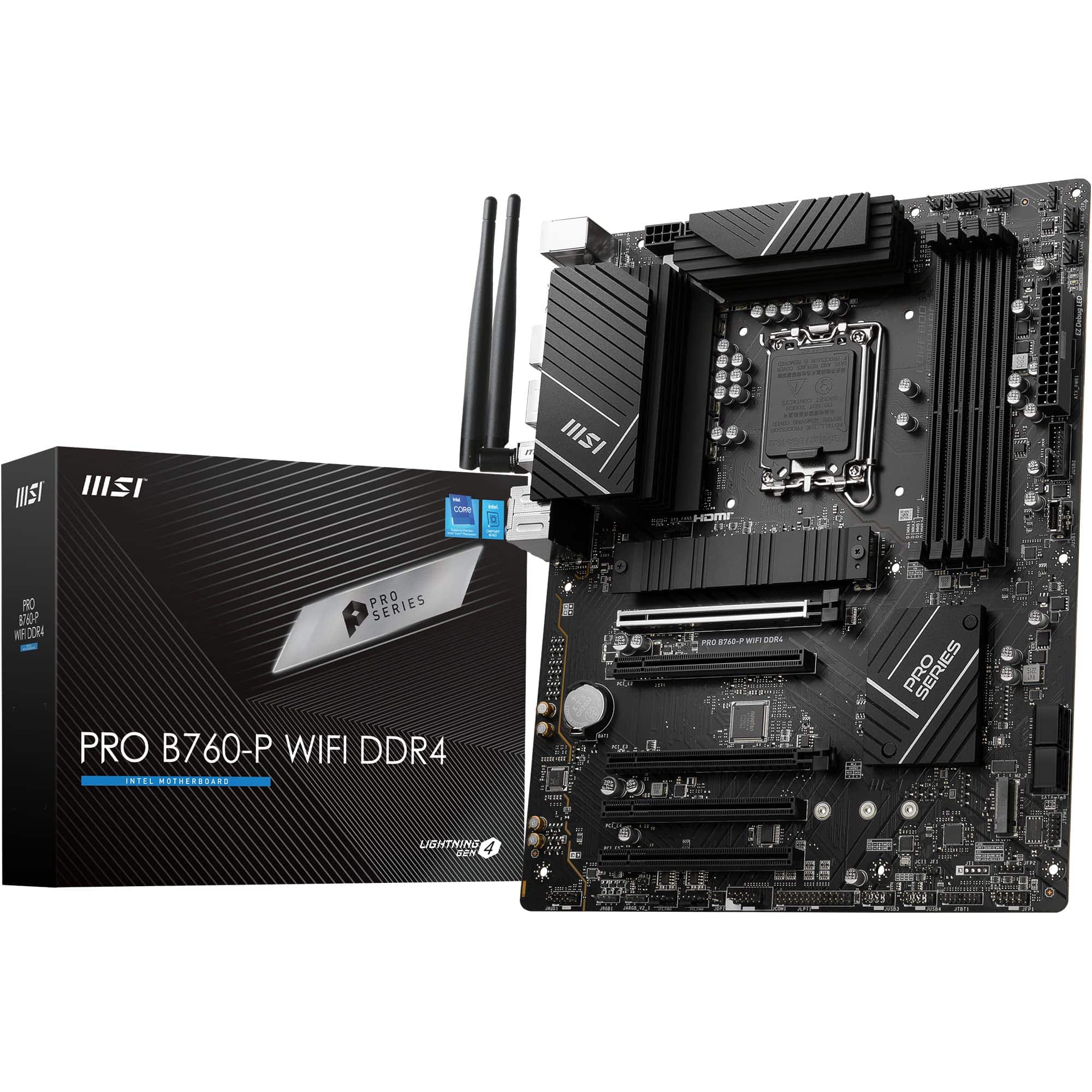 8.5 / 10
MSI PRO B760-P WIFI DDR4 Motherboard, ATX - Supports Intel 14th, 13th & 12th Gen Core Processors, LGA 1700 - DDR4 Memory Boost 5333+MHz/OC, PCIe 4.0 x16 Slots, M.2 Gen4 Slots, 2.5G LAN, Wi-Fi 6E
£129.95 · MSI
 8.5 / 10
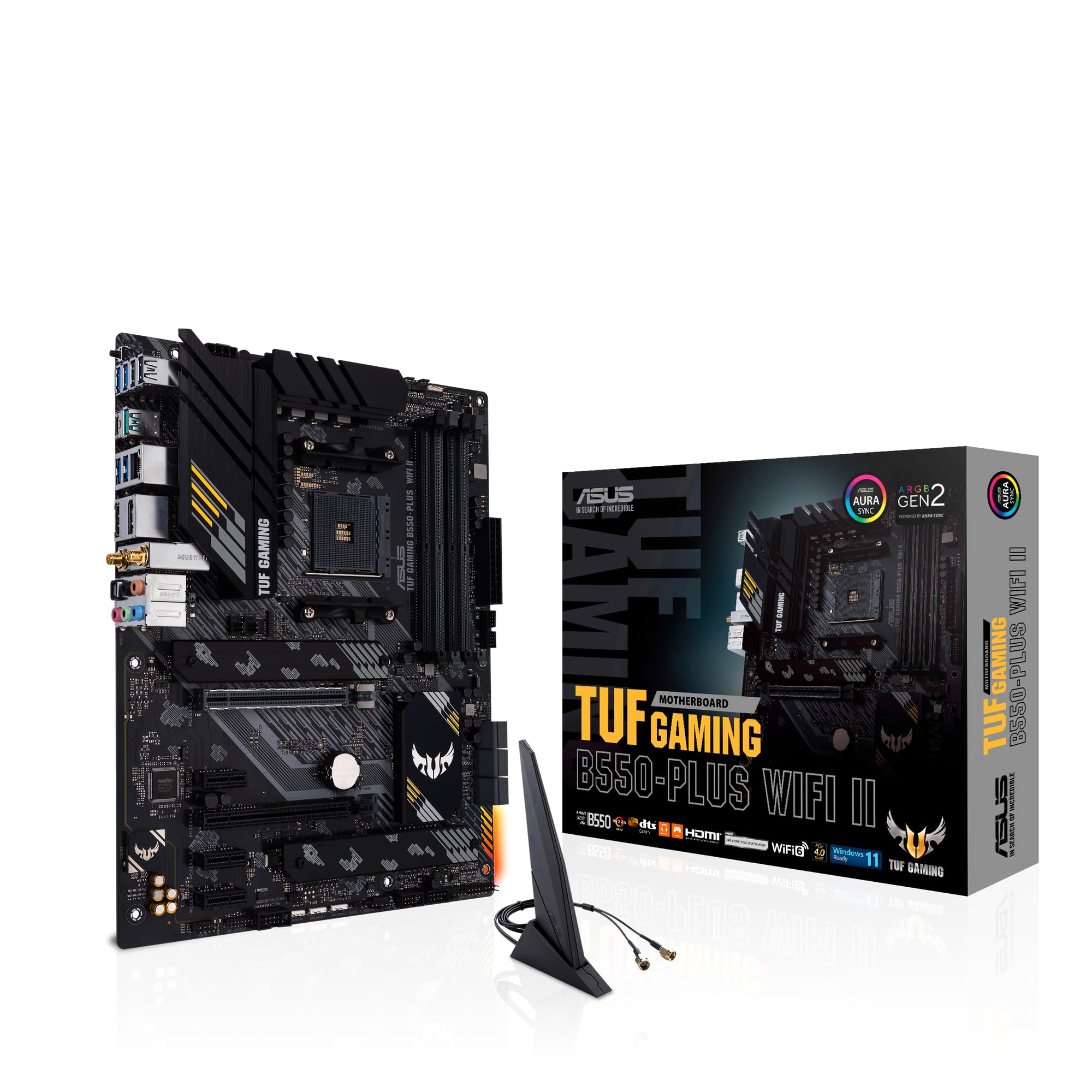
ASUS TUF Gaming B550-PLUS (WI-FI), AMD B550 (Ryzen AM4) ATX motherboard (PCIe 4.0, dual M.2, 10 DrMOS, DDR4 4400, Intel® WiFi 6, 2.5 Gb Ethernet, HDMI, DisplayPort, USB 3.2 Gen 2 Type-A and Type-C)
£118.99 · ASUS
Frequently asked
5 questions01Is the Gigabyte B550M GAMING X WIFI6 Motherboard overkill for just gaming?+
Not at all. For gaming it's actually well matched. The PCIe 4.0 x16 slot handles any current GPU without being a bottleneck, the dual M.2 slots cover your boot drive and a secondary NVMe, and Wi-Fi 6 means you're not hunting for an Ethernet port. The 5+3 phase VRM is fine for gaming since games rarely sustain all-core loads. If anything, the board is well suited to gaming builds rather than overspecified for them.
02Will my existing CPU cooler work with the Gigabyte B550M GAMING X WIFI6 Motherboard?+
Almost certainly yes. The board uses the AMD AM4 socket, which has been the standard AMD consumer socket since 2017. Virtually every aftermarket cooler released in the last several years supports AM4 mounting, from budget options to high-end tower coolers. Check your cooler's compatibility list for AM4 support, but it's rare to find a modern cooler that doesn't include it.
03What happens if the Gigabyte B550M GAMING X WIFI6 Motherboard doesn't work with my components?+
Amazon's standard 30-day returns policy applies to purchases through Amazon UK, and the Amazon A-to-Z Guarantee covers you if there's a problem with the transaction. For compatibility issues, the most common cause is a CPU that requires a BIOS update before it posts. In practice, boards purchased new in 2026 should already have Ryzen 5000 support out of the box. If you're uncertain, check the Gigabyte support page for the board's current BIOS version and CPU compatibility list before buying.
04Is there a cheaper motherboard I should consider instead?+
If you don't need Wi-Fi, yes. A non-Wi-Fi B550M board from Gigabyte, MSI, or ASUS can be found for noticeably less, and the saving can go toward better RAM or a faster SSD. The B550M DS3H from Gigabyte is a popular stripped-back option. If Wi-Fi is important to your setup and you'd otherwise need to buy a separate PCIe Wi-Fi card, the GAMING X WIFI6 makes more financial sense since the combined cost of a cheaper board plus a Wi-Fi card often exceeds the price of this one.
05What warranty and returns apply to the Gigabyte B550M GAMING X WIFI6 Motherboard?+
Warranty terms are not specified in the verified product listing data. Gigabyte typically offers a manufacturer warranty on their motherboards, so it's the Gigabyte UK support page or contacting them directly for warranty details. Regardless of manufacturer warranty, purchases through Amazon UK are covered by Amazon's 30-day return window and the A-to-Z Guarantee for added peace of mind.