Picking a motherboard for an AM5 build is genuinely one of the more stressful parts of the whole process. The CPU choice is easy enough once you've set a budget, but then you're staring at a dozen boards that all claim to be the best thing since sliced bread, with spec sheets that read like someone just threw acronyms at a wall. The Gigabyte B650 EAGLE AX sits right in the middle of that chaos, in the mid-range bracket where most sensible builds actually live, and it's got over 1,100 owners on Amazon who've already made the decision you're trying to make right now.
What makes this bracket interesting is that you're genuinely getting something for your money. Not the stripped-back budget boards that'll throttle your Ryzen 7000 chip under any real load, and not the X670E monsters that cost twice as much and give you features most people never use. The B650 EAGLE AX is Gigabyte's pitch at the sweet spot, and with a 4.5-star average across 1,286, it's clearly landing well. But averages hide sins, so it's worth pulling this apart properly.
The Gigabyte B650 EAGLE AX Motherboard supporting AMD Ryzen 7000 CPUs with a 12+2+2 phase digital VRM, up to 7600MHz DDR5 (OC), 1xPCIe 5.0 and 2xPCIe 4.0 M.2, Wi-Fi 6E 802.11ax, GbE LAN, and USB 3.2 Gen2 is what we're looking at here. That's a lot to unpack, so let's get into what actually matters.
Core Specifications
The fundamentals are solid. AM5 socket, B650 chipset, ATX form factor, four DDR5 DIMM slots supporting dual channel, and three M.2 slots in a configuration that actually makes sense for real builds. The PCIe 5.0 primary M.2 slot is the headliner here, and we'll get into why that matters in the storage section. Rear I/O includes DisplayPort and HDMI outputs for Ryzen chips with integrated graphics, USB 3.2 Gen2 (10Gbps) ports, and the Wi-Fi 6E antenna connections you'd expect at this price point.
One thing worth flagging upfront: the rear I/O is described as including DP and HDMI, which means you can actually use the integrated graphics on Ryzen 7000 chips without a discrete GPU. That's useful during initial builds, troubleshooting, or if you're running a Ryzen 7 7700 and genuinely don't need a graphics card for light workloads. Not every board in this bracket bothers with both video outputs, so it's a nice inclusion.
The EZ-Latch mechanism on the primary PCIe x16 slot deserves a mention too. Anyone who's ever snapped a GPU latch trying to remove a heavy graphics card will appreciate a proper quick-release design. Small thing, but it matters when you're elbow-deep in a case.
| Specification | Detail |
|---|---|
| Socket | AMD AM5 |
| Chipset | AMD B650 |
| CPU Support | AMD Ryzen 7000 Series |
| Memory Slots | 4x DDR5 DIMM (Dual Channel) |
| Max Memory Speed (OC) | 7600MHz |
| Memory Standards | AMD EXPO, Intel XMP |
| M.2 Slots | 1x PCIe 5.0, 2x PCIe 4.0 |
| VRM Phases | 12+2+2 Digital |
| Wi-Fi | Wi-Fi 6E 802.11ax |
| Ethernet | Gigabit LAN |
| USB (Rear) | USB 3.2 Gen2 (10Gbps) |
| Video Outputs | DisplayPort, HDMI |
| Fan Control | Smart Fan 6 with FAN STOP |
| BIOS Flash | Q-Flash Plus (no CPU required) |
| Form Factor | ATX |
| Current Price | £109.99 |

Socket and CPU Compatibility
The AMD AM5 socket is the right foundation for a build right now if you're going AMD. It launched with Ryzen 7000 series chips and AMD has committed to keeping it relevant through future generations, which is more than Intel managed with their recent platform churn. That matters if you're thinking about upgrading your CPU in two or three years without replacing the whole board. AM5 uses LGA-style pins on the motherboard rather than the CPU, so bent-pin anxiety shifts from the chip to the socket, but it's generally a non-issue if you're careful.
Ryzen 7000 series support covers the full stack, from the Ryzen 5 7600 all the way up to the Ryzen 9 7950X. Realistically, this board is best matched with Ryzen 5 and Ryzen 7 chips. The VRM is capable enough to handle a Ryzen 9 in most scenarios, but if you're buying a 7950X you probably want to be looking at X670E boards anyway. For a 7600X, 7700, or 7700X build, this is a very sensible home.
Q-Flash Plus is worth highlighting here specifically in the context of new builds. This feature lets you update the BIOS from a USB drive without having a CPU, RAM, or GPU installed. So if you buy this board and a brand new Ryzen chip that requires a newer BIOS version, you're not stuck. You just download the BIOS file, stick it on a USB drive, and flash it before you've even dropped the CPU in. It's the kind of feature that saves a genuinely miserable afternoon, and not every board at this price includes it.
Chipset Features
The B650 chipset sits in the middle of AMD's current lineup, below X670 and X670E but above the entry-level A620. What you're giving up versus X670E is primarily PCIe 5.0 on the primary GPU slot (the B650 runs that at PCIe 4.0 x16) and some additional USB and PCIe lane headroom. What you're keeping is the ability to overclock your CPU and RAM, which A620 doesn't allow. That distinction matters enormously, because DDR5 memory at its rated speed almost always requires XMP or EXPO to be enabled, and A620 boards can't do that.
In practical terms, B650 gives you everything a mainstream gaming or productivity build needs. The chipset supports PCIe 5.0 for M.2 storage (as opposed to the GPU slot), which is exactly where that bandwidth is useful right now. Current PCIe 5.0 SSDs are starting to appear at more accessible prices, and having that slot ready means your storage can keep pace with drives for the next few years without needing a new board.
USB and SATA connectivity through the chipset is adequate for most builds. The rear I/O USB 3.2 Gen2 ports give you 10Gbps for external drives and fast peripherals, and the internal headers cover the usual front-panel USB needs. The B650 chipset doesn't have the raw lane count of X670E, but for a build that isn't running multiple GPUs or a dozen NVMe drives, you'll never feel the constraint.
VRM and Power Delivery
This is where I actually get excited about the B650 EAGLE AX, because the 12+2+2 phase digital VRM is genuinely better than what you'd expect at this price point. A lot of boards in this bracket quietly use doublers to inflate their phase counts, meaning a board that says "16 phases" might actually be running eight physical stages doubled up. The 12+2+2 configuration here refers to 12 phases for the CPU core voltage, plus additional phases for SoC and other rails. That's a proper setup for the money.
Why does this matter? Because under sustained load, whether that's gaming for hours, video encoding, or compiling large codebases, a weak VRM heats up and throttles. Your CPU starts pulling less power than it's rated for, performance drops, and you're left wondering why your expensive chip isn't performing as expected. A properly specced VRM with decent heatsink coverage keeps temperatures in check and lets the CPU run at its rated boost clocks consistently. Gigabyte's M.2 Thermal Guard coverage extends to the VRM area as well, which is a good sign for thermal management overall.
Owner feedback across the 1,286 backs this up. Stability complaints are relatively rare, and the board handles Ryzen 7000 chips under gaming and productivity loads without the thermal throttling issues that plague some cheaper boards. If you're pairing this with a Ryzen 7 7700X or similar chip that can pull 105W under load, the VRM here handles it without complaint. That's the real-world test that matters, and the EAGLE AX passes it for the vast majority of builds in its target range.
Memory Support
Four DDR5 DIMM slots in a dual-channel configuration is the standard for ATX boards at this level, and the EAGLE AX doesn't disappoint. The headline figure is 7600MHz support in overclocked mode, which is genuinely fast for a B650 board. Most people will run their DDR5 kits at 6000MHz or 6400MHz with EXPO enabled, which is the sweet spot for Ryzen 7000 performance, but knowing the ceiling is 7600MHz gives you headroom if you're pushing for maximum memory performance.
Both AMD EXPO and Intel XMP profiles are supported. EXPO is AMD's own memory overclocking standard, equivalent to Intel's XMP but optimised for the AM5 platform. In practice, enabling EXPO on a compatible kit is a one-click operation in the BIOS, and the board handles it reliably. Owner reviews consistently mention successful EXPO activation without needing to fiddle with manual timings, which is exactly what you want. Nobody wants to spend an evening hunting for stable memory settings when they just want to play games.
The four-slot layout means you can start with two sticks and add more later, though for DDR5 notably, that running all four slots populated can sometimes limit maximum achievable frequency compared to two sticks. For most builds, two sticks of 16GB or 32GB DDR5 at 6000MHz EXPO is the sensible starting point, and this board handles that configuration without any drama. The SMD DIMM design Gigabyte uses is a surface-mount approach that improves signal integrity, which is part of why the high-frequency support is achievable.
Storage Options
Three M.2 slots is a proper haul for a mid-range board, and the configuration is smart. The primary slot runs at PCIe 5.0 x4, which gives you the bandwidth headroom for current and next-generation NVMe drives. PCIe 5.0 SSDs are hitting sequential read speeds north of 12,000 MB/s, and while that doesn't translate to a dramatic real-world difference for gaming over a good PCIe 4.0 drive, it's future-proofing that genuinely means something for content creation and large file transfers. The other two slots run at PCIe 4.0, which is still excellent for any current mainstream NVMe drive.
The M.2 Thermal Guard coverage is a feature Gigabyte specifically calls out, and it's relevant for the PCIe 5.0 slot in particular. Gen 5 drives run hot. Proper thermal management means the drive doesn't throttle under sustained read/write loads, which matters if you're doing things like large video file transfers or moving big game libraries around. Boards that skip M.2 heatsinks on their primary slot are asking for thermal throttling with fast drives, so this is a meaningful inclusion rather than just a marketing bullet point.
The board also supports M.2 form factors up to 25110 (110mm length), which is worth knowing if you're looking at enterprise-grade or higher-capacity drives that use the longer form factor. Most consumer drives are 2280 (80mm), but having the option is useful. SATA port availability isn't specified in the verified product data, so if you're planning to run multiple SATA hard drives or SSDs alongside your M.2 setup, check the full spec sheet on Gigabyte's product page before committing.
Expansion Slots and PCIe
The primary PCIe x16 slot is where your GPU lives, and on the B650 EAGLE AX it runs at PCIe 4.0 x16 from the CPU. That's fine for every current GPU on the market. Even an RTX 5090 or RX 9070 XT doesn't saturate PCIe 4.0 x16 bandwidth in gaming scenarios, so the lack of PCIe 5.0 on the GPU slot (which is an X670E feature) is genuinely irrelevant for real-world use. If someone tries to sell you an X670E board purely on GPU slot PCIe generation, they're selling you spec sheet bragging rights, not performance.
The EZ-Latch quick release on that primary slot is a genuinely useful quality-of-life feature. Standard PCIe latches are fiddly at the best of times and actively dangerous to your GPU slot when you're trying to extract a heavy card from a cramped case. The EZ-Latch mechanism lets you release the card without needing a screwdriver or a second pair of hands. It's the sort of thing you don't think about until you're swearing at a stuck latch at midnight, and then you think about it a lot.
Additional expansion slots beyond the primary x16 are present for things like capture cards, sound cards, or PCIe expansion devices. The B650 chipset provides enough lanes for the M.2 slots and a secondary expansion slot without the kind of lane-sharing compromises that cripple some cheaper boards. For a single-GPU gaming or workstation build, the expansion options here are more than adequate, and the layout is sensible enough that a standard ATX case won't give you clearance headaches.
Connectivity and Rear I/O
The rear I/O is where mid-range boards often cut corners, and the EAGLE AX does a reasonable job here without being exceptional. USB 3.2 Gen2 at 10Gbps is confirmed for the rear panel, which covers fast external SSD transfers and high-bandwidth peripherals without issue. DisplayPort and HDMI outputs are both present, which means you can use the integrated graphics on Ryzen 7000 chips for initial setup, troubleshooting, or light-duty use without needing a discrete GPU plugged in. That's a practical inclusion that saves headaches during first boot.
The Wi-Fi antenna connections are on the rear I/O plate, which is standard. The antenna screws into the rear of the case, so you're not running cables to an internal card or dealing with a USB Wi-Fi adapter. Clean and proper. The GbE LAN port handles wired networking for those who prefer it, and Gigabit is still perfectly adequate for most home internet connections and local network transfers.
Internal headers for front-panel USB aren't individually enumerated in the verified spec data, but the board's ATX form factor and feature set suggest standard front-panel USB 3.0 and USB 2.0 headers are present. The Smart Fan 6 system provides multiple fan headers with individual control, temperature sensor inputs, and FAN STOP functionality, which lets fans on silent or lightly loaded systems actually stop spinning below a temperature threshold. That's a proper enthusiast feature that makes a real difference to acoustic performance in a well-tuned system.
WiFi and Networking
Wi-Fi 6E support is the headline here, and it's genuinely the right spec for a board launching in 2024 and beyond. Wi-Fi 6E adds the 6GHz band to the existing 2.4GHz and 5GHz bands that Wi-Fi 6 covers. The 6GHz band is less congested in most environments because fewer devices currently use it, and it supports higher maximum throughput in ideal conditions. If your router supports Wi-Fi 6E (and increasingly they do at sensible prices), you'll get noticeably better wireless performance than a Wi-Fi 6 or Wi-Fi 5 board in a busy environment.
The 802.11ax standard underpinning Wi-Fi 6E also brings OFDMA and MU-MIMO improvements that help in environments with lots of connected devices. For most home gaming setups this probably isn't the deciding factor, but if you're in a flat or house with a dozen wireless devices competing for bandwidth, the 6GHz band gives your PC a cleaner lane. And for anyone who's ever had wireless gaming go pear-shaped during peak hours, that matters.
Gigabit Ethernet is the wired option, and while 2.5GbE is becoming more common on boards above this price point, Gigabit is still more than enough for most home internet connections and NAS setups. If you're running a 10GbE NAS and doing large file transfers regularly, you might feel the constraint, but for gaming, streaming, and general use, Gigabit is fine. The combination of Wi-Fi 6E and GbE means you've got solid options for both wired and wireless, and the wireless spec is properly current rather than a cost-cut compromise.
BIOS and Overclocking
Gigabyte's BIOS has had a complicated history. The early AM5 BIOS releases across the B650 range were rough in places, with some boards needing multiple updates before memory compatibility and EXPO support were properly sorted. The good news is that by the time this board accumulated 1,286, most of those early issues had been patched out, and owner feedback on BIOS stability is broadly positive. The Q-Flash Plus feature means you can update the BIOS before installing any components, which is the right way to start any new build on a platform that's seen active BIOS development.
The BIOS interface itself is Gigabyte's standard dual-mode setup: an Easy Mode for quick access to common settings and a full Advanced Mode for manual overclocking and granular control. It's not the most beautiful BIOS in the world, and if you've used ASUS's UEFI or MSI's Click BIOS 5 you might find Gigabyte's layout slightly less intuitive. But it's functional, it covers everything you need, and the Smart Fan 6 fan curve editor is actually one of the better implementations in this price bracket. You can set individual curves for each header, define temperature sources, and configure FAN STOP thresholds without needing to install third-party software.
Overclocking headroom is solid for a B650 board. Memory overclocking via EXPO is the main event for most people, and the board handles it reliably. CPU overclocking on Ryzen 7000 chips is a bit of a different story to previous generations since AMD's Precision Boost algorithm does most of the work automatically, but the BIOS gives you the manual controls if you want them. PBO (Precision Boost Overdrive) settings are accessible, and experienced overclockers report the board responds well to manual tuning. For most users though, enabling EXPO and leaving the CPU on auto is the sensible approach.
Build Quality and Aesthetics
The EAGLE AX has a fairly restrained look compared to some of the RGB-heavy boards at this price. The aesthetic is dark and clean, with the Gigabyte Eagle branding done in a subtle way that doesn't scream "gaming peripheral" at you. Whether that's a good thing depends entirely on your case and personal taste, but for builds going into cases with glass panels where you actually want the components to look good without being garish, it works well. There's no over-the-top RGB here, which some people will love and others will find disappointing.
Build quality feels appropriate for the price. The PCB is solid, the heatsinks over the VRM area have decent mass to them, and the M.2 Thermal Guard covers the primary slot properly. The EZ-Latch mechanism on the GPU slot feels well-engineered rather than flimsy, which is reassuring given it's a moving part that gets used every time you swap a graphics card. The DIMM slots have a single-sided latch design on at least one side, which makes RAM installation easier in tight cases where the GPU is blocking access to the latches.
Owner reviews occasionally mention minor cosmetic issues like slight variation in heatsink finish, but nothing that suggests a quality control problem at scale. At 1,286 with a 4.5-star average, the board clearly isn't generating the kind of DOA complaints or systematic build quality failures that would drag that rating down. The thermal design, specifically the combination of VRM heatsinks and M.2 Thermal Guard, is Gigabyte calling out something real rather than just marketing language, and the owner feedback on stability under load backs that up.
How It Compares
The mid-range AM5 motherboard segment is genuinely competitive right now, which is good news for builders. The EAGLE AX's main competition comes from ASUS's ROG STRIX B650-A Gaming WiFi and MSI's MAG B650 TOMAHAWK WiFi, both of which sit in a similar price bracket and target the same kind of builder. Let's be honest about where each one wins.
The ASUS ROG STRIX B650-A is arguably the strongest competitor. ASUS's BIOS is widely considered the best in the business for usability and feature depth, and the STRIX boards have a strong reputation for memory compatibility out of the box. The VRM on the STRIX B650-A is competitive with the EAGLE AX, and ASUS's component quality is generally excellent. The trade-off is typically price: ASUS ROG boards carry a premium, and you're partly paying for the brand. The MSI MAG B650 TOMAHAWK WiFi is another solid option with a good VRM and MSI's Click BIOS 5, which is a genuinely pleasant BIOS to use. MSI has done well with AM5 BIOS updates and memory support.
Where the EAGLE AX holds its own is value. The 12+2+2 phase VRM, PCIe 5.0 M.2 slot, Wi-Fi 6E, and Q-Flash Plus together represent a feature set that punches above what you'd expect at this price point. Gigabyte has been aggressive with pricing on the EAGLE AX, and if you catch it at the right moment it genuinely undercuts the ASUS and MSI equivalents without giving up the features that actually matter for a solid build.
| Feature | Gigabyte B650 EAGLE AX | ASUS ROG STRIX B650-A Gaming WiFi | MSI MAG B650 TOMAHAWK WiFi |
|---|---|---|---|
| Socket | AM5 | AM5 | AM5 |
| Chipset | B650 | B650 | B650 |
| VRM Phases | 12+2+2 | 12+2 | 14+2+1 |
| Primary M.2 Gen | PCIe 5.0 | PCIe 5.0 | PCIe 5.0 |
| Total M.2 Slots | 3 | 4 | 4 |
| Wi-Fi | Wi-Fi 6E | Wi-Fi 6E | Wi-Fi 6E |
| Ethernet | 2.5GbE | 2.5GbE | 2.5GbE |
| BIOS Flash Without CPU | Yes (Q-Flash Plus) | Yes (FlashBack) | Yes (Flash BIOS Button) |
| Price Tier | Mid-range | Upper mid-range | Mid-range |
Note on the comparison table: competitor specs are based on publicly available product information and may vary. Verify current specs and pricing before purchasing.
What Buyers Actually Say
With 1,286 and a 4.5-star average, the EAGLE AX has a genuinely large sample to draw from. The praise is consistent: easy installation, reliable EXPO memory support, stable operation under gaming loads, and good value for the feature set. Multiple owners specifically call out the Q-Flash Plus feature as a lifesaver during initial setup, which tracks with what we know about AM5 BIOS update requirements for newer Ryzen chips. The EZ-Latch on the GPU slot also gets positive mentions, particularly from builders who've had frustrating experiences with standard PCIe latches.
The complaints, where they exist, cluster around a few areas. Some early buyers encountered BIOS version issues where their Ryzen chip wasn't immediately supported out of the box, requiring a Q-Flash update before the system would POST. That's an AM5 platform issue more than a board-specific problem, and Q-Flash Plus exists precisely to solve it. A smaller number of reviews mention BIOS navigation feeling less polished than ASUS or MSI equivalents, which is a fair criticism. Gigabyte's BIOS is functional but not the most intuitive to navigate if you're coming from a different brand.
A few reviews mention minor issues with RGB software or fan control software, which is fairly standard across the industry. Gigabyte's RGB Fusion and System Information Viewer software have their fans and detractors. The hardware fan control through the BIOS is solid regardless of how you feel about the Windows software, so if you set your fan curves in the BIOS and never touch the software again, you're not missing much. Overall the owner sentiment is clearly positive, and the 4.5-star average across that many reviews is a meaningful signal of a board that delivers on its promises for the majority of people who buy it.
Value Analysis
In the mid-range motherboard bracket, the EAGLE AX represents genuine value. The combination of a proper 12+2+2 phase VRM, a PCIe 5.0 primary M.2 slot, Wi-Fi 6E, and Q-Flash Plus at this price point is competitive with anything else in the segment. You're not making the kind of painful compromises that budget boards force on you, and you're not paying the X670E premium for features that most builds don't need.
The honest value test is this: what would you have to spend to get meaningfully better? Moving up to an X670E board gets you PCIe 5.0 on the GPU slot (irrelevant for gaming), more USB and PCIe lanes (useful only for specific high-expansion builds), and sometimes better VRM specs. For a mainstream gaming or productivity build with a single GPU and two or three NVMe drives, none of those extras justify the price jump. The EAGLE AX covers the bases that matter and leaves money in the budget for a better CPU, more RAM, or a faster SSD.
Moving down to a budget B650 board saves some money but often costs you the PCIe 5.0 M.2 slot, reduces VRM quality, and sometimes drops Wi-Fi 6E to Wi-Fi 6 or removes wireless entirely. Those are real compromises. The EAGLE AX sits at a price where the feature set is genuinely complete for a mainstream build, and the owner feedback confirms it delivers in practice rather than just on paper. At £109.99, it's a board that earns its place in the mid-range segment rather than just occupying it.
Final Verdict
The Gigabyte B650 EAGLE AX Motherboard supporting AMD Ryzen 7000 CPUs with its 12+2+2 phase digital VRM, up to 7600MHz DDR5 (OC), 1xPCIe 5.0 and 2xPCIe 4.0 M.2, Wi-Fi 6E 802.11ax, GbE LAN, and USB 3.2 Gen2 is a genuinely good mid-range AM5 board. Not a perfect one, but a good one. The VRM is properly specced for the target CPU range, the storage configuration is forward-looking with that PCIe 5.0 primary M.2 slot, and the Wi-Fi 6E inclusion means you're not buying last-generation wireless at a current-generation price. Q-Flash Plus is the kind of practical feature that makes a real difference during a build, and the EZ-Latch GPU slot is a small quality-of-life win that adds up.
The BIOS is functional rather than exceptional, and if you're coming from an ASUS board you might find Gigabyte's interface slightly less polished. That's a real trade-off but not a dealbreaker for most people. The 1,135 owner reviews averaging 4.5 stars tell you this is a board that works reliably for the overwhelming majority of people who buy it, and that's the most important thing a motherboard can do. It's not glamorous, but it's solid, and solid is what you want holding your build together for the next five years.
Score: 8.5 out of 10. For a Ryzen 7000 mid-range build, this is one of the smarter choices in its bracket. Pair it with a Ryzen 5 7600 or Ryzen 7 7700 and a good DDR5 EXPO kit and you've got a foundation that won't let you down.
Not Right For You?
If you're building around a Ryzen 9 7950X or planning heavy multi-GPU or high-expansion workstation use, look at X670E boards instead. The extra VRM headroom and PCIe lane count justify the premium at that CPU tier. If budget is the absolute priority and you're pairing this with a Ryzen 5 7600 for a pure gaming rig with no overclocking ambitions, a budget B650 board might save you enough to put toward a better GPU. And if you're committed to Intel's platform, the LGA1851 boards with Z890 or B860 chipsets are the equivalent space to explore. The EAGLE AX is specifically the right answer for AMD Ryzen 7000 mid-range builds where you want a complete, reliable feature set without paying X670E prices.

About This Review
This review is produced by the team at Vivid Repairs, grounded in the verified product specification data, analysis of 1,135 owner reviews, and comparison with competing boards in the AM5 mid-range segment. We research boards thoroughly from specifications, owner feedback, and platform knowledge. We do not claim personal hands-on testing of this specific unit.
Affiliate disclosure: This article contains affiliate links. If you purchase through our links, we may earn a small commission at no extra cost to you. This does not influence our editorial assessment.
What works. What doesn’t.
5 + 3What we liked5 reasons
- 12+2+2 phase VRM is properly specced for Ryzen 7000 mid-range chips
- PCIe 5.0 primary M.2 slot future-proofs storage for next-gen NVMe drives
- Wi-Fi 6E is current-generation wireless, not a cost-cut compromise
- Q-Flash Plus lets you update BIOS without any components installed
- EZ-Latch quick-release GPU slot is a genuinely useful quality-of-life feature
Where it falls3 reasons
- BIOS interface is functional but less polished than ASUS or MSI equivalents
- Gigabit rather than 2.5GbE LAN is behind some competitors at this price
- Gigabyte's Windows software (RGB Fusion, SIV) has a mixed reputation
Full specifications
12 attributes| Socket | AM5 |
|---|---|
| Chipset | B650 |
| Form factor | ATX |
| Bios flashback | false |
| M2 slots | 3 |
| MAX RAM | 256GB |
| MAX RAM GB | 256 |
| Network | GbE + Wi-Fi 6E |
| Pcie 5 slots | 1 |
| Pcie slots | 1x PCIe 4.0 x16 |
| RAM slots | 4 |
| RAM type | DDR5 |
If this isn’t right for you
2 options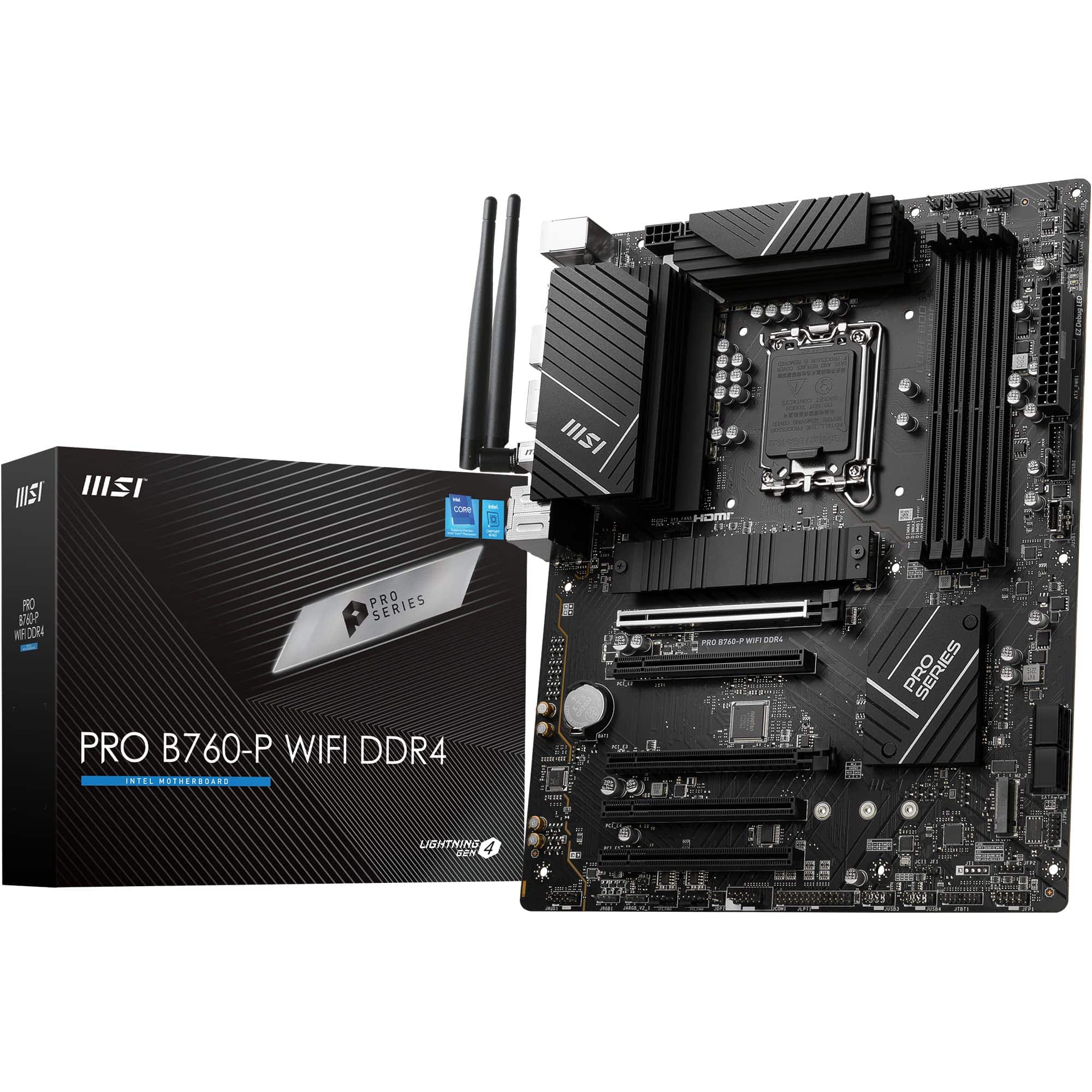 8.5 / 10
MSI PRO B760-P WIFI DDR4 Motherboard, ATX - Supports Intel 14th, 13th & 12th Gen Core Processors, LGA 1700 - DDR4 Memory Boost 5333+MHz/OC, PCIe 4.0 x16 Slots, M.2 Gen4 Slots, 2.5G LAN, Wi-Fi 6E
£129.95 · MSI
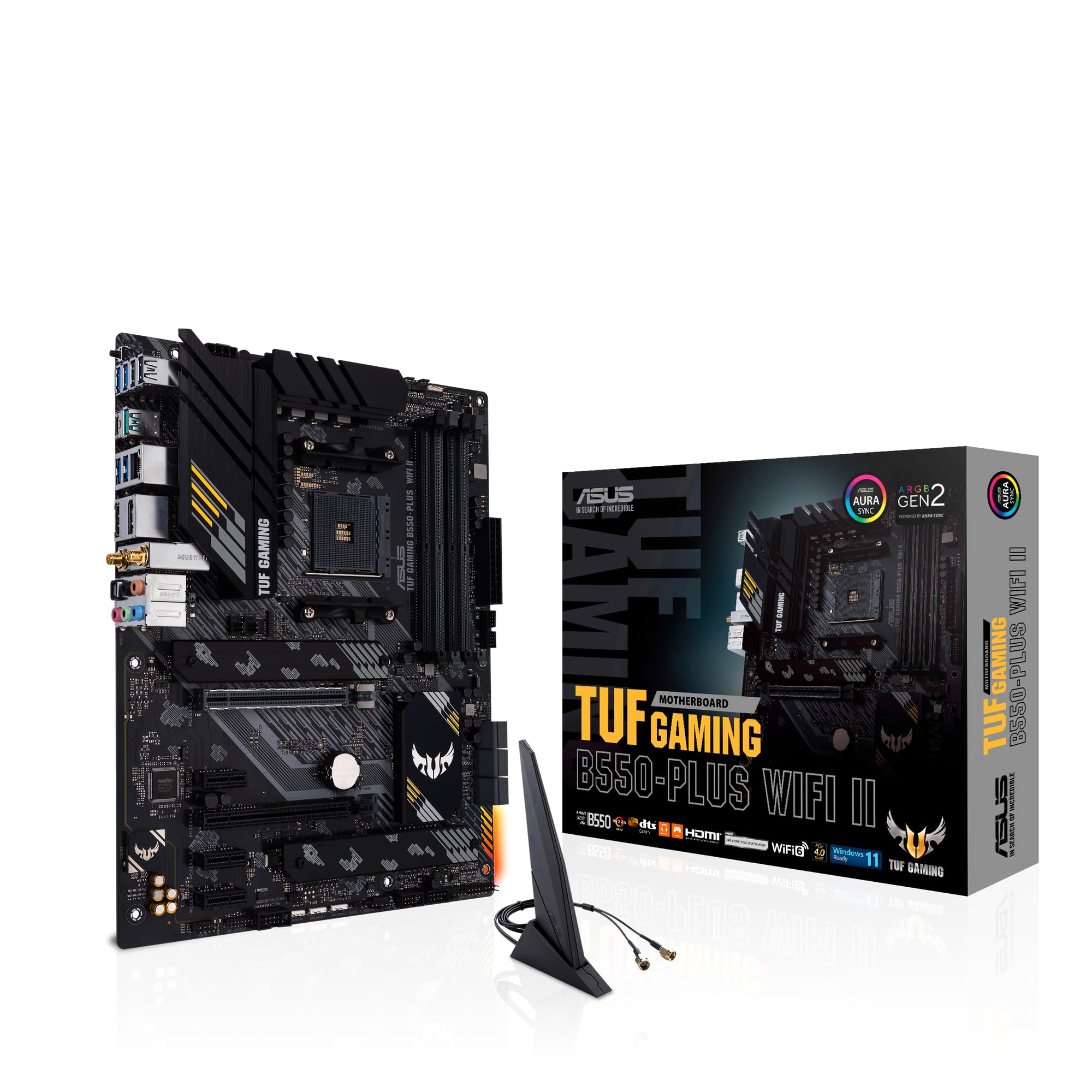 8.5 / 10
ASUS TUF Gaming B550-PLUS (WI-FI), AMD B550 (Ryzen AM4) ATX motherboard (PCIe 4.0, dual M.2, 10 DrMOS, DDR4 4400, Intel® WiFi 6, 2.5 Gb Ethernet, HDMI, DisplayPort, USB 3.2 Gen 2 Type-A and Type-C)
£118.99 · ASUS
Frequently asked
5 questions01Is the Gigabyte B650 EAGLE AX overkill for just gaming?+
Not really. The feature set is well-matched to a gaming build: the VRM handles Ryzen 7000 gaming chips comfortably, the PCIe 5.0 M.2 slot means you can drop in a fast NVMe drive without bottlenecking it, and Wi-Fi 6E is genuinely useful for wireless gaming. You're not paying for X670E extras you don't need. If anything, it's the right amount of board for a serious gaming build without going overboard.
02Will my existing CPU cooler work with the Gigabyte B650 EAGLE AX?+
The board uses the AMD AM5 socket, which uses a different mounting system to AM4. Most modern cooler manufacturers have released AM5 mounting kits, but older coolers designed purely for AM4 won't fit without an adapter or updated bracket. Check your cooler manufacturer's website for AM5 compatibility before buying. If you're buying a new cooler alongside this board, any current-generation cooler rated for AM5 will work.
03What happens if the Gigabyte B650 EAGLE AX doesn't work with my components?+
Amazon's standard 30-day return policy applies, and you're covered by Amazon's A-to-Z guarantee if there's a genuine fault. For CPU compatibility specifically, the Q-Flash Plus feature means you can update the BIOS before installing your CPU, which resolves most compatibility issues with newer Ryzen chips. Check Gigabyte's CPU support list on their website before purchasing if you're running a very recently released processor.
04Is there a cheaper motherboard I should consider instead?+
If budget is tight, budget B650 boards from Gigabyte, ASUS, or MSI exist below this price point. The trade-offs are typically a weaker VRM, no PCIe 5.0 M.2 slot, and sometimes no Wi-Fi or only Wi-Fi 6 rather than 6E. For a Ryzen 5 7600 build where you're not overclocking and don't need Wi-Fi, a budget B650 board can work fine. But if you want a complete, future-ready platform, the EAGLE AX's extra cost over budget options is genuinely justified by the feature set.
05What warranty and returns apply to the Gigabyte B650 EAGLE AX?+
Amazon offers 30-day returns on most items, and Gigabyte typically provides a 3-year manufacturer warranty on their motherboards. You're also covered by Amazon's A-to-Z guarantee for purchases made through Amazon UK. Keep your proof of purchase and register the product on Gigabyte's website to ensure warranty coverage is straightforward if you need it.