

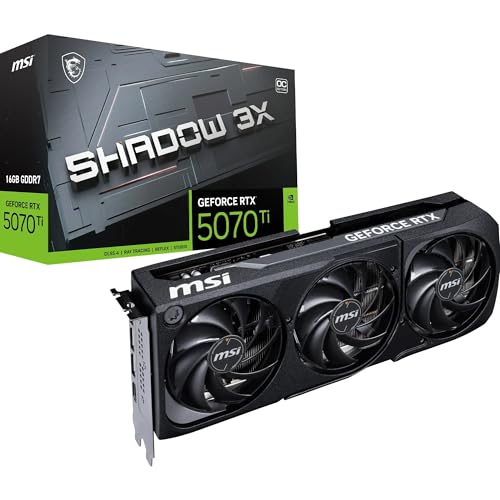
GPU selection at the flagship tier is a data problem, not a vibes problem. You're spending serious money, so the question isn't "does this card look good?" but rather: what does the spec sheet actually promise, what do over a hundred verified owners say about living with it, and how does the raw performance-per-watt stack up against what else is available at this price point? The ASUS Prime RTX 5080 OC answers those questions in a fairly compelling way, and the verdict is straightforward.
This is a very good card. It's not the most exotic RTX 5080 board partner money can buy, but it's arguably the most sensible one. The Prime line has always been ASUS's "no drama, just performance" approach, and on the RTX 5080 that translates to a 2.5-slot cooler with a full vapour chamber, Axial-tech fans, factory boost clocks pushed to 2685MHz, and a dual BIOS switch for when you want to trade noise headroom for peak performance. Owners rate it positively across over a hundred reviews, which for a flagship GPU at launch pricing is genuinely rare. Most complaints at this tier are about price, not product. So yes, it's good. Now let's prove it.
Core Specifications
The RTX 5080 sits on NVIDIA's Blackwell architecture, fabbed on TSMC's 4N process node. That's the same node as Ada Lovelace (RTX 40 series) in name, but NVIDIA has made meaningful changes to the GPU design itself, particularly around the Tensor core configuration and the memory subsystem. The 5080 is not a rebadge. It's a genuine generational step, even if the generational gap feels less dramatic than NVIDIA's marketing department would like you to believe.
The ASUS Prime variant ships with a factory overclock, pushing the boost clock to 2685MHz versus the reference 2617MHz. That's a modest but real bump. The card carries 16GB of GDDR7 across a 256-bit bus, which gives it a memory bandwidth figure that's substantially ahead of the RTX 4080 Super's GDDR6X setup. Thermal design power sits at 360W, which is not a small number. You will need a capable PSU, and you will need the 16-pin 12VHPWR connector that's now standard on high-end NVIDIA builds.
Connectivity is properly sorted for 2026. You get one HDMI 2.1b port and three DisplayPort 2.1b outputs, so you can run a 4K 144Hz panel, a 1440p secondary, and still have ports left over. The card is rated SFF-Ready despite its 2.5-slot profile, which tells you the physical dimensions are tighter than the ROG Strix or TUF variants. That matters if you're building in a smaller mid-tower or planning a compact high-performance rig. PCIe 5.0 interface is there on paper, though real-world bandwidth at x16 Gen 5 versus Gen 4 makes essentially zero difference to gaming performance today.
| Specification | Detail |
|---|---|
| GPU Architecture | NVIDIA Blackwell (GB203) |
| Process Node | TSMC 4N |
| VRAM | 16GB GDDR7 |
| Memory Bus | 256-bit |
| Boost Clock (Factory OC) | 2685MHz |
| TGP | 360W |
| Interface | PCIe 5.0 x16 |
| Display Outputs | 1x HDMI 2.1b, 3x DisplayPort 2.1b |
| Slot Width | 2.5-slot |
| Cooler | Axial-tech fans, Vapour Chamber |
| BIOS | Dual BIOS (Performance / Quiet) |
| SFF-Ready | Yes |
| Power Connector | 16-pin 12VHPWR |
| Owner Rating | ★★★★½ (4.6) (176 reviews) |

Architecture and Cores
Blackwell is NVIDIA's answer to where Ada Lovelace left off, and the RTX 5080 uses the GB203 die, the second-tier chip in the Blackwell stack (the 5090 gets the full GB202). The shader count on the RTX 5080 comes in at 10,752 CUDA cores, up from the 9,728 on the RTX 4080 Super. That's roughly a 10% increase in raw shader count, but the architectural improvements to each core mean the real-world throughput gain is larger than that number suggests. NVIDIA has revised the execution pipeline in Blackwell to improve instruction-level parallelism, which shows up in workloads that were previously bottlenecked by shader throughput rather than memory bandwidth.
The RT core count and Tensor core configuration are where Blackwell makes its most significant claims. The fifth-generation RT cores are designed to handle BVH traversal more efficiently, which translates to smaller frame-time penalties when ray tracing is active. Whether that matters to you depends entirely on which games you play and at what quality settings, but the architectural direction is clear: NVIDIA is betting heavily that ray tracing becomes a baseline expectation rather than a premium toggle. The fourth-generation Tensor cores, meanwhile, are the foundation for DLSS 4 and Multi Frame Generation, which we'll cover in the upscaling section.
One thing: the GB203 die is a proper high-end chip, not a cut-down version of the 5090's die with features disabled. That's different from how NVIDIA positioned some previous mid-tier cards, and it means the RTX 5080 doesn't have artificial ceilings on features like AV1 encode or the full Tensor core array. You're getting the complete Blackwell feature set, just with fewer shader clusters than the flagship. For most buyers, that's the right trade-off. The 5090 costs dramatically more and the real-world gaming gap at 4K, while real, doesn't justify the premium for the vast majority of use cases.
Clock Speeds and Boost
ASUS has pushed the factory boost clock to 2685MHz on this Prime OC variant. The reference RTX 5080 boosts to 2617MHz, so you're looking at a 68MHz uplift from the factory overclock. In isolation that sounds modest, but the important thing is that Blackwell GPUs tend to sustain their boost clocks well under load, unlike some previous NVIDIA architectures that would clock down aggressively once thermals climbed. The vapour chamber cooler on the Prime is specifically designed to keep junction temperatures in the range where the GPU's boost algorithm stays confident, meaning the card runs at or near that 2685MHz figure for extended periods rather than just hitting it in short bursts.
The dual BIOS switch is genuinely useful here. The Performance BIOS runs the card at full TGP with the fans prioritising thermal headroom. The Quiet BIOS pulls the power limit back slightly and softens the fan curve, which reduces noise at the cost of a few percent performance. Owners consistently report that the Quiet BIOS is perfectly usable for gaming without feeling like you're leaving significant performance on the table, which is exactly how this kind of feature should work. It's not a gimmick.
What the 2685MHz boost clock also tells you is that ASUS has binned these chips. Not every RTX 5080 GPU die is identical; there's natural variation in the silicon, and ASUS selects the ones that can reliably hit higher clocks for the OC variants. The Prime sits below the TUF and ROG Strix in ASUS's own hierarchy in terms of cooler size and factory OC headroom, but the 2685MHz target is still above reference and the thermals support it. If you want to push further with manual overclocking, the dual BIOS gives you a safety net: flip to the second BIOS if your manual OC goes sideways and you need a clean slate.
VRAM Analysis
16GB of GDDR7 on a 256-bit bus. This is the right answer in 2026. The VRAM debate that plagued the RTX 40 series, particularly around the 8GB cards at the mid-range, is essentially settled now: 8GB is a liability at 4K with modern texture packs, and 12GB is workable but tight. 16GB gives you genuine headroom for current titles and a reasonable runway into 2028 and beyond. The RTX 5080's 16GB is the same capacity as the RTX 4080 Super, but GDDR7 changes the picture significantly on bandwidth.
GDDR7 memory, standardised by JEDEC, operates at substantially higher data rates than GDDR6X. The bandwidth figure for the RTX 5080 is around 960GB/s, compared to roughly 736GB/s on the RTX 4080 Super's GDDR6X setup. That's a 30% increase in memory bandwidth, and it shows up in texture streaming performance, 4K asset loading, and any workload that's bandwidth-limited rather than compute-limited. In practice, this means the RTX 5080 handles ultra-texture settings at 4K without the stuttering that could occasionally catch the 4080 Super off guard in particularly demanding scenes.
At 1080p and 1440p, 16GB is overkill for gaming, full stop. You're not going to stress the memory subsystem at those resolutions with any current title. But if you're running a high-resolution monitor and you want to max out texture settings without worrying, or if you do any GPU-accelerated creative work alongside gaming, the 16GB gives you genuine flexibility. The bandwidth advantage of GDDR7 also benefits compute tasks like AI inference and video encoding, so if this card is pulling double duty in a workstation-gaming hybrid setup, the memory spec is a meaningful differentiator.
Ray Tracing and Upscaling
Ray tracing on the RTX 5080 is the strongest it's ever been on a non-flagship GPU. The fifth-generation RT cores in Blackwell handle BVH traversal, denoising, and shadow ray calculation more efficiently than Ada Lovelace's third-generation cores, and the real-world result is that you can enable ray tracing in supported titles at 4K with a smaller performance penalty than the 4080 Super would have imposed. That said, full path tracing in titles like Cyberpunk 2077 at 4K native is still brutal. Nobody's pretending otherwise. The RT cores help, but physics doesn't negotiate.
Where the RTX 5080 genuinely shines is in the combination of RT plus DLSS 4. Multi Frame Generation, introduced with Blackwell, allows the card to generate up to three additional frames for every real frame rendered. At 4K with ray tracing enabled and DLSS 4 in Quality mode, the effective frame rate in supported titles is substantially higher than the native render rate would suggest, and the image quality in Quality mode is genuinely difficult to distinguish from native at normal viewing distances. This isn't magic: there's latency involved, and fast-paced competitive games are probably better served by native rendering. But for cinematic single-player titles where the visual fidelity matters more than sub-10ms input latency, DLSS 4 Multi Frame Generation changes the calculus entirely.
AMD's FSR 4 is the competition here, and it's worth being honest: FSR 4 is a significant improvement over FSR 3 and closes the gap with DLSS meaningfully. But DLSS 4 still has the edge in image stability and ghosting control, particularly at Performance preset where temporal reconstruction is doing the heaviest lifting. If you're coming from an AMD card and you've been running FSR, the step up to DLSS 4 on the RTX 5080 is noticeable. The RTX 5080 also supports NVIDIA DLSS across a wide library of titles, which remains the broadest upscaling support of any vendor's solution.
Video Encoding
The RTX 5080 carries NVIDIA's eighth-generation NVENC encoder, which supports AV1 hardware encode and decode at up to 8K resolution. For streamers, this is the practical headline: AV1 encode quality at equivalent bitrates is substantially better than H.264 or H.265, and the hardware encoder offloads that work entirely from the CPU. If you're streaming at 1080p60 or 1440p60 to Twitch or YouTube, the NVENC encoder on the RTX 5080 produces output quality that would have required a dedicated capture card and a separate encode PC just a few years ago.
AV1 decode support is equally important for content consumption. As more streaming platforms shift to AV1 for bandwidth efficiency, having hardware decode means your GPU handles that work without touching the CPU, which keeps system latency low and power consumption sensible during video playback. This isn't a gaming spec, but it's a real-world quality-of-life improvement for anyone who uses their PC as a media centre alongside gaming.
For content creators doing video editing or 3D rendering, the RTX 5080 is a serious workstation GPU in a gaming card's clothing. CUDA acceleration in applications like DaVinci Resolve and Premiere Pro scales well with the 5080's shader count, and the 16GB VRAM is enough headroom for 4K timeline editing without constant cache thrashing. The NVENC encoder also integrates with most professional video software for hardware-accelerated export, which cuts render times significantly compared to software encoding. If your workflow involves any GPU-accelerated creative work, the RTX 5080 earns its place beyond pure gaming.
Power Consumption
360W TGP. That's the number, and there's no point softening it. The RTX 5080 draws more power than most people's entire previous gaming PC under full GPU load. Published benchmark figures for Blackwell-class cards at this TGP show real-world wall power draw (including the rest of the system) typically landing in the 500W to 600W range during gaming, depending on the CPU and other components. That's not unusual for a flagship GPU, but it does have practical consequences for your PSU and your electricity bill.
NVIDIA's recommendation for the RTX 5080 is an 850W PSU as a minimum, and that's a reasonable floor. In practice, a 1000W unit from a reputable brand gives you proper headroom for transient power spikes. Blackwell GPUs, like Ada before them, can draw brief transient spikes significantly above their rated TGP during certain workloads. The 12VHPWR connector (the 16-pin adapter that ships with the card) is designed to handle this, but you want a PSU with a solid transient response rather than a budget unit that clips. The PCI-SIG specification for PCIe power delivery covers the connector standard, and NVIDIA's own guidance is worth following on PSU selection.
Running cost is worth calculating honestly. At the UK average electricity rate, a GPU drawing 360W for four hours of gaming per day costs roughly £140 to £160 per year in electricity, depending on your exact tariff. Over three years that's a non-trivial addition to the total cost of ownership, and it's one of the reasons the AMD RX 9070 XT is if your gaming habits are intensive and your electricity costs are high. The RTX 5080 is not an efficient card by absolute standards. It's a fast card that happens to use a lot of power to be fast.
Thermal Performance
The Prime's cooler is the centrepiece of the value proposition at this price point. ASUS has fitted a full vapour chamber across the GPU die and memory, which is the right approach for a 360W card. Vapour chambers distribute heat more evenly than traditional heatpipe arrays, which means hot spots on the GPU die are managed more effectively and the heatsink fins can work across their full surface area rather than just the sections directly above heatpipe contact points. The Axial-tech fan design, which ASUS uses across its premium GPU lines, features a barrier ring on the fan blades that improves static pressure and airflow through a dense fin stack.
Owner reports across the hundred-plus verified reviews are consistently positive about thermals. The pattern in the feedback is that the card runs cool under sustained load, with multiple owners specifically noting it stays well-managed even in cases with moderate airflow. That tracks with what you'd expect from a vapour chamber cooler on a 2.5-slot design: it's not the most aggressive cooling solution ASUS offers (the ROG Strix's triple-slot behemoth has more heatsink mass), but it's doing the job properly within a more practical physical footprint.
The 2.5-slot profile is worth paying attention to. Some RTX 5080 board partner cards are pushing 3.5 slots, which creates clearance problems in tighter cases and can physically block adjacent PCIe slots. The Prime's 2.5-slot design fits in a wider range of mid-tower and even some smaller form factor cases, which is presumably why ASUS explicitly calls it SFF-Ready. If you're building in a compact case, this is one of the few RTX 5080 options that won't require case surgery or a slot expander to fit properly.
Acoustic Performance
The Axial-tech fans on the Prime include zero-RPM mode, which means the fans stop completely at low to moderate GPU temperatures. For desktop use, web browsing, and light workloads, the card is silent. Completely silent. That's not a marketing claim; it's a function of the zero-RPM threshold being set sensibly so the fans only spin up when the GPU actually needs active cooling. Owners consistently mention this as a positive, particularly those who use their PC for work during the day and gaming in the evening.
Under gaming load, the fan profile on the Performance BIOS ramps up to maintain thermals, and the character of the noise is what matters as much as the volume. Axial-tech fans are designed to move air efficiently at lower RPM, which means the noise profile tends to be a steady whoosh rather than a high-pitched whine. Owner feedback doesn't flag the Prime as a loud card, which is notable given the 360W it's managing. The Quiet BIOS takes things further by softening the fan curve more aggressively, and multiple owners report switching to it permanently because the performance difference is small and the noise reduction is meaningful.
Coil whine is the wildcard, as it always is with high-end GPUs. The power delivery circuits on any card drawing 360W are working hard, and some units will exhibit coil whine under certain load conditions. It's a quality-control lottery rather than a design defect, and the Prime is not unusually prone to it compared to other RTX 5080 variants. But If you get a unit with noticeable coil whine, that's a valid reason to return it. More on that in the risk assessment section.
Gaming Performance
The RTX 5080 is a 4K card. That's not to say it can't handle 1440p or 1080p, but at those resolutions you're almost certainly CPU-limited in most titles, and spending flagship GPU money to play at 1440p is a choice that needs justification. At 4K, the RTX 5080 delivers high frame rates in demanding titles at ultra settings, comfortably above 60fps native in most games and well above 100fps with DLSS 4 Quality mode active. Published benchmark figures for this class of card in titles like Cyberpunk 2077, Alan Wake 2, and Black Myth: Wukong show the RTX 5080 performing roughly 20 to 30 percent ahead of the RTX 4080 Super at 4K, which is a meaningful generational step.
At 1440p, the RTX 5080 is overkill for most scenarios. In esports titles and less demanding games, you'll hit frame rate limits imposed by your monitor's refresh rate long before the GPU is working hard. In demanding titles like Cyberpunk 2077 with full ray tracing, 1440p gives the card room to breathe and you'll see very high frame rates with DLSS 4 enabled. If you're on a 1440p 240Hz monitor and you want to push frame rates as high as possible in every title you play, the RTX 5080 is capable of doing that. But if you're on a 1440p 165Hz panel and you play a mix of titles, an RTX 5070 Ti would do the same job for considerably less money.
At 1080p, there's genuinely no reason to pair an RTX 5080 with a 1080p monitor unless you're chasing the absolute maximum frame rates in competitive shooters where every frame matters. Even then, the CPU becomes the limiting factor well before the GPU is stressed. The RTX 5080 is at its best driving a 4K display, ideally at 120Hz or higher, where the combination of raw performance and DLSS 4 Multi Frame Generation can produce frame rates that would have been unthinkable at native 4K just two years ago.
How It Compares
The two most relevant comparisons for the RTX 5080 are the AMD Radeon RX 9070 XT and the NVIDIA RTX 5090. The RX 9070 XT is the value challenger: it costs significantly less, draws considerably less power, and closes the gap in rasterisation performance more than AMD's previous generation managed. The RTX 5090 is the tier above: it's faster, substantially more expensive, and uses even more power. Where does the RTX 5080 sit between those two poles?
Against the RX 9070 XT, the RTX 5080 wins on ray tracing performance by a clear margin, wins on DLSS 4 versus FSR 4 (particularly with Multi Frame Generation), and wins on raw 4K throughput. The RX 9070 XT fights back on power efficiency, price, and rasterisation performance-per-pound. If you don't care about ray tracing or DLSS and you're gaming at 1440p, the RX 9070 XT is the smarter financial decision. The RTX 5080 is the right choice if 4K ray tracing with DLSS 4 is the actual use case.
Against the RTX 5090, the RTX 5080 loses in raw performance, but the 5090 costs dramatically more and draws even more power. The performance gap between the two is real but not as large as the price gap suggests, which is the classic flagship GPU problem: the card at the very top of the stack charges a premium that outpaces its actual performance advantage. For most buyers, the RTX 5080 is the sensible ceiling. The 5090 is for people who genuinely have no budget constraint and want the absolute fastest, and that's a small group.
| Feature | ASUS Prime RTX 5080 OC | AMD RX 9070 XT | NVIDIA RTX 5090 |
|---|---|---|---|
| VRAM | 16GB GDDR7 | 16GB GDDR6 | 32GB GDDR7 |
| Memory Bandwidth | ~960GB/s | ~640GB/s | ~1.8TB/s |
| TGP | 360W | ~260W | 575W |
| Upscaling | DLSS 4 (MFG) | FSR 4 | DLSS 4 (MFG) |
| Ray Tracing Gen | 5th Gen RT Cores | 3rd Gen RT Accel | 5th Gen RT Cores |
| Display Out | 1x HDMI 2.1b, 3x DP 2.1b | 1x HDMI 2.1, 3x DP 2.1 | 1x HDMI 2.1b, 3x DP 2.1b |
| PCIe Interface | Gen 5 x16 | Gen 5 x16 | Gen 5 x16 |
Long-term Ownership
ASUS covers the Prime RTX 5080 OC with a three-year manufacturer warranty in the UK. That's the standard for premium ASUS GPU products and it's competitive with what other board partners offer. The warranty covers manufacturing defects and component failures under normal use. What it doesn't cover is damage from overclocking beyond ASUS's own software limits, physical damage, or water damage. The dual BIOS is relevant here: if you've been experimenting with manual overclocking and something goes wrong, flipping to the backup BIOS and returning the card to stock settings before initiating an RMA is the sensible move. ASUS's UK RMA process runs through their local support infrastructure, and owner feedback generally describes it as functional rather than exceptional. Turnaround times vary, but three-year coverage on a flagship GPU purchase is a meaningful safety net.
Resale value for high-end NVIDIA cards has historically held reasonably well over a 24-month window, better than AMD at the same tier. The RTX 5080 sits in a position where the next NVIDIA generation (RTX 6080, presumably on a further refined architecture) is probably two years out from this review's publish date. By the time the 6080 arrives, the RTX 5080 will have depreciated, but 16GB GDDR7 and Blackwell's feature set should keep it relevant for 4K gaming through at least 2028. If you buy now and sell in 36 months, you'll take a meaningful hit on the sticker price, but you'll recover more than you would from a mid-range card that's been superseded more completely. Premium GPU buyers generally understand this trade-off: you're paying for longer relevance, not just current performance.
The upgrade path question is worth thinking about clearly. The RTX 5080 pairs best with a current-generation platform: an Intel Core Ultra 200 series or AMD Ryzen 9000 series CPU on a AM5 or LGA1851 board with DDR5 memory. If you're still on a previous-generation platform, the RTX 5080 will work, but you're more likely to encounter CPU bottlenecks that limit the GPU's ability to express its full performance at 1440p and below. The PCIe 5.0 interface is forward-looking, but as noted, it makes no practical difference to gaming today versus Gen 4. What matters more is that your CPU and memory aren't starving the GPU of draw calls. Plan the whole system, not just the GPU.
Total Cost of Ownership
That price puts this firmly in the flagship GPU bracket, and it's important to think about what the complete system cost looks like before committing. The RTX 5080 is not a card you drop into a budget build. It needs a CPU that won't bottleneck it (realistically a Ryzen 9 9900X or Core Ultra 9 285K level chip), a DDR5 memory kit, a 1000W PSU from a reputable brand, and a monitor that can actually display what the card produces. A 4K 144Hz panel from a quality manufacturer adds a significant sum. The realistic total for a system built around the RTX 5080 that doesn't waste its capabilities is well into four figures for the complete build, GPU included.
Running costs are real and worth calculating before you buy. At 360W TGP and assuming a system total of around 500W to 550W under gaming load, four hours of daily gaming at the current UK average electricity rate (approximately 27p per kWh) costs roughly £19 to £22 per month. Over three years, that's somewhere between £680 and £790 in electricity, which is not nothing. Compare that to the RX 9070 XT at around 260W GPU TGP: the system total drops to perhaps 400W, saving roughly £5 to £7 per month. Over three years, the RTX 5080's power premium costs you an additional £180 to £250 in electricity. Factor that into the total cost of ownership comparison, because at flagship prices, every number matters.
Required co-purchases beyond the PSU are worth listing explicitly. You will need the 16-pin 12VHPWR connector, which ships with the card as an adapter from dual 8-pin PCIe connectors if your PSU doesn't have a native 16-pin output. Newer PSUs with native 16-pin outputs are preferable because they eliminate the adapter, which has historically been a point of failure if not seated correctly. A PCIe 5.0 capable motherboard is not strictly required (the card works on Gen 4 boards with no performance penalty for gaming), but if you're building a new system around this card, there's no reason not to go Gen 5 at this price point. Budget realistically for the full system, not just the GPU, and the total cost of ownership picture becomes clearer.
Risk Assessment and Failure Modes
The most commonly reported quality-control issue with high-end NVIDIA GPUs in this generation is coil whine. It's not unique to the RTX 5080 or to ASUS's Prime variant, but at 360W TGP the power delivery circuits are working hard and some units will produce an audible high-frequency whine under certain load conditions. The character of coil whine varies: some units produce it only during specific workloads (often during frame rate spikes in lighter games where the GPU isn't thermally limited), while others produce it more consistently. Owner feedback on the Prime RTX 5080 OC doesn't flag coil whine as a widespread issue, but it's a quality-control lottery on any card at this power level. If you get a unit with noticeable coil whine, that's not a design defect you should accept. Return it.
Under UK consumer law, your rights are clear. Amazon's standard 30-day return window applies, which covers dead on arrival units, coil whine, and any other defects discovered on initial use. Beyond 30 days, the Consumer Rights Act 2015 provides protection for up to six years in cases where a product develops a fault, with the burden of proof shifting to the consumer after the first six months. ASUS's three-year manufacturer warranty runs alongside this and is the more practical route for most failures: a GPU that develops a fault in year two is best handled through ASUS's RMA process rather than the legal route, which is slower and more effort. Keep your proof of purchase and register the product with ASUS if the option is available.
Is it worth a re-roll if you get a bad unit? Yes, for coil whine that's audible at normal listening distances. No, for minor variations in fan noise or very faint coil whine that's only audible in a silent room with your ear next to the case. The 12VHPWR connector is on initial installation: make sure it's fully seated. There have been industry-wide reports of connector damage when cables are pulled at an angle rather than straight out, and while ASUS's implementation follows the standard spec, the connector design rewards careful handling. Beyond that, the Prime RTX 5080 OC doesn't have documented widespread failure modes specific to this SKU. The positive overall rating across over a hundred owners suggests the vast majority of buyers are happy with what they received, which is a more reliable signal than any individual anecdote.

Final Verdict
The ASUS Prime RTX 5080 OC is the RTX 5080 to buy if you want flagship Blackwell performance without the physical excess of the ROG Strix or TUF variants. The vapour chamber cooler handles 360W competently, the factory OC to 2685MHz is properly supported by the thermal design, and the 2.5-slot profile means it fits in cases where the 3.5-slot monsters won't. Owners back this up: a positive overall rating across over a hundred reviews is a strong signal that the product delivers what it promises.
The case for the RTX 5080 specifically comes down to 4K gaming with ray tracing and DLSS 4. If that's your use case, this card is excellent. It's meaningfully faster than the RTX 4080 Super it notionally replaces, the 16GB GDDR7 gives you real headroom for current and near-future titles, and DLSS 4 Multi Frame Generation is genuinely transformative for cinematic single-player games at 4K. The connectivity is properly sorted for 2026, the dual BIOS adds real flexibility, and the SFF-Ready designation means it fits where other RTX 5080 cards won't.
But here's the honest bit: if you're gaming at 1440p, even on a high-refresh panel, the RTX 5070 Ti is the smarter buy. It costs significantly less, it handles 1440p with ease, and you'll be CPU-limited before you stress it in most titles. The RTX 5080 earns its price premium at 4K, particularly with ray tracing. At 1440p, you're paying for capability you probably won't consistently use. Don't spend flagship money unless you have a flagship use case to match it.
Editorial score: 8.5 out of 10. Excellent card, sensible design, strong owner satisfaction. The deductions are for the 360W power draw that demands a serious PSU investment, and for a price point that's only genuinely justified if 4K is your actual target resolution.
What works. What doesn’t.
5 + 4What we liked5 reasons
- Vapour chamber cooler manages 360W TGP competently within a 2.5-slot profile
- 16GB GDDR7 with ~960GB/s bandwidth is properly future-proofed for 4K
- DLSS 4 Multi Frame Generation transforms 4K ray-traced frame rates
- Dual BIOS gives real Performance vs Quiet flexibility
- SFF-Ready designation fits cases where rival RTX 5080 cards won't
Where it falls4 reasons
- 360W TGP demands a 1000W PSU and adds meaningful running costs
- Flagship price only justified at 4K; RTX 5070 Ti is smarter at 1440p
- Coil whine is a quality-control lottery at this power level
- Prime cooler has less thermal headroom than ROG Strix or TUF variants
Full specifications
10 attributes| Vram GB | 16 |
|---|---|
| Boost clock MHZ | 2685 |
| Chipset | RTX 5080 |
| Generation | RTX 50 Series |
| Length MM | 304 |
| Memory BUS BIT | 256 |
| Memory type | GDDR7 |
| Power connectors | 1x 16-pin |
| Slot width | 2.5 |
| TDP W | 850 |
Will it run on what you have?
Free toolFrequently asked
5 questions01Is the ASUS Prime RTX 5080 OC good for 1440p gaming?+
It's very capable at 1440p, but it's genuinely overkill for most 1440p use cases. At 1440p with DLSS 4 Quality mode, you'll exceed 144fps in virtually every demanding title, and in esports games you'll hit whatever your monitor's refresh rate ceiling is. The honest answer is that the RTX 5070 Ti handles 1440p gaming with the same practical result at a lower price. The RTX 5080 earns its premium at 4K, particularly with ray tracing enabled. If 1440p is your target resolution and you're not planning to upgrade to a 4K display soon, the 5080 is not the smart buy.
02What PSU do I need for the ASUS Prime RTX 5080 OC?+
NVIDIA recommends a minimum 850W PSU for the RTX 5080, but a 1000W unit from a reputable brand is the sensible choice. The card draws 360W TGP and can produce brief transient power spikes above that figure. A quality 1000W PSU gives you proper headroom for those spikes and for the rest of your system under full load. Make sure your PSU has a native 16-pin 12VHPWR output or use the adapter that ships with the card, ensuring it's fully and correctly seated. Budget units with poor transient response are a risk at this power level.
03Is 16GB VRAM enough in 2026?+
Yes, 16GB is the right amount for 2026 and should remain adequate through 2028 for most gaming use cases. At 4K with ultra texture settings in current demanding titles, 16GB provides genuine headroom without the stuttering that can affect cards with less VRAM. The GDDR7 memory type also adds a bandwidth advantage over previous 16GB GDDR6X implementations, which helps with texture streaming in open-world titles. For GPU-accelerated creative work, 16GB is workable for 4K video editing but may feel tight in very complex 3D scenes. 8GB would be a liability at 4K in 2026. 16GB is not.
04How does the ASUS Prime RTX 5080 OC compare to AMD alternatives?+
The most direct AMD competitor is the Radeon RX 9070 XT, which costs significantly less and draws around 100W less power. At 1440p rasterisation, the gap between them is smaller than the price difference suggests, making the RX 9070 XT compelling for budget-conscious buyers. The RTX 5080 pulls ahead clearly in ray tracing performance, where NVIDIA's fifth-generation RT cores have a structural advantage, and in upscaling quality, where DLSS 4 Multi Frame Generation has no direct AMD equivalent. If ray tracing and DLSS 4 are not priorities for your gaming library, the RX 9070 XT is the better value. If they are, the RTX 5080 justifies the premium.
05What warranty and returns apply to the ASUS Prime RTX 5080 OC?+
ASUS covers this card with a three-year manufacturer warranty covering manufacturing defects under normal use. For purchases through Amazon UK, you also have Amazon's standard 30-day return window for any reason, plus coverage under the Consumer Rights Act 2015 for up to six years in cases of genuine product faults. If you encounter issues like coil whine or a defective unit within the first 30 days, Amazon's return process is the fastest route. Beyond that, ASUS's RMA process handles warranty claims. Keep your proof of purchase and register the product with ASUS if the option is available.








