
VR-PC-BUILDING Decision guide
Gaming PC PSU Wattage: How to Size Your Power Supply
Work out the right PSU wattage for your gaming PC. CPU plus GPU draw, headroom, 80 PLUS ratings, ATX 3.0 connectors and modular cables explained.
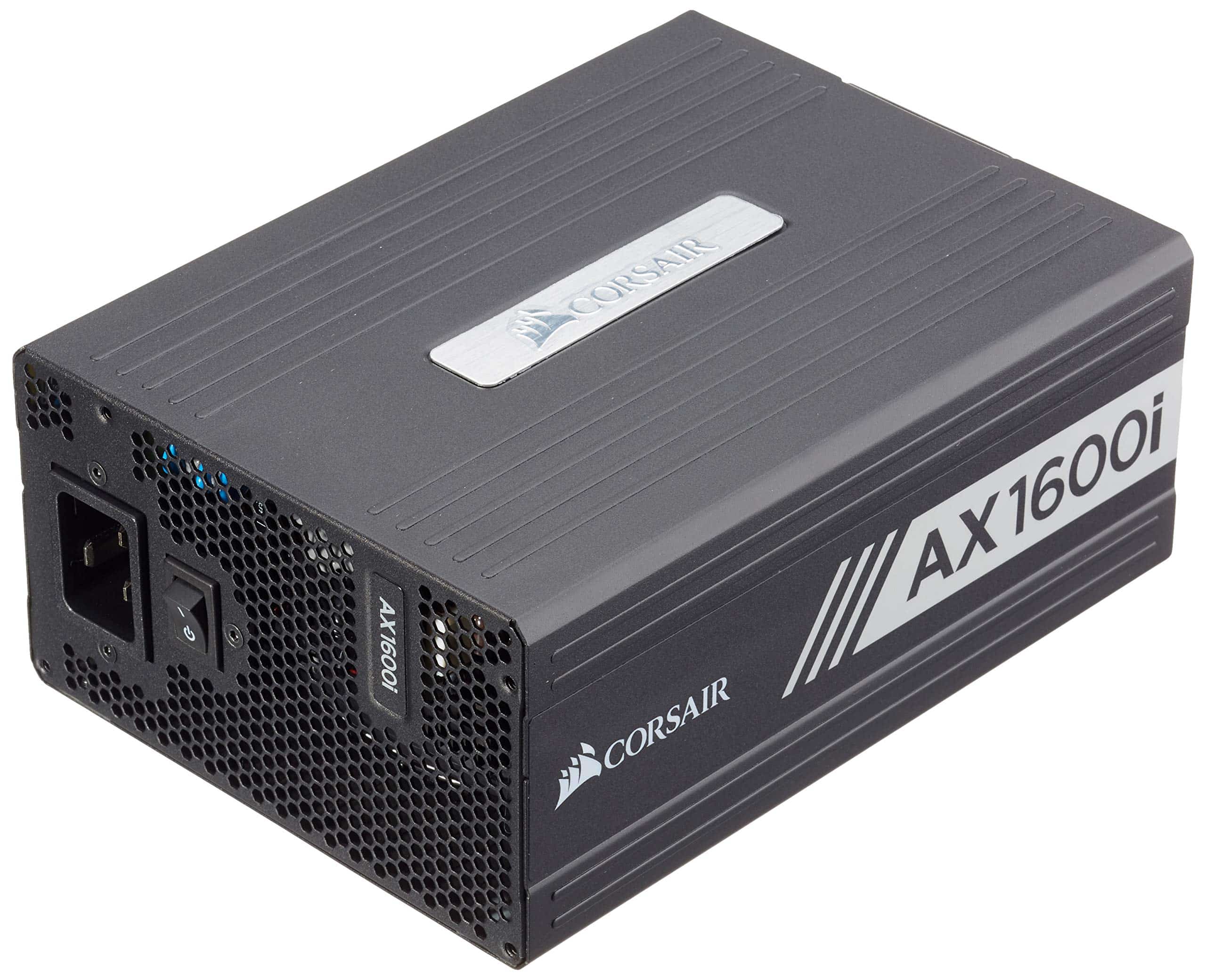 Top pick: Corsair Corsair AX1600i 1600W 80+ Titanium Modular Digital ATX PSU/Power Supply
Picking a power supply is the bit of a build people rush, and it's the bit that bites back. Get the wattage wrong and your shiny new gaming PC either won't behave or you've quietly thrown money at headroom you'll never touch. So how much do you actually need?
The short version: enough to cover what your parts draw, plus a sensible cushion. The longer version is what this guide is for. We'll work through estimating your draw, the headroom rule, rough tiers by graphics card class, what the 80 PLUS badges really mean, the newer connectors on high-end cards, and why the cheapest unit on the shelf is usually a trap. If you'd rather skip the maths, our PSU wattage calculator spits out a tailored number in a few clicks.
Why wattage matters, and why both extremes cost you
The power supply feeds every other component. The graphics card and CPU are the hungry ones; everything else sips. If the PSU can't deliver what the system pulls under load, you don't get a gentle warning. You get crashes, random reboots, black screens mid-game, sometimes a unit that just shuts off to protect itself. Under-spec a PSU and you'll spend weeks blaming your drivers when the real culprit is the box in the corner of the case.
That's the obvious failure. The less obvious one is overspending. Grabbing a 1200W monster for a mid-range build feels safe, and it won't break anything, but you've paid a premium for capacity that sits idle. There's a small efficiency wrinkle too: most units are at their most efficient running somewhere in the middle of their range, so a wildly oversized PSU loafing at ten percent load isn't doing you any favours on the meter. Right-sized, not maxed-out, is the goal. Browse our gaming power supply picks if you want to see what right-sized looks like at each tier.
How to estimate your draw
The method is simple addition. Add up the typical power draw of your main parts, then add headroom on top.
- Graphics card. By far the biggest variable. This is where most of your wattage goes, and it's the number that decides your PSU class. More on tiers below.
- CPU. The second-biggest draw. Mainstream chips are modest; high-core-count or overclocked enthusiast chips climb sharply under full load.
- Everything else. Motherboard, RAM, a couple of SSDs, fans, RGB, an AIO pump. Individually small. Together, budget a chunk on top, often somewhere around 75W to 150W depending on how loaded the build is.
Add those together and you've got an approximate load figure. Now the important bit: don't size your PSU to that number. Add roughly 25 to 30 percent on top.
Why the cushion? Two reasons. First, transients. Modern graphics cards draw in spikes, brief surges well above their rated figure that last milliseconds but can trip a PSU that's running on the edge. Second, future-proofing. The card you upgrade to in two years will likely want more, and the headroom keeps your unit efficient and quiet in the meantime, since it's not gasping at full tilt every session. The graphics card you choose drives this more than anything else, so settle on that first.
Rough wattage guidance by GPU tier
These are general rules of thumb, not a spec sheet for any one card. Treat them as a starting bracket, then confirm with the calculator and your card maker's own recommendation.
- Entry-level builds. A modest graphics card aimed at 1080p, paired with a mainstream CPU. A quality 450W to 550W unit usually does the job with room to spare.
- Mid-range builds. The popular sweet spot for 1080p and 1440p gaming. 550W to 650W covers most of these comfortably, with the headroom already baked in.
- High-end builds. Strong 1440p and entry 4K cards, often alongside a beefier CPU. Plan for 750W to 850W here.
- Top-end and enthusiast builds. Flagship graphics cards, high-core-count CPUs, the works. 850W to 1000W or more is the sensible bracket, partly for raw draw and partly to absorb those transient spikes cleanly.
Notice the brackets overlap and climb steadily. That's deliberate. A 650W unit isn't suddenly useless the moment you nudge up a tier, but you do want to land inside the right band rather than scrape the floor of it. Our full best PSU guide goes deeper on which specific units we rate at each level.
80 PLUS efficiency: what the badges mean for your bill
Every decent PSU carries an 80 PLUS rating: Bronze, Gold, Platinum, Titanium and a few in between. The badge tells you how much of the mains power the unit turns into usable output, rather than wasting as heat.
- Bronze. The entry tier for a unit worth buying. Efficient enough, cheaper, runs a touch warmer. Fine for budget builds.
- Gold. The mainstream pick, and the one we steer most builders toward. Roughly 90 percent efficient at a typical load, runs cooler and quieter, and the price premium over Bronze is small.
- Platinum and above. A few more efficiency points and less waste heat, at a noticeably higher price. Worth it for high-draw rigs run hard for long sessions, or if you just want the quietest, coolest build you can get.
What does this mean in pounds? Higher efficiency wastes less electricity for the same work, so over the life of the PSU a Gold unit shaves a little off your bill and produces less heat inside the case, which helps your fans stay quiet. The savings are real but gradual, so don't expect Titanium to pay for itself overnight. Pick the tier that suits how hard and how often you game.
Connectors, ATX 3.0 and the 12V-2x6
Current high-end graphics cards have moved to a new power connector. You'll see it called 12VHPWR, and the revised, sturdier version is 12V-2x6. One cable, a lot of power down it. It's a tidy solution, but it earned a reputation early on for melting when it wasn't seated properly.
The fix is straightforward. Buy a quality PSU, ideally an ATX 3.0 unit with the native connector so you're not relying on a daisy-chain of adapters, and push the connector fully home until it clicks. Properly seated, with a good cable, it's reliable. Half-seated, at an angle, or strained by a tight side panel, that's where the trouble starts. ATX 3.0 units also handle the transient spikes we mentioned earlier more gracefully, which is exactly why they pair so well with the cards that use this connector. On a mid-range or older build with traditional PCIe connectors, none of this applies, a solid ATX 2.x unit is grand.
Modular cables and the false economy of cheap units
Two last decisions worth getting right.
Modular versus non-modular. A non-modular PSU has every cable permanently attached, so you stuff the unused ones somewhere in the case. Fully modular lets you connect only what you need, which means cleaner airflow, an easier build and a tidier finish. Semi-modular is the middle ground: the essential cables are fixed, the rest detach. If your budget stretches to semi or fully modular, take it, especially in a smaller case where every spare cable fights you for room.
Don't cheap out on the brand. The PSU is the one component that can take others with it when it fails. A no-name unit with a wildly optimistic wattage printed on the side, a vague rating and no track record is a genuine risk, not a bargain. It might deliver less than it claims, protect your parts poorly, and die in a way that isn't quiet. Spend on a reputable unit from a maker with a real warranty and you're buying insurance for everything else in the build. It's the worst place to save twenty quid.
That's the whole picture: size for your draw, add headroom, pick a sensible efficiency tier, mind the connector, and don't buy junk. Still not sure on the number? Run your exact parts through our PSU calculator for a tailored figure, then read the rest of our gaming hub if you're building the whole thing from scratch, our full build guide walks you through it step by step.
Read our reviews for each part
Every component in this build, with the models we've reviewed and rated.
Corsair Corsair AX1600i 1600W 80+ Titanium Modular Digital ATX PSU/Power Supply
Our other picks for this guide are temporarily out of stock. This is the one we'd still buy today.
Corsair
Corsair AX1600i 1600W 80+ Titanium Modular Digital ATX PSU/Power Supply
Common questions
Frequently Asked Questions
For a lot of mid-range builds, yes. A mainstream CPU paired with a mid-tier graphics card usually sits comfortably under that ceiling, even with headroom for spikes. Push into high-end GPU territory and you'll want to step up to 750W or beyond. Our PSU calculator at /psu-calculator gives you a number tailored to your exact parts.
No. A power supply only draws what your components actually need, so a 1000W unit running a 400W system pulls roughly the same from the wall as a 750W unit running the same load. The rating is a ceiling, not a constant draw. Efficiency is what affects your bill, and that comes down to the 80 PLUS rating, not the wattage number.
It's an efficiency certification. An 80 PLUS Gold unit wastes less energy as heat, typically converting around 90 percent of the mains power into usable output at a normal load. Higher tiers like Platinum and Titanium squeeze out a bit more. For most gaming builds, Gold is the sensible balance of price, efficiency and lower heat.
Not strictly, but it helps if you're running a current high-end graphics card. ATX 3.0 units are built to ride out the brief power spikes modern GPUs produce, and many ship with the native 12V-2x6 connector so you skip the adapter. On an older or mid-range build, a quality ATX 2.x unit is still perfectly fine.
If you care about airflow and a tidy build, yes. Fully modular units let you plug in only the cables you need, which cuts clutter and helps cooling. Semi-modular splits the difference at a lower price. Non-modular is cheapest and fine in a roomy case, you'll just have spare cables to tuck away.
We're an Amazon Associate. If you click a product link and buy something, we earn a small commission at no extra cost to you. We only recommend products we'd use ourselves.
Top pickCorsair AX1600i 1600W 80+ Titanium Modular Digital ATX PSU/Power Supply£459.98Add to cart →