SolidWorks is one of the most demanding CAD applications in mainstream use, placing unusual requirements on a graphics card compared to gaming workloads. The software relies heavily on certified or near-certified OpenGL and DirectX drivers, stable viewport rendering, and sufficient VRAM to handle large assemblies without stuttering. Since last year, AMD's RDNA 4 architecture has arrived with strong rasterisation performance and improved driver maturity, while NVIDIA's RTX 50-series cards bring GDDR7 memory and upgraded compute cores that benefit SolidWorks Visualize and PhotoView 360 renders. Whether you are a freelance product designer running SolidWorks on a mid-range rig, an engineering student on a tight budget, or a professional handling complex multi-body assemblies and simulations, the GPU you choose will directly affect how smoothly your models rotate, how quickly rendered previews update, and whether RealView graphics can be enabled at all. This guide covers five picks from entry-level to high-end, all selected from currently available UK stock.
Quick Verdict
Best Overall: Gigabyte GeForce RTX 5070 Ti GAMING OC 16G, offering the best balance of VRAM, raw compute for Visualize renders, and stable NVIDIA drivers that unlock RealView workarounds in SolidWorks.
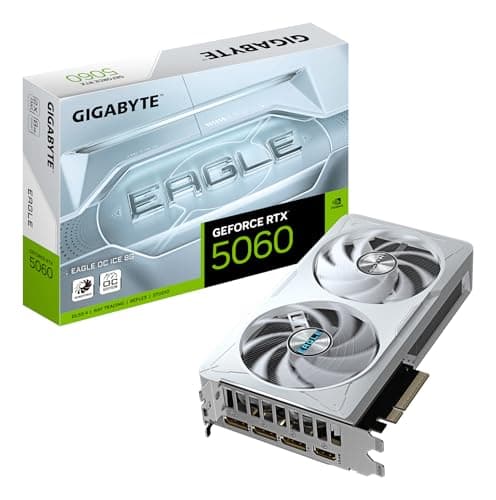
Best Value: Gigabyte GeForce RTX 5060 AERO OC 8G, which delivers a meaningful generational leap in rasterisation and GDDR7 bandwidth at a price that suits most mid-range CAD workstations.
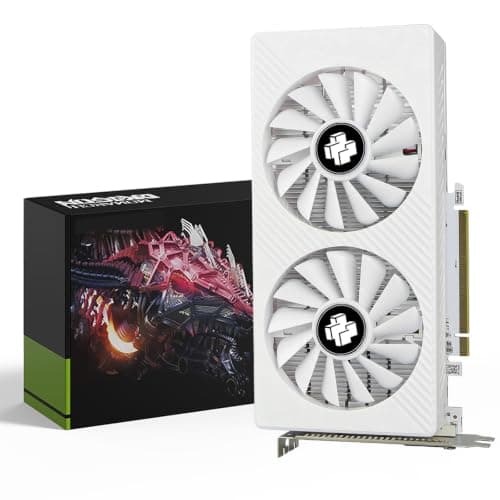
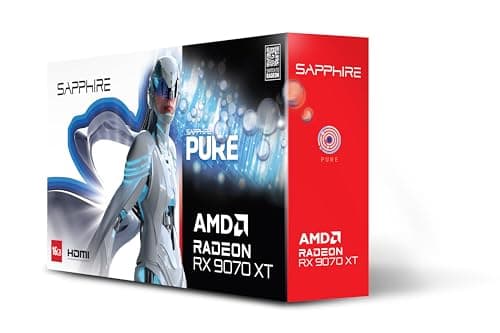
1. XFX Mercury Radeon RX 9070 XT OC 16G
AMD's RDNA 4 architecture arrived in early 2025 with a significant step forward in rasterisation performance and compute efficiency, and the RX 9070 XT is the card that best represents that progress in a mid-to-high-end package. The XFX Mercury edition pairs 16 GB of GDDR6 memory on a 256-bit bus with AMD's Navi 48 GPU, delivering strong raw performance figures that compete with NVIDIA cards costing considerably more in gaming benchmarks. For SolidWorks, the picture is more nuanced but still favourable.
SolidWorks has historically been better optimised for NVIDIA's driver stack, and the RealView Graphics feature, which enables per-pixel shading, reflections, and ambient occlusion in the viewport, has traditionally required either a certified Quadro or a workaround specific to NVIDIA consumer cards. AMD users have historically had to rely on software rendering modes or third-party patches to access RealView. However, AMD's driver maturity has improved substantially with RDNA 4, and for users who work primarily in standard OpenGL viewport mode without RealView, the RX 9070 XT's performance is genuinely excellent.
The 256-bit memory bus paired with 16 GB of GDDR6 gives the XFX Mercury strong memory bandwidth, which benefits SolidWorks viewport performance when rotating large assemblies with high-quality display settings. The card's boost clock reaches around 2,970 MHz in OC mode, and XFX's Magnetic Air Edition cooling system uses a triple-fan arrangement with magnetic fan bearings for reduced noise, an important consideration in quiet office or home studio environments.
The XFX Mercury also supports four simultaneous displays via two DisplayPort 2.1 and two HDMI 2.1 outputs, which is useful for multi-monitor CAD setups. Power consumption is around 220 W, requiring a 650 W or higher PSU. The card measures approximately 310 mm in length and uses a 2.5-slot cooler, fitting most full-size ATX cases without issue.
This card is best suited to SolidWorks users who are already comfortable with AMD's driver ecosystem, who do not rely on RealView Graphics as a core part of their workflow, or who also use their workstation for gaming and want AMD's strong rasterisation performance to carry over. It is also worth considering for users running SolidWorks on Linux, where AMD's open-source driver stack can offer advantages.
Verdict: A high-performance RDNA 4 option with excellent VRAM and bandwidth, best for SolidWorks users who prioritise raw viewport speed over RealView compatibility and NVIDIA driver optimisations.
Pros
- 16 GB GDDR6 on a 256-bit bus delivers strong memory bandwidth for rotating large assemblies in SolidWorks viewport
- RDNA 4 rasterisation performance competes with NVIDIA cards at higher price points, giving strong value per pound
- Four display outputs (2x DP 2.1, 2x HDMI 2.1) support multi-monitor CAD setups natively
Cons
- RealView Graphics in SolidWorks is harder to enable on AMD hardware than on NVIDIA, requiring workarounds or third-party tools
- SolidWorks' CUDA-accelerated rendering features in PhotoView 360 and Visualize are not available on AMD GPUs
The GIGABYTE RTX 3050 WINDFORCE OC V2 6G occupies the budget end of this shortlist, and it is worth being honest about what that means for SolidWorks use. With 6 GB of GDDR6 memory on a 96-bit bus and 2,560 CUDA cores running at up to 1,822 MHz, this card is not designed for heavy CAD workloads. However, it is a realistic option for students, hobbyists, and entry-level professionals who are running SolidWorks on a tight budget and need a discrete GPU that is meaningfully better than integrated graphics.
For SolidWorks users at the learning or early-career stage, the RTX 3050 6G provides several practical benefits. It supports NVIDIA's driver stack, which means the same RealView workarounds available on higher-end RTX cards can be applied here, enabling per-pixel shading and ambient occlusion in the viewport at lower resolutions. The CUDA core count, while modest, is sufficient to accelerate PhotoView 360 renders on small to medium-complexity scenes, making it faster than relying on CPU rendering alone.
The WINDFORCE OC V2 cooling system from Gigabyte uses two 80 mm fans with a semi-passive mode, making the card very quiet during light CAD work. Power consumption is just 70 W, meaning it can run in virtually any system with a 400 W or higher PSU, including older workstations that were not built with modern GPU power requirements in mind. The card is also physically compact at around 170 mm in length and uses a dual-slot design, fitting almost any case.
The practical limitations for SolidWorks are real. Six gigabytes of VRAM is workable for assemblies of up to 100 to 150 components with standard display settings, but enabling RealView with shadows and ambient occlusion on larger models will push the card to its limits and may cause stuttering. The 96-bit memory bus is the narrowest of any card in this roundup, and the bandwidth constraint becomes apparent when rotating complex models at 1440p or higher resolutions. This card is not suitable for professional use on complex assemblies or for running SolidWorks Simulation with GPU acceleration.
For students running SolidWorks as part of a mechanical or product engineering course, or for small business owners who use SolidWorks occasionally for simple part design, the RTX 3050 6G is a cost-effective way to get a functional CAD GPU without a large upfront investment. It is also a sensible temporary solution for users waiting for GPU prices to normalise before making a larger purchase.
Verdict: A budget-friendly entry point for SolidWorks that suits students and occasional users, but the 6 GB VRAM and 96-bit bus width make it unsuitable for complex assemblies or professional daily use.
Pros
- 70 W TDP is compatible with older workstations and low-capacity PSUs, reducing total upgrade cost
- NVIDIA driver support enables RealView workarounds and CUDA acceleration in PhotoView 360 even at this price tier
Cons
- 6 GB VRAM on a 96-bit bus causes stuttering and display simplification on assemblies above 150 components with RealView enabled
- 2,560 CUDA cores make PhotoView 360 and Visualize renders noticeably slow on medium-complexity scenes compared to current-gen alternatives
- No future-proofing headroom: the card is already near its practical limits for SolidWorks at current complexity levels
Buying Guide
VRAM: How Much Do You Actually Need?
VRAM is the single most important specification for SolidWorks GPU performance in most real-world workflows. The software stores geometry, display lists, textures, and rendering data in GPU memory, and when that memory is exhausted, it falls back to system RAM via PCIe, causing visible stuttering and forcing the viewport into simplified display modes. As a general rule, 6 GB is the minimum for student or hobbyist use on small assemblies. Eight gigabytes is workable for most professional workflows up to around 300 to 500 components with standard display settings. Sixteen gigabytes provides genuine headroom for complex assemblies, imported STEP files from large product families, and concurrent rendering sessions. If you regularly work with assemblies above 1,000 components or use SolidWorks Visualize with high-resolution HDR environments and 4K textures, 16 GB should be considered a baseline rather than a luxury.
NVIDIA vs AMD for SolidWorks
This is a more nuanced question than it appears. SolidWorks officially certifies specific Quadro and RTX professional cards, but consumer NVIDIA RTX cards can be made to work with RealView Graphics through registry edits or community-maintained driver patches. AMD consumer cards have historically had more difficulty with RealView, though AMD's driver maturity has improved significantly with RDNA 4. If RealView Graphics, including per-pixel shading, reflections, and ambient occlusion in the viewport, is important to your workflow, NVIDIA is still the safer choice. If you work primarily in standard OpenGL mode and also use your workstation for gaming, AMD's RDNA 4 cards offer very competitive raw performance at their price points.
Memory Bus Width
The memory bus width determines how much data the GPU can transfer to and from VRAM per clock cycle. For SolidWorks, a wider bus reduces the likelihood of bandwidth bottlenecks when rotating large assemblies or switching between complex drawing views. Cards with 256-bit buses, such as the RTX 5070 Ti and RX 9070 XT in this roundup, handle these scenarios more smoothly than 128-bit alternatives. However, GDDR7 memory partially compensates for narrower buses by offering higher per-pin bandwidth, so a 128-bit GDDR7 card can outperform an older 128-bit GDDR6 card in practice.
CUDA Cores and Rendering
If you use PhotoView 360 or SolidWorks Visualize for rendered images and animations, CUDA core count directly affects how quickly renders complete. More cores mean shorter render times at equivalent quality settings. This is exclusively an NVIDIA advantage: AMD GPUs cannot use CUDA, so PhotoView 360 falls back to CPU rendering on AMD hardware. For users who render frequently, this can be a decisive factor in choosing NVIDIA over AMD regardless of raw viewport performance comparisons.
Power and Compatibility
Many SolidWorks workstations are older professional machines with modest PSUs. Before purchasing a GPU, check your PSU's wattage and the connector type it provides. Modern high-end cards use 16-pin 12VHPWR connectors and may draw 250 to 300 W or more. Mid-range and budget cards are more forgiving, with some drawing under 100 W from standard 8-pin connectors. Also measure your case's GPU clearance: high-end cards can exceed 330 mm in length and occupy 3 slots, which may not fit compact workstations.
Display Outputs
Professional SolidWorks users commonly run two or three monitors: one for the 3D viewport, one for drawings or documentation, and sometimes a third for email and reference material. Ensure your chosen card has enough outputs for your setup, and check that the output types match your monitors. DisplayPort 2.1 is preferable for high-resolution displays at high refresh rates, while HDMI 2.1 is useful for connecting to 4K monitors or external displays.
For most SolidWorks users who need a reliable, high-performance GPU for daily professional use, the Gigabyte GeForce RTX 5070 Ti GAMING OC 16G is the clear overall winner. Its combination of 16 GB GDDR7 memory on a 256-bit bus, 8,960 CUDA cores, and NVIDIA's mature Studio Driver ecosystem makes it the most capable card in this roundup for handling large assemblies, enabling RealView workarounds, and accelerating PhotoView 360 renders. The power and size requirements are real considerations, but for users who can accommodate them, this card provides the closest experience to a professional workstation GPU at a consumer price point.
For users on a tighter budget who still want Blackwell-generation performance and NVIDIA driver compatibility, the Gigabyte RTX 5060 AERO OC 8G is the best-value pick. It handles the majority of real-world SolidWorks workflows smoothly, supports RealView workarounds, and fits almost any workstation without PSU or case concerns. The 8 GB VRAM limit is worth monitoring as assembly complexity grows, but for current workloads it is a sensible and cost-effective choice.