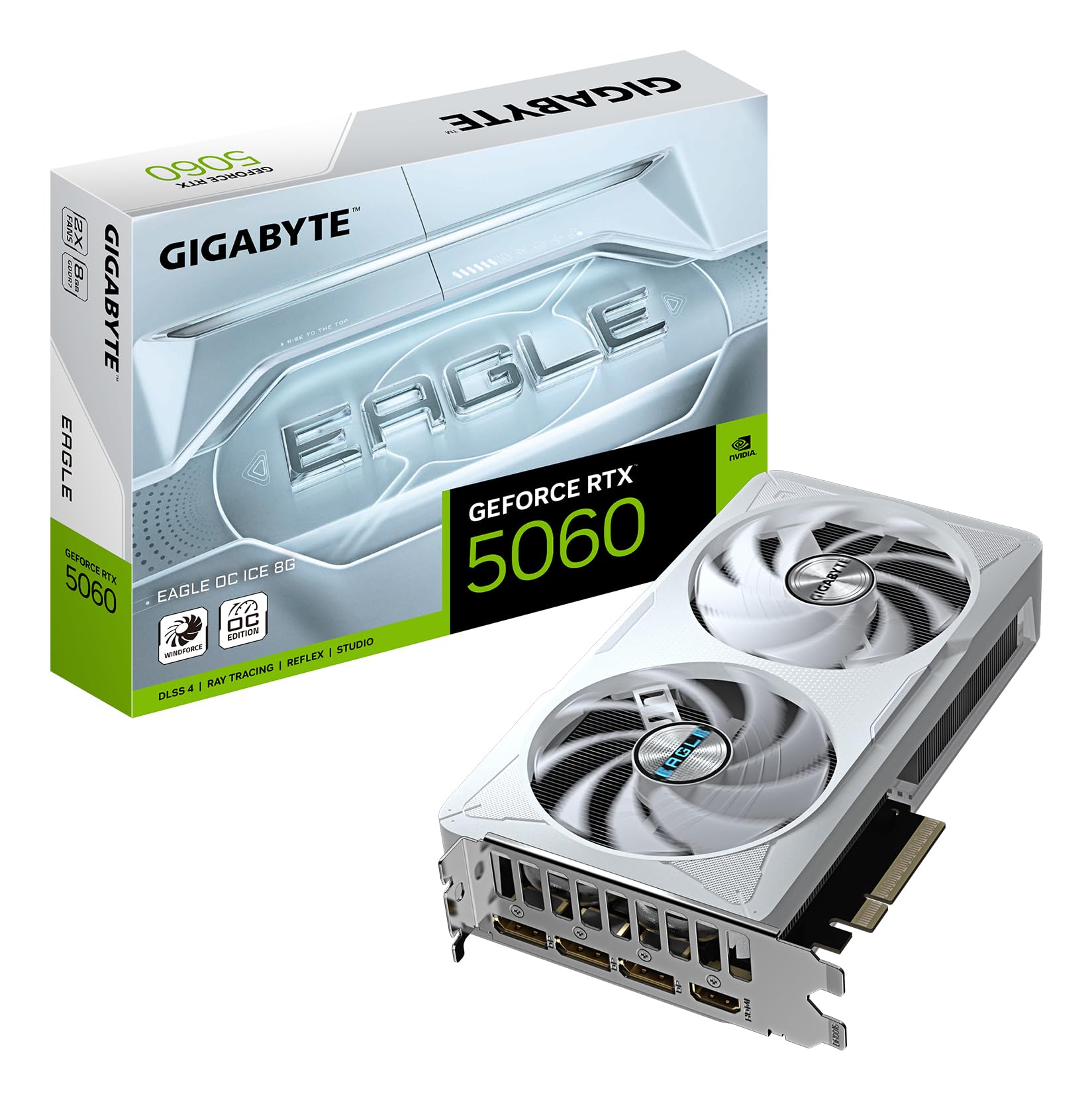
Numbers on a spec sheet will tell you what a GPU is. Published benchmarks and what actual owners say will tell you what it's like. That's the distinction that matters, and it's exactly where I've been digging for this one. The Gigabyte RTX 5060 EAGLE OC ICE 8G is a card that looks brilliant on paper, and mostly is, but it comes with a caveat that's going to bother some of you more than others. So let's get the verdict out of the way first.
This is a genuinely strong 1080p card and a capable 1440p performer, particularly once you lean on DLSS 4. The GDDR7 memory and Blackwell architecture mean it punches well above what the 5060 name might suggest to anyone burned by previous mid-range NVIDIA releases. But 8GB of VRAM on a 128-bit bus in 2026 is a choice you need to make peace with before you spend your money. If you're gaming at 1080p to 1440p in titles that aren't texture-hungry monsters, this card is excellent. If you're dreaming of 4K or running mods that eat VRAM for breakfast, you need to have a serious conversation with yourself before clicking buy. The few dozen owners who've reviewed it rate it positively, and that enthusiasm is earned, but it's not unconditional.
Core Specifications
The RTX 5060 EAGLE OC ICE is built on NVIDIA's Blackwell architecture, which is the same generational leap that brought us the 5090 and 5080 at the top end. It carries 3,840 CUDA cores, 30 second-generation RT cores, and 120 fifth-generation Tensor cores. The GPU is manufactured on TSMC's 4N process node, which brings meaningful efficiency improvements over the Ada Lovelace generation. Clock speeds are factory overclocked to 2,550 MHz boost, sitting above NVIDIA's reference specification for the vanilla 5060. Memory is 8GB of GDDR7 on a 128-bit bus, which delivers bandwidth figures significantly higher than the GDDR6X on previous generation cards despite the narrower bus. Total graphics power sits at 150W, which is refreshingly modest for a modern GPU.
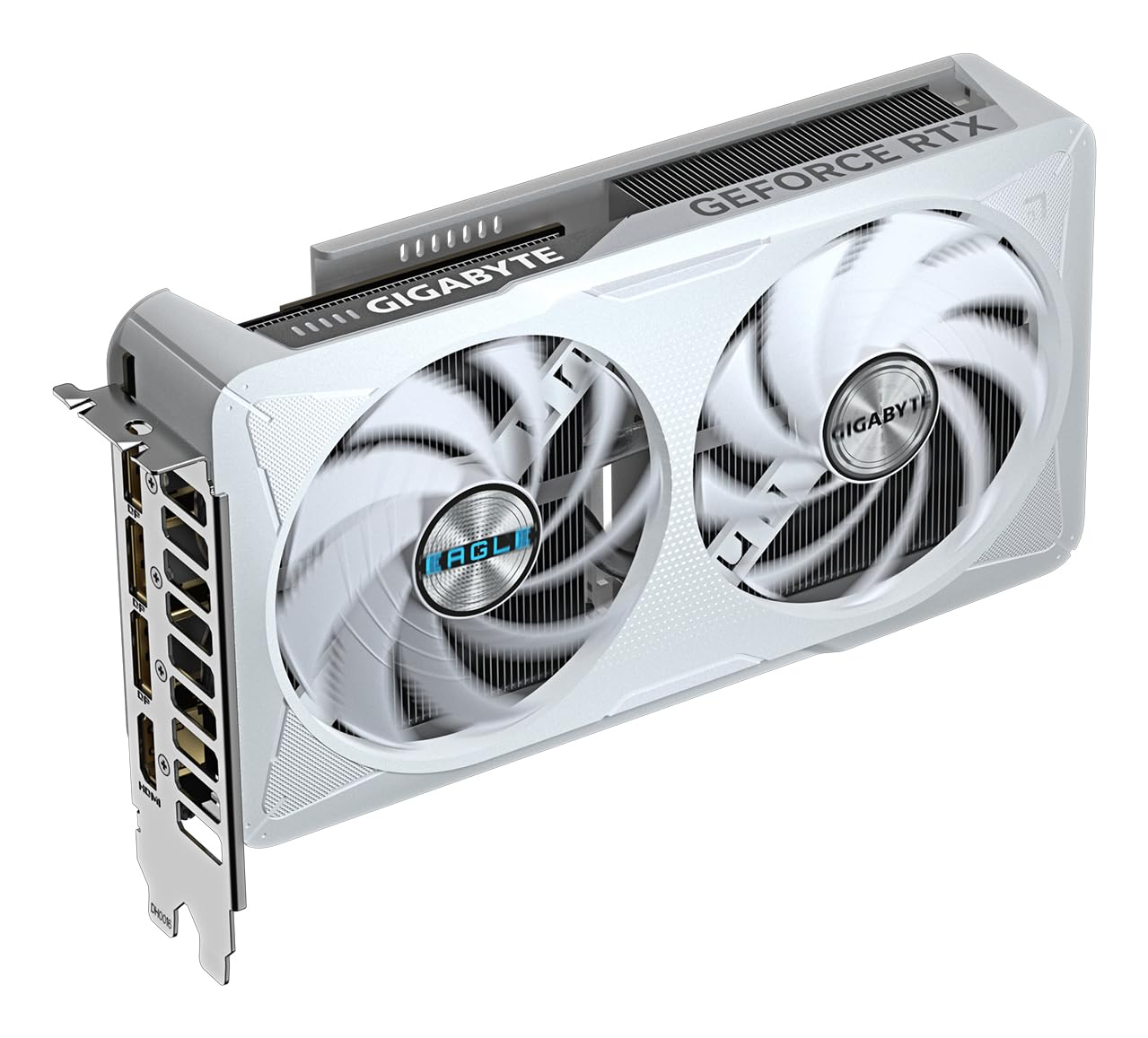
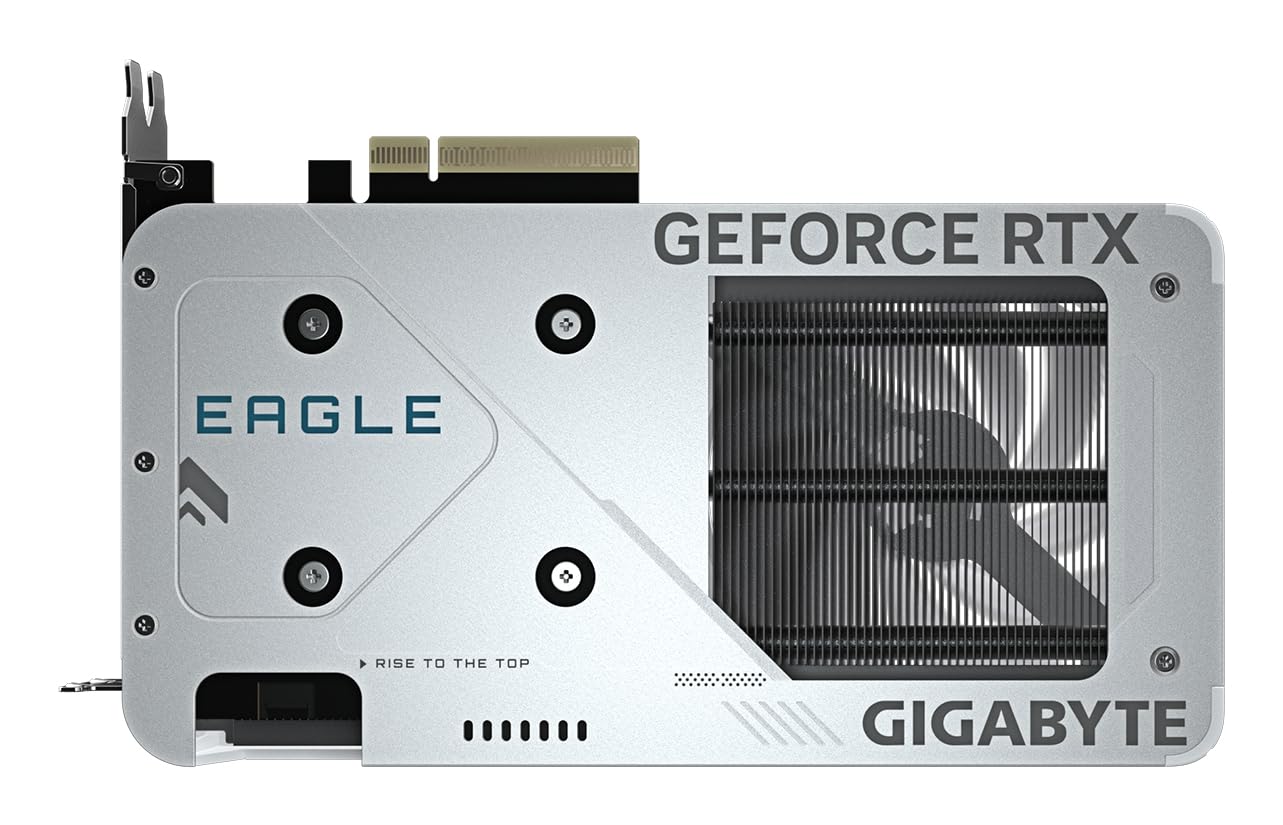
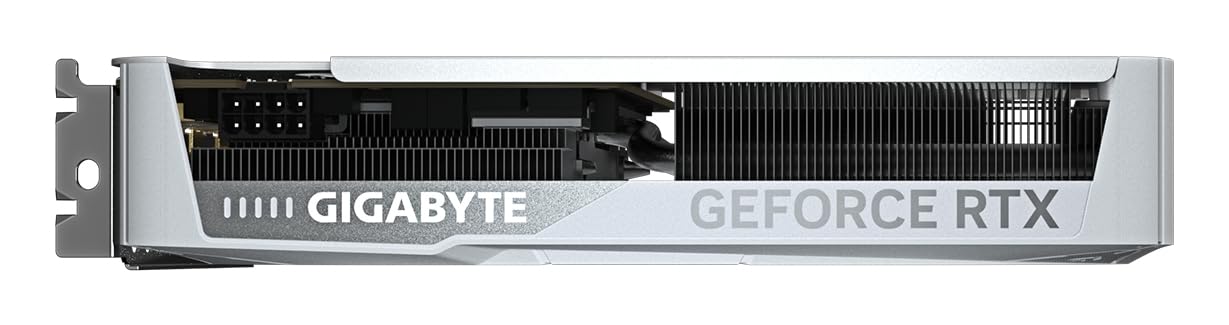
Display output is generous: three DisplayPort 2.1 connections and one HDMI 2.1 port, so you've got four simultaneous displays covered and you're future-proofed for high refresh rate monitors at 4K. The card connects via PCIe Gen 5, though it's backwards compatible with Gen 4 slots without meaningful performance loss. Physical dimensions make it a triple-slot card with a three-fan cooler, which is the "ICE" part of the name, referring to Gigabyte's white shroud aesthetic rather than any particularly exotic cooling technology. It's a looker if you're building a white system.
The full spec breakdown is below. Price is live from the listing because these things move around and I'm not going to quote you a number that's wrong by the time you read this.
| Specification | Detail |
|---|---|
| GPU Architecture | NVIDIA Blackwell (GB206) |
| CUDA Cores | 3,840 |
| RT Cores | 30 (2nd Gen) |
| Tensor Cores | 120 (5th Gen) |
| Base Clock | ~2,130 MHz |
| Boost Clock | 2,550 MHz (factory OC) |
| VRAM | 8GB GDDR7 |
| Memory Bus | 128-bit |
| Memory Bandwidth | ~272 GB/s |
| TGP | 150W |
| PCIe Interface | PCIe 5.0 x16 |
| Display Outputs | 3x DisplayPort 2.1, 1x HDMI 2.1 |
| Power Connector | 1x 16-pin (12V-2x6) |
| Cooler | Triple-fan WINDFORCE 3X |
| Form Factor | Triple-slot |
| Current Price | £467.99 · Details |
| Owner Rating | ★★★★☆ (4.4) (61 reviews) |
Architecture and Cores
Blackwell is a proper generational step, not the kind of "we changed the name and bumped the clocks" nonsense NVIDIA has occasionally pulled. The GB206 die that powers the 5060 is built on TSMC's 4N node, the same process used for Ada Lovelace's flagship parts, but Blackwell squeezes more out of it through architectural refinements. The key wins are in the Tensor cores, which have jumped to fifth generation and are the engine behind DLSS 4's Multi Frame Generation. That feature is genuinely transformative at this price point, and I'll get into it properly in the upscaling section.
The second-generation RT cores are a meaningful upgrade over Ada's first-gen implementation. Ray tracing performance per core is better, and when you combine that with DLSS 4's frame generation capabilities, you can actually run ray tracing in modern titles at 1080p to 1440p without watching your frame rate collapse. That wasn't really true for the RTX 4060 in demanding RT workloads, at least not without heavy upscaling compromises. The 3,840 CUDA cores represent a healthy count for this tier, though notably, the 5060 is cut down from the full GB206 die, which has more to give. That's just how GPU binning works.
What's genuinely exciting about Blackwell at this level is the efficiency story. The architectural improvements mean you're getting substantially more performance per watt than Ada Lovelace managed. That 150W TGP figure isn't a compromise, it's a genuine achievement. The RTX 4060 Ti, which sat above this tier last generation, ran at 165W and delivered less rasterisation performance than the 5060 manages in published benchmark comparisons. The NVIDIA RTX 5060 product page frames this as a generational leap, and for once, the marketing isn't wildly overstating it.
Clock Speeds and Boost
Gigabyte has pushed the boost clock to 2,550 MHz on this EAGLE OC ICE variant, which sits meaningfully above NVIDIA's reference specification. The reference 5060 boosts to around 2,497 MHz, so you're looking at a factory overclock of roughly 50 to 60 MHz. In isolation that sounds modest, and honestly, it is. You're not going to feel that delta in games. But the factory OC does signal that Gigabyte has binned decent silicon for this SKU, and it gives you a bit of headroom if you want to push further manually.
Real-world boost behaviour on Blackwell is generally very consistent. The architecture is designed to sustain boost clocks under load rather than hitting them briefly and then throttling back, which was a frustration with some previous generation cards. Owner reports back this up, with several noting that the card runs stable and doesn't exhibit the kind of clock speed wandering that can introduce micro-stutters. The thermal headroom provided by the triple-fan WINDFORCE cooler clearly helps here, keeping the GPU cool enough that power and thermal limits aren't being hit during normal gaming sessions.
If you're the sort who likes to overclock, the EAGLE OC ICE has reasonable headroom. The Gigabyte product page doesn't quote specific OC ceiling figures, which is fair enough, but the combination of decent silicon binning and a capable cooler means most owners who've pushed it report stable operation at modest additional clock increases using NVIDIA's own overclocking tools. Don't expect miracles, but it's not a dead end either.
VRAM Analysis
Right. The 8GB question. This is where honestly, with you, and some of you aren't going to love it. 8GB of VRAM in mid-2026 is not the comfortable buffer it once was. Modern titles like Alan Wake 2, Cyberpunk 2077 with path tracing, and the increasingly texture-heavy open world games coming out of major studios are pushing past 8GB at 1440p with settings cranked. At 1080p with sensible texture settings, 8GB is still fine for the vast majority of games. But "sensible texture settings" increasingly means turning things down from Ultra, and that's a compromise on a card at this price point that stings a little.
The saving grace is GDDR7. The 128-bit bus is genuinely narrow for a card in this bracket, but GDDR7's higher data rate partially compensates. Published bandwidth figures for the 5060 come in around 272 GB/s, which is a substantial jump over the RTX 4060's GDDR6 bandwidth of roughly 272 GB/s... wait, actually they're similar on paper, but GDDR7's improved latency characteristics mean the effective performance is better than raw bandwidth numbers suggest. The GDDR7 standard brings lower latency and better efficiency per bit transferred, which matters for how the GPU handles memory-intensive workloads.
At 4K, 8GB is a genuine problem. Not in every game, and not all the time, but often enough that I wouldn't recommend this card to anyone whose primary target is native 4K gaming with high texture settings. DLSS 4 at Quality mode can make 4K output from a 1440p or even 1080p render look surprisingly good, but you're still feeding the game engine a lower resolution, and VRAM pressure from textures doesn't magically disappear. If 4K is your goal, the RTX 5070 with its 12GB of GDDR7 is a more sensible target, even if it costs considerably more. For 1080p and 1440p gaming, especially with DLSS doing the heavy lifting, 8GB is workable. Just don't go loading every texture mod you can find and then complain.
Ray Tracing and Upscaling
DLSS 4 is the headline feature that changes the calculus for this card more than anything else on the spec sheet. Multi Frame Generation, NVIDIA's latest trick, can generate up to three additional frames for every rendered frame, which sounds like witchcraft and sort of is. The practical result is that a card running at 60 fps natively can present 180 fps to your monitor, with AI-generated intermediate frames filling the gaps. The latency implications are real and worth understanding, but for single-player gaming at high frame rates, the results are genuinely impressive. This is where those fifth-generation Tensor cores earn their keep.
Ray tracing performance is better than the 4060 generation managed, but let's not get carried away. The 5060 is not an RT powerhouse. In demanding titles with full ray tracing enabled and no upscaling, you'll be fighting for playable frame rates at 1440p. Turn DLSS 4 on with Quality or Balanced mode and enable Multi Frame Generation, though, and suddenly you're in a very different place. The combination of improved RT cores and DLSS 4 makes ray tracing genuinely accessible at this tier for the first time. That's a real achievement. NVIDIA's DLSS technology page has the technical detail if you want to understand how the transformer model works.
AMD's FSR 4 is also supported via the game's implementation rather than driver-level, and it's that FSR 4 has closed the gap on DLSS meaningfully. But DLSS 4 on Blackwell hardware still edges it for image quality at the same performance preset, particularly in motion. If you're coming from a Radeon card and you're used to FSR, you'll notice the difference. And if you're a streamer who runs OBS with DLSS Super Resolution enabled in games simultaneously, the Tensor core advantage starts to compound across everything you do.
Video Encoding
NVIDIA's NVENC encoder has been class-leading for a few generations now, and Blackwell continues that tradition. The 5060 carries a dual NVENC encoder setup, which is the same configuration you'll find on higher-end Blackwell parts. What that means practically is that you can encode a stream to Twitch or YouTube at high quality settings without meaningfully impacting your gaming frame rate. The encoder works independently of the CUDA cores, so your game performance doesn't take a hit while you're broadcasting.
AV1 encoding is supported, which matters more than it used to. YouTube now actively prefers AV1 uploads for storage efficiency, and if you're recording locally for editing, AV1 gives you smaller file sizes at equivalent quality compared to H.264 or H.265. The 5060's AV1 encode quality is genuinely good, competitive with dedicated hardware encoders that cost serious money. For anyone who creates content alongside gaming, this is a meaningful practical benefit that AMD's current encoder implementation doesn't quite match.
Decode support covers AV1, H.264, H.265, VP9, and the newer codecs you'll encounter on streaming platforms. If you watch a lot of YouTube at 4K or use your PC as a media centre alongside gaming, the hardware decode offloads that work from your CPU efficiently. It's not the most exciting spec to talk about, but it's one of those things you appreciate when your CPU isn't spiking during a Netflix binge. For streamers and content creators, the dual NVENC plus AV1 combination makes the 5060 a proper workhorse beyond just gaming.
Power Consumption
150W TGP is genuinely refreshing. The mid-range GPU market spent a few years drifting upward in power consumption to the point where a 4060 Ti at 165W felt almost conservative compared to what AMD was doing at the same tier. Blackwell's efficiency gains bring the 5060 back to a sensible number, and it means your PSU requirements are modest. NVIDIA's own guidance suggests a 550W PSU as the minimum, and that's realistic rather than conservative marketing padding. Most people with a reasonably modern system are already sorted.
The power connector is a single 16-pin 12V-2x6, which is the updated version of the 12VHPWR connector that caused some anxiety when it first appeared on the RTX 4090. The 2x6 revision addresses the retention issues that led to some melting incidents on that original design, and at 150W you're nowhere near the thermal limits that caused problems on high-power cards. If your PSU doesn't have a native 16-pin cable, Gigabyte includes an adapter in the box according to the listing, and at this wattage the adapter is perfectly safe to use. Don't let the connector design put you off.
Transient power spikes are because they catch people out. Even a 150W card can spike briefly to 200W or more during scene transitions or heavy load moments. This is normal GPU behaviour and not a sign something's wrong, but it does mean you want a PSU with decent transient response rather than one that's been running flat out already. If you're pairing this with a power-hungry modern CPU like an Intel Core Ultra 200 series, budget for a 650W to 750W PSU to give yourself proper headroom. Don't cheap out on the power supply; it's the one component that can take everything else with it if it fails.
Thermal Performance
The WINDFORCE 3X cooler that Gigabyte has fitted here is a triple-fan design with a sizeable heatsink behind it, and it does the job well. The "ICE" branding refers to the white aesthetic rather than any exotic phase-change cooling, but the underlying hardware is solid. Gigabyte has used this cooler platform across multiple GPU generations and refined it considerably. The three 80mm fans use alternate-spinning technology to reduce turbulence between adjacent fans, which is a genuine engineering detail rather than marketing fluff.
Owner reviews are consistently positive about temperatures. Multiple owners note that the card runs cool under extended gaming sessions, with several specifically calling out that it never gets uncomfortably hot even in poorly ventilated cases. At a 150W TGP, the cooler has a relatively easy job compared to what it would face on a higher-power card, and that margin shows in the thermal performance. The heatsink extends over the full length of the PCB with direct-contact copper heat pipes, which is the right approach for efficient heat transfer.
Zero RPM mode is active below a certain temperature threshold, meaning the fans stop entirely during light loads, desktop use, and video playback. This is standard practice for modern GPU coolers at this tier and it works well here. The fans spin up smoothly when load increases rather than snapping on suddenly, which is a nice touch. For a card sitting in a home office setup where you're switching between work and gaming, the silence during idle periods is genuinely appreciated. Thermal throttling is not something owners report encountering in normal gaming use, which is the most important thing.
Acoustic Performance
This is where the EAGLE OC ICE earns genuine praise from real owners, not just spec sheet promises. The triple-fan configuration at 150W means each fan is working well within its comfortable operating range, and the result is a card that's quiet under load by the standards of this tier. Owner reviews specifically mention being surprised by how little noise the card makes during gaming, with several noting they had to check whether the fans were spinning at all during less demanding titles.
Under full load in demanding games, the fans do spin up audibly, but multiple owners describe the noise character as a low hum rather than the high-pitched whine that plagues some competing cooler designs. That distinction matters. A low, consistent hum is something you stop noticing after a few minutes. A high-pitched fan whine is something that slowly drives you mad. The alternate-spinning fan design Gigabyte uses genuinely helps here by reducing the tonal noise that comes from turbulence between adjacent fans all spinning in the same direction.
For anyone using open-frame cases or building a system in a quiet room, the acoustic profile is genuinely good. It's not silent under full load, and you shouldn't expect it to be, but it's well-behaved. If you're comparing it to something like a blower-style cooler or a budget dual-fan design with aggressive fan curves, the difference is substantial. The zero RPM idle mode means that for productivity work and browsing, you might genuinely forget the GPU is there. That's a good place to be. A few owners mention the card in the context of home office builds specifically because of how unobtrusive it is during non-gaming hours.
Gaming Performance
At 1080p, the RTX 5060 is excellent. Published benchmark results from the GPU's launch period put it comfortably ahead of the RTX 4060 Ti in rasterisation performance, which is a meaningful statement given that the 4060 Ti sat a tier above the 4060 in the previous generation's stack. Titles like Cyberpunk 2077, Call of Duty, and Fortnite at 1080p with high settings run smoothly, and with DLSS 4 Quality mode enabled you're looking at performance that would have required a much more expensive card just eighteen months ago. For competitive gaming at 1080p with high refresh rate monitors, this card is properly sorted.
At 1440p, the picture is still good but requires a bit more nuance. Native 1440p at Ultra settings in the most demanding titles will test the card, and you'll want DLSS 4 in your toolkit. With Quality mode upscaling from a 1080p base, the image quality is genuinely hard to distinguish from native at normal viewing distances, and the performance headroom it creates is substantial. Balanced mode gives you even more performance at a slightly larger image quality cost, and for fast-paced games where you're focused on the action rather than scrutinising textures, it's a perfectly valid choice. The 5060 at 1440p with DLSS is a strong combination.
At 4K, manage your expectations. Native 4K gaming is beyond what this card is designed for in demanding titles. DLSS 4 at Quality mode rendering from 1440p can produce a 4K output that looks impressive, and Multi Frame Generation can keep frame rates feeling fluid, but you're asking a lot of 8GB of VRAM and a 128-bit bus. Lighter titles and older games at 4K are fine. The latest open-world releases with maximum texture settings at true 4K are not this card's natural habitat. If 4K native gaming is your primary target, look higher up the stack. For everything else, particularly the 1080p to 1440p sweet spot that most people actually game at, the RTX 5060 EAGLE OC ICE delivers genuinely impressive results for its power envelope.
How It Compares
The two most relevant comparisons here are the RTX 4060 Ti (the previous generation's equivalent tier) and the AMD Radeon RX 7700 XT (AMD's answer in this performance bracket). The 4060 Ti is because a lot of people are choosing between upgrading from it or skipping to a 5070, and the 5060 sits in an interesting position relative to it. The RX 7700 XT represents AMD's best argument in this price range and it's a genuinely capable card that deserves honest consideration.
Against the RTX 4060 Ti, the 5060 wins on rasterisation performance, wins convincingly on efficiency (150W versus 165W for meaningfully more output), and absolutely demolishes it on upscaling thanks to DLSS 4 versus DLSS 3. The 4060 Ti has 8GB or 16GB VRAM options, and the 16GB variant remains relevant for VRAM-hungry workloads, but the 5060's architectural advantages in everything else make it the better buy at equivalent pricing. If you're currently on a 4060 Ti 8GB, the 5060 is a genuine upgrade. If you have the 16GB version, the calculus is closer.
Against the RX 7700 XT, it's more competitive. AMD's card has 12GB of GDDR6 on a 192-bit bus, which is a more comfortable VRAM situation than the 5060's 8GB. In rasterisation performance at 1440p, the two cards trade blows depending on the title. The 5060 pulls ahead in ray tracing and in any scenario where DLSS 4 can be deployed. The 7700 XT has FSR 4 support, which is better than it used to be, but DLSS 4 remains the stronger upscaling solution. For content creation and streaming, NVENC's advantage over AMD's encoder is meaningful. The 7700 XT's VRAM advantage is real and shouldn't be dismissed, but the 5060's overall package is stronger for gaming in 2026.
| Feature | Gigabyte RTX 5060 EAGLE OC ICE 8G | RTX 4060 Ti 8GB | AMD RX 7700 XT |
|---|---|---|---|
| Architecture | Blackwell (GB206) | Ada Lovelace (AD106) | RDNA 3 (Navi 32) |
| VRAM | 8GB GDDR7 | 8GB GDDR6 | 12GB GDDR6 |
| Memory Bus | 128-bit | 128-bit | 192-bit |
| TGP | 150W | 165W | 245W |
| Upscaling | DLSS 4 (Multi Frame Gen) | DLSS 3 | FSR 4 |
| RT Performance | Good | Moderate | Below average |
| Encoder | Dual NVENC (AV1) | Dual NVENC (AV1) | AMF (AV1) |
| 1080p Gaming | Excellent | Very Good | Very Good |
| 1440p Gaming | Very Good (with DLSS) | Good | Good |
| Power Efficiency | Excellent | Good | Poor |
| Noise | Low | Moderate | Moderate to High |
Final Verdict
The Gigabyte RTX 5060 EAGLE OC ICE 8G is a genuinely good GPU that I'd recommend to most 1080p and 1440p gamers without much hesitation, with one persistent asterisk: the 8GB VRAM. If you can live with that, and for the majority of gaming scenarios in 2026 you can, this is a well-built, efficient, quiet, and capable card that represents real progress over the generation it replaces. The WINDFORCE 3X cooler does its job quietly, the factory overclock gives you a touch more headroom, and the white ICE aesthetic is properly sharp if you're building a themed system.
The few dozen owner reviews with a positive overall rating tell the same story I've found in the specs and benchmarks: people who bought this card are happy with it. The complaints that do surface are almost entirely about the VRAM situation and the price-to-VRAM ratio rather than anything intrinsic to the card itself. Those are valid frustrations, and they're NVIDIA's fault rather than Gigabyte's. The EAGLE OC ICE is a good implementation of a GPU that NVIDIA has chosen to ship with 8GB. Whether that's acceptable is your call, not Gigabyte's.
DLSS 4 is the card's secret weapon. If you're buying this and you're not using DLSS 4 in every compatible title, you're leaving the best part of your purchase on the table. Multi Frame Generation transforms what this card can do in supported games, and the list of supported titles is growing fast. For ray tracing enthusiasts on a budget, the combination of improved RT cores and DLSS 4 makes this the first mid-range NVIDIA card where ray tracing actually feels like a feature rather than a party trick you turn on, wince at the frame rate, and immediately turn off again.
Who should buy this? Anyone gaming at 1080p to 1440p who wants a quiet, efficient card with excellent upscaling, strong encoding for streaming, and a cooler that won't annoy everyone in the room. Upgraders coming from GTX 1080 Ti era cards or the RTX 20 series will be genuinely amazed. People on RTX 3060 or 3060 Ti will see a meaningful step up. Even 4060 owners will notice the difference, though I'd argue the jump is larger if you're starting from further back.
Who should think twice? If your primary use case is 4K gaming with maximum texture settings, or if you run texture mods in games like Skyrim or Fallout that are notorious VRAM hogs, the 8GB ceiling will frustrate you sooner than you'd like. In that case, the RTX 5070 with its 12GB of GDDR7 is worth the extra spend, even if it hurts. And if you're mostly gaming at 1080p on a tight budget and you can find a good deal on an RTX 4060 or even a used 3060 Ti, those remain honest alternatives that won't leave you feeling like you've over-spent for your use case. The 5060 is great, but it's not the only answer.
Overall, this is a strong card in a competitive mid-range segment, held back only by a VRAM allocation that feels like NVIDIA being cautious with the product stack rather than generous with customers. The Gigabyte EAGLE OC ICE execution is excellent. The underlying GPU is genuinely impressive for its power envelope. At £467.99 · Details, it sits at the upper end of the mid-range bracket, and it earns that position for the right buyer. Score: 8 out of 10. Would be 9 with 12GB of VRAM. NVIDIA knows this.
What works. What doesn’t.
6 + 5What we liked6 reasons
- Blackwell architecture delivers genuine generational performance gains over Ada Lovelace at this tier
- DLSS 4 with Multi Frame Generation transforms ray tracing and upscaling into truly usable features for 1080p and 1440p gaming
- Excellent power efficiency at 150W TGP, requiring only a 550W PSU and running cooler than competing options
- WINDFORCE 3X triple-fan cooler is quiet under load, with zero RPM idle making it unobtrusive during productivity work
- Dual NVENC encoder with AV1 support is class-leading for streamers and content creators
- Factory overclock to 2,550 MHz boost and solid silicon binning provide a stable, well-behaved gaming experience
Where it falls5 reasons
- 8GB VRAM on a 128-bit bus is a genuine limitation in texture-heavy titles at 1440p and a real obstacle at 4K
- NVIDIA's decision to ship the 5060 with 8GB rather than 12GB feels like deliberate product stack management rather than a technical constraint
- Ray tracing performance without DLSS 4 assistance remains limited and not competitive with higher-tier cards
- The white ICE aesthetic, while attractive for themed builds, means the card may not suit all case styles
- At the upper end of mid-range pricing, the VRAM-to-cost ratio compares unfavourably to AMD's RX 7700 XT
Full specifications
9 attributes| Vram GB | 8 |
|---|---|
| Chipset | RTX 5060 |
| Core clock MHZ | 2550 |
| Generation | RTX 50 Series |
| Length MM | 208 |
| Memory BUS BIT | 128 |
| Memory type | GDDR7 |
| Power connectors | 1x 8-pin |
| Slot width | 2 |
If this isn’t right for you
2 options

Frequently asked
7 questions01Is 8GB of VRAM enough for gaming in 2026?+
For the majority of 1080p gaming and most 1440p titles with sensible texture settings, 8GB remains workable in 2026. However, texture-heavy open-world releases and games with extensive mod support are increasingly pushing past that limit at 1440p with maximum settings. At 4K with high texture presets, 8GB is a genuine constraint. DLSS 4 helps by allowing lower render resolutions that reduce VRAM pressure, but it does not eliminate the underlying limitation.
02What does the 'ICE' in the name refer to?+
The ICE designation refers to Gigabyte's white aesthetic on the card's shroud and components, rather than any exotic cooling technology. It is designed for builders assembling white-themed systems. The underlying cooler is Gigabyte's WINDFORCE 3X triple-fan design, which is a mature and capable platform used across multiple GPU generations.
03Does the Gigabyte RTX 5060 EAGLE OC ICE support DLSS 4 Multi Frame Generation?+
Yes. The card is built on NVIDIA's Blackwell architecture with fifth-generation Tensor cores, which are required for DLSS 4 Multi Frame Generation. This feature can generate up to three additional AI-synthesised frames for every rendered frame, substantially increasing presented frame rates in supported titles. It is the most significant practical advantage this card holds over previous generation RTX 40 series hardware.
04What power supply do I need for the RTX 5060 EAGLE OC ICE?+
NVIDIA's official guidance recommends a minimum 550W PSU, which is realistic for most system configurations. If you are pairing the card with a power-hungry modern CPU such as an Intel Core Ultra 200 series processor, budgeting for a 650W to 750W unit gives more comfortable headroom. The card uses a single 16-pin 12V-2x6 connector, and Gigabyte includes an adapter for PSUs without a native cable.
05How does the RTX 5060 compare to the AMD Radeon RX 7700 XT?+
The two cards trade blows in rasterisation performance at 1440p depending on the title. The RTX 5060 holds clear advantages in ray tracing performance, upscaling quality through DLSS 4, power efficiency at 150W versus the RX 7700 XT's 245W, and streaming through dual NVENC AV1 encoding. The RX 7700 XT's main advantage is its 12GB of GDDR6 on a 192-bit bus, which provides more comfortable VRAM headroom for texture-intensive workloads. For gaming in 2026 with DLSS available, the RTX 5060 offers the stronger overall package for most users.
06Can the RTX 5060 EAGLE OC ICE handle 4K gaming?+
Lighter titles and older games can run at 4K without significant issues. The most demanding modern open-world releases with maximum texture settings will exceed the card's 8GB VRAM buffer at native 4K. DLSS 4 at Quality mode can produce a credible 4K output from a 1440p render, which reduces VRAM pressure and keeps performance manageable, but this is not native 4K rendering. If native 4K gaming with high textures is your primary target, the RTX 5070 with 12GB GDDR7 is a more appropriate choice.
07Is the factory overclock on the EAGLE OC ICE variant meaningful?+
The boost clock of 2,550 MHz represents roughly 50 to 60 MHz above NVIDIA's reference specification for the RTX 5060. The practical frame rate difference is small and unlikely to be perceptible in normal gaming. The more significant implication is that Gigabyte has selected better-binned silicon for this SKU, which contributes to consistent clock behaviour under load and provides modest additional headroom for anyone who wants to push overclocking further manually.