There's a moment every networking nerd knows well. You're staring at a Wi-Fi heatmap, or just walking slowly around the house with a speed test app open, watching the numbers crater as you move further from the router. The ISP box is doing its best. Its best is not good enough. And you start doing the maths on whether a mesh system is worth the money, or whether you'll just be paying a premium to move the problem somewhere else.
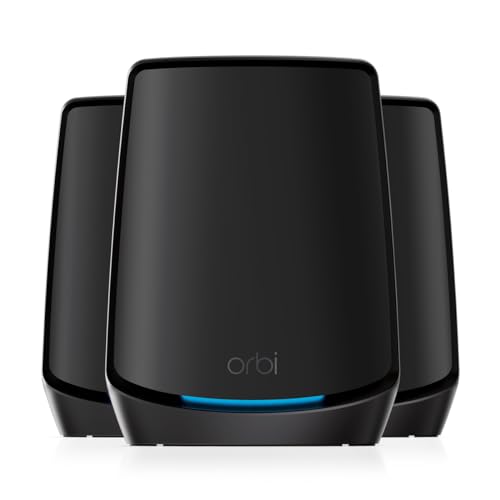
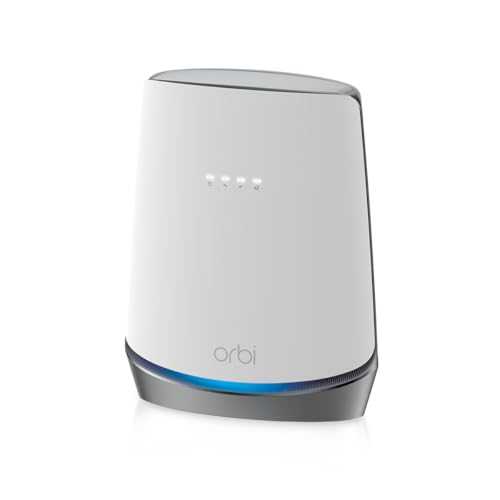
The NETGEAR RBS50-100PES Orbi Extra Satellite is the add-on node for the Orbi RBK50 system, one of the mesh setups that genuinely changed how people thought about whole-home Wi-Fi when it launched. This is not the router. This is the satellite you buy when the router alone doesn't cut it, when the far end of a big house, the garage, the garden office, or the basement still sits in a dead zone. The question isn't whether NETGEAR can shift units. The question is whether this satellite, at its price point, still makes sense in a market that has moved on considerably since the RBK50 first appeared.
The answer is nuanced. And nuanced in networking usually means "it depends on what you already own and what you're trying to solve." So here's what you actually need to know, grounded in the spec sheet and what the thousand-plus owners who bought this thing have consistently reported.
Core Specifications
The RBS50 is a tri-band Wi-Fi 5 (802.11ac) satellite. Tri-band here means one 2.4GHz band and two separate 5GHz bands. That second 5GHz band is what makes the Orbi system interesting, because NETGEAR dedicates it entirely to backhaul, meaning the link between this satellite and the router. That is the architectural decision that separates the Orbi from cheaper mesh systems and basic range extenders. More on that in a moment.
The satellite has four internal antennas and supports 4x4 MU-MIMO (Multi-User, Multiple Input, Multiple Output), which allows it to communicate with multiple devices simultaneously rather than taking turns. The theoretical aggregate speed is 3,000Mbps across all bands, broken down as 400Mbps on 2.4GHz, 866Mbps on the client-facing 5GHz band, and 1,733Mbps on the dedicated backhaul 5GHz band. To be clear: nobody's devices will see those numbers. They are the theoretical sum of every band at ideal conditions. What matters is that the backhaul band has serious capacity, which keeps the client-facing band from being throttled by the satellite's own housekeeping traffic.
Coverage is rated by NETGEAR at up to 2,500 square feet per unit, which in practice means a large detached house or a flat with genuinely awkward layout might need just the one satellite alongside the router. The satellite has two Gigabit Ethernet ports on the back, which is useful for wired backhaul or plugging in a device directly. There is no USB port on the satellite itself. Setup is handled through the Orbi app or the web interface at orbilogin.com. The satellite requires the RBK50 router to function; it cannot operate standalone.
| Specification | Detail |
|---|---|
| Wi-Fi Standard | Wi-Fi 5 (802.11ac) |
| Band Layout | Tri-band: 2.4GHz + 5GHz (client) + 5GHz (dedicated backhaul) |
| Theoretical Aggregate Speed | AC3000 (400 + 866 + 1,733 Mbps) |
| Backhaul Type | Dedicated 5GHz band (1,733 Mbps theoretical) |
| Antennas | 4x internal, 4x4 MU-MIMO |
| LAN Ports | 2x Gigabit Ethernet |
| USB | None on satellite |
| Coverage Rating | Up to 2,500 sq ft (manufacturer claim) |
| Compatibility | Requires NETGEAR Orbi RBK50 router (RBR50) |
| Dimensions | 170 x 70 x 184mm (approx) |

Real-World Coverage
NETGEAR's 2,500 square foot coverage claim for the satellite is the kind of number that's true under ideal conditions, which means a single-storey open-plan space with no thick walls, no reinforced concrete, and definitely no lead-lined Victorian plasterwork. Real houses are not like that. The moment you add floors, brick internal walls, or a kitchen full of appliances generating interference, that number shrinks. What the spec does tell you is that the RBS50 is built to cover a large area, not a single room. The four internal antennas and 4x4 MU-MIMO configuration give it the signal spread to handle a big floor plate.
What owners consistently report is that a single RBS50 satellite, paired with the RBR50 router, handles most UK three or four-bedroom houses well. The combination is regularly praised for eliminating dead zones in gardens, garages, and the far end of longer properties. The placement flexibility is genuinely useful: the satellite is mains-powered (no PoE), so you're looking for a wall socket in roughly the right spot, ideally somewhere between the router and the dead zone rather than at the very edge of coverage. Get placement right and owners report solid signal in rooms that were previously unusable.
Where the coverage story gets more complicated is in multi-storey properties with challenging construction. Some owners in older UK homes, particularly those with solid brick walls or thick floor joists, report needing the satellite closer to the router than they'd like, which reduces the area it can actually cover. A few have reported that placing the satellite at the very edge of the router's range causes sync issues. The honest advice from the owner community is to start with the satellite midway between the router and the problem area, not at the problem area itself. That's good mesh practice in general, but it's worth flagging here because it affects how much of your house you can actually cover with one satellite.
Sustained Speed Under Load
The AC3000 headline number is marketing shorthand for the theoretical sum of all three bands. It tells you almost nothing about what your laptop or phone will actually see. What matters is the client-facing 5GHz band (866Mbps theoretical) and, critically, how much of that throughput survives when the satellite is doing real work with multiple devices connected. This is where the dedicated backhaul architecture earns its keep.
Because the 1,733Mbps backhaul band is not shared with client devices, the satellite can maintain its link to the router without stealing bandwidth from your actual traffic. On a dual-band mesh system or a basic range extender, the device has to split its time between talking to the router and talking to your devices. That halving of available bandwidth is why cheap extenders often make things worse rather than better. The Orbi's architecture avoids that problem by design. Owners with fast broadband connections, in the 300 to 500Mbps range, consistently report that speeds through the satellite remain genuinely usable, not the crawl you'd expect from a shared-backhaul setup.
That said, this is still Wi-Fi 5. The maximum client-facing throughput on the 5GHz band is 866Mbps theoretical, and in practice, at a distance and through walls, you're looking at a fraction of that. Owners on gigabit broadband will notice the ceiling. If you're on a 1Gbps connection and you care about getting close to that speed wirelessly through the satellite, the RBS50 will be the bottleneck. For the majority of UK broadband connections, which are still in the 100 to 500Mbps range, this isn't a real-world problem. But it's worth knowing before you buy.
Mesh and Backhaul
Mesh networking is only as good as the link between nodes. A system that uses a shared band for backhaul, meaning the same radio that serves your devices is also handling the satellite-to-router traffic, is fundamentally compromised. You're paying for the convenience of a unified network name and roaming, but you're losing half your throughput in the process. This is the dirty secret of a lot of cheaper mesh systems and virtually all basic range extenders.
The Orbi's dedicated 5GHz backhaul band changes that equation. The 1,733Mbps theoretical backhaul channel is reserved entirely for node-to-node communication. Your phones, laptops, and smart home devices connect to the 2.4GHz and client-facing 5GHz bands, and they never compete with the backhaul traffic. In practical terms, this means the satellite can maintain a fast, stable link to the router while simultaneously serving a house full of devices. Owners who've upgraded from dual-band mesh systems or extenders to the Orbi consistently note the difference in stability and throughput consistency.
The satellite also supports wired backhaul through its Gigabit Ethernet ports. If you can run a cable from the router to the satellite, or connect the satellite to a switch that's wired back to the router, you bypass the wireless backhaul entirely and get a genuinely solid connection. This is the best possible scenario for throughput and latency. Not everyone can do it, and the Orbi's wireless backhaul is good enough that most people don't need to, but the option is there and it's worth using if you can. It's one of those features that separates a properly designed system from something that was bolted together to hit a price point.
Device Capacity
Modern homes have a lot of devices. A typical UK household in 2025 might have four or five smartphones, two or three laptops, a couple of smart TVs, a games console, a tablet, a smart doorbell, several smart plugs, some smart bulbs, a thermostat, and maybe a NAS or two. That's thirty-plus clients without even trying. Cheap routers and basic extenders choke on this load. The processor can't handle the connection table, the radio management falls apart, and you end up with random dropouts and sluggish performance that no amount of rebooting fully fixes.
The RBS50's 4x4 MU-MIMO support means it can communicate with up to four devices simultaneously on the 5GHz client band, rather than serving each device in sequence. This matters in a busy home because it reduces the queuing delay that builds up when lots of devices are all trying to get airtime at once. It's not OFDMA (Orthogonal Frequency Division Multiple Access), which is the Wi-Fi 6 feature that handles dense device environments even more efficiently, but MU-MIMO is a meaningful improvement over single-user MIMO for a house with lots of concurrent activity.
Owners with large households and high device counts generally report positive experiences with the Orbi system's capacity. The dedicated backhaul helps here too, because the satellite isn't dropping client connections to service its router link. Where people do report issues is in very dense smart home setups with dozens of IoT devices all on 2.4GHz. The 2.4GHz band has a theoretical ceiling of 400Mbps and is shared across everything that can't connect to 5GHz. If you've got forty-plus IoT devices, you might find the 2.4GHz band becomes congested. The practical workaround is to segregate IoT devices onto a guest network, which the Orbi supports, and keep your main network for higher-demand clients.
Wi-Fi Standard and Future-Proofing
The RBS50 is Wi-Fi 5. Full stop. In 2025, that's a genuine conversation worth having, because Wi-Fi 6 systems are now mainstream, Wi-Fi 6E systems are available at reasonable prices, and Wi-Fi 7 is starting to appear in consumer hardware. The Wi-Fi 5 standard was finalised in 2013. It's not ancient, and it's not broken, but it is a generation behind what you'd get if you bought a new mesh system today.
What Wi-Fi 6 adds that actually matters: OFDMA for more efficient handling of many simultaneous devices, better performance in congested environments (useful in flats and dense housing), and Target Wake Time (TWT) for improved battery life on IoT devices. Wi-Fi 6E adds a 6GHz band that's completely free of the congestion that plagues 2.4GHz and, increasingly, 5GHz. For most UK households right now, the practical difference between a well-configured Wi-Fi 5 system and a Wi-Fi 6 system is smaller than the marketing suggests, because most client devices in the home are still Wi-Fi 5 or older, though a Wi-Fi 6 USB dongle can bring an older laptop up to date cheaply. But if you're buying new, the argument for Wi-Fi 5 gets harder to make.
The honest framing for the RBS50 is this: if you already own the RBK50 router and you need to extend your existing Orbi system, this satellite makes complete sense. It integrates perfectly, it's cheaper than replacing the whole system, and the Wi-Fi 5 performance is still genuinely good for most real-world use cases. If you're starting from scratch with no existing Orbi kit, buying a Wi-Fi 5 satellite and router system in 2025 is harder to justify when Wi-Fi 6 mesh systems exist at similar or lower prices. The RBS50 is an upgrade for existing Orbi owners, not a first purchase recommendation.

Features and QoS
The Orbi system's feature set is managed through the Orbi app and the web interface. QoS (Quality of Service, the ability to prioritise certain traffic types or devices so that, say, your video call doesn't get murdered by someone's 4K download) is available on the RBK50 system. It's not the most granular implementation in the world: you can prioritise by device category rather than doing deep per-application control, but it's functional and it works well enough for the main use case, which is stopping one heavy user from wrecking the experience for everyone else.
Parental controls are handled through NETGEAR's Circle integration, which allows content filtering and time scheduling per device. The catch is that some Circle features require a subscription after the initial trial period. That's a legitimate gripe from owners, and it's worth knowing upfront. The basic parental controls are free; the more granular filtering and scheduling costs extra. In a market where plenty of competitors bundle this in for free, it's a bit cheeky.
Guest network support is solid, with separate SSIDs for 2.4GHz and 5GHz, and the ability to isolate guest devices from the main network. This is genuinely useful for IoT segregation as well as actual guests. There's no built-in VPN server on the satellite itself (that's a router function), and the RBR50 router's VPN support is limited to basic OpenVPN client functionality. Buffer bloat handling is decent but not exceptional: the Orbi system doesn't have the kind of active queue management (like FQ-CoDel) that you'd get on a proper open-source firmware router, but owners don't consistently report it as a major issue in normal use.
Firmware, App and Security Updates
This is where the RBS50's age becomes a real concern. The RBK50 system launched in 2016. NETGEAR has continued to push firmware updates, and the system has received security patches well past what many manufacturers bother with for older hardware. That's genuinely commendable. But the cadence of updates has slowed, and there's a reasonable question about how much longer NETGEAR will actively maintain this platform. NETGEAR's security advisory page does list historical patches for the Orbi line, which at least shows they've taken it seriously.
The Orbi app has had a chequered history. Earlier versions were frequently criticised for being slow, buggy, and occasionally failing to connect to the system at all. More recent versions are considerably better, and the current app reviews are more positive than they were in 2018 or 2019. But this is a pattern worth noting: NETGEAR's app quality has been inconsistent, and some owners still prefer to manage everything through the web interface at orbilogin.com, which is more stable and more feature-complete. If you're someone who wants to manage your network entirely from your phone with a polished app experience, the Orbi is not the gold standard for that.
The reboot question: owners do report occasional reboots needed, but this is not a universal complaint and it's not the weekly-reboot-required situation you see with some cheaper hardware. The more common firmware-related complaint is that automatic firmware updates sometimes cause temporary disruption, and a few owners have reported that updates occasionally reset custom settings. Turning off automatic updates and doing them manually when you're not relying on the connection is the practical workaround. Not ideal, but manageable.
Setup and Management
Setup for the RBS50 is straightforward if you already have the RBR50 router running. You plug in the satellite, open the Orbi app, and it finds the new node and syncs it to your existing network. The whole process takes a few minutes. NETGEAR has put genuine effort into making the onboarding flow accessible to non-technical users, and for the most part it works. The satellite has a sync button on the back and an LED ring on top that pulses different colours to indicate status: white for good, blue for syncing, magenta for no connection. Simple enough that you don't need to read the manual.
Ongoing management is where your preference for app vs web interface matters. The app gives you device lists, basic QoS, speed tests, and parental controls. The web interface gives you more detailed settings including port forwarding, DHCP configuration, and more granular wireless settings. For most users, the app is sufficient. For anyone who wants to do anything beyond the basics, the web interface is where you'll end up. It's not as polished as some competitors but it's functional and reasonably well laid out.
One thing worth flagging for less technical buyers: the satellite is an add-on to an existing system. If you buy this expecting it to work standalone, it won't. You need the RBR50 router. NETGEAR makes this reasonably clear in the product listing, but it's the kind of thing that catches people out, and it's the most common source of one-star reviews from people who bought the satellite without realising it's not a complete system on its own. If you're buying the whole RBK50 kit (router plus satellite), this isn't an issue. If you're buying just the satellite to extend an existing Orbi setup, you're fine. If you're buying it as a standalone Wi-Fi solution, you'll be disappointed.
Ports and Connectivity
The RBS50 satellite has two Gigabit Ethernet ports. That's it for physical connectivity. No USB, no 2.5GbE, no link aggregation. In 2016, two Gigabit ports on a satellite was fine. In 2025, it's showing its age. If you want to connect a wired device to the satellite, you've got two ports to work with, and for laptops lacking a port a USB Ethernet adapter bridges the gap neatly. If you need more, you'll want a small switch. The absence of a 2.5GbE port means that even if you're using wired backhaul, you're capped at 1Gbps on that link, which is fine for most broadband connections but starts to matter if you're on a full gigabit connection and want the backhaul to not be the bottleneck.
The two Gigabit ports serve double duty: one can be used for wired backhaul (connecting the satellite to the router or a switch on the router's network via Ethernet), and the other can be used for a wired client device. Or you can use both for wired clients if you're relying on wireless backhaul. The flexibility is useful even if the port count is modest. NETGEAR does not include a PoE option for the satellite, so you need a mains socket nearby. That's standard for consumer mesh systems but it does limit placement options in some environments.
There's no USB port on the satellite, which means no local storage access or printer sharing from the satellite node. The RBR50 router does have a USB 3.0 port for storage, but that's on the router side of the network. If you want USB storage accessible across the whole mesh, you'd need to connect it to the router, not the satellite. Minor point for most people, but worth knowing if you were planning to use the satellite as a NAS access point.
How It Compares
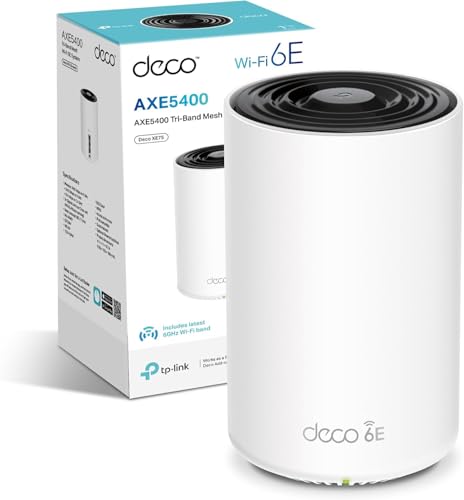
The natural comparisons for the RBS50 are other mesh satellite add-ons and, increasingly, whole new Wi-Fi 6 mesh systems. The two I'd put it against are the TP-Link Deco XE75 Pro node (part of a Wi-Fi 6E tri-band mesh system) and the ASUS ZenWiFi AX XT8 node (Wi-Fi 6, tri-band with dedicated backhaul). Both represent what you'd be buying new in 2025 at a similar or comparable price point.
The TP-Link Deco XE75 Pro brings Wi-Fi 6E to the table, including that 6GHz band that's completely clear of legacy interference. It handles dense device environments better thanks to OFDMA, and it's a newer platform with a longer support runway. The ASUS ZenWiFi AX XT8 is arguably the closest architectural comparison to the Orbi: tri-band Wi-Fi 6 with a dedicated backhaul band, strong performance reputation, and a more capable app ecosystem. Both would be better starting points for someone building a new mesh system today.
Where the RBS50 wins is in one specific scenario: you already own the RBK50 router. In that case, buying a compatible satellite to extend your existing network is almost always cheaper than replacing the entire system, and the RBS50 integrates perfectly with what you already have. The dedicated backhaul architecture still holds up, the coverage is still solid, and the performance is still more than adequate for most UK broadband connections. It's a sensible upgrade for existing Orbi owners. It's a harder sell as a first purchase in a market that's moved on.
| Feature | NETGEAR RBS50-100PES Orbi Extra Satellite | ASUS ZenWiFi AX XT8 Node | TP-Link Deco XE75 Pro Node |
|---|---|---|---|
| Wi-Fi Standard | Wi-Fi 5 (802.11ac) | Wi-Fi 6 (802.11ax) | Wi-Fi 6E (802.11ax) |
| Band Layout | Tri-band (2.4GHz + 5GHz + 5GHz dedicated backhaul) | Tri-band (2.4GHz + 5GHz + 5GHz dedicated backhaul) | Tri-band (2.4GHz + 5GHz + 6GHz backhaul/client) |
| Dedicated Backhaul | Yes (5GHz, 1,733Mbps theoretical) | Yes (5GHz, 4,804Mbps theoretical) | Yes (6GHz capable) |
| MU-MIMO | 4x4 | 4x4 | 4x4 |
| OFDMA | No | Yes | Yes |
| LAN Ports | 2x Gigabit | 1x 2.5GbE + 1x Gigabit | 2x Gigabit |
| Wired Backhaul | Yes (Gigabit) | Yes (2.5GbE) | Yes (Gigabit) |

Final Verdict
The NETGEAR RBS50-100PES Orbi Extra Satellite WLAN System is a product with a very specific right answer and a very specific wrong answer. The right answer: you own the RBK50 router, you've got a dead zone you want to fix, and you don't want to replace a system that's otherwise working well. In that scenario, this satellite is exactly what you need. The dedicated 5GHz backhaul keeps the client-facing band clean, the coverage is genuinely good for a large home, and the integration with the existing Orbi system is smooth in the way that only happens when you're buying the same manufacturer's own extension hardware.
The wrong answer: you're starting from scratch and you're comparing this to a new Wi-Fi 6 or Wi-Fi 6E mesh system. On that comparison, the RBS50 loses. Wi-Fi 5 with no OFDMA, Gigabit-only ports, an app that's had a rocky history, and a platform that's now nearly a decade old. NETGEAR has supported it well, but it won't be supported forever, and the hardware ceiling is real. You'd be spending good money on yesterday's standard when today's standard is genuinely accessible.
Owner sentiment backs this up: a good overall rating from over a thousand reviews is a strong result, and the positive reviews consistently come from people who understand what they're buying, an extension to an existing Orbi setup that delivers solid, stable coverage without the faff of replacing everything. The negative reviews cluster around two things: people who bought it without realising it needs the RBR50 router, and people frustrated by the app's historical instability. Neither of those is a fundamental hardware problem, but both are worth knowing.
For existing Orbi RBK50 owners: this is the right satellite, priced fairly, and it will do exactly what it says. For everyone else: spend the same money on a Wi-Fi 6 mesh system and don't look back. The NETGEAR product page has the full compatibility details if you want to confirm it'll work with your existing setup before buying. The Wi-Fi Alliance's Wi-Fi 6 certification page is worth a look if you're weighing up whether upgrading the whole system makes more sense. And the 802.11ac standard page will tell you everything you ever wanted to know about the technology underpinning this satellite, if you're the sort of person who enjoys that kind of thing.
Score: 7.5 out of 10. Excellent architecture, still-decent performance, and a genuinely good upgrade for existing Orbi owners. Docked points for the age of the Wi-Fi standard, the app's inconsistent history, and the fact that better options exist if you're starting fresh. Buy it if you already own the RBK50. Don't buy it if you don't.
- Buy if: You own the RBK50 router and need to extend your Orbi network into a dead zone
- Buy if: You want dedicated backhaul without replacing a working system
- Skip if: You're building a new mesh network from scratch in 2025
- Skip if: You're on gigabit broadband and need the satellite to deliver near-gigabit speeds wirelessly
- Skip if: You don't already own the RBR50 router (this will not work standalone)
What works. What doesn’t.
6 + 6What we liked6 reasons
- Dedicated 5GHz backhaul band keeps client-facing throughput clean and uncompromised
- Strong real-world coverage for large UK homes, regularly eliminating dead zones in gardens and far rooms
- Perfect drop-in integration with the existing Orbi RBK50 system, requiring minimal setup
- Wired backhaul option via Gigabit Ethernet ports adds flexibility for best-case throughput
- 4x4 MU-MIMO support handles busy households with many simultaneous devices better than basic extenders
- NETGEAR has continued to push security firmware updates well past what many manufacturers bother with for older hardware
Where it falls6 reasons
- Wi-Fi 5 (802.11ac) is a generation behind current mainstream standards, with no OFDMA support
- Cannot operate standalone and is completely useless without the RBR50 router, a common source of buyer confusion
- App has a historically inconsistent reputation and some owners still prefer the web interface for reliability
- Only two Gigabit Ethernet ports with no 2.5GbE option, which limits wired backhaul throughput on fast connections
- Granular parental controls require a paid Circle subscription after the initial trial period
- A platform approaching a decade old raises legitimate questions about how much longer firmware support will continue
Full specifications
7 attributes| Coverage SQM | 175 |
|---|---|
| Launch year | 2016 |
| Mesh capable | true |
| Ports | 4x 1GbE LAN, 1x USB 2.0 |
| TOP speed mbps | 3000 |
| Type | mesh_router |
| Wifi standard | Wi-Fi 5 |
Frequently asked
7 questions01Does the NETGEAR RBS50-100PES work as a standalone router or access point?+
No. The RBS50 satellite requires the NETGEAR Orbi RBR50 router to function. It cannot operate as a standalone device and will not work without the RBR50 as the network's central router. This is the most common cause of buyer disappointment, so it is worth confirming before purchase.
02What is the dedicated backhaul band and why does it matter?+
The RBS50 reserves one of its two 5GHz radios exclusively for communication between the satellite and the RBR50 router. This means your phones, laptops, and other devices connect to the separate client-facing bands without competing with the satellite's own housekeeping traffic. The result is more consistent throughput compared with dual-band mesh systems or range extenders that share a single radio for both backhaul and client connections.
03Can I use a wired Ethernet connection instead of wireless backhaul?+
Yes. The RBS50 has two Gigabit Ethernet ports, and one of these can be used for wired backhaul by connecting the satellite to the router or to a switch that is wired back to the router. Wired backhaul eliminates wireless interference entirely and provides the most stable and fastest possible connection between nodes. Both Gigabit ports can alternatively be used for wired client devices if you are relying on wireless backhaul.
04Is the RBS50 compatible with newer Orbi satellites or routers?+
The RBS50 is designed specifically for the RBK50 system and pairs with the RBR50 router. It is not cross-compatible with the newer Orbi Pro or Orbi Wi-Fi 6 product lines, which use different hardware platforms and protocols. If you are considering upgrading to a newer Orbi system, you would need to replace both the router and satellite rather than mixing generations.
05How does Wi-Fi 5 on the RBS50 compare to Wi-Fi 6 mesh systems available in 2025?+
Wi-Fi 6 adds OFDMA for more efficient handling of many simultaneous devices, improved performance in congested environments, and better battery management for IoT devices via Target Wake Time. Wi-Fi 6E adds a 6GHz band free of legacy interference. For most UK broadband connections in the 100 to 500Mbps range, a well-configured Wi-Fi 5 system like the Orbi RBK50 delivers perfectly usable real-world performance. The gap becomes more noticeable on gigabit connections or in homes with very high device counts, where Wi-Fi 6 handles the load more efficiently.
06What parental controls does the RBS50 system offer, and are they free?+
Parental controls on the Orbi system are handled through NETGEAR's Circle integration. Basic controls are available without charge, but more granular content filtering and per-device scheduling require a paid Circle subscription after an initial trial period. If comprehensive free parental controls are important to you, it is worth comparing this against competitors who bundle equivalent features at no extra cost.
07How many devices can the RBS50 satellite handle simultaneously?+
The satellite supports 4x4 MU-MIMO on its client-facing 5GHz band, allowing it to communicate with up to four devices at the same time rather than in sequence. In practice, owners with large households report positive experiences, though very dense IoT setups with forty or more devices on 2.4GHz can cause congestion on that band. Using the Orbi's guest network to segregate IoT devices from primary clients is the recommended workaround for very device-heavy homes.