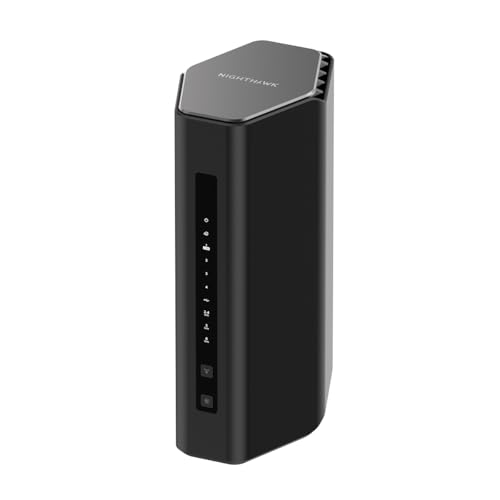
Every year or so, a new Wi-Fi number lands on router boxes and suddenly everyone's supposed to feel embarrassed about their current kit. Wi-Fi 7 is the latest, and the marketing around it is properly breathless. But here's what actually matters: can your phone use it? Can your laptop? And will it fix the dead zone at the far end of your house, or just add a bigger number to your router's label? Those are the questions worth asking before you hand over the thick end of three hundred quid for the NETGEAR Nighthawk WiFi 7 Router (BE9300).
The honest verdict? This is a genuinely capable piece of kit for the right home. It's a tri-band Wi-Fi 7 router with a 2.5GbE WAN port, solid coverage for larger homes, and enough headroom for the kind of device count that would have made a router from five years ago weep. The thousands of owner reviews average out at 4.4 stars, and the consistent themes are strong coverage, noticeably faster speeds versus older routers, and a setup process that doesn't require a networking degree. But it's not for everyone. If your house is a standard three-bed semi and your broadband tops out at 100Mbps, there are smarter places to spend this money. More on that at the end.
So who is it for? Larger homes with thick walls, multi-floor layouts, or a genuinely busy network. Households where someone's gaming, someone else is streaming 4K, and the kids are hammering YouTube simultaneously. People who've already got a gigabit or faster broadband connection and are tired of their ISP-supplied router bottlenecking everything. If that sounds like you, read on.
Core Specifications
The BE9300 is a tri-band Wi-Fi 7 router. That 9.3Gbps headline figure is the theoretical combined maximum across all three bands: 2.4GHz, 5GHz, and 6GHz. Nobody will ever see 9.3Gbps in real life, and NETGEAR knows that. The number is calculated by adding up the peak theoretical throughput on every band simultaneously, measured centimetres from the antennas, with no interference and no walls. It's a spec-sheet fiction. What it does tell you is that there's serious radio capacity here, and that the 6GHz band (the new one Wi-Fi 7 introduces properly) is available for devices that can use it.
The WAN port is 2.5GbE, which is the right call for 2025 and beyond. Most people are still on 1Gbps broadband or slower, so this is future-proofing that actually makes sense rather than just adding a number. The LAN side has four Gigabit Ethernet ports, which is fine for most homes, though if you're running a NAS or a wired switch you might want more speed there. USB 3.0 is on board for network-attached storage or a shared printer. The router is rated to cover 2,500 square feet and handle up to 100 connected devices. Both of those figures are manufacturer best-case estimates, but they're not wildly out of step with what owners report for large UK homes.
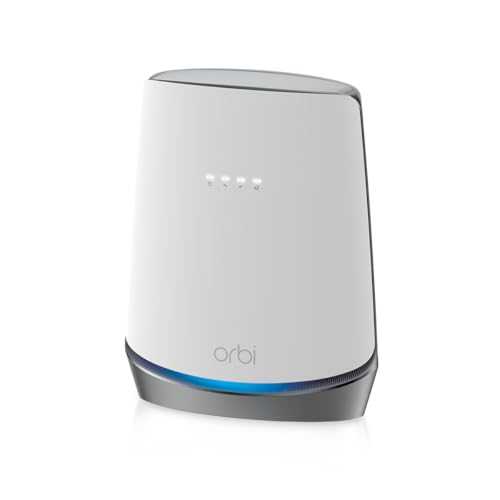
The antenna setup is internal, so there are no spindly aerials sticking out like a 2009 flashback. The design is the classic Nighthawk wedge, which either looks properly aggressive or a bit try-hard depending on your tolerance for gaming-router aesthetics. It's not small. You'll want to put it somewhere with decent airflow because the spec sheet implies this thing runs warm under sustained load, and several owners mention it gets noticeably hot.
| Specification | Detail |
|---|---|
| Wi-Fi Standard | Wi-Fi 7 (802.11be) |
| Band Layout | Tri-band: 2.4GHz + 5GHz + 6GHz |
| Combined Theoretical Speed | 9.3Gbps (marketing peak, not real-world) |
| WAN Port | 2.5GbE |
| LAN Ports | 4 x Gigabit Ethernet |
| USB | USB 3.0 |
| Coverage Rating | Up to 2,500 sq. ft. (manufacturer estimate) |
| Device Capacity | Up to 100 devices |
| VPN | Built-in |
| Security | WPA3, NETGEAR Armor (subscription) |
| Antenna Config | Internal antennas |
| Price | £354.63 · Details |

Real-World Coverage and the NETGEAR Nighthawk WiFi 7 Router
NETGEAR rates this at 2,500 square feet. That's roughly equivalent to a large four or five-bedroom detached house in UK terms, or a generous three-storey home. To be clear: that's a best-case, open-plan, no-interference figure. Your Victorian terrace with its original lathe-and-plaster walls, your 1970s semi with its concrete block internal partitions, or your home with a conservatory bolted on the back will all see lower effective coverage. Walls eat Wi-Fi signal. Floors eat it more. That's physics, not a NETGEAR problem.
What owners consistently report is that the BE9300 handles real homes well for its class. The pattern in the reviews is strong signal through two floors, good reach to the far end of larger properties, and the 6GHz band delivering noticeably better speeds in rooms that are close to the router. Where owners in smaller homes see the biggest jump is in speed and consistency rather than raw coverage distance, because they're already within range of their old router but were getting throttled by congestion or an older Wi-Fi standard.
For very large homes, or homes with awkward layouts (long and thin, lots of internal walls, a detached garage you want to cover), a single router of any kind will struggle. The BE9300 is a single unit. It's not a mesh system. If your home genuinely needs multiple access points, a mesh setup is what you want, and this isn't that. But for a large home where the router can be placed centrally, the spec and owner feedback both suggest it does a proper job of filling the space. A few owners with three-storey properties report needing to add an extender or a second access point for the top floor, which is honest and expected at this coverage rating.
Sustained Speed Under Load
The 9.3Gbps number on the box is the theoretical combined maximum across all three bands. Your phone will never see 9.3Gbps. Your laptop won't either. What the spec actually tells you is that each band has substantial capacity, and that the 6GHz band (the fastest, least congested of the three) is available for devices that support Wi-Fi 7 or Wi-Fi 6E. In a busy household, having three separate bands means the router isn't cramming all your devices onto one congested channel, which is where the real-world speed improvement comes from.
Owners upgrading from Wi-Fi 5 or Wi-Fi 6 routers consistently report meaningful speed increases, particularly on devices close to the router. The 6GHz band, where supported by the client device, delivers the biggest jump because it's less crowded spectrum with wider channels available. Away from the router, the 5GHz band does the heavy lifting for most current devices, and the 2.4GHz band handles range and IoT devices. This is the right architecture for a busy home network. The tri-band layout means you're not robbing Peter to pay Paul the way a dual-band router does when it gets congested.
What matters for sustained throughput under load is whether the router can handle multiple simultaneous streams without degrading. The BE9300 supports MU-MIMO (Multi-User, Multiple Input, Multiple Output) and OFDMA (Orthogonal Frequency Division Multiple Access), both of which are Wi-Fi 7 features that help it serve multiple devices simultaneously rather than queuing them up. In practice, this is what stops your game lagging when someone else starts a 4K stream. Owners with high-device-count homes report it handles the load well, with fewer of the congestion-related slowdowns they experienced on older routers.
Mesh and Backhaul
This is a single router, not a mesh system. That's an important distinction. Mesh networking involves multiple nodes that talk to each other, spreading coverage across a larger area. The BE9300 doesn't do that out of the box. What it does is provide a single powerful access point with three bands, which for many homes is exactly what's needed. The appeal of mesh is filling dead zones in large or awkward properties. The appeal of a single powerful router is simplicity, no inter-node backhaul overhead, and lower cost.
If you're considering the BE9300 because you have dead zones in your home, it's worth being honest with yourself about whether a single router, even a very good one, will fix that. If the dead zone is caused by distance and walls between you and where the router has to live (next to the incoming broadband connection), a single router might not solve it regardless of how powerful it is. In that case, a mesh system or a powerline adapter with a wireless access point at the far end might be a better answer.
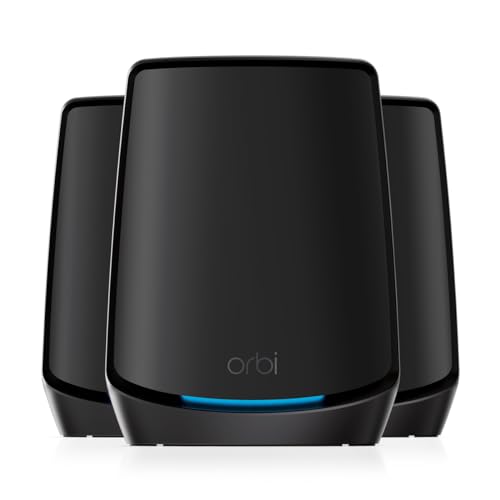
Where the BE9300 does have an advantage over entry-level mesh systems is in the quality of the connection it provides to devices in range. Mesh systems that use a shared band for backhaul (the node-to-node communication) sacrifice usable bandwidth to keep the nodes talking. A single powerful router avoids that trade-off entirely. So if your home is within range of a centrally placed router, the BE9300 will typically deliver better throughput to each device than a budget dual-band mesh system would. NETGEAR does have its own Orbi mesh ecosystem if you need multi-node coverage, but that's a different product and a different budget conversation.
Device Capacity
A hundred devices. That's what NETGEAR claims this can handle. Is that realistic? Sort of. The spec supports it in theory, and the MU-MIMO and OFDMA implementations on a Wi-Fi 7 router are genuinely better at handling large device counts than older standards. But a hundred devices all actively streaming or downloading simultaneously is a different thing from a hundred devices connected, most of which are idle. Your smart bulbs, your thermostats, your doorbell, your security cameras, they're all connected but they're mostly quiet. The active load on any given moment is usually much lower than the total device count.
For a modern UK family home, thirty to fifty connected devices is increasingly normal. Phones, tablets, laptops, smart TVs, consoles, streaming sticks, smart speakers, a handful of smart plugs, a doorbell camera, maybe a baby monitor. Add a couple of work-from-home laptops doing video calls and you've got a network that would have made a router from 2018 genuinely struggle. The BE9300's tri-band layout and Wi-Fi 7's improved spectral efficiency mean it's well-positioned for this kind of load.
Owners with genuinely large device counts, people who've set up smart home systems or who have multiple people working and gaming from home simultaneously, report that the BE9300 handles the chaos well. The 2.4GHz band does what 2.4GHz is supposed to do: it covers IoT devices and anything that needs range over speed. The 5GHz band takes the bulk of the laptop and phone traffic. And the 6GHz band, for the devices that support it, provides a fast, uncongested lane. That's the right division of labour.
Wi-Fi Standard and Future-Proofing: The NETGEAR Nighthawk WiFi 7 Router Honestly Assessed
Here's the bit where I'm going to be straight with you about Wi-Fi 7. Most of your current devices can't use it. Your existing phone, unless it's a very recent flagship (iPhone 15 Pro and later, Samsung Galaxy S24 series and later, a handful of recent Android flagships), is Wi-Fi 6 or Wi-Fi 6E at best. Your laptop is probably Wi-Fi 6. Your smart home devices are almost certainly Wi-Fi 5 or Wi-Fi 4. So when you buy a Wi-Fi 7 router, the majority of your devices are connecting at the older standard they support, not at Wi-Fi 7.
Does that mean the BE9300 is pointless? Not at all. But the reason to buy it isn't primarily "my devices need Wi-Fi 7 right now." The reason is that it's a very capable Wi-Fi 6E and Wi-Fi 6 router for your current devices, and it's properly future-proofed for when you do upgrade your phone or laptop. The 6GHz band is available for Wi-Fi 6E devices today, and the router's overall architecture, the tri-band layout, the 2.5GbE WAN port, the processing capacity, means it won't be a bottleneck for the next several years.
The Wi-Fi Alliance's Wi-Fi 7 certification brings genuine improvements: Multi-Link Operation (MLO), which lets a device use multiple bands simultaneously for better throughput and lower latency, and 320MHz channels on 6GHz for faster peak speeds. These are real advances. But they need client devices that support them, and right now that's a short list. Buy this router because it's a good router for today, not because Wi-Fi 7 will transform your network overnight.

Features and QoS
The built-in VPN is a genuine feature, not just a checkbox. You can configure it to route your traffic through a VPN server, which is useful for remote access to your home network or for privacy on your connection. The implementation is standard (OpenVPN support via the firmware), and owners who've used it report it works as expected. It's not a commercial VPN service, it's a VPN server you're running yourself, so you'll need to understand the difference before you rely on it.
QoS (Quality of Service) is the feature that stops your game lagging when someone starts a 4K download. The Nighthawk firmware has QoS settings that let you prioritise specific devices or types of traffic. The implementation has improved over the years, and owners report it does what it's supposed to. Whether you need to fiddle with it depends on your household. If everyone's online simultaneously and bandwidth is tight, proper QoS is the difference between a usable gaming session and a frustrating one. The BE9300's processing headroom means it can actually run QoS without introducing its own latency, which is a problem with cheaper routers.
NETGEAR Armor is the security subscription that comes bundled (with a trial period, after which it's a paid subscription). It provides antivirus and anti-malware scanning at the router level, blocking threats before they reach your devices. It's powered by Bitdefender. Useful if you have a lot of IoT devices that you can't easily run security software on. Not essential if you're already running good endpoint security on your main devices. The parental controls are also tied into the Armor ecosystem, which means they're decent but they do require the subscription to get the full feature set. Guest network support is present and works as expected.
Firmware, App and Security Updates
NETGEAR's track record on firmware support is mixed, and it's worth being honest about that. The Nighthawk app (available for iOS and Android) handles setup and day-to-day management, and for recent models like the BE9300, it works well. Owners report the app is stable and the setup process is straightforward. The web interface is also available for people who prefer it, and it gives you more granular control than the app does.
The security update question is the one that matters most for a router. A router that stops getting security patches is a liability sitting on your network. NETGEAR has historically supported its higher-end Nighthawk models for several years, and the BE9300, being a current flagship Wi-Fi 7 product, should be in active support for the foreseeable future. The NETGEAR security advisory page is worth bookmarking, as it lists active vulnerabilities and patches for their products. It's not the most reassuring page to read, but at least NETGEAR publishes it, which is more than some brands do.
The reboot question. Does it need a weekly restart to stay stable? Based on owner reports, the BE9300 is generally stable without regular manual reboots, which puts it ahead of some competitors in this class. A handful of owners mention occasional connectivity hiccups that a reboot fixes, but this isn't a consistent theme in the reviews the way it is with some cheaper routers. Automatic firmware updates can be enabled, which is the right default for most users. The app notifies you when updates are available, and the installation process is straightforward.
Setup and Management
Setup via the Nighthawk app is the recommended route, and owners consistently say it's one of the easier router setups they've done. You download the app, follow the steps, and it walks you through connecting the router, setting your network name and password, and running a basic speed test. The whole process takes around fifteen minutes for most people. It is also worth pairing your home network with a good VPN, which adds a privacy and security layer on top and keeps you protected on public Wi-Fi when you are away from home. You don't need to touch the web interface to get a working network, which is the right approach for a product at this price point.
The web interface is there for people who want it, and it's more powerful than the app. You can get into QoS settings, VPN configuration, port forwarding, DNS settings, and the more granular Wi-Fi controls (channel selection, transmit power, band steering) through the browser interface. It's not the most beautiful interface in the world, but it's functional and it hasn't changed so radically that existing Nighthawk users will be lost. If you're comfortable with router admin pages, you'll find everything you need.
Day-to-day management through the app is fine. You can see connected devices, run speed tests, set up parental controls, and manage the guest network without opening a browser. The app has improved significantly over the past couple of years. Older reviews mention app instability, but more recent feedback is much more positive. Remote management (controlling your router when you're not at home) works through the app, which is useful if you want to check on things or reboot remotely.
Ports and Connectivity
The 2.5GbE WAN port is the headline here, and it matters. If you have a broadband connection faster than 1Gbps (increasingly common with full-fibre providers in the UK), a router with only a 1GbE WAN port is a bottleneck right there at the front door. The BE9300's 2.5GbE WAN port means it can handle up to 2.5Gbps from your ISP without breaking a sweat. Most people aren't on 2.5Gbps broadband yet, but this is the right port for where the market is heading.
The four LAN ports are standard Gigabit Ethernet (1GbE). That's fine for most use cases: wired gaming consoles, smart TVs, desktop PCs, a NAS. If you need 2.5GbE or 10GbE on the LAN side, this router doesn't provide it, which is a genuine limitation if you're running a fast NAS or want to take advantage of multi-gig speeds to a wired device. Competitors at similar price points sometimes offer a 2.5GbE LAN port, and notably, the absence here.
The USB 3.0 port lets you attach a USB drive and share it across the network as basic NAS storage, or connect a USB printer for shared printing. It's not a replacement for a proper NAS, but it's a useful extra. NETGEAR's ReadySHARE software handles the file sharing side. Owners who've used it for basic storage say it works, though speeds are limited by the USB 3.0 connection and the router's processor rather than the storage device itself. For proper NAS performance, you'd want dedicated hardware, but for occasional file sharing it does the job.
How It Compares
The two most relevant alternatives at this price point are the TP-Link Archer BE550 and the ASUS RT-BE88U. Both are Wi-Fi 7 tri-band routers in broadly the same bracket. The comparison matters because the differences are real and they'll affect which one is right for you.
The TP-Link Archer BE550 is generally the cheaper option and offers a similar tri-band Wi-Fi 7 setup. TP-Link's firmware (via the Tether app or web interface) is solid, and the brand has a good track record for security updates on its higher-end products. Where the BE9300 has an edge is in raw processing power and the Nighthawk ecosystem, particularly if you're already invested in NETGEAR kit. TP-Link also offers its own security subscription (HomeCare), similar to NETGEAR Armor.
The ASUS RT-BE88U sits at the higher end of this comparison and offers more LAN-side speed (including 2.5GbE LAN ports) and ASUS's AiMesh compatibility, which lets you add other ASUS routers as nodes for mesh coverage. If multi-gig wired connections or the option to expand to mesh later matter to you, the ASUS is worth the extra outlay. ASUS's firmware (AiOS) is also widely regarded as one of the most feature-rich in the consumer space, with excellent QoS, VPN, and parental control implementations.
| Feature | NETGEAR Nighthawk BE9300 | TP-Link Archer BE550 | ASUS RT-BE88U |
|---|---|---|---|
| Wi-Fi Standard | Wi-Fi 7 | Wi-Fi 7 | Wi-Fi 7 |
| Band Layout | Tri-band (2.4 + 5 + 6GHz) | Tri-band (2.4 + 5 + 6GHz) | Tri-band (2.4 + 5 + 6GHz) |
| WAN Port | 2.5GbE | 2.5GbE | 10GbE |
| LAN Ports | 4 x 1GbE | 4 x 1GbE | 2 x 2.5GbE + 4 x 1GbE |
| USB | USB 3.0 | USB 3.0 | USB 3.0 |
| Built-in VPN | Yes | Yes | Yes |
| Security Subscription | NETGEAR Armor (trial then paid) | HomeCare (included) | AiProtection Pro (free) |
| Mesh Expandable | No (single router) | Yes (EasyMesh) | Yes (AiMesh) |
| Coverage Rating | 2,500 sq. ft. | 2,500 sq. ft. | 3,000 sq. ft. |
| Price | £354.63 · Details | Check Amazon | Check Amazon |
The comparison highlights a couple of things. ASUS's AiProtection Pro is included free (powered by Trend Micro), while NETGEAR's Armor requires a subscription after the trial. That's an ongoing cost to factor in if you want the security features. And the ASUS's AiMesh compatibility is a genuine advantage if you think you might want to expand to a multi-node setup later without replacing the router entirely.

Final Verdict
The NETGEAR Nighthawk WiFi 7 Router (BE9300) is a proper piece of kit for the right buyer. It's not oversold on its coverage, it handles a busy device count well, the 2.5GbE WAN port is the right call for faster broadband connections, and the owner feedback at 4.4 stars from thousands of reviews is consistently positive on the things that matter: speed improvement over older routers, coverage in larger homes, and a setup process that doesn't require a networking degree. The Wi-Fi 7 headline is honest future-proofing rather than immediate necessity for most buyers, and that's fine as long as you go in with eyes open.
The downsides are real but not dealbreakers. The LAN ports are standard Gigabit rather than multi-gig, which matters if you have a fast NAS or want wired multi-gig to a desktop. The NETGEAR Armor security subscription costs money after the trial, and ASUS gives you equivalent protection free. And it's a single router, not a mesh system, so if your home genuinely has dead zones caused by layout rather than just weak signal, you might need to add an extender or look at a mesh setup instead.
But here's the honest line: if your home is a standard three-bed semi, your broadband is under 500Mbps, and you don't have thirty-plus devices fighting for bandwidth, you don't need this router. A Wi-Fi 6 router in the £100 to £150 range will cover your home and handle your devices without you noticing the difference. The BE9300 earns its price in larger homes, faster broadband connections, and genuinely busy networks. Buy it for those reasons, not because Wi-Fi 7 sounds newer than what you've got.
Editorial score: 8 out of 10. Strong hardware, solid owner track record, honest future-proofing. Loses points for the subscription-gated security features and the 1GbE LAN ports at this price. The right router for the right home.
What works. What doesn’t.
5 + 4What we liked5 reasons
- Tri-band Wi-Fi 7 with a proper 6GHz band for future-ready devices
- 2.5GbE WAN port handles faster broadband connections without bottlenecking
- Strong coverage for larger homes with consistently positive owner feedback
- Handles 30-plus-device homes well thanks to MU-MIMO and OFDMA
- Straightforward setup via the Nighthawk app, stable firmware
Where it falls4 reasons
- LAN ports are only 1GbE, no multi-gig wired connections
- NETGEAR Armor security subscription costs extra after the trial period
- Single router only, no built-in mesh expansion capability
- Runs warm under load, needs good airflow
Full specifications
8 attributes| Antennas | 0 |
|---|---|
| Coverage SQM | 232 |
| Launch year | 2024 |
| Mesh capable | false |
| Ports | 1x 2.5GbE WAN, 2x 2.5GbE LAN, 2x 1GbE LAN, 1x USB 3.0 |
| TOP speed mbps | 9300 |
| Type | router |
| Wifi standard | Wi-Fi 7 |
If this isn’t right for you
2 options

Frequently asked
5 questions01Will the NETGEAR Nighthawk WiFi 7 Router (BE9300) cover my whole house?+
NETGEAR rates the BE9300 at 2,500 square feet, which roughly equates to a large four or five-bedroom detached house. That's a best-case figure in open-plan conditions. Real homes with thick walls, multiple floors, or awkward layouts will see lower effective coverage. Owner reports suggest it performs well in large UK homes when placed centrally, but very large or multi-storey properties may need an extender or a second access point for full coverage. If dead zones are caused by layout rather than signal strength, a mesh system may be a better solution than a single router of any kind.
02Do I really need Wi-Fi 7 for the NETGEAR Nighthawk WiFi 7 Router (BE9300)?+
Probably not right now, and that's fine. Most current phones, laptops, and smart home devices are Wi-Fi 6 or Wi-Fi 6E at best. The Wi-Fi 7 headline on the BE9300 is genuine future-proofing: when you next upgrade your phone or laptop to a Wi-Fi 7 capable model, the router will be ready. In the meantime, the BE9300 is an excellent Wi-Fi 6E and Wi-Fi 6 router for your current devices, and the 6GHz band is available today for any Wi-Fi 6E devices you already own. Buy it for the overall quality of the hardware and the future-proofing, not because Wi-Fi 7 will transform your network immediately.
03Is the NETGEAR Nighthawk WiFi 7 Router (BE9300) a mesh system?+
No. The BE9300 is a single router, not a mesh system. Mesh networking involves multiple nodes placed around your home that communicate with each other to extend coverage. The BE9300 provides a single powerful access point with three Wi-Fi bands, which is the right solution for many homes but won't fill dead zones caused by distance or walls the way a multi-node mesh system would. If you need coverage across a very large or awkward property, NETGEAR's Orbi mesh range is the alternative to consider. If your home is within range of a centrally placed router, the BE9300 will typically outperform a budget mesh system in throughput quality.
04Is the NETGEAR Nighthawk WiFi 7 Router (BE9300) easy to set up and reliable?+
Setup via the Nighthawk app gets consistently positive feedback from owners, with most reporting the process takes around fifteen minutes and doesn't require any technical knowledge. The app guides you through connecting the router, setting your network name and password, and running a basic speed test. Day-to-day reliability is generally good based on owner reports, with stable connections and no consistent pattern of needing regular reboots. A minority of owners mention occasional connectivity hiccups resolved by a reboot, but this isn't a widespread theme. Firmware updates can be set to install automatically, which is the recommended setting for most users.
05What warranty and returns apply to the NETGEAR Nighthawk WiFi 7 Router (BE9300)?+
Warranty details specific to this product are not confirmed in the verified product listing data. NETGEAR typically offers a one-year limited warranty on its consumer networking products, but you should check the current warranty terms directly on NETGEAR's website or in the product listing at point of purchase. If you buy through Amazon, you're also covered by Amazon's standard 30-day return policy and the A-to-Z Guarantee, which provides additional protection if the product doesn't arrive as described or develops a fault.