Most router reviews spend three paragraphs on the box art and then quote you a peak speed figure that your phone will never, ever see. What they skip is the stuff that actually determines whether you're still happy with this thing in a year: does the firmware get updated, does the app work properly, and does the signal hold up through two walls and a floor? Those are the questions that matter. The NETGEAR RAX20 4-Stream AX1800 WiFi 6 Router sits in the mid-range bracket where most people should be shopping, and it gets those fundamentals mostly right.
The verdict, up front: the RAX20 is a solid entry-level Wi-Fi 6 router for a flat, a small terraced house, or anyone upgrading from the plastic disaster their ISP shipped them. It won't cover a four-bedroom detached, and it's not going to impress anyone running forty-plus devices. But for a one or two-person household with a modest footprint and a broadband connection under 1Gbps, it does the job cleanly. Seventy-six owner reviews with a positive overall rating back that up. Not spectacular, but honest.
Where it gets more interesting is the detail underneath that headline. The RAX20 brings Wi-Fi 6's OFDMA and MU-MIMO to a price point where previously you'd have been stuck with ageing Wi-Fi 5 kit. That's genuinely useful, not marketing noise. But there are trade-offs to understand before you hand over your money, especially around port speeds and what happens when your network gets busy. So here's what the spec sheet and real owner feedback actually tell you.
Core Specifications: NETGEAR RAX20 4-Stream AX1800 WiFi 6 Router
The RAX20 is a dual-band Wi-Fi 6 router, running the 2.4GHz and 5GHz bands simultaneously. The AX1800 figure on the box is the combined theoretical maximum across both bands: 600Mbps on 2.4GHz and 1,200Mbps on 5GHz. Say it with me: nobody hits those numbers in a real home. What the spec tells you is that the 5GHz band is the workhorse here, and the 2.4GHz band is there for range and for the smart home devices that won't connect to 5GHz anyway. Four spatial streams total (2+2 configuration) means it can talk to multiple devices at once, which is where Wi-Fi 6's OFDMA capability earns its keep.
On the physical side, you get four external antennas, which NETGEAR rates for coverage up to around 1,500 square feet (roughly 140 square metres). That's a small house or a generous flat. The processor is a dual-core 1GHz chip, which is adequate for the throughput this router is targeting. Memory sits at 256MB RAM and 512MB flash, enough for the feature set on offer. No USB port, which rules out basic NAS functionality, but at this price point that's not a surprise and probably not why you're buying it.
Port-wise, you get one Gigabit WAN port and four Gigabit LAN ports. All 1GbE, so if you're on a full-gigabit broadband connection, you're already at the ceiling. That's a real limitation worth acknowledging. There's no 2.5GbE here, which is increasingly common on routers even slightly above this price tier. For most UK broadband packages that's fine, but check it before you buy.
| Specification | Detail |
|---|---|
| Wi-Fi Standard | Wi-Fi 6 (802.11ax) |
| Band Configuration | Dual-band (2.4GHz + 5GHz) |
| Max Theoretical Speed | AX1800 (600 + 1,200 Mbps combined) |
| Spatial Streams | 4-stream (2x2 on each band) |
| Processor | Dual-core 1GHz |
| RAM / Flash | 256MB / 512MB |
| Antennas | 4 external |
| Coverage Rating | Up to ~1,500 sq ft (140 sq m) |
| WAN Port | 1x Gigabit Ethernet |
| LAN Ports | 4x Gigabit Ethernet |
| USB | None |
| Security | WPA3, WPA2 |
| App | Nighthawk app (iOS / Android) |
| OFDMA / MU-MIMO | Yes (both bands) |
| Beamforming | Yes (implicit and explicit) |

Real-World Coverage and Signal Reach
NETGEAR's 1,500 square foot coverage claim is a best-case figure, measured in open-plan conditions with line of sight to the router. Real homes have walls, floors, furniture, and the kind of structural interference that turns that number into something considerably smaller. The four external antennas and beamforming support do help directional signal strength, but this is still a single router, not a mesh system, so there's a hard ceiling on what it can do.
Owner reports paint a consistent picture: the RAX20 handles a small flat or two-storey terraced house well. Signal reaches the back bedroom and the garden in a typical Victorian terrace without major complaints. Where owners start grumbling is in larger properties, particularly anything with solid stone walls or more than two floors. If you're in a three-bedroom semi with a concrete floor between storeys, you'll likely find the far end of the house marginal. That's not a criticism specific to the RAX20 so much as a statement about the limits of any single router at this price.
The 2.4GHz band is separately. It has better range through walls than 5GHz by nature of its longer wavelength, and the RAX20's 2x2 configuration on 2.4GHz means it's not being starved of antennas. Smart home devices that only speak 2.4GHz will connect reliably even at range. Several owners specifically call out that their IoT devices stay connected where they'd previously dropped off with older routers. That's a real-world win. The 5GHz band, with its higher throughput but shorter range, is best used for devices within comfortable distance of the router. Think living room, home office, the room next door.
Sustained Speed Under Load: What You Actually Get
The AX1800 figure on the box means nothing in practice. What matters is what throughput looks like at a realistic distance, with a realistic number of devices connected, doing realistic things. The 5GHz band on a 2x2 Wi-Fi 6 configuration can sustain somewhere in the region of 500 to 700Mbps at close range under good conditions, dropping as you move away or add walls between you and the router. Owners on fast broadband connections report that the RAX20 keeps up with their ISP connection comfortably in the same room or the room next door. That's the honest picture.
Where Wi-Fi 6 earns its keep is not in peak speed but in how it handles multiple devices at once. OFDMA (Orthogonal Frequency Division Multiple Access) lets the router divide its channel into smaller sub-channels and serve multiple devices simultaneously rather than taking turns. In a home with several devices active at once, this reduces the latency and the queuing delays that make Wi-Fi feel sluggish even when the raw speed looks fine. MU-MIMO (Multi-User, Multiple Input, Multiple Output) adds another layer of this with spatial separation. Both features are present on the RAX20 on both bands, which is the right way to do it.
The 1GbE WAN port is the real throughput ceiling here, and it's worth being blunt about it. If you're on a full-gigabit broadband package, you're at the maximum the WAN port can handle before wireless overhead even enters the picture. For most UK households on 100 to 500Mbps packages, this isn't a problem at all. But if you're planning to upgrade to a gigabit-plus connection in the near future, the RAX20 will become the bottleneck. Owner feedback doesn't flag this as a day-to-day issue for the majority, but it's a real spec limitation that faster alternatives at slightly higher prices address with 2.5GbE WAN ports.
Mesh and Backhaul: This Is a Single Router
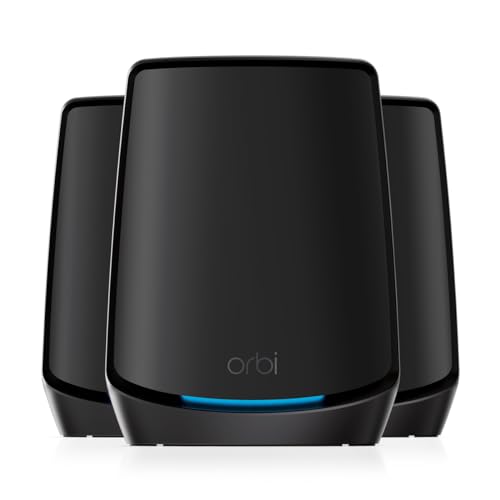
The RAX20 is not a mesh networking system. It's a single router. That distinction matters because mesh is often sold as the automatic answer to dead zones, and the RAX20 doesn't offer it natively. If you've got a coverage problem that a single router can't solve, you'll need to either pair the RAX20 with a compatible NETGEAR extender or look at a proper mesh system instead. NETGEAR's own Orbi range is the obvious step up, though it comes at a higher price.
What the RAX20 does support is being used as an access point if you wire it into an existing network. So if you already have a capable modem router from your ISP and just want better Wi-Fi 6 coverage in a specific area, you can run the RAX20 in access point mode and wire it back to your main router. That's a legitimate use case and a cheaper solution than replacing your whole setup. Several owners use it exactly this way, particularly those who've upgraded their ISP hardware but want Wi-Fi 6 in a specific part of the house.
If you do need to extend coverage beyond what the RAX20 can reach on its own, the standard approach is a Wi-Fi extender, but be aware of the trade-offs. A wireless extender creates a new network segment and typically halves the available bandwidth on the band it uses to talk back to the router, because it's receiving and retransmitting on the same channel. Wired extension (running an Ethernet cable to a second access point) avoids this entirely and is always the better solution if you can manage the cable run. The RAX20's four LAN ports make this straightforward if you have the infrastructure for it.
Device Capacity: How Many Devices Before It Struggles
NETGEAR rates the RAX20 for up to 20 devices. That's a meaningful number for a small household, less so for a family home with phones, laptops, tablets, smart TVs, consoles, streaming sticks, smart speakers, cameras, doorbells, plugs, and bulbs all competing for airtime. The 4-stream configuration (2x2 per band) means the router can serve two spatial streams per band simultaneously, which is fine for lighter loads but starts to show its limits when you push past fifteen or so active clients.
The OFDMA support helps here more than the stream count does. By slicing the channel efficiently, the RAX20 can keep latency sensible even with multiple devices active at once. Owner feedback suggests it handles a typical small household without complaint: a couple of laptops, a few phones, a smart TV, and a handful of smart home devices all coexist without obvious issues. Where owners report degraded performance is when several bandwidth-hungry devices are active simultaneously, which is more a function of the 2x2 spatial stream limit than anything else.
For a proper smart home with thirty-plus devices, the RAX20 is at the edge of comfortable territory. It won't fall over, but you may notice the difference compared to a router with a higher client capacity and more spatial streams. The 4x4 stream routers in the next price tier up handle busy networks more gracefully. If your home is genuinely IoT-heavy, it's whether the extra spend on a more capable router is justified. For a modest setup, though, the RAX20 is fine.
NETGEAR RAX20 4-Stream AX1800 WiFi 6 Router: Wi-Fi Standard and Future-Proofing
Wi-Fi 6 (802.11ax) is the right standard to be buying at this price point in 2026. Wi-Fi 6E adds the 6GHz band for less congestion and higher throughput, and Wi-Fi 7 adds multi-link operation and wider channels on top of that. Both are genuinely good improvements. But here's the thing: most devices in most UK homes still don't support Wi-Fi 6E or Wi-Fi 7. Your phone might, if it's a recent flagship. Your laptop might, if it's from the last year or two. Your smart TV almost certainly doesn't, your ring doorbell definitely doesn't, and your smart plugs are still on 2.4GHz Wi-Fi 5. Buying a Wi-Fi 7 router for a home where three-quarters of the devices can't use it is paying a premium for a benefit you're not getting.
Wi-Fi 6, on the other hand, is broadly supported by devices sold in the last three to four years. The efficiency improvements, particularly OFDMA and Target Wake Time (which reduces battery drain on connected devices), are available to a meaningful proportion of the devices in a typical household right now. That makes the RAX20's Wi-Fi 6 implementation practically useful rather than aspirationally future-proof.
The honest future-proofing question is whether you'll still be happy with this router in three years. The 1GbE WAN port is the most likely pain point. Full-gigabit broadband is already mainstream and multi-gigabit packages are coming. If your ISP upgrades you to a faster connection, the RAX20's WAN port becomes the bottleneck. The Wi-Fi 6 standard itself will remain relevant for several more years, and NETGEAR's track record on firmware support for this tier is decent (more on that below). But if you're planning to be on this router for five or more years, the port speeds are worth thinking about.
Features and QoS: What's Actually Useful
The RAX20 includes NETGEAR's Nighthawk app for management, which handles the basics: network name, password, guest network, connected device list, and basic parental controls. The QoS (Quality of Service) implementation lets you prioritise traffic by device or by application type, which is genuinely useful if you've got someone gaming and someone else on a video call at the same time. The ability to tell the router to prioritise your work laptop's video conference over the kids' streaming is a real-world feature that makes a difference in a busy household.
Guest network support is present and works as expected: a separate SSID with its own password, isolated from your main network. Useful for when you've got visitors or contractors who need internet access without touching your main devices. WPA3 security support is included, which is the current standard for wireless encryption and an improvement over WPA2. Most modern devices will negotiate WPA3 automatically; older devices fall back to WPA2, which the RAX20 also supports.
What's missing is anything more advanced. There's no built-in VPN server, so if you want to add a privacy and security layer over the home network this builds (and stay protected on public Wi-Fi when you're away from it), a good VPN is worth setting up separately. There's also no traffic analysis beyond the basics, and no content filtering beyond the parental controls in the Nighthawk app. NETGEAR's Armor security subscription (powered by Bitdefender) is available as an add-on, but it's a paid extra after the trial period. If you want serious network security features baked in without a subscription, you'll need to look at a router running open-source firmware like OpenWrt, which the RAX20 doesn't officially support. For most home users, the built-in feature set is adequate. Just don't expect enterprise-grade controls.
Firmware, App and Security Updates: The Long-Term Picture
NETGEAR has a reasonable track record on firmware support for its mainstream router range, and the RAX20 has received updates since launch. The Nighthawk app, which handles setup and ongoing management, works well enough for most users according to owner feedback. Setup is straightforward: download the app, follow the steps, and you're generally on Wi-Fi within ten minutes. The web interface is also available at routerlogin.net for those who prefer a browser-based approach, and it gives you access to more advanced settings than the app does.
The reboot question, which is the real reliability test for any consumer router: owner reports are mostly positive here. The majority of RAX20 owners don't mention needing regular reboots, which puts it ahead of some competitors in this price bracket. A minority of owners report occasional connectivity drops that a reboot fixes, but this isn't a dominant theme in the feedback. That's a decent result. Routers that need a weekly power cycle to stay stable are genuinely annoying, and the RAX20 doesn't seem to be one of them for most users.
Security update cadence is where you want to pay attention with any router. NETGEAR publishes firmware updates on its support page for the RAX20, and you can check the update history there before buying. The router supports automatic firmware updates, which you should enable. Consumer routers that aren't getting security patches are a real risk on any home network, and NETGEAR is better than some brands at keeping mid-range models patched. WPA3 support also means you're on current wireless security standards rather than relying solely on WPA2.
Setup and Management: How Easy Is It Really
Setup is app-driven via the Nighthawk app, available on iOS and Android. The process is guided: plug in the router, connect to the temporary Wi-Fi network, open the app, and follow the prompts. Owner feedback consistently describes this as quick and painless, which matches the straightforward nature of a single-router setup without mesh nodes to configure. Most people are up and running in under fifteen minutes, which is the right answer for a product aimed at people who just want working Wi-Fi without a networking degree.
The Nighthawk app does the job for day-to-day management: checking connected devices, adjusting the guest network, running a speed test, and applying basic parental controls. Where it's less impressive is in the depth of control available. If you want to do anything more involved, like setting up a static IP for a device, configuring port forwarding for a games console, or adjusting QoS rules in detail, you'll want the web interface rather than the app. The web interface at routerlogin.net is more complete and more flexible, though it's also less polished visually.
One thing: the Nighthawk app occasionally requires you to create a NETGEAR account for some features, which not everyone wants to do. You can manage the router locally through the web interface without an account, so this isn't a hard requirement, but it's worth being aware of if you prefer to keep your router management offline. The app also prompts you to try NETGEAR Armor (the security subscription) during setup, which some owners find a bit pushy. Skip it if you don't want it; the router works fine without it.
Ports and Connectivity: The Honest Assessment
Four Gigabit LAN ports and one Gigabit WAN port. That's your lot. No USB, no 2.5GbE, no link aggregation. For a household running wired devices alongside wireless, four LAN ports is usually enough: a smart TV here, a desktop there, maybe a network switch if you need more. The Gigabit speed on all ports is fine for most broadband connections in the UK right now, but it's again that this becomes the bottleneck if you're on or planning to move to a multi-gigabit broadband package.
The absence of a USB port means no printer sharing, no basic NAS functionality, and no USB modem support. If any of those matter to you, the RAX20 isn't the right choice. Routers with USB ports exist at similar price points, including some of NETGEAR's own range. It's a cost-cutting decision that keeps the price down, and for most people it's a non-issue, but check it before you buy rather than after.
The WAN port's 1GbE limit is the more significant constraint in the long run. Competitors at slightly higher prices, including the TP-Link Archer AX55 and some of NETGEAR's own step-up models, include 2.5GbE WAN ports that remove this ceiling. If your current broadband is under 500Mbps and you're not planning to upgrade to gigabit-plus in the next couple of years, the 1GbE WAN is genuinely fine. If you're already on a gigabit connection or your ISP offers one, it's worth spending a bit more to get the right port speed.
How It Compares: NETGEAR RAX20 vs the Competition
The RAX20's main competition in the mid-range single-router Wi-Fi 6 bracket comes from TP-Link and ASUS. The TP-Link Archer AX55 is the most direct rival: it's also a dual-band Wi-Fi 6 router with four LAN ports, but it adds a 2.5GbE WAN port, a USB 3.0 port, and a 4x4 stream configuration on 5GHz rather than the RAX20's 2x2. That means more headroom for fast broadband connections and more simultaneous spatial streams for busy networks. It typically sits at a similar or slightly higher price point depending on where you buy it.
The ASUS RT-AX55 is another option at a comparable price. It's a 2x2 dual-band Wi-Fi 6 router like the RAX20, with similar coverage ratings and a similar feature set. ASUS's router firmware is generally regarded as more feature-rich than NETGEAR's Nighthawk interface, with better QoS controls and more advanced options for those who want them. ASUS also has a strong reputation for long-term firmware support. The trade-off is that the setup process is less hand-held than NETGEAR's app-driven approach, which matters if you're not comfortable with networking settings.
The RAX20 holds its own on ease of setup, brand reliability, and basic feature set. Where it loses ground is on port speeds and stream count compared to the Archer AX55. If the RAX20 is at the lower end of its price bracket when you're looking, it's good value. If it's priced similarly to the Archer AX55, the TP-Link is the stronger spec for the money.
| Feature | NETGEAR RAX20 | TP-Link Archer AX55 | ASUS RT-AX55 |
|---|---|---|---|
| Wi-Fi Standard | Wi-Fi 6 (AX1800) | Wi-Fi 6 (AX3000) | Wi-Fi 6 (AX1800) |
| Spatial Streams | 2x2 (both bands) | 2x2 (2.4GHz) / 4x4 (5GHz) | 2x2 (both bands) |
| WAN Port | 1GbE | 2.5GbE | 1GbE |
| LAN Ports | 4x 1GbE | 4x 1GbE | 4x 1GbE |
| USB Port | None | USB 3.0 | USB 2.0 |
| OFDMA / MU-MIMO | Yes | Yes | Yes |
| WPA3 | Yes | Yes | Yes |
| App | Nighthawk | Tether | ASUS Router |
| Coverage Rating | ~140 sq m | ~230 sq m | ~167 sq m |

Final Verdict: Who Should Buy the NETGEAR RAX20 4-Stream AX1800 WiFi 6 Router
The NETGEAR RAX20 4-Stream AX1800 WiFi 6 Router is a proper upgrade from an ISP-supplied router for a small to medium household. If you're in a flat, a one-bedroom place, or a small two-storey house, and your broadband is somewhere under 500Mbps, this does what it says. Wi-Fi 6 with OFDMA and MU-MIMO at this price is a genuine step forward from the Wi-Fi 5 kit that still dominates the budget end of the market. Setup is straightforward, reliability is good based on owner reports, and the Nighthawk app is functional without being brilliant.
The limitations are real but specific. The 1GbE WAN port is a ceiling that will frustrate gigabit broadband users. The 2x2 stream count is fine for lighter loads but shows its limits in a busy multi-device home. And there's no USB port, no mesh capability, and no 2.5GbE. None of these are dealbreakers for the target buyer, but they matter if you're on the edge of the use case this router is designed for.
Seventy-six owner reviews with a positive overall rating is a decent signal. The feedback is consistent: easy to set up, good range for a small home, reliable day-to-day. The complaints that do appear are mostly from people who needed more coverage than a single router can provide, which is a use-case mismatch rather than a product failure. That's an honest 7.5 out of 10 from us. Good at what it's designed for, clear about its limits.
One straight-talking caveat: if the RAX20 is priced close to the TP-Link Archer AX55 when you're looking, go with the TP-Link. The 2.5GbE WAN port and 4x4 5GHz configuration make it the stronger long-term buy at a similar price. The RAX20 makes most sense when it's sitting comfortably below that price point, where its simpler feature set and easy setup justify the trade-offs. Check the current prices and decide accordingly.
What works. What doesn’t.
5 + 4What we liked5 reasons
- Wi-Fi 6 with OFDMA and MU-MIMO at a competitive mid-range price
- Easy app-driven setup, consistently praised by owners
- Good reliability with few reports of regular reboots needed
- WPA3 security support included
- Four Gigabit LAN ports for wired devices
Where it falls4 reasons
- 1GbE WAN port is a bottleneck on gigabit broadband connections
- 2x2 spatial streams limit performance in busy multi-device homes
- No USB port, no mesh capability
- Coverage ceiling suits small homes only; larger properties will need more
Full specifications
7 attributes| Antennas | 2 |
|---|---|
| Coverage SQM | 140 |
| Launch year | 2020 |
| Mesh capable | false |
| TOP speed mbps | 1800 |
| Type | router |
| Wifi standard | Wi-Fi 6 |
Frequently asked
5 questions01Will the NETGEAR RAX20 4-Stream AX1800 WiFi 6 Router cover my whole house?+
NETGEAR rates the RAX20 for up to around 1,500 square feet (roughly 140 square metres), but that figure assumes open-plan conditions. In a real home with walls, floors, and furniture, expect comfortable coverage in a small flat or a compact two-storey house. Owners in larger properties, particularly those with solid walls or more than two floors, report the signal becoming marginal at the far end of the house. If your home is bigger than a small semi, a mesh system or a wired second access point is likely a better solution than a single router at this price.
02Do I really need Wi-Fi 6E or Wi-Fi 7 instead of the NETGEAR RAX20 4-Stream AX1800 WiFi 6 Router?+
Almost certainly not, for most households. Wi-Fi 6E and Wi-Fi 7 are real improvements, but the majority of devices in a typical UK home, including smart TVs, cameras, smart home devices, and older laptops, don't support either standard. Wi-Fi 6, which the RAX20 delivers, is supported by most devices sold in the last three to four years and brings meaningful efficiency improvements through OFDMA and MU-MIMO. Paying a premium for Wi-Fi 7 when three-quarters of your devices can't use it is spending money on a benefit you're not getting.
03Is the NETGEAR RAX20 4-Stream AX1800 WiFi 6 Router a mesh system?+
No. The RAX20 is a single router, not a mesh system. It can be used in access point mode if you want to wire it into an existing network, and it can work alongside a compatible range extender, but it doesn't have native mesh capability with dedicated backhaul. If you need to cover a large home with multiple nodes that hand off smoothly between each other, you'll need to look at a proper mesh system like NETGEAR's Orbi range or similar. For a small home where a single router can reach everywhere, the RAX20 is fine.
04Is the NETGEAR RAX20 4-Stream AX1800 WiFi 6 Router easy to set up and reliable day-to-day?+
Setup is app-driven via the Nighthawk app and consistently described by owners as quick and straightforward, typically under fifteen minutes. Reliability is generally good: the majority of owner reviews don't mention needing regular reboots to keep the connection stable, which is a better result than some competitors at this price. A minority of owners report occasional drops that a reboot fixes, but this isn't a dominant pattern. The router supports automatic firmware updates, which you should enable to keep security patches current.
05What warranty and returns apply to the NETGEAR RAX20 4-Stream AX1800 WiFi 6 Router?+
NETGEAR typically includes a one-year limited hardware warranty with its consumer router range, but always verify the warranty terms on the specific listing before purchasing. If you buy through Amazon UK, you also benefit from Amazon's standard 30-day return window and the A-to-Z Guarantee, which provides a fallback if the product is not as described or arrives faulty. For warranty claims after the return window, contact NETGEAR support directly.